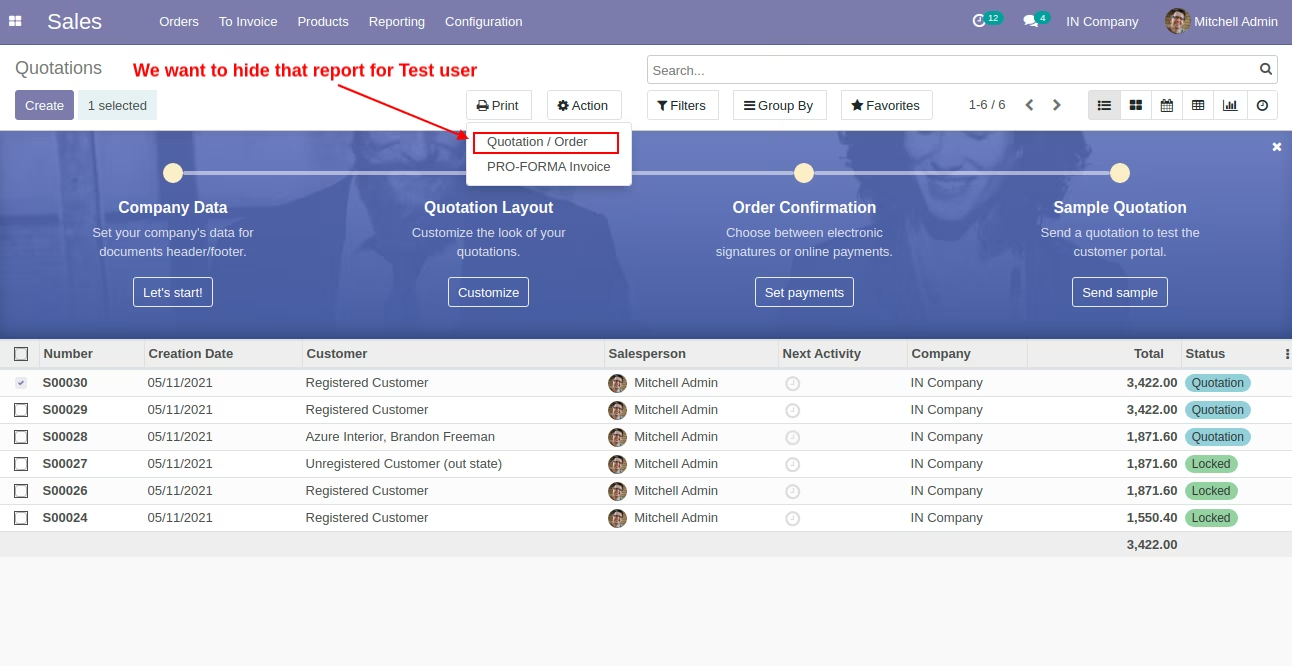
This module provides a professional and seamless way to hide menus, sub-menus, or reports. Designed for administrators and developers seeking refined control over the user interface, it makes menu visibility management intuitive and efficient. With this module, you can simplify navigation, optimize user experience, and improve usability ideal for enhancing performance and streamlining operations.
Hide top-level menus in effortlessly for cleaner navigation
Hide sub-menus individually to declutter the interface
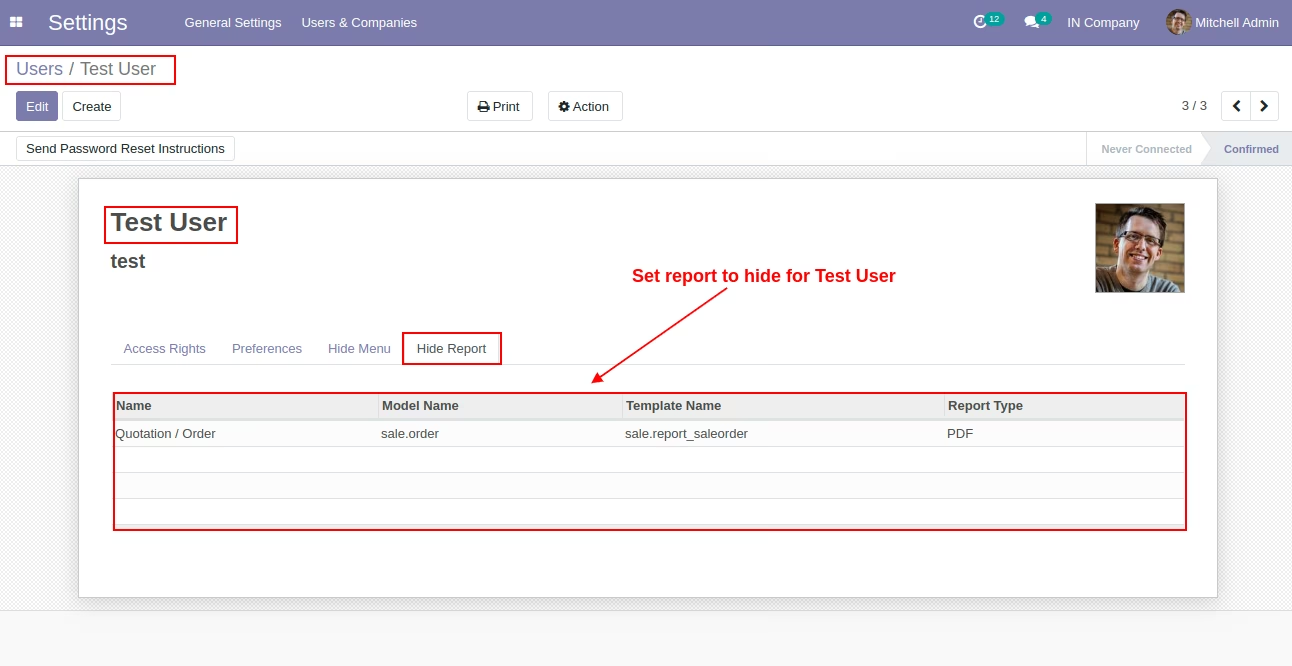
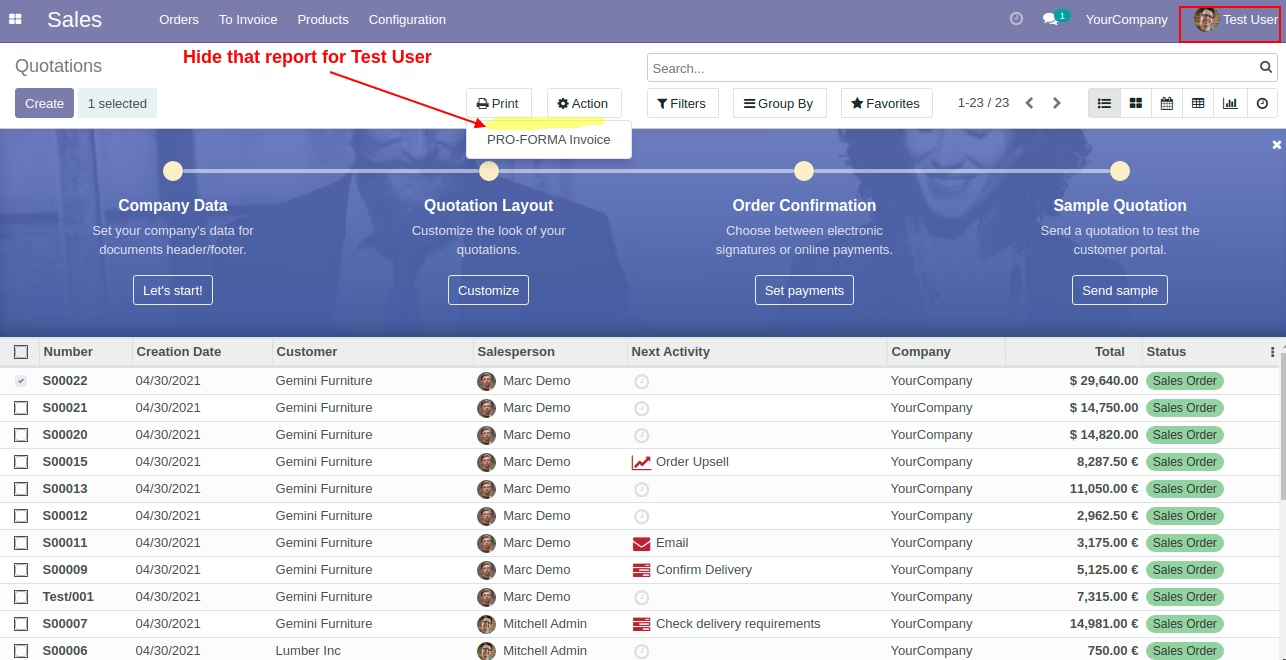
Hide specific reports to restrict visibility as needed
Precise UI control to improve user experience and accessibility
Lightweight and efficient menu visibility customization
Streamlines navigation and reduces UI clutter for end users
Enhances security and access control without complex configuration
Improves efficiency by focusing user attention on relevant options
Provides professional user interface customization in environments
Offers flexibility for developers and administrators to tailor menu visibility
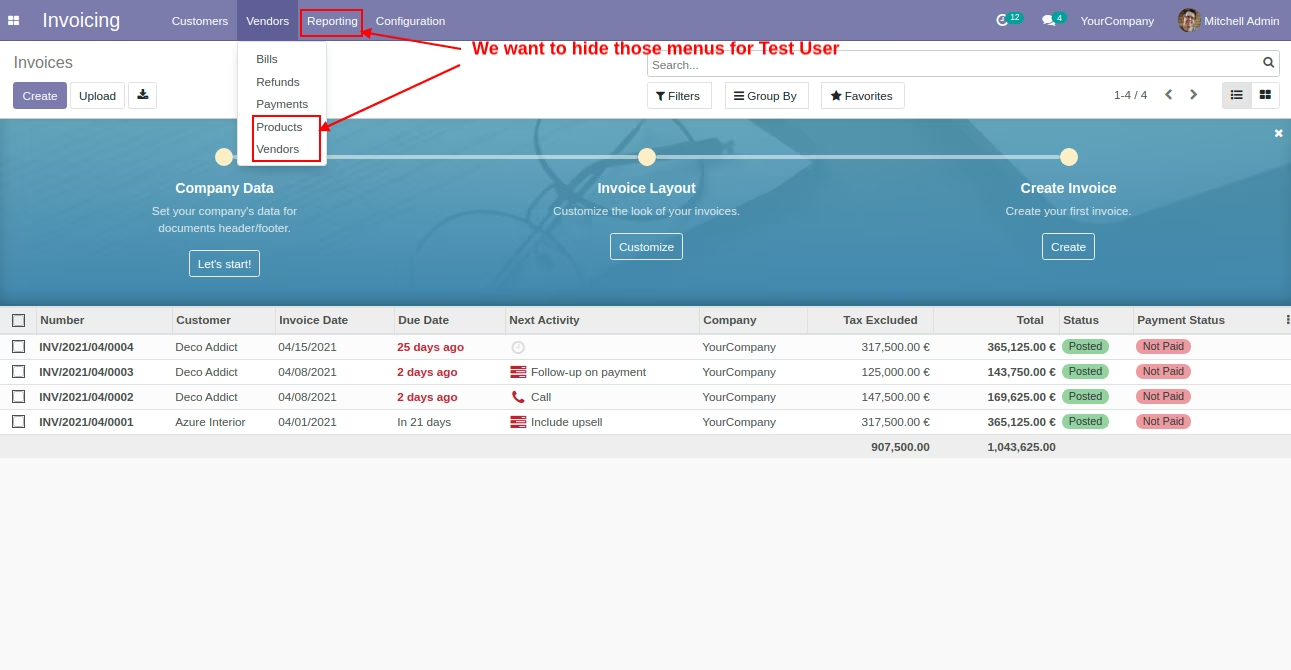
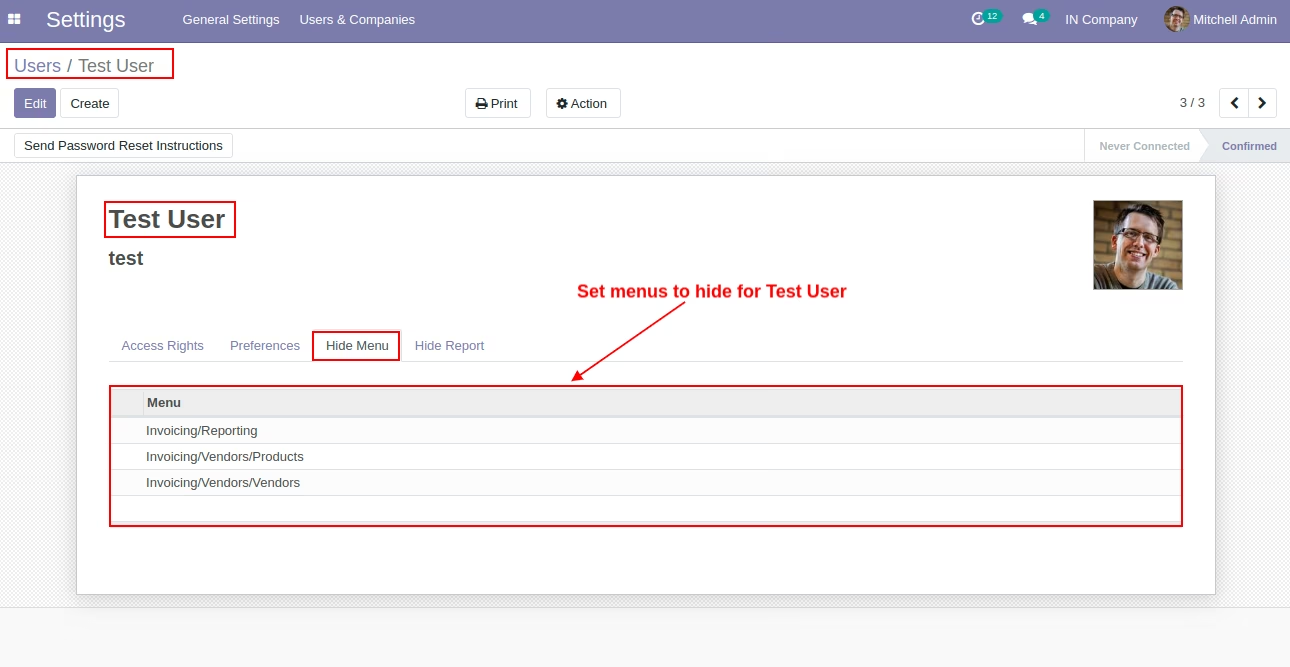
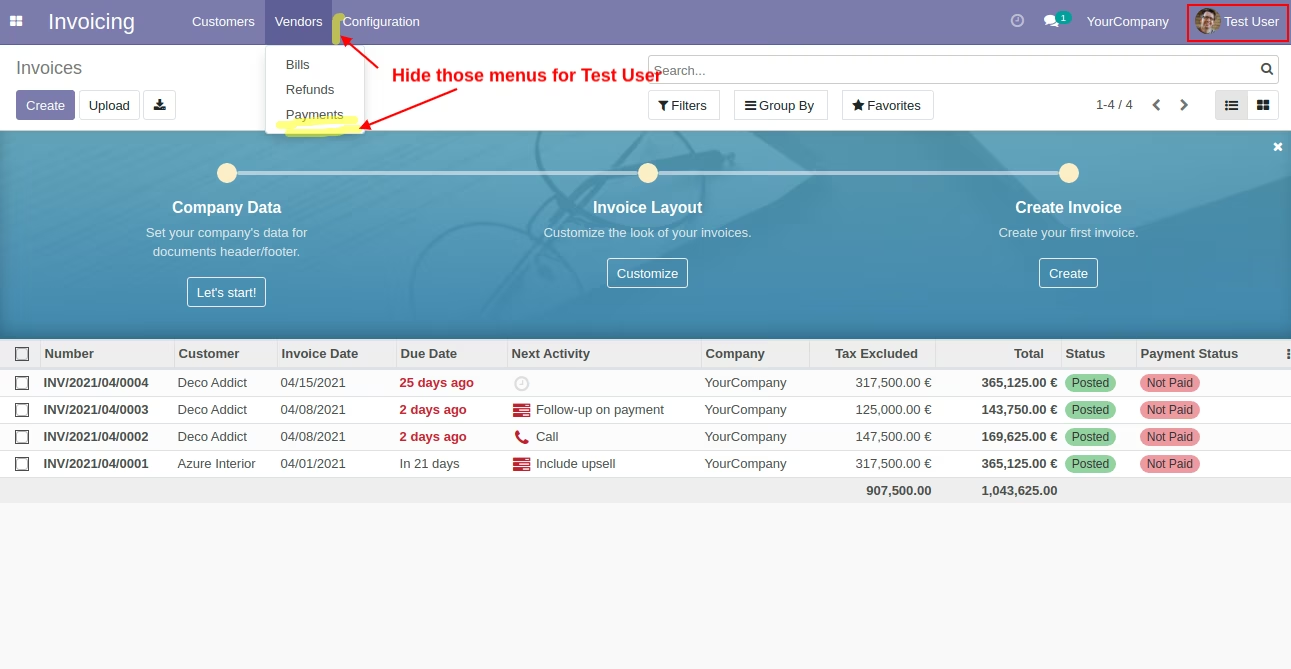
This app help to hide Menu or Sub-menu and Report for specific User.
- Hide Menu or Sub-menu for specific User.
- Hide Reprot for specific User.
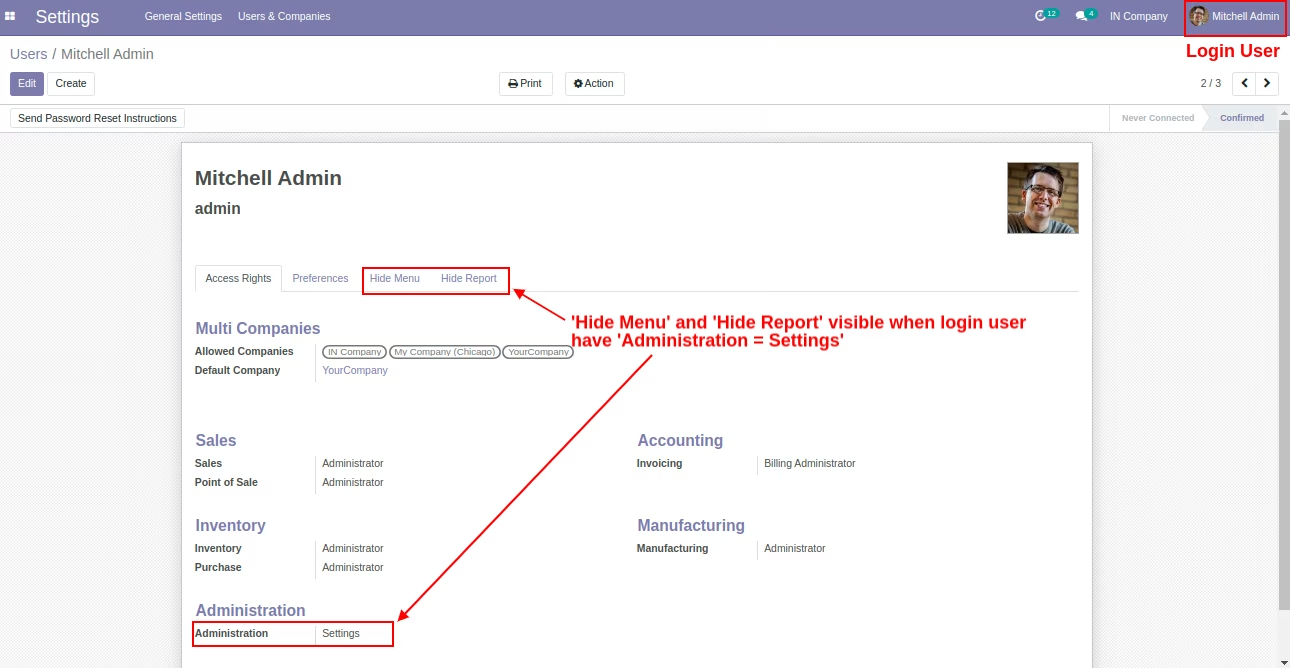
- For Security Reason We Do Not Apply Above Configuration On Admin users.
- In user, Hide Menu tab and Hide Report tab visible only for admin users.
- Eassy to configure.