This module empowers helpdesk teams to receive support tickets via individualized email aliases, improving your helpdesk's multi-channel support capabilities. With team-specific email alias functionality, incoming messages are automatically converted into tickets assigned to the correct team. This increases efficiency, enhances communication clarity, and delivers a streamlined ticket intake process that enriches customer support workflows.
Assign a unique email alias to each helpdesk team for directed ticket creation
Enable automatic ticket generation from customer emails per team
Streamline support communication with clear team-specific routing
Seamless integration into helpdesk architecture and user workflows
Lightweight and efficient implementation without interface disruption
Enhances ticket management by ensuring emails reach the correct helpdesk team
Simplifies support workflows through automatic team-based ticket assignment
Improves customer experience by providing direct communication channels
Reduces manual intervention and routing errors in ticket intake
Elevates professional support operations with targeted communication control
Email Alias for Helpdesk Support Team
Compatible with Community Edition
Allow you to set an alias on the helpdesk support team so when a customer sends an email to this team the email id system will automatically set this team on the created ticket (Catchall should be configured).
Main Features:
- The Support Manager can manage aliases on the helpdesk team.
- Sending mail to this email will create a new ticket directly assigning this team on ticket.
- For more details please see below screenshots and watch the video.
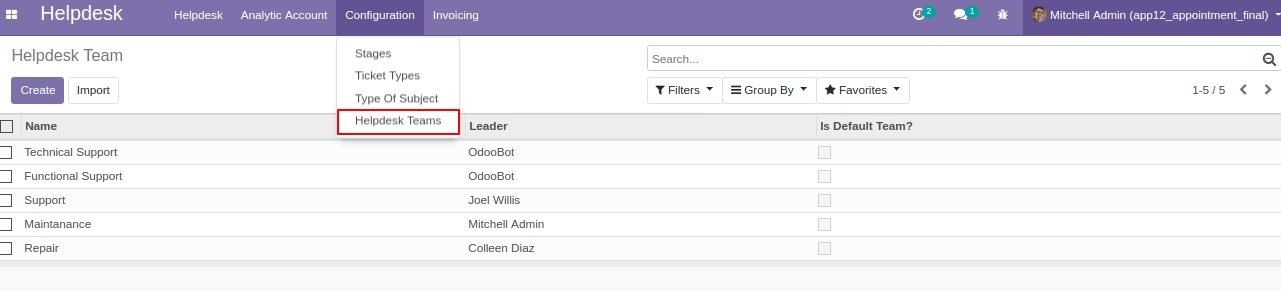
Helpdesk Teams
Menu: Helpdesk/Configuration/Helpdesk Teams
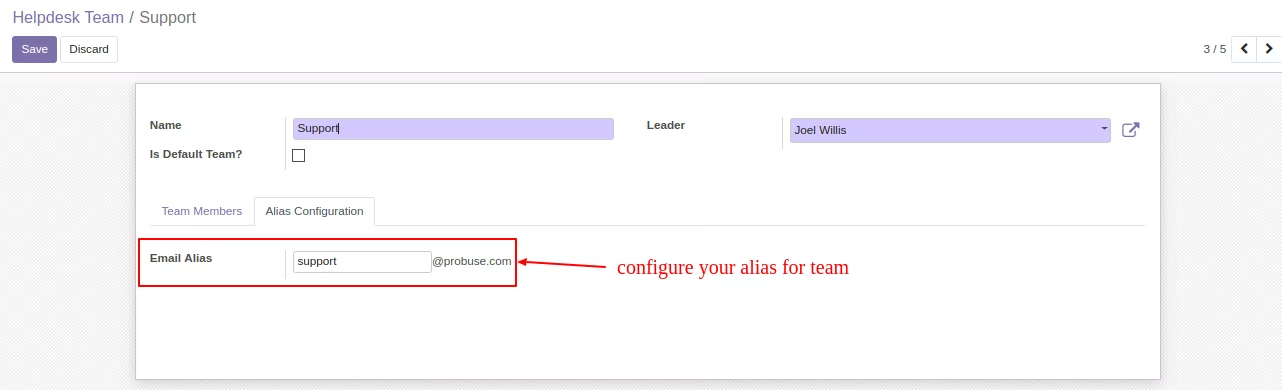
Alias configuration on Helpdesk Team Form
Menu: Helpdesk/Configuration/Helpdesk Teams
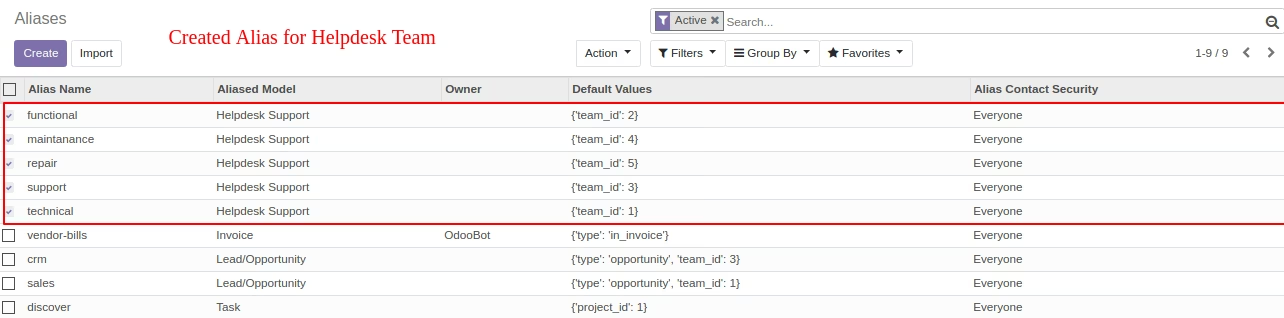
Created Email Aliases in System for Helpdesk Team
Menu: Settings/Technical/Email/Aliases