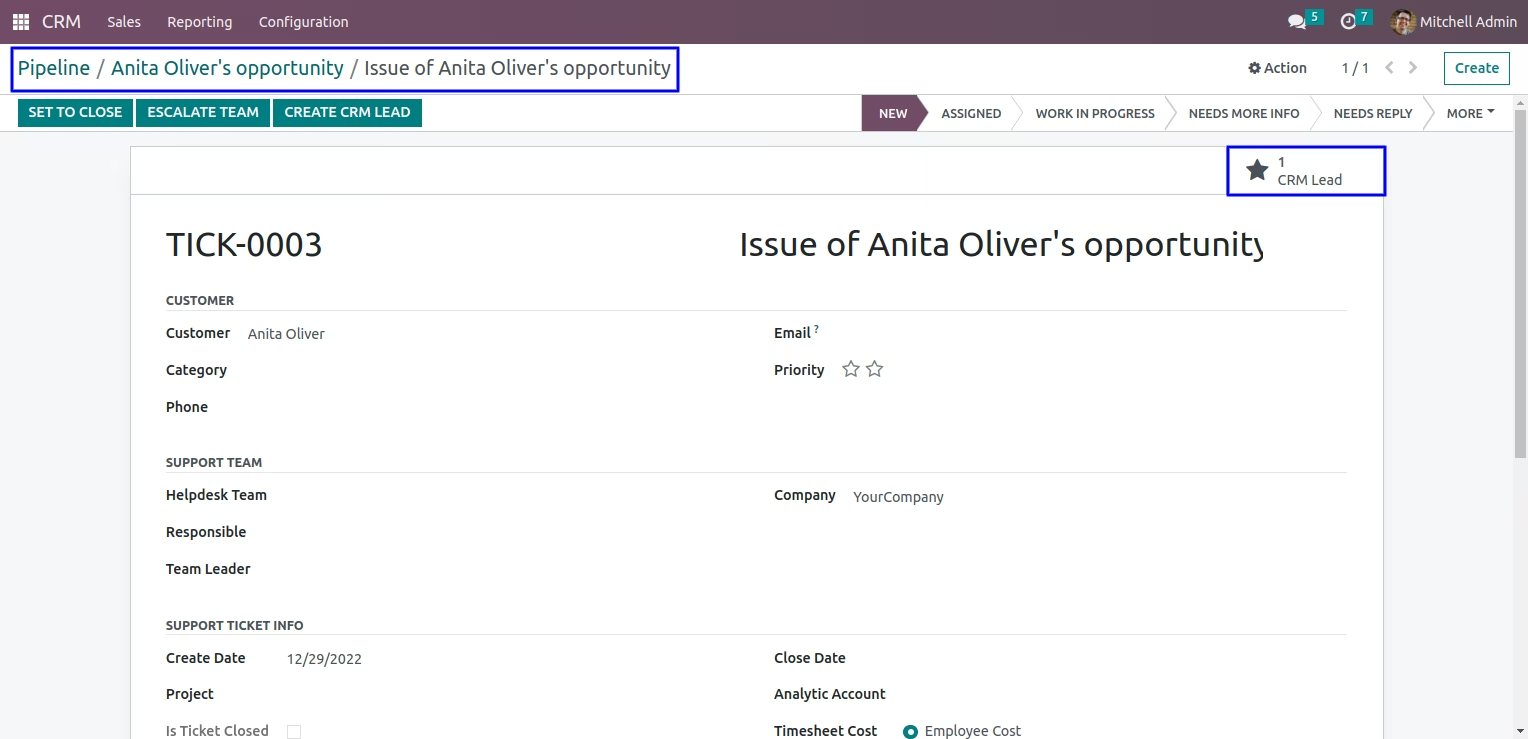
The module is designed to connect customer support and sales processes. It allows organizations to efficiently convert helpdesk tickets into CRM leads and transform CRM leads into helpdesk tickets, ensuring smooth collaboration between service and sales teams.
Convert helpdesk tickets into CRM leads with a single click.
View related CRM lead information directly from the ticket form via a smart button.
Create helpdesk tickets from CRM leads with an easy shortcut in the lead form.
Simple configuration option to enable or disable the CRM and Helpdesk integration.
Streamlined workflow: Reduce manual effort by linking tickets and leads seamlessly.
Improved collaboration: Sales and support teams can access and share critical customer information.
Faster follow-ups: Transform issues into opportunities for upselling or strengthening customer relations.
User-friendly design: Intuitive buttons and clear navigation enhance productivity.
CRM Lead Helpdesk Ticket Apps
Helpdesk Ticket CRM Lead Apps
Manage CRM with Helpdesk Apps
Manage Helpdesk Ticket With CRM Apps
Manage CRM with Helpdesk App helps users to configure CRM helpdesk ticket checkbox. Users can generate a CRM lead directly from a helpdesk ticket vice versa they can generate a helpdesk ticket from the CRM lead.
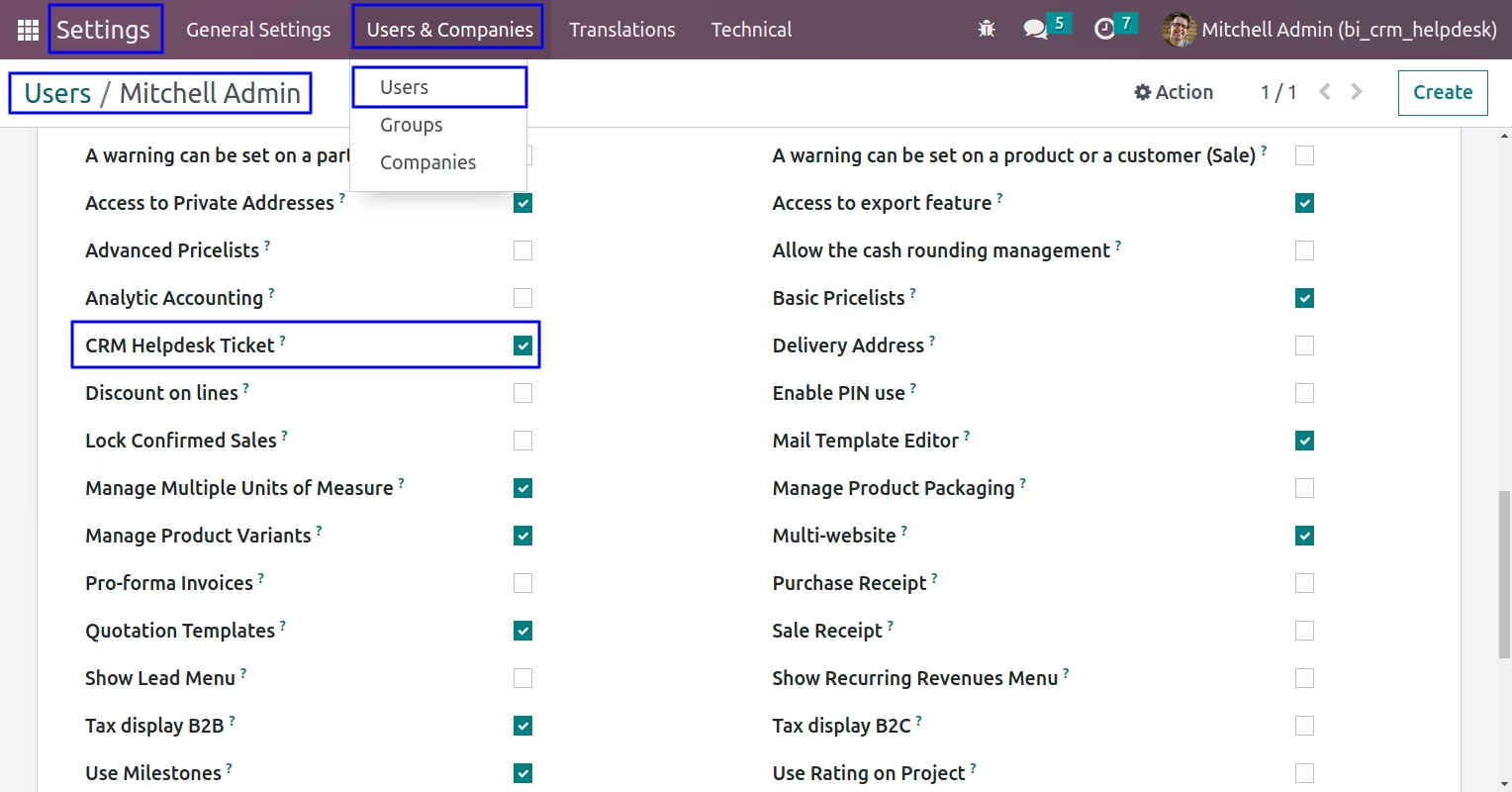
Configuration for CRM Helpdesk Ticket
Under user configuration you can tick on 'CRM Helpdesk Ticket' checkbox.
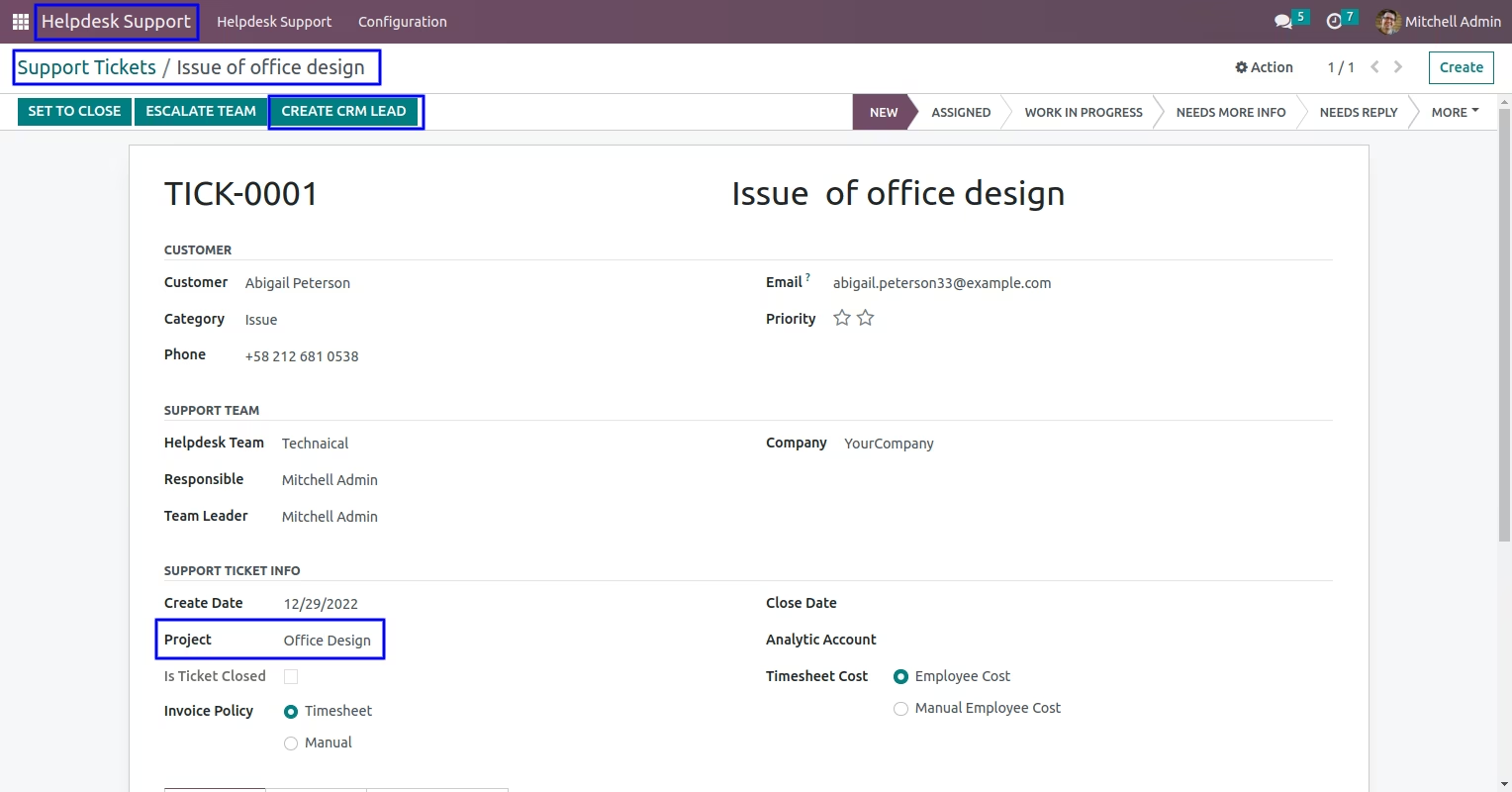
Create CRM Lead from Helpdesk Ticket
In helpdesk ticket you can click on "CREATE CRM LEAD" button to create a crm lead directly from the helpdesk ticket.
After created CRM lead you can see 'CRM Lead' smart button on ticket's form view.
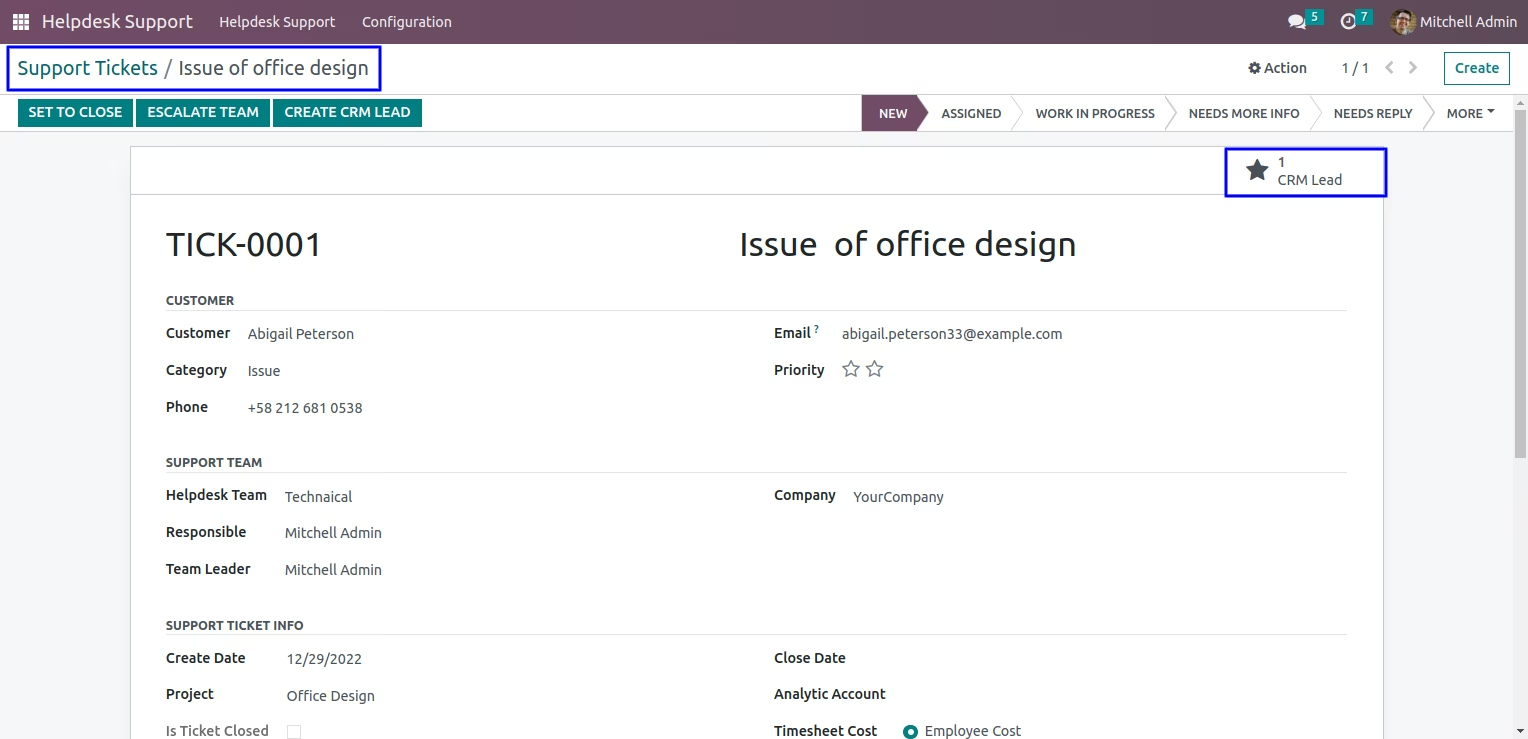
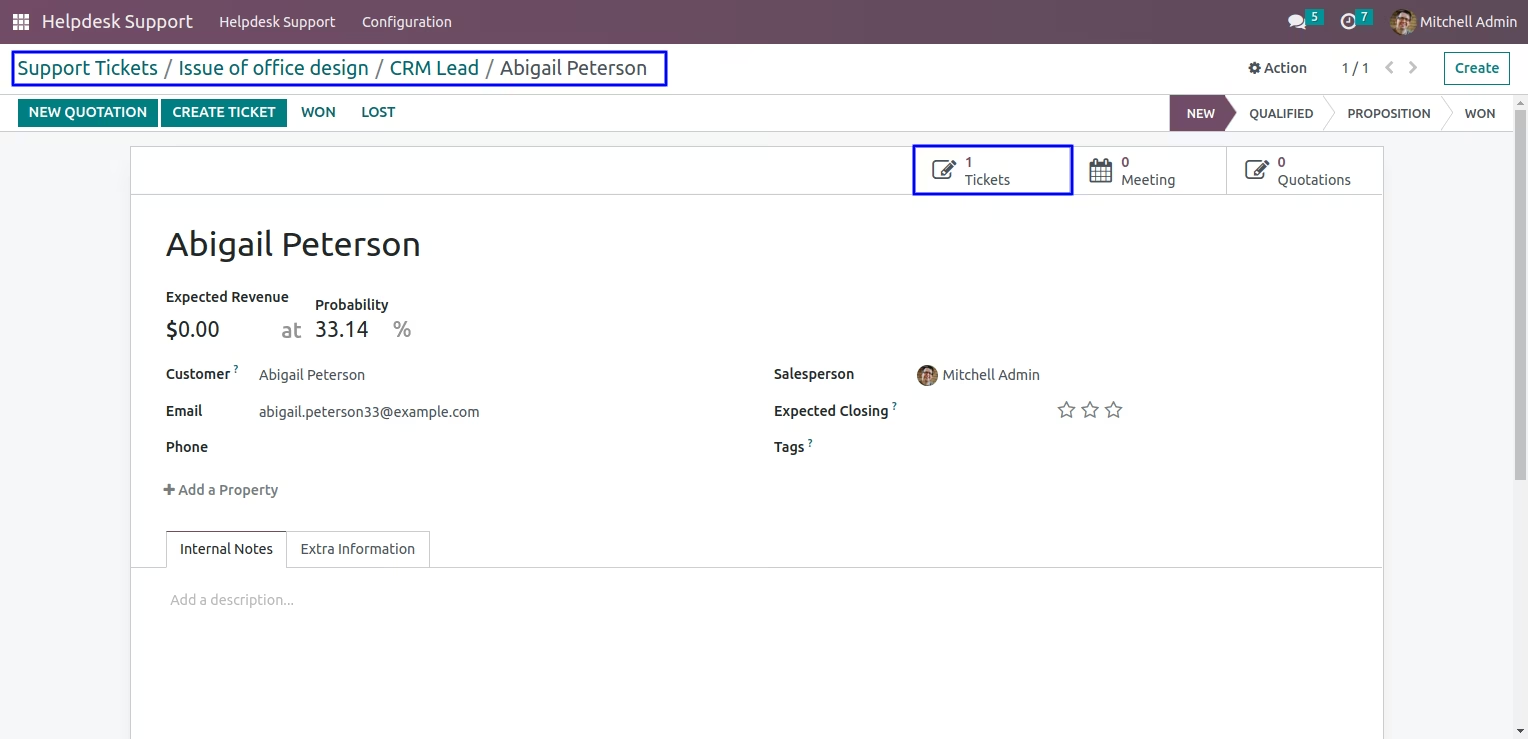
Created CRM Lead from Helpdesk Ticket
You can see created CRM lead directly from helpdesk ticket and also view smart button of 'Tickets'.
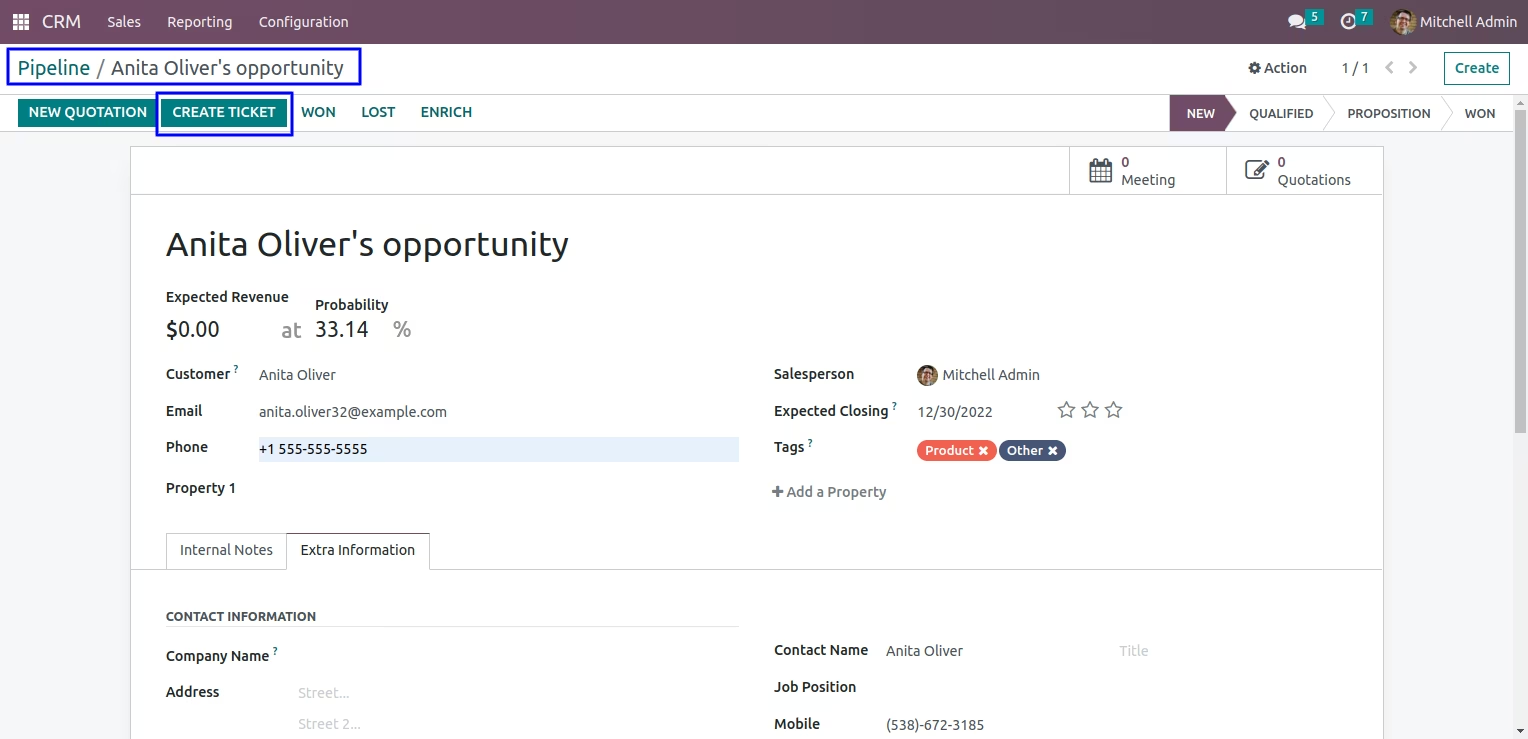
Create Ticket from CRM Lead
In CRM lead you can click on "CREATE TICKET" button to create a helpdesk ticket directly from the lead.
After created helpdesk ticket you can see 'Tickets' smart button on CRM lead's form view.
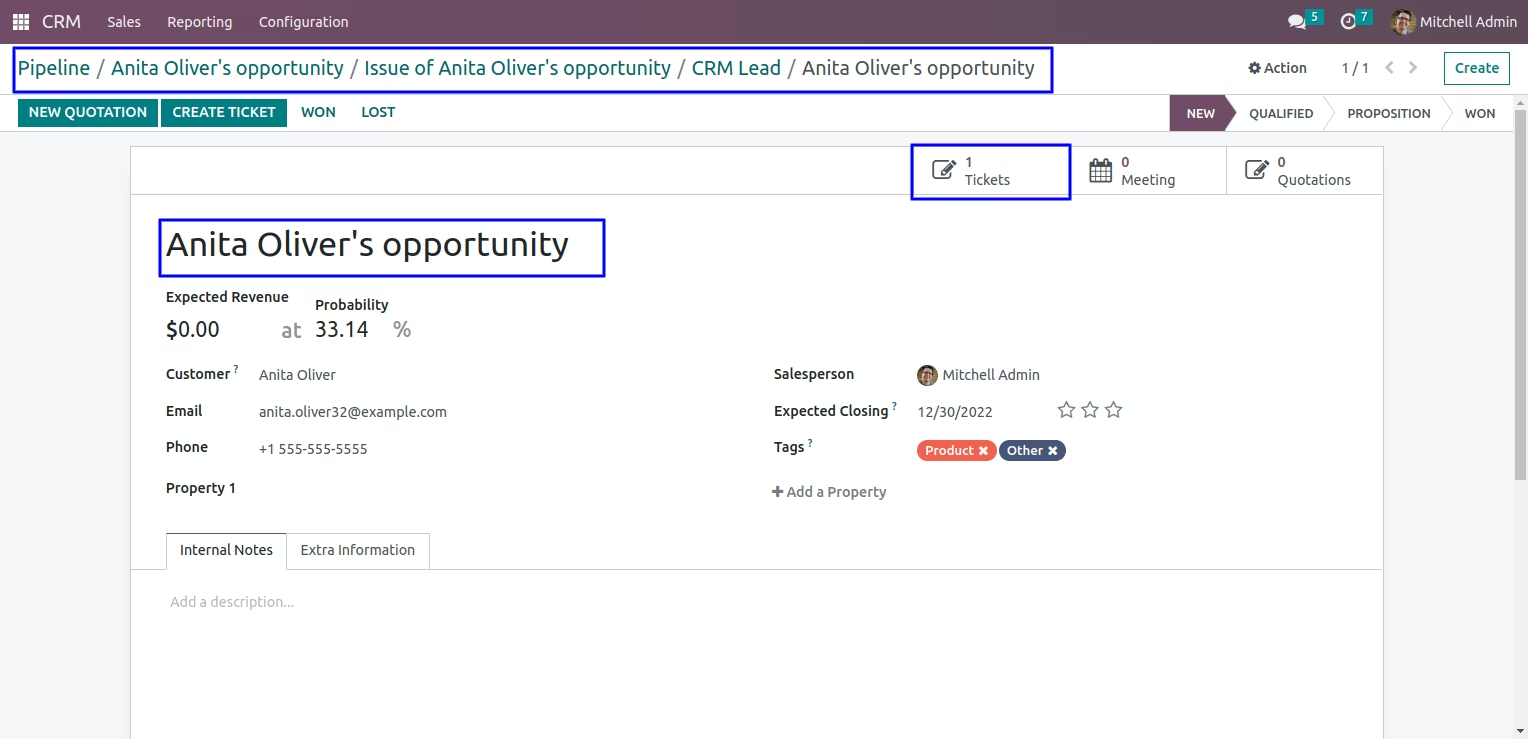
Created Helpdesk Ticket from CRM Lead
You can see created helpdesk ticket directly from CRM lead and also view smart button of 'CRM Lead'.