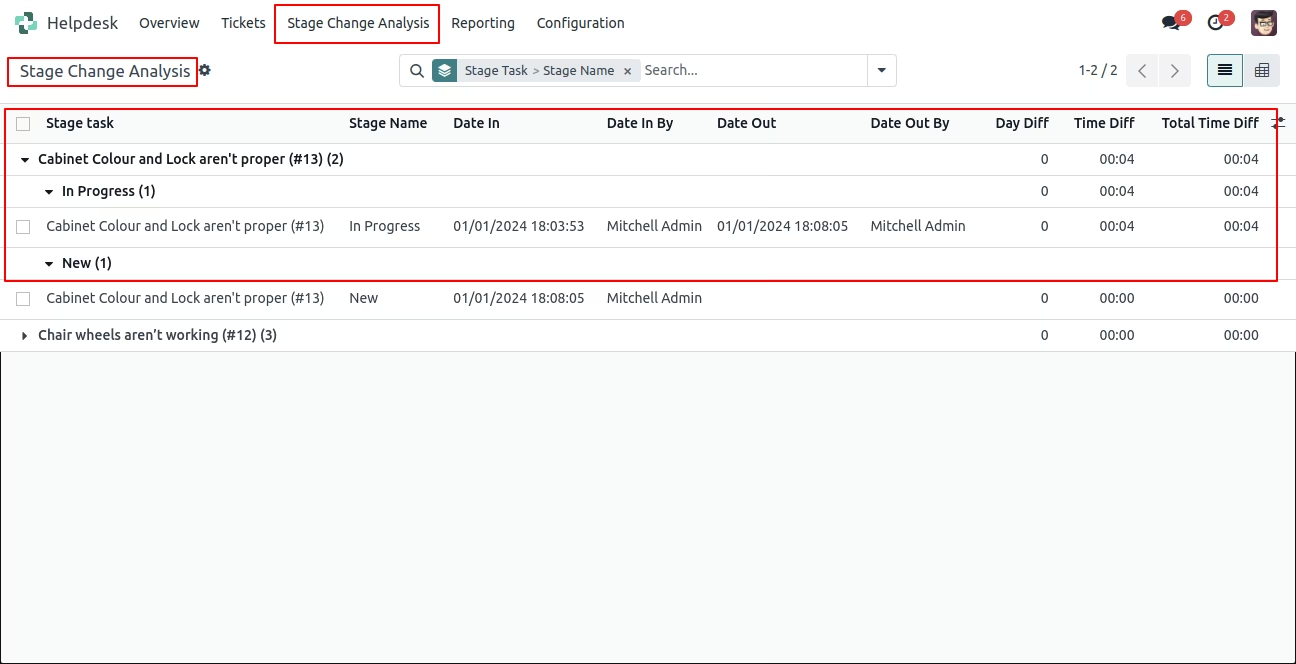
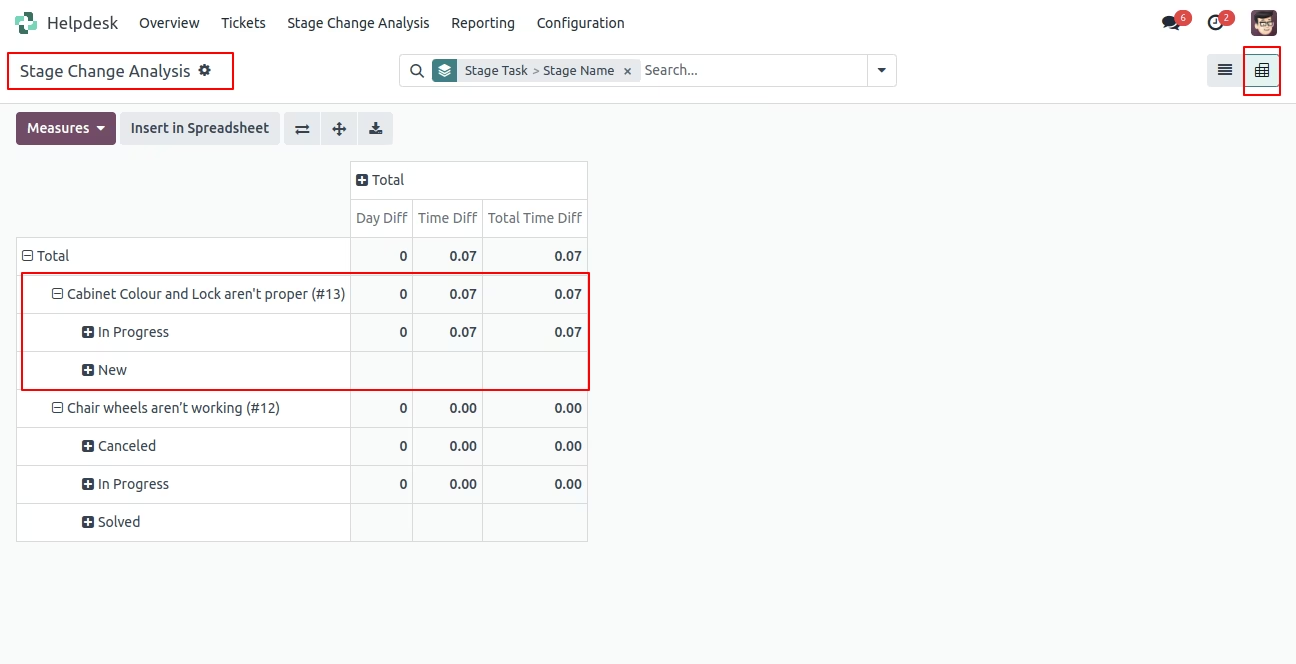
This module enables support teams to track and display the history of stage changes for helpdesk tickets, capturing when and how tickets progress through different stages. It enhances transparency and auditability in support workflows by providing a clear log of stage transitions. Ideal for administrators and managers aiming to monitor team performance, identify bottlenecks, and refine helpdesk processes.
Display a chronological log of stage changes for each helpdesk ticket
Record timestamps and user information for each stage transition
Improve workflow oversight and helpdesk process visibility
Seamlessly integrate into the standard Helpdesk and Discuss modules
Lightweight implementation with minimal interface overhead
Enhances accountability by providing clear stage change records
Aids in identifying delays or bottlenecks in ticket progression
Supports data-driven optimization of helpdesk workflows
Improves audit transparency for internal reviews and quality control
Adds professional-level tracking capability to helpdesk operations
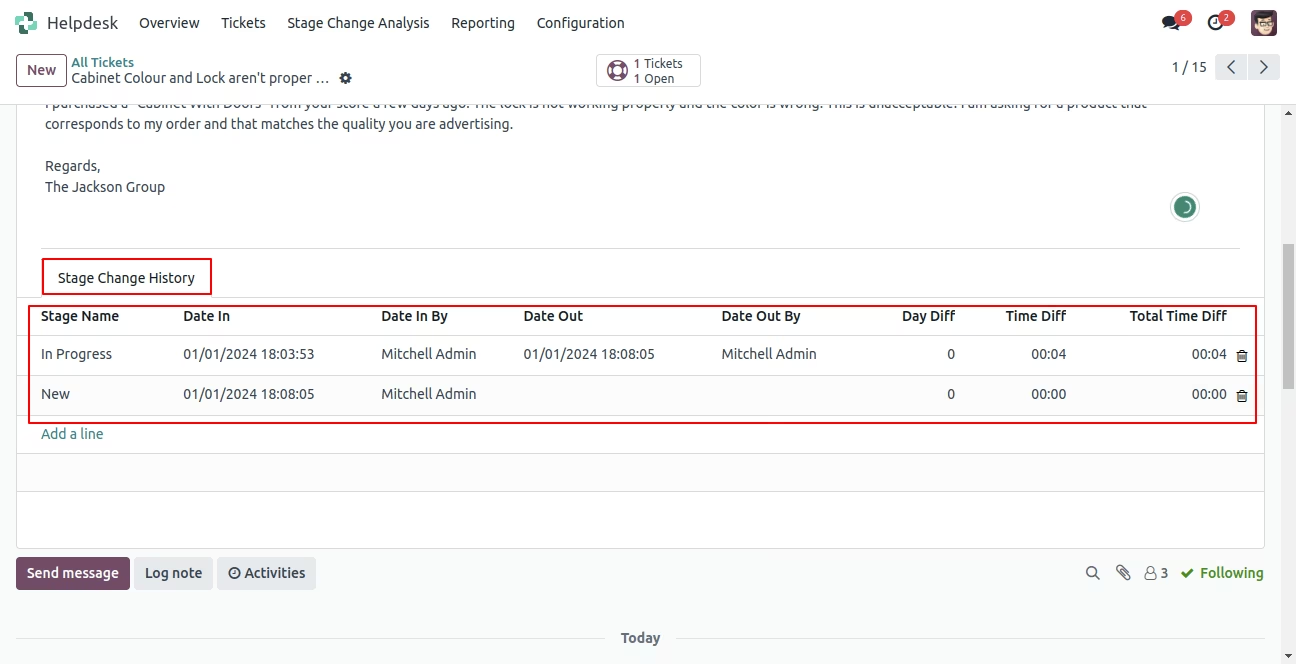
This module helps to display helpdesk stage history. You can find who has moved stage and when. We provide stage change analysis menu where you can see all stages history with details.
- You can see helpdesk stage history.
- It shows stage history with all details.
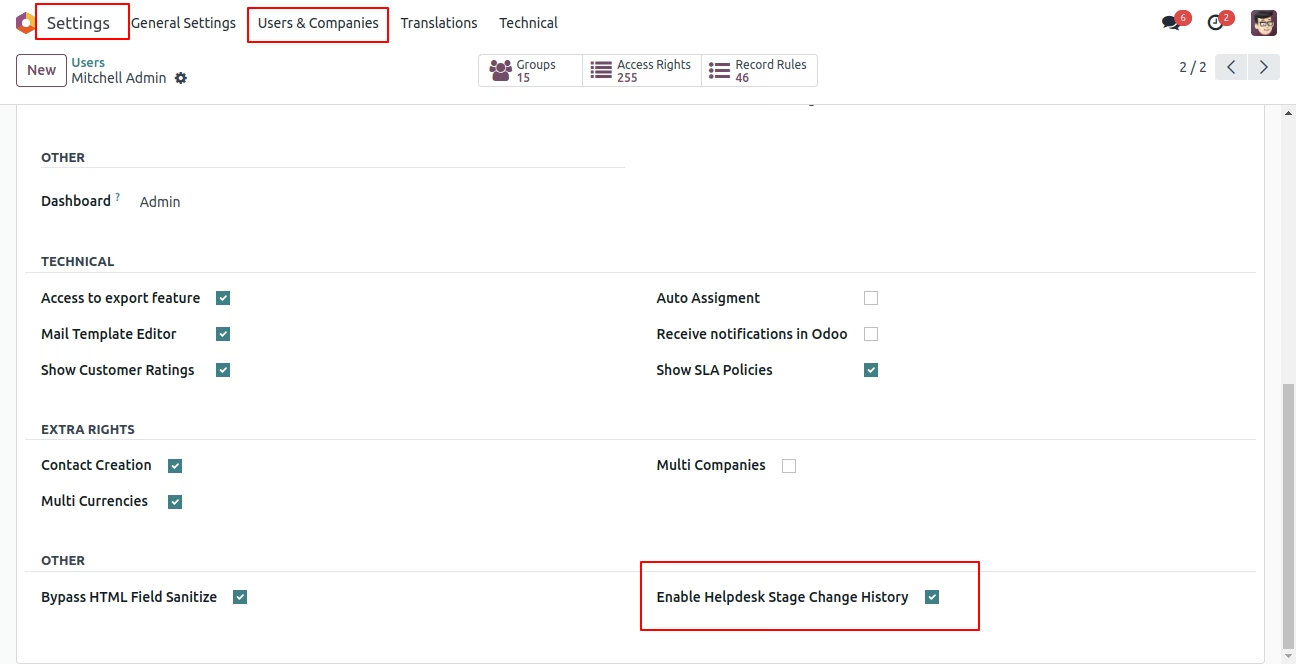
Tick 'Enable Helpdesk Stage Change History'.
Change the stage.
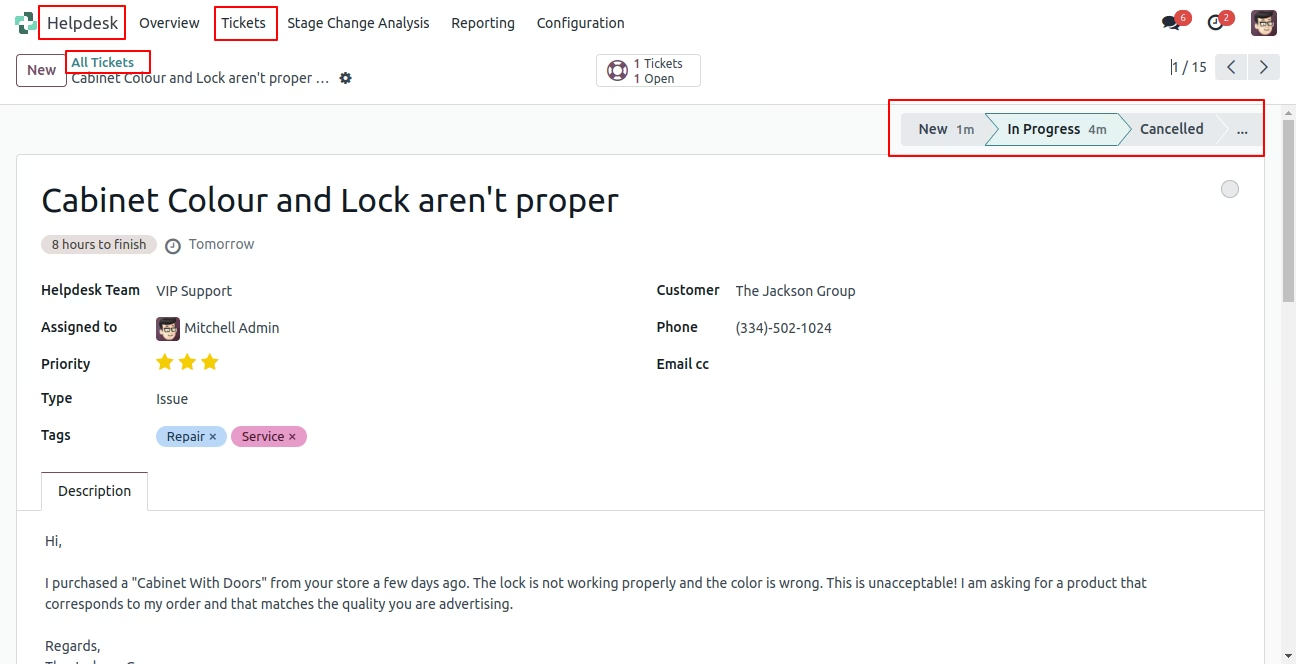
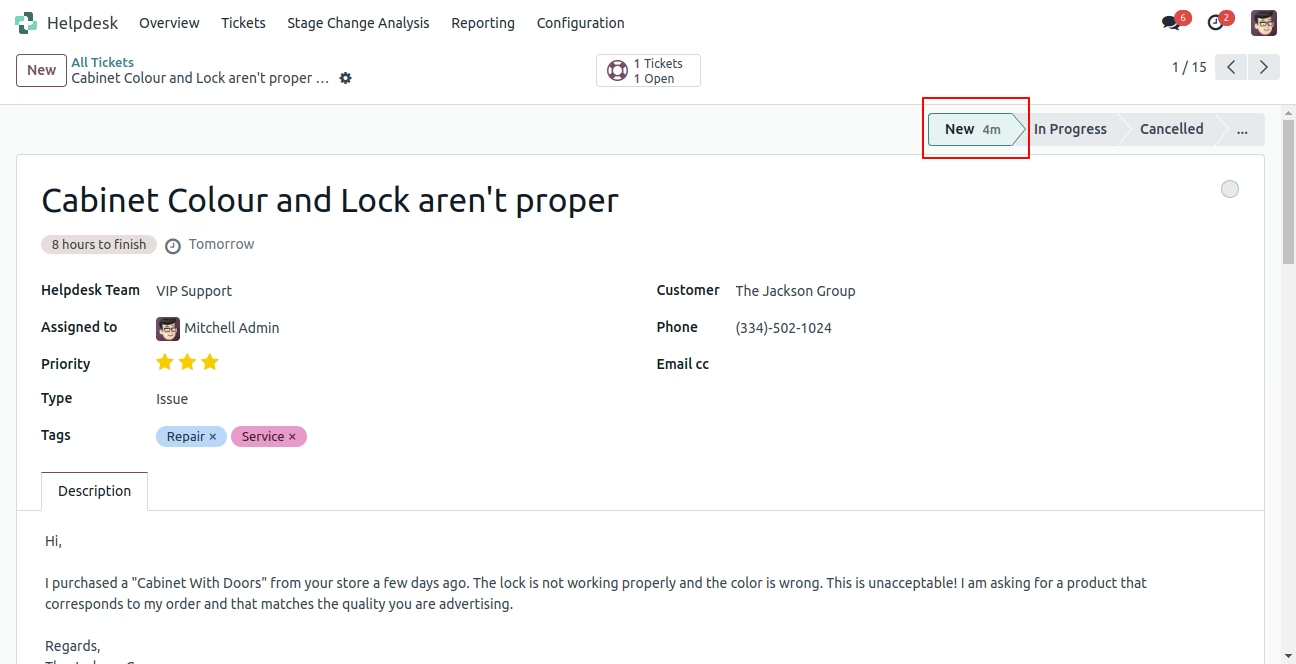
Change the stage to New stage.
Stage change history with details.
In the stage change analysis menu, you can see all history.