This module provides a comprehensive solution for analyzing helpdesk SLA performance, focusing on identifying and investigating delays in SLA fulfillment. It enables administrators and managers to gain deeper insights into overdue tickets, monitor compliance, and improve overall service efficiency. With clear reporting on SLA delays, this module empowers support teams to proactively address bottlenecks and enhance ticket response strategies.
Generate analytical reports for SLA delays and overdue tickets
Monitor response and resolution timelines against SLA targets
Visualize helpdesk performance and SLA compliance across teams
Seamlessly integrate with various modules for cohesive analysis
Lightweight reporting enhancement built for support efficiency
Improves SLA compliance by highlighting delay trends and bottlenecks
Enhances managerial oversight of support performance metrics
Empowers proactive issue resolution with clear SLA delay visibility
Supports data-driven optimization of helpdesk workflows
Delivers professional-level service monitoring in environments
Helpdesk Service Level Agreement (SLA) Analysis
for Estimated Hours / Consumed Hours / Delay Hours.
This app provides Helpdesk Service Level Agreement (SLA) with consumption of estimated hours and delay hours analysis.
Main Features:
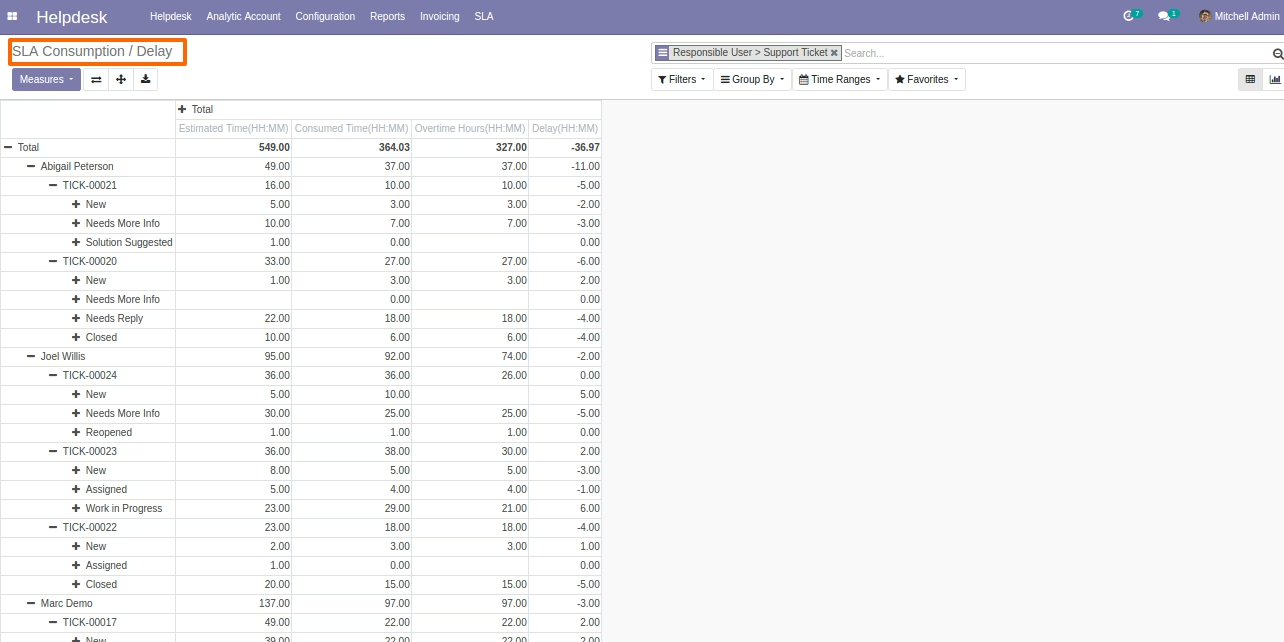
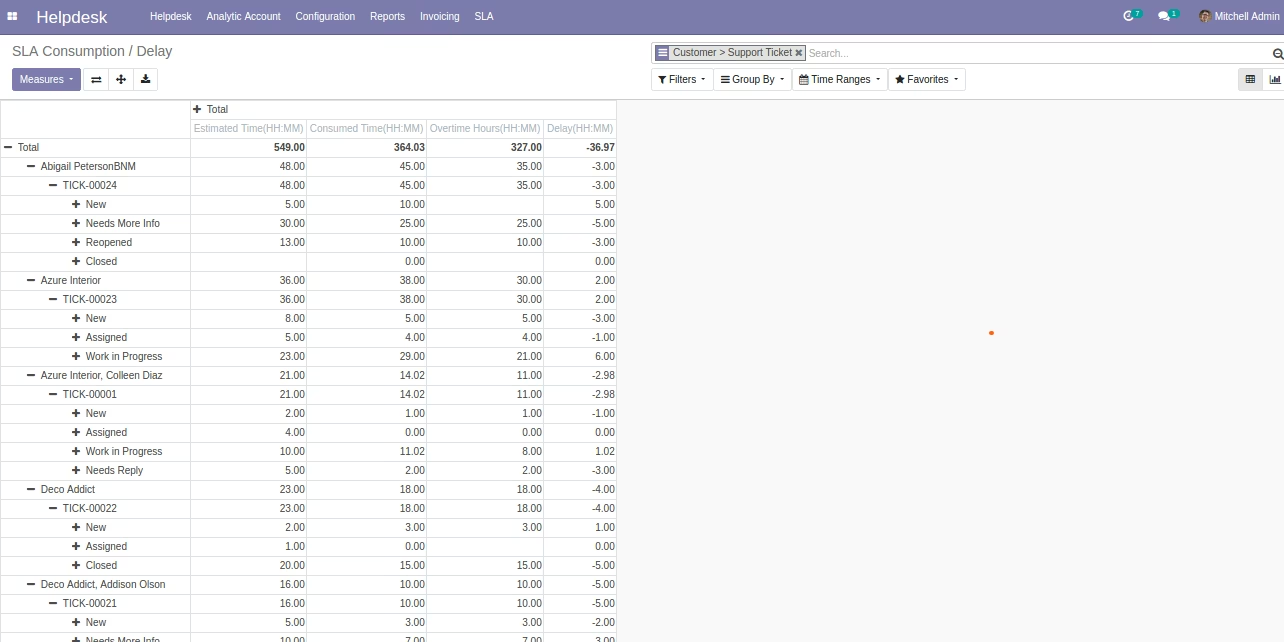
- Support Manager(s) can see (SLA) Consumption Hours / Delay Hours Report under Reports Menu of helpdesk support ticket app.
- For more details please see below screenshots and watch the video.
- ONLY COMPATIBLE WITH COMMUNITY EDITION.
Helpdesk Service Level Agreement (SLA) Analysis Menu

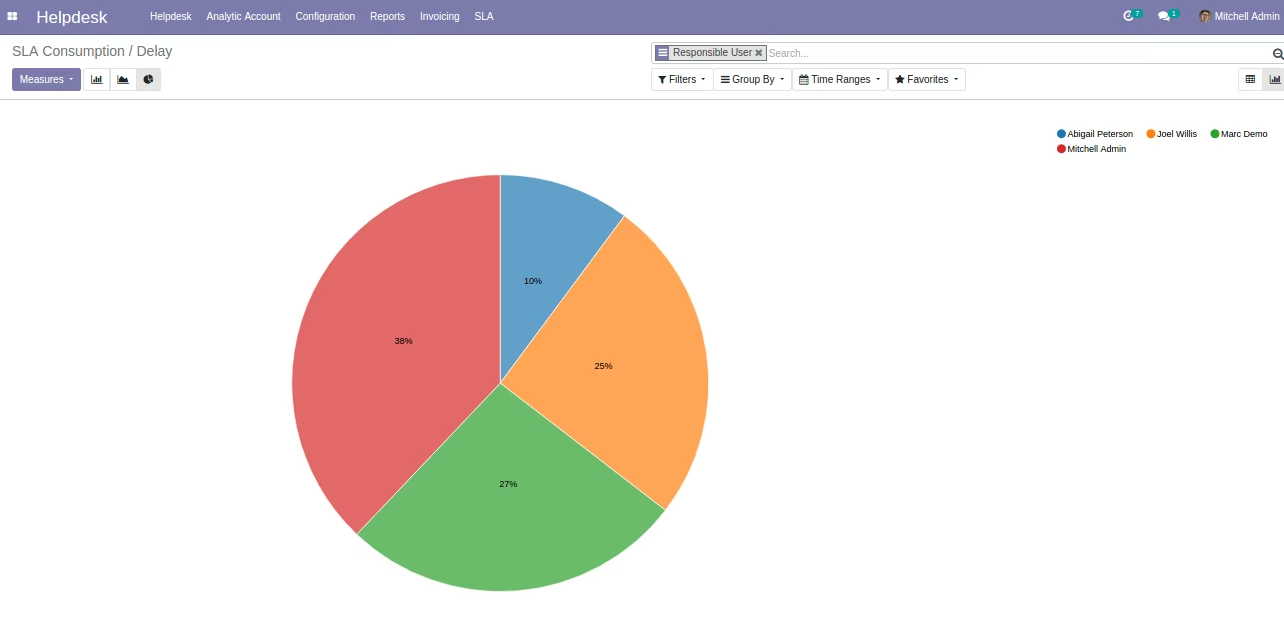
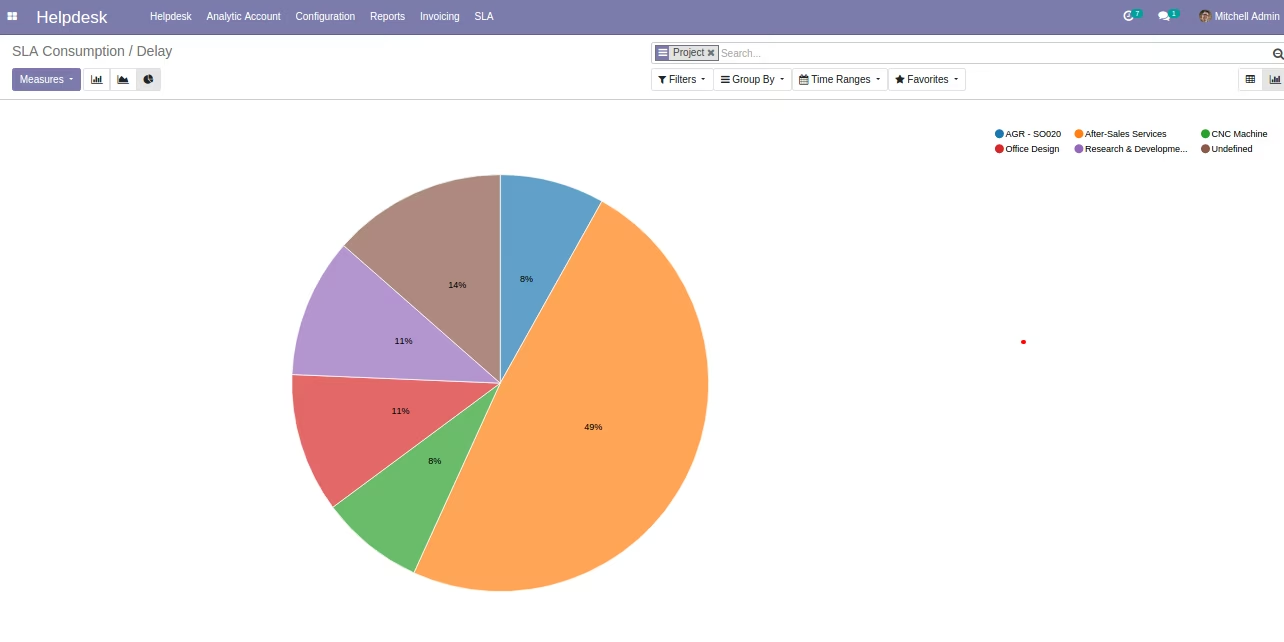
Helpdesk Service Level Agreement (SLA) Analysis Consumption Hour / Delay Hour Analysis
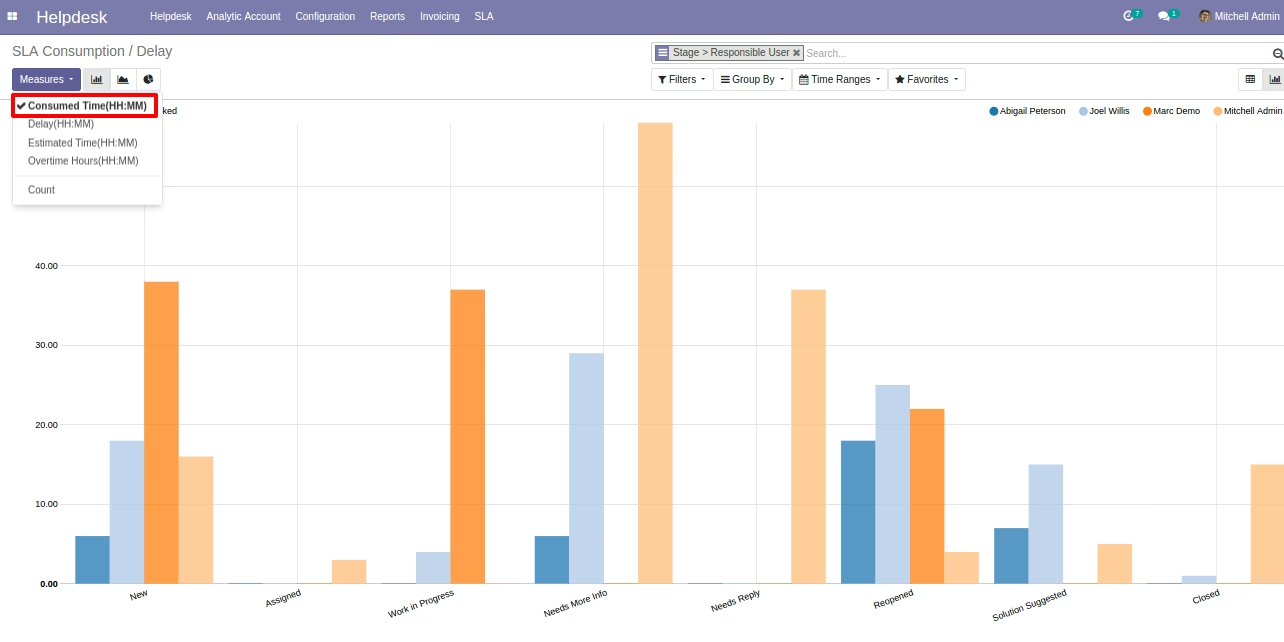
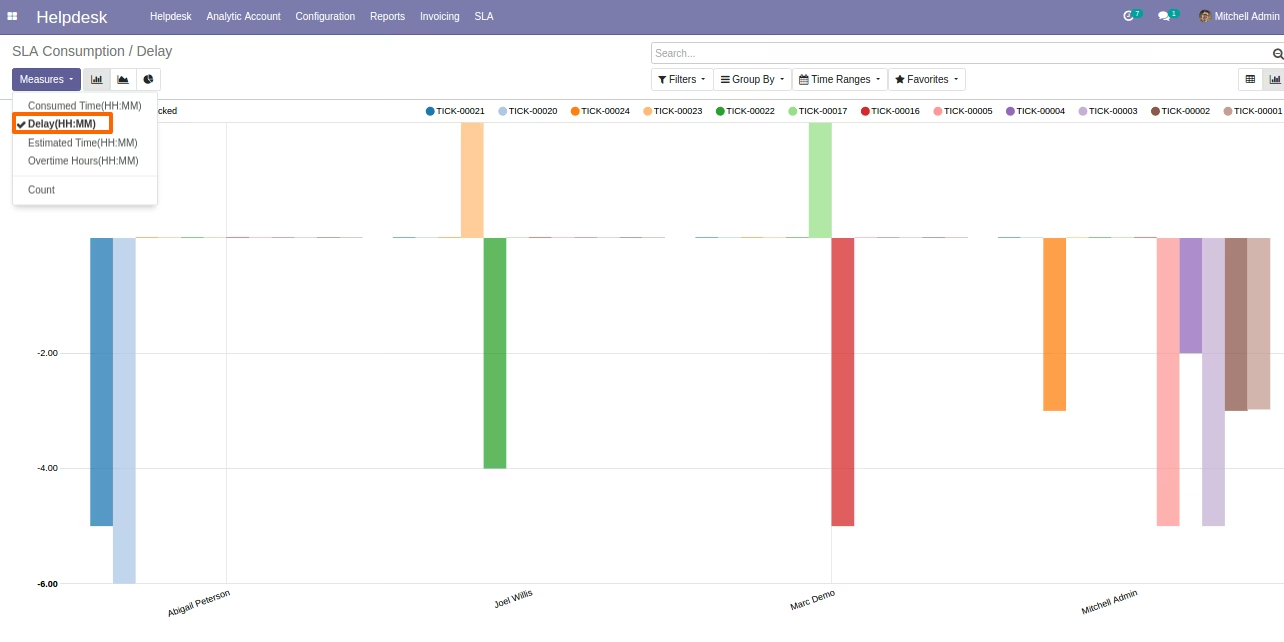
SLA Consumption Hour / Delay Hour Bar Chart
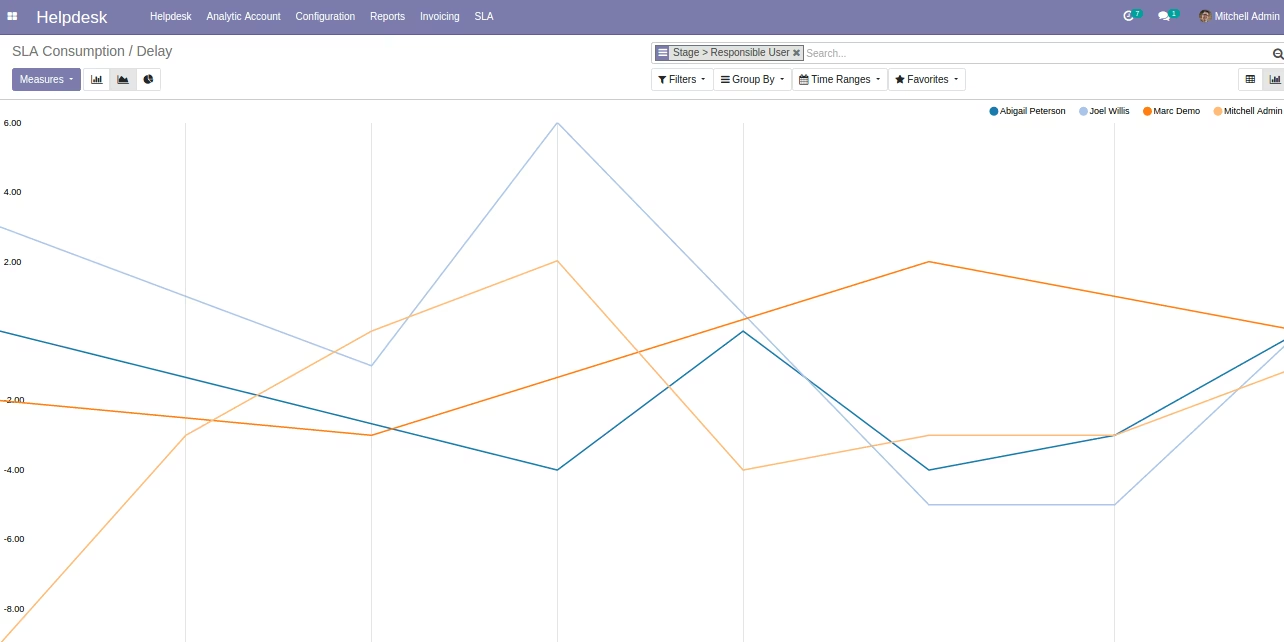
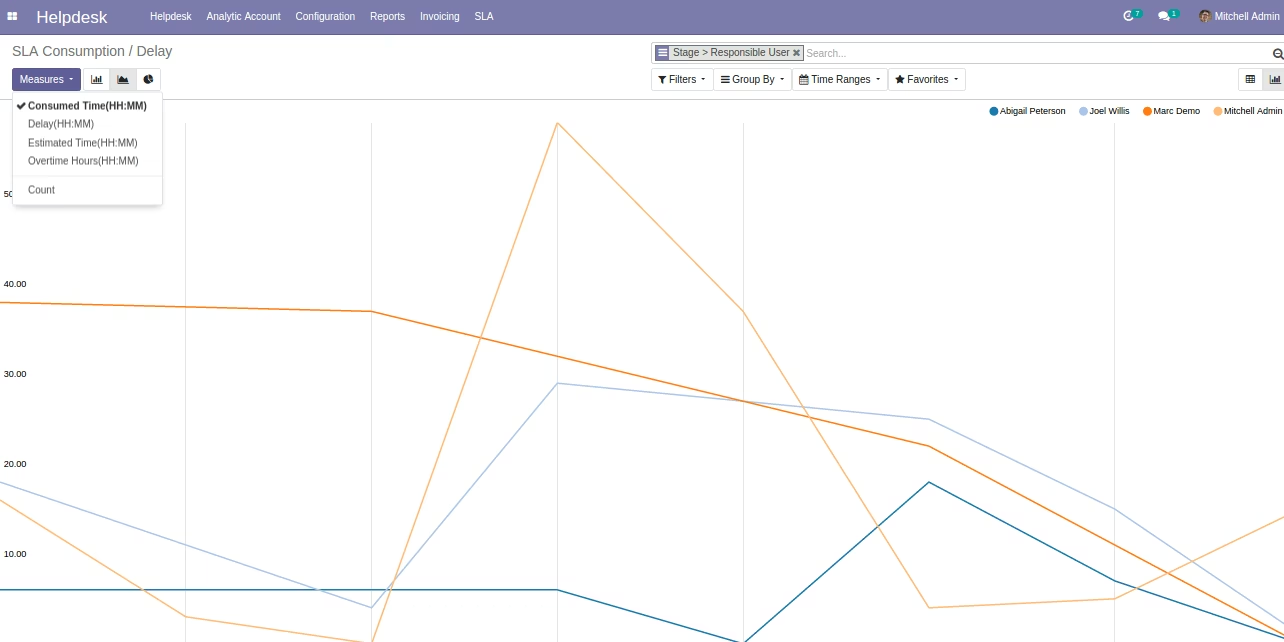
SLA Consumption Hour / Delay Hour Line Chart
SLA Consumption Hours / Delay Hours Pie Chart