This module introduces a fully integrated Service Level Agreement (SLA) feature for helpdesk support ticketing. It allows administrators to define SLA levels, assign them to customers, automatically calculate ticket deadlines, and monitor team performance through SLA logs and analytical reports. Designed for support teams aiming to elevate response standards, this module enables structured SLA enforcement and professional-level oversight.
Configure custom SLA levels with criteria such as ticket category and priority for automatic deadline computation
Assign SLA levels to customers to enforce appropriate response expectations
Define helpdesk team working time and calendars alongside estimated response or reply timelines for each SLA stage
Display detailed SLA time logs on helpdesk ticket forms for transparent tracking
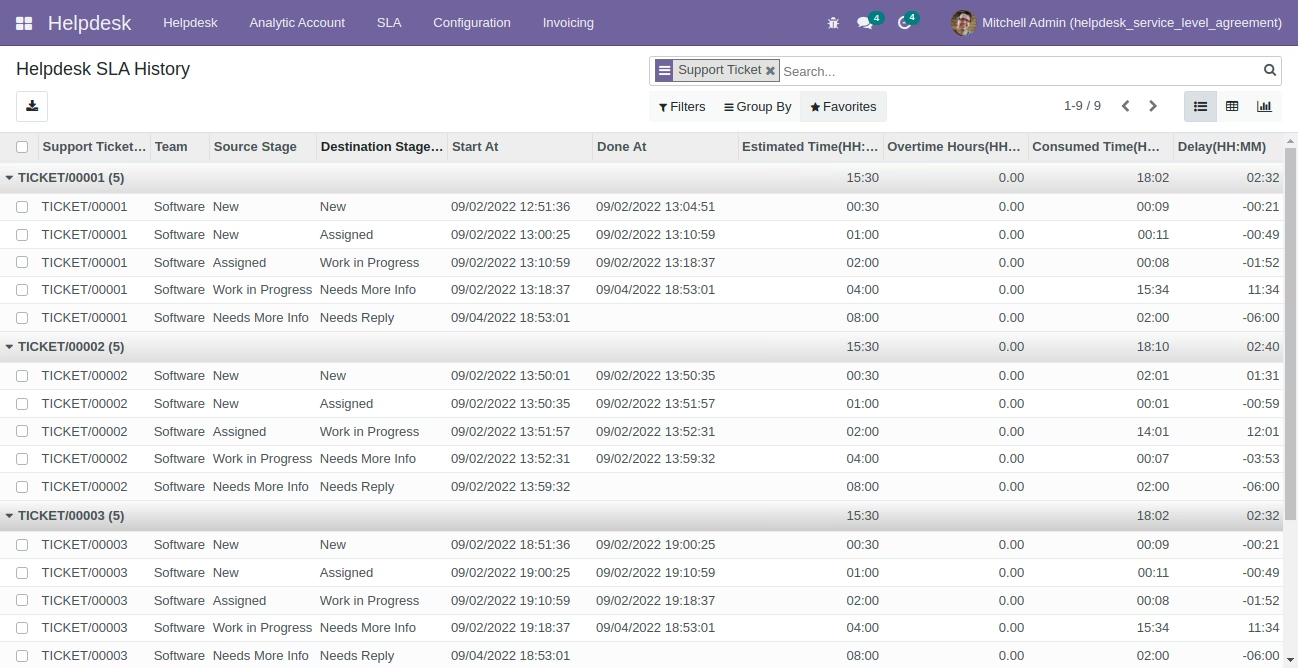
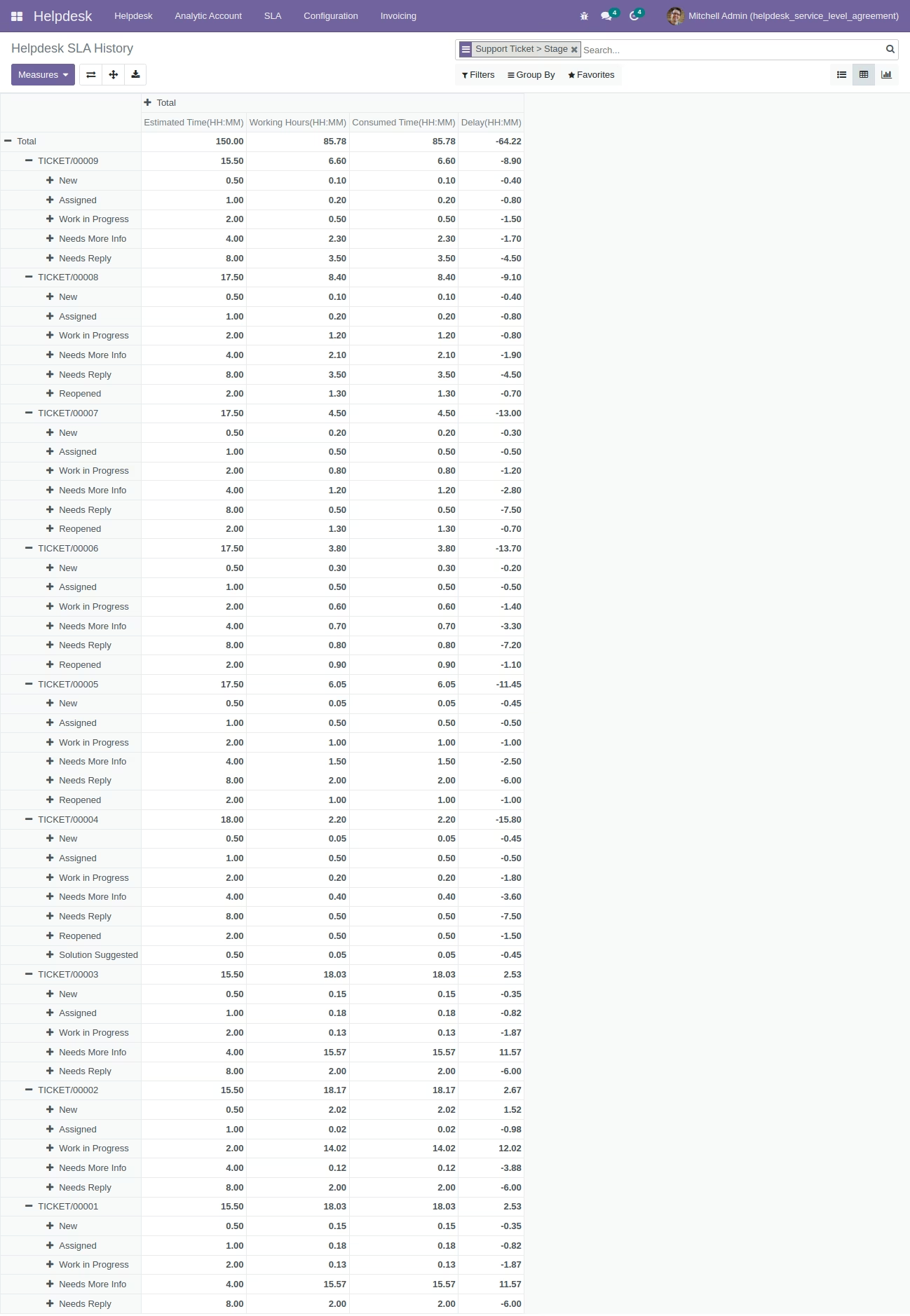
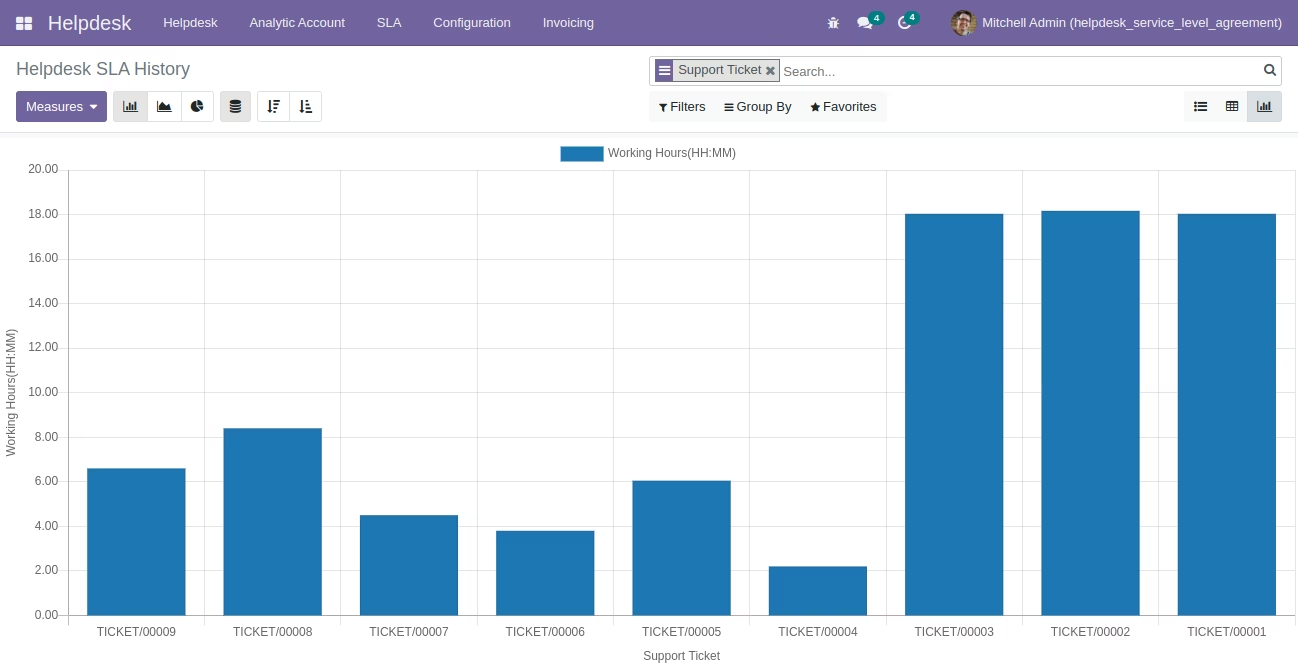
Access SLA analysis tools offering BI reports with list, pivot, and graphical views for ticket SLA performance tracking
Enhances SLA enforcement through automated deadline tracking and customer-level assignment
Boosts response efficiency and helps teams meet support standards consistently
Increases transparency with SLA logs visible directly on tickets
Empowers data-driven improvement via comprehensive SLA performance reporting
Raises the quality and professionalism of helpdesk operations
This app allows your helpdesk team to have a service level agreement (SLA) feature on the helpdesk support ticket app.
Main Features:
- Allow you to create and manage SLA levels under configuration.
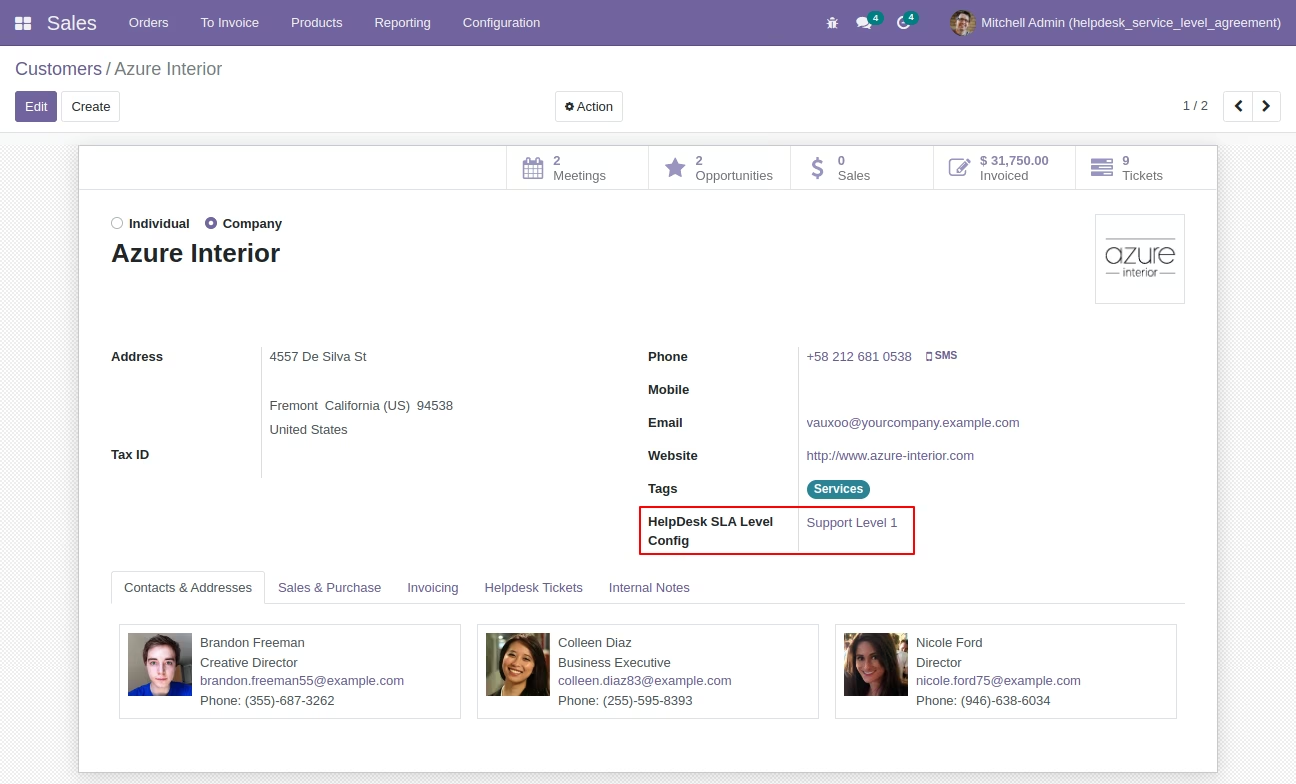
- Allow your user to link the SLA level on your customer form.
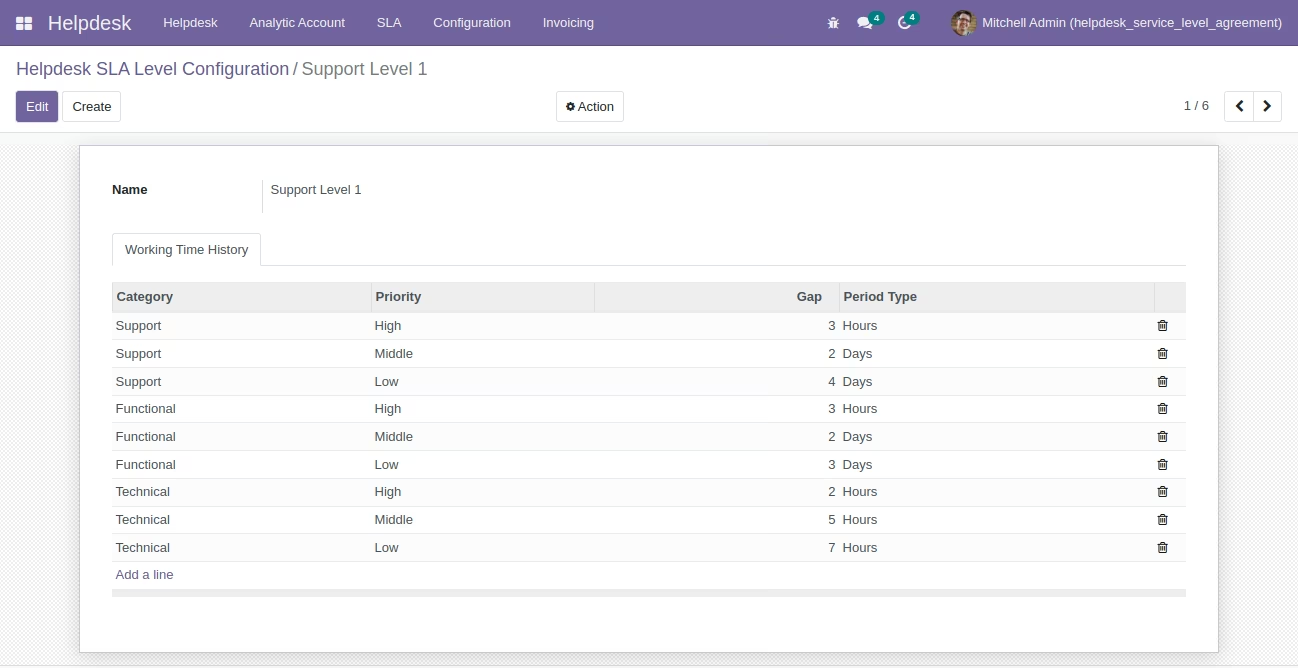
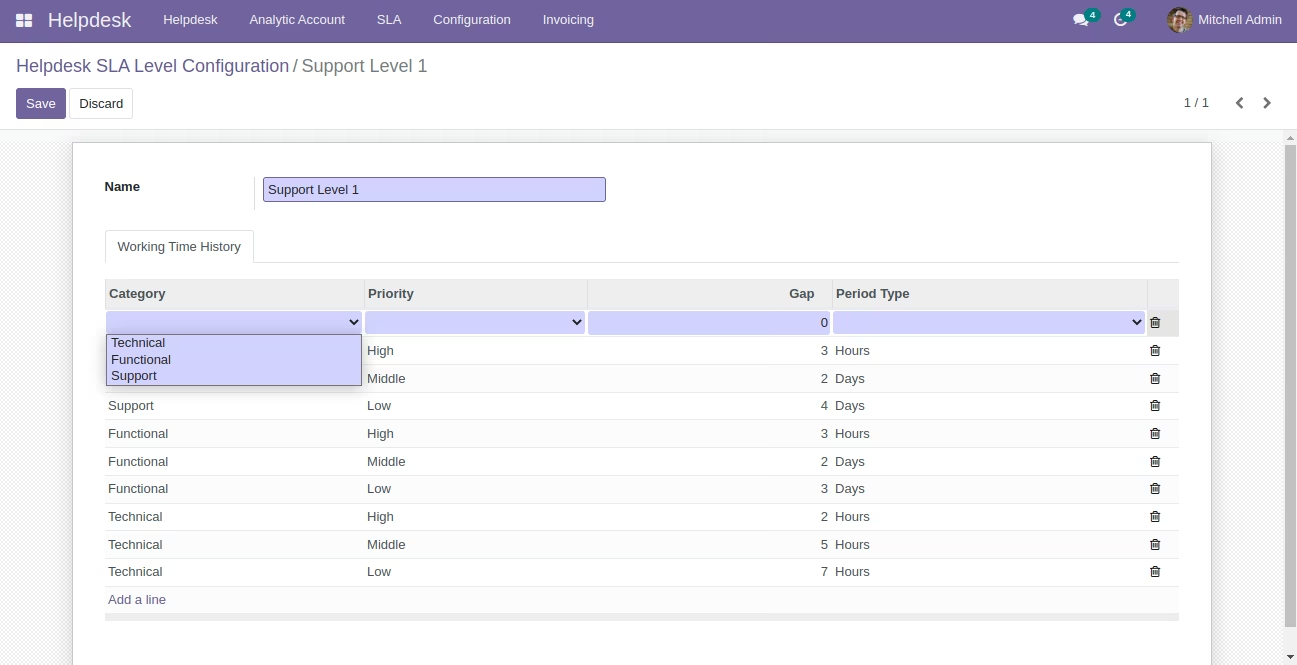
- Calculating deadline date of tickets based on SLA level configuration. The system allows you to set the SLA level by selecting the category of ticket and priority based on that you can configure the number of Hours/Day/Week to have an automatic deadline date on tickets.
- Helpdesk SLA Team: You can set up a support team with their Working Time/Calendar and set up Estimated Response Time / Reply Time / Working Time for that stage.
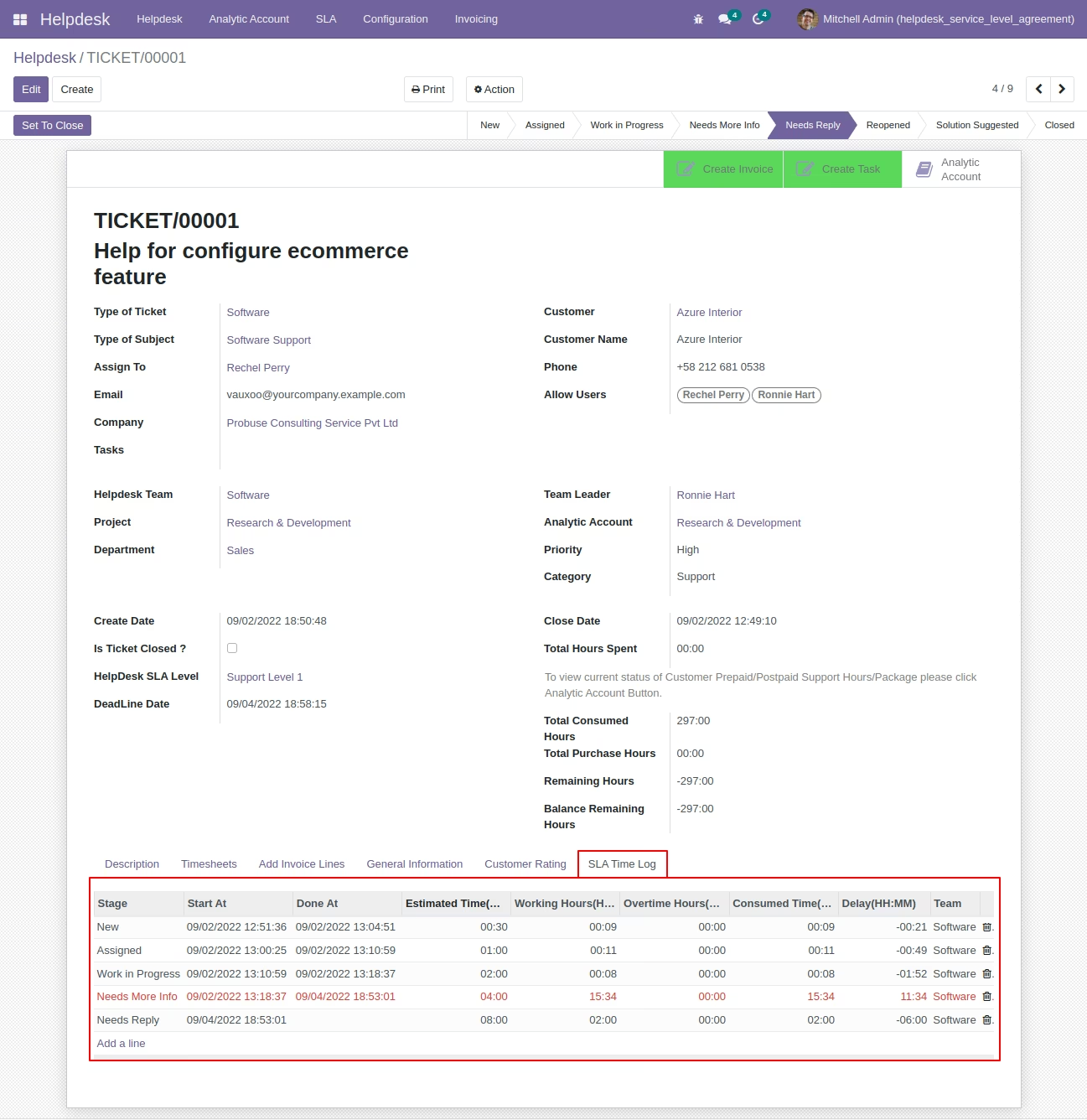
- Allow your user to view SLA time logs for that ticket on helpdesk form based on the Helpdesk SLA team setup.
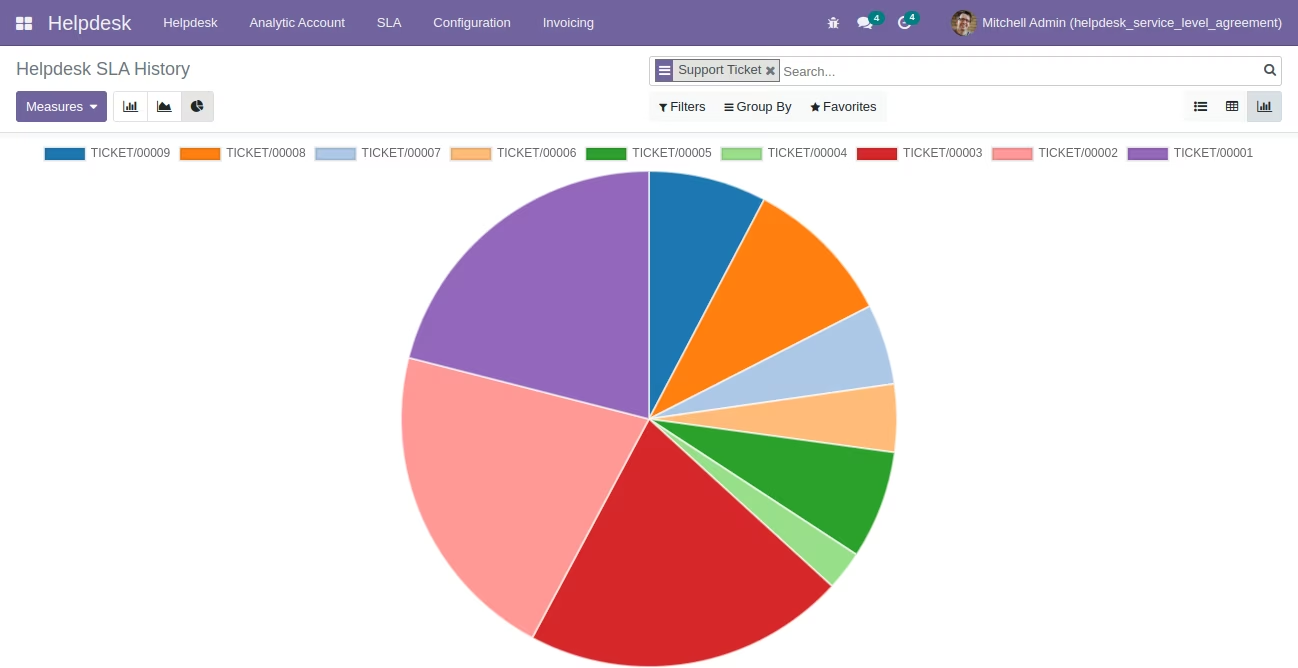
- Helpdesk SLA Analysis (BI Report) to analyze your SLA logs by ticket numbers.
- For more details see the below screenshots or watch the video.
- Only compatible with the community edition.
System Created New Menus:
- Helpdesk
- SLA
- Service Level Agreements
- Helpdesk SLA Analysis
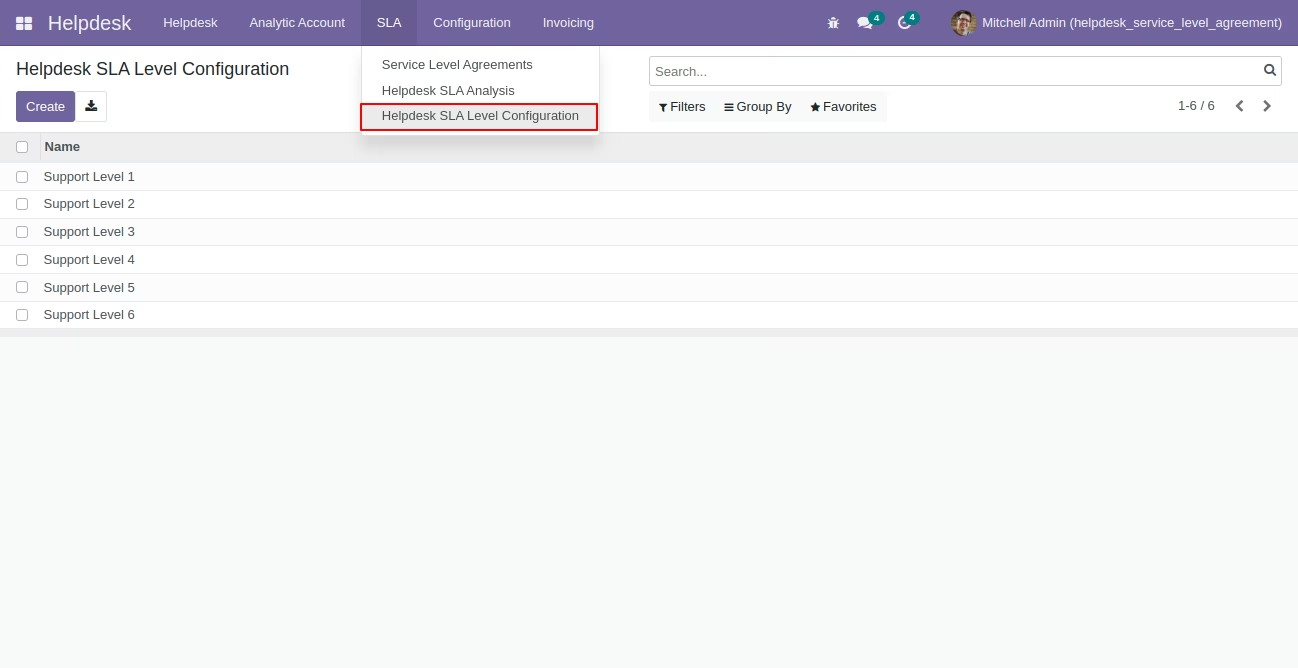
- Helpdesk SLA Level Configuration
- SLA
Helpdesk SLA Levels - List View
Menu: Helpdesk/SLA/Helpdesk SLA Level Configuration
You can configure multiple levels for your SLA and which will be set on the customer form and based on that ticket will be having its deadline date.
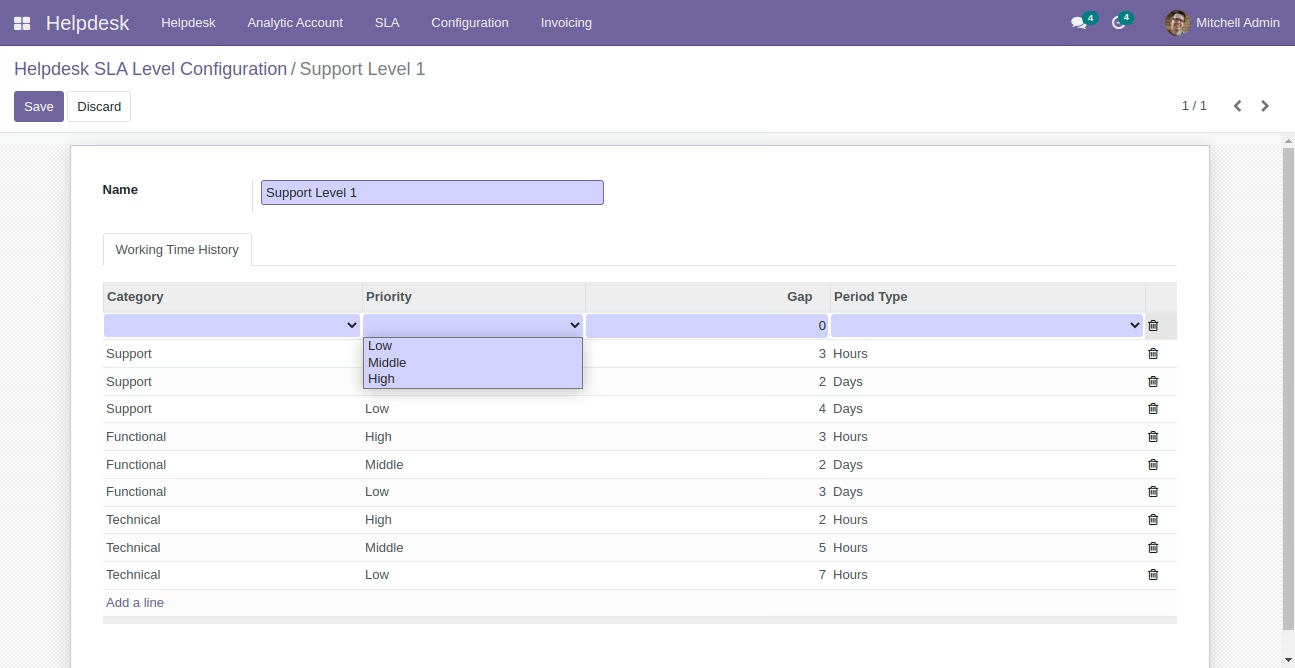
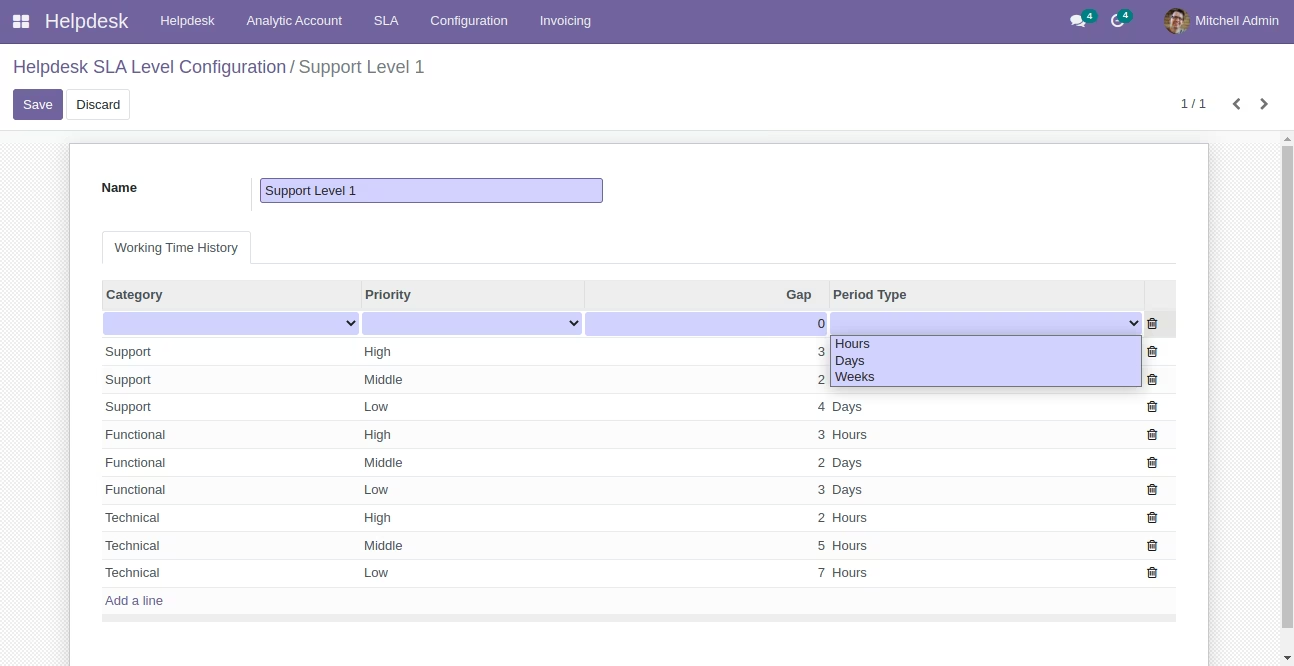
Helpdesk SLA Level - Form View
Menu: Helpdesk/SLA/Helpdesk SLA Level Configuration
This allows you to configure different category types of tickets by priority based on that you can set up Hour/Days/Week which will be used by Tickets to set Deadline Date on ticket form.
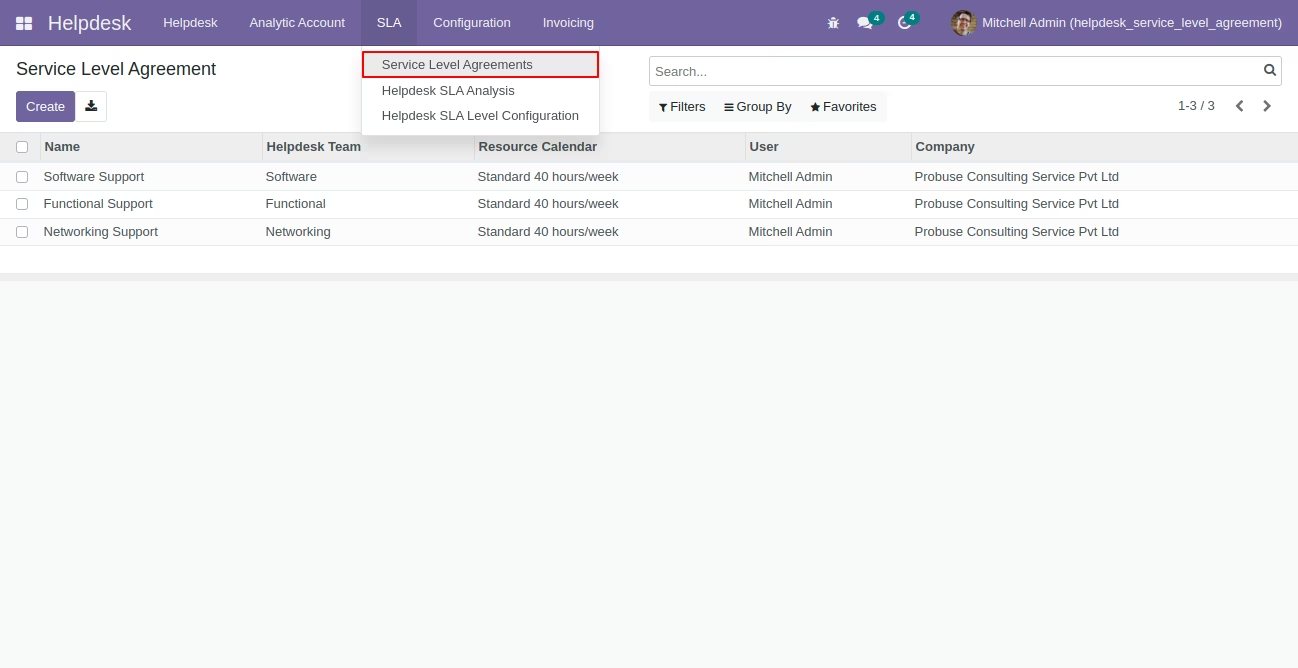
Helpdesk SLA Team - List View
Menu: Helpdesk/SLA/Helpdesk SLA Level Configuration
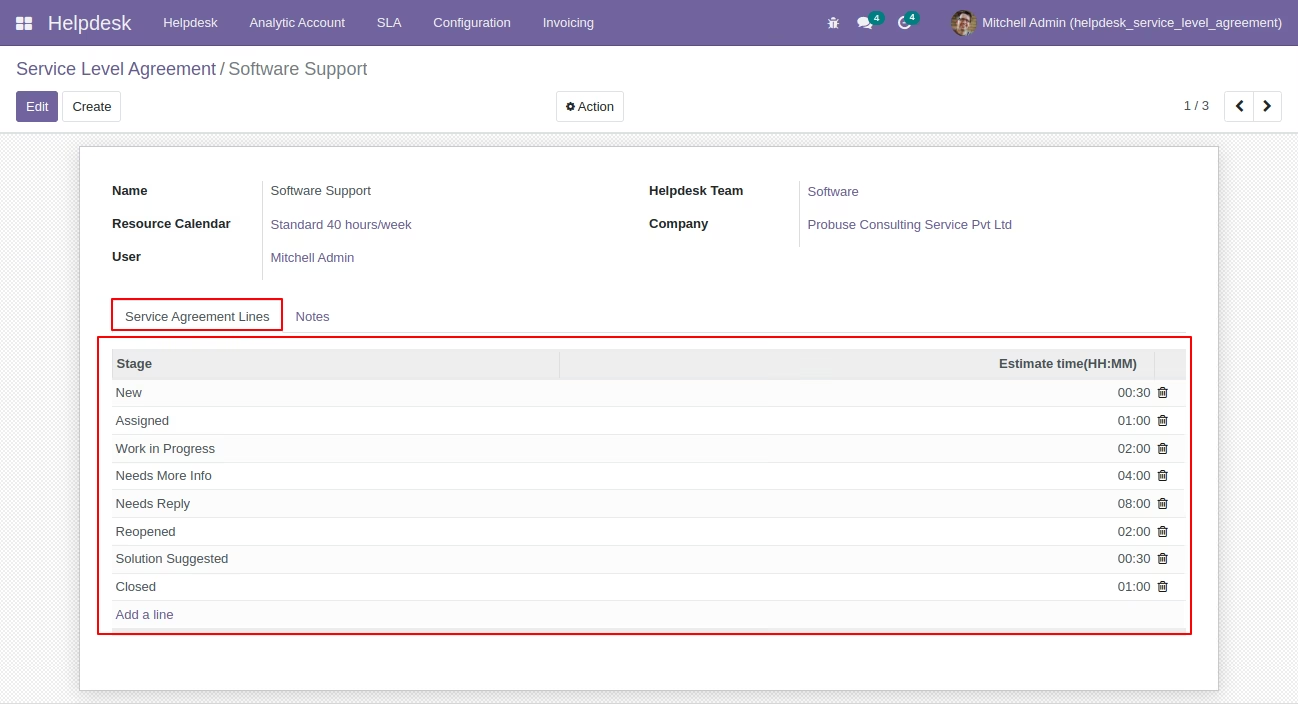
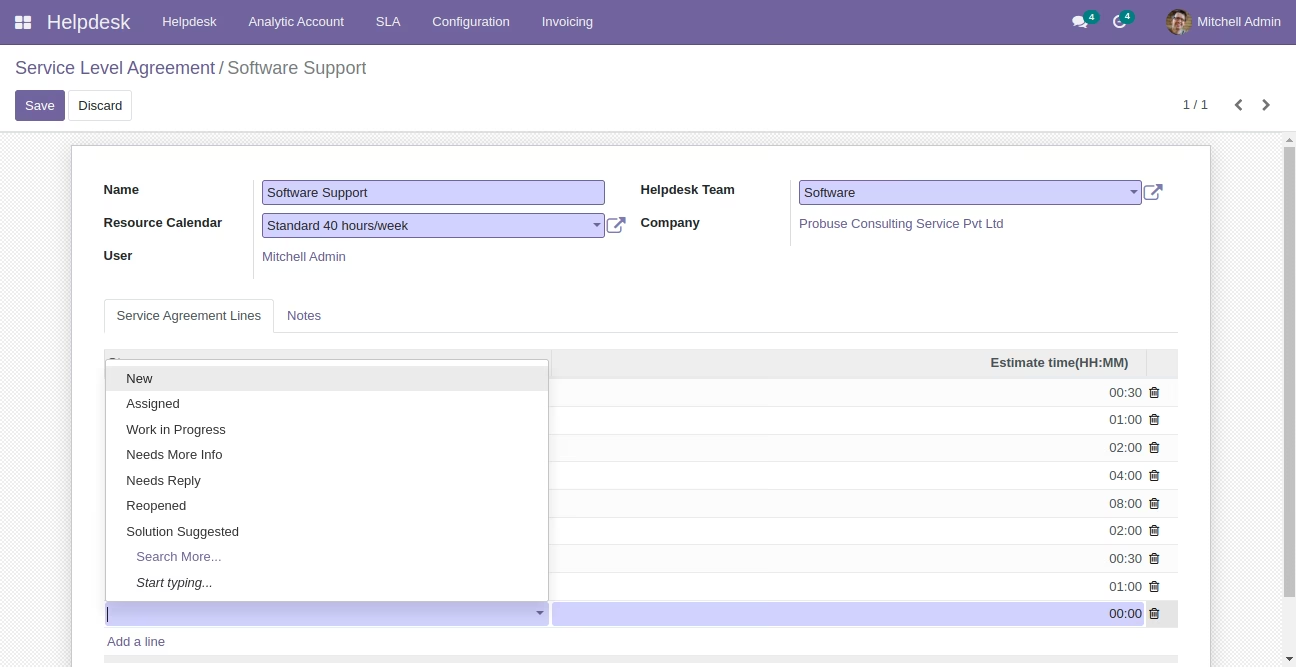
Helpdesk SLA Team View
Menu: Helpdesk/SLA/Helpdesk SLA Level Configuration
This configuration allows you to set up SLA timings for a given Support Team by Calendar. This will create SLA Logs on the help desk while the team/technician/responsible for moving and working on ticket stages.
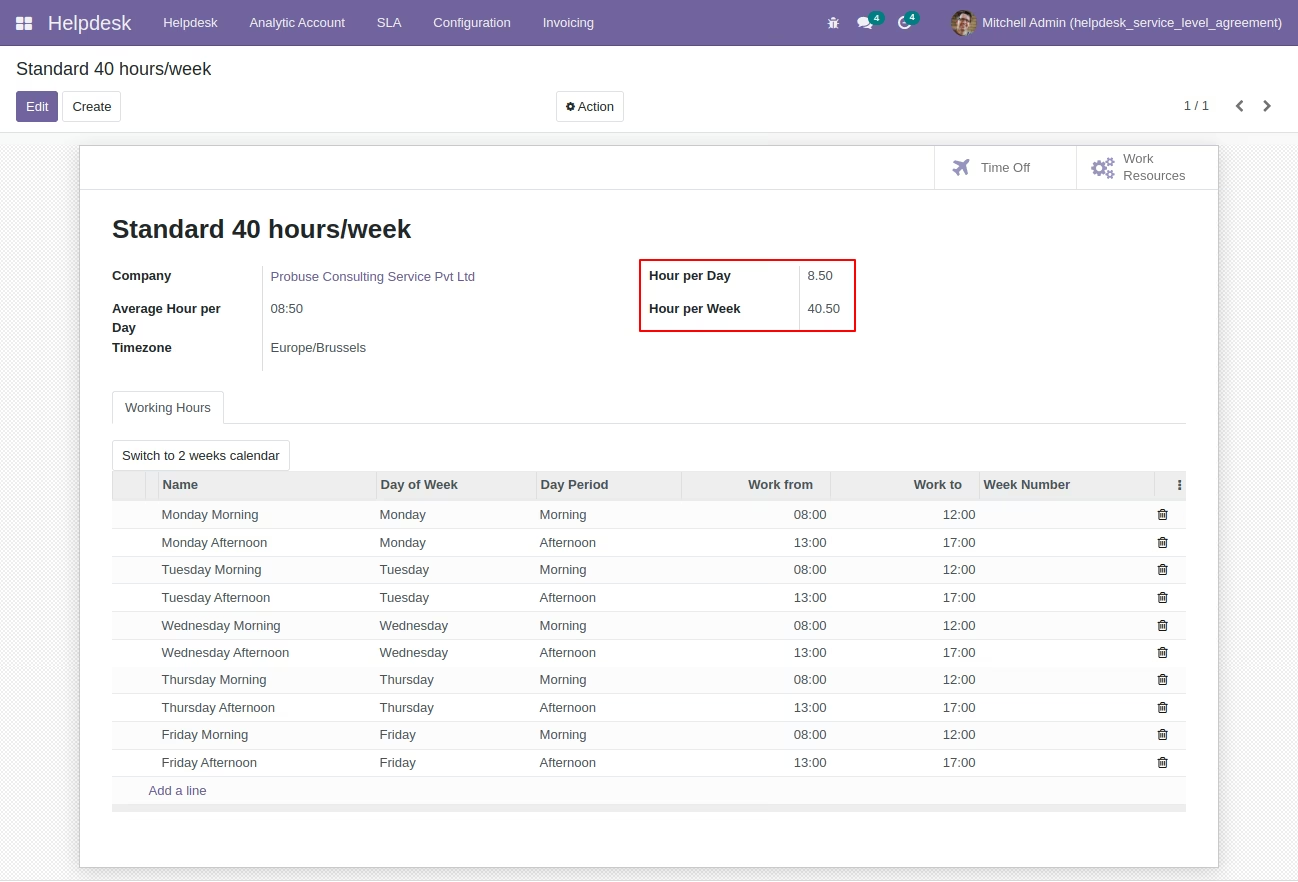
Resource Calendar (Standard)
Set hours per Day & per Week on Working Calendar.
Helpdesk SLA Level on Customer
Menu: Sales/Orders/Customers [Standard]
Helpdesk Support Ticket - SLA Timelog
Menu:Helpdesk/Helpdesk/Helpdesk Tickets
Here create SLA Logs on the helpdesk while the team/technician/responsible moves and works on ticket stages. The Red line says it is delayed the planned hours.
Helpdesk SLA Analysis - BI Report
Menu: Helpdesk/SLA/Helpdesk SLA Analysis
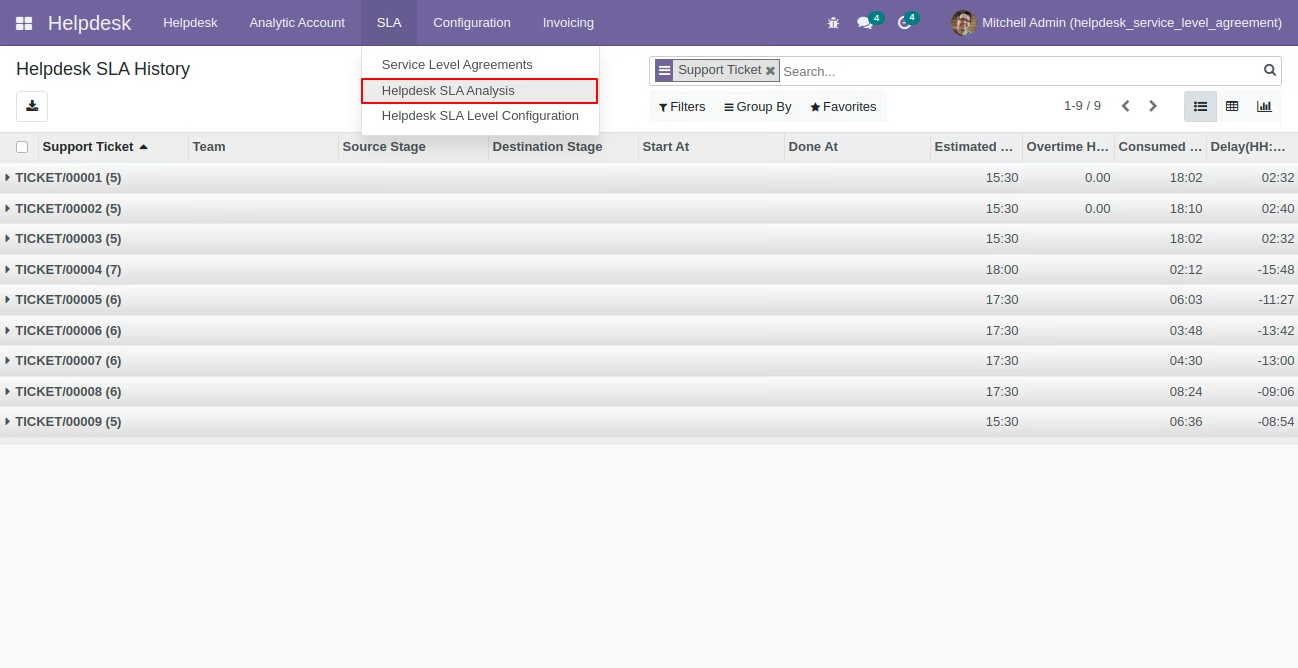
Helpdesk SLA Analysis List view
Helpdesk SLA Analysis Pivot view
Helpdesk SLA Analysis Graph (Bar Chart) view
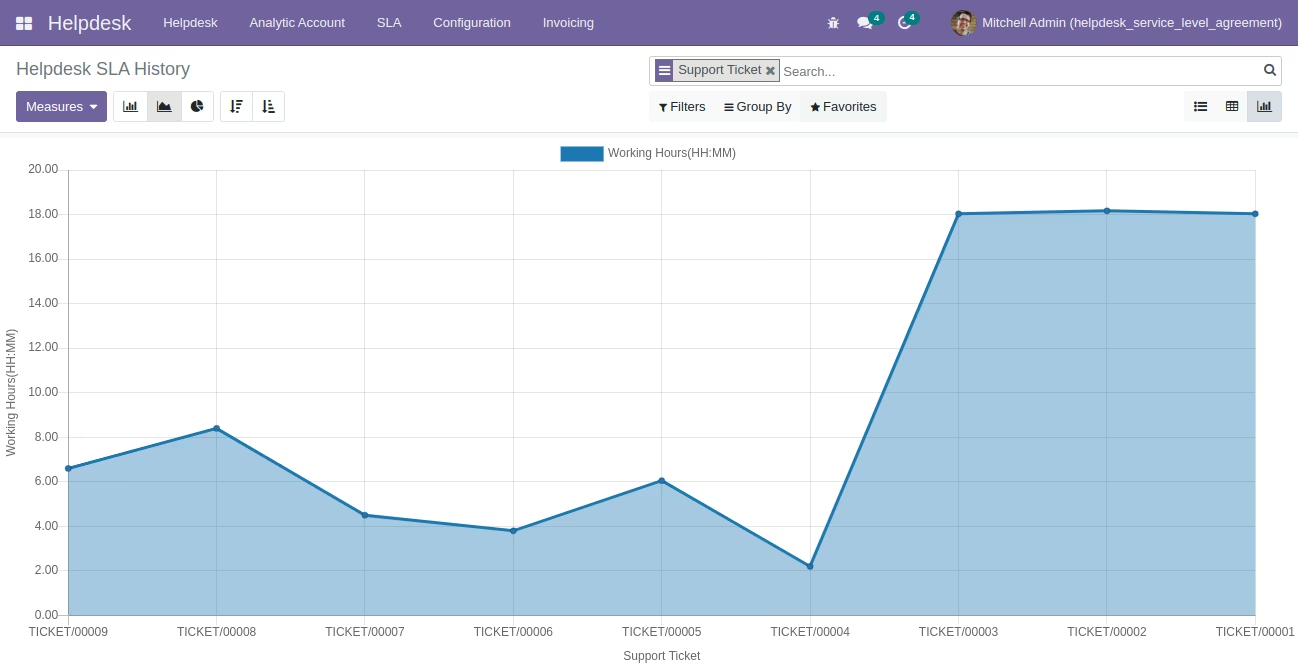
Helpdesk SLA Analysis Graph (Line Chart) view
Helpdesk SLA Analysis Graph (Pie Chart) view