This module enhances the Point of Sale (POS) interface by allowing users to view and adjust customer address locations on an interactive map. With built-in search and drag-and-drop capabilities, it simplifies the process of geolocation management within POS workflows. Ideal for businesses that value delivery precision, regional insights, and efficient location-driven operations, this module delivers a polished, map-enabled customer experience.
Display customer locations on a map directly within the POS interface
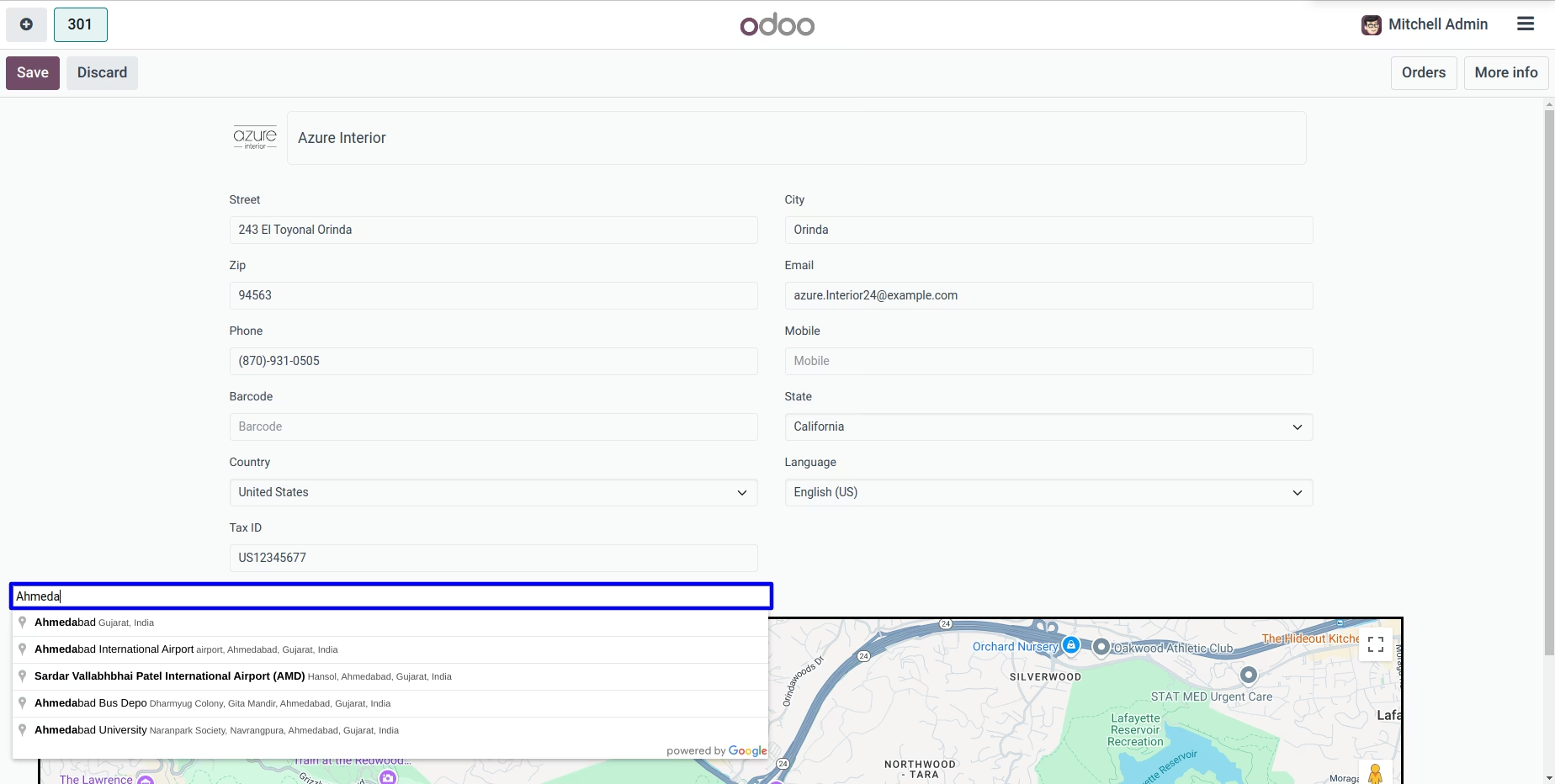
Search for accurate addresses to ensure proper geolocation entries
Enable drag-and-drop functionality to adjust and update customer locations effortlessly
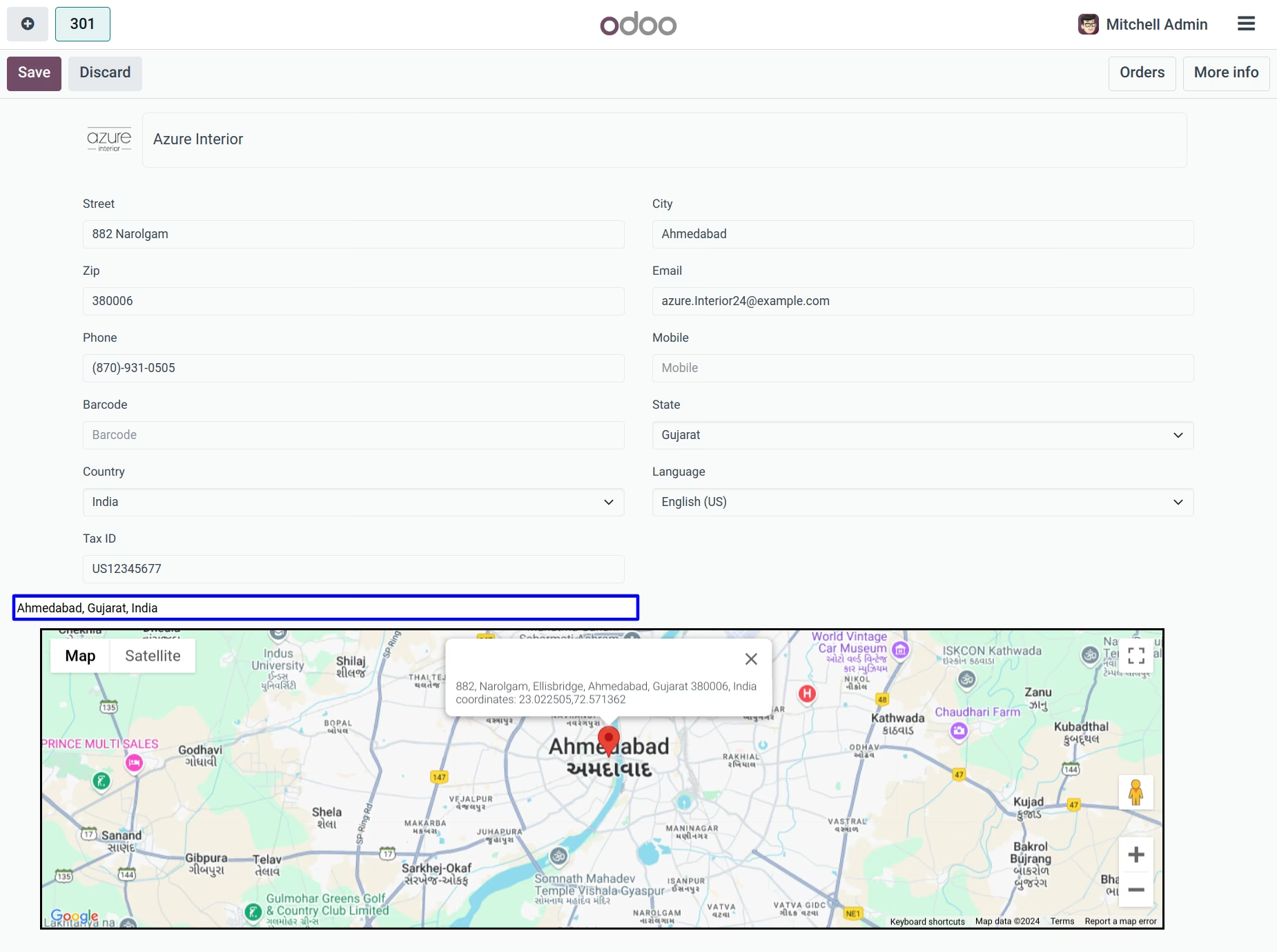
Automatically save updated location data from the map into the customer profile
Seamlessly integrated with POS for minimal configuration
Enhances delivery planning with precise customer location data
Reduces errors by simplifying location updates directly in the POS workflow
Strengthens regional analytics and customer segmentation using mapped data
Improves POS user experience with intuitive, map-based UI enhancements
Offers a professional and polished approach to managing customer geolocation
Live Customer Location on POS with Google Maps
Customer Google Maps Location on POS Apps
Point of Sales Customer Address with Google Map Apps
Drag & Drop Google Maps Location On Point of Sale Apps
Google Maps POS - Point of Sales Integration App simplifies address management and elevates your customer service to new heights by easily integrating Google Maps with your point-of-sale system. Using this app, users can search and retrieve accurate customer address information on POS, search and update location by drag and drop, and the customer's location will be updated automatically.
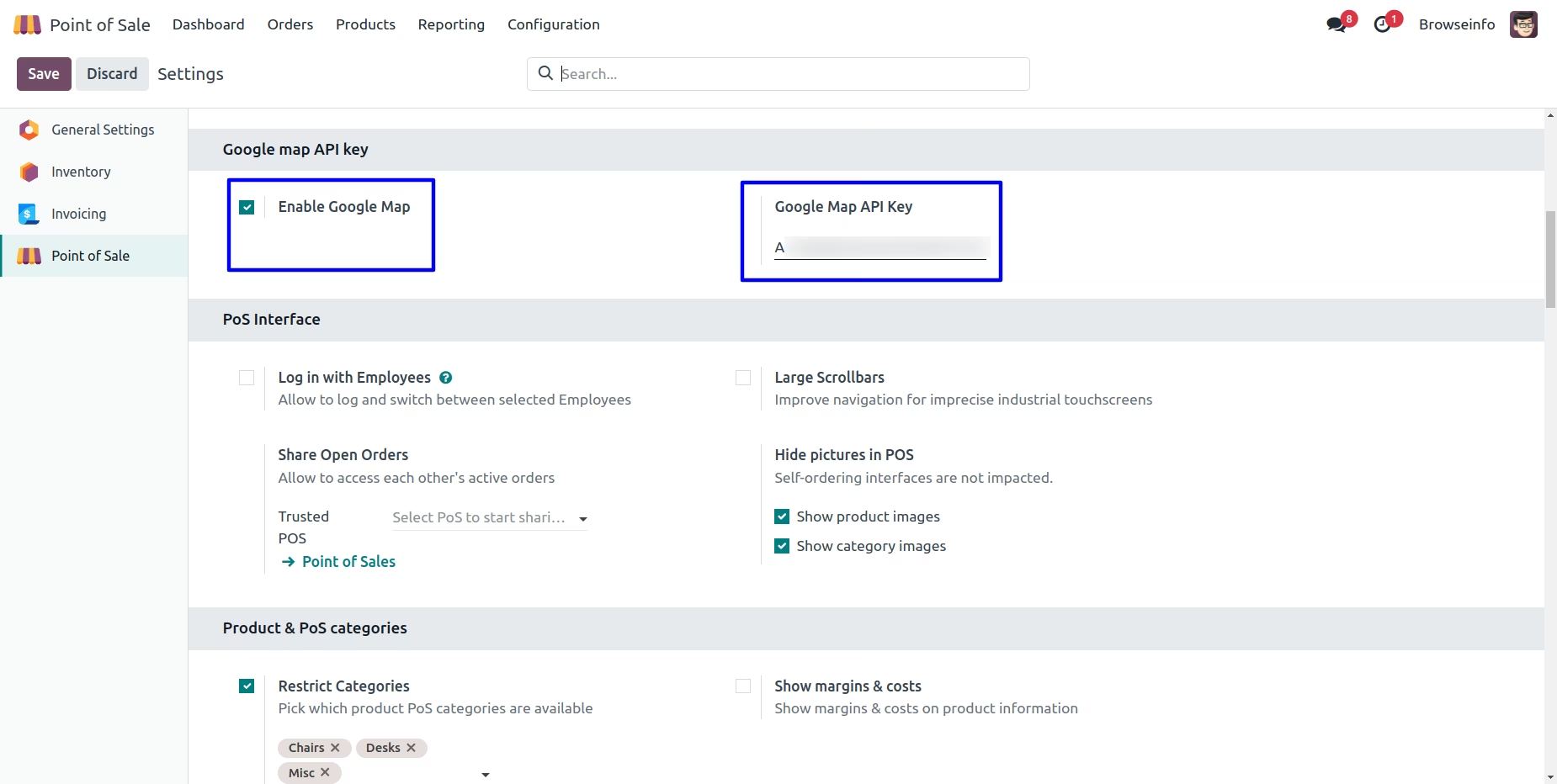
Google Map Configuration
Under Point of Sale > Configuration > Settings menu user needs to check the "Enable Google Map" option and also configure the "Google Map API Key".
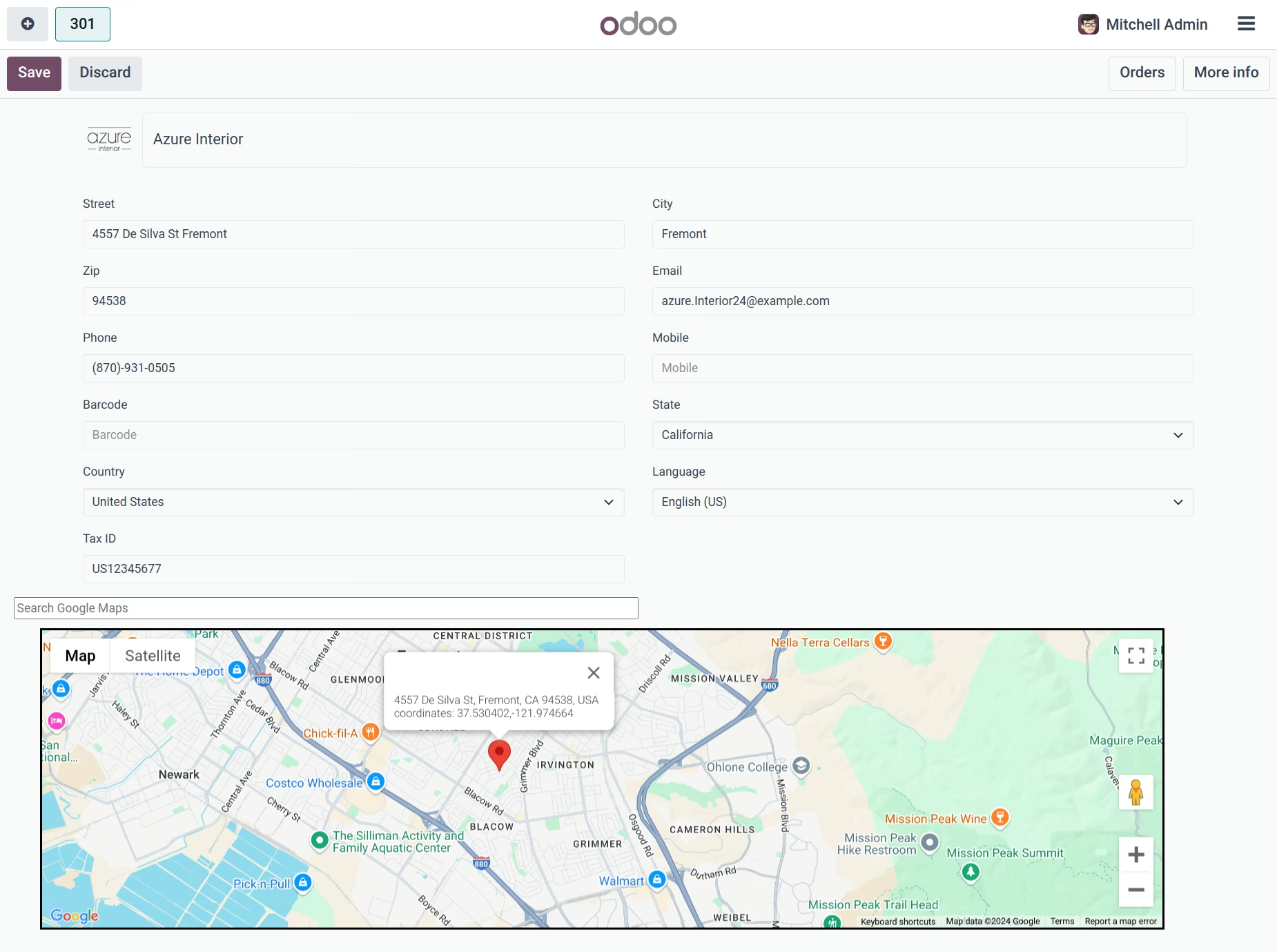
POS Customer Location On Map
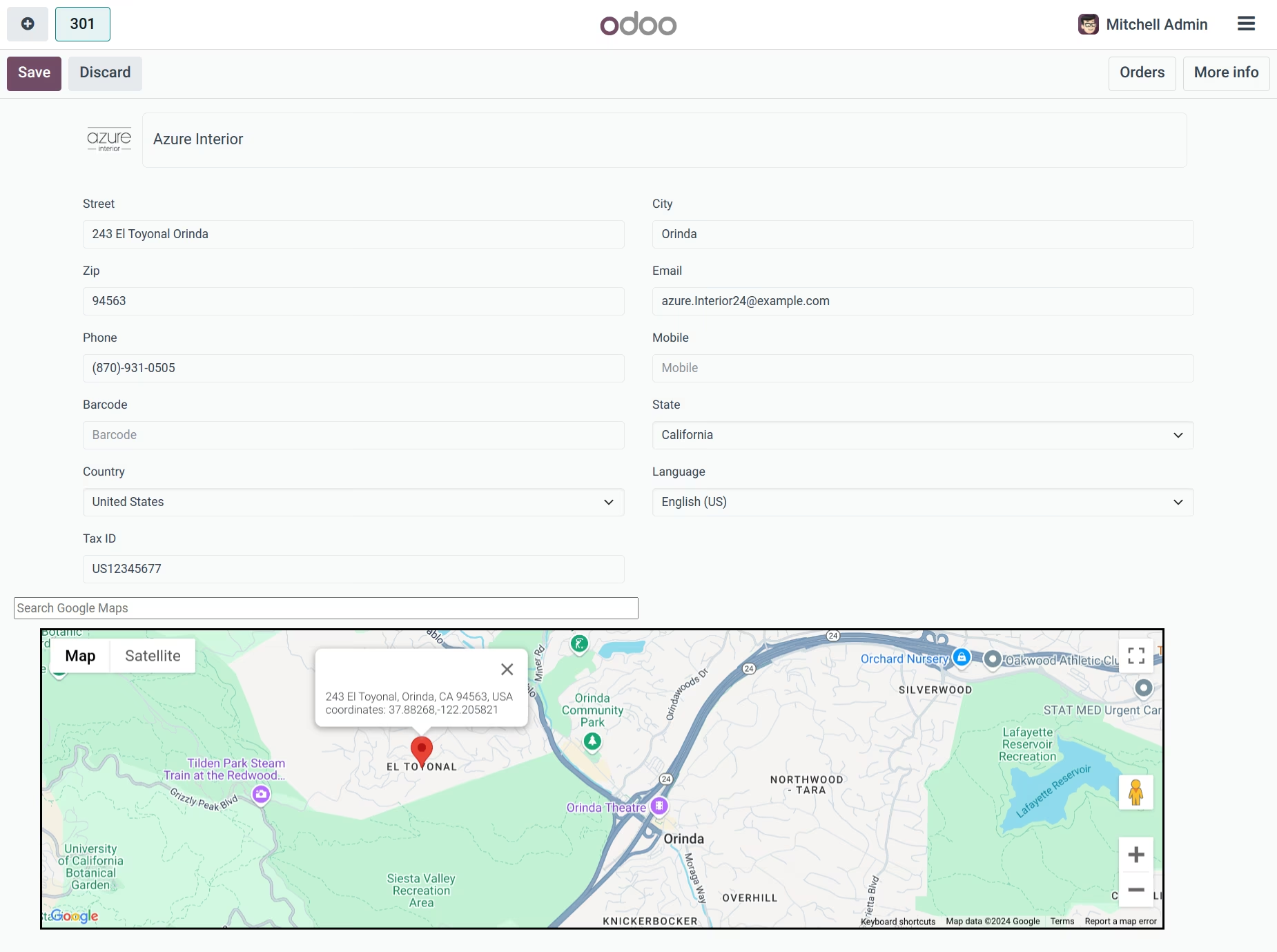
User can see customer location on Google Maps at the point of sale.
Drag & Drop Location on Map
User can drag and drop locations on map by clicking and dragging points to a specific location, Selected location is automatically updated to the customer address.
Search Location
User can search for a location on map.