Unlock the power of the cloud and revolutionize your document management with the Google Drive File Upload & Sync module. This powerful tool seamlessly integrates your ERP with Google Drive, creating a robust, centralized, and highly efficient system for managing all your business-critical documents. By automating the process of uploading and organizing attachments, this module eliminates the limitations of local storage and provides a secure, accessible, and collaborative environment. Whether you're managing sales orders, project files, or HR documents, this integration ensures that your files are always in sync, organized, and available whenever and wherever you need them.
Automatic File Upload to Google Drive: All new attachments and documents created in are automatically uploaded to a designated folder in your Google Drive.
Structured Folder Organization: Automatically create and manage a logical folder structure in Google Drive based on your records (e.g., separate folders for each sales order, customer, or project).
Bi-Directional Synchronization: Keep your files perfectly in sync. Files updated or deleted are automatically updated or deleted in Google Drive, and vice-versa.
Secure OAuth2 Authentication: Utilizes Google's secure OAuth2 protocol to ensure a safe and reliable connection your Google account.
Cloud-Based Storage: Offload your file storage to Google Drive, freeing up server space and making your documents accessible from anywhere.
Easy Configuration: A user-friendly setup process allows you to connect your Google account and define your folder structure with ease.
Centralized and Accessible Documents: Store all your business documents in one secure, cloud-based location, accessible to your team from any device, anywhere in the world.
Enhanced Collaboration: Leverage Google Drive's powerful sharing and collaboration features to work on documents with colleagues, clients, and partners in real-time.
Improved Data Security and Backup: Protect your valuable documents with Google's robust security infrastructure and benefit from automatic cloud-based backups.
Streamlined Workflows: Automate the entire document lifecycle, from creation and storage to sharing and archiving, saving significant administrative time.
Reduced Server Load: By storing files on Google Drive, you reduce the storage burden on server, which can lead to improved performance.
Greater Scalability: Easily manage a growing volume of documents without worrying about the limitations of local server storage.
This module is used for upload file directly on google drive and get download url.
You can upload all type of document.
Whenever you Delete or Update document from system at that time that document Delete or Update on Google Drive.
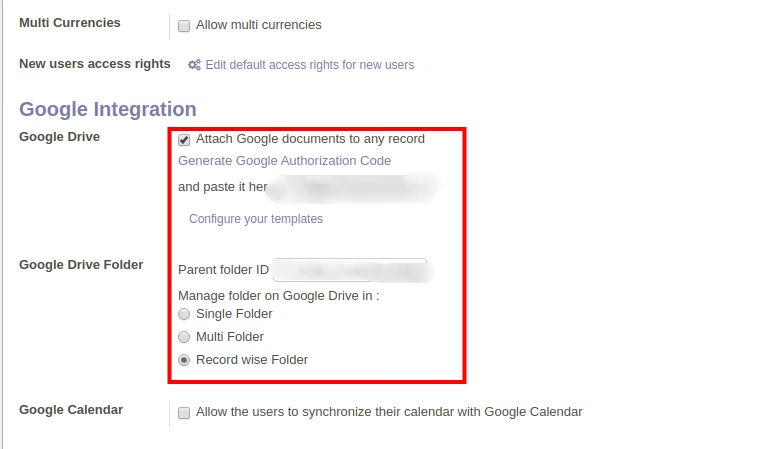
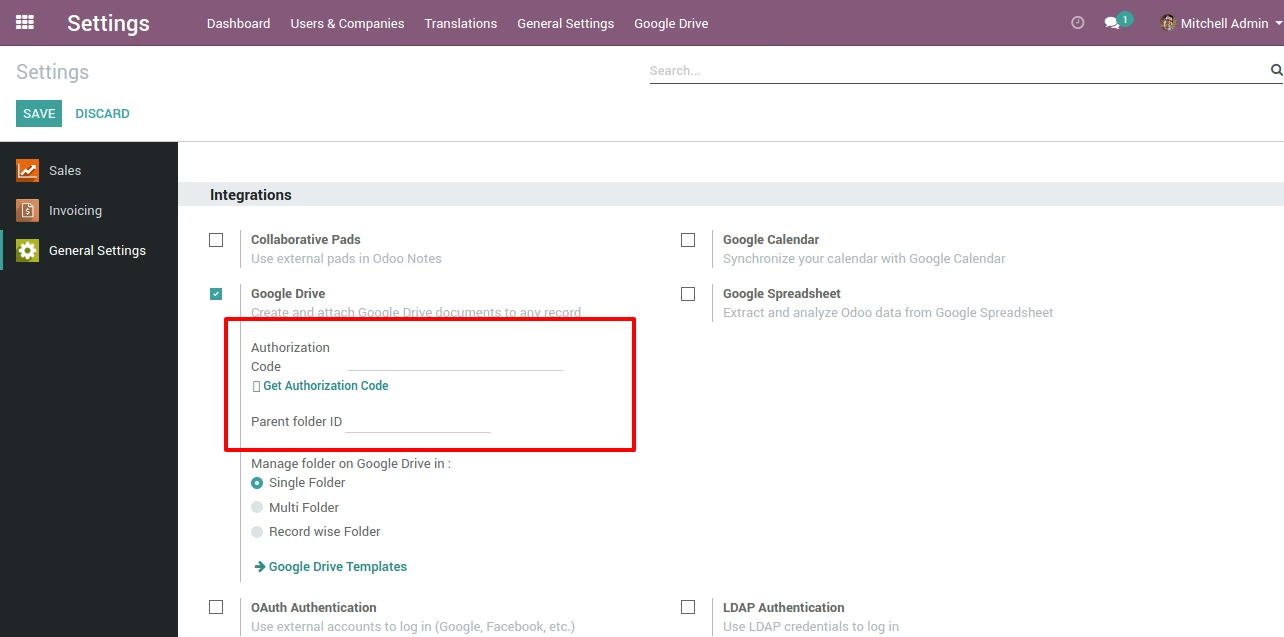
Goto Settings -> General Settings -> Google Integrations and Create Authorization Code. see below image
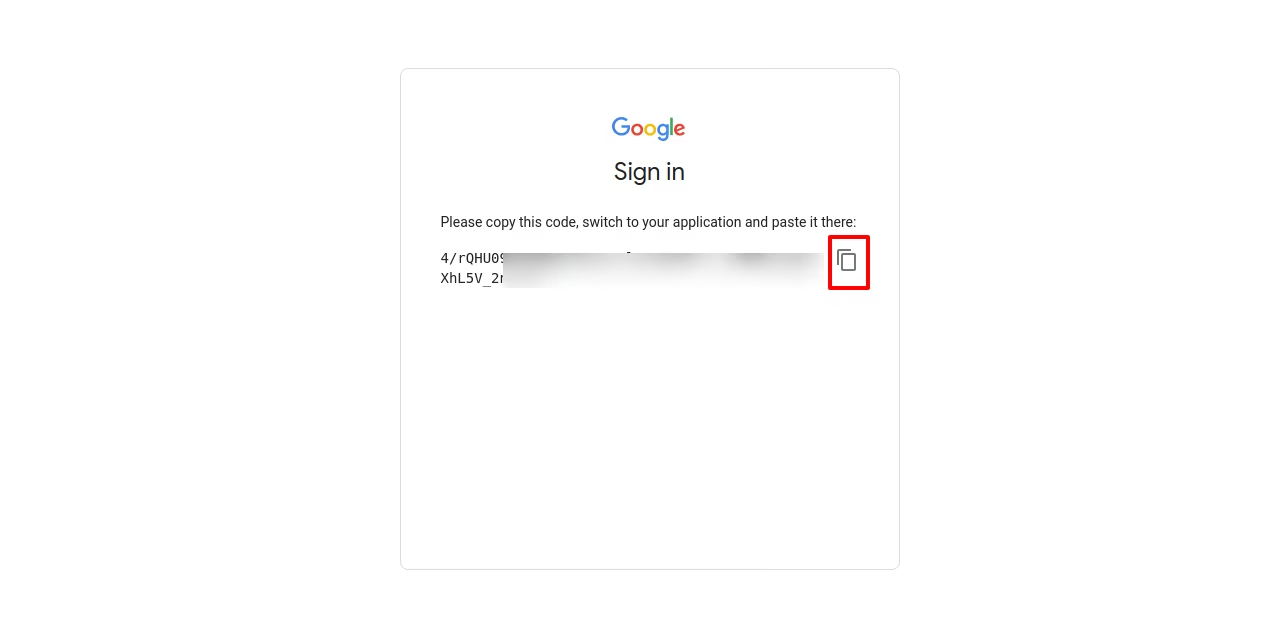
Copy generated Authorization Code. see below image
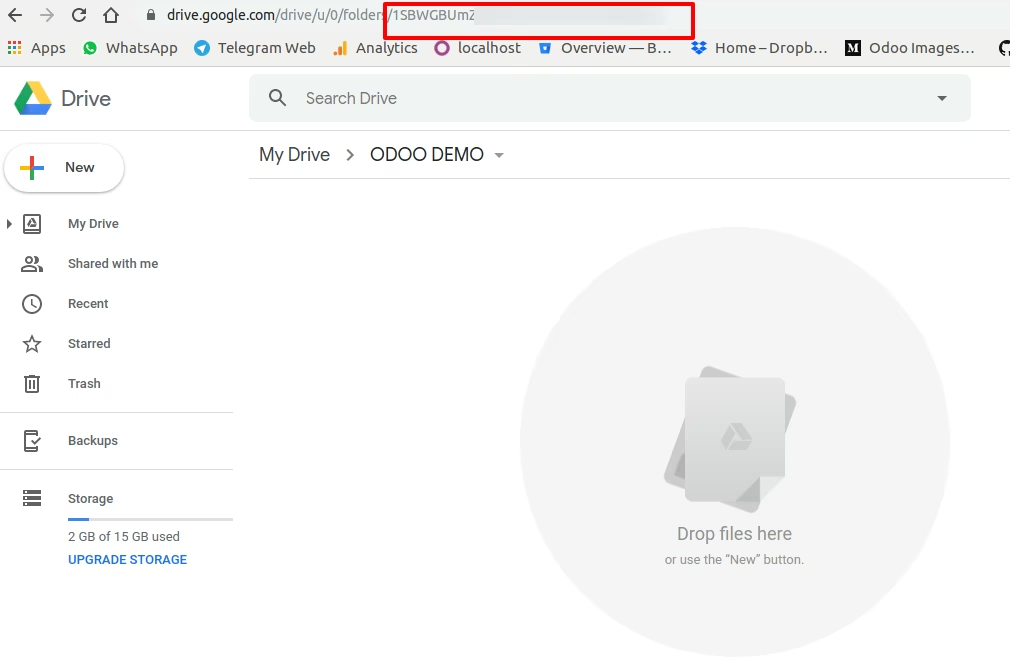
Create Folder in Google Drive and copy that Folder Id. see below image
Paste Authorization Code and Folder Id and Select Option for Manage folder on Drive