The module for provides a powerful and flexible way to control user visibility across menus, fields, actions, and buttons. Whether you need to hide specific menus, restrict access to certain actions or field elements, or tailor visibility per user or group, this module equips your instance with granular access control beyond default behavior.
Hide menus and submenus from selected security groups or individual users
Restrict window actions, contextual server actions, and report/print form access
Hide or make fields readonly based on security group using the Fields Security tab
Remove stat buttons (e.g., oe_stat_button) from views for specific groups
Override Many2one field parameters (no_open, no_create, no_quick_create, no_create_edit) directly via user interface
Apply domain-based restrictions to any model for designated users or groups for fine-tuned data access
Empowers administrators with fine-grained control over UI elements and workflows
Enhances interface clarity by hiding irrelevant menus and actions per role
Strengthens data security through tailored field visibility and read-only settings
Minimizes errors by preventing unauthorized interactions with critical fields or actions
Streamlines access management without modifying core code or views
Generic Security Restriction allows you to hide user menus or give access to specific ones, window actions, specific fields or stat buttons on the view. It also allows you to overwrite the parameters of Many2one fields as if they were rewritten in the field definition of the model.
This module has simple and fast configuration, and it is very easy to use!
You can do the following:
- Hide menus by security groups
- Give access to the specific menus only
- Hide menu actions
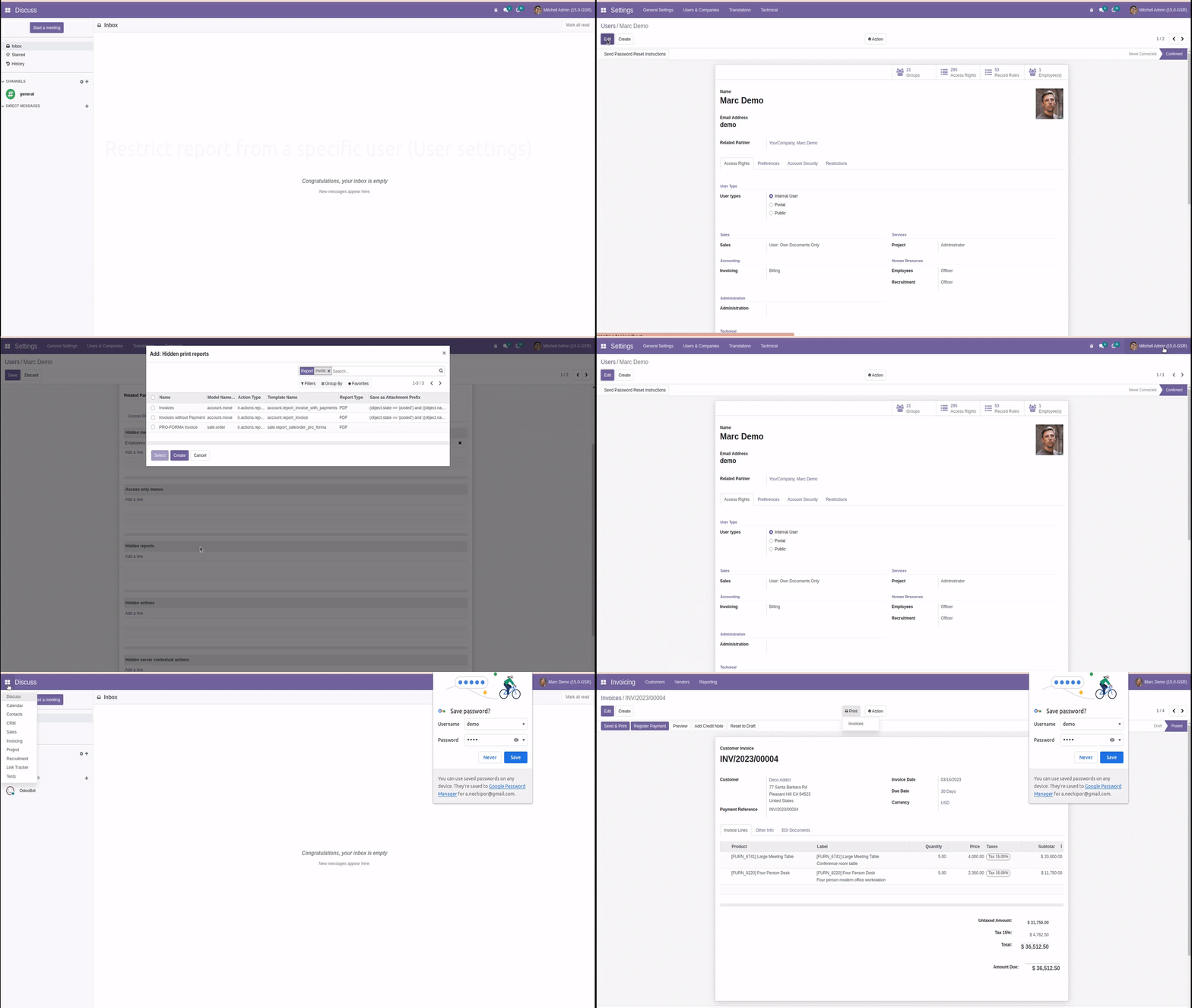
- Restrict menus and any report / priniting form from specific users
- Hide specific fields of the selected model from certain security groups
- Make fields readonly for certain security groups
- Hide stat buttons (oe_stat_button) on the view from certain security groups
- Apply restrictions via domain to any model for specific user
Change fields paramaters on Many2one fields:
- Rewrite field parameter: (
'no_open'=True) - Rewrite field parameter: (
'no_create'=True) - Rewrite field parameter: (
'no_quick_create'=True) - Rewrite field parameter: (
'no_create_edit'=True)
Note:You can not grant access to the restricted menu items using access rights. Restrict menus for the Employee security group with caution.
User with superadmin rights gets full access regardless of restriction. This is done to avoid accidental permanent restrictions.
Hide menu by security groups
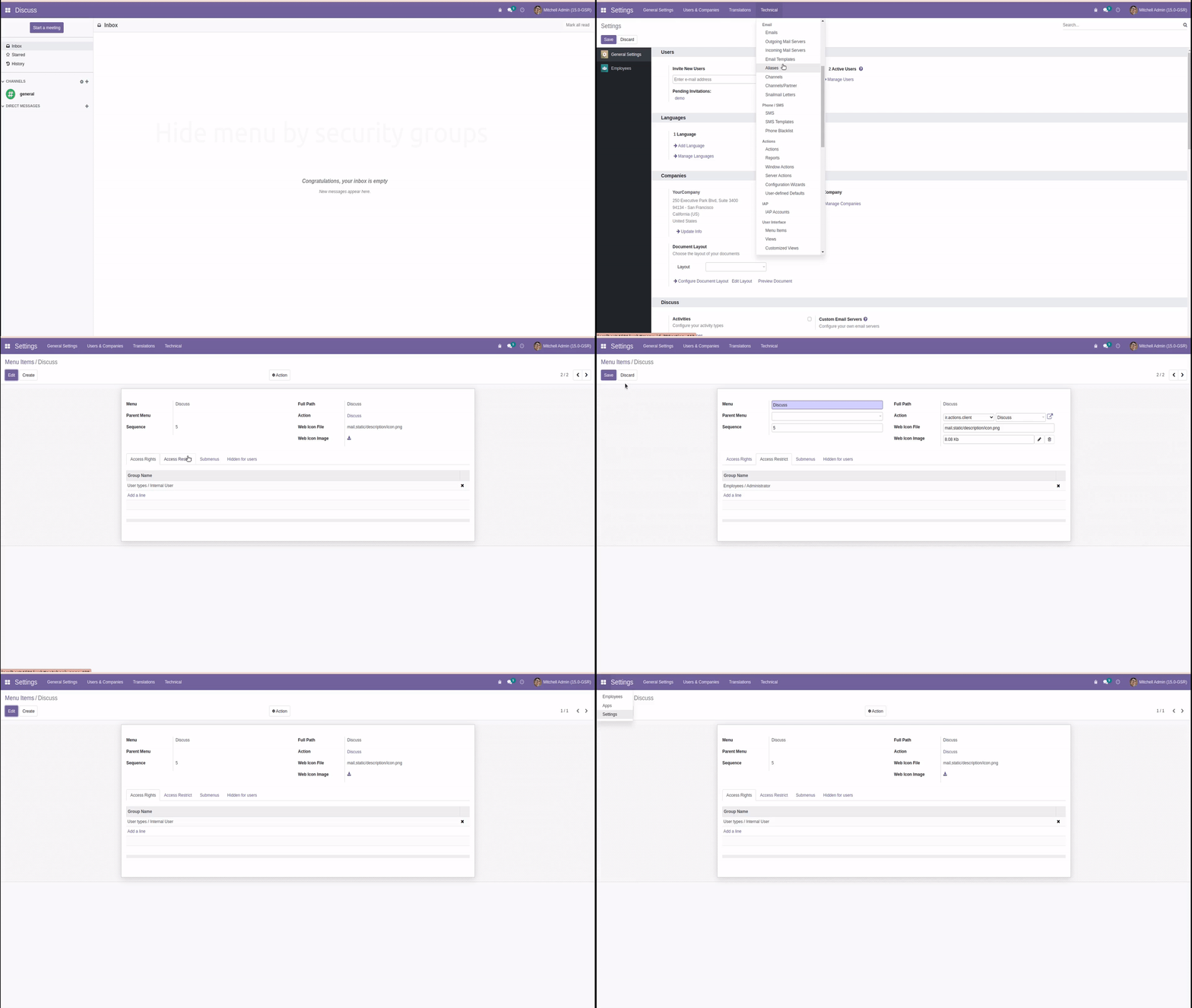
Hide menu from a specific user (Menu Items settings)
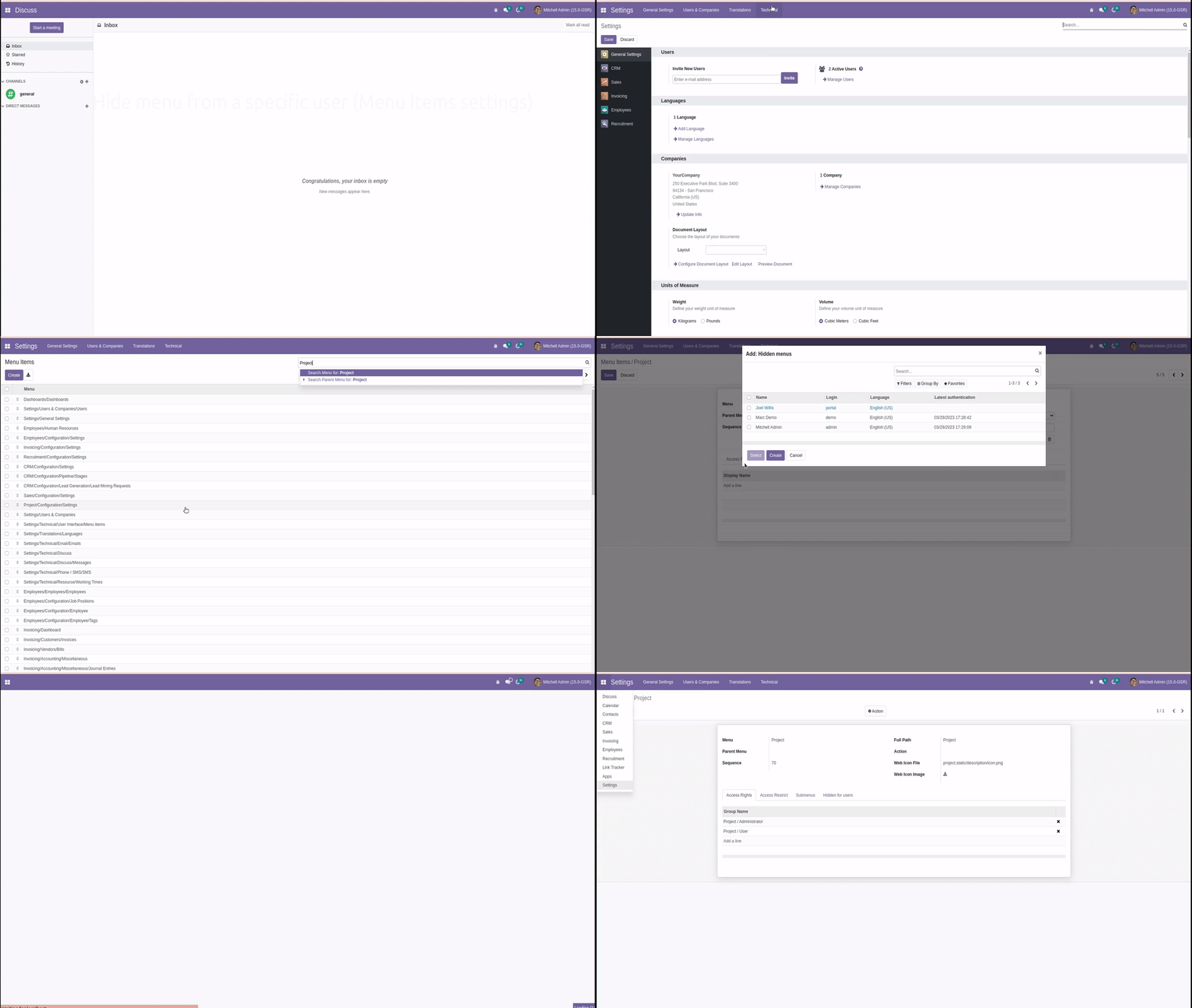
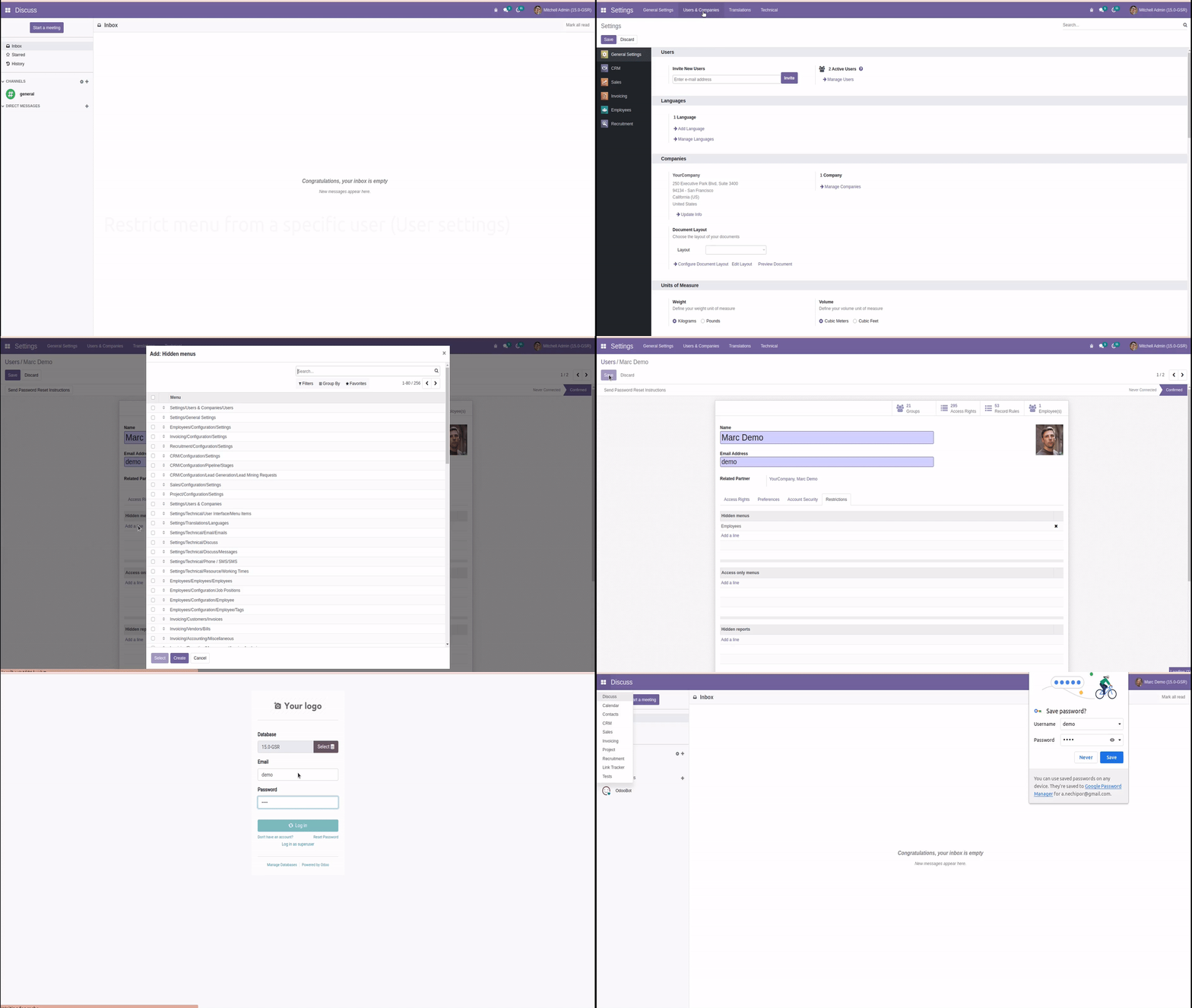
Restrict menu from a specific user (User settings)
Restrict report from a specific user (User settings)
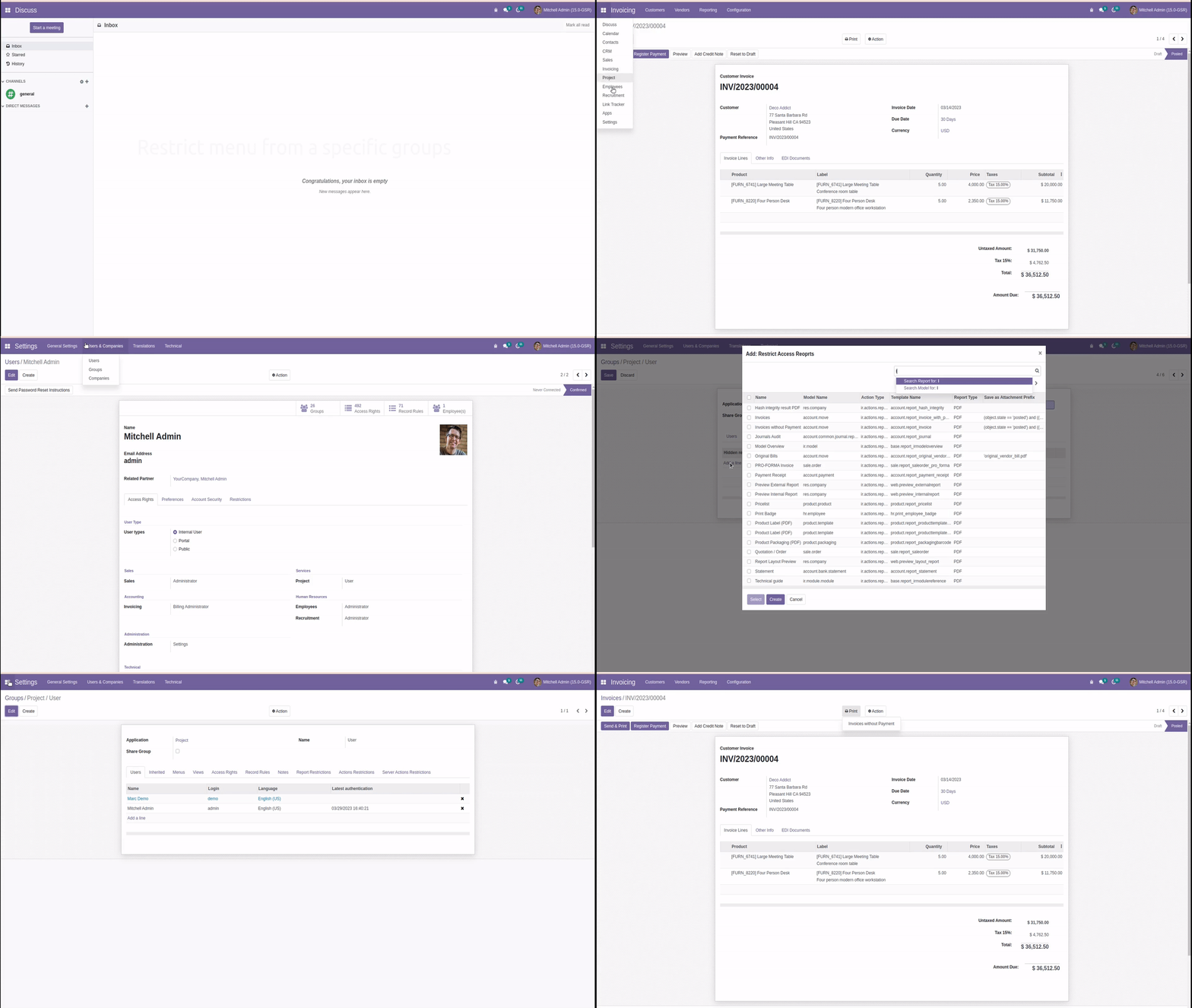
Restrict menu from a specific groups
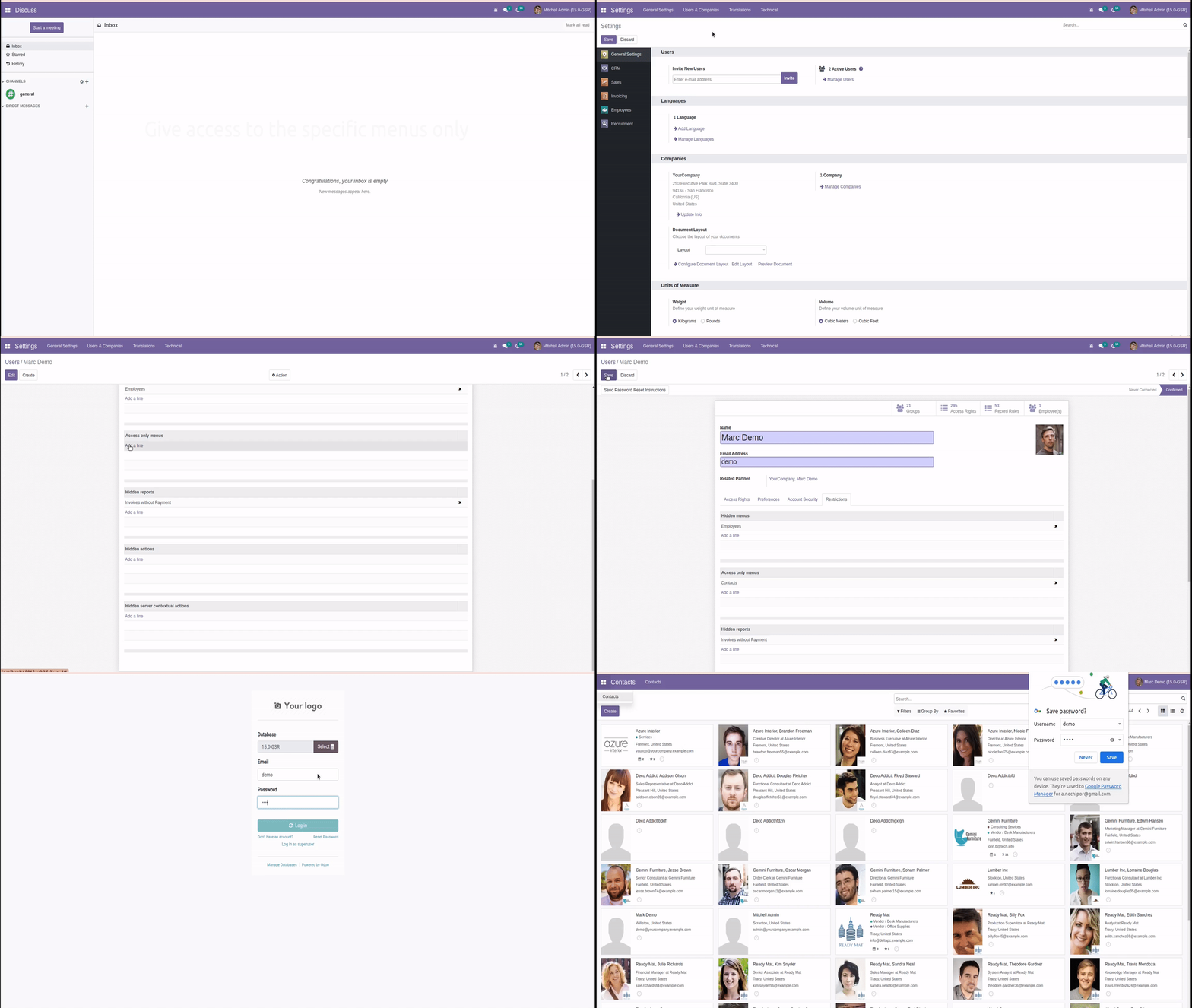
Give access to the specific menus only
Note
The user menu settings has high priority than group ones. When menus specified in user settings, only they will be visible, even if others setted up in group of user.
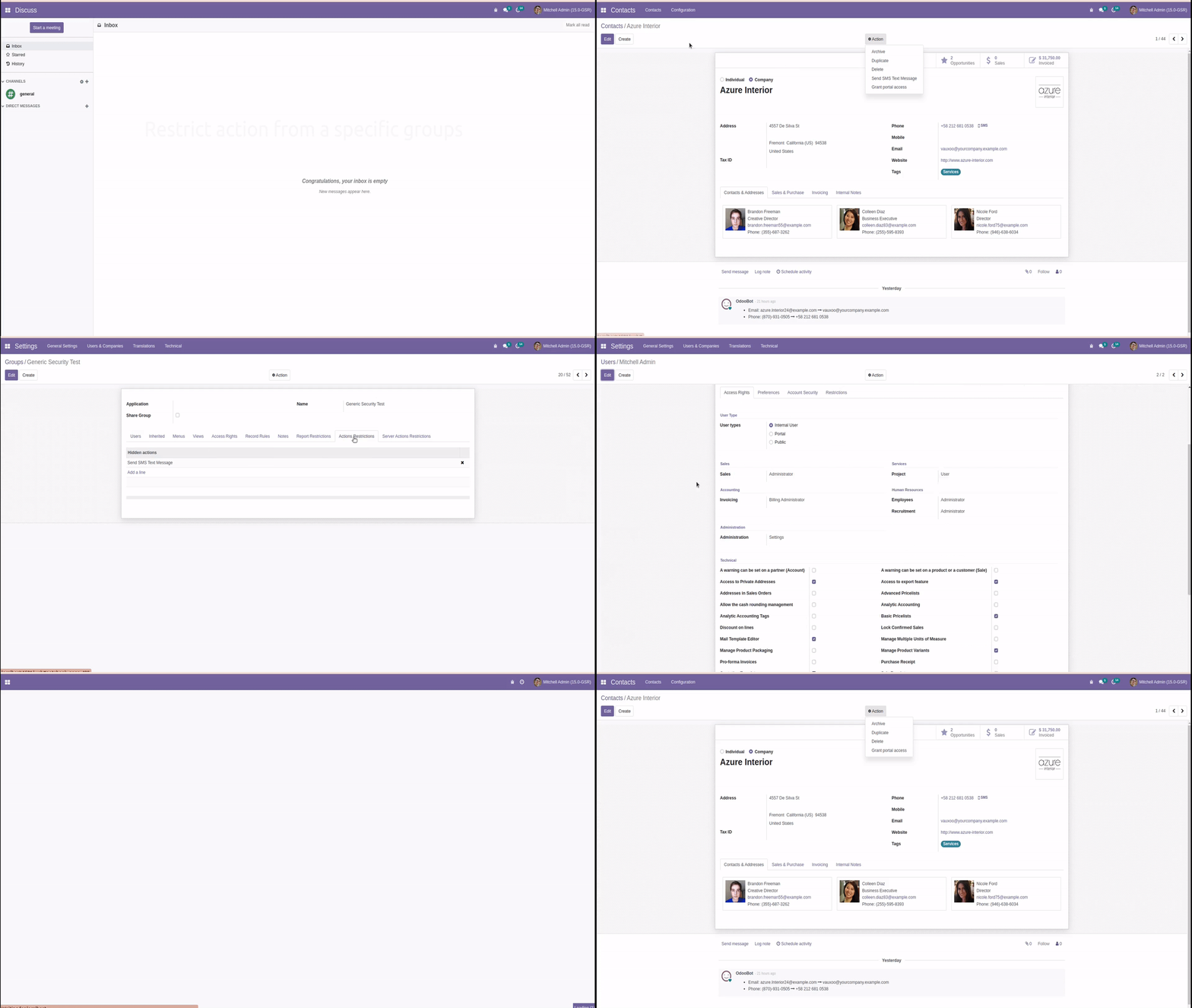
Restrict action from a specific groups
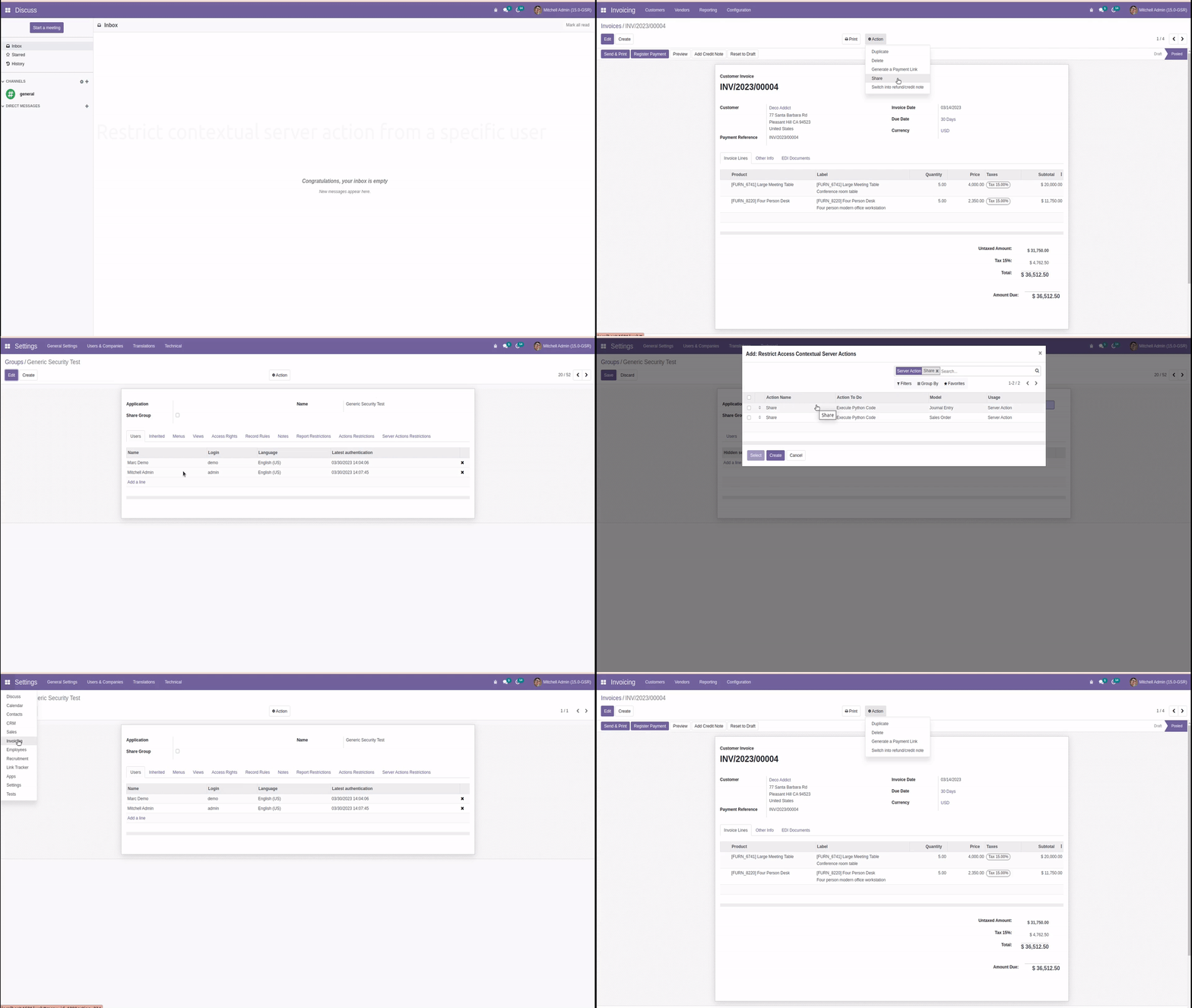
Restrict contextual server action from a specific user
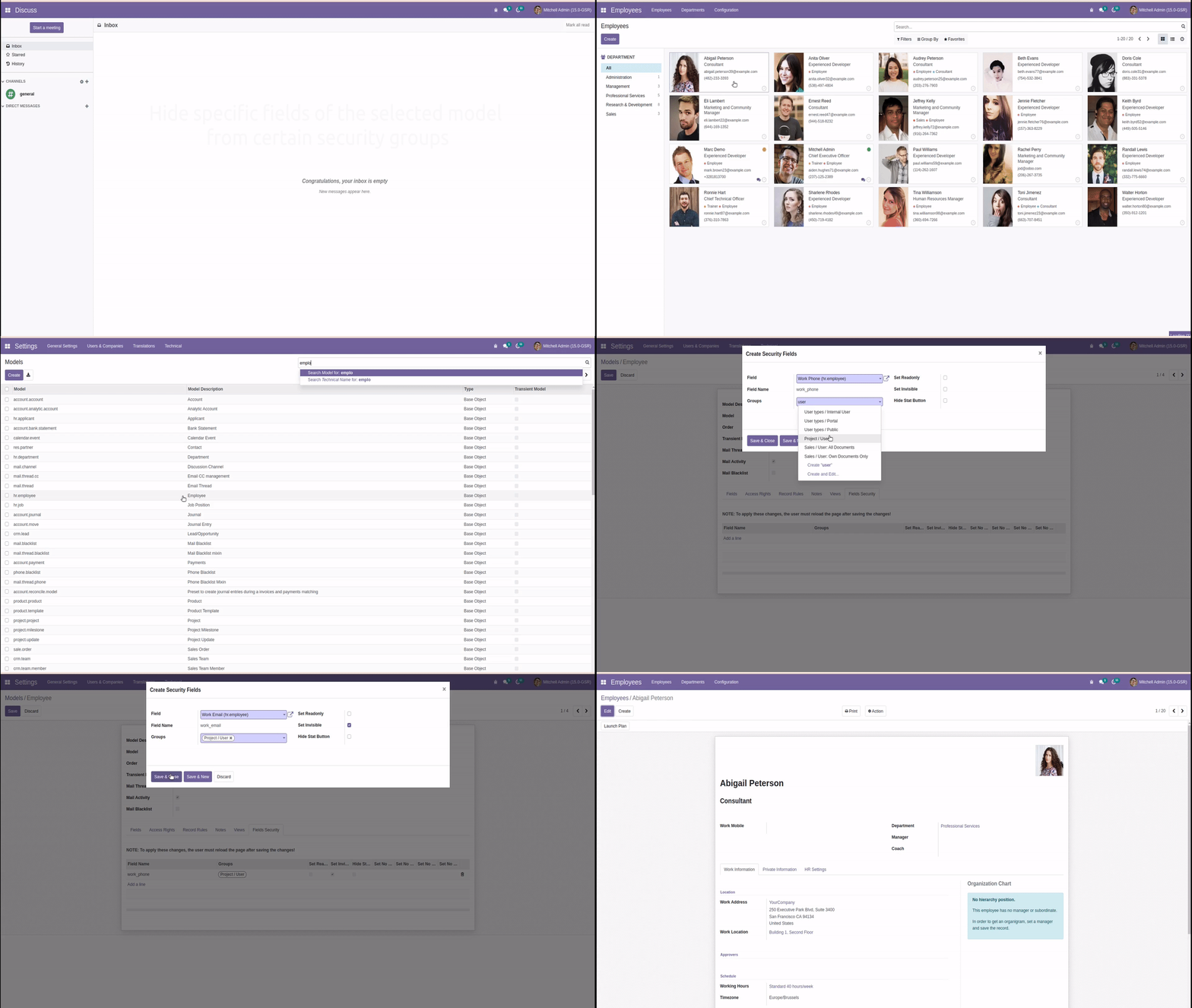
Hide specific fields of the selected model from certain security groups
For this, you need to activate the Developer Mode. Then, click Database Structure -> Models and select the desired model. On the Fields Security tab, specify the fields to hide or make readonly, and user security groups to hide from.
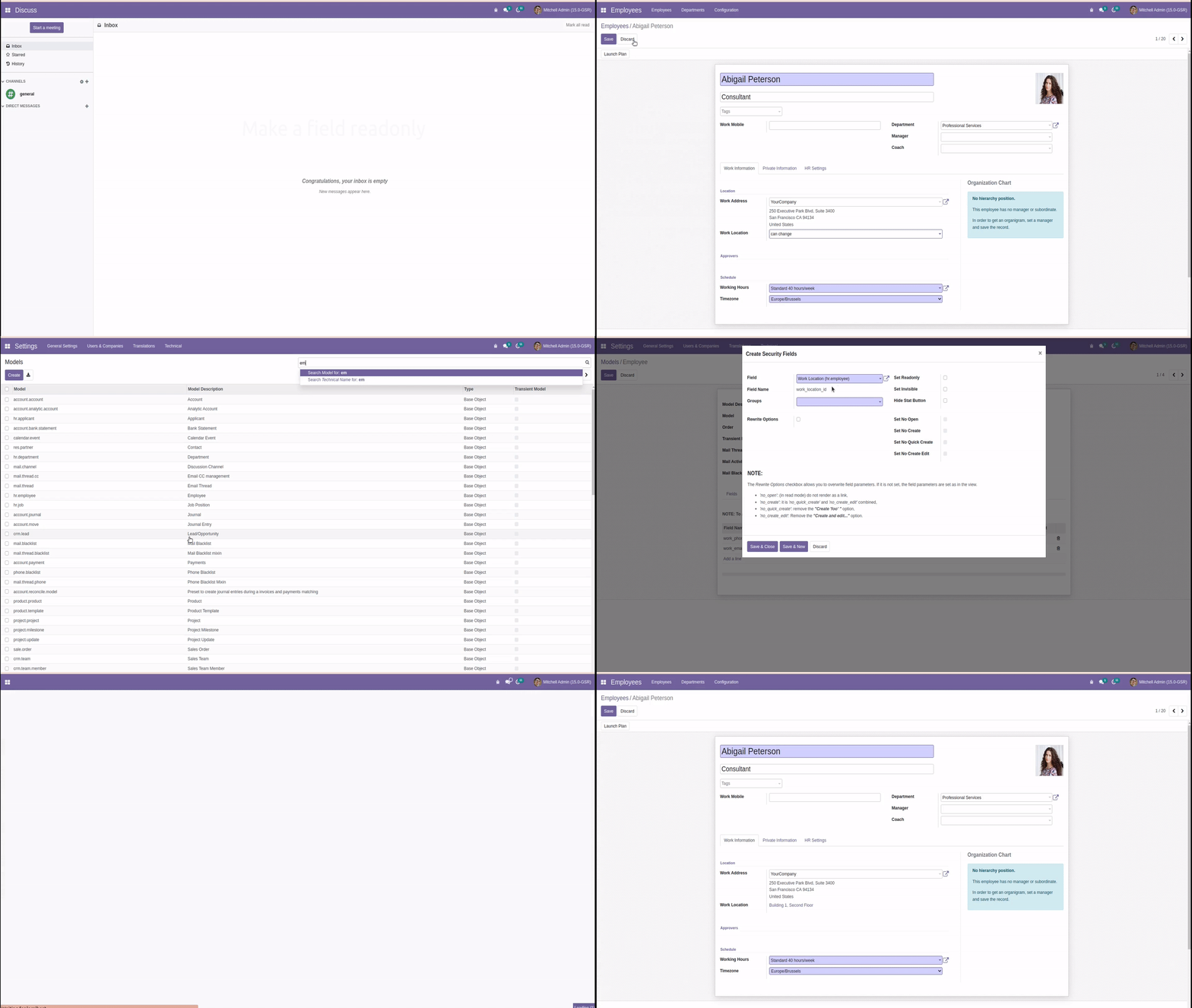
Make a field readonly
Hide stat buttons on the view
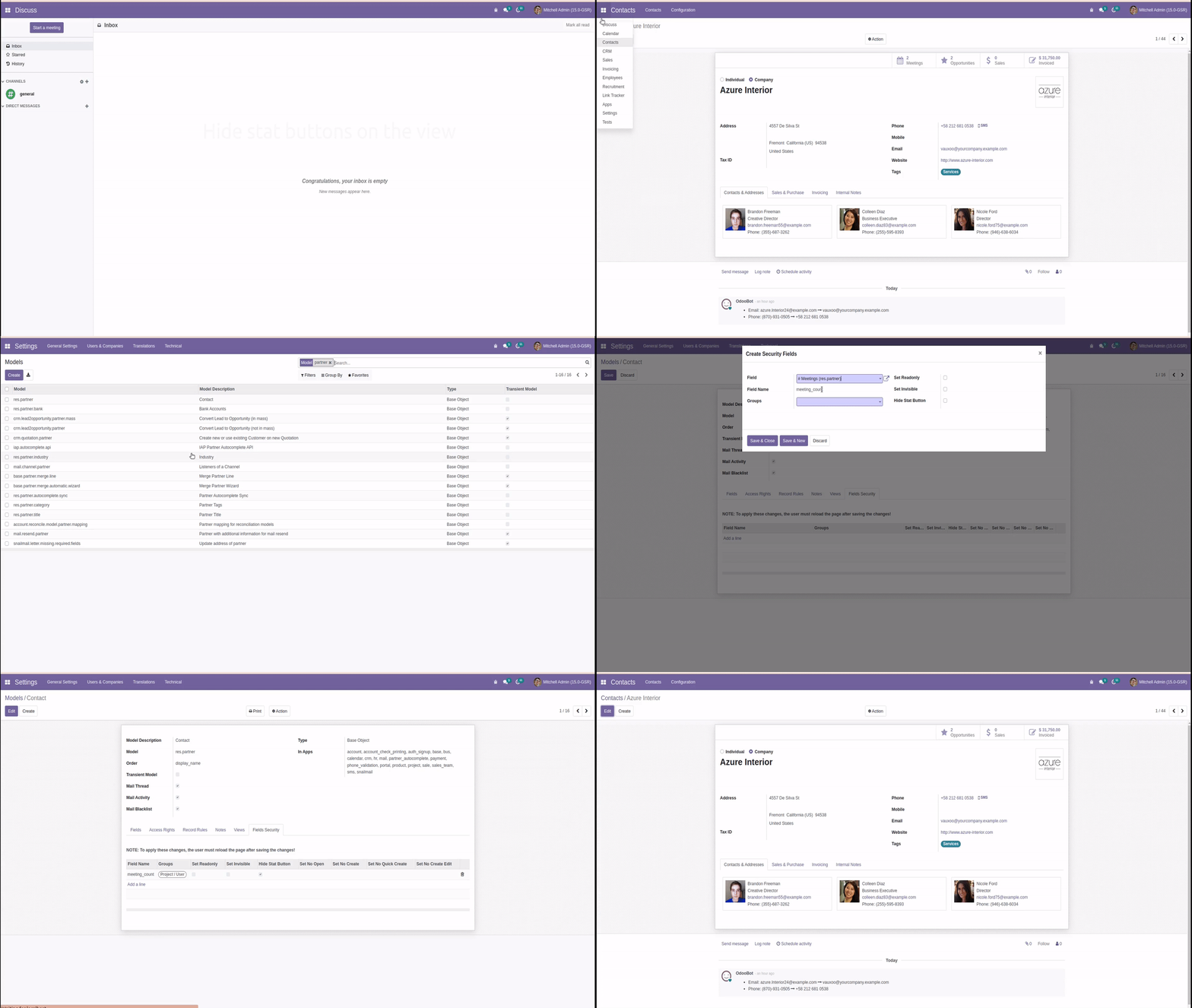
You can overwrite the parameters of Many2one fields from the user interface. When you select Many2one field, you will see additional options. To use these options, select the Rewrite Options checkbox.
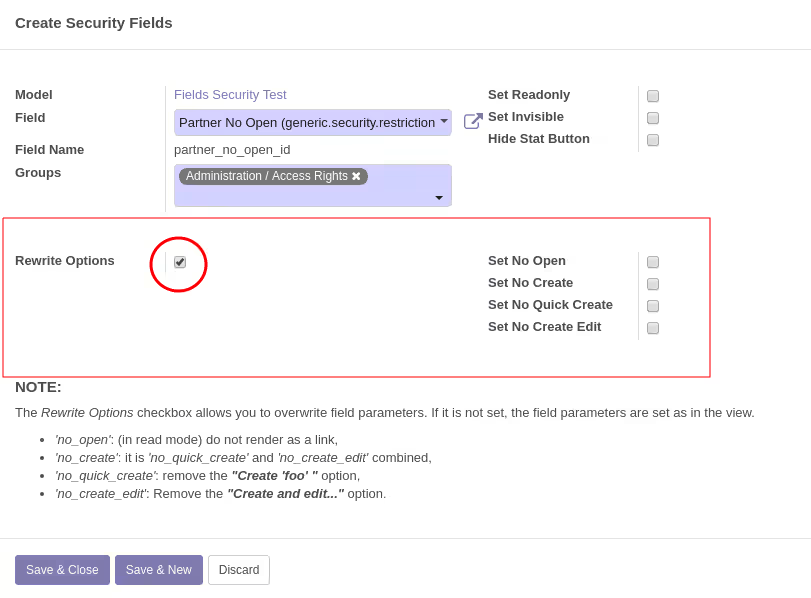
Rewrite field parameter: ('no_open'=True)
This parameter makes the following changes:
- In the Read mode, fields that are usually rendered and displayed as a link will be displayed as a normal readonly text
- In the Edit mode, the button to open the record will be hidden
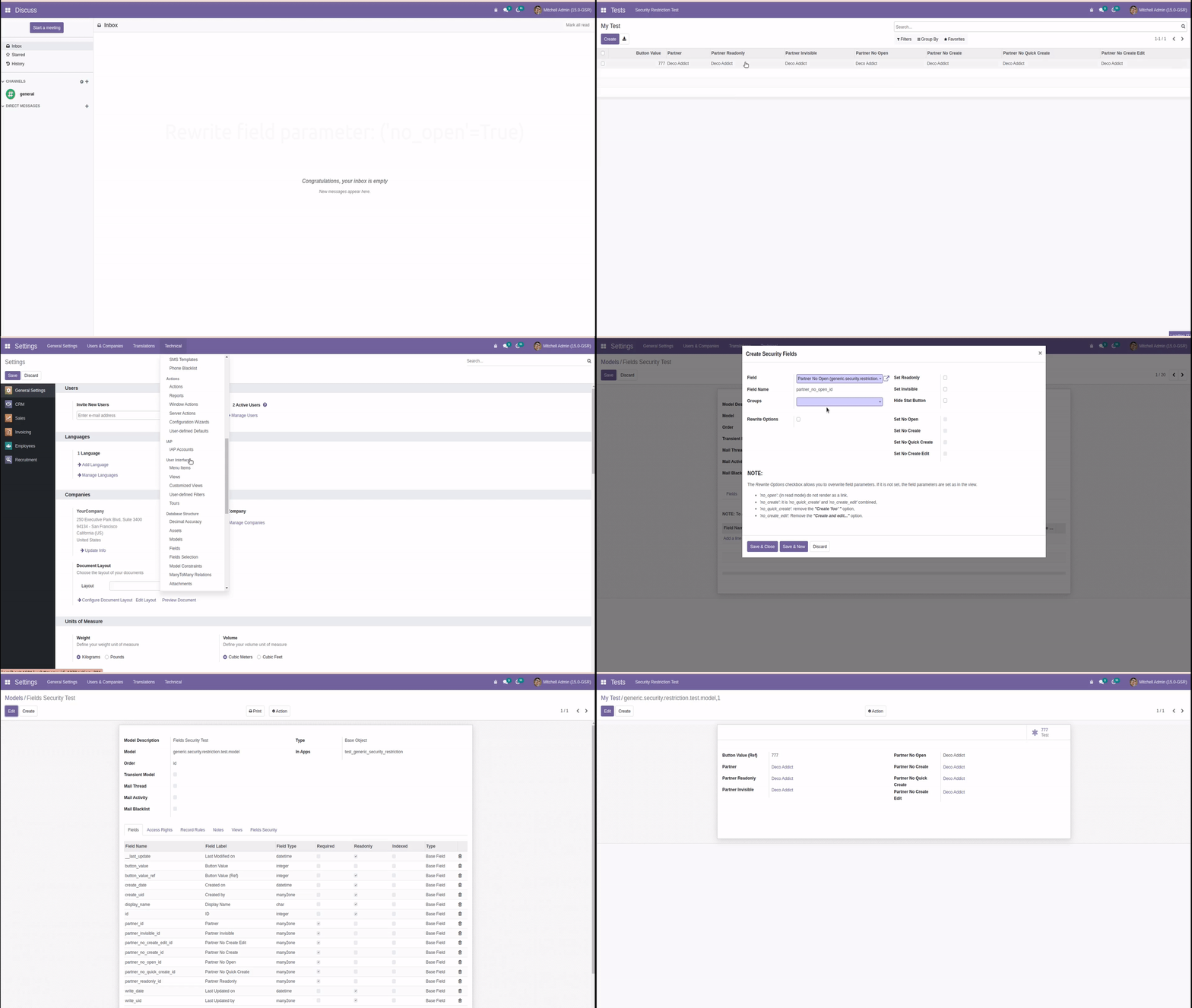
Rewrite field parameter: ('no_create'=True)
This parameter forbids the creation of new records.
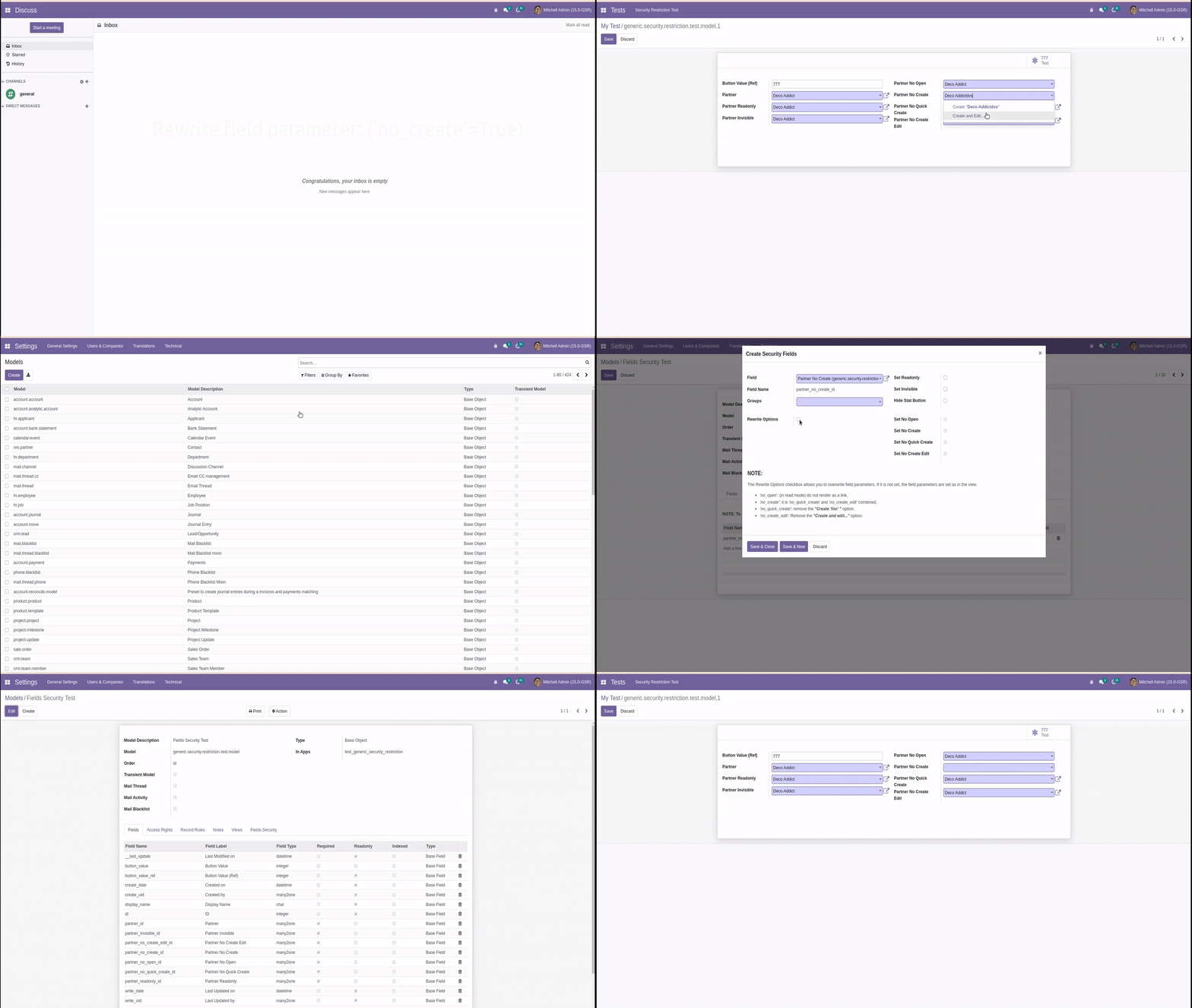
Rewrite field parameter: ('no_quick_create'=True)
This parameter forbids the quick create of new records. Users can still create them using Create and edit... option.
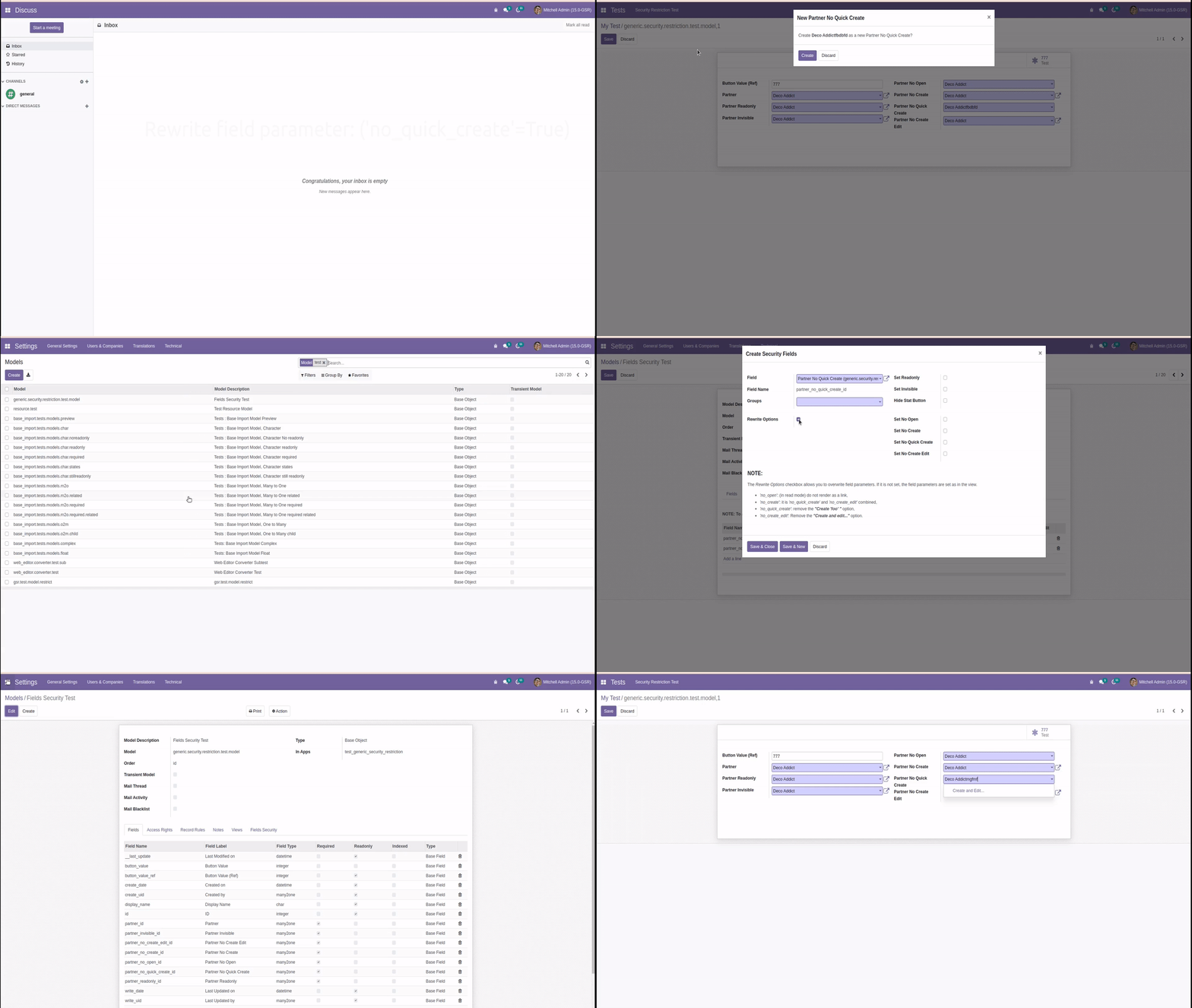
Rewrite field parameter: ('no_create_edit'=True)
This parameter forbids the creation of new records using Create and edit... option. Users can still create records with quick create.

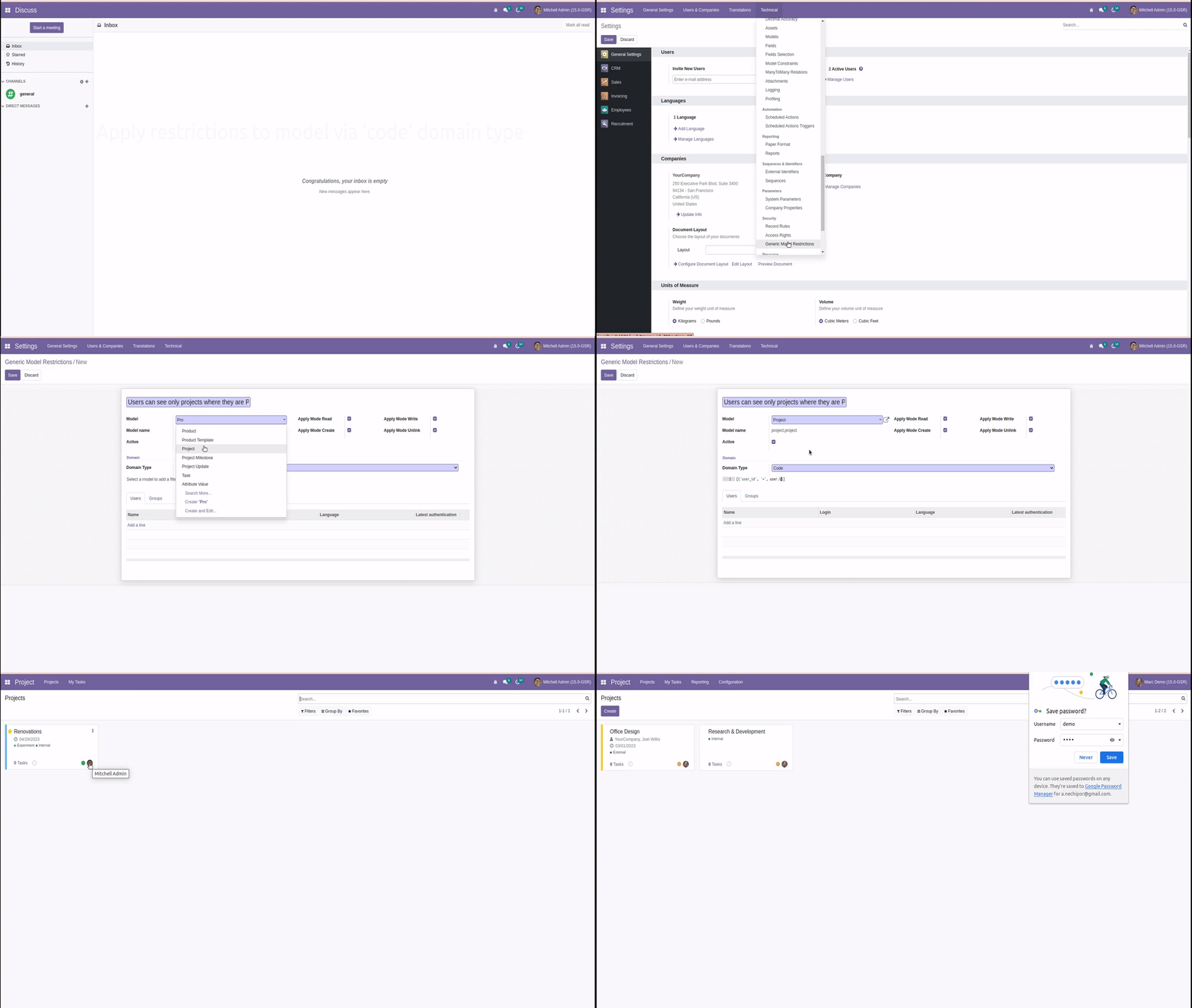
Apply restrictions to model via 'code' domain type
You can specify the model and set record rules by which grant access to:
- Read
- Create
- Write
- Unlink
The following example hides projects for a project user group, except for those where the current user is the project manager.
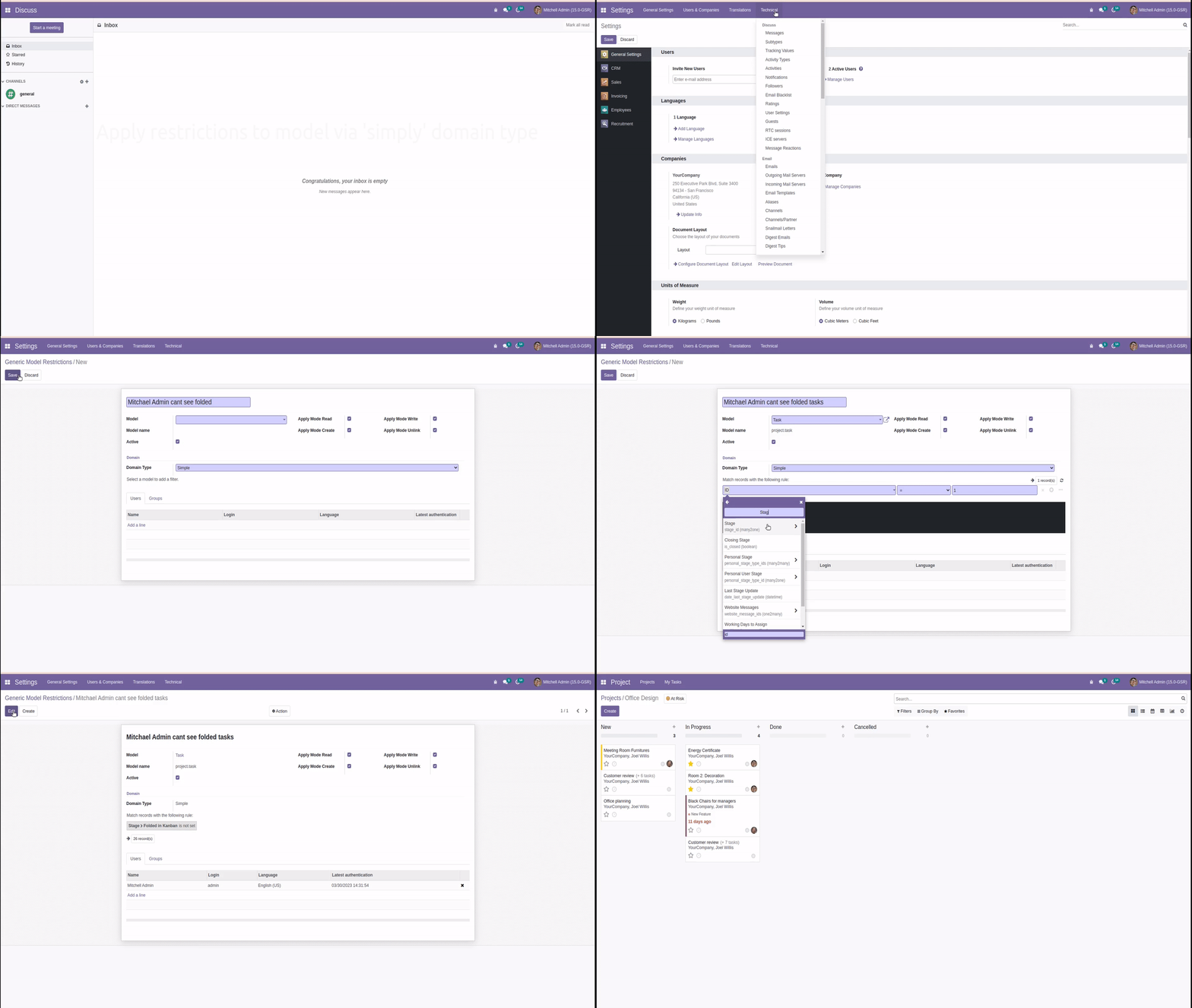
Apply restrictions to model via 'simply' domain type
The following example hides folded Tasks for the specific user Mitchel Admin.