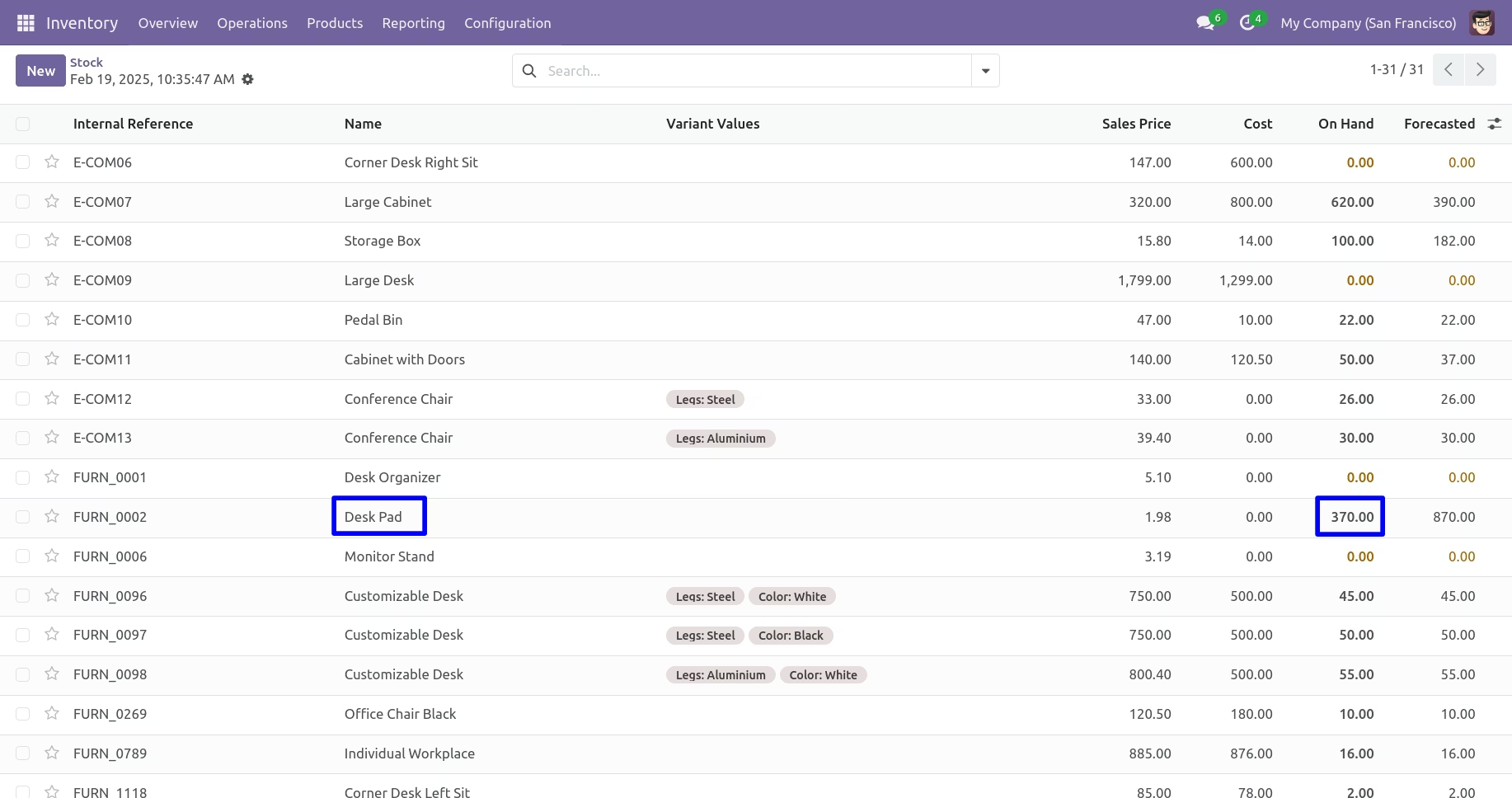
The module for empowers users to back-date stock operations such as pickings and inventory adjustments when validating them. By automatically applying a specified date to stock moves, it enhances accuracy and traceability in scenarios where recorded actions differ from the actual operational date, supporting better inventory and audit control.
Enables back-dating of picking operations when validating stock transfers
Automatically propagates the specified "force date" to stock moves during both pickings and inventory adjustments
Enhances audit precision by aligning recorded dates with real operation timelines
Improves inventory accuracy by reflecting the actual date of operations
Strengthens audit traceability by ensuring recorded dates match real-world activities
Simplifies corrections in stock records when validation is delayed
Enhances control and oversight of stock movements through precise date management
All Stock Transfer Force Date apps will helps you to allow stock force date in picking operations and inventory adjustment, auto pass stock force date- Back Date in stock move when validate picking operations and inventory adjustment which is very useful for back date process on stock transfer process.

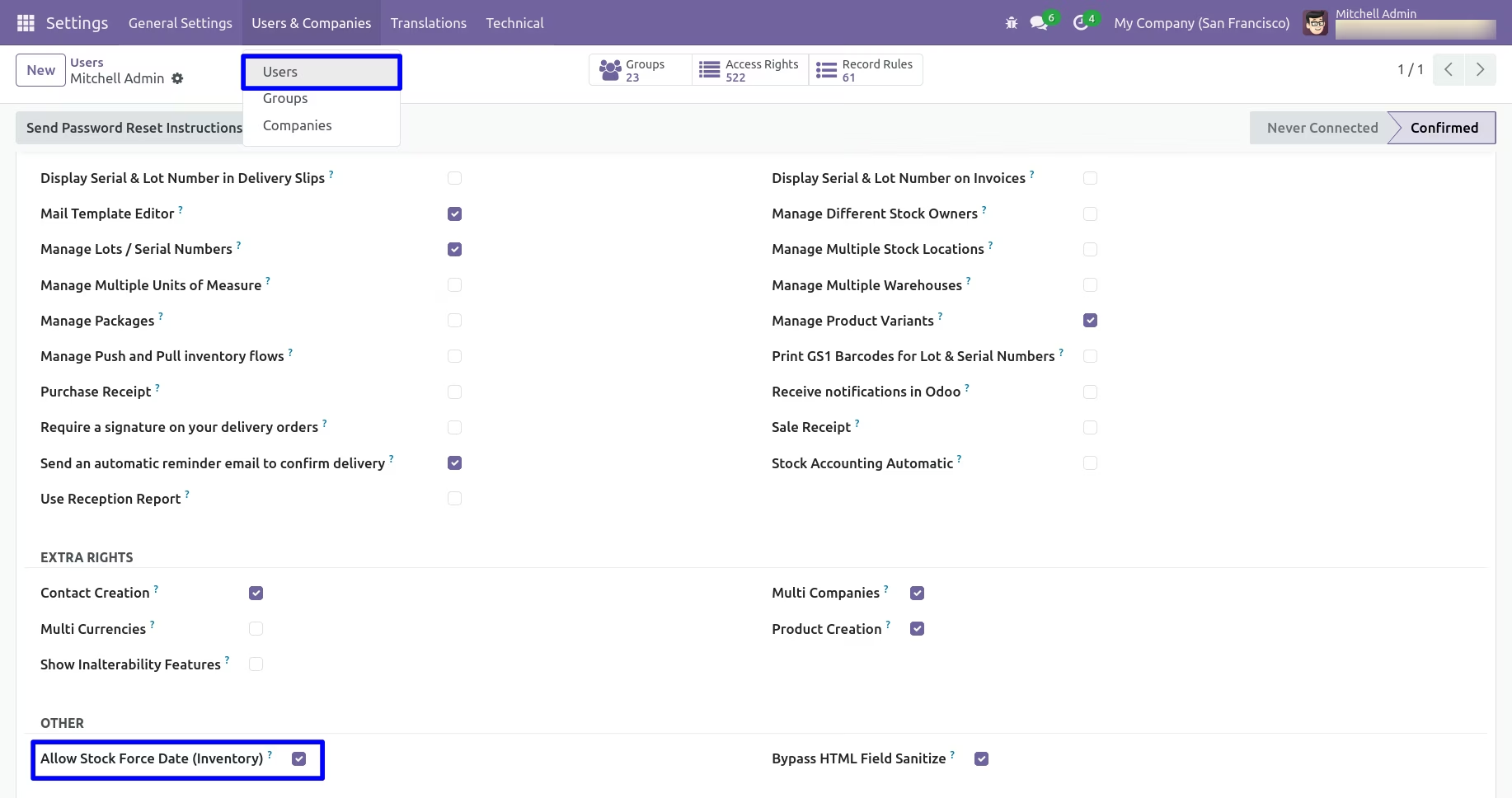
Allow User Access Rights
Allow User Access Rights for Stock Force Date.

Stock Force Date in Inventory Adjustment & Picking
Allow Stock Force Date in Inventory Adjustment & Picking Operations

Pass Stock Force Date in Stock Move, Product Move & Journal Entries
Pass Stock Force Date in Stock Move, Product Move, Journal Entries when Validate Inventory Adjustment & Picking
Allow User Access Rights
Allow User Access Rights for Stock Force Date
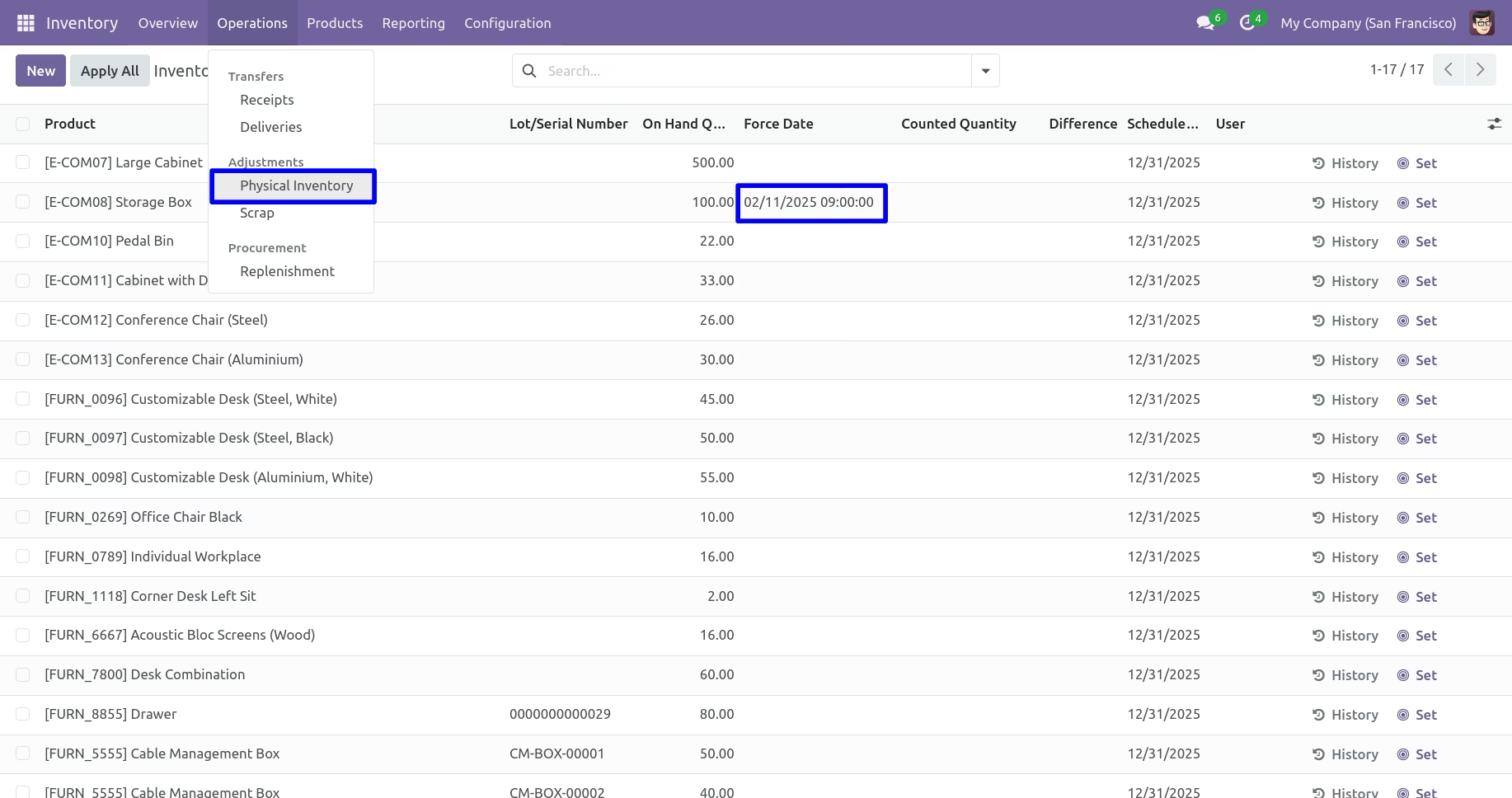
Stock Force Date in Inventory Adjustment
Select past or future Stock Force Date in Inventory Adjustment.
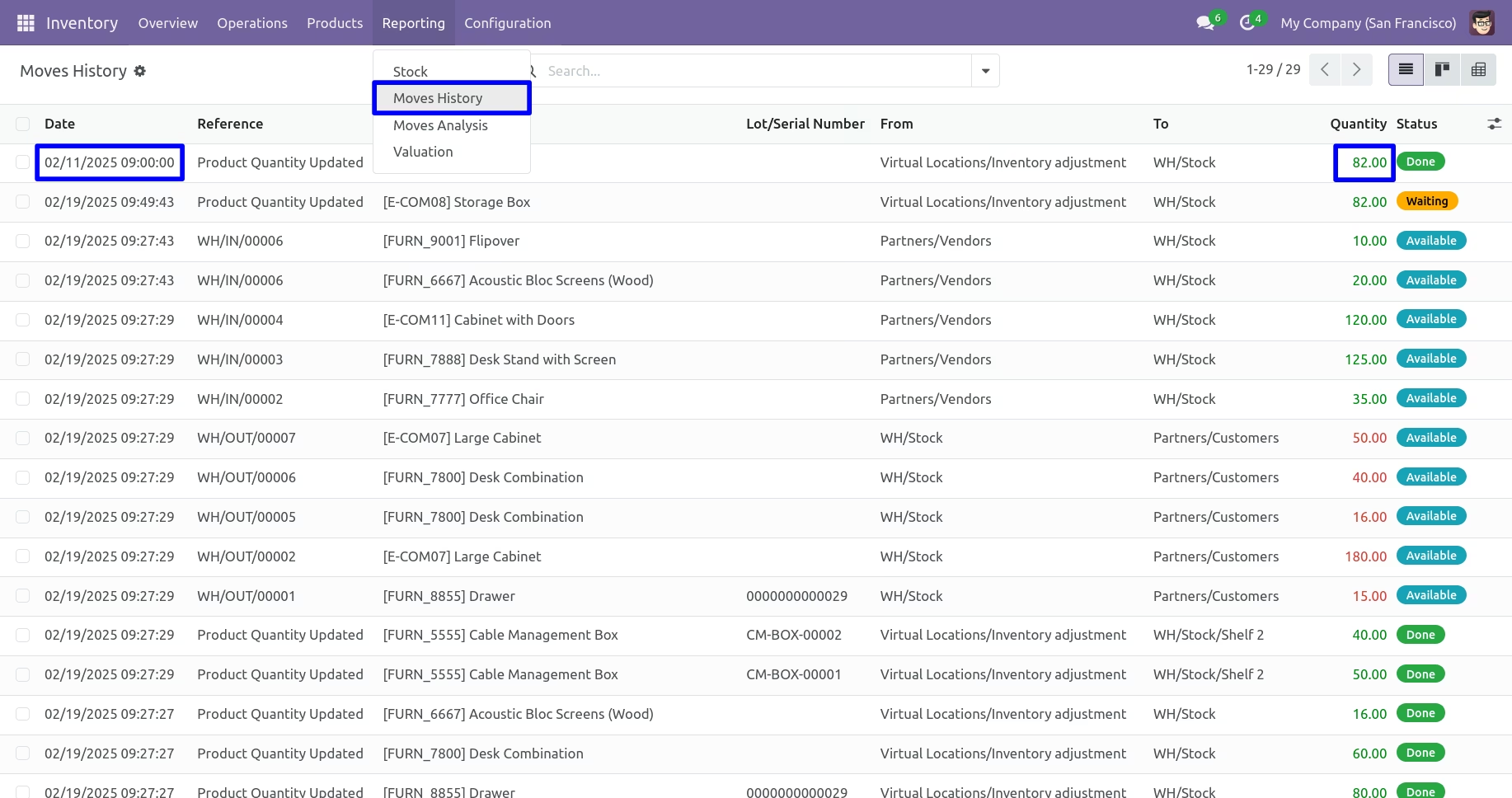
Passed Stock Force Date
Passed Stock Force Date in Stock Move from Inventory Adjustment.
Stock Force Date in Picking
Select past or future Stock Force Date in Picking Receipt Operations.
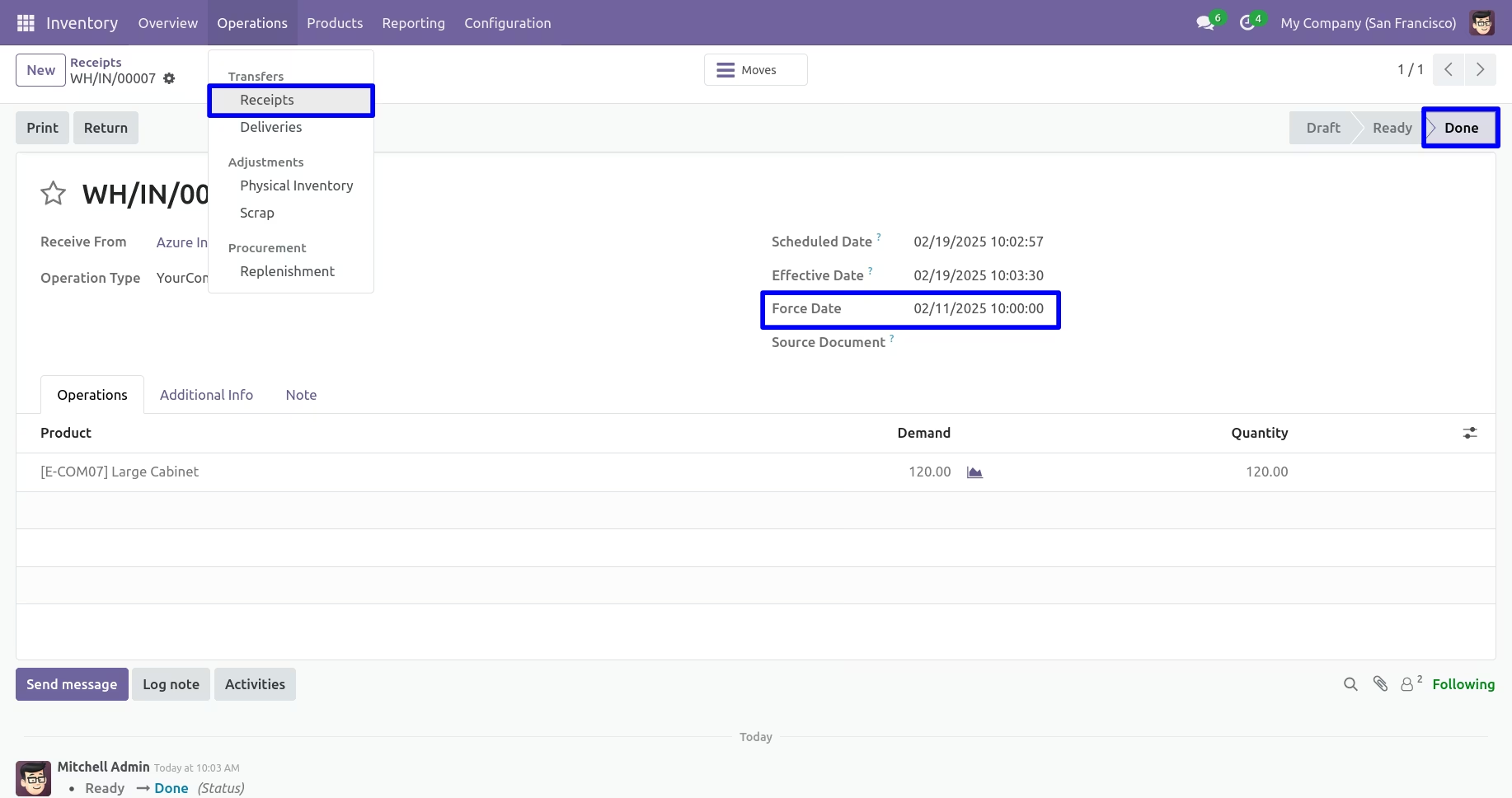
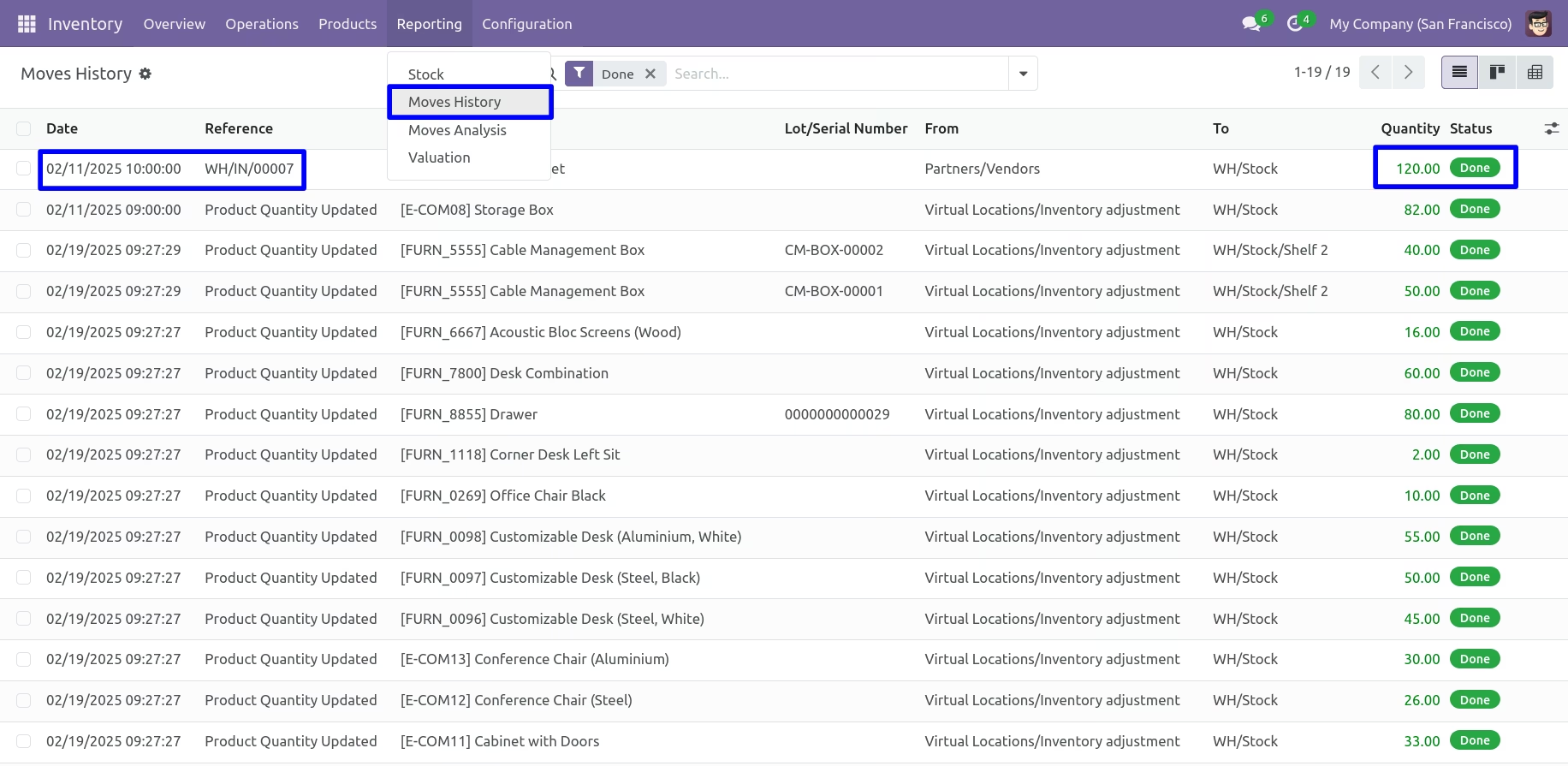
Passed Stock Force Date
Passed Stock Force Date in Stock Move from Picking Receipt operations.
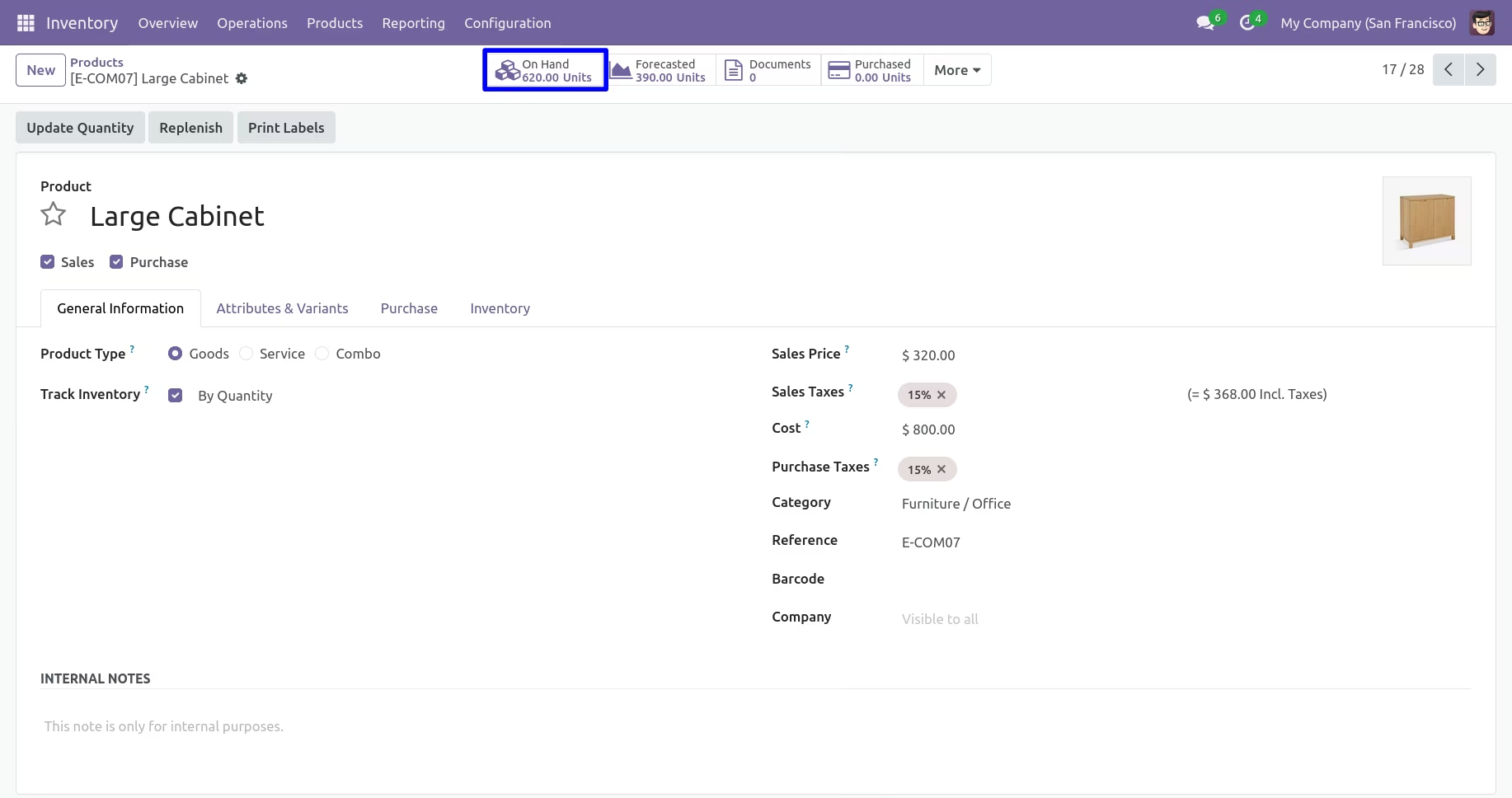
Updated Product Stock
Updated Product On Hand Stock Details.
Stock Force Date in Delivery Order
Select past or future Stock Force Date in Picking Delivery Order Operations.
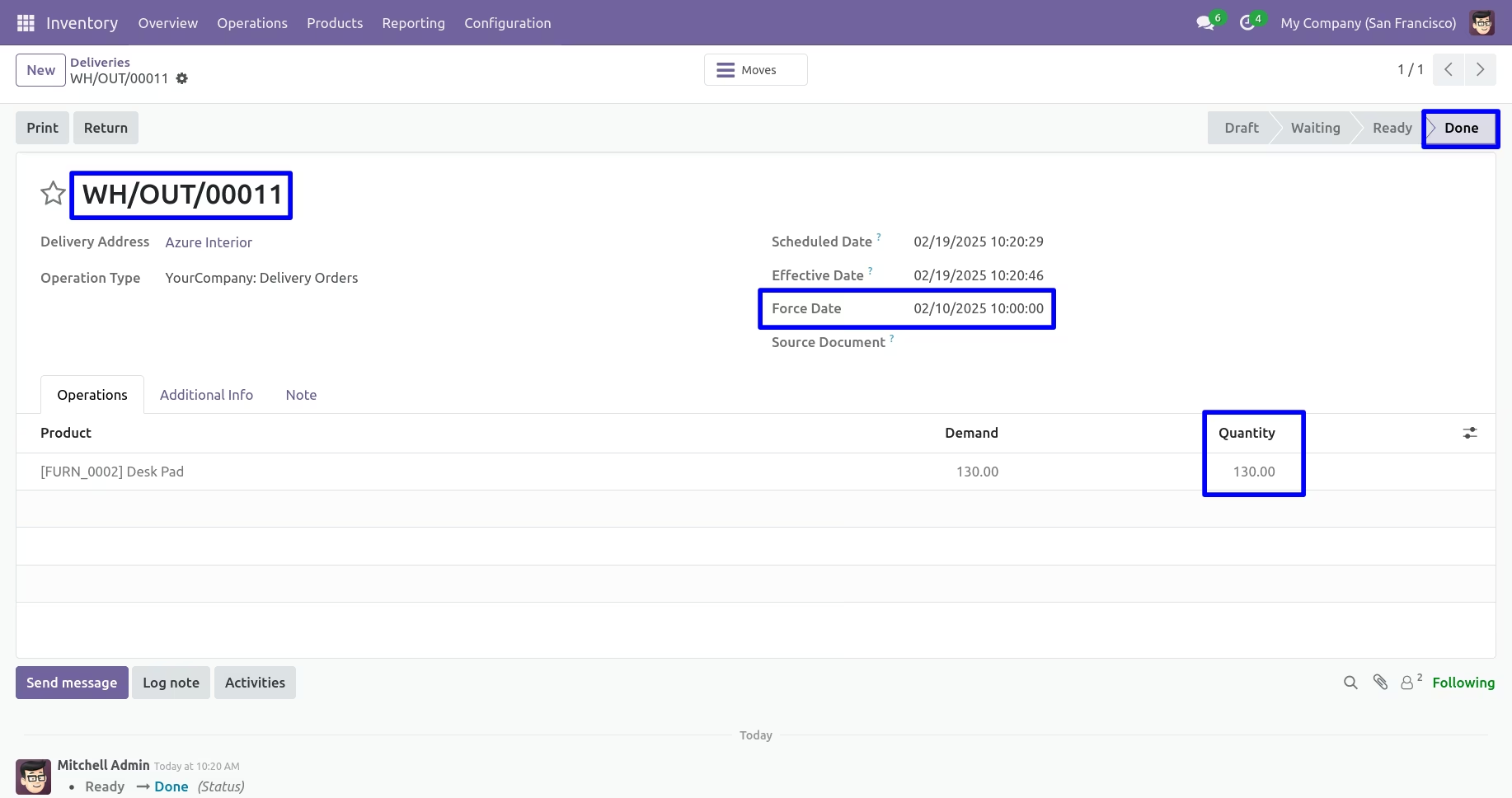
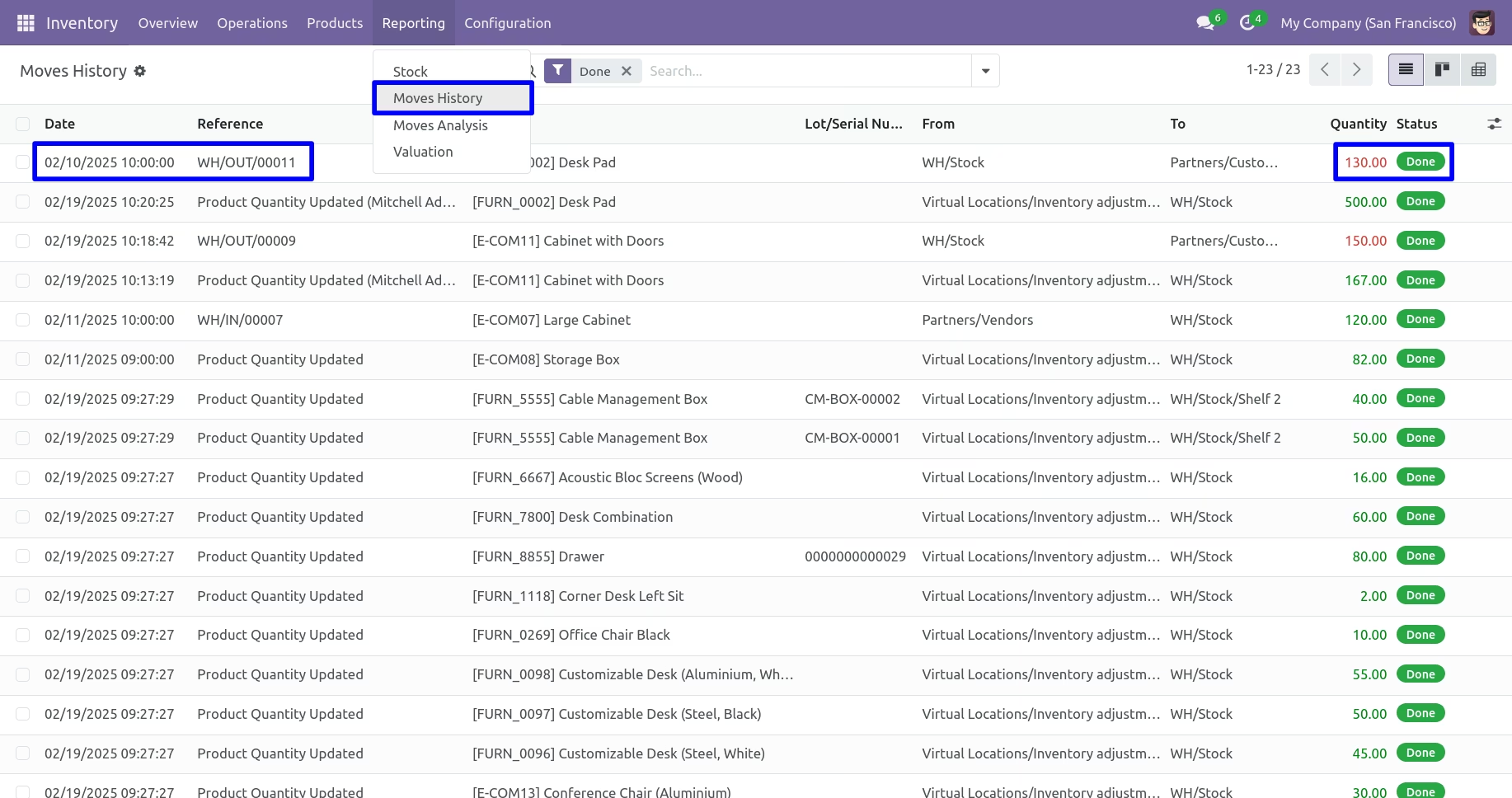
Passed Stock Force Date
Passed Stock Force Date in Stock Move from Picking Delivery Order operations.
Inventory Report
Get Inventory Report by wizard.
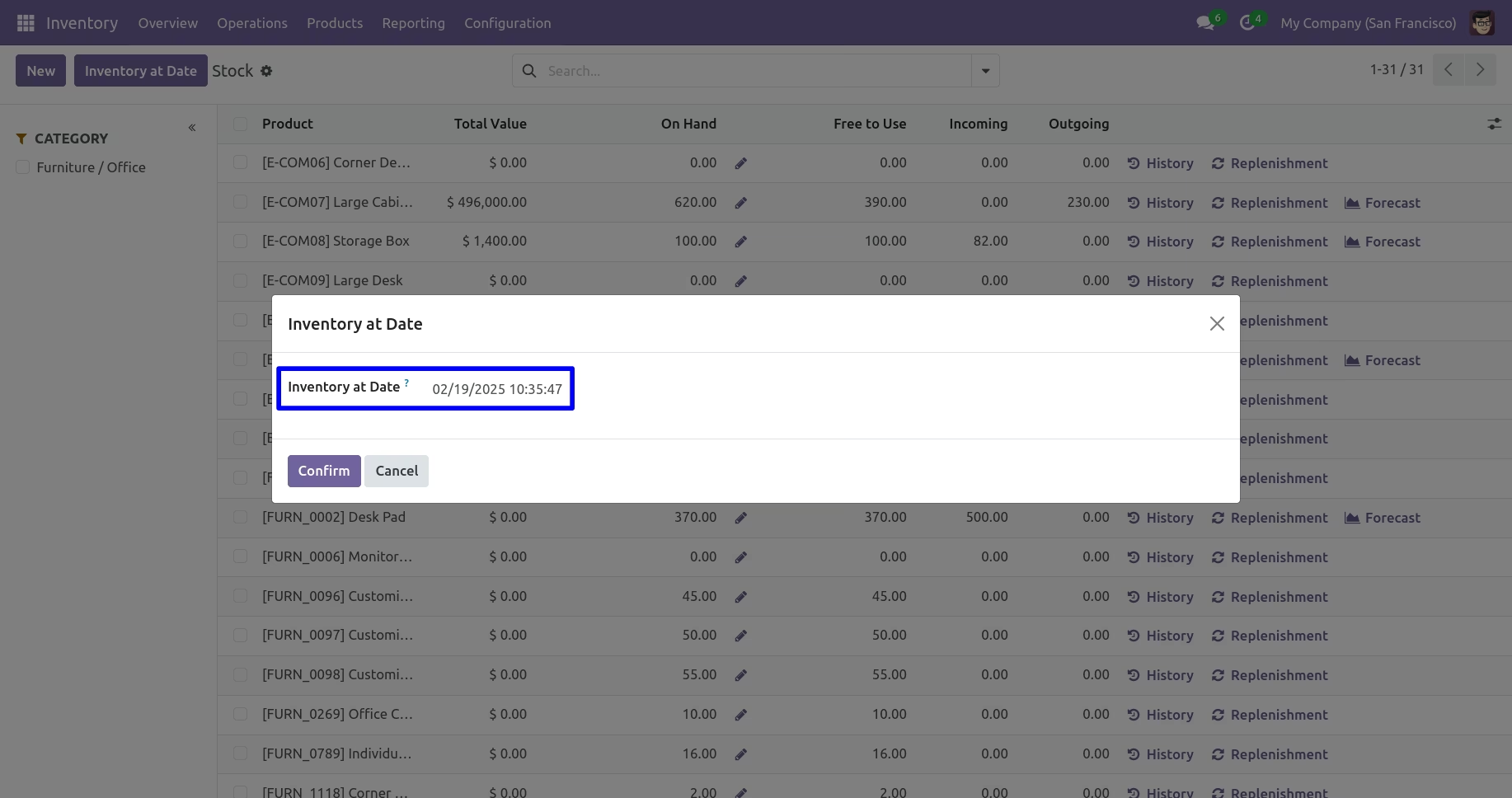
Get Inventory Report with Stock Details.