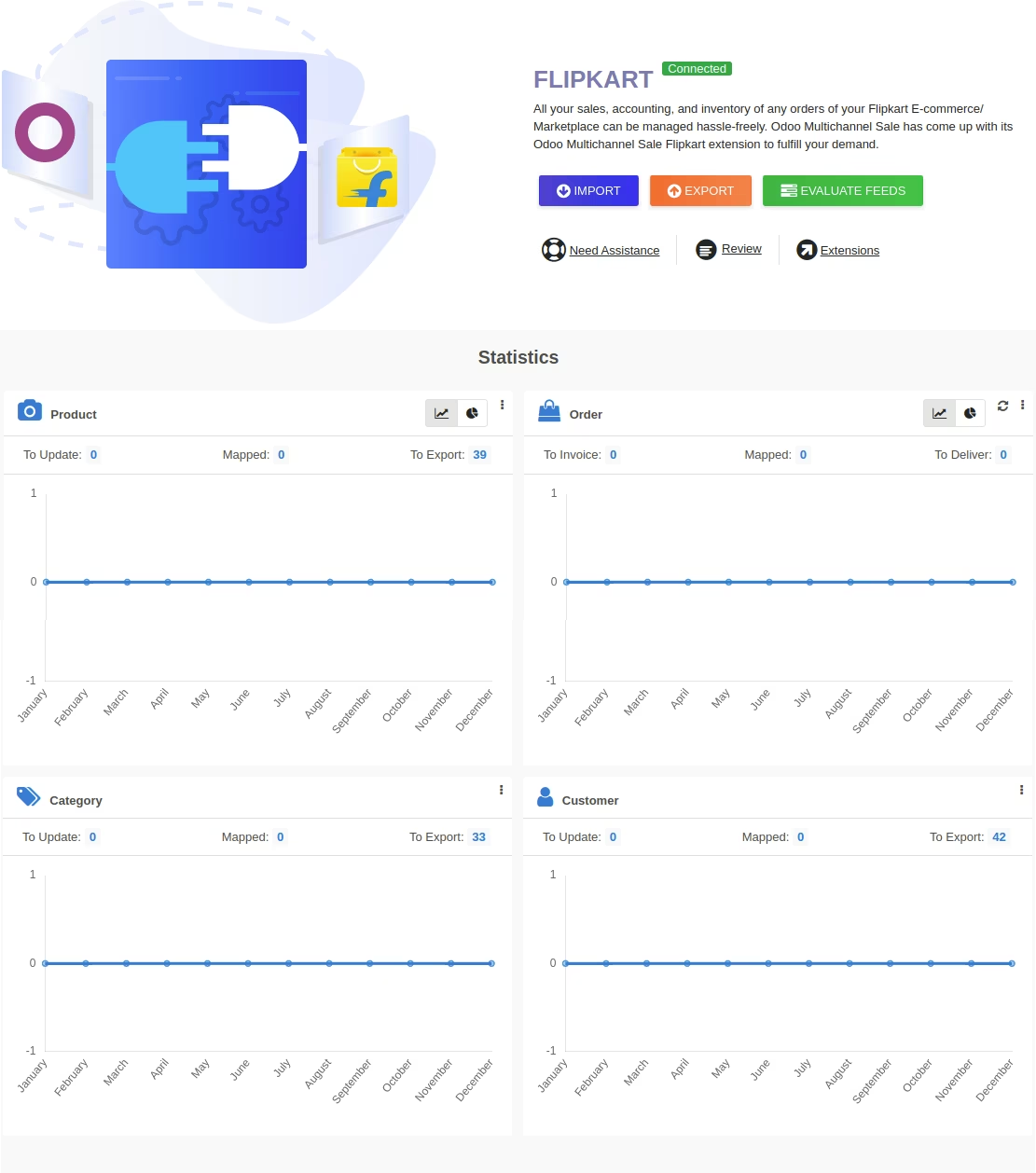
The enables sellers to connect one or multiple Flipkart marketplace accounts, allowing seamless import and export of products, orders, customers, and related data. This integration simplifies multichannel management by centralizing operations in a single environment while maintaining robust data synchronization and visibility.
Import products, orders, customer details, tax, shipping, and payment information directly from Flipkart
Export products and inventory updates back to Flipkart to ensure catalog consistency
Manage synchronization using a dynamic dashboard featuring data cards, donut charts, line graphs, and clickable tabs for intuitive monitoring
Handle multiple Flipkart accounts instance for streamlined multi-store management
Centralizes marketplace workflows, reducing manual effort and potential errors
Enhances operational efficiency with synchronized product and order management
Enables real-time visibility of marketplace performance through visual dashboards
Scales seamlessly with multi-account support, ideal for businesses selling across multiple Flipkart stores
Flipkart Private Limited reported a revenue amounting to approximately 436 billion Indian rupees in financial year 2019.
It offers beneficial global exposure to the sellers; hence, Flipkart becomes one of the best choices.
Walmart announced its intent to acquire a 77% majority stake in the Indian e-commerce company Flipkart for $16 billion.
However, to manage all the backend operation; you need to look for a centralised solution.
Are you managing one or more stores in Flipkart Marketplace and still looking for a centralised management solution for your online stores?
If you are running one or multiple stores in Flipkart marketplace and looking for a data management solution in then Multichannel Flipkart Connector perfectly fits your requirements.
Whether it is seller data(like orders and catalogs) or inventory you can manage it all with the help of the module. Multichannel Flipkart Connector facilitates synchronization, import and export as per your business requirements.
Multi-channel SaleConnect Your With Multiple Flipkart Seller Accounts
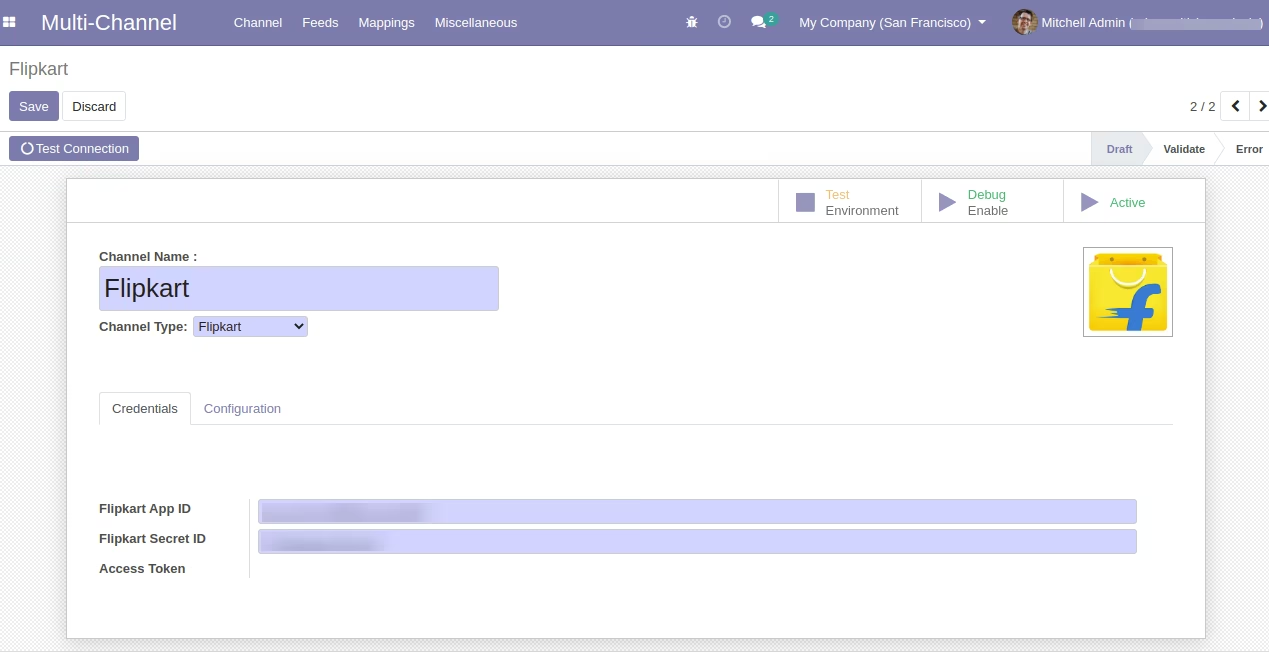
Multichannel Flipkart Connector perfectly works in such situations. You can simply connect one or more Flipkart Seller Account; and manage its data in your single Instance.
The need of managing the data in a centralised way cannot go unnoticed as it helps to track the data efficiently. When data is decentralized and disorganized, it becomes an obstacle rather than an asset.


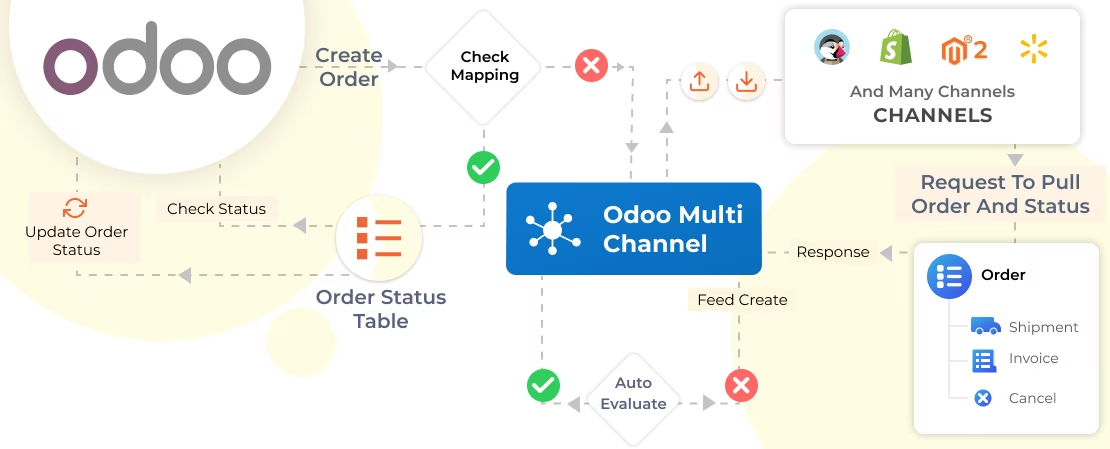
Importing Orders in
You can import Orders along with the data associated with it from Flipkart. The import function is simplified with the help of module Multichannel Flipkart Connector.
Orders statuses like cancel, shipment and invoice are automatically imported at the same time.
Moreover, data like customers and their addresses, taxes, delivery methods, payment methods, currency is also imported along with it.
Key Features
Below is the detailed list of features from MultiChannel Flipkart ConnectorImporting Orders in
- Orders are manually imported in bulk
- You can import orders via cron scheduler
- Order details (like customers and their addresses, taxes, delivery methods, payment methods, currency) are imported along with the orders
- Order statuses (like cancel, shipment and invoice) are also imported along with the orders
Importing Products in
- You need to prepare a CSV file with the product's SKU of those products which are already available at the Flipkart end.
- After preparing the product CSV, you need to import products via CSV to the end. After the import operation, the product will get created at the end (same SKU) with the following data:-
- Product name (Connector will not able to fetch product name and will show Product SKU in the product name tab)
- Product Price
- HSN Code
- Shipping Provider
- Length, Weight, Width, and Height
- Only simple products will be able to get imported from Flipkart end to end. In case, if the product is already available at the end with SKU set in the CSV, then the product with the same SKU will get mapped accordingly without being getting created at the end with the product having the same SKU at the Flipkart end.
Enhanced Dynamic Dashboard
- Introduced a dynamic dashboard to track the data of Flipkart.
- Import/Export the data of any channel directly from the dashboard.
- Well-designed Donut Chart and Line Graph to analyze the data.
- The dashboard also offers Clickable tabs and data cards.
Managing Synchronization History
- All the synchronization history is managed
Manually Map Orders Statuses
- You can manually map order statuses from end
- Fill the corresponding Order status of Flipkart and in the Order Status table
Clickable Data Cards for the Details
- View the imported Product, Category, Order and Customers in the Tabs
- The tabs are clickable and direct you to the respective mapping, feeds as well as sync history.
Line Graph to Analyze the data
- Drop down to Select the Data Type (Order, Product, Category and Customer)
- Track the data the Line Graph
Donut Chart to Analyze the data
- Drop down to Select the Data Type (Order and Product)
- Track the data of connected Flipkart instance from the chart
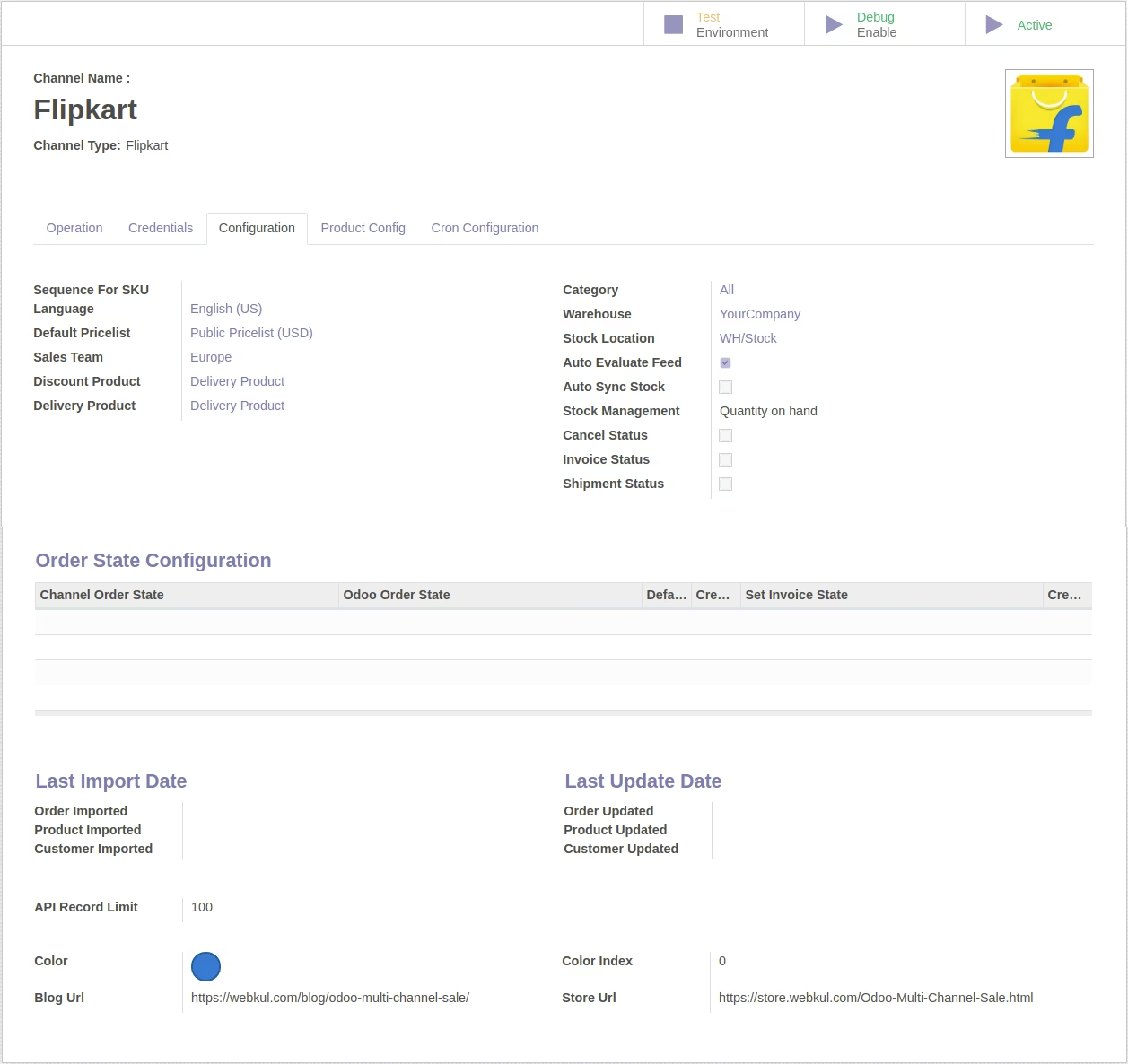
Instance Specific Configurations
End