The with Stock Inventory module enhances fleet repair process by connecting repair workflows with stock operations. It allows repair teams and inventory managers to synchronize parts usage, track stock movements, and manage repairs through integrated stock pickings helping businesses maintain accurate inventory control while streamlining repair operations.
Links fleet repair requests and job tasks directly with inventory operations
Automatically generates stock pickings based on repair parts requirements
Synchronizes stock moves to reflect real-time consumption within repair workflows
Ensures seamless collaboration between repair teams and inventory controllers
Improves inventory accuracy by aligning parts usage with actual repair activity
Reduces manual data entry by automating stock operation generation for repairs
Enhances operational efficiency and transparency across departments
Prevents stock discrepancies and ensures repair readiness through synced workflows
This app allows your fleet repair team and inventory team to integrate stock moves and stock pickings of fleet repair requests and fleet tasks / fleet repair related job orders (tasks).
Main Features:
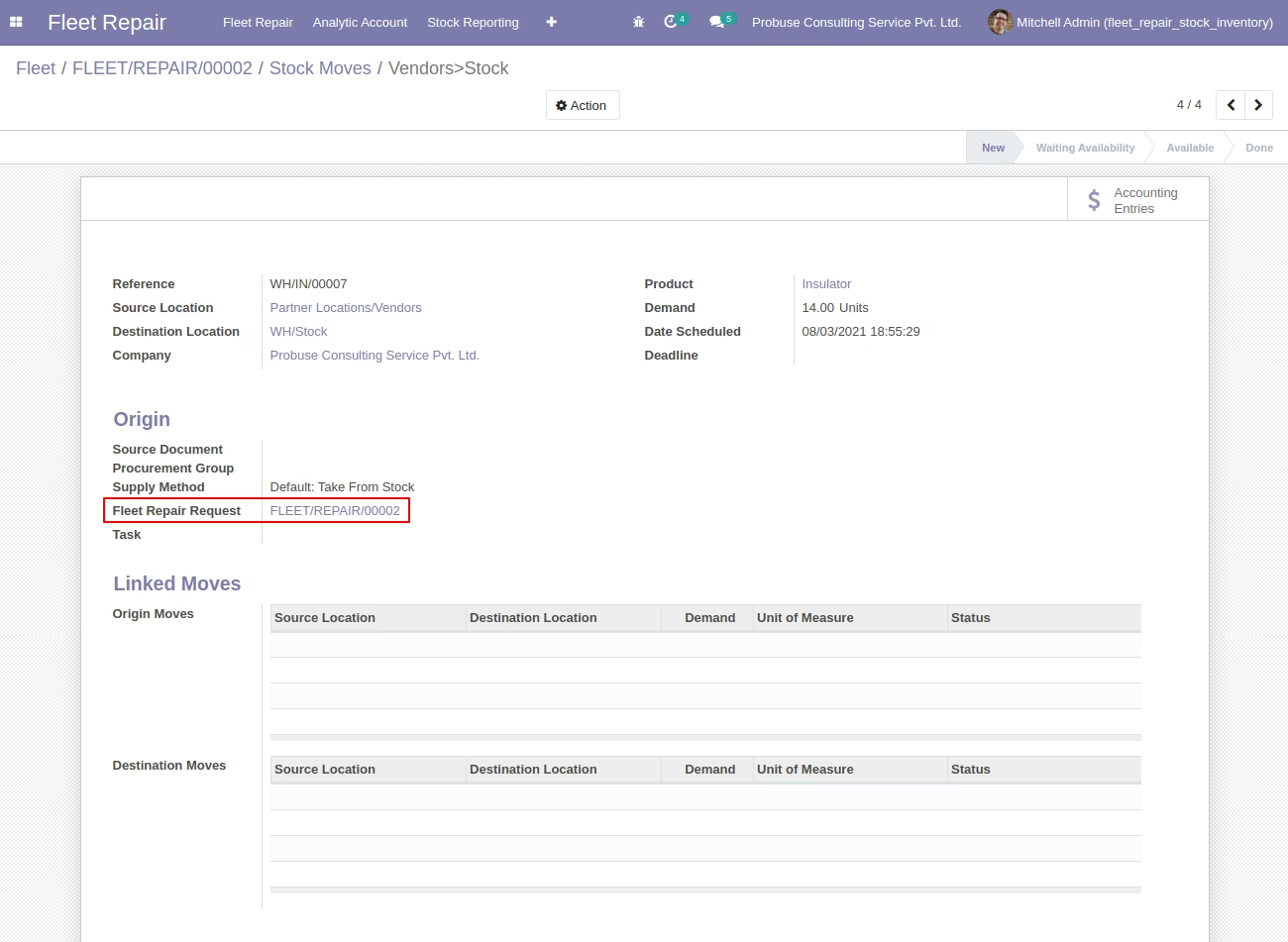
- Integrate fleet repair request with stock moves of stock pickings of inventory. Allow your user to select a fleet repair request on stock move of picking.
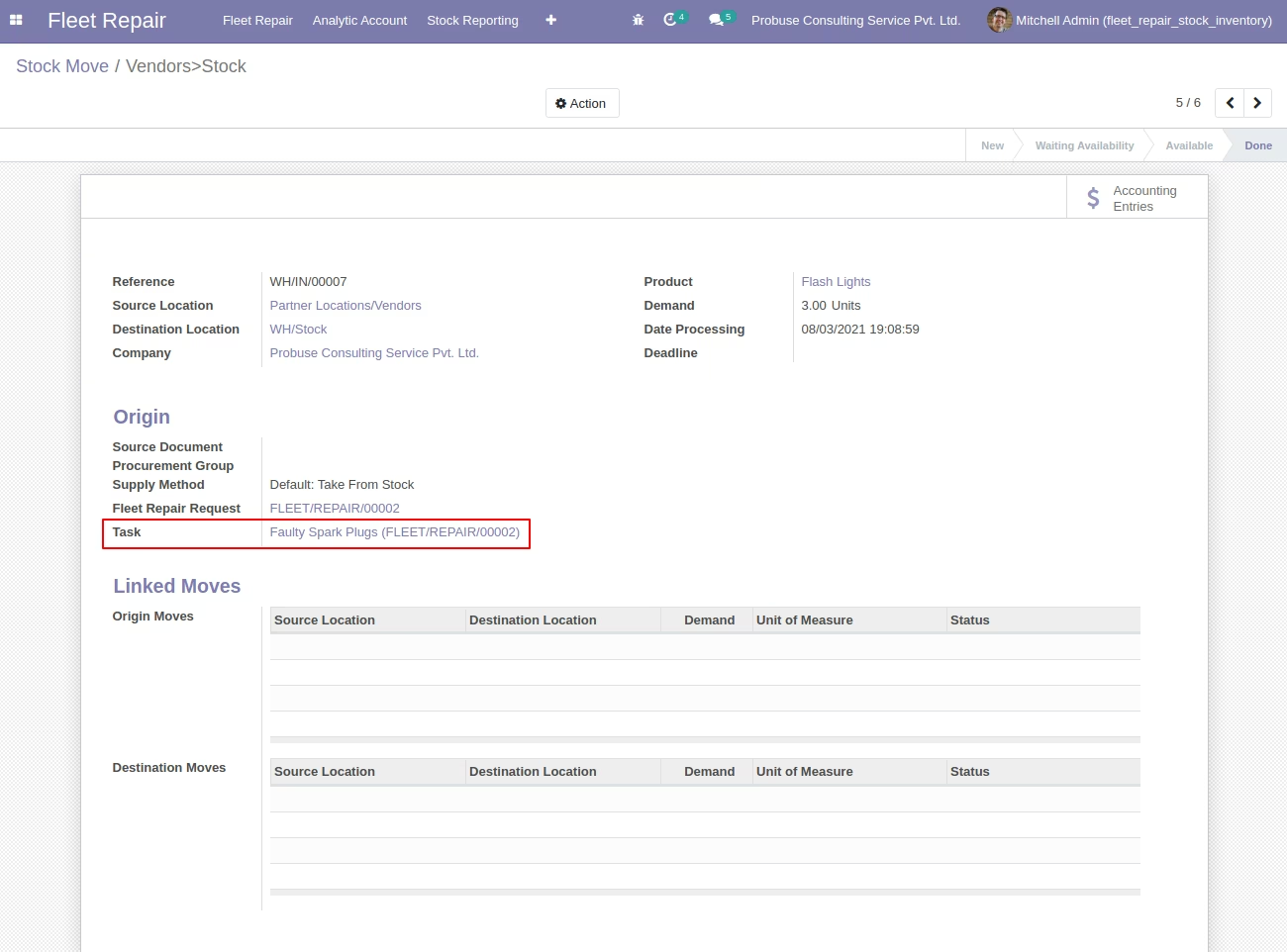
- Integrate Tasks with stock moves and stock pickings of inventory. Allow your user to select a fleet task (job orders) on stock move or picking.
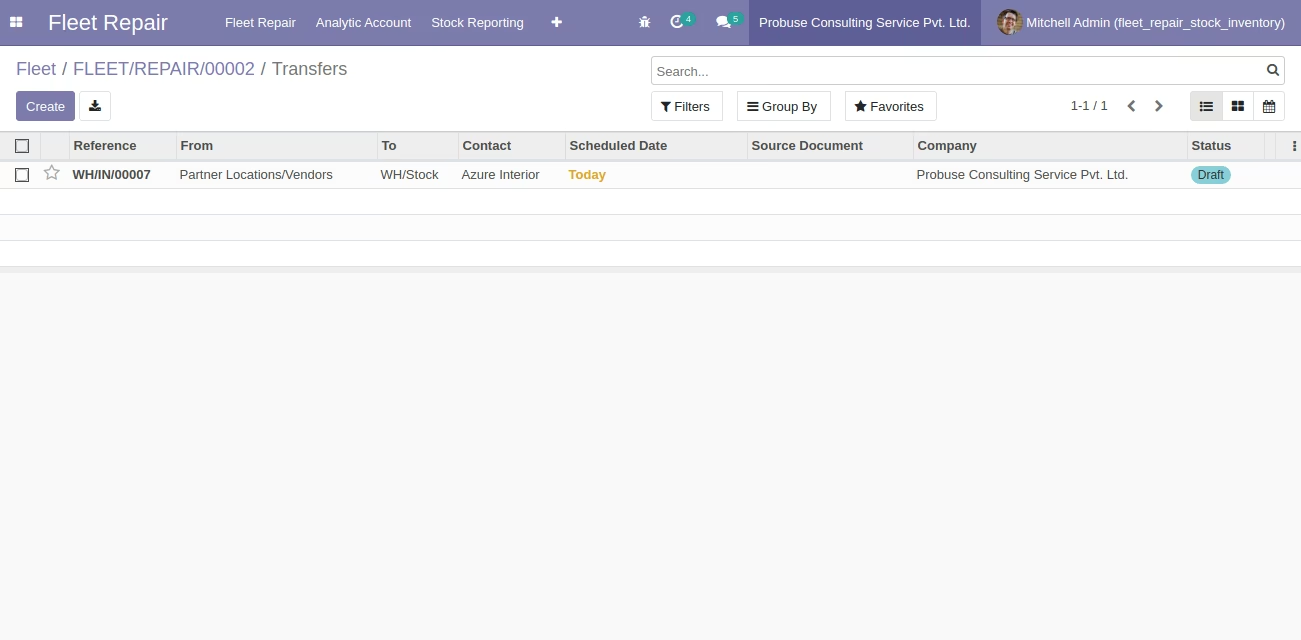
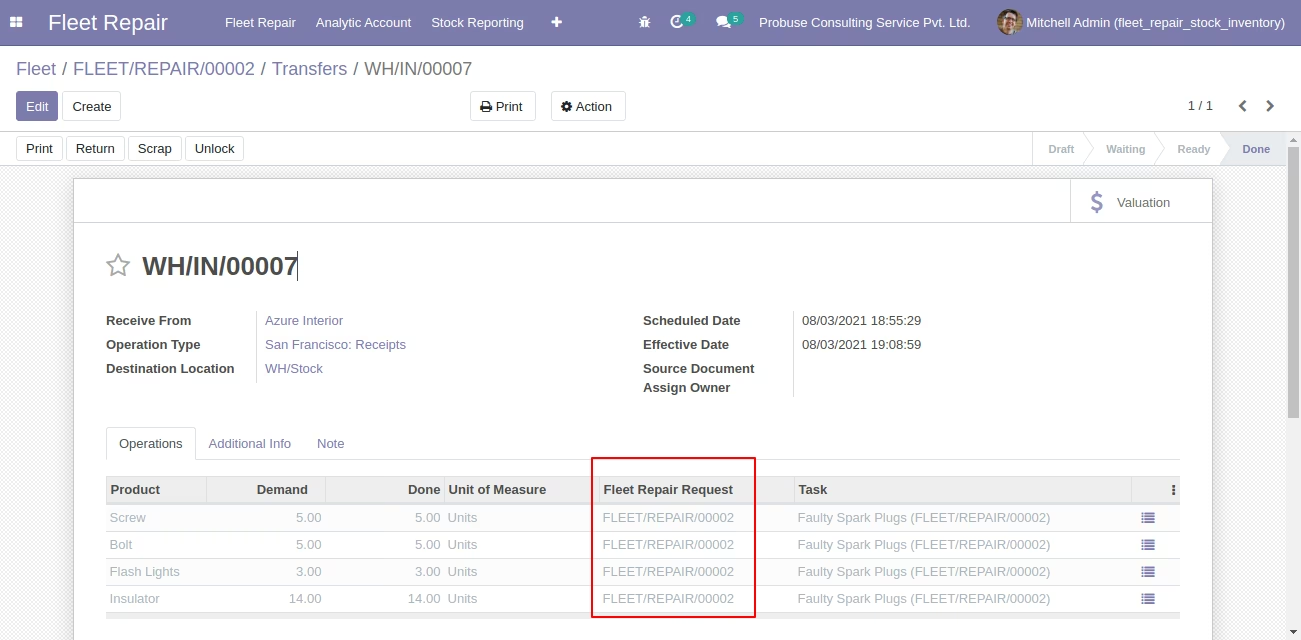
- Inventory User(s) can select fleet repair requests and tasks on stock pickings form.
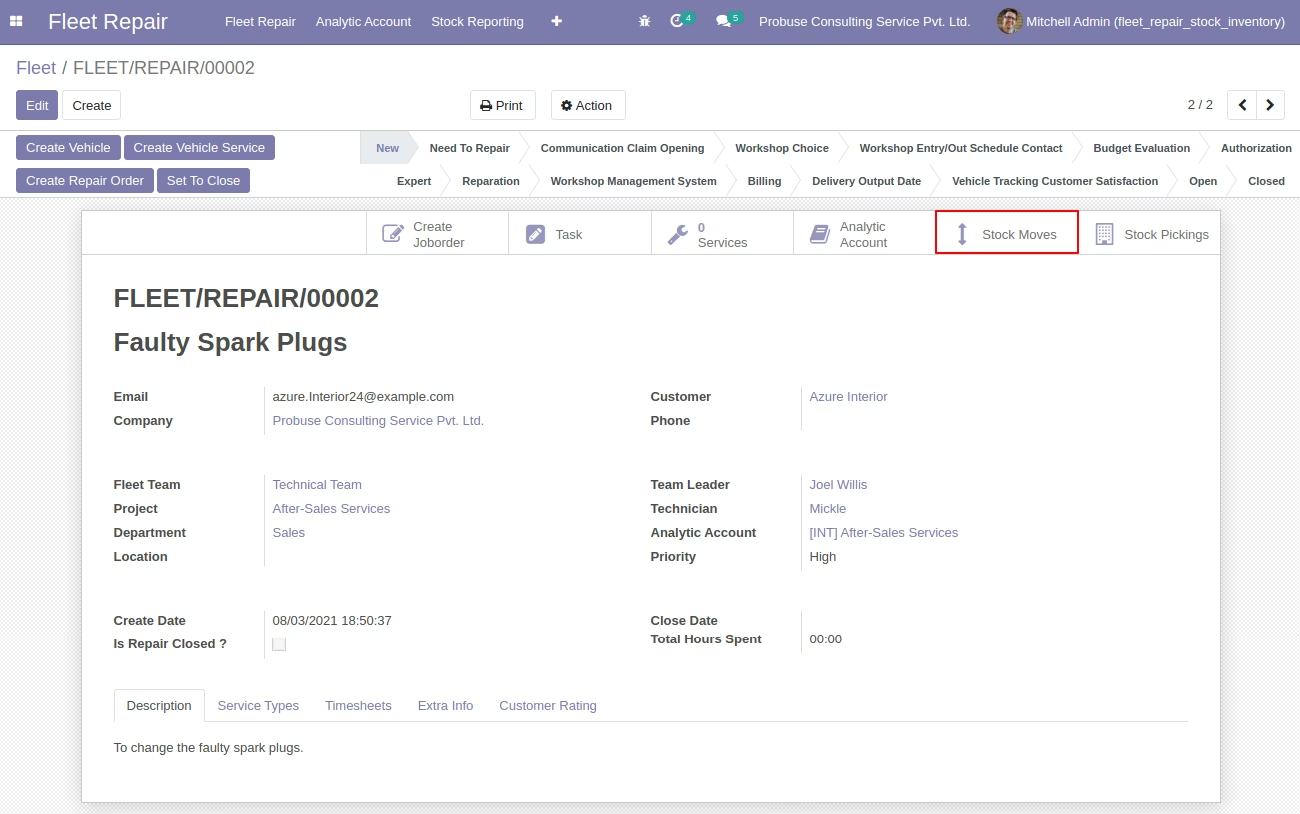
- Fleet repair request form view with Stock Moves and Stock Pickings smart buttons.
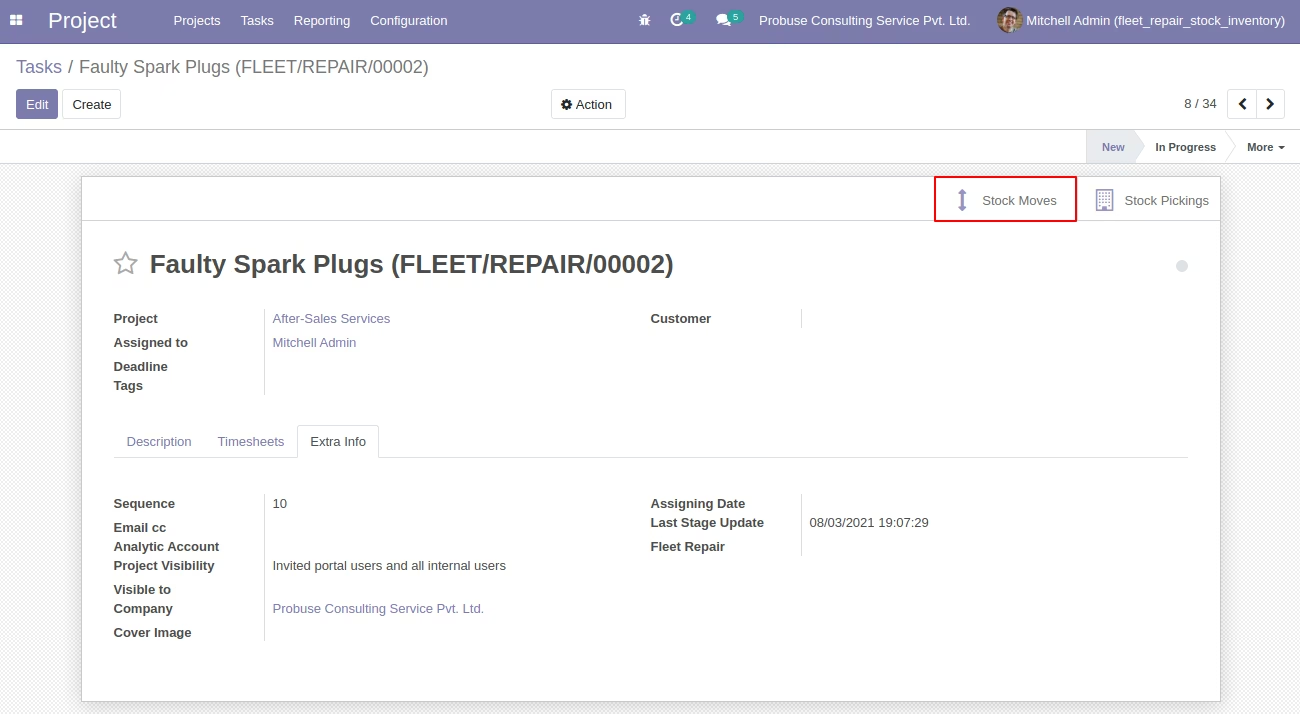
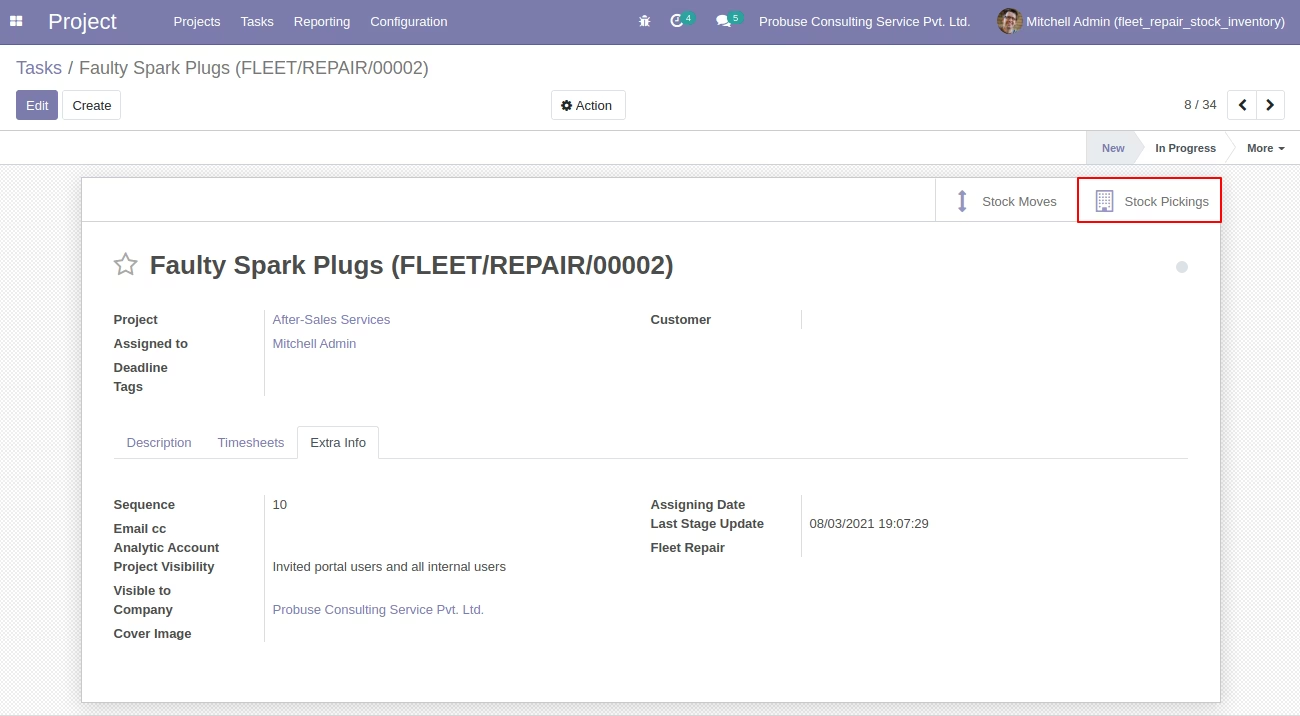
- Task form view with Stock Moves and Stock Pickings smart buttons
- Your inventory team can choose a fleet repair request and task on stock picking form during incoming, outgoing, internal transfer and based on this selection stock will be integrated with a fleet repair request and tasks of fleet repairs.
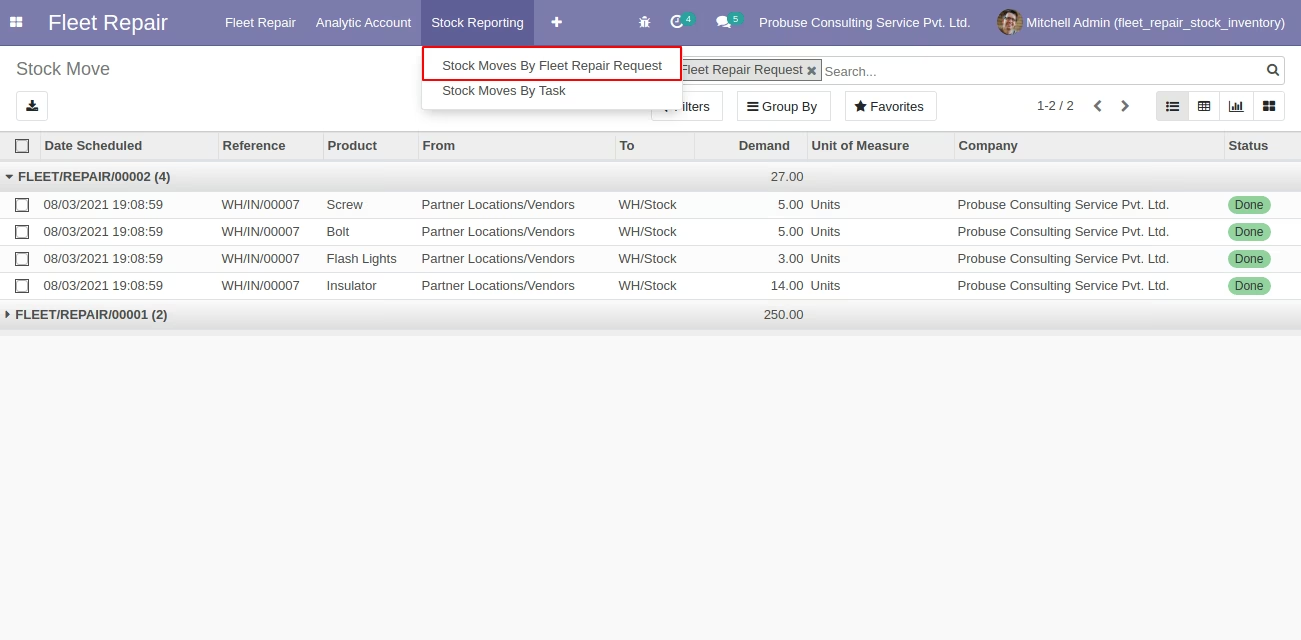
- User(s) can see Stock Moves by Fleet Repair Requests Report under Stock Reporting Menu.
- User(s) can see stock moves by task report under the stock reporting menu.
- For more details please see below screenshots and watch the video.
Menu Items Available for Reporting:
- Fleet Repair
- Stock Reporting
- Stock Moves By Fleet Repair Request
- Stock Moves By Task
Fleet Repair Form View with Stock Moves Smart Button
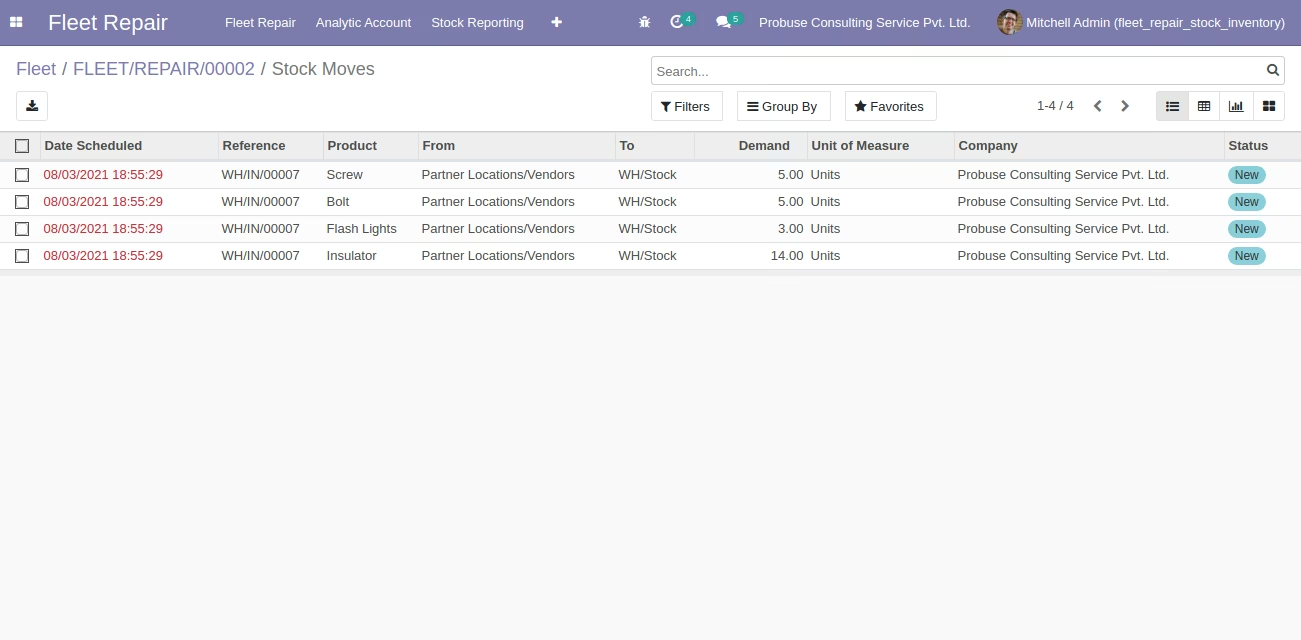
Stock Moves List View [Standard]
Stock Move Form View [Standard] with Fleet Repair Request Field
Fleet Repair Form with Stock Pickings Smart Button
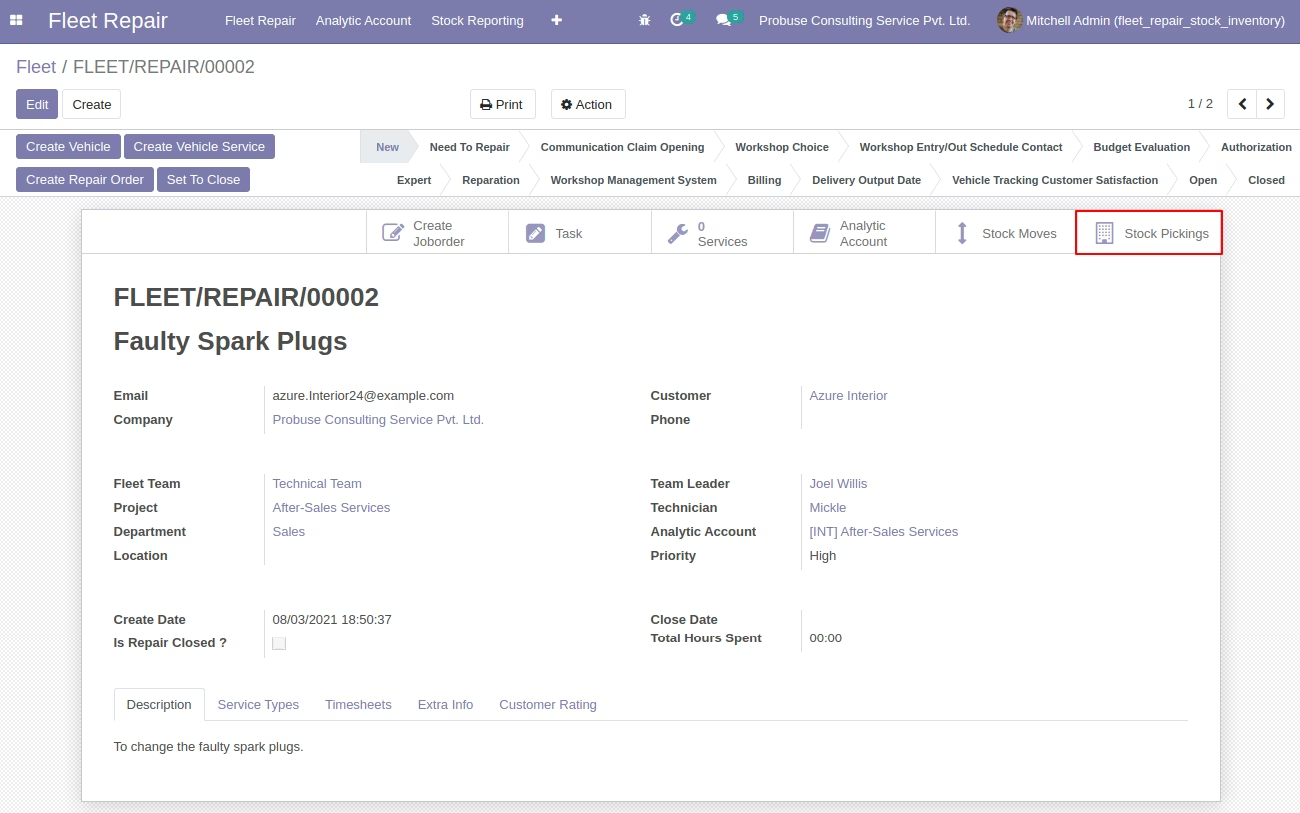
Stock Pickings List View [Standard]
Stock Pickings Form View [Standard] with Fleet Repair Request and Task Fields
Task Form View With Stock Moves Smart Button
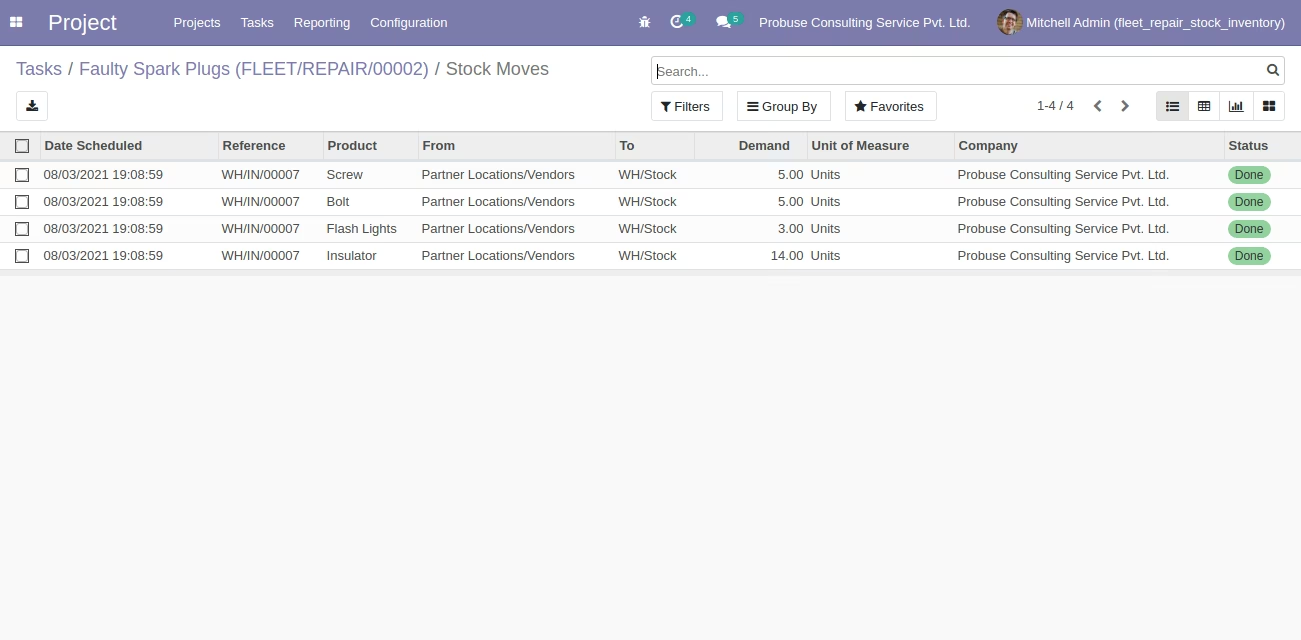
Stock Moves List View [Standard]
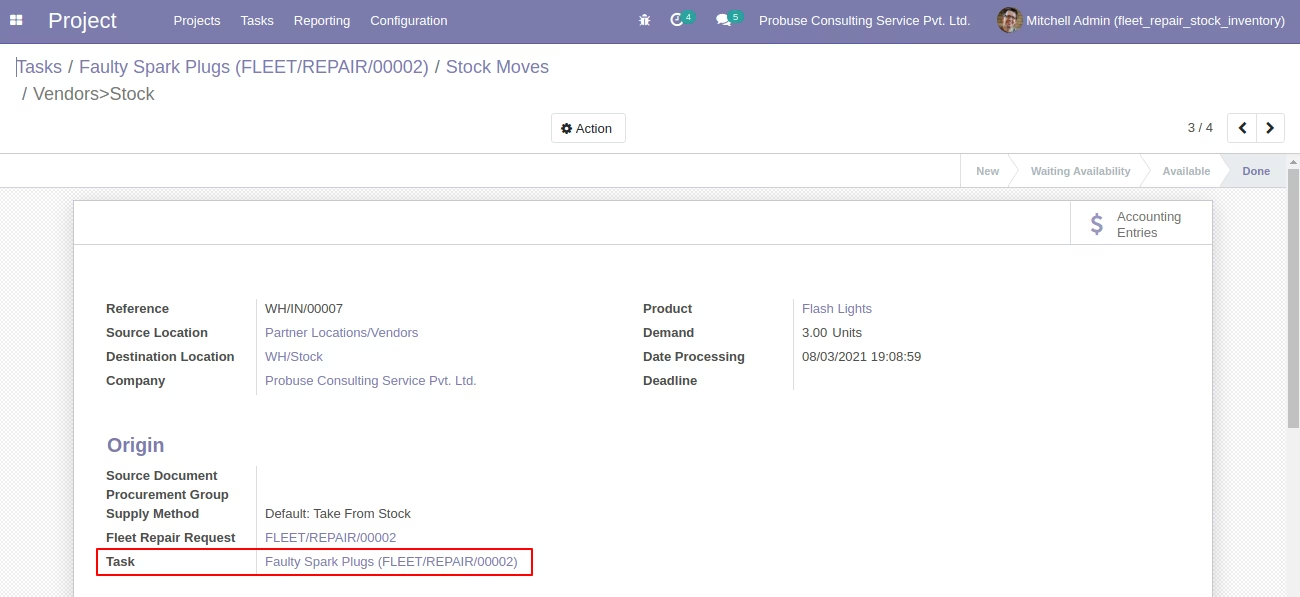
Stock Move Form View [Standard] with Task Field
Task Form with Stock Pickings Smart Button
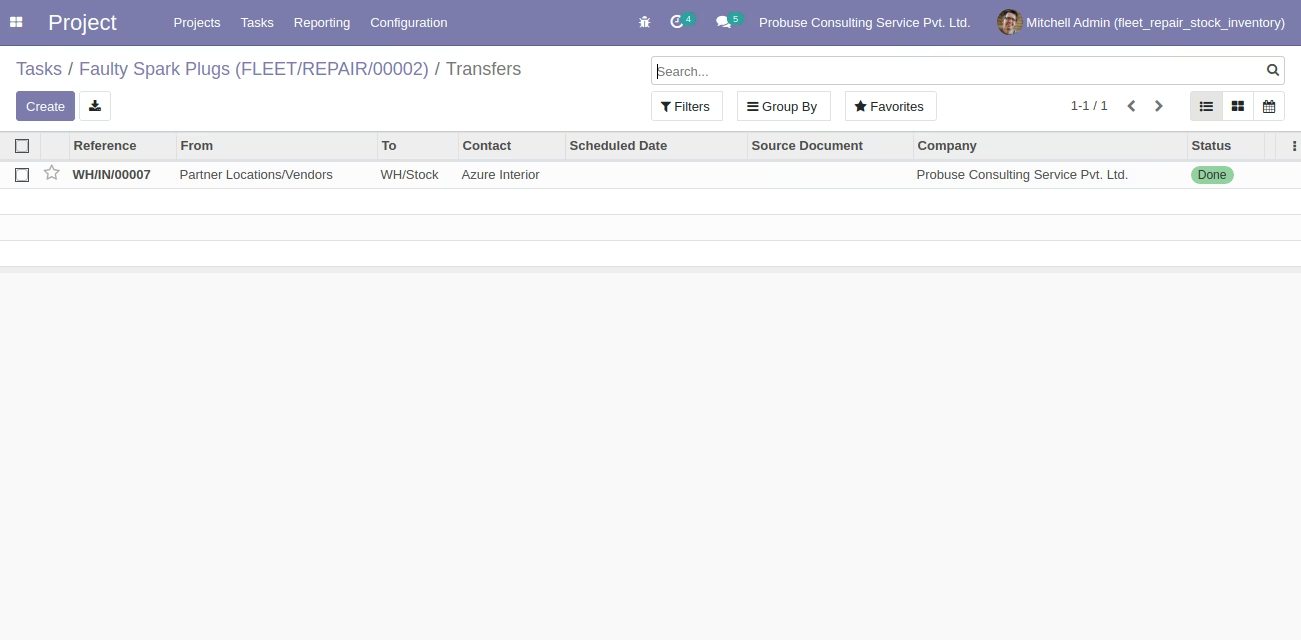
Stock Pickings List View [Standard]
Stock Moves by Fleet Repair under Reporting
Stock Pickings Form View
Stock Moves By Task under Reporting
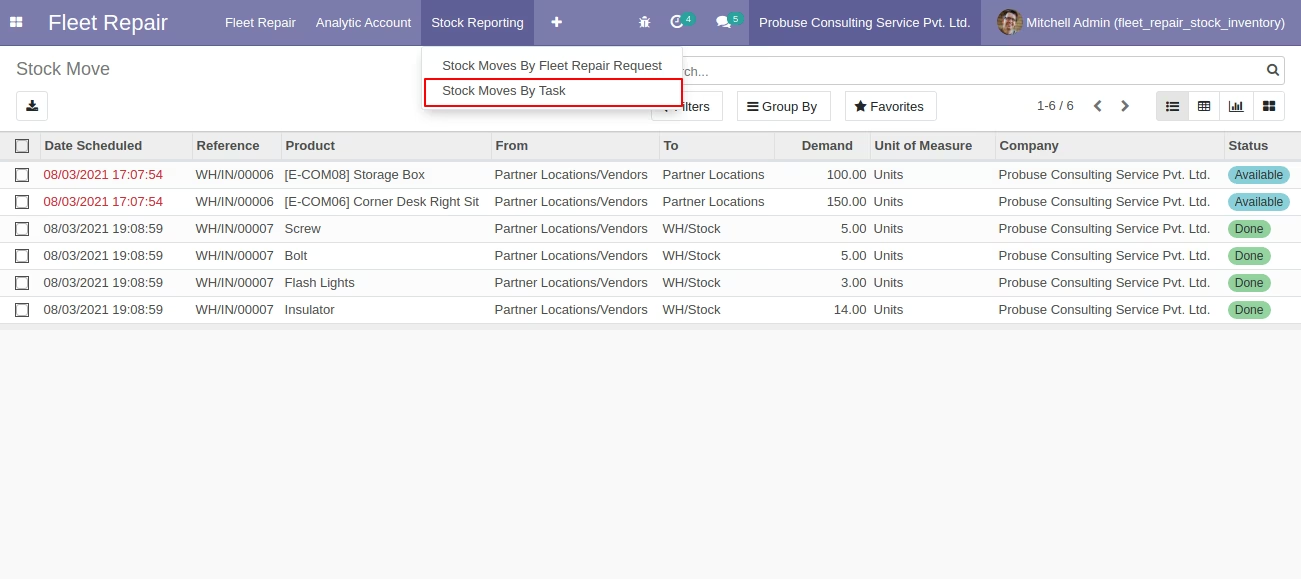
Stock Moves By Task Form view