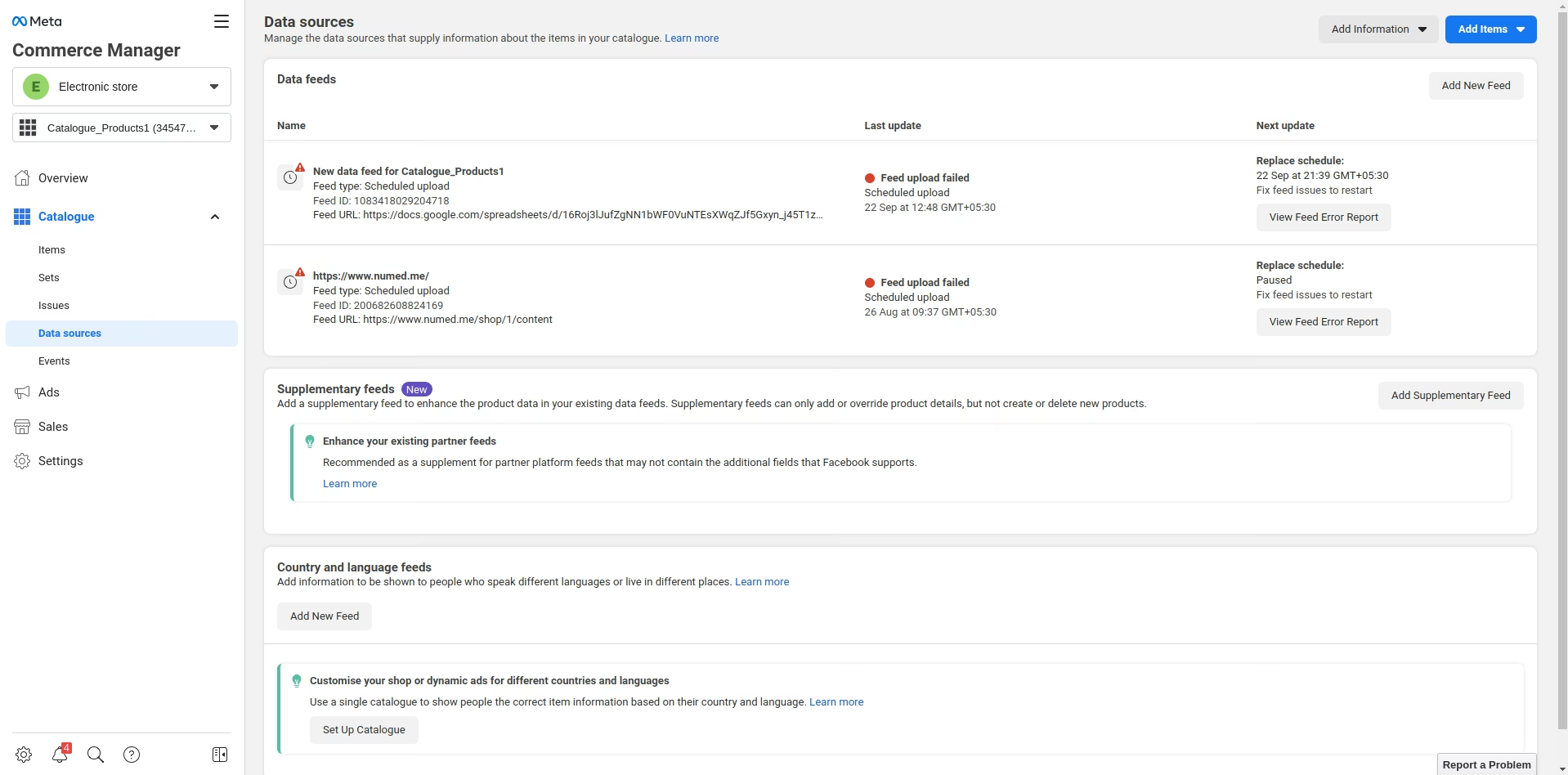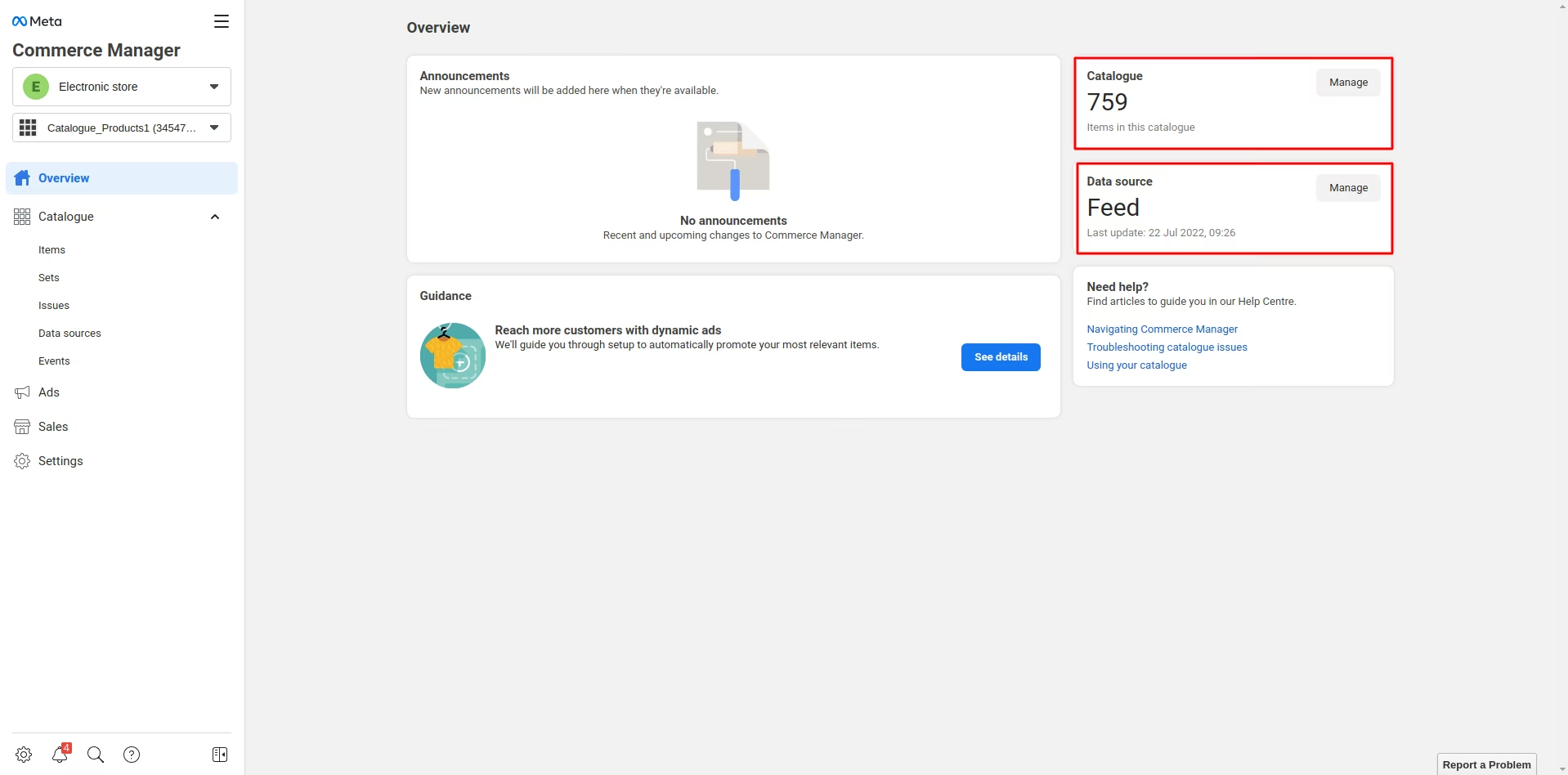
The module enables seamless integration between Facebook Catalog by automating the generation of product feeds. It creates structured XML feeds directly from products, which can be used to populate Facebook’s Catalog Manager for dynamic ads and shop integration.
Automatically generate XML product feeds.
Configure multiple feeds for different Facebook shops or catalogs.
Flexible product selection through domain filters, categories, or manual choice.
Customizable field mapping attributes and Facebook catalog requirements.
Supports key product details including GTIN, brand, and categories.
Option to schedule automatic feed updates or trigger them manually.
Simplifies synchronization products with Facebook Catalog.
Reduces manual workload by managing feeds directly inside.
Ensures accurate product data with custom field mapping.
Enables dynamic advertising campaigns and sales expansion across Facebook channels.
Facebook Catalog Integration enables you to upload product data using product feeds on Facebook. Depending upon the set conditions, the module automatically creates an XML feed. Also, the possibility of the module is endless, and you can use it creatively to promote your products.

Why Do you Need FB Dynamic Ads For Growth?
So design, manage, and run your entire Facebook Ads Campaign from a single point- FB Catalog Manager of your Products.
What is Facebook Ads Campaign?
The correct advert campaign can trigger a spurt of visitors and revenue on your website. In comes the Facebook Ads tool, which can open doors to visitors.
Dynamic ads from Facebook show relevant product recommendations to the users according to their intent, queries, and search patterns on the internet.
The Facebook Catalog manager and Ads manager are the tools to help you set up your Ads campaign on Facebook.
What Can you do with FB Catalog Manager Account?
Benefits of Facebook Ad Campaign
What Does the Facebook Catalog Manager DO?
NOTE: The module allows integration of and Facebook Catalog Manager to upload products. However, you need to set up the Ads campaign using the Facebook Ads manager to enable FB ads.
What is FB Catalog Manager?
Highlighted-features
Below is the highlighted features of module Facebook Catalog Integration


Product fields recognized by Facebook mapped with Product fields
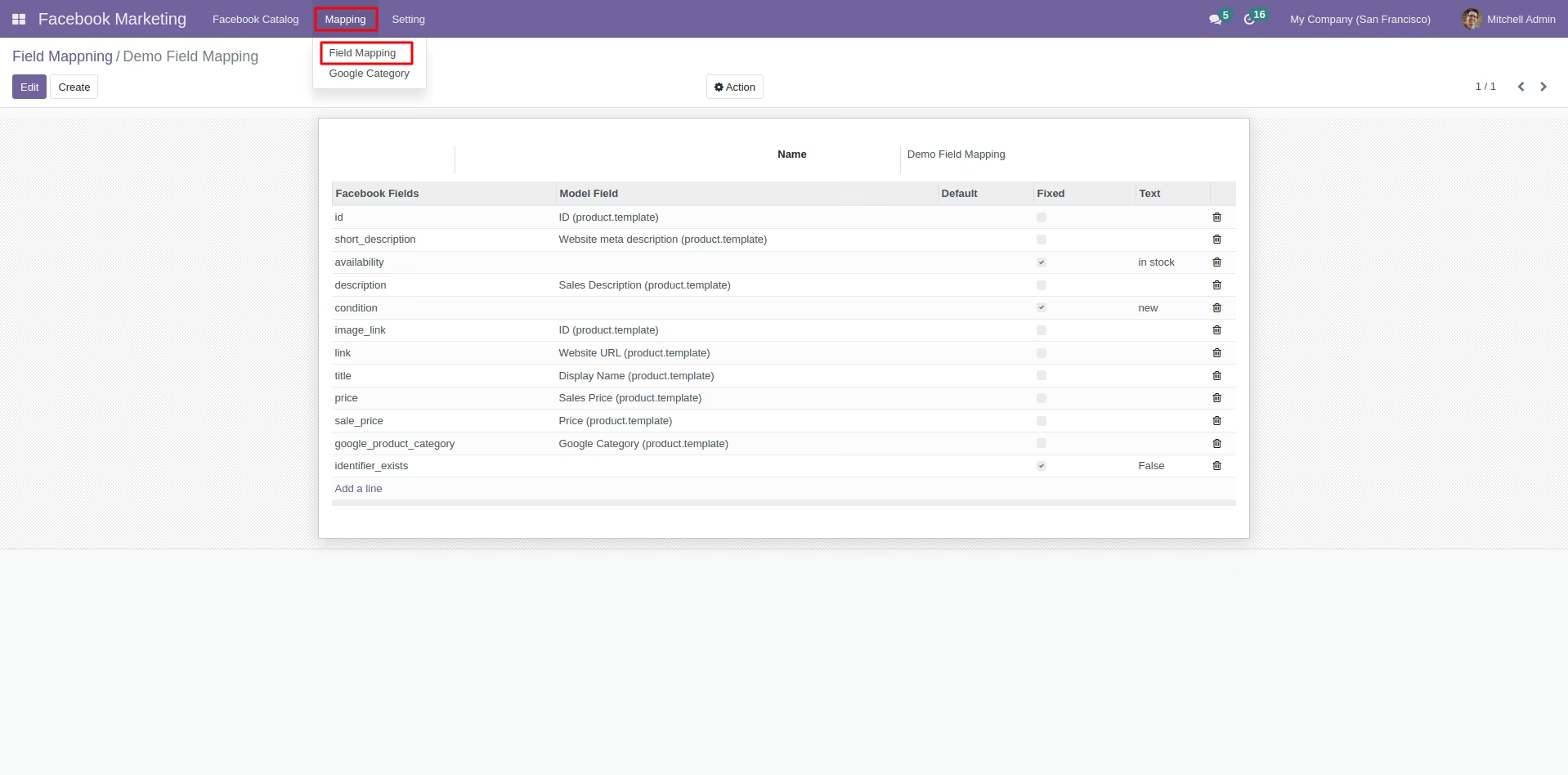
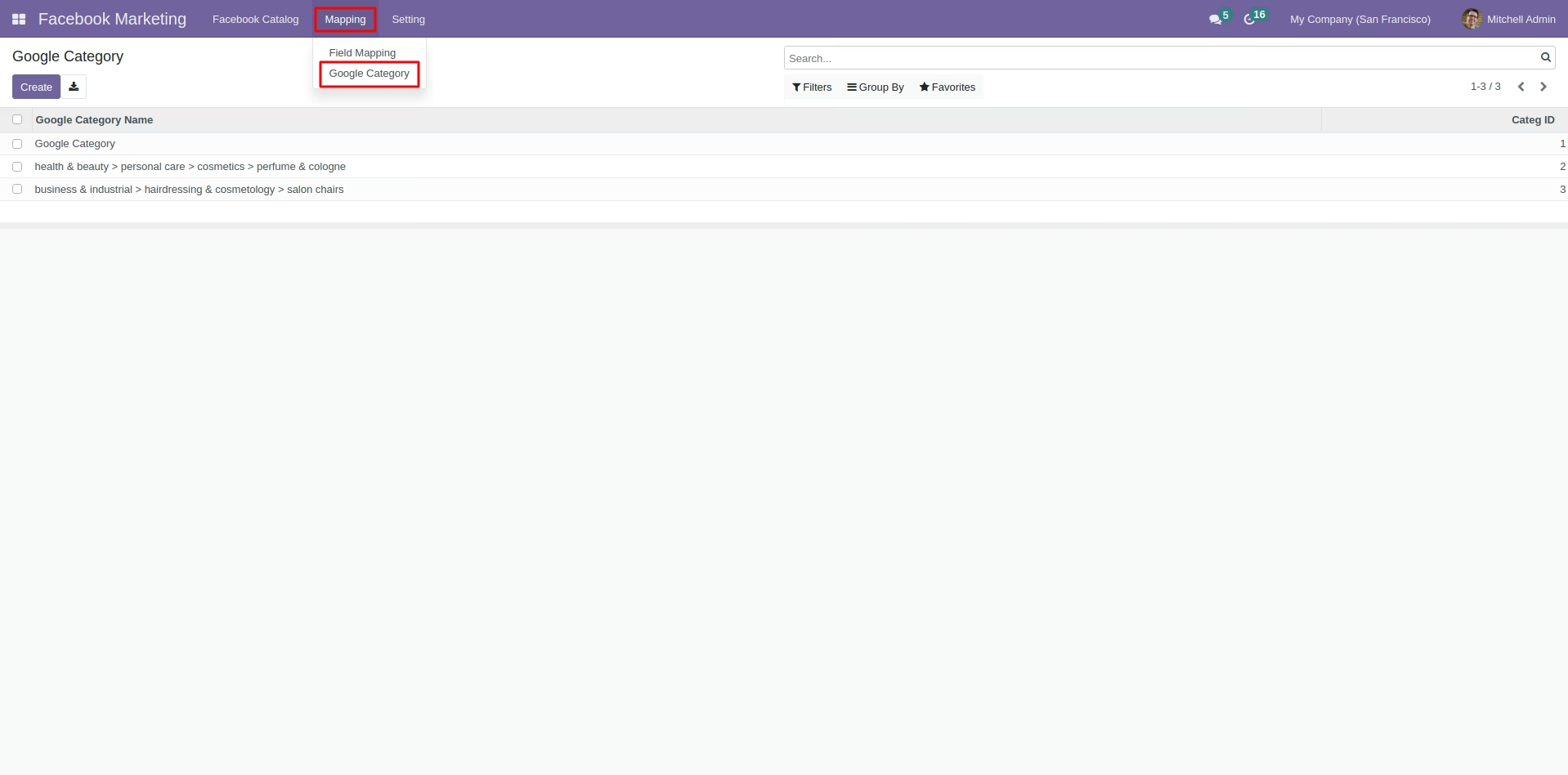
Product fields recognized by Google mapped with Product fields
Create feeds for different facebook shops in to upload the product to the Facebook Catalog
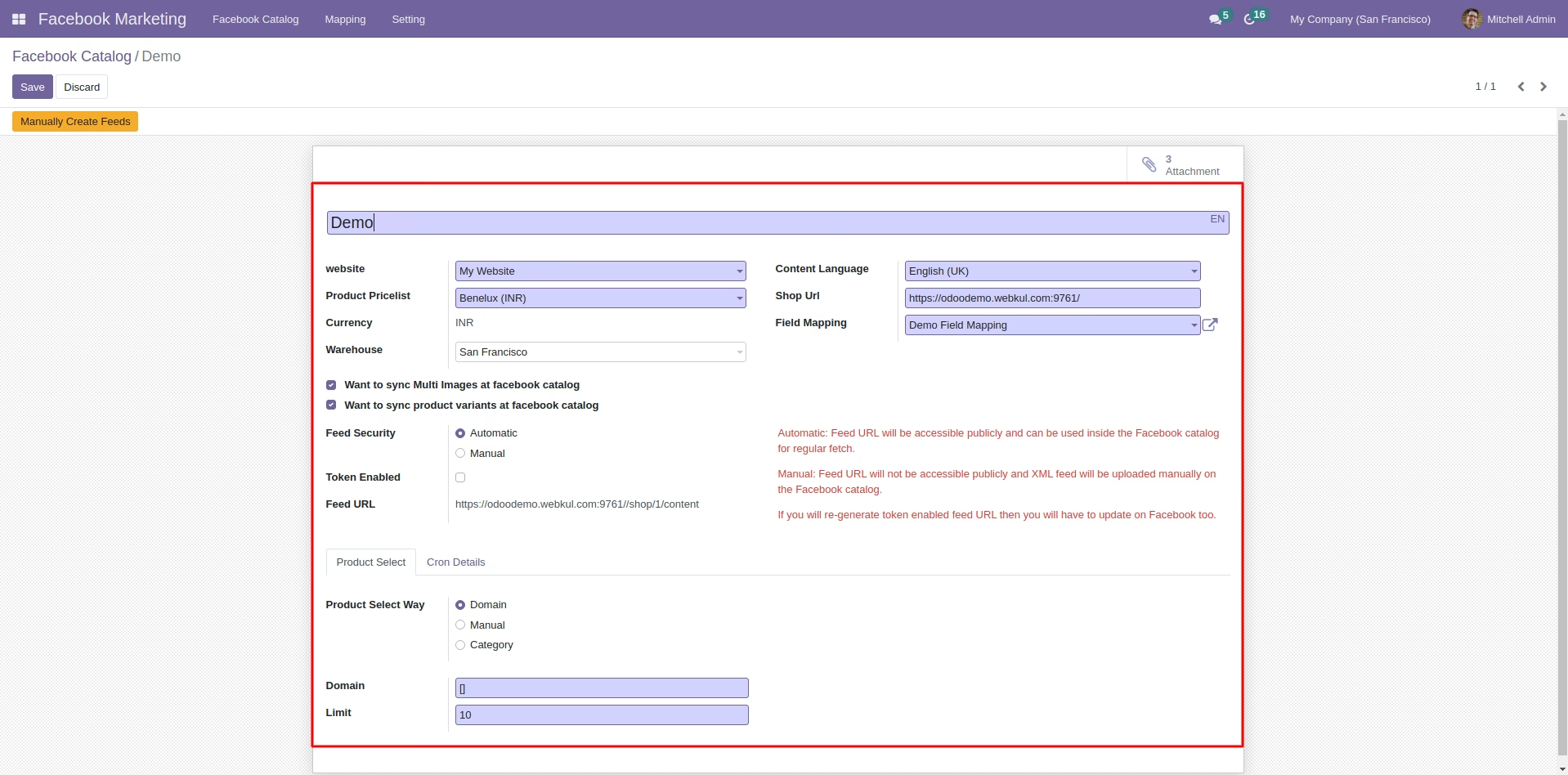
Creating Cron for the products
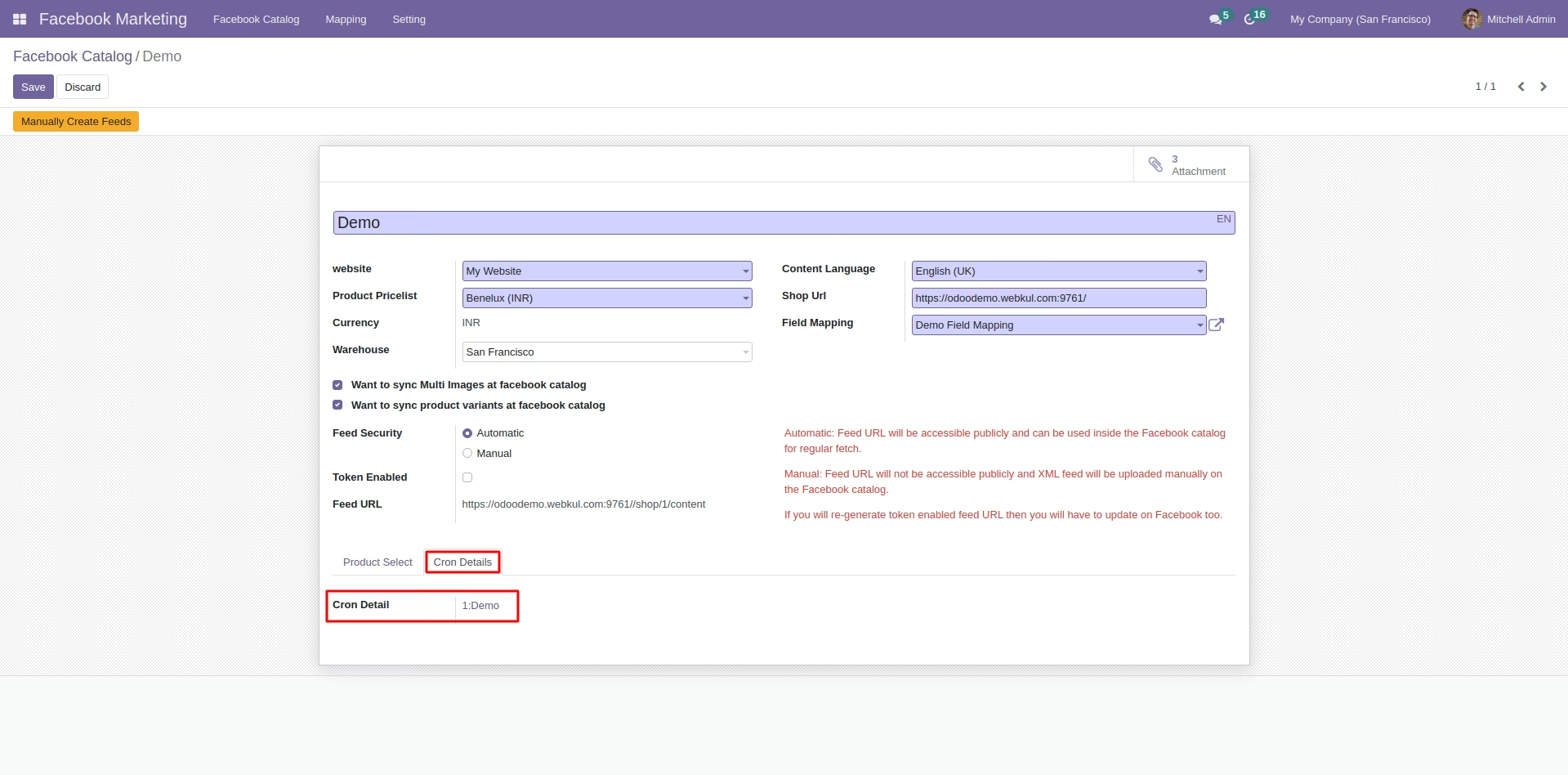
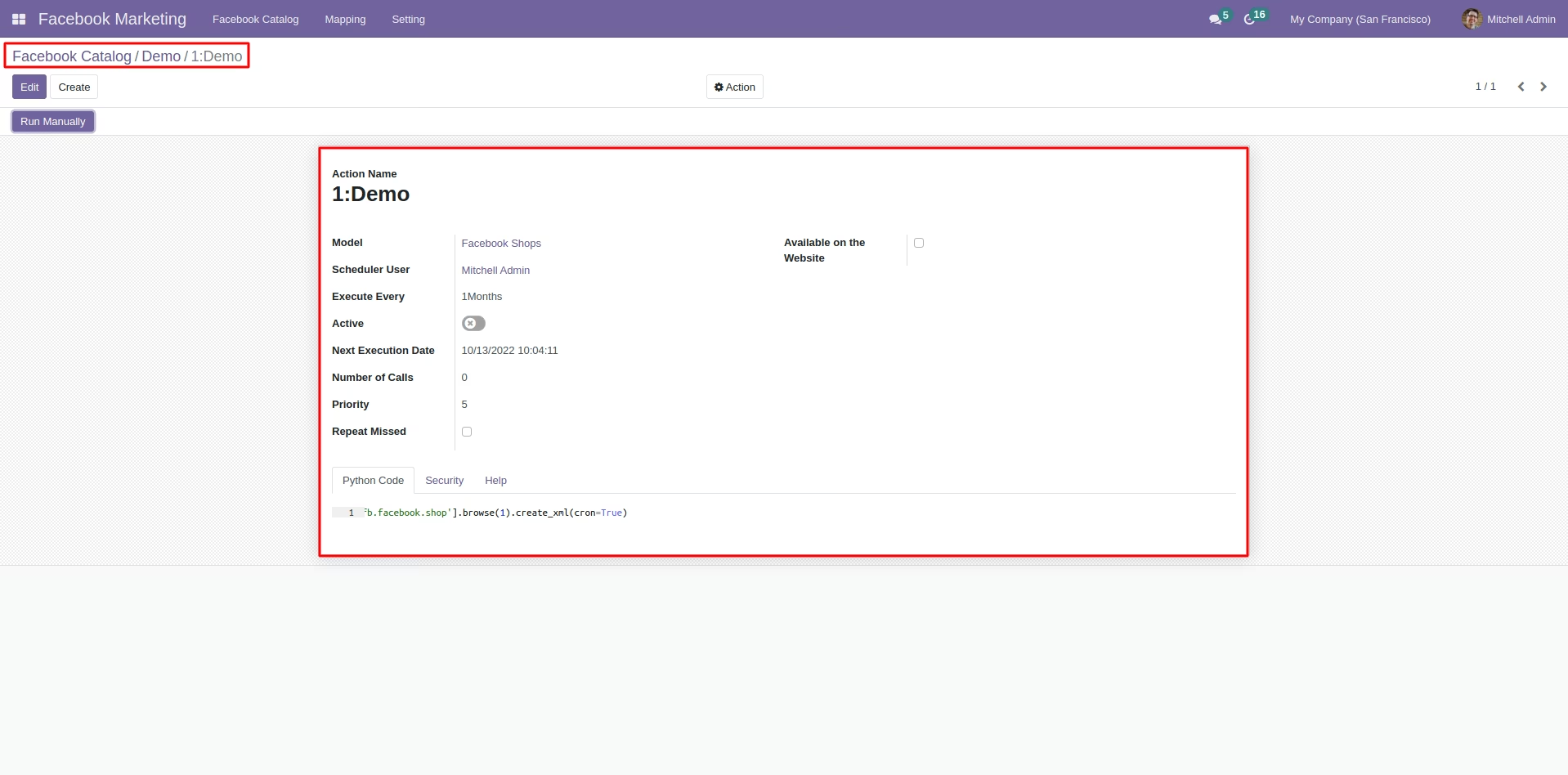
Cron details to import data from Facebook Catalog
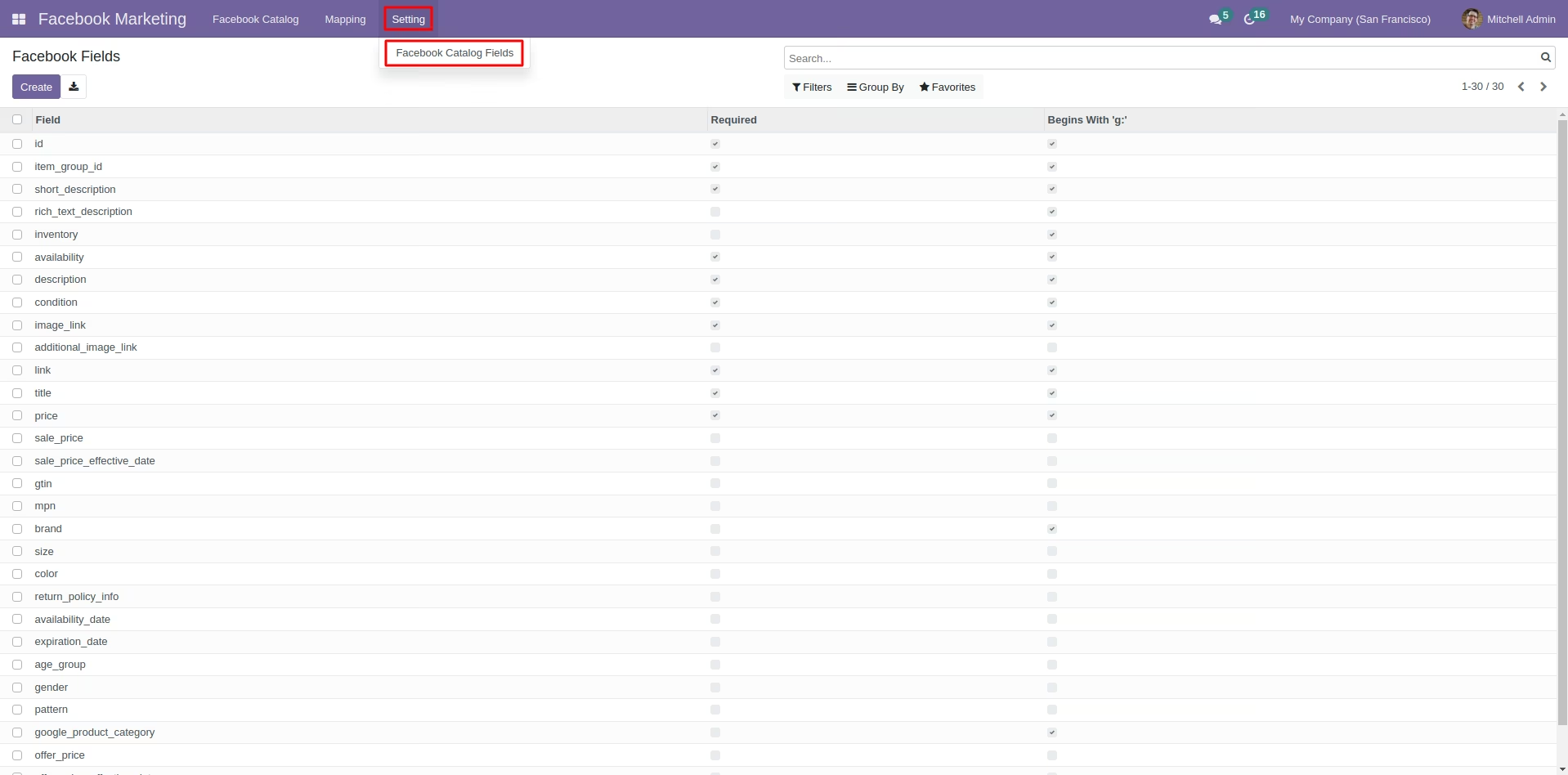
Configuring Facebook Catalog Fields
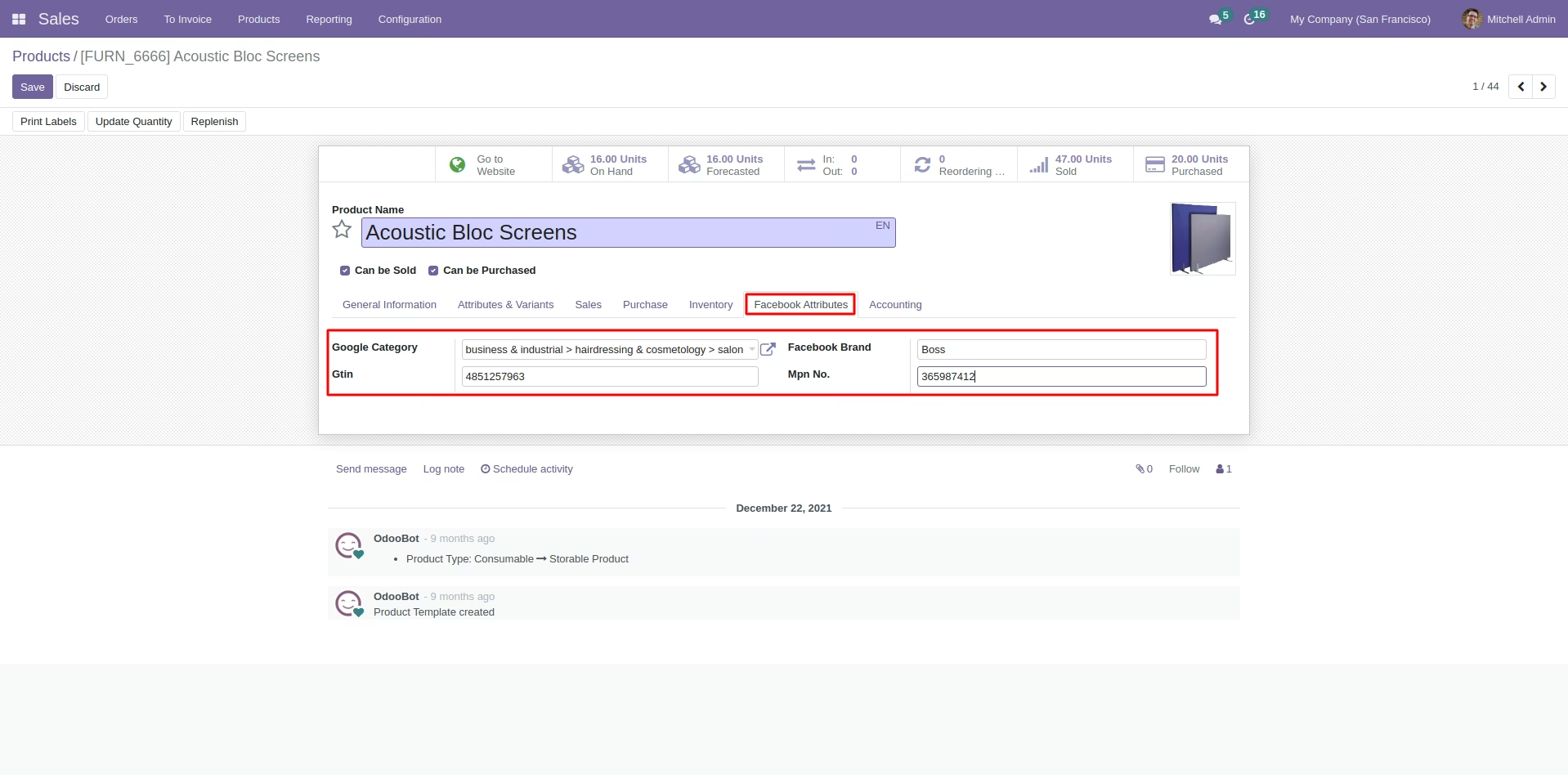
Facebook Attributes fields added at the product level to allow better product management
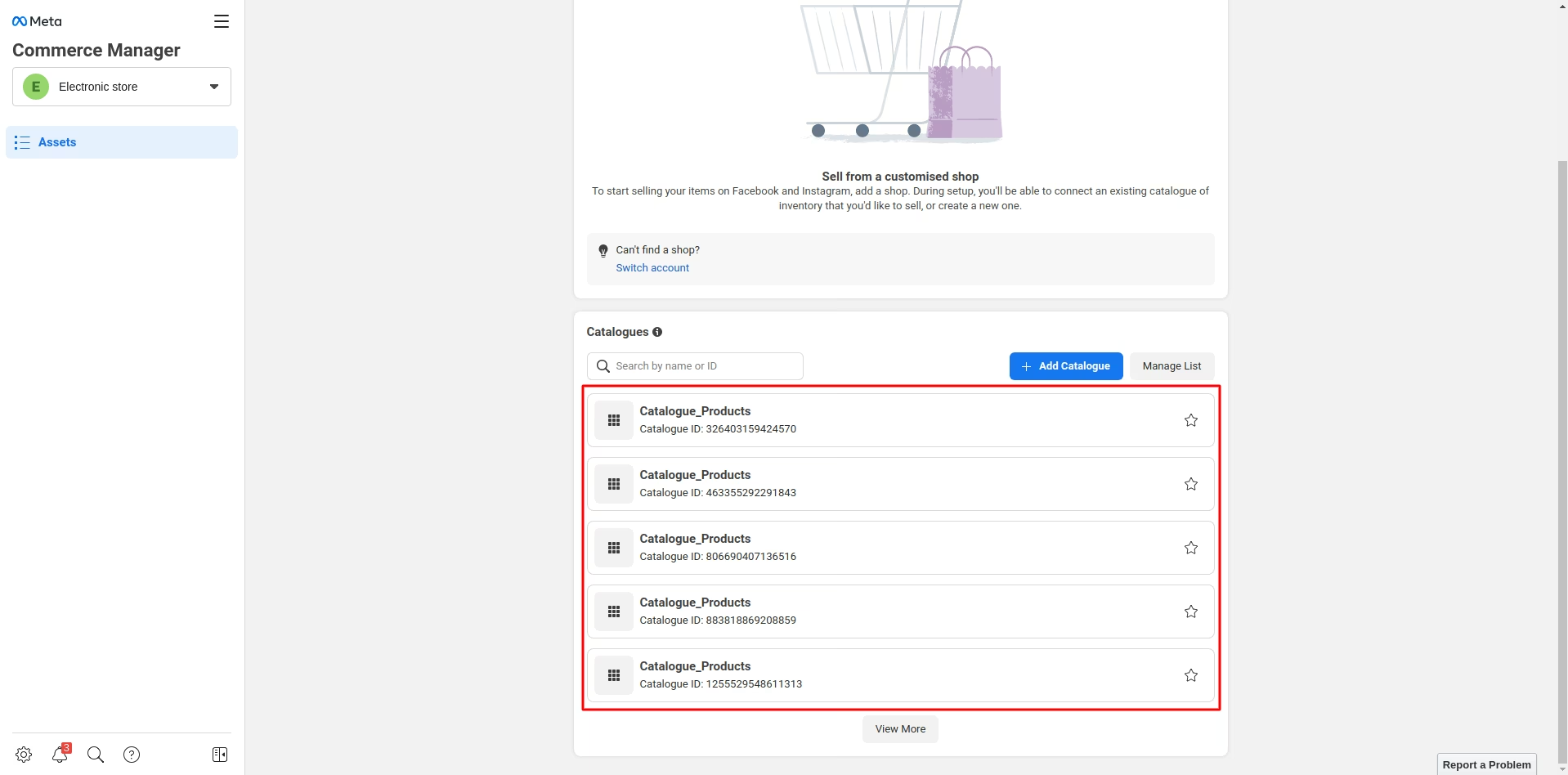
Creating Catalog and Adding Products in it
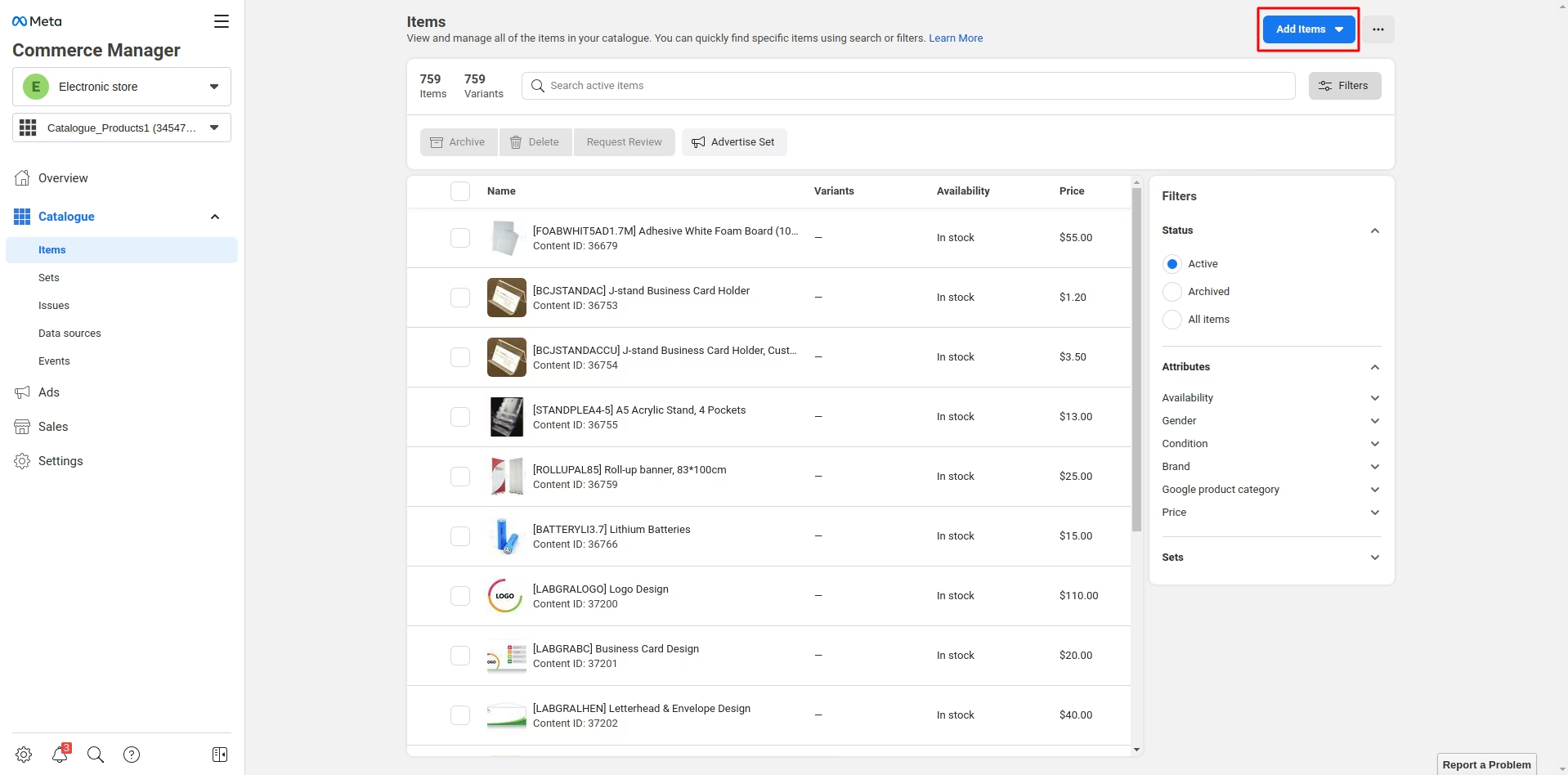
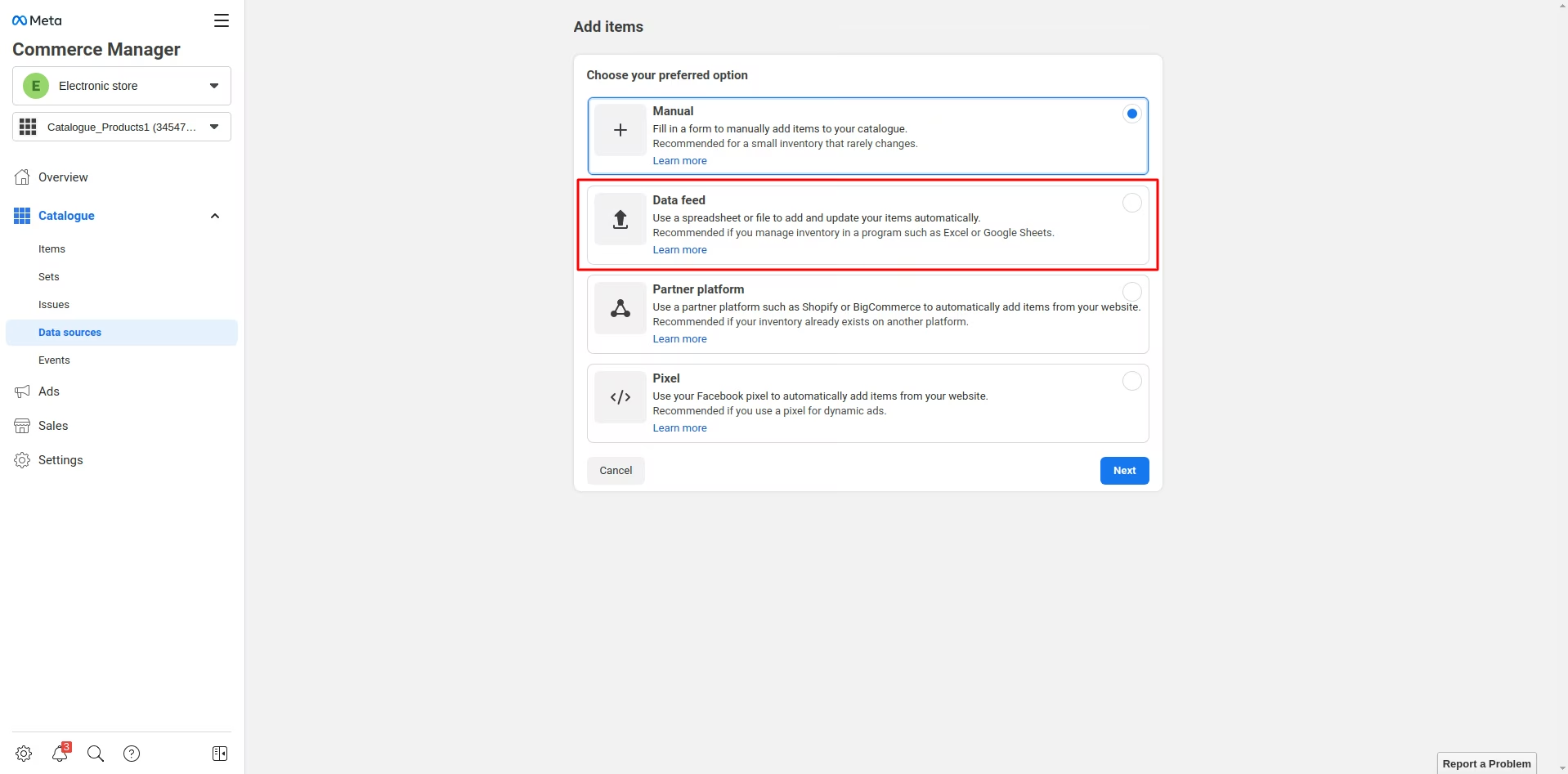
Creating Data Feed on Facebook End
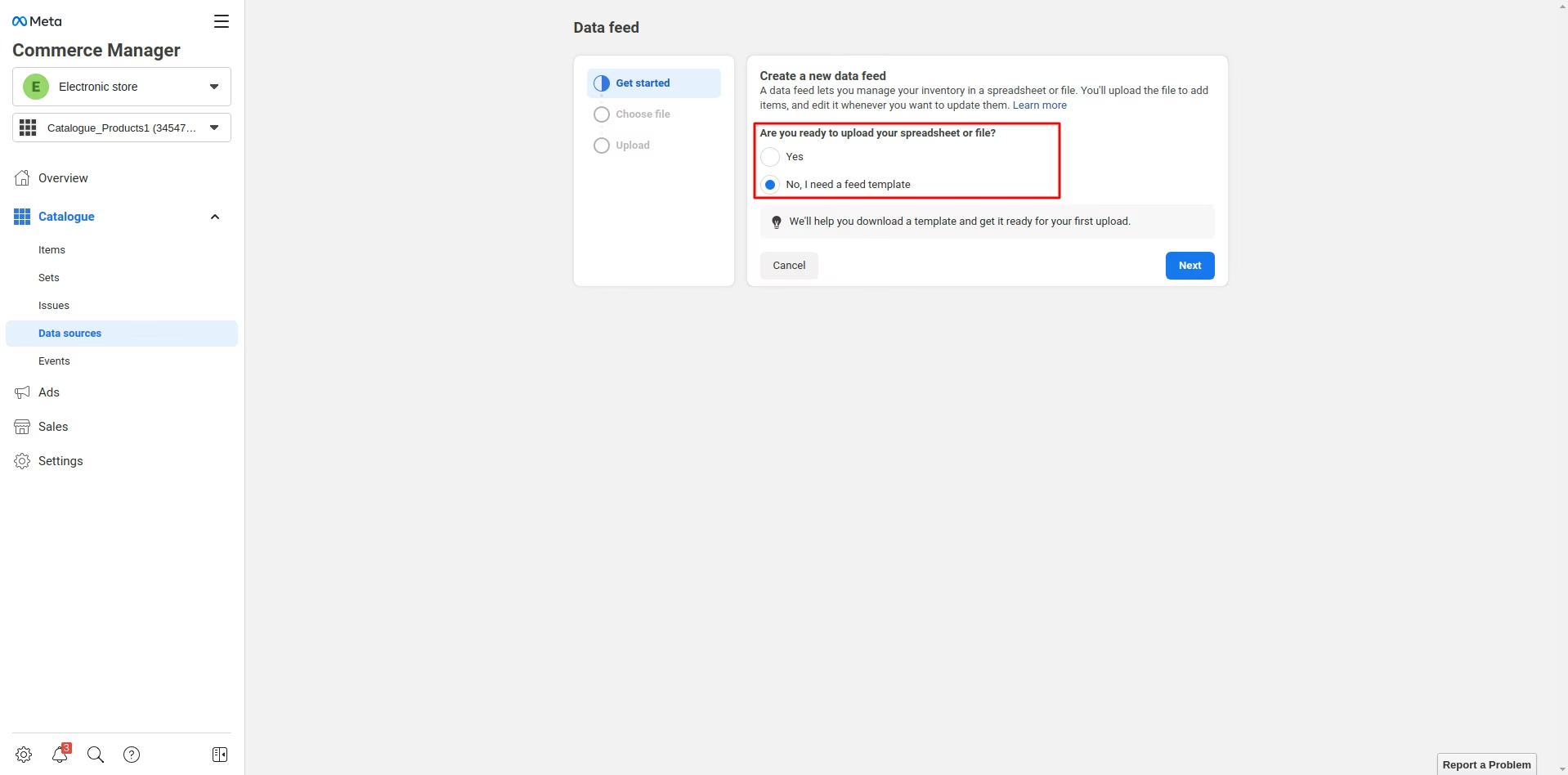
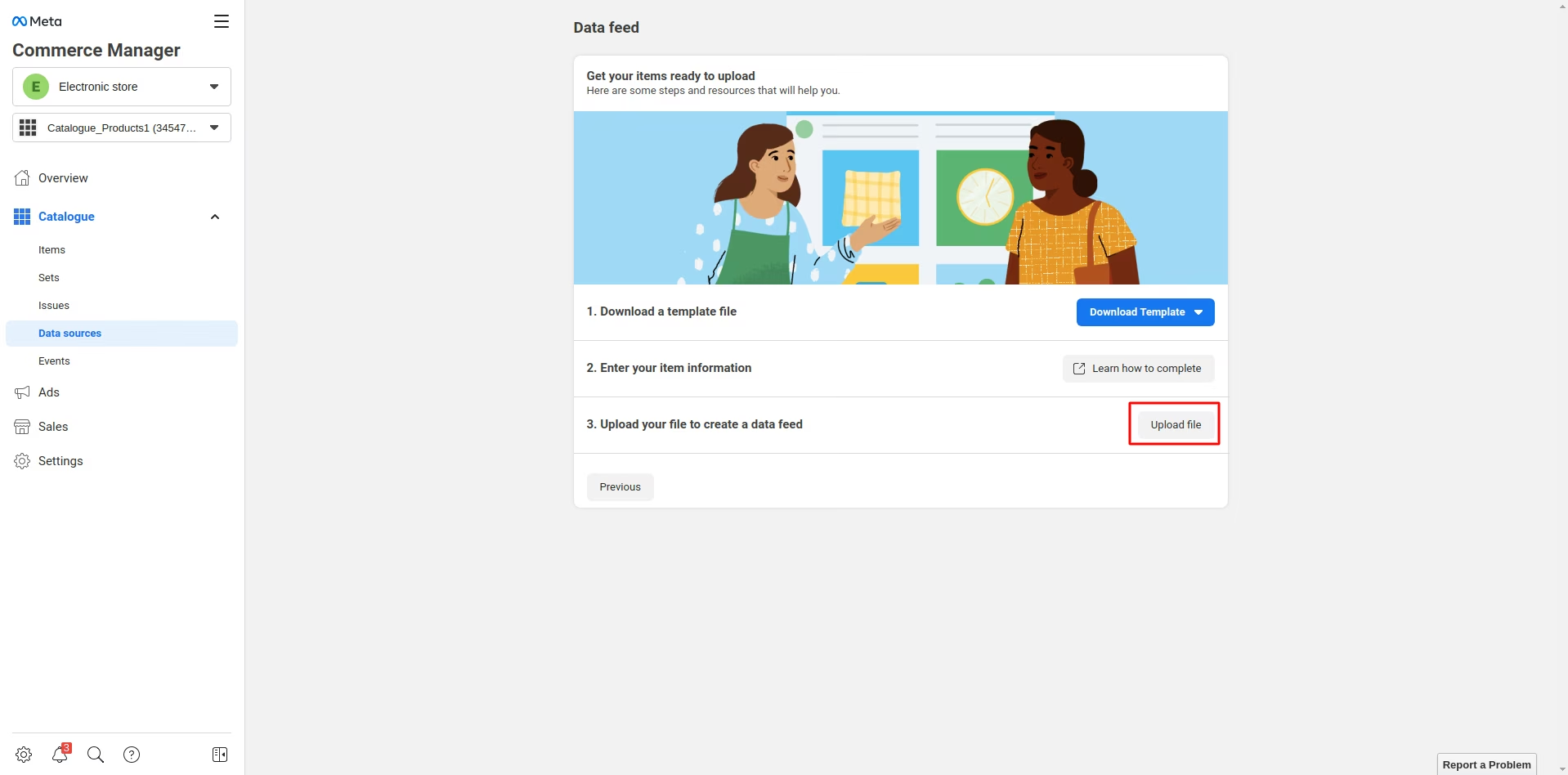
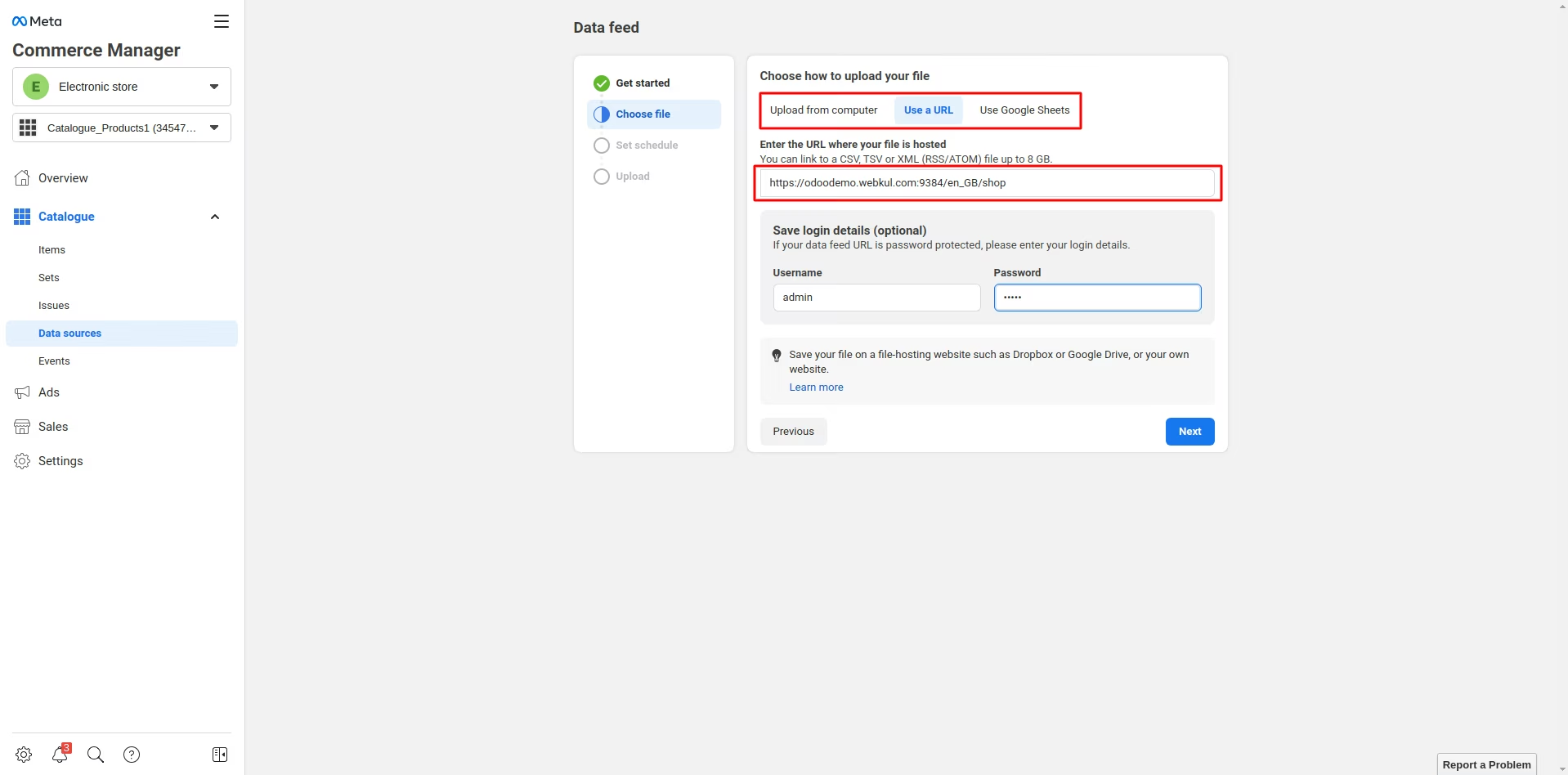
Scheduling Cron to Auto Update Feed data
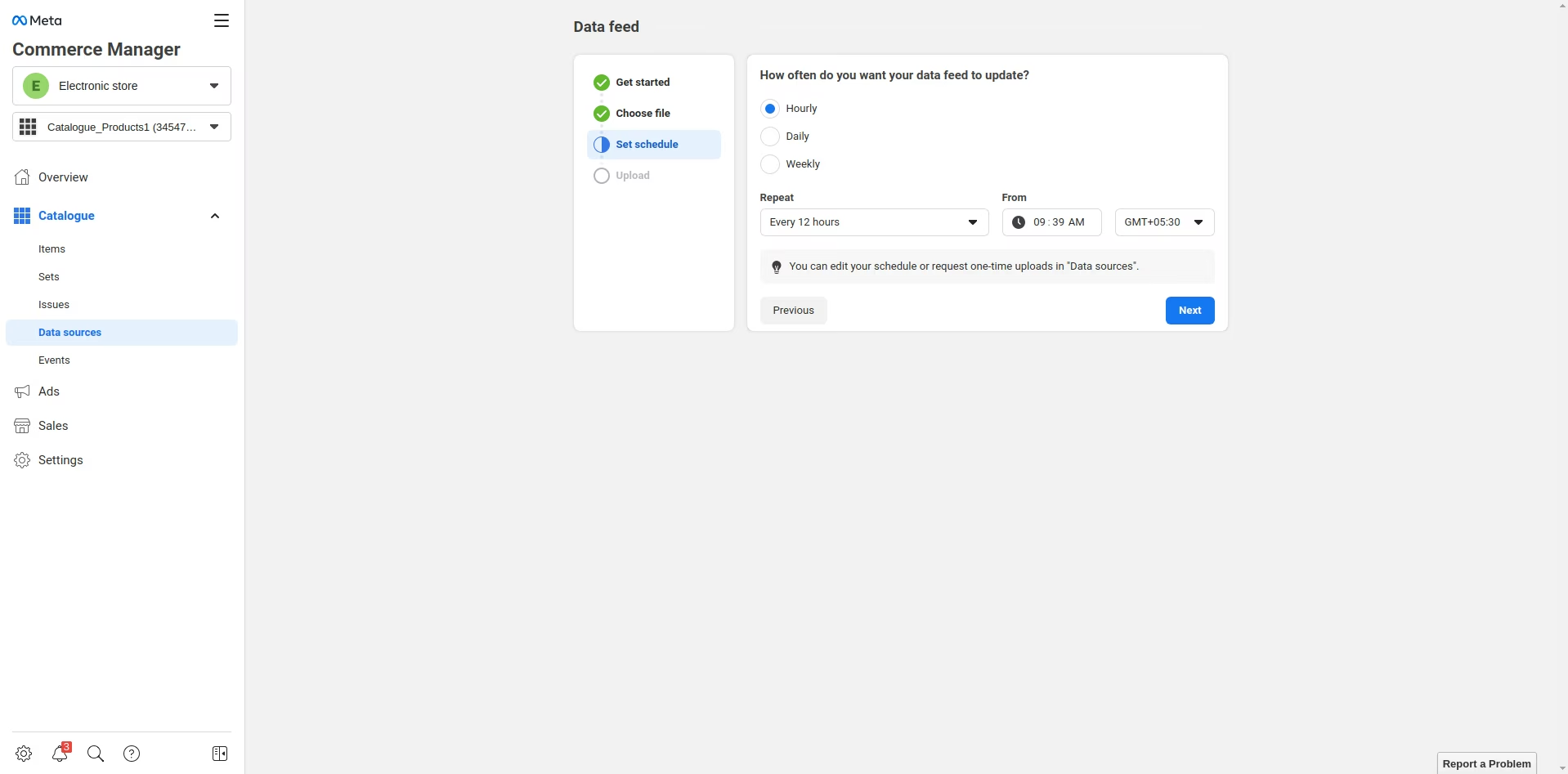
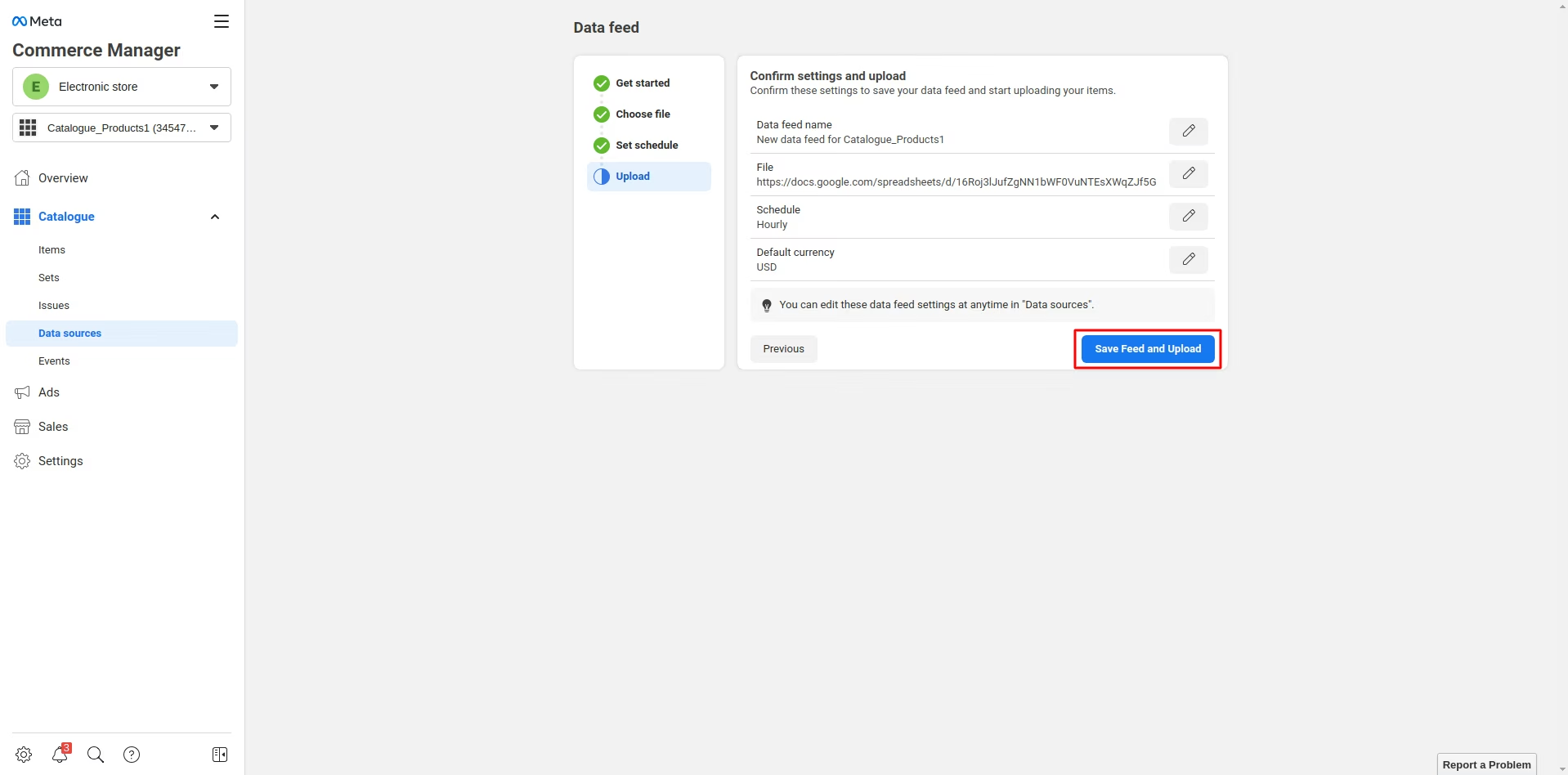
Finalizing and Uploading Feed Data
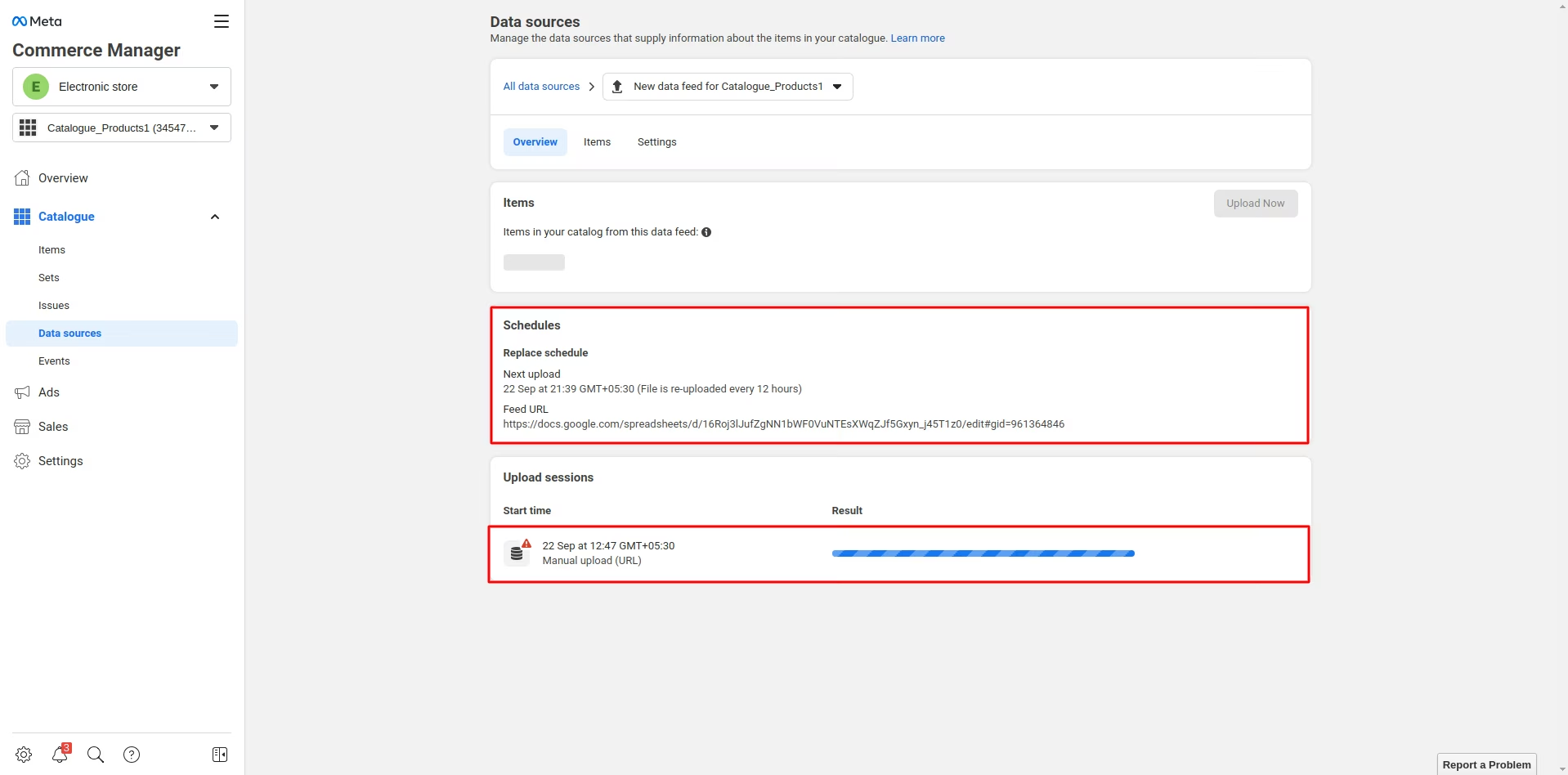
Viewing Data Source of the Feed Data