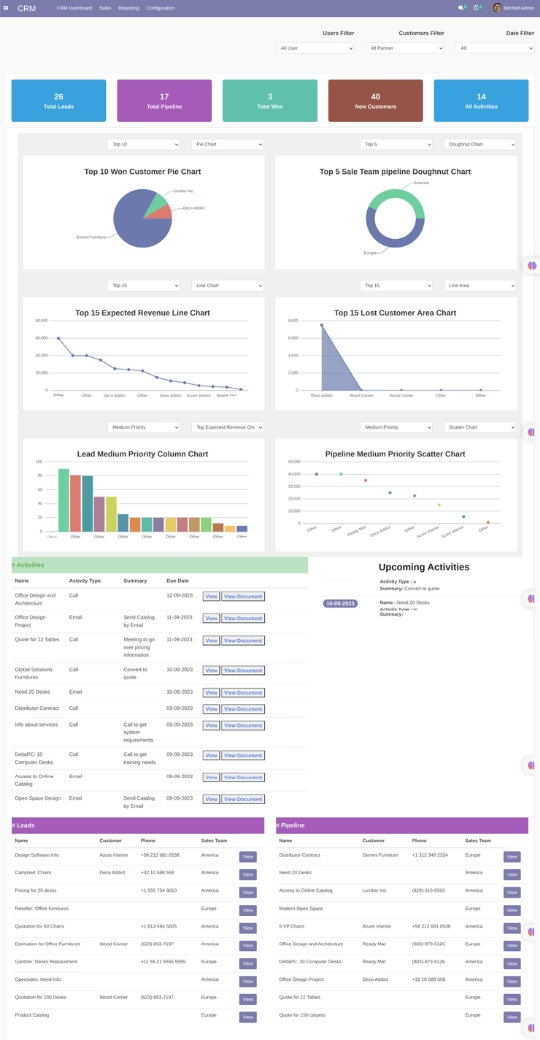
The module provides a comprehensive and interactive dashboard for CRM. It allows businesses to visualize and manage leads, customers, and pipeline activities effectively. By integrating graphical representations and filterable dashboards, this module enables managers and sales teams to track sales performance, monitor opportunities, and make informed decisions.
Lead and Customer Visualization: Graphical representations of leads and customers for better management.
Pipeline Activities Graph: Monitor pipeline activities through visual graphs.
Filterable Dashboard: Apply filters to focus on specific data for detailed analysis.
Integration with CRM: Seamlessly integrates with CRM for consistent data flow.
User-Friendly Interface: Intuitive interface for easy navigation and dashboard management.
Real-Time Updates: Ensure up-to-date data for accurate decision-making.
Customizable Widgets: Tailor dashboard widgets according to business requirements.
Exportable Reports: Export dashboard data for reporting and presentation purposes.
Multi-Company Support: View and manage data across multiple companies.
Secure Access Control: Define user access levels for dashboard components.
Enhanced Sales Management: Gain a clear view of leads, customers, and opportunities.
Data-Driven Decisions: Make informed decisions using visual and filterable data.
Time Savings: Reduce manual tracking by leveraging automated dashboards.
Improved Team Collaboration: Share dashboards and insights with team members.
Accurate Reporting: Ensure reliable data representation for performance analysis.
Increased Productivity: Streamline CRM operations with a centralized dashboard.
Customizable Views: Adapt dashboards to specific sales and business processes.
Scalability: Easily accommodate growing data and multi-company operations.
Real-Time Insights: Monitor KPIs and pipeline progress instantly.
Cost-Effective: Improve CRM efficiency without investing in additional tools.
CRM Dashboard - All Lead/Pipeline at one place
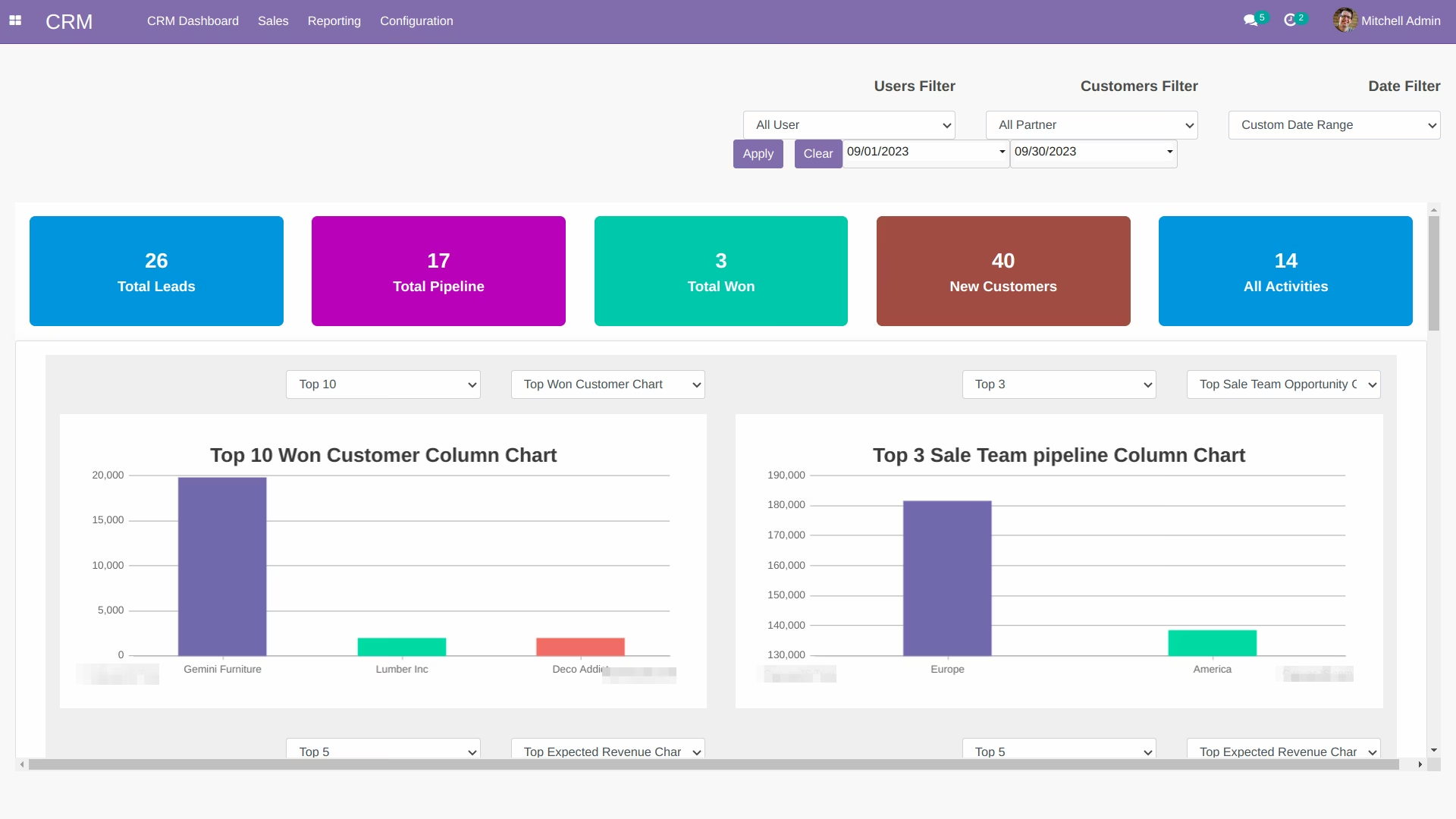
CRM Dashboard - Custom Date Range , User and Partner filter
Advance Dashbaord of lead/pipeline/activity
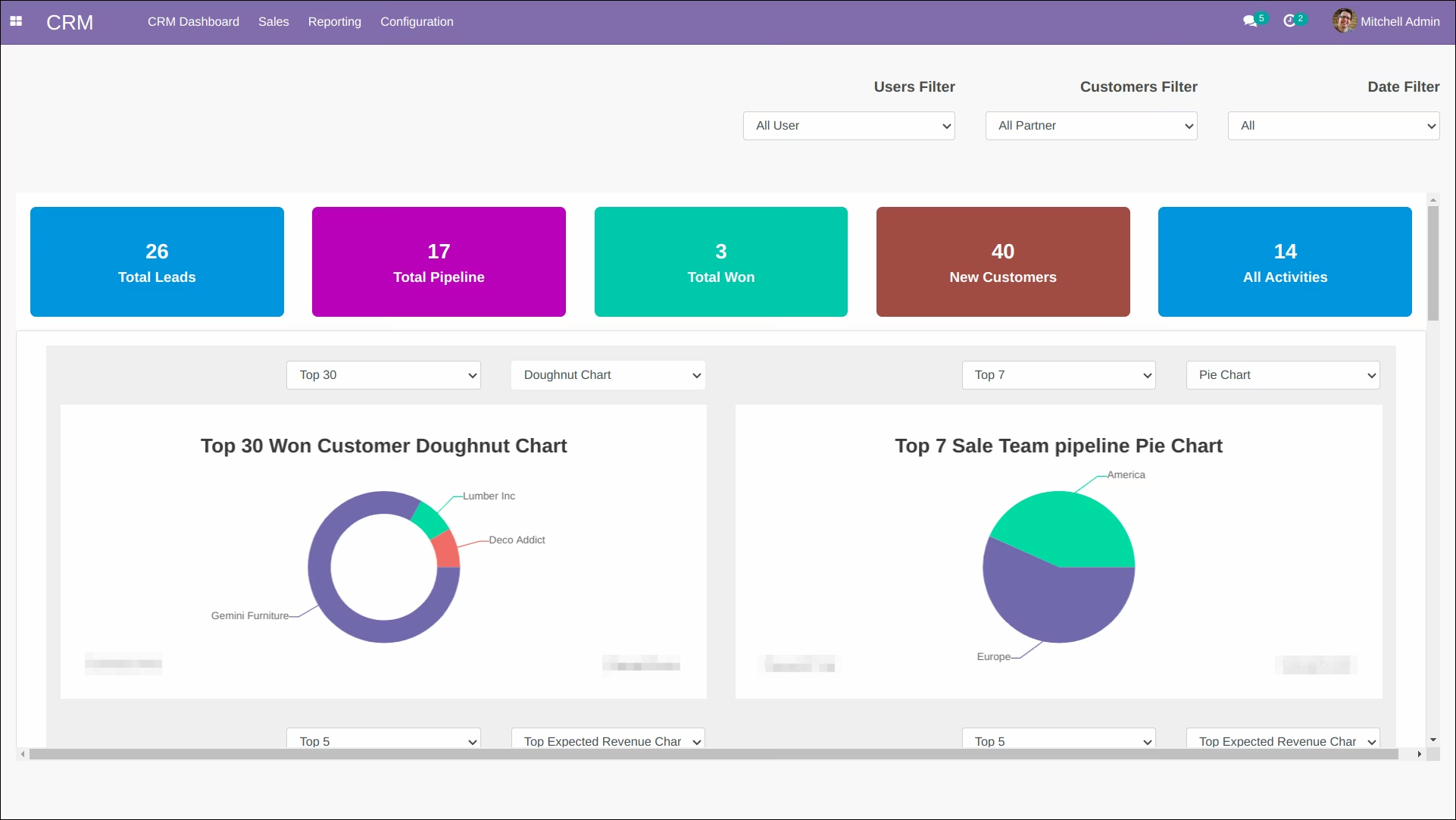
CRM Dashboard - All Lead/Pipeline at one place application introduces a comprehensive CRM Dashboard, seamlessly integrating various lead and pipeline management functions into a unified platform. With this tool, you gain convenient access to all your leads and pipelines from diverse sources, simplifying your workflow. The Dashboard offers a rich array of data visualization options through an assortment of charts, enhancing your understanding of your business's performance. Customizable filters enable you to effortlessly organize and retrieve leads and pipelines by user, customer, and date, with the added flexibility of specifying precise date ranges. Additionally, you can easily monitor associated activities and stay ahead of your schedule with the upcoming activities panel. The Dashboard further empowers you with insightful charts, such as Won Customer, Team Pipeline, Expected Revenue, Lost Customer, Lead Low Priority, and Pipeline Low Priority, all supported by user-friendly top 10, 20, and other filter options. Elevate your CRM experience with this robust and intuitive tool.
Advacne CRM Dashboard in

Key Features of Advacne CRM Dashboard
-
Dashboard for centralizing access to all leads and pipelines in one location
-
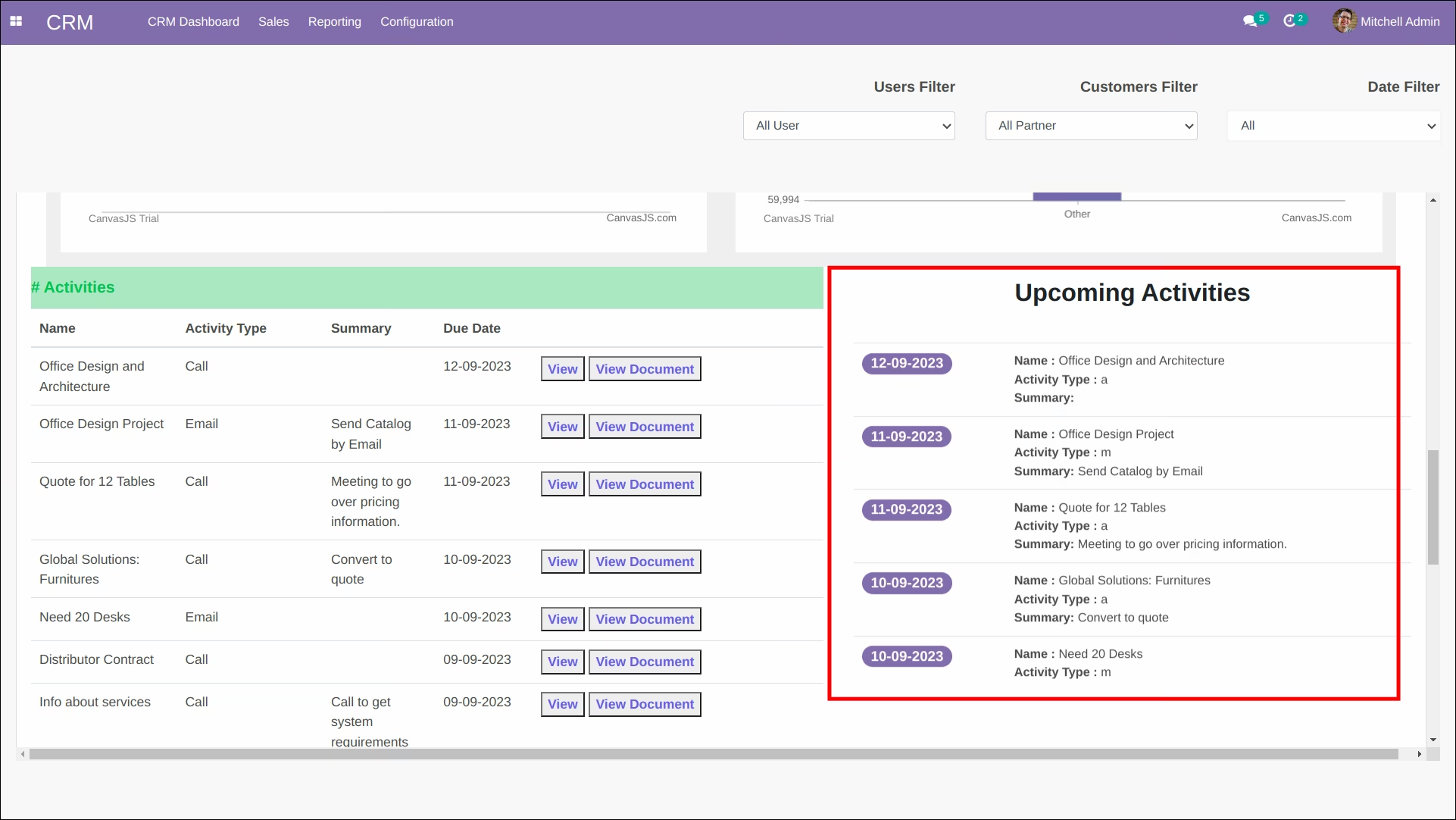
Upcoming activities notification panel
-
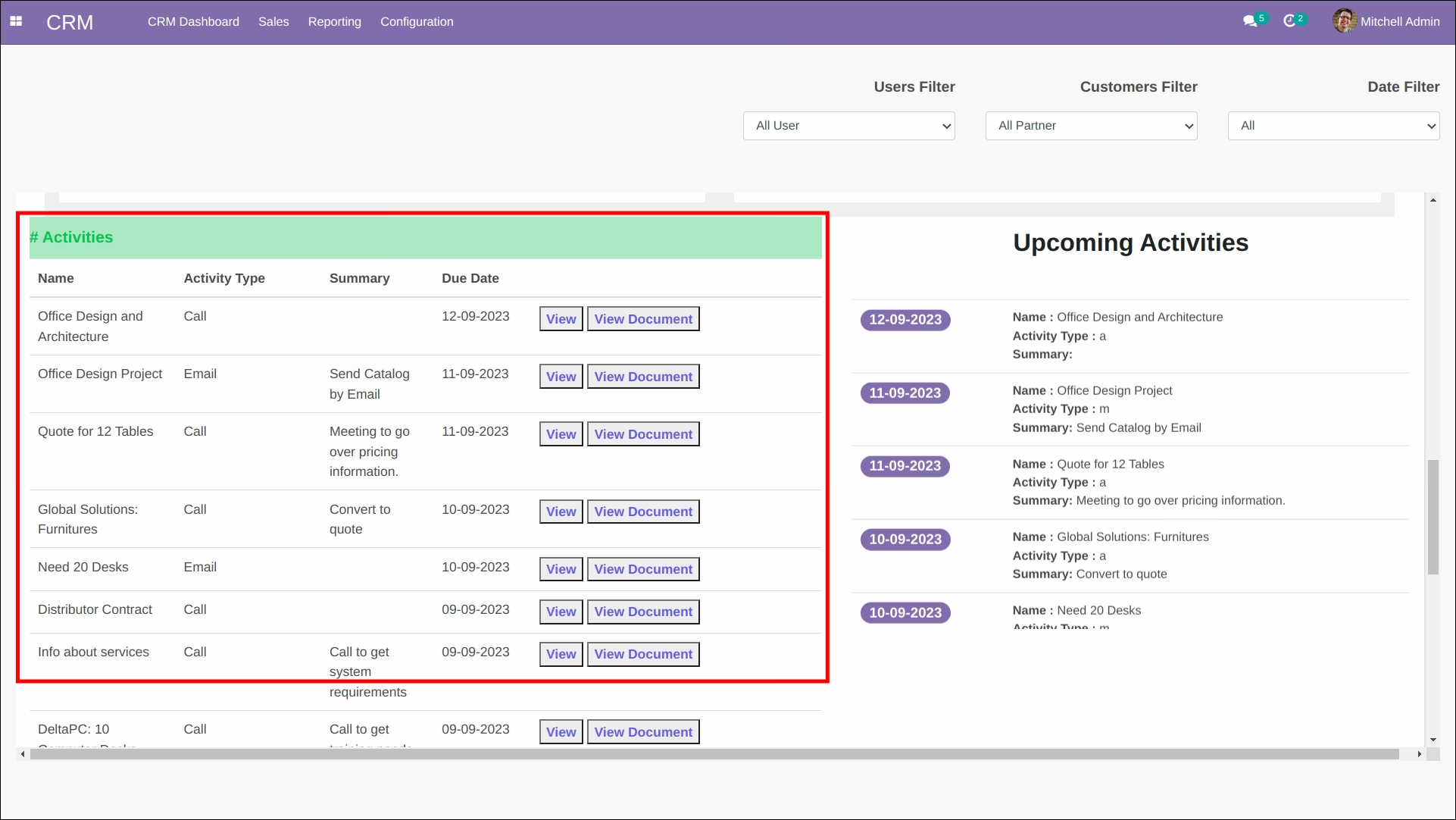
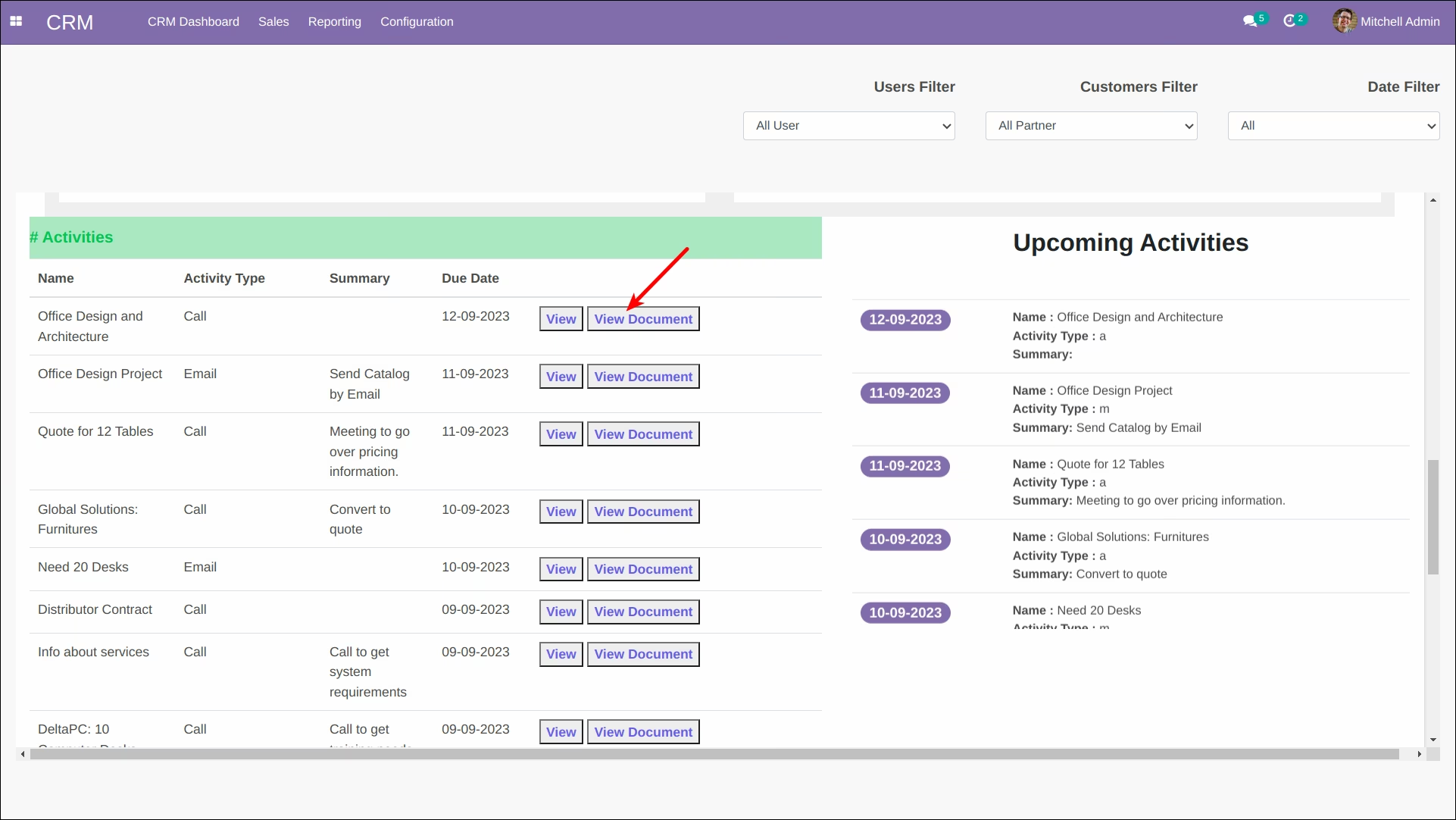
Access All Activities as list on the dashboard
-
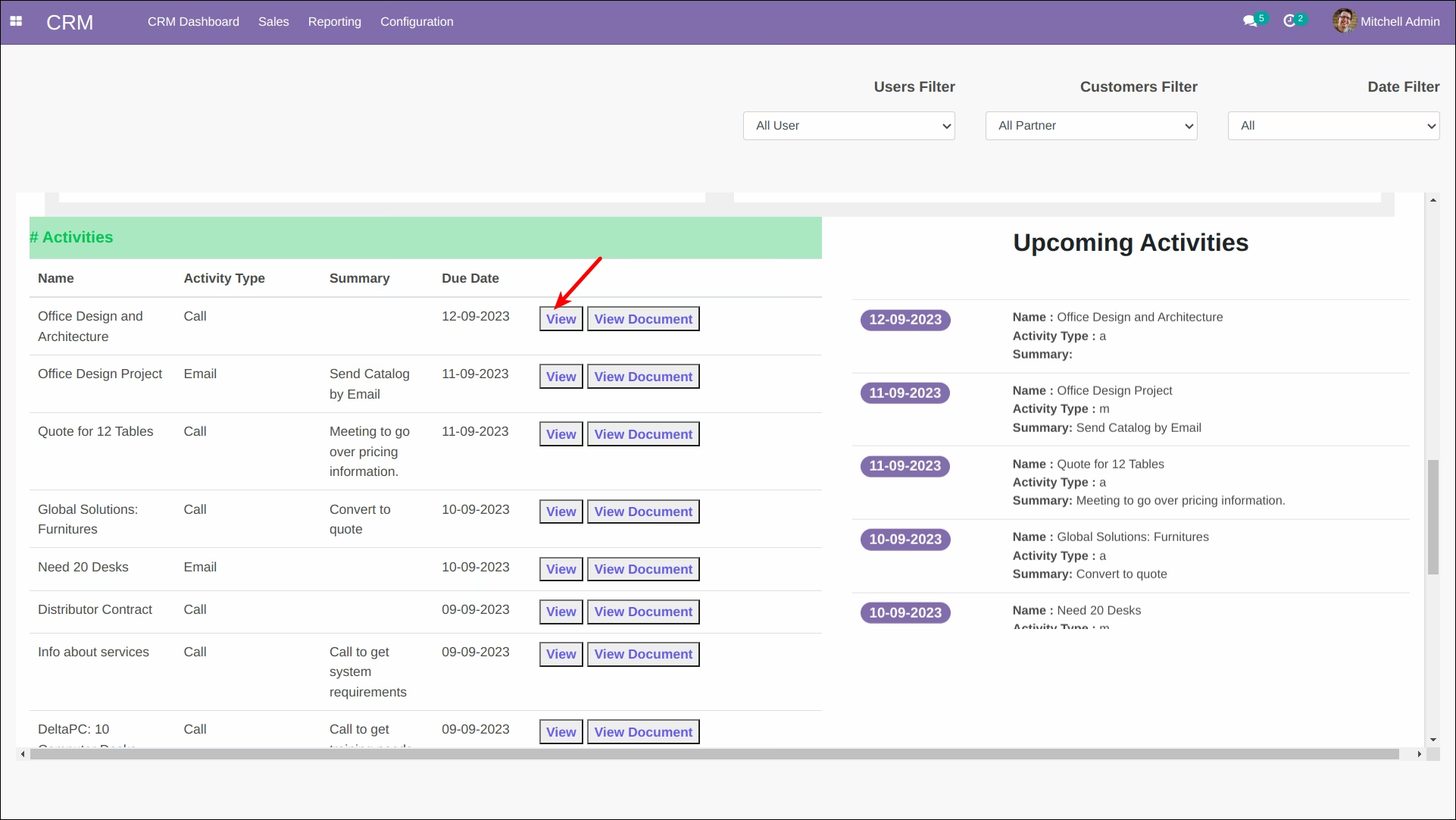
View activity from list
-
View document of the activity from list
-
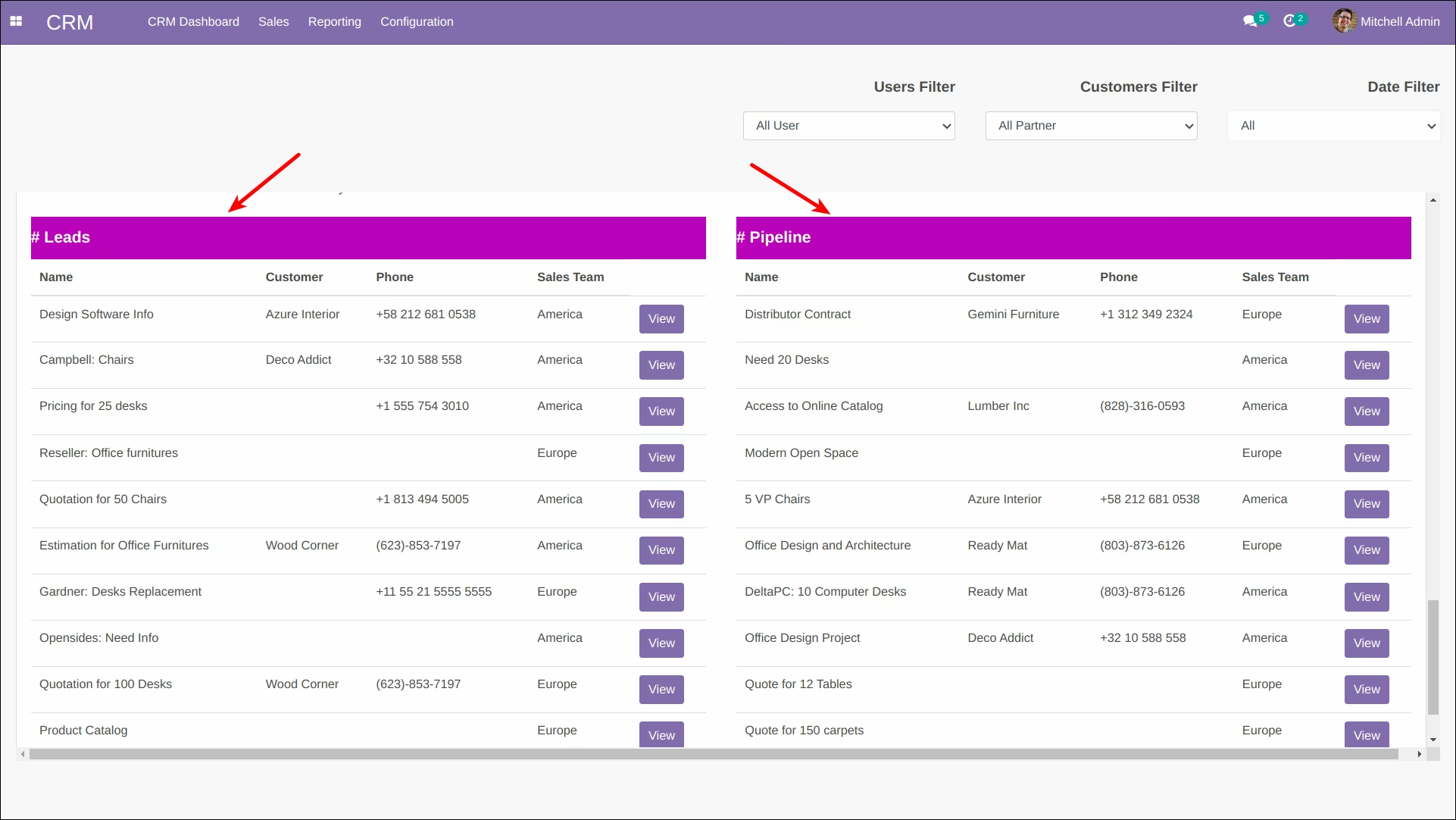
Access Lead as list on the dashboard
-
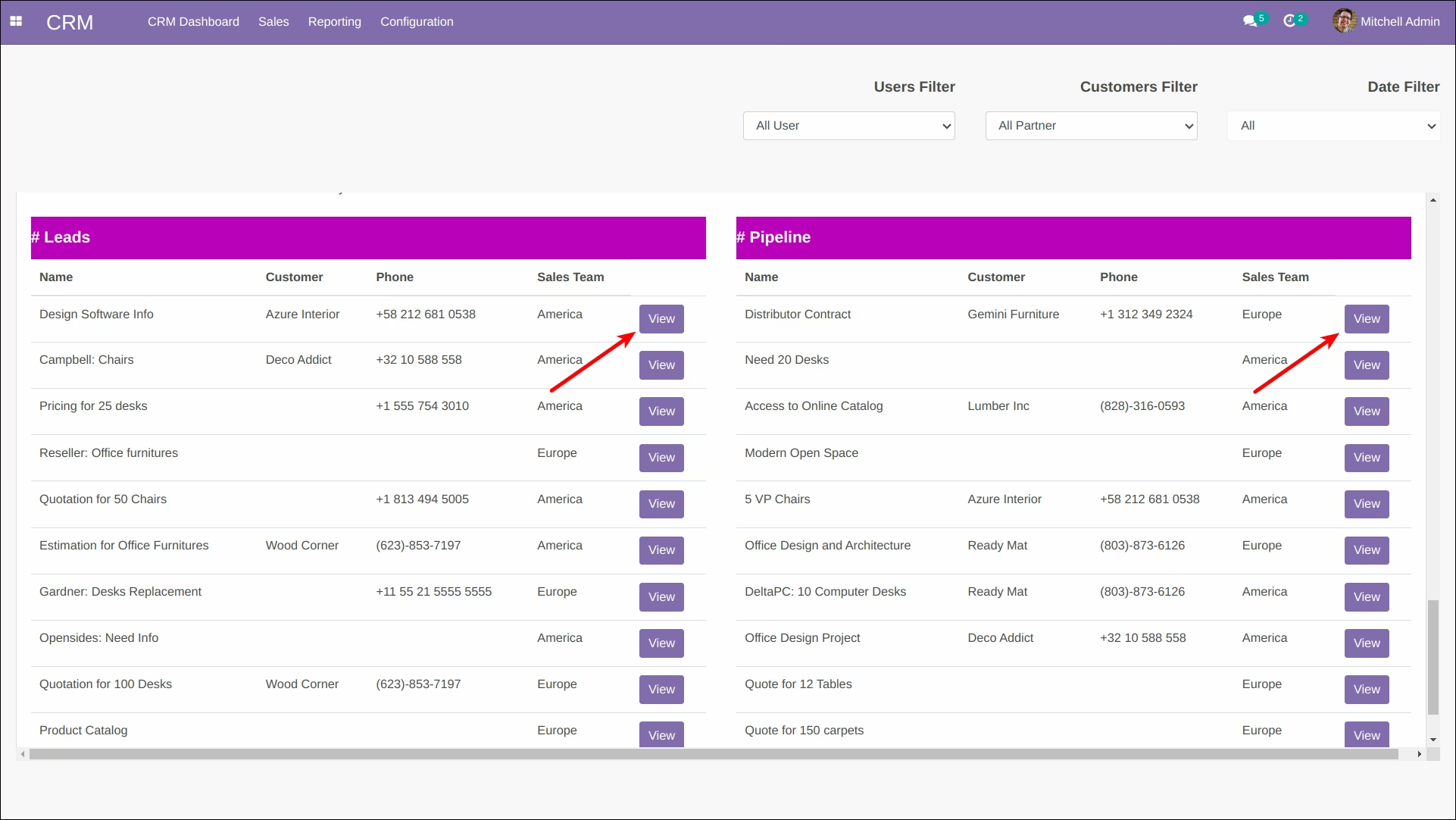
View Lead from the list
-
Access Pipeline as list on the dashboard
-
View Pipeline from the list
-
Here, you have access to a variety of simple yet effective data filtering options
- Top Won Customer
- Top Sale Team Pipeline
- Top Expected Revenue
- Top Lost Customers
- Top Lead Low Priority
- Top Pipeline Low Priority
-
All above are available in below charts:
- Column Chart
- Pie Chart
- Line Chart
- Doughnut Chart
- Line Area Chart
- Scatter Chart
- Bar Chart
-
When using the Top Priority filter, consider the following
- Low Priority
- Medium Priority
- High Priority
- Very High Priority
-
In other filter, consider the following
- Top 5
- Top 10
- Top 15
- Top 20
- Top 25
-
Filter overall records by:
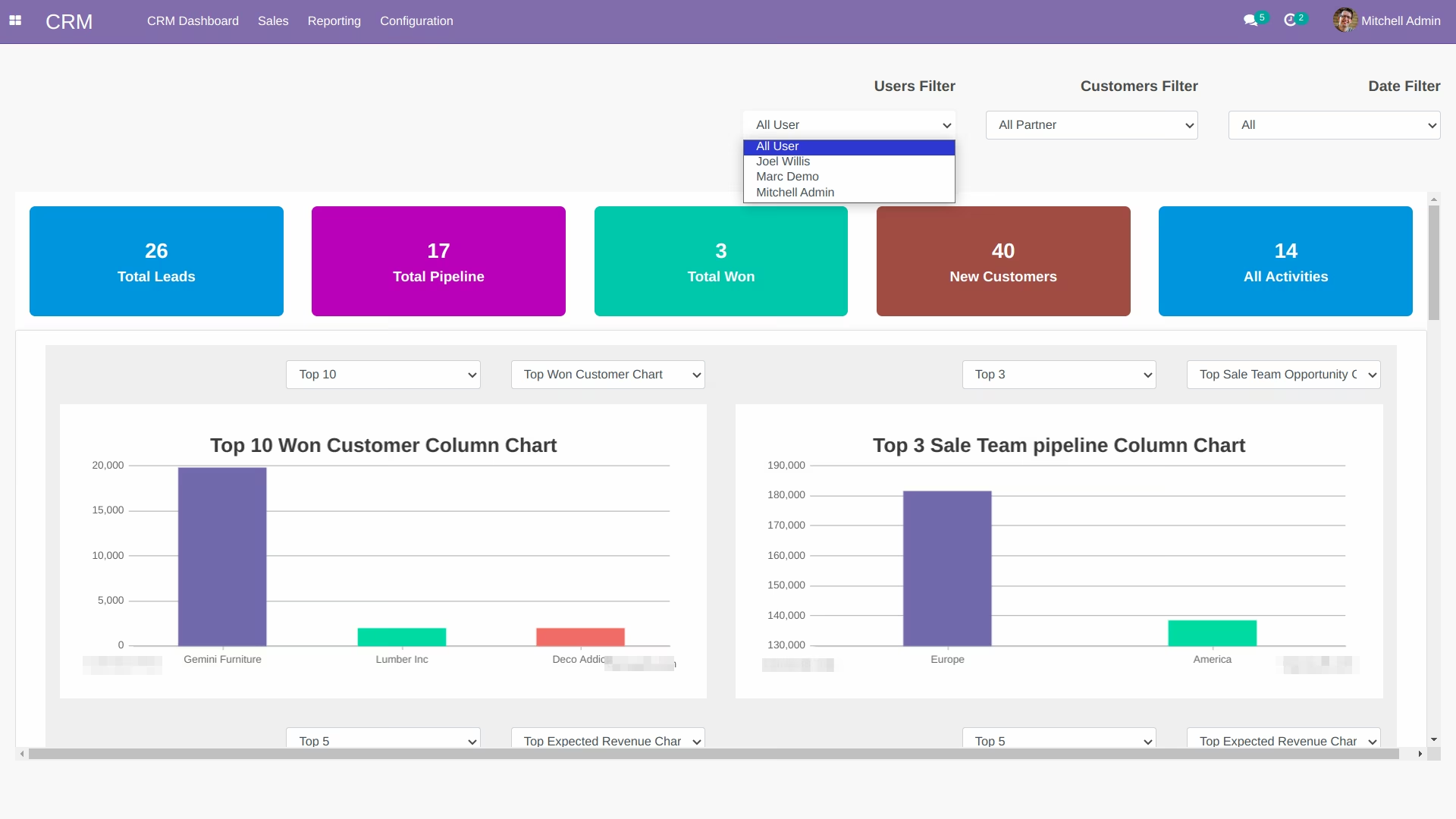
- User
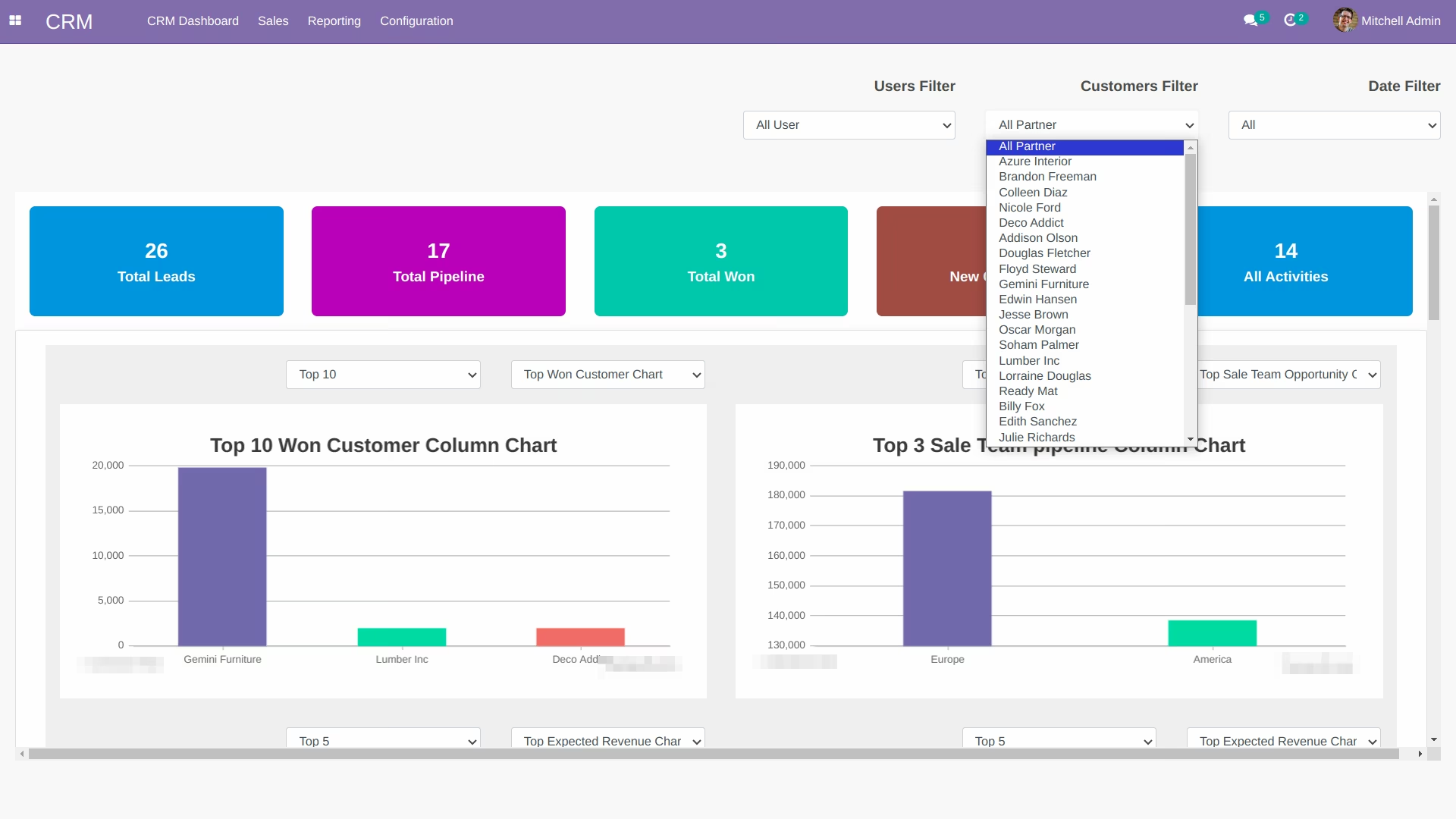
- Customer
- Date
-
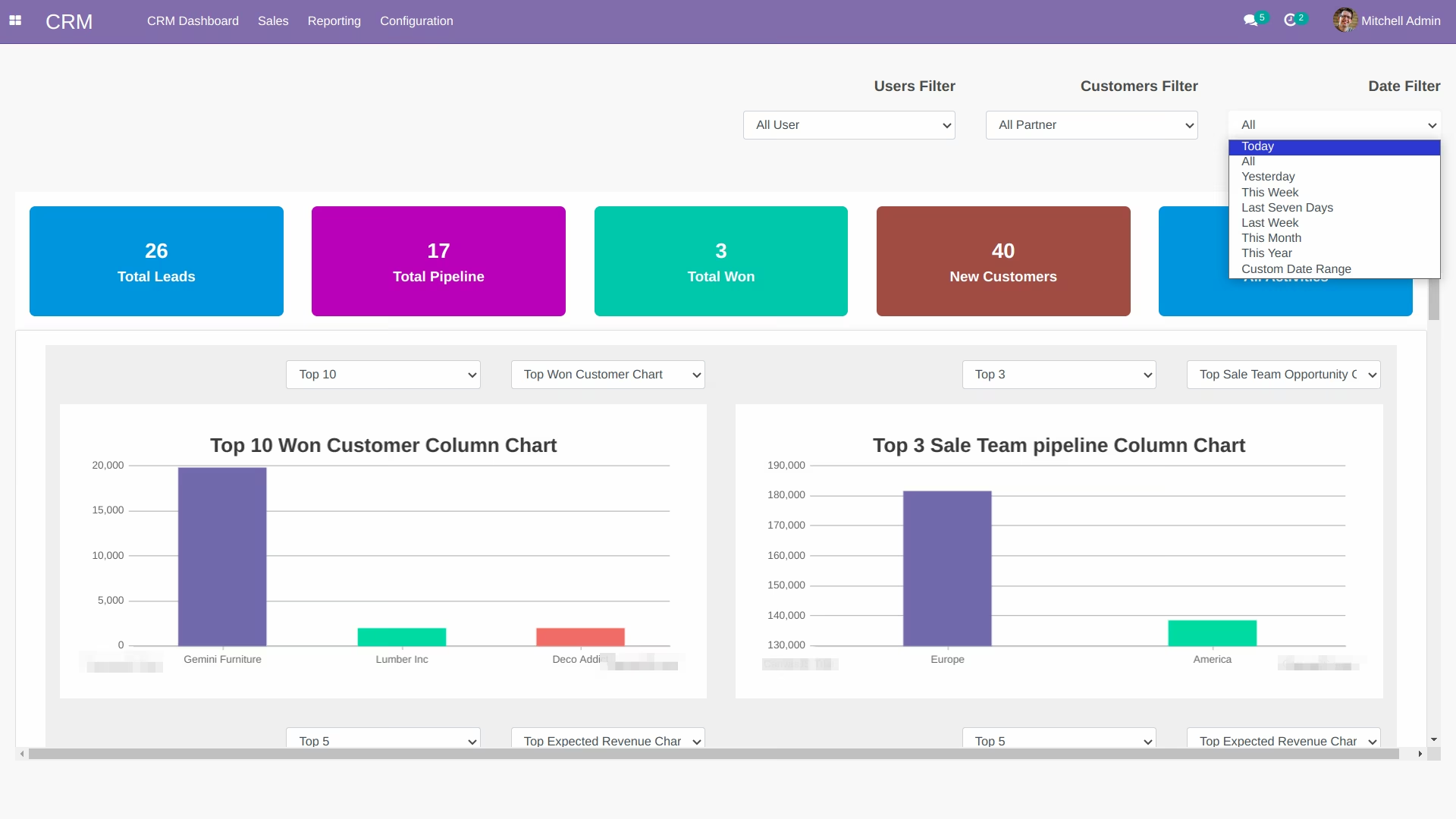
Date filters are:
- Today
- All
- Yesterday
- This Week
- Last Seven Days
- Last Week
- This Month
- This Year
-
You can also select custom date range for the date filter
-
CRM Dashboard
-
List of Activities
-
View Activity screen from the List
-
View Document(a document from where activity is created) screen from the List
-
Upcoming Activities Notification Panel
-
Lead and Pipeline List
-
View Lead/Pipeline screen from its list
-
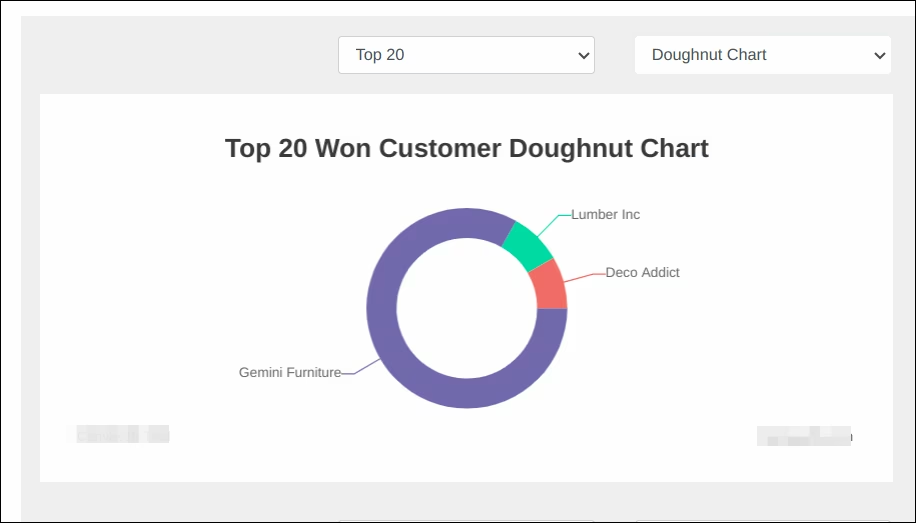
Top Won Customer Chart
-
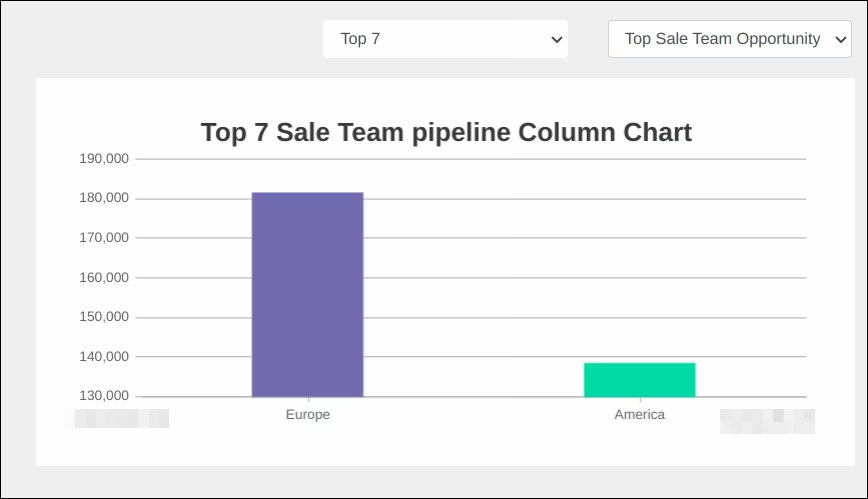
Top Sale Team Chart
-
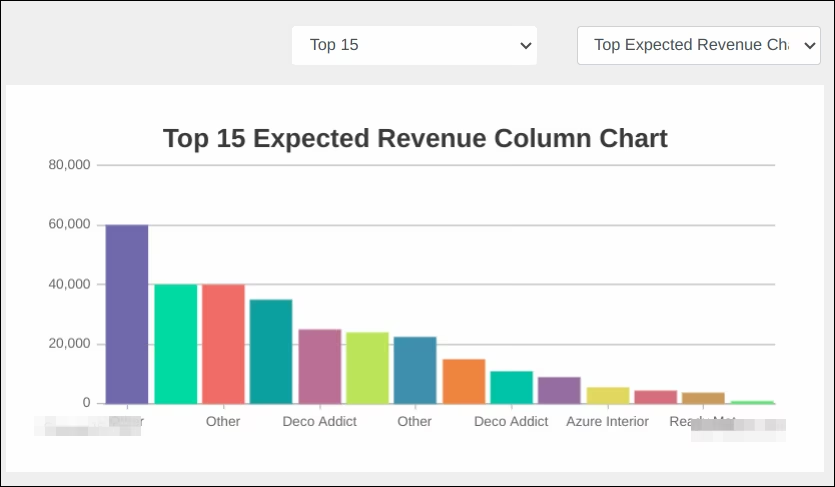
Top Expected Revenue Chart
-
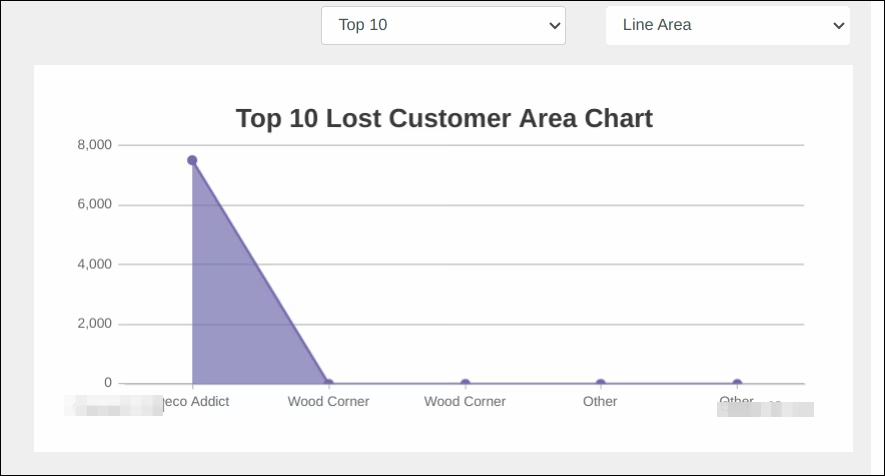
Top Lost Customer Chart
-
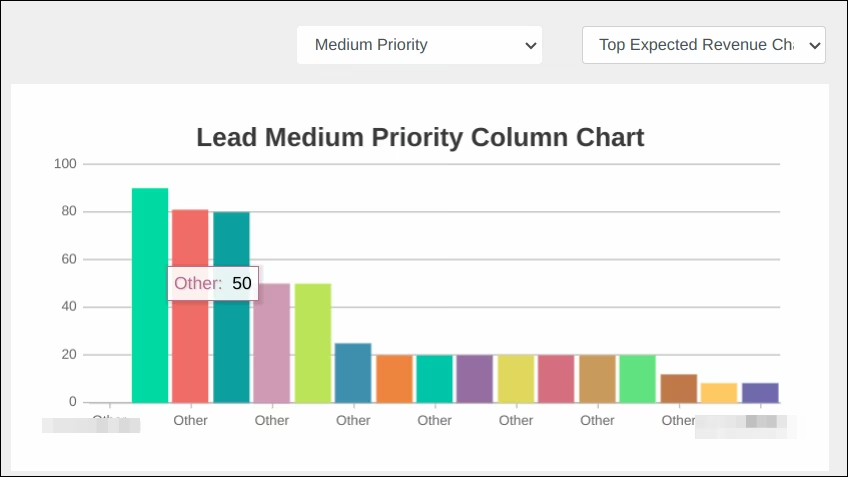
Top Lead Priority Chart
-
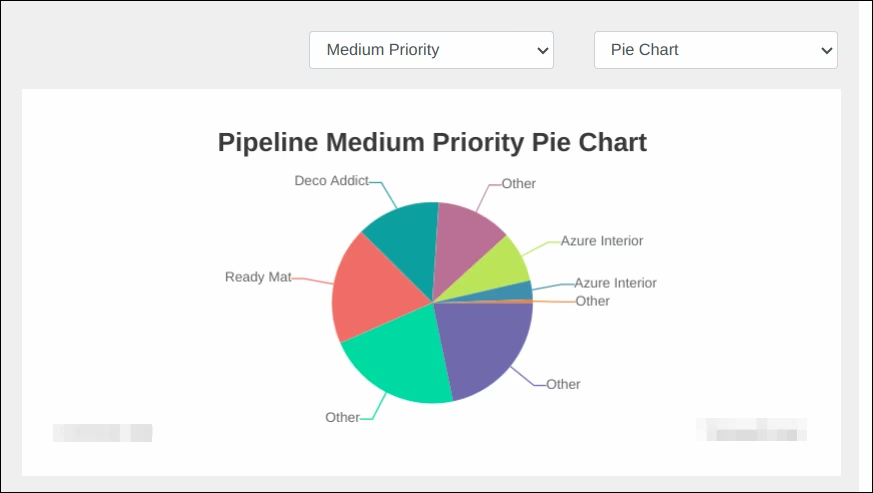
Top Pipeline Priority Chart
-
Filter records by User
-
Filter records by Customers
-
Filter records by Date
-
Filter records by Custom Date Range
-
Entire CRM Dashboard -