Introduction
The module empowers businesses to define and manage bundled products across key workflows. Whether for sales promotions, inventory management, or procurement, this module enables the creation of product combos also known as packs to streamline transactions and simplify operational processes.
Allows marking products as bundles and defining their constituent items via a dedicated “Pack/Bundle Products” tab.
Provides a "Compute Bundle Price" function to automatically aggregate pricing from bundle components.
Enables adding bundles across multiple channels Sales, Purchase, Inventory, Invoices, and POS with a single click.
Supports wizard-based selection and editing of bundle items in transactional forms like sales orders, purchase orders, invoices, stock moves, and point-of-sale screens.
Ensures synchronized processing of bundled components across stock movements and financial documents.
Simplifies promotion and sales by offering bundled items as a single, unified product.
Reduces repetitive entry by enabling one-click application of bundles in documents.
Enhances consistency by relying on defined bundle configurations across operations.
Speeds up quotation and order creation using preset item groups.
Supports inventory planning by tracking bundled component consumption.
Adapts flexibly to all key modules without custom coding.
Increases operational efficiency in both sales and procurement.
Improves customer experience through clearly structured bundle offerings.
Ensures financial and inventory integrity across bundle transactions.
Scales easily with changing product combinations or promotional offers.
Bundle Product Management
Do you want to make a combo of several products? In competitive market prices play an important role. This module is useful for creating a pack of some products in sales, purchase, inventory & invoice. You can generate a product bundle for selling multi-products at once. You can make a bunch of several products and easily enhance your sailing.
-
Step 1: Create a product template.
-
Step 2: Tick "Is Bundled" Tickbox.
-
Step 3: It will show the product bundle item tab.
-
Step 4: Add related products using add an item.
-
Step 5: Now you can go to sale, purchase, invoice & inventory and see add bundle button, If you click it you will be able to select bundle product.
- Step 6: It will show related product items of a bundle than you can edit to lines.
- Easy to make product combo of several products.
- Easy to generate product bundle in sales, purchase, invoice & inventory.
- Easy to create a bunch of multi-products in a single click.
- You can make a Product pack of different products.
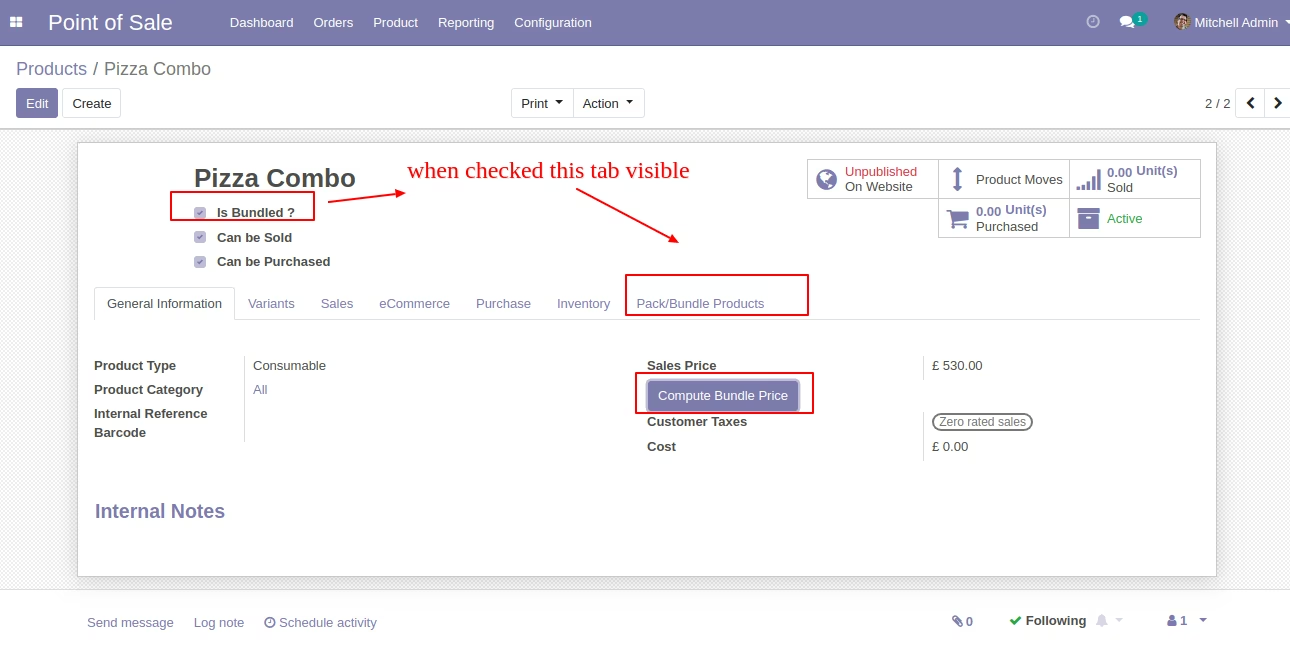
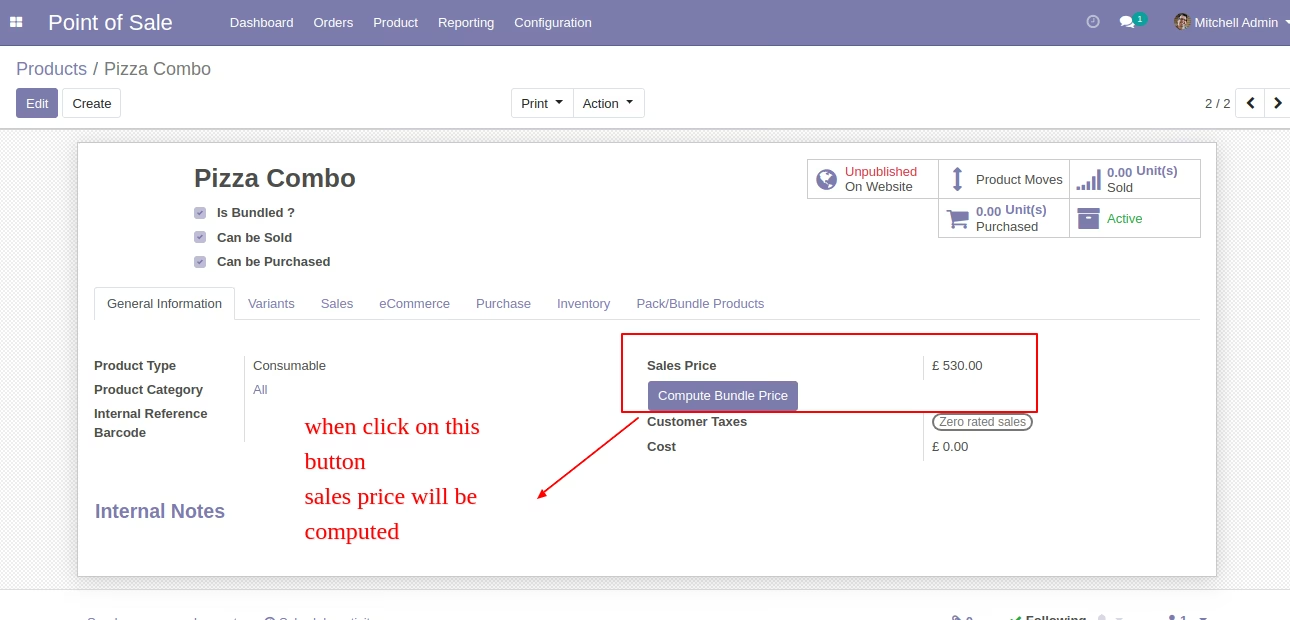
In the product tick "Is Bundled ?" to get the "Pack/Bundle Products" tab. You can count the total sales price of a bundle from the button "Compute Bundle Price".
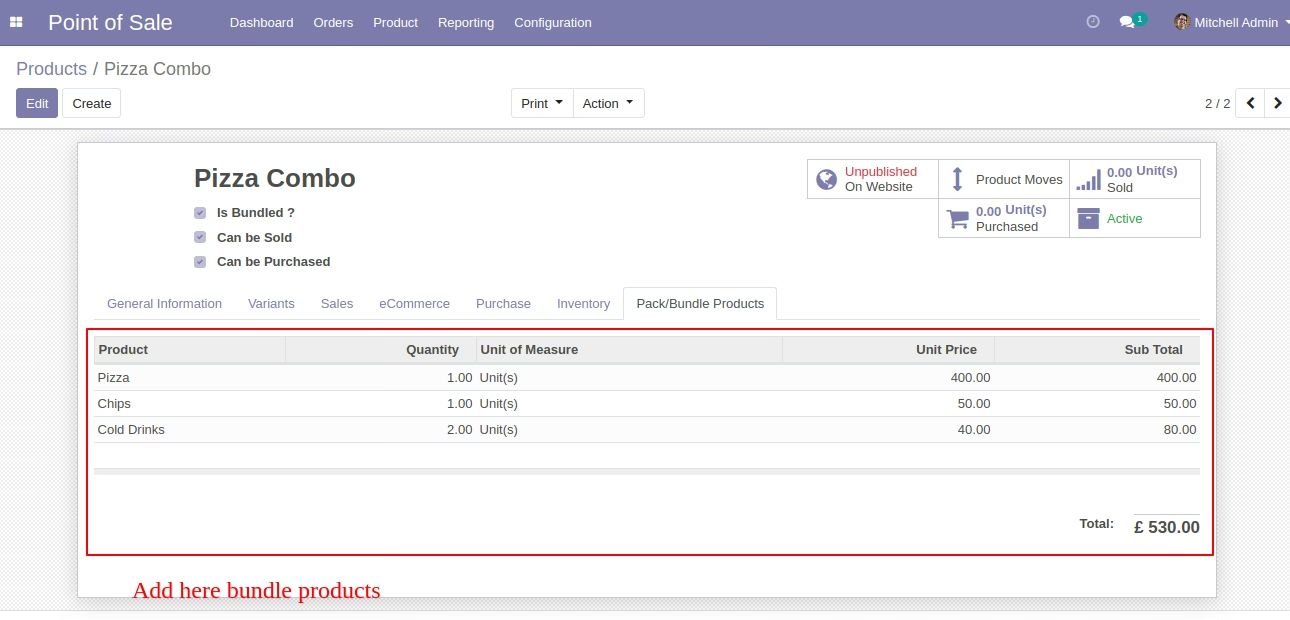
You can add products in the "Pack/Bundle Products" tab.
If you want to count the sales price of a bundle then click the button "Compute Bundle Price".
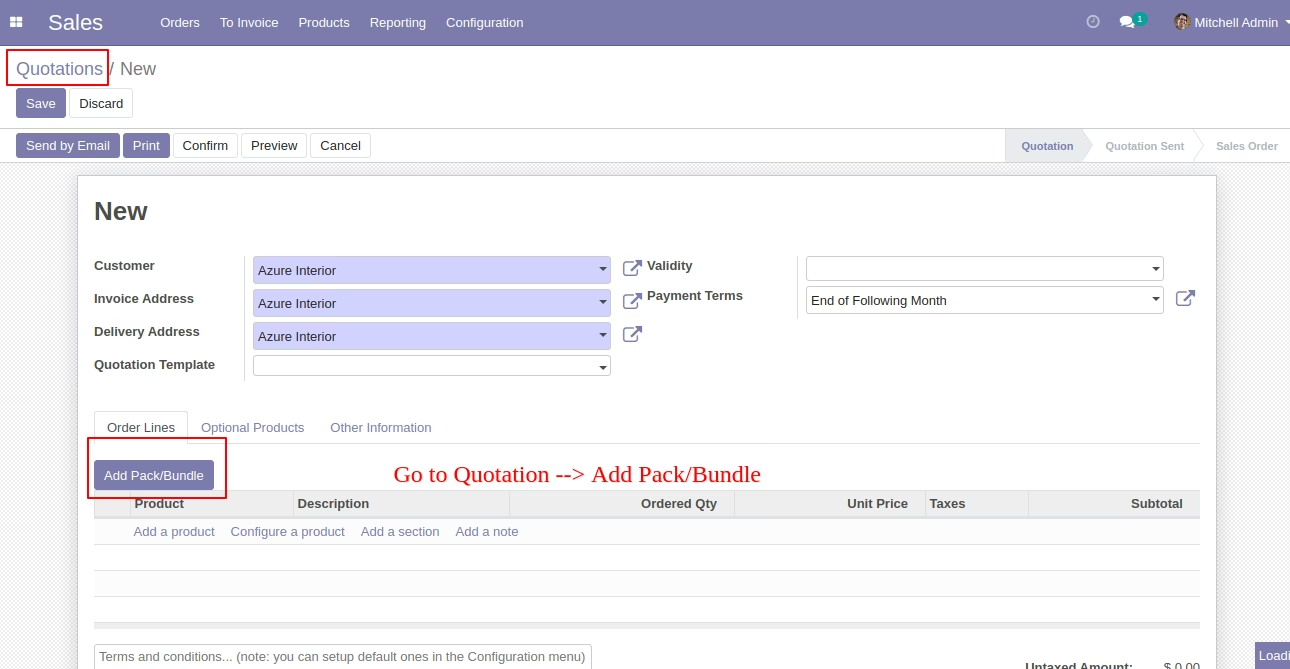
In the sales press button "Add Pack/Bundle" to add product package.
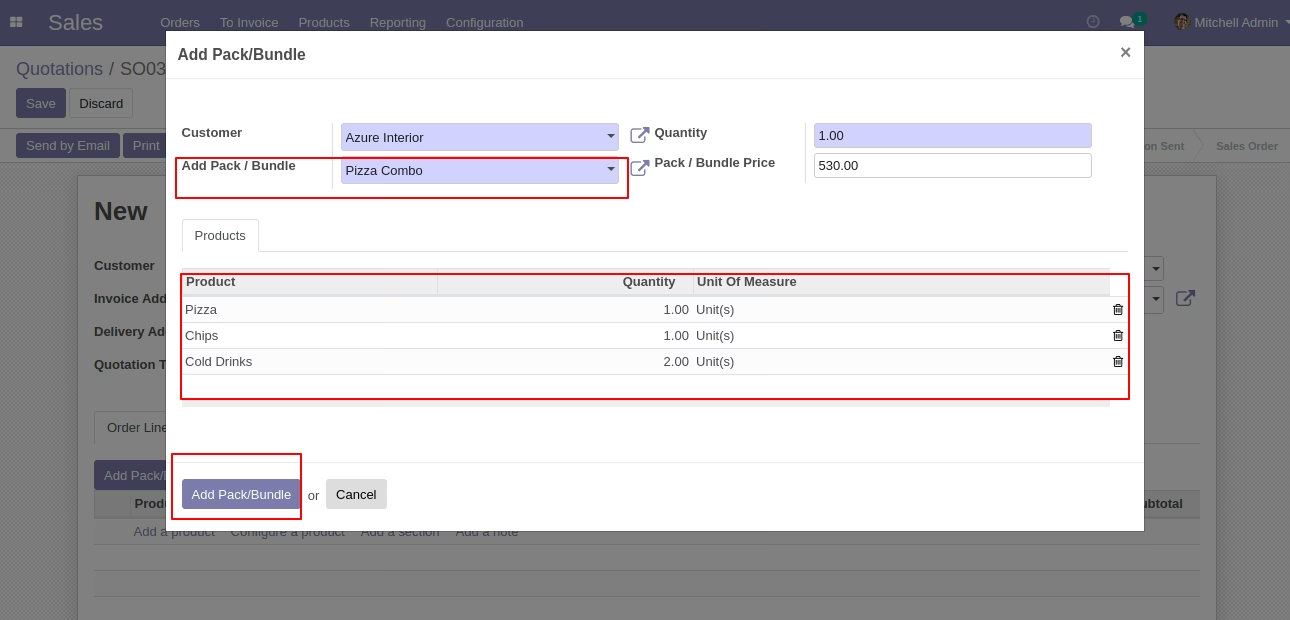
After that one wizard open where you can edit product details, quantity and other details.
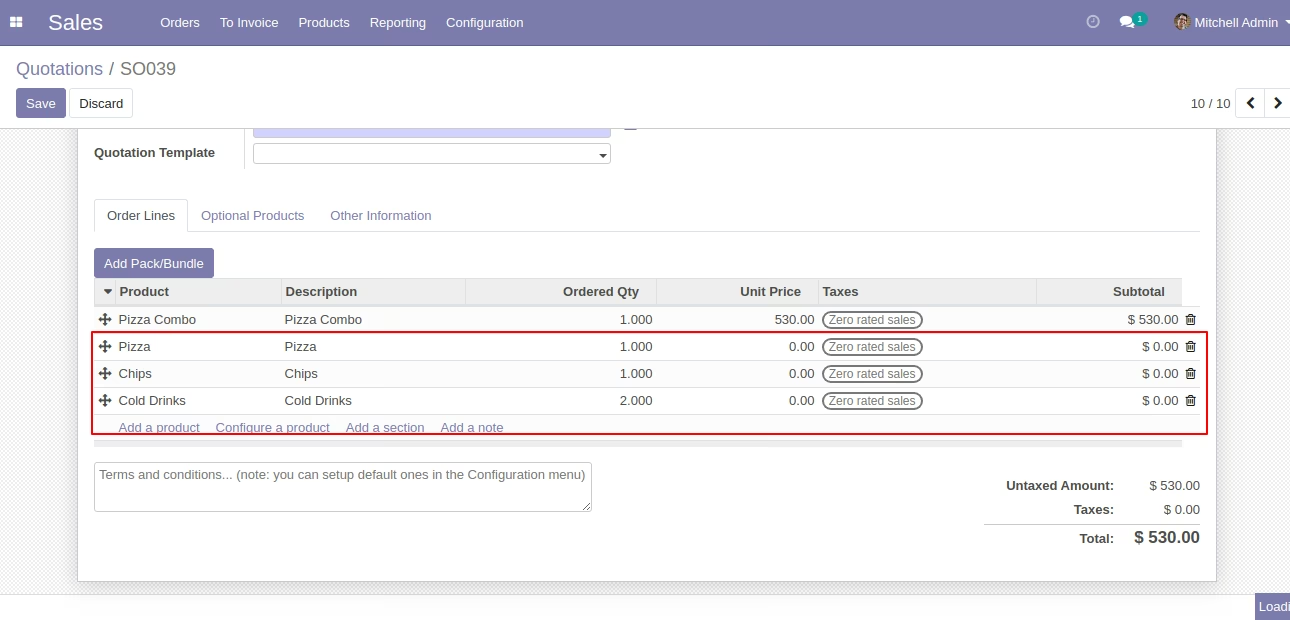
After the press button "Add Pack/Bundle" to add that bunch in quotation/sale order.
In the purchase press button "Add Pack/Bundle" to add product package.
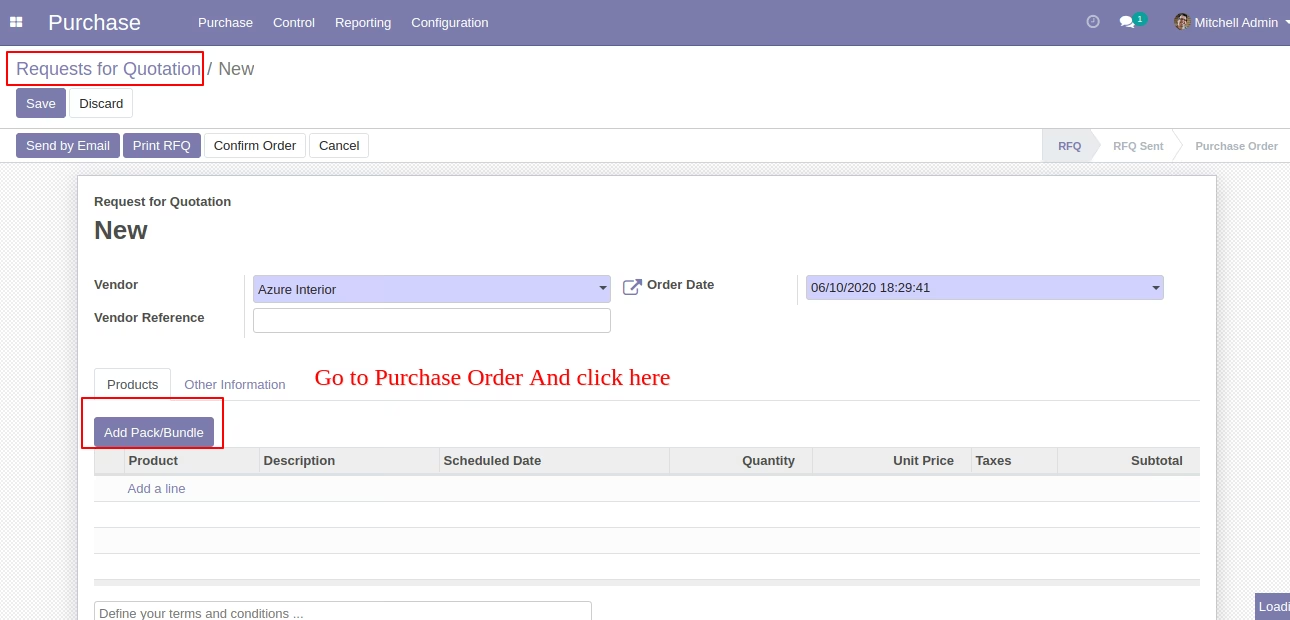
After that one wizard open where you can edit product details, quantity and other details.
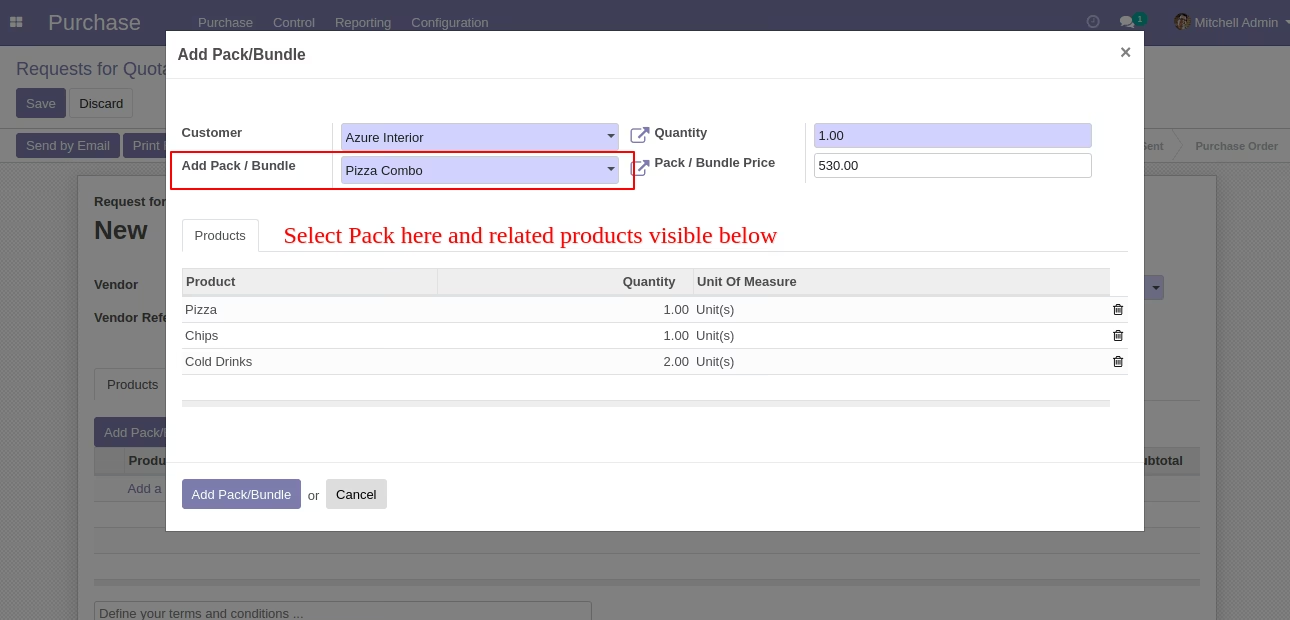
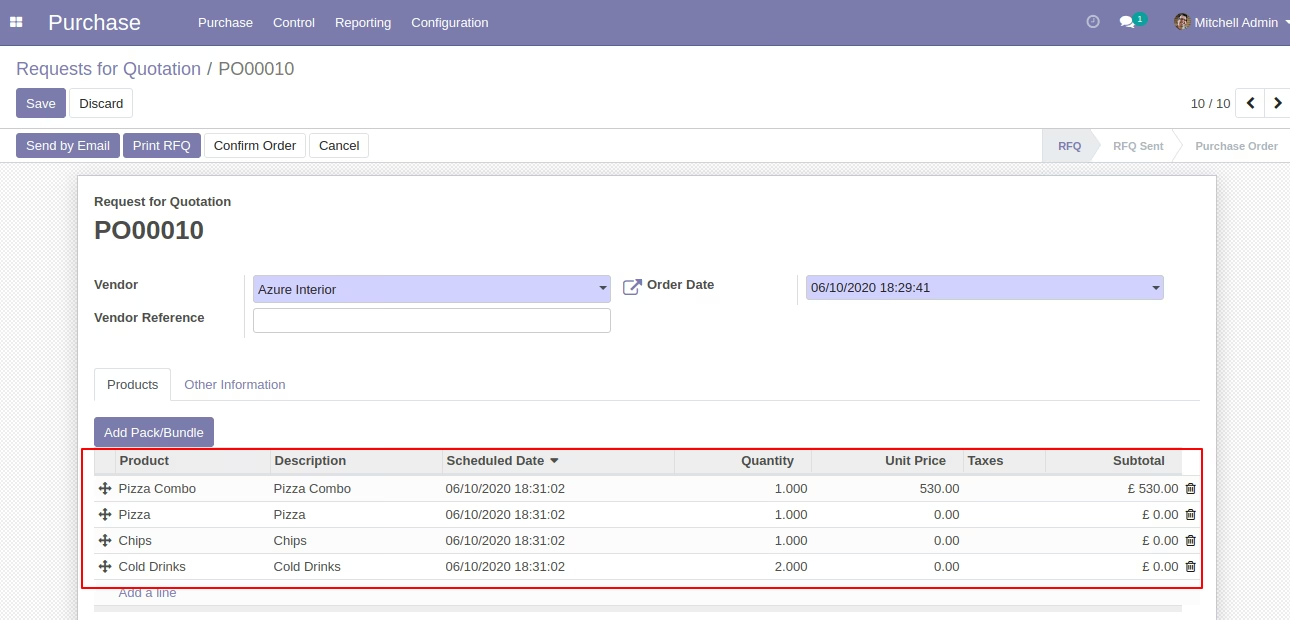
After the press button "Add Pack/Bundle" to add that bunch in a request for quotation/purchase order.
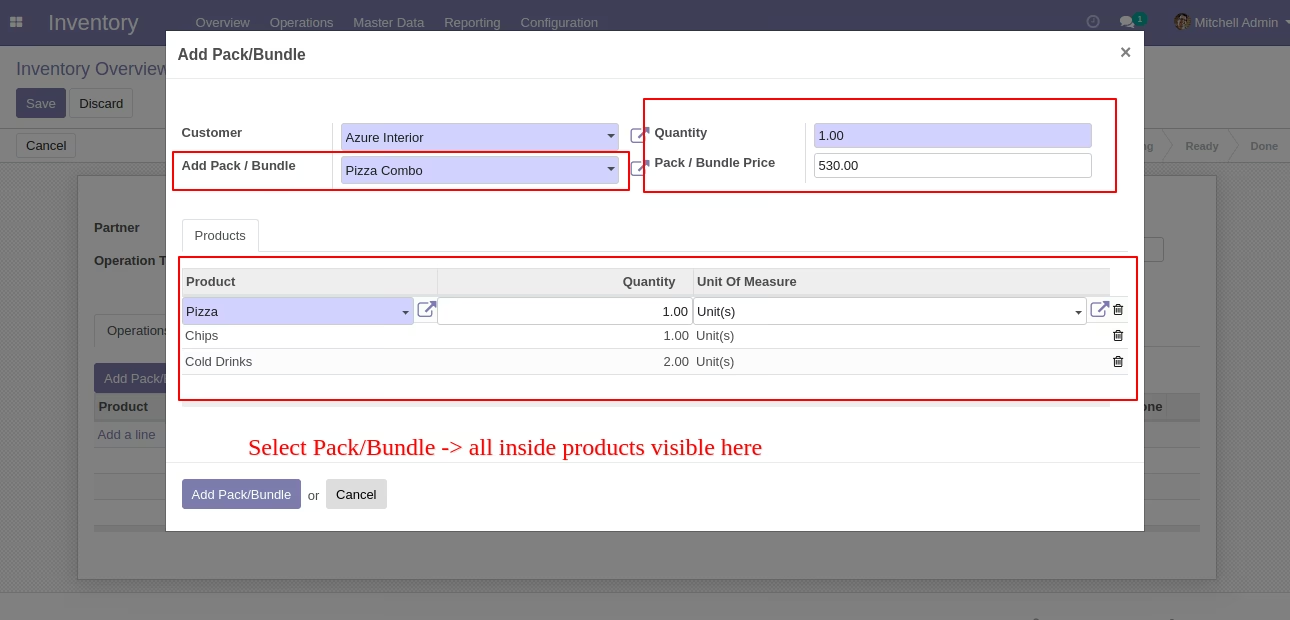
In the inventory press button "Add Pack/Bundle" to add product package.
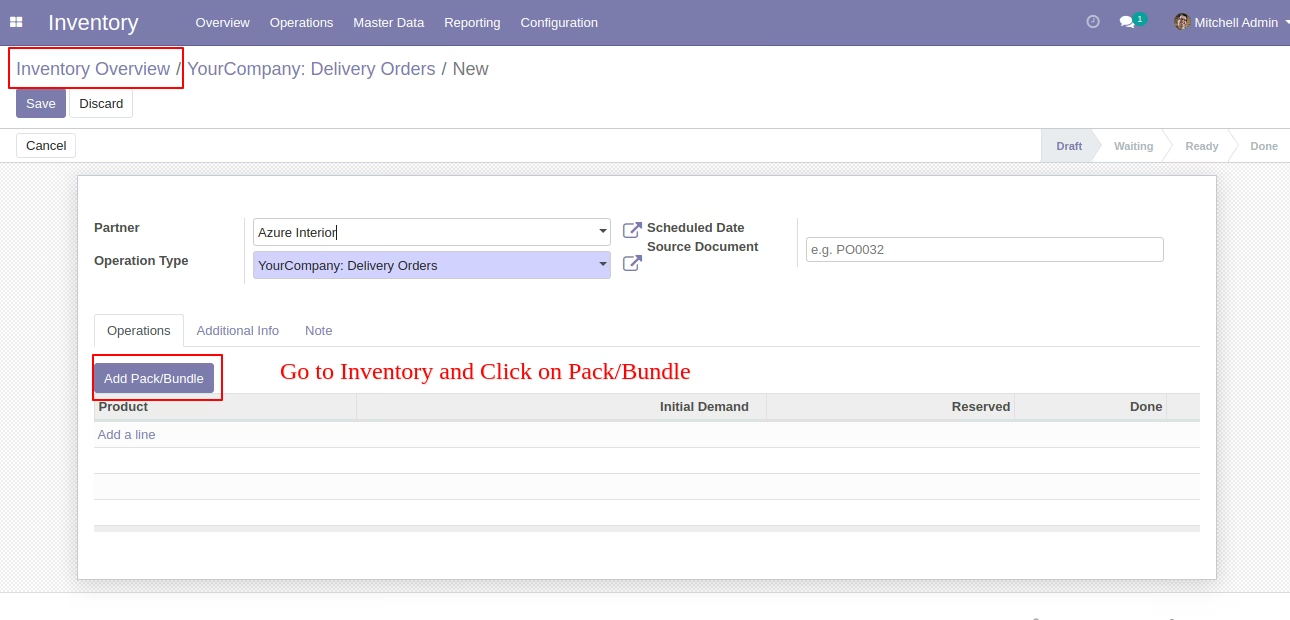
After that one wizard open where you can edit product details, quantity and other details.
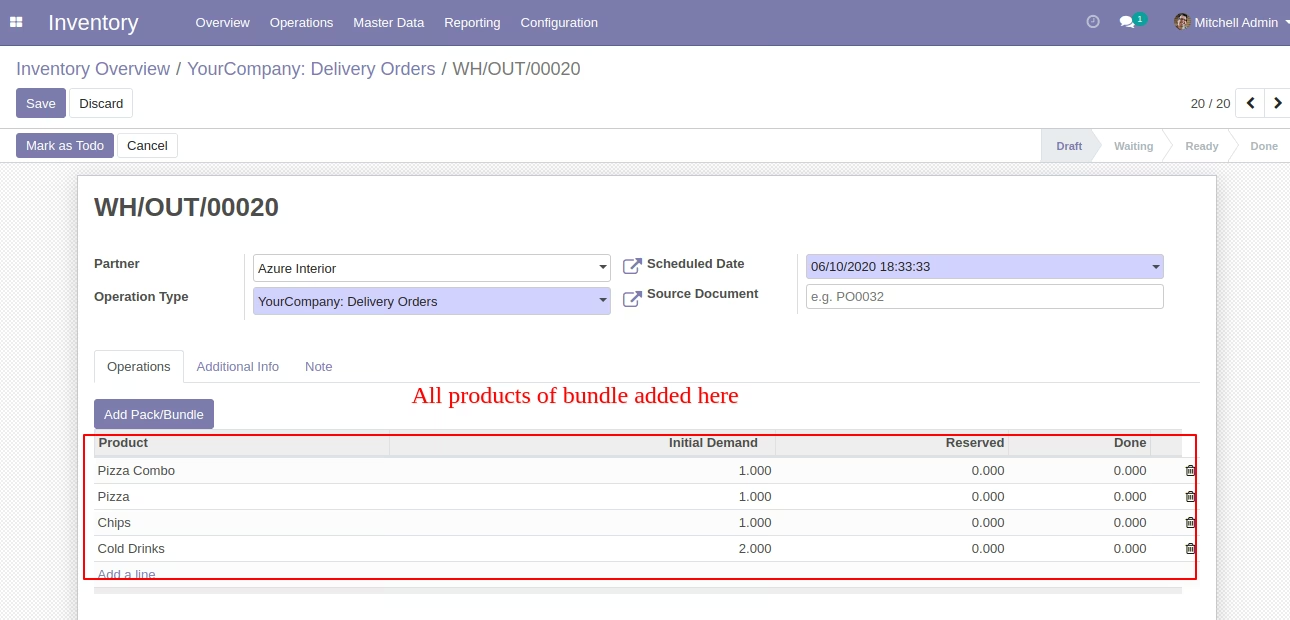
After the press button "Add Pack/Bundle" to add that bunch in an inventory or transfer.
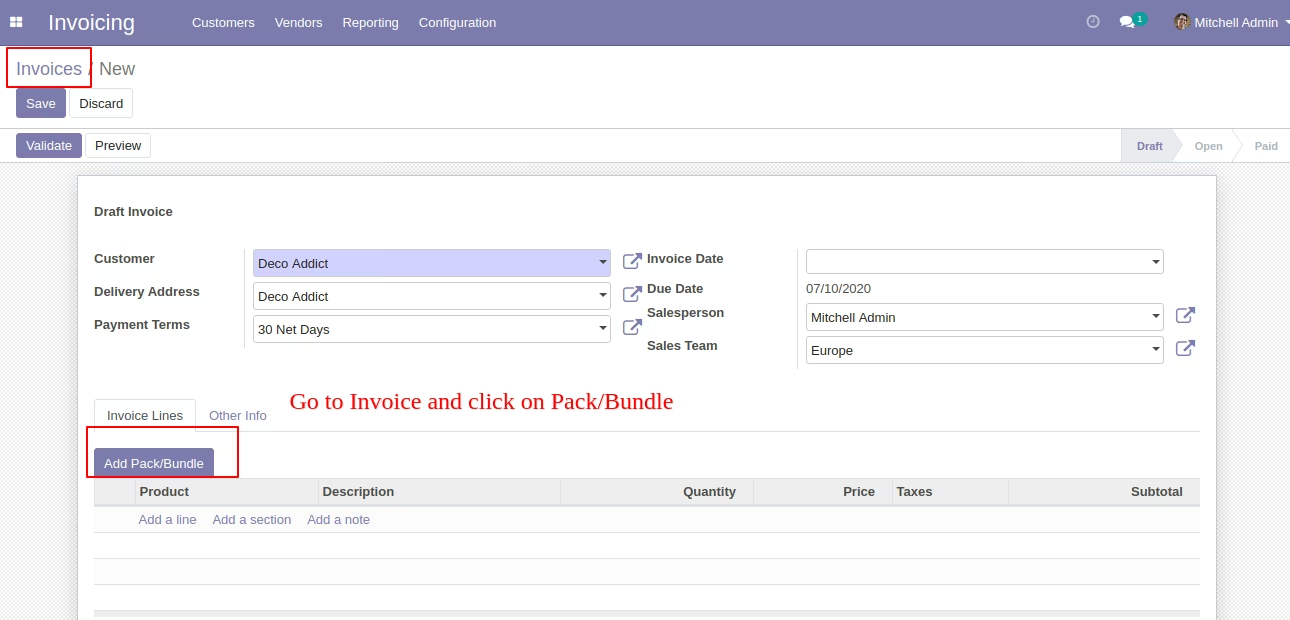
In the invoice press button "Add Pack/Bundle" to add product package.
After that one wizard open where you can edit product details, quantity and other details.
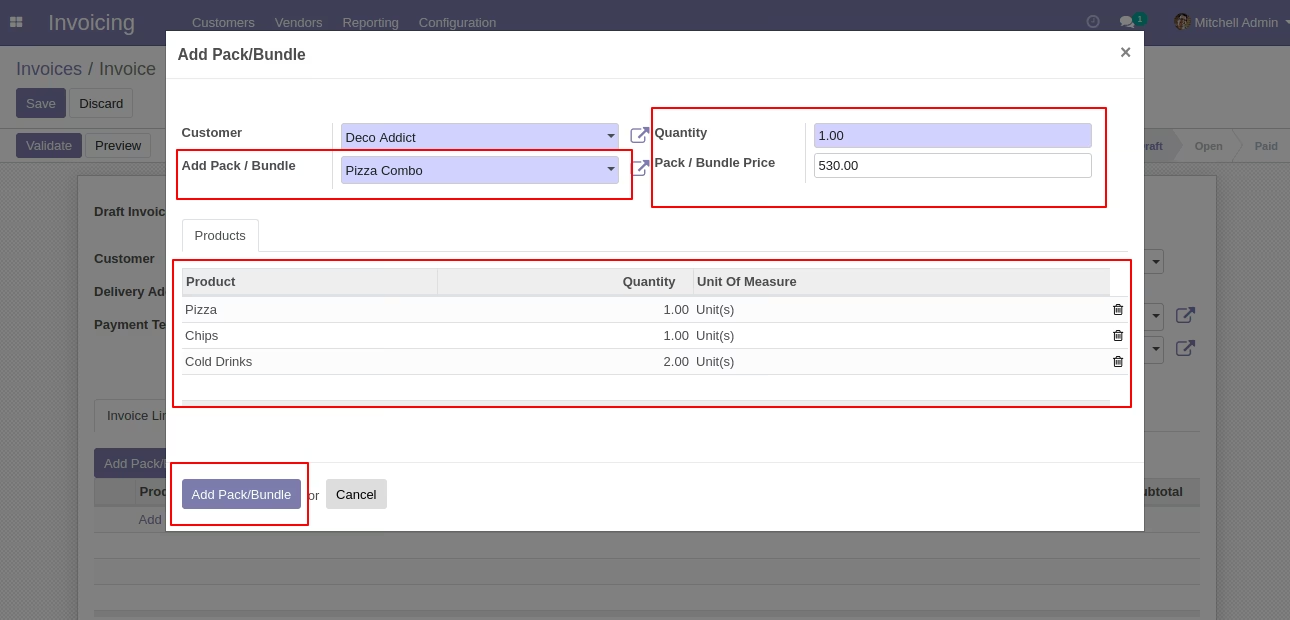
After the press button "Add Pack/Bundle" to add that bunch in the invoice.
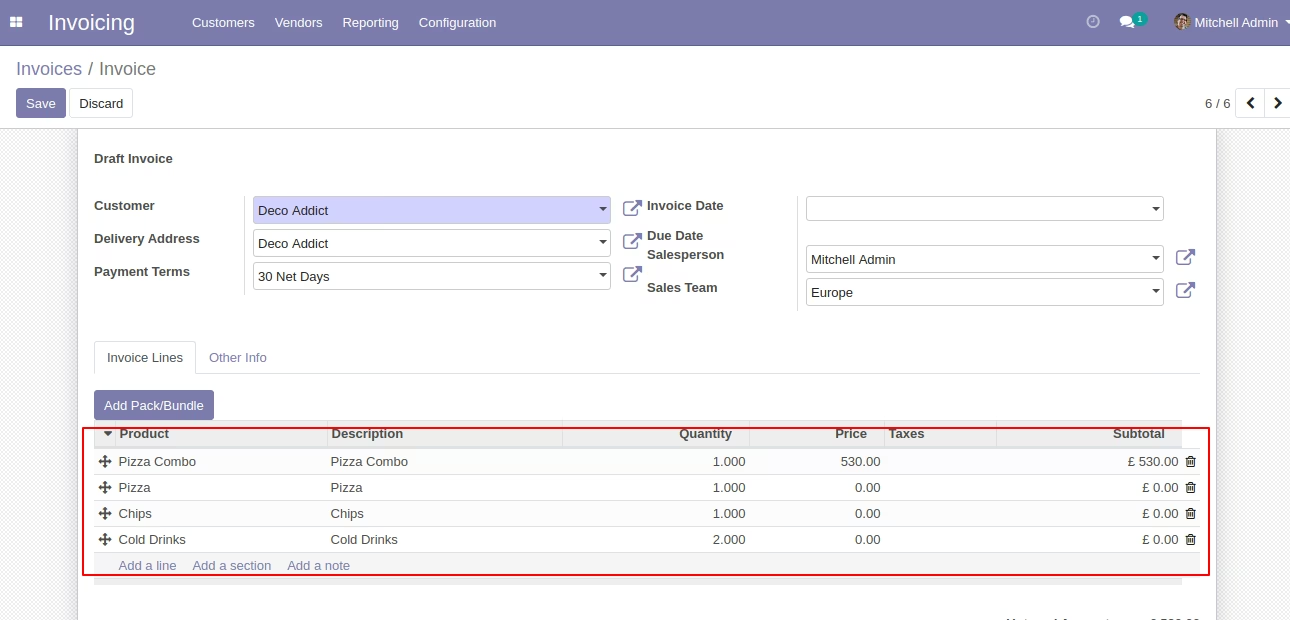
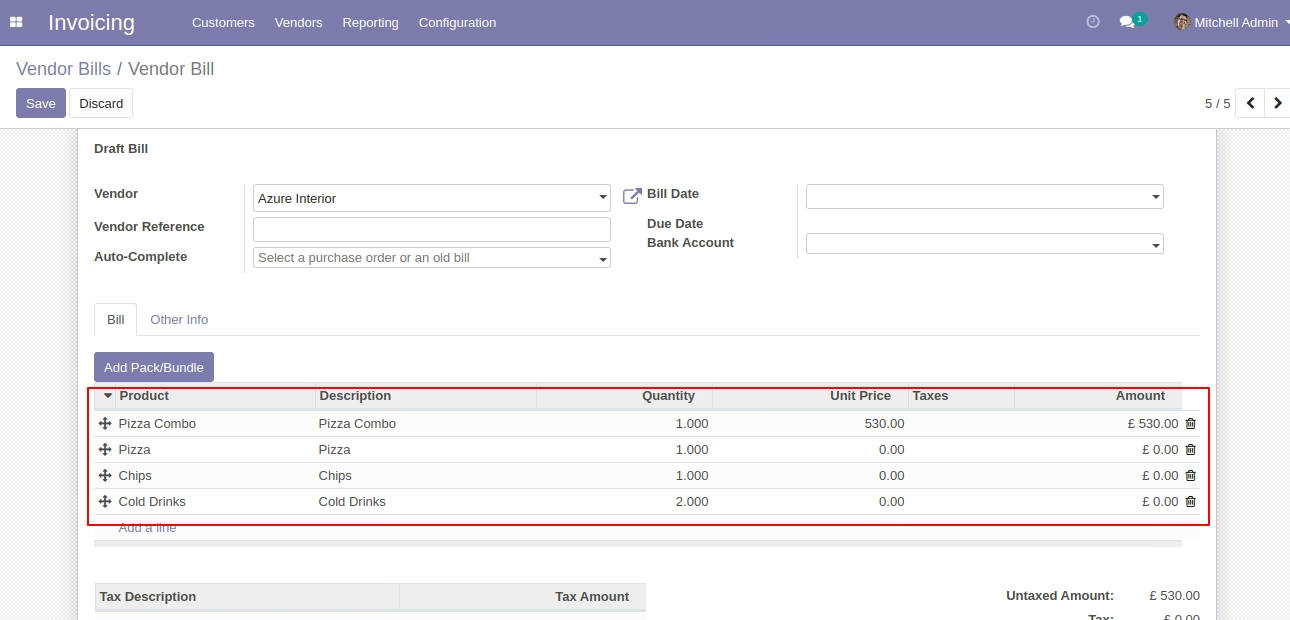
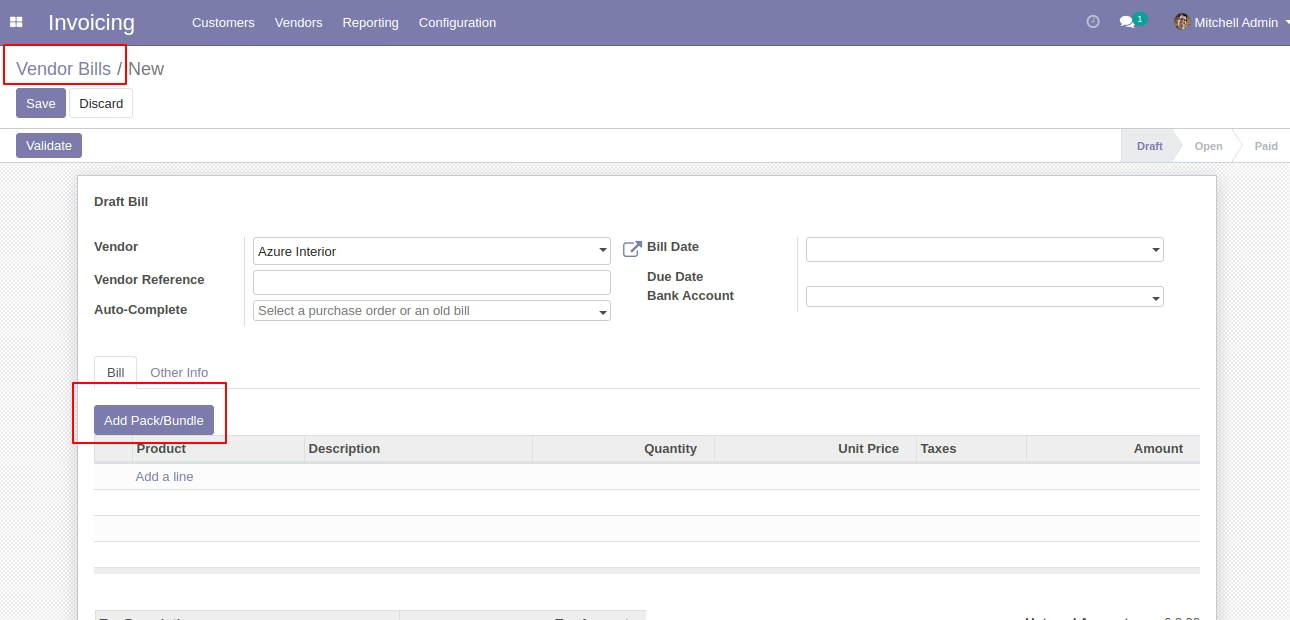
In the vendor bills press button "Add Pack/Bundle" to add product package.
After that one wizard open where you can edit product details, quantity and other details.
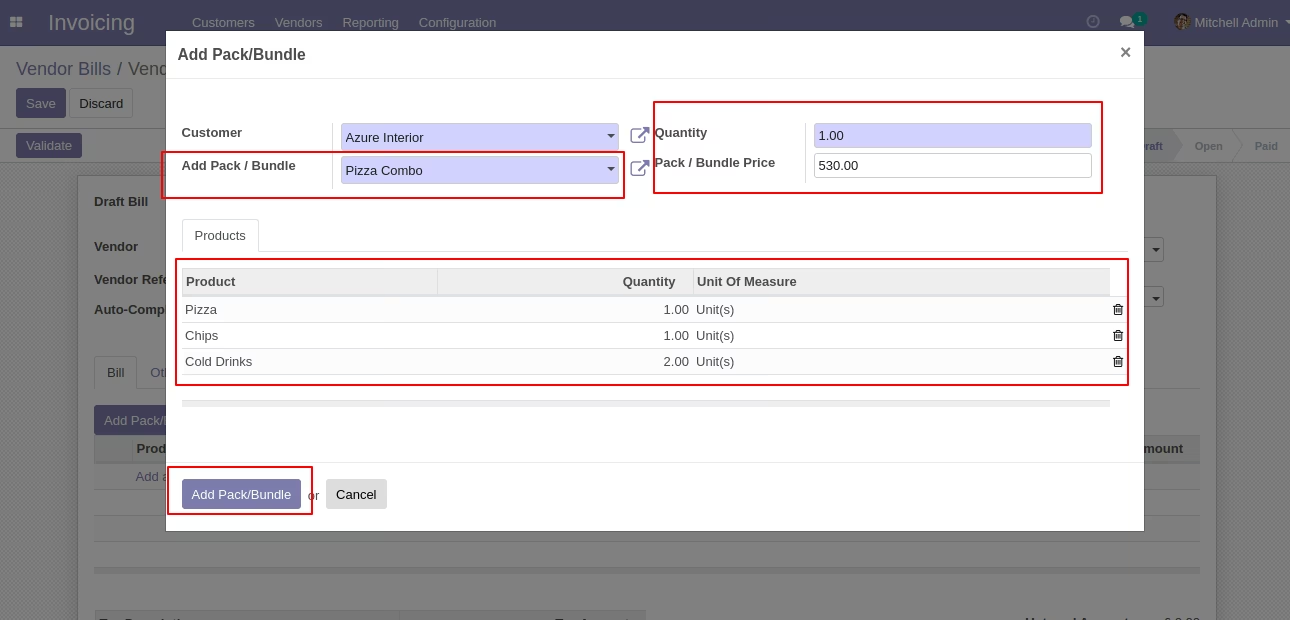
After the press button "Add Pack/Bundle" to add that bunch in vendor bills.