
This all-in-one hide module provides a robust and user-friendly solution to control visibility of menus, submenus, reports, and fields within the system. It enables administrators to streamline user interfaces by hiding or revealing elements based on user or group configuration. This versatile module enhances customization for cleaner, more efficient access control, improving user experience and simplifying interface management.
Hide any menu for selected users or groups
Hide submenus with easy configuration for targeted visibility
Restrict access to reports by user or group
Control field visibility or set fields to read-only based on group settings
Entire configuration accessible via user or group settings interface
Reduces UI clutter and improves usability by hiding unnecessary menus and options
Enhances security and access control by restricting sensitive reports or fields
Offers granular customization tailored to user roles or groups
Streamlines administrative control over interface elements
Improves workflow efficiency via simplified presentation of only relevant features
Hide Menu, Submenu, Report, and Fields for any User, Group App
All in one Hide - Hide Anything on
Dynamic Field-Level Security for Specific Users or Groups
Hide Menus, Submenus, and Reports Based on User or Group
Easy to Hide menu, Hide Report, Hide Field, Hide Submenu in
Hide All in one app helps users to hide any menu, submenu and report from any user from both user configurations and group configurations. User also can change fields attributes like make fields invisible or readonly.

Hide any Menu from User or Group Configuration
User can hide any menu from any user or group.

Hide any Submenu from User or Group Configuration
User can hide any submenu from any user or group.

Hide any Report from User or Group Configuration
User can hide any report from any user or group.

Make Invisible or Set Readonly any fields.
User can make any field readonly or invisible.
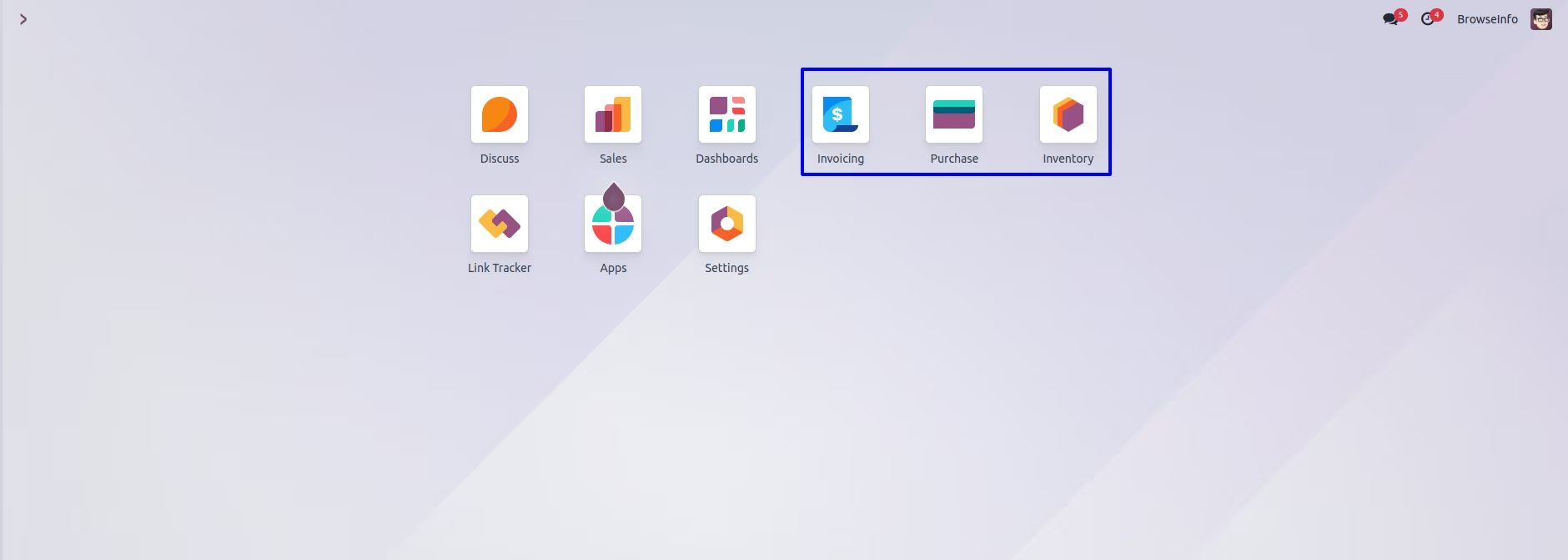
Hide Menu from User Configuration
User can see visible menus.
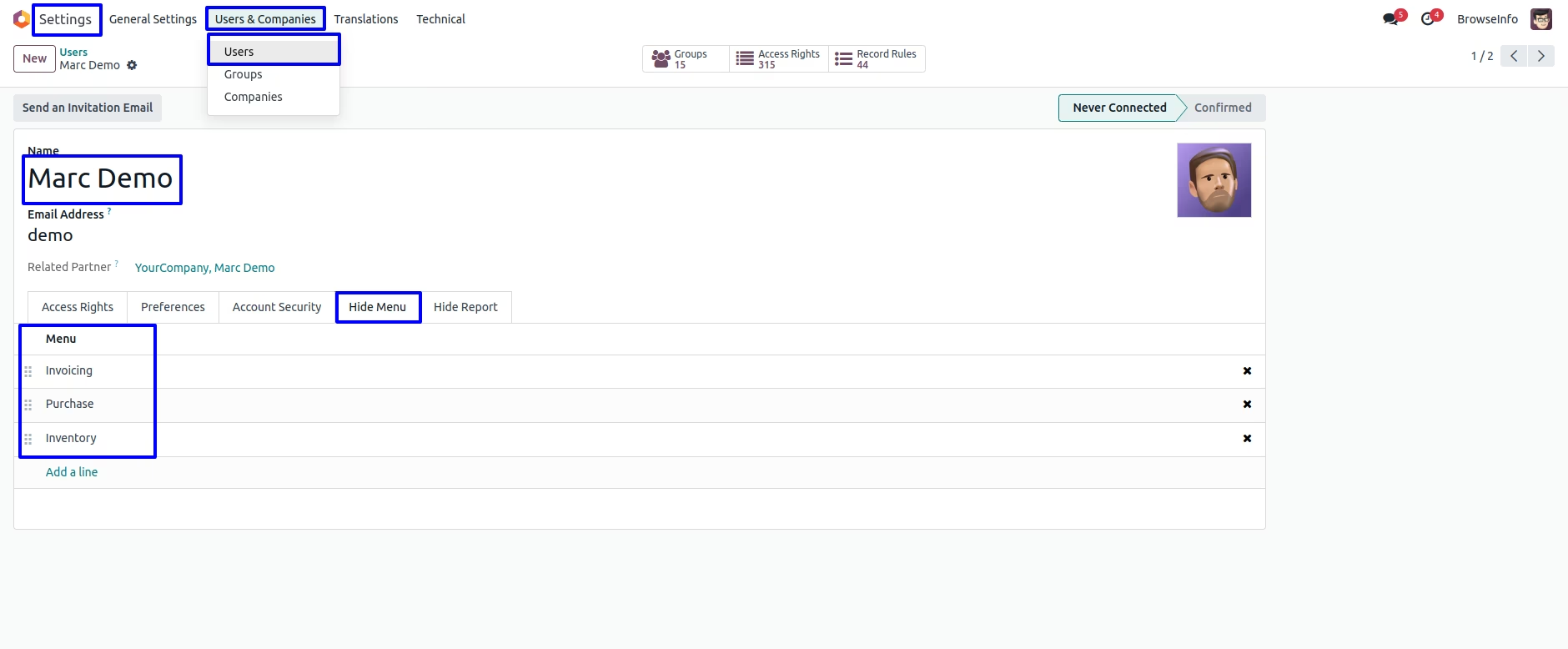
Under Settings > User & Companies > Users menu user can "Hide Menu" tab, User have to add menu that he/she wants to hide for particular user.
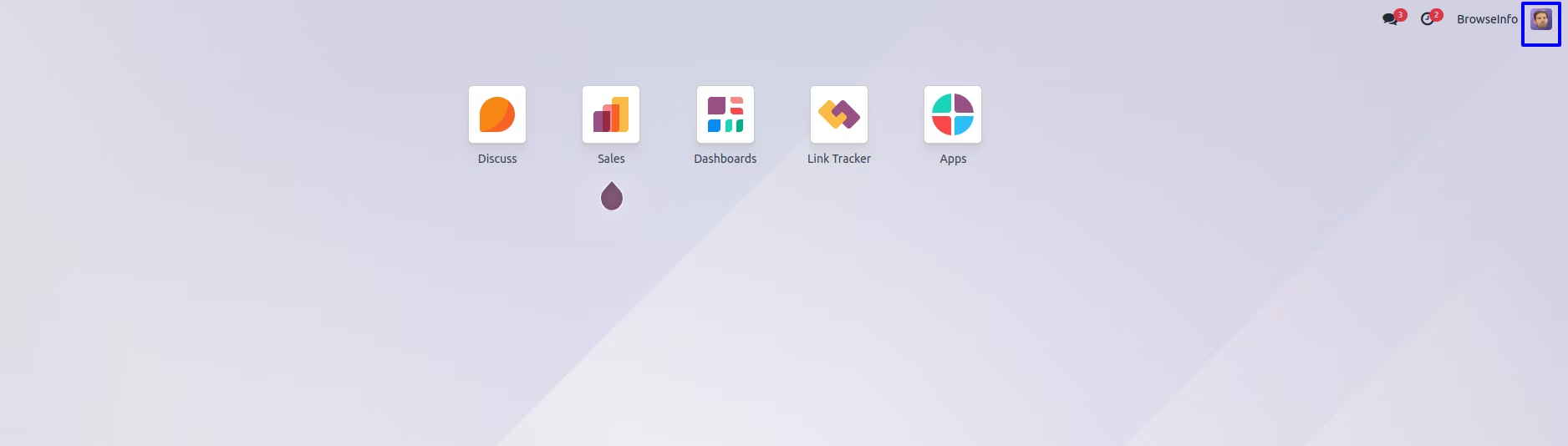
User can see here selected menus are hidden/invisible for user.
Hide Menu from Group Configuration
User have option to hide menu also from Settings > User & Companies > Groups menu.
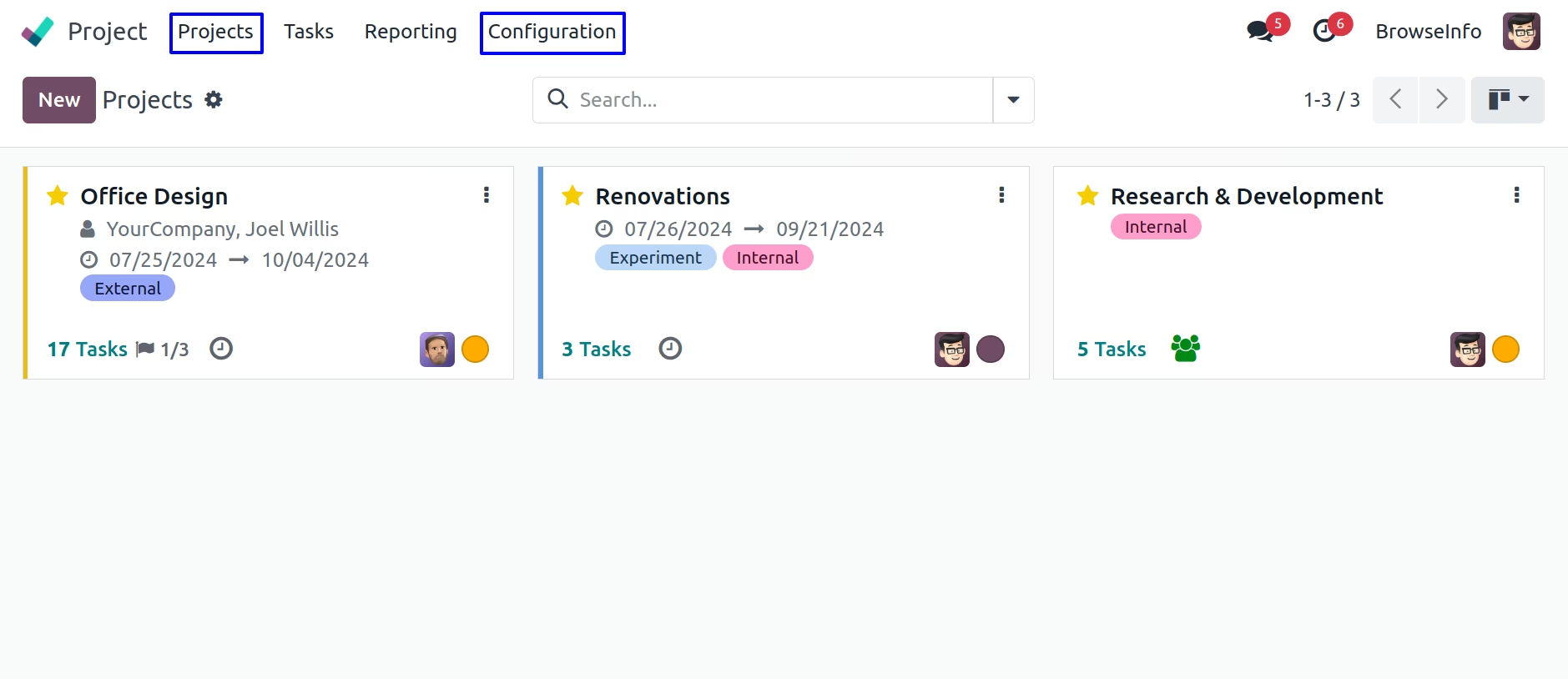
On Groups form view user can see "Hide Menu" tab, here user have to select menu items that he/she wants to hide from specific groups, users belongs to this groups also can not see selected menus.
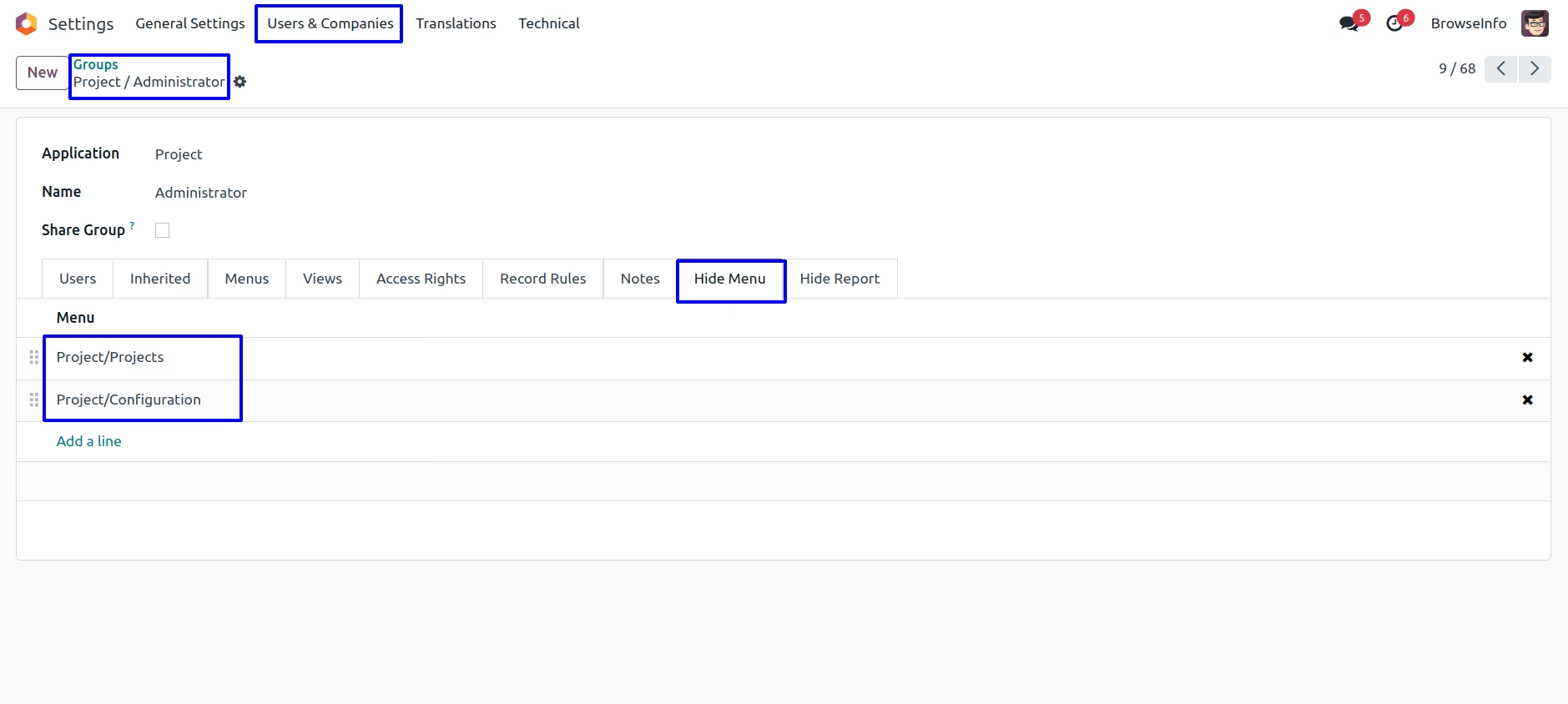
User can see selected menu on groups are hidden/invisible.
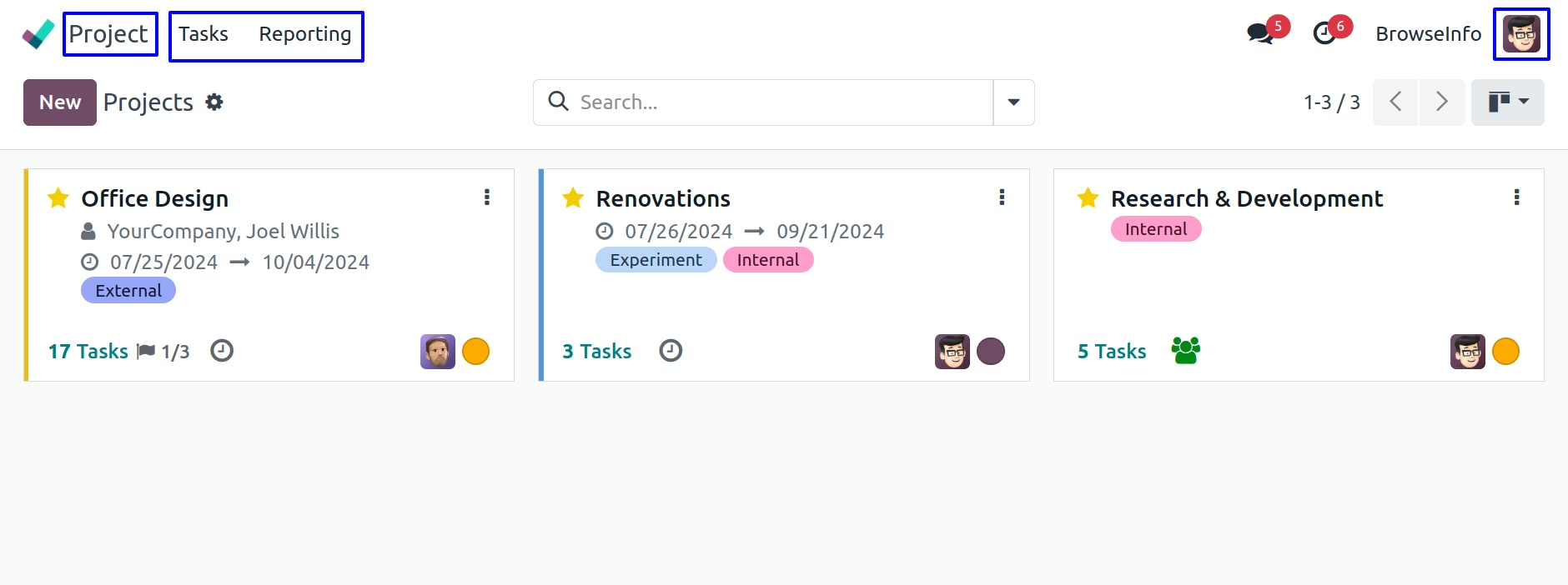
Hide/Invisible Submenu
User can hide submenu from both user or groups configuration.
User can see visible submenu for user.
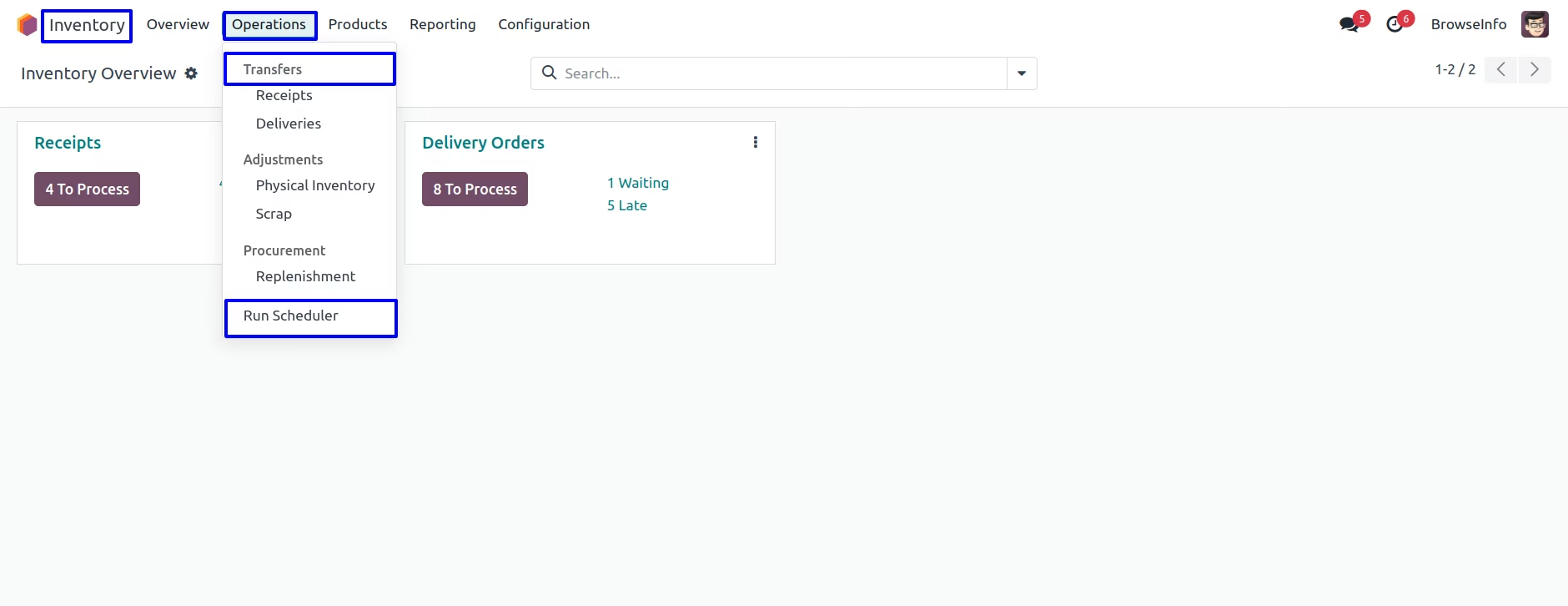
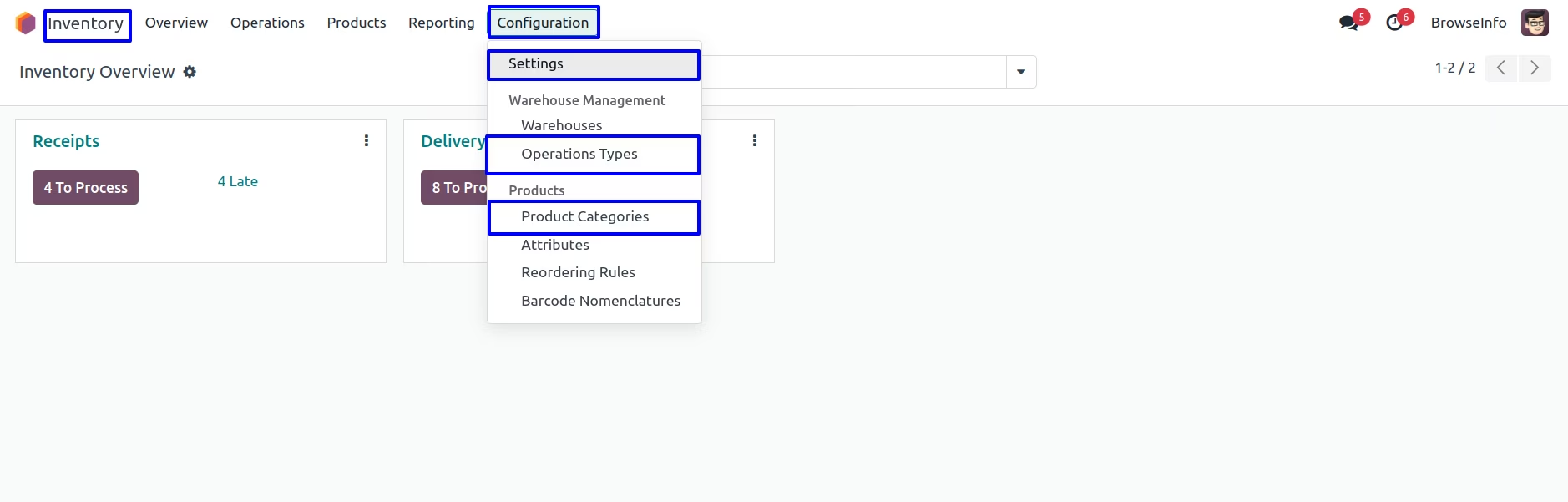
User heve to add submenu that he/she wants to hide by adding "Hide Menu' tab.
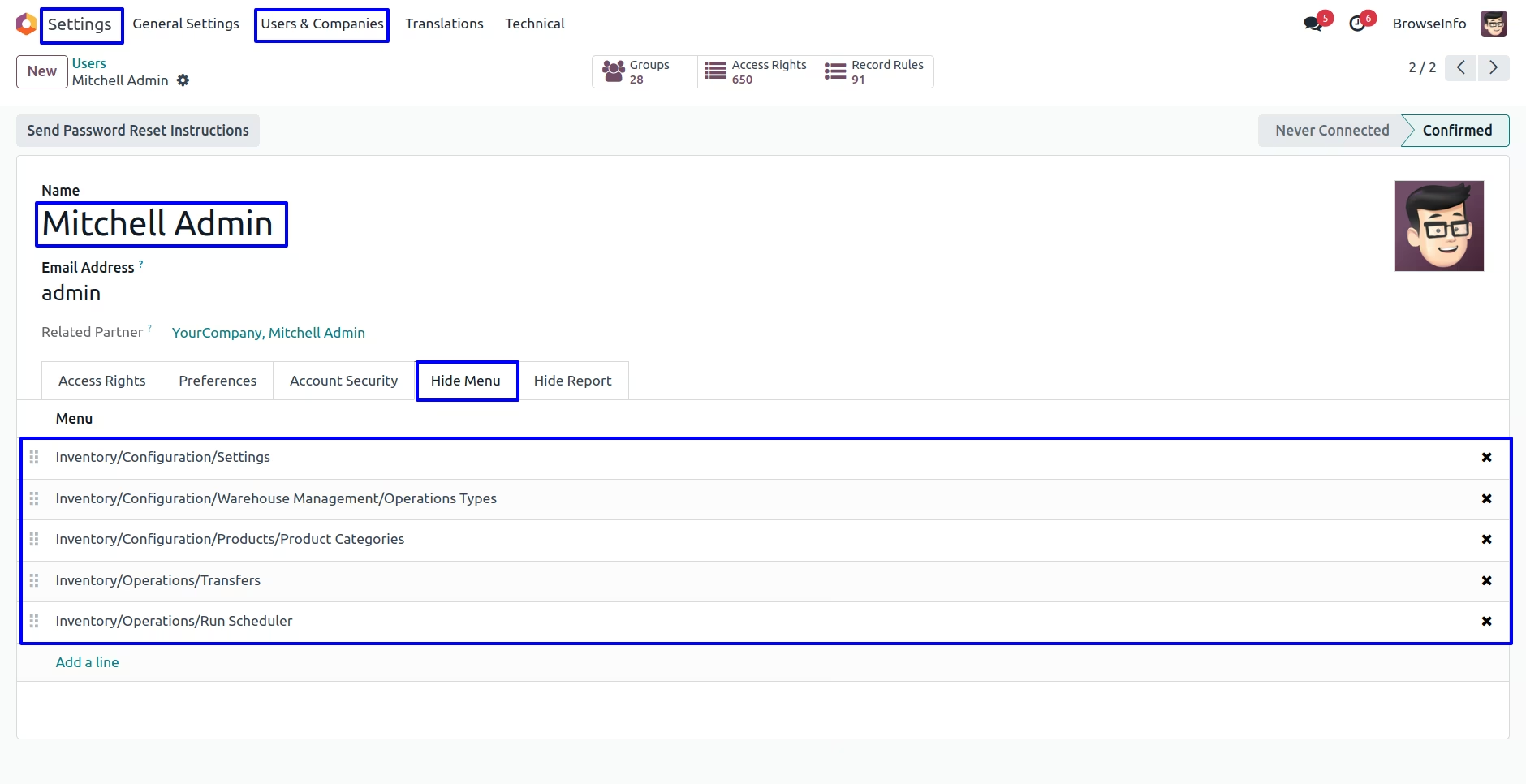
User can see selected submenus are hidden/invisible.
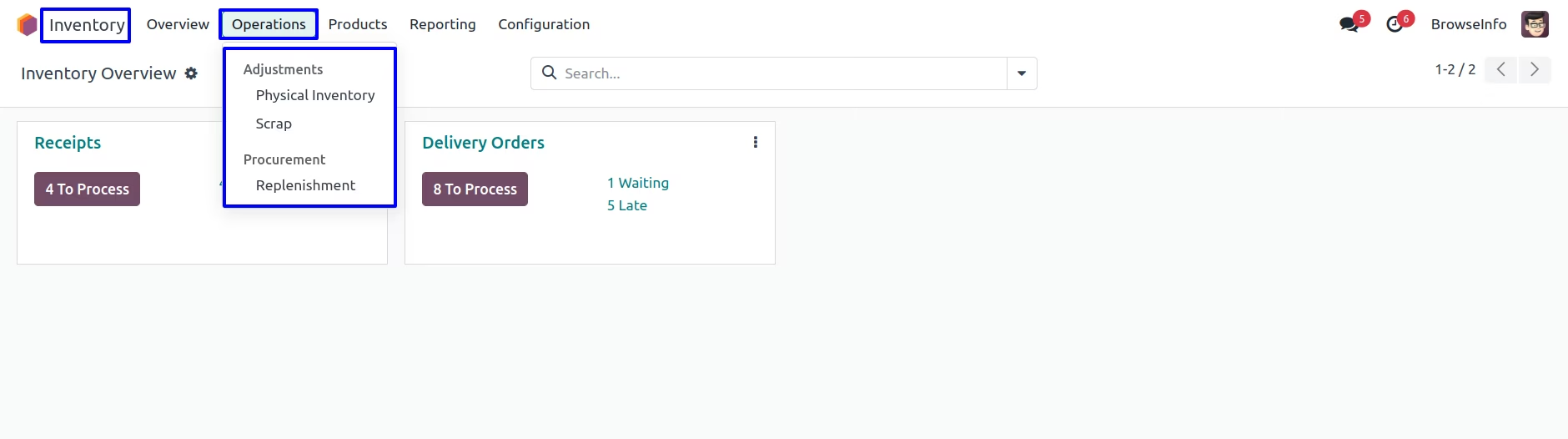
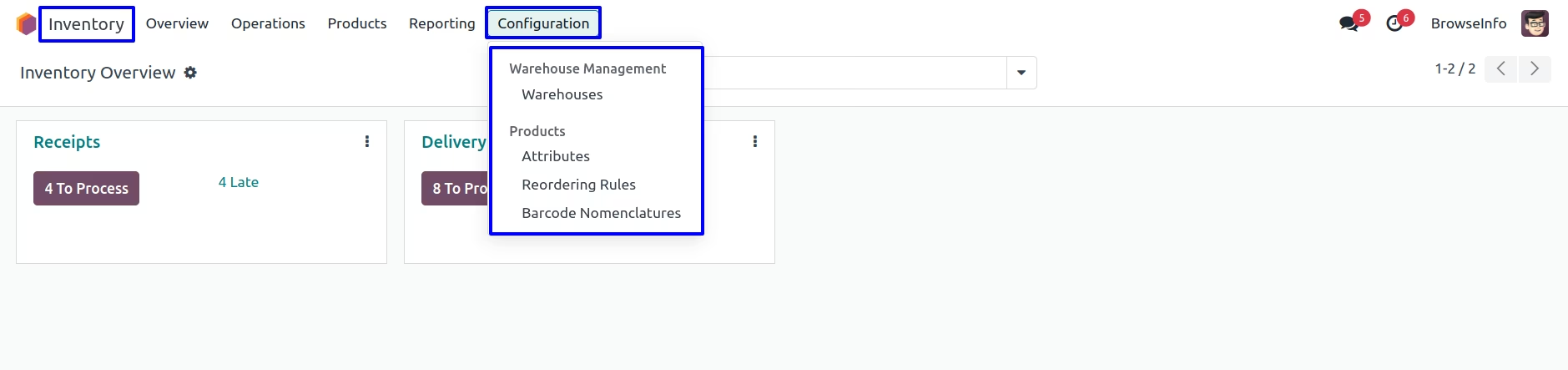
Hide/Invisible Report
Hide Report from User Configuration
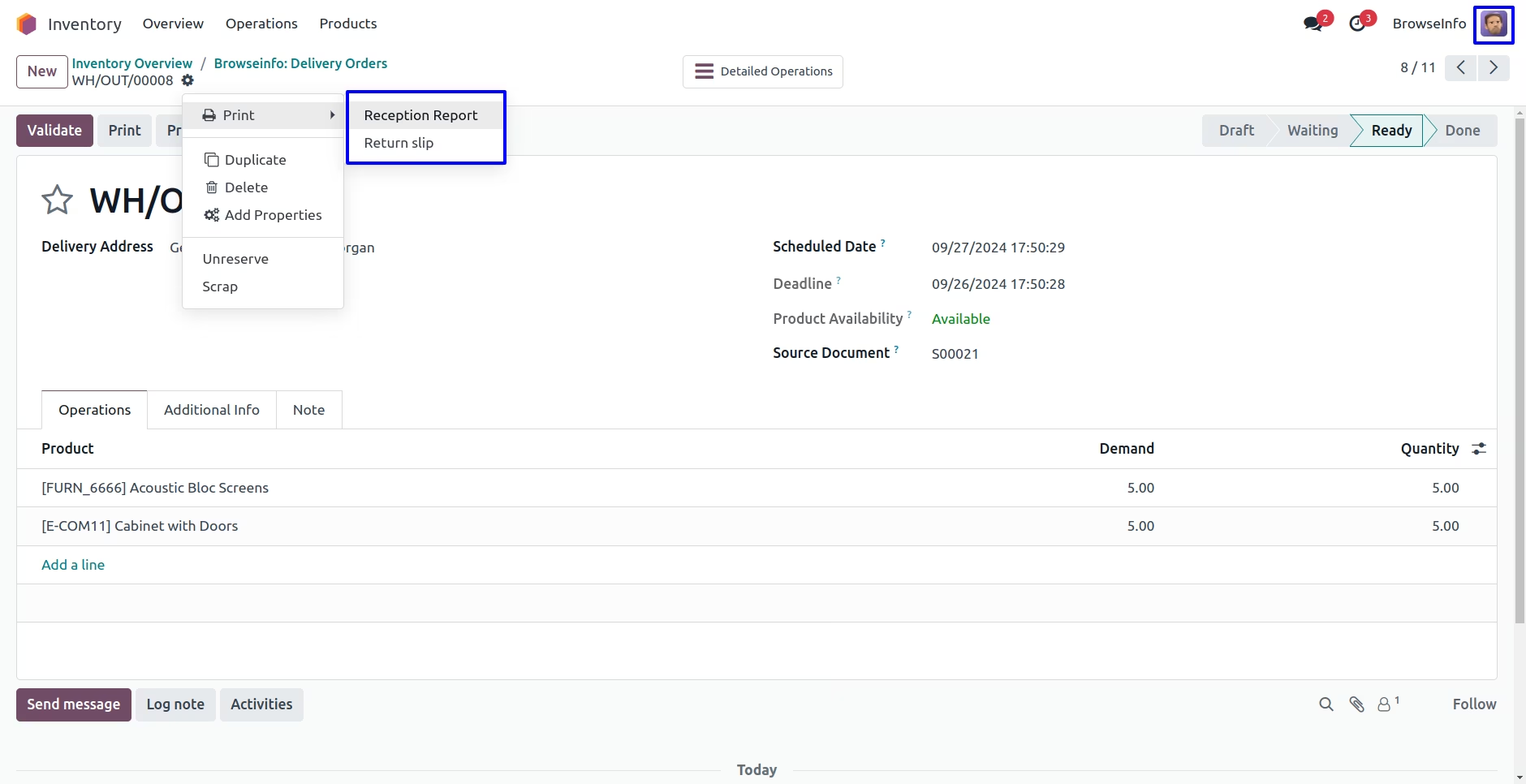
User can visible report menu for user.
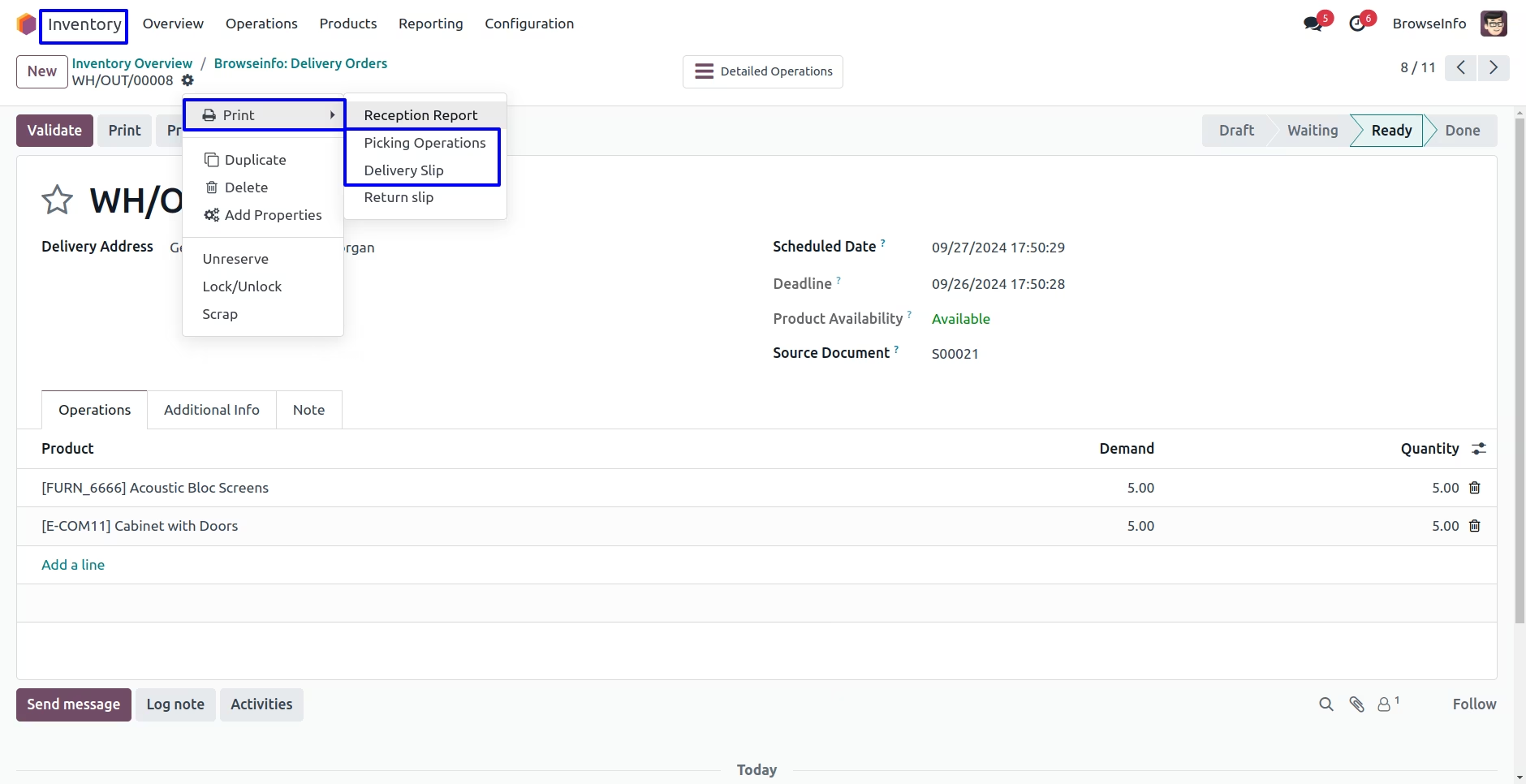
User can hide report menu from group configuration by adding to "Hide Report" tab.
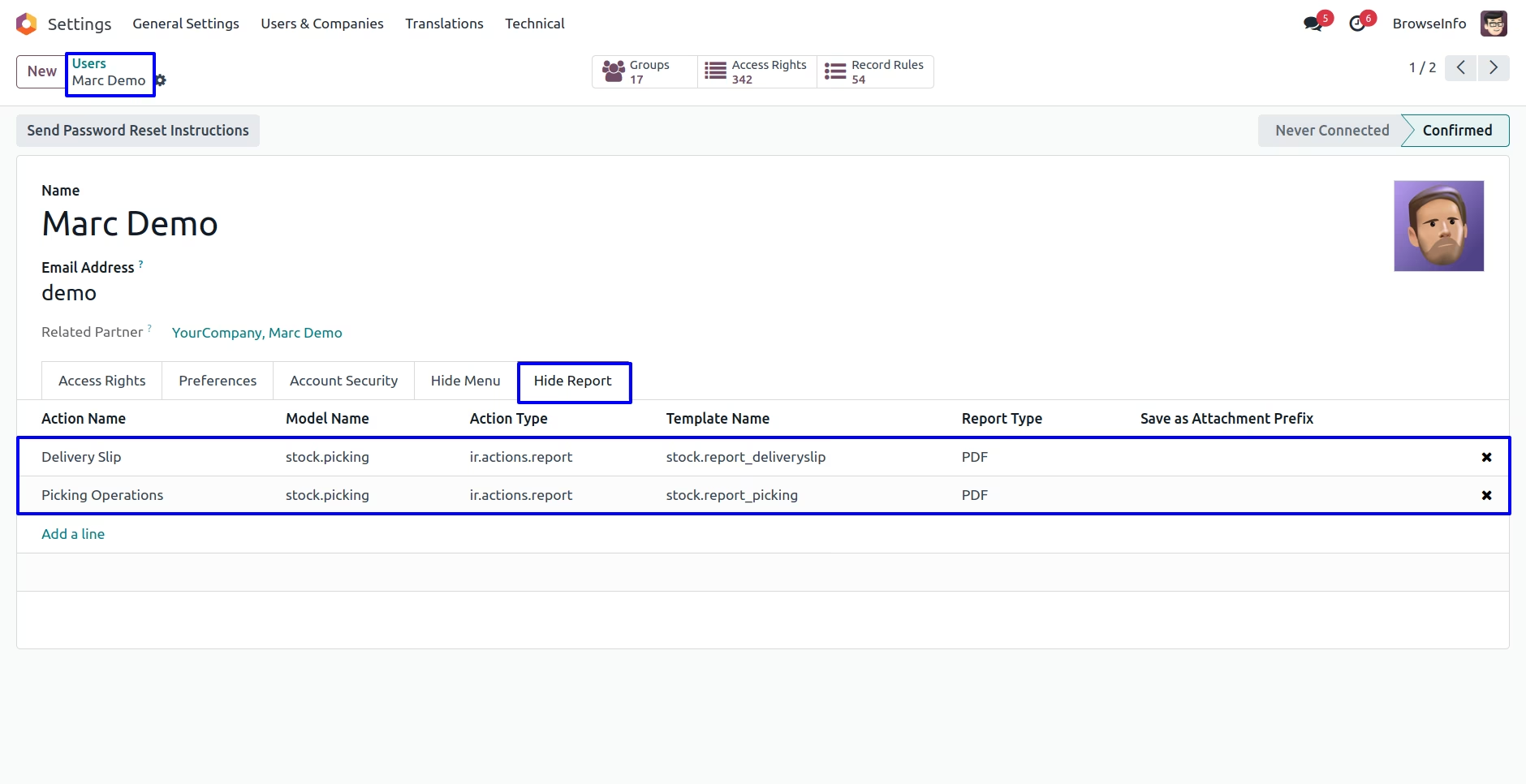
User can see selected menu is hidden
Hide Report from Group Configuration
User can visible report menu for user.
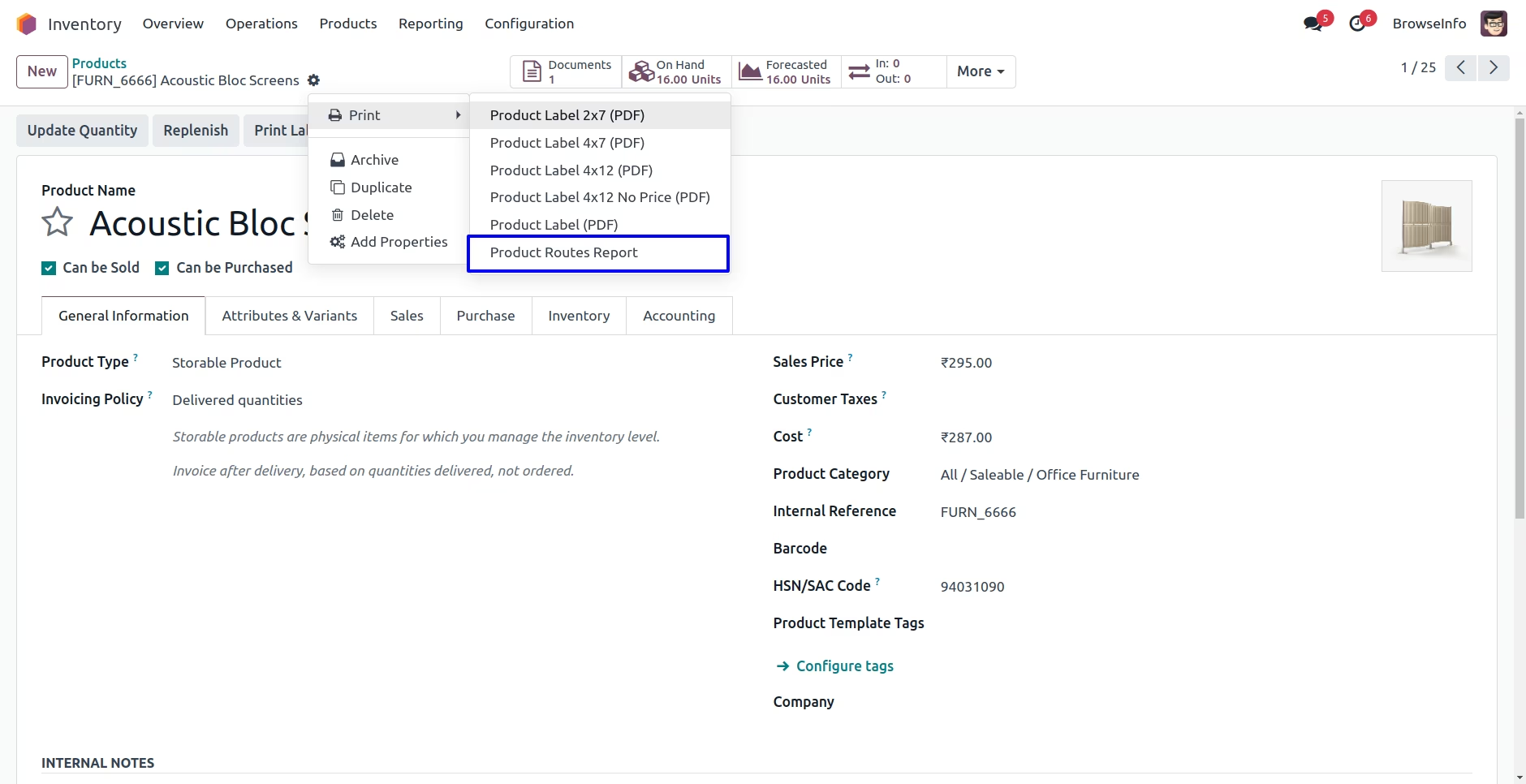
Settings > User & Companies > Groups menu user have to add report menu on "Hide Report" menu.
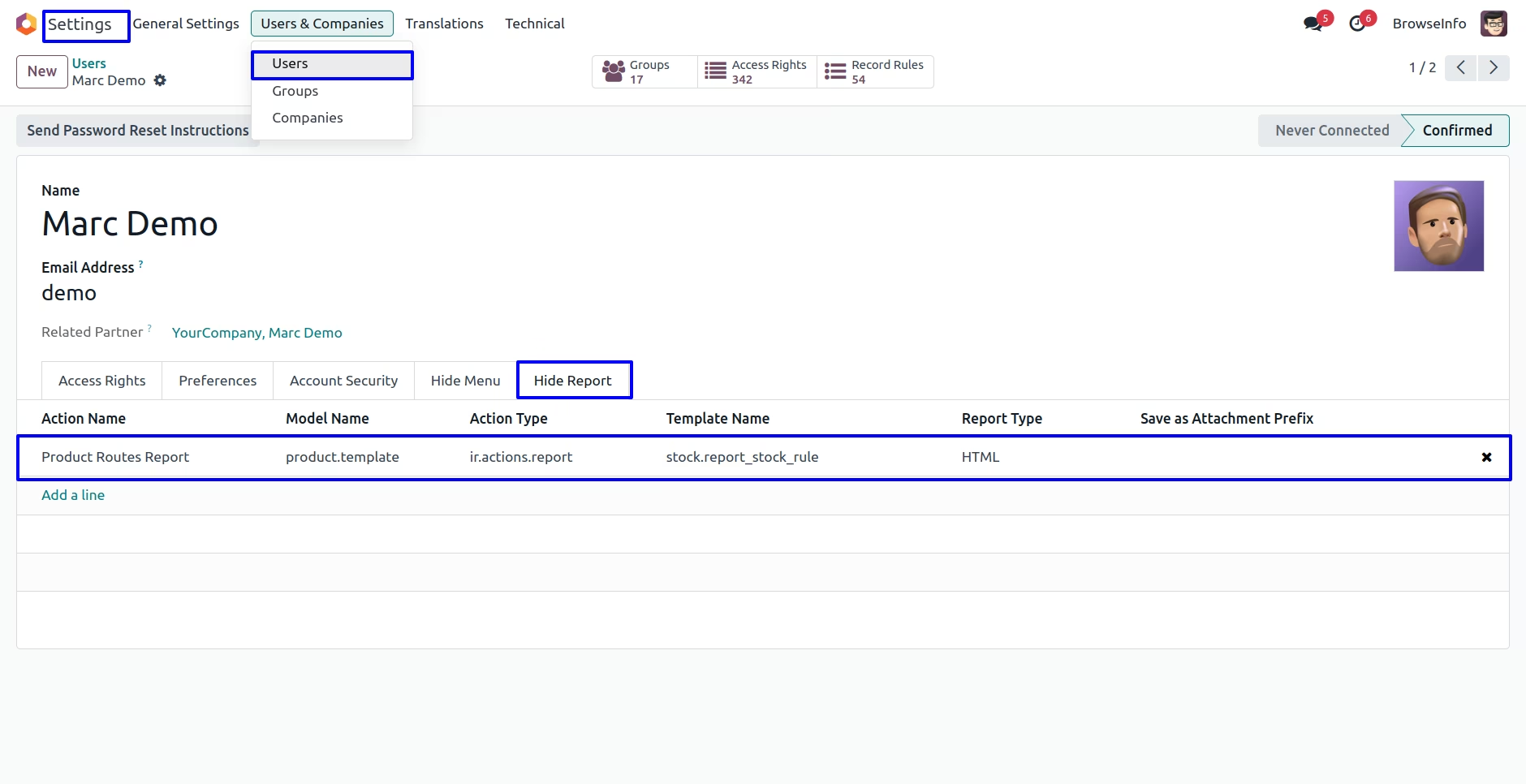
User can see selected report menu invisible/ hidden for group and group users.
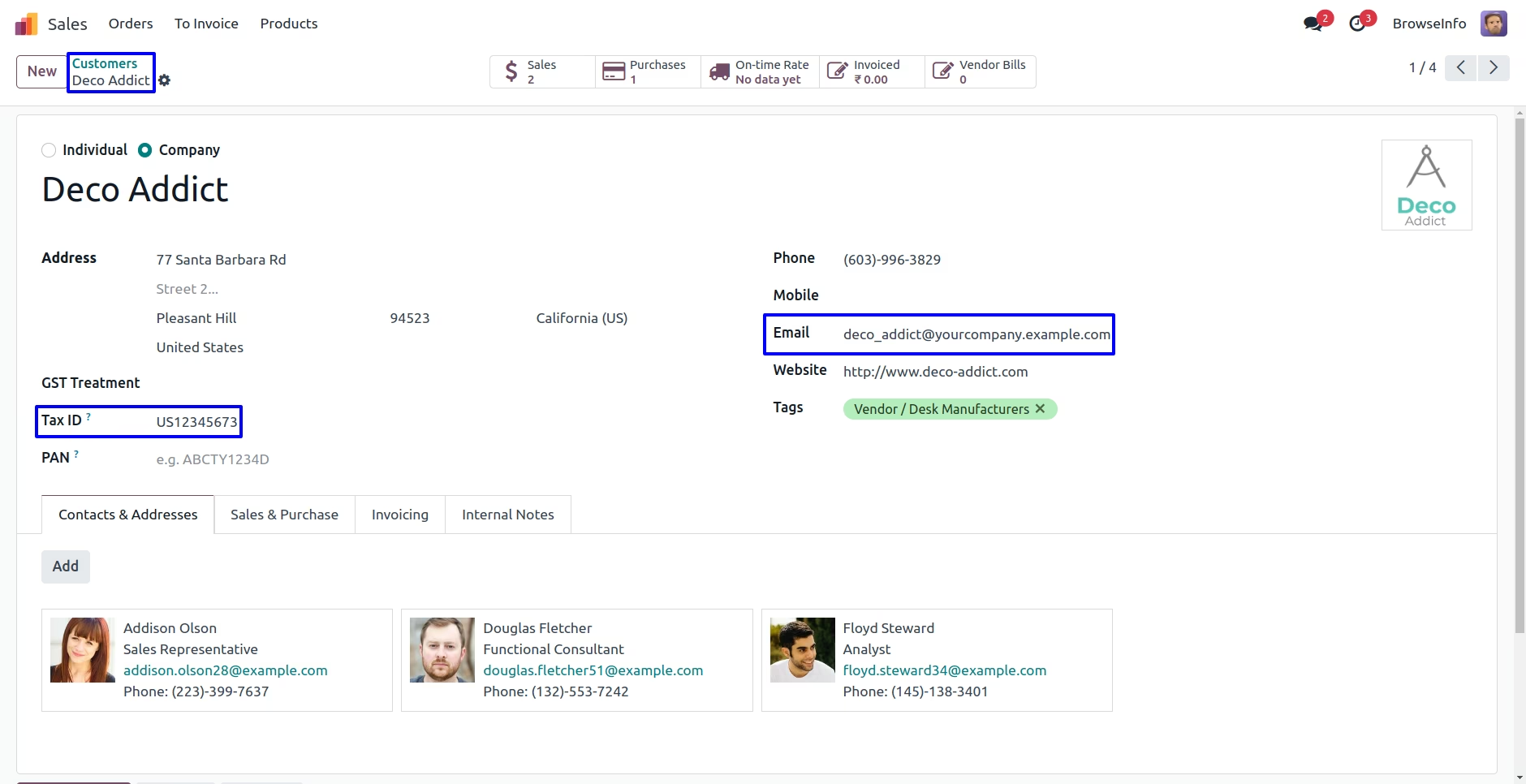
Set Readonly OR Invisible any Fields
User can hide or make readonly number of fields, Here user can see marked "GSTIN" is visible fields and "Email" is editable field.
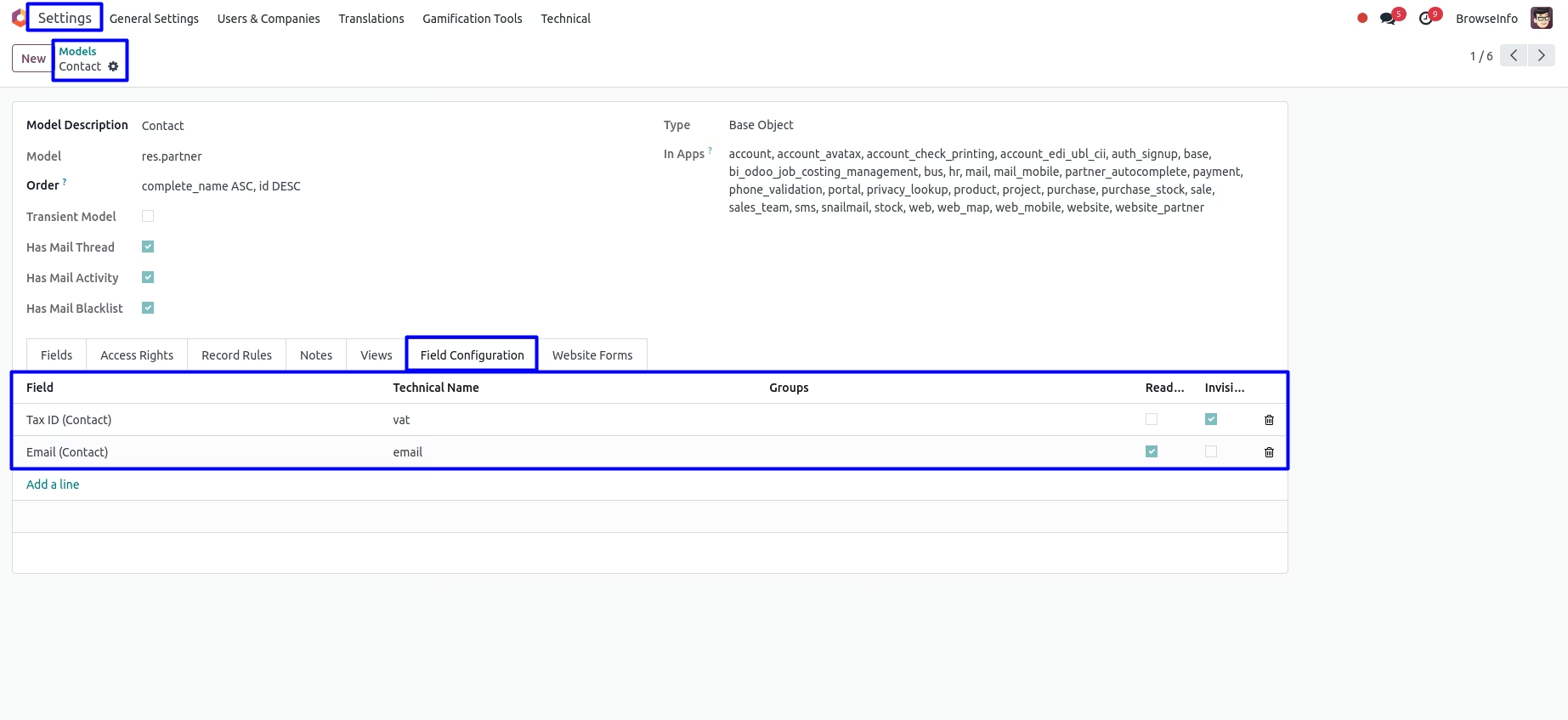
Under models form view user can see "Field Configuration" tab, here user have to add fields and enable "Readonly" and "Invisible" attribute, user also can select groups and this only applies to selected group and groups users.
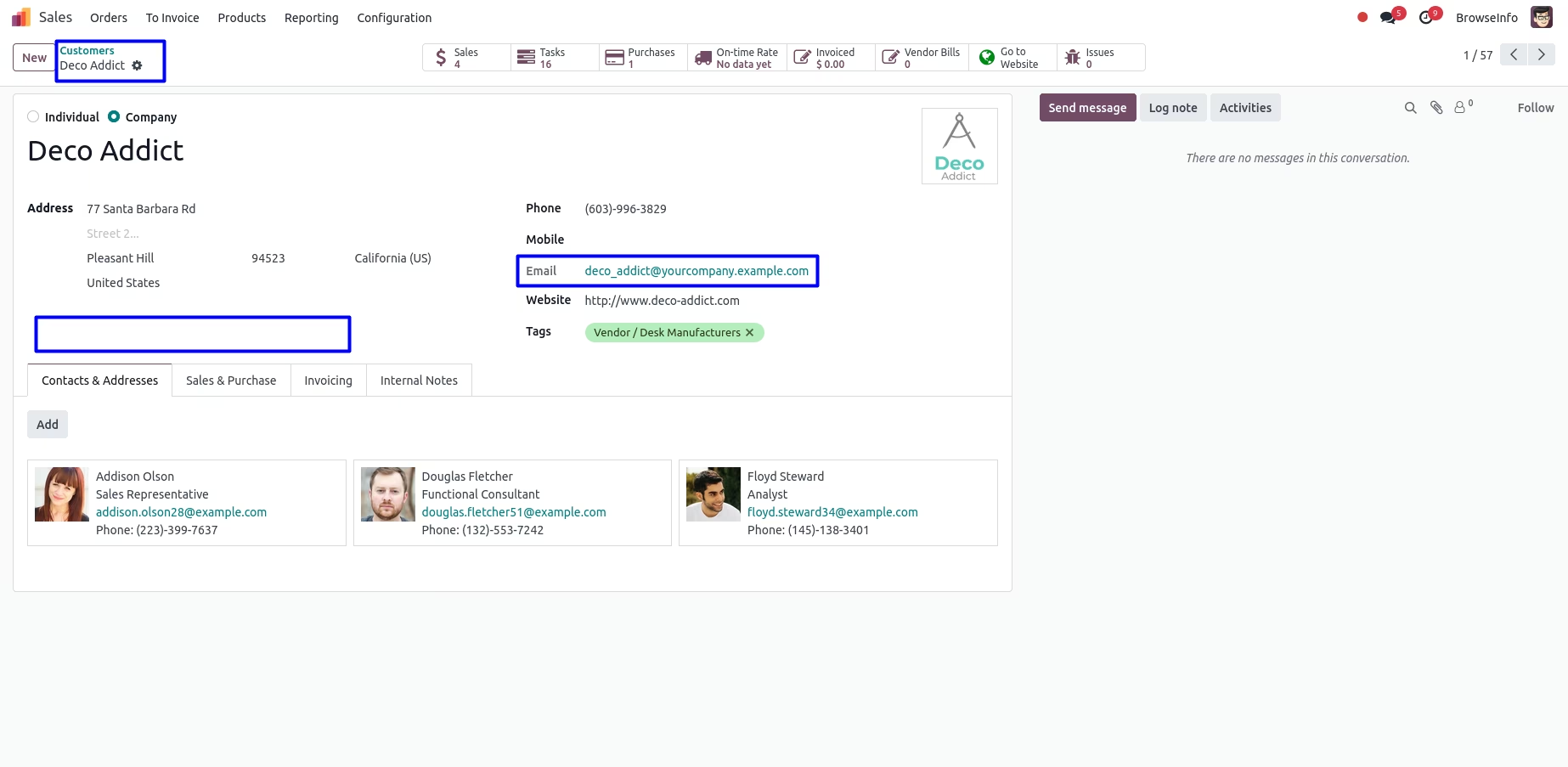
User can see "GSTIN" field is invisible and "Email" field is readonly.
Version :
17.0.0.0
22 October 2023
Initial release of the app.
Version :
17.0.0.4
07 March 2024
Fixed issue.