Skip to Content

POS Bluetooth SUNMI Printing

104.00 130.00

Technical Name
EasyERPS_pos_bluetooth_built-in_printer
Subscribe to download Add to collection

POS Bluetooth/SUNMI Devices Printing for Odoo – Direct POS Receipt Printing with Android

The POS Bluetooth/Built-in SUNMI devices module for Odoo transforms how you print receipts in your Point of Sale. Designed for SUNMI and Android POS hardware, this module allows you to print receipts directly from your Odoo POS terminal using Bluetooth, built-in, USB, or IP printers—eliminating the need for an IoT Box and streamlining checkout operations.

🔥 Key Features

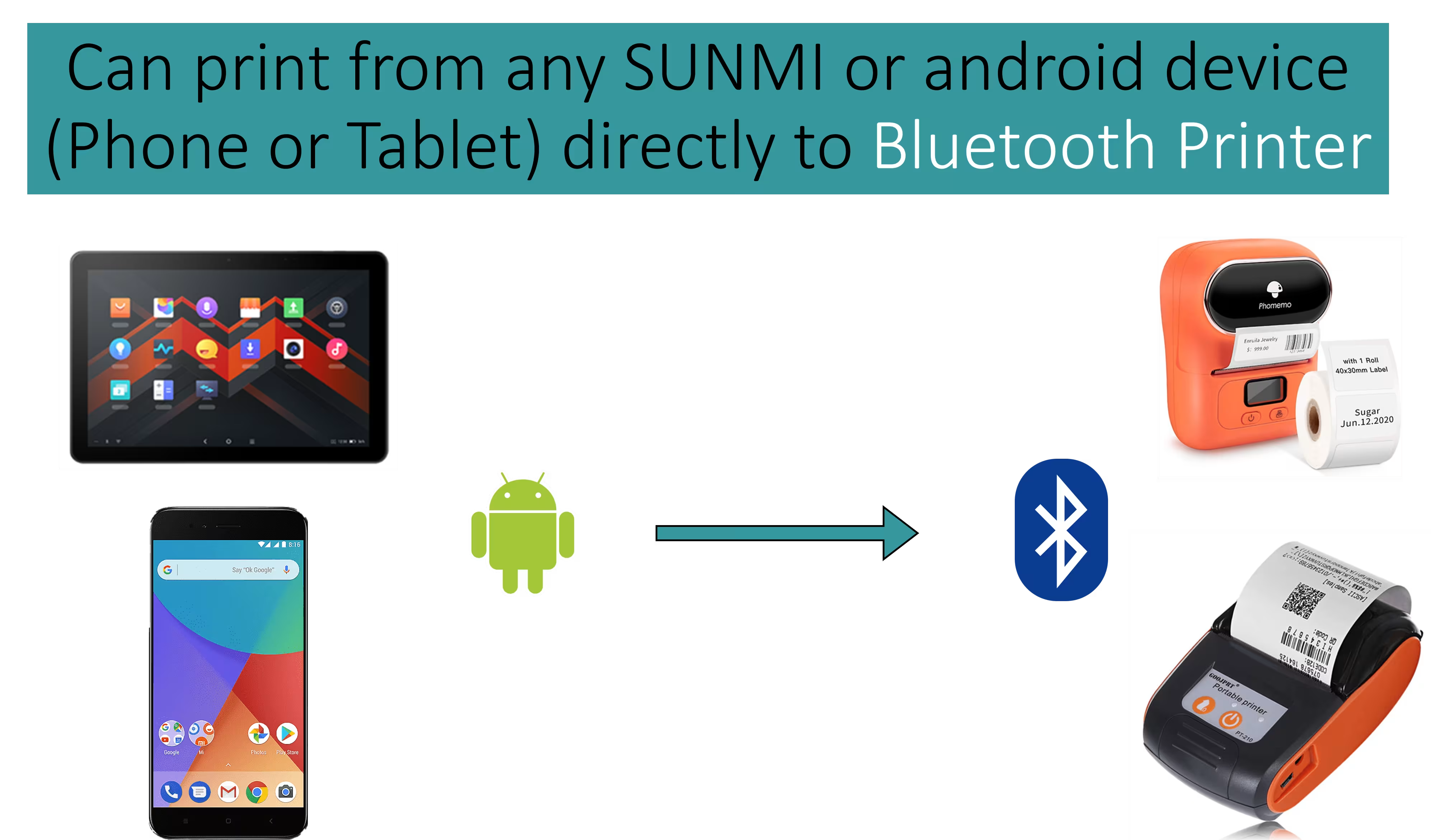
  • Bluetooth & Built-in Printer Support: Print sales receipts directly from SUNMI or other compatible Android devices with Bluetooth or built-in printers.

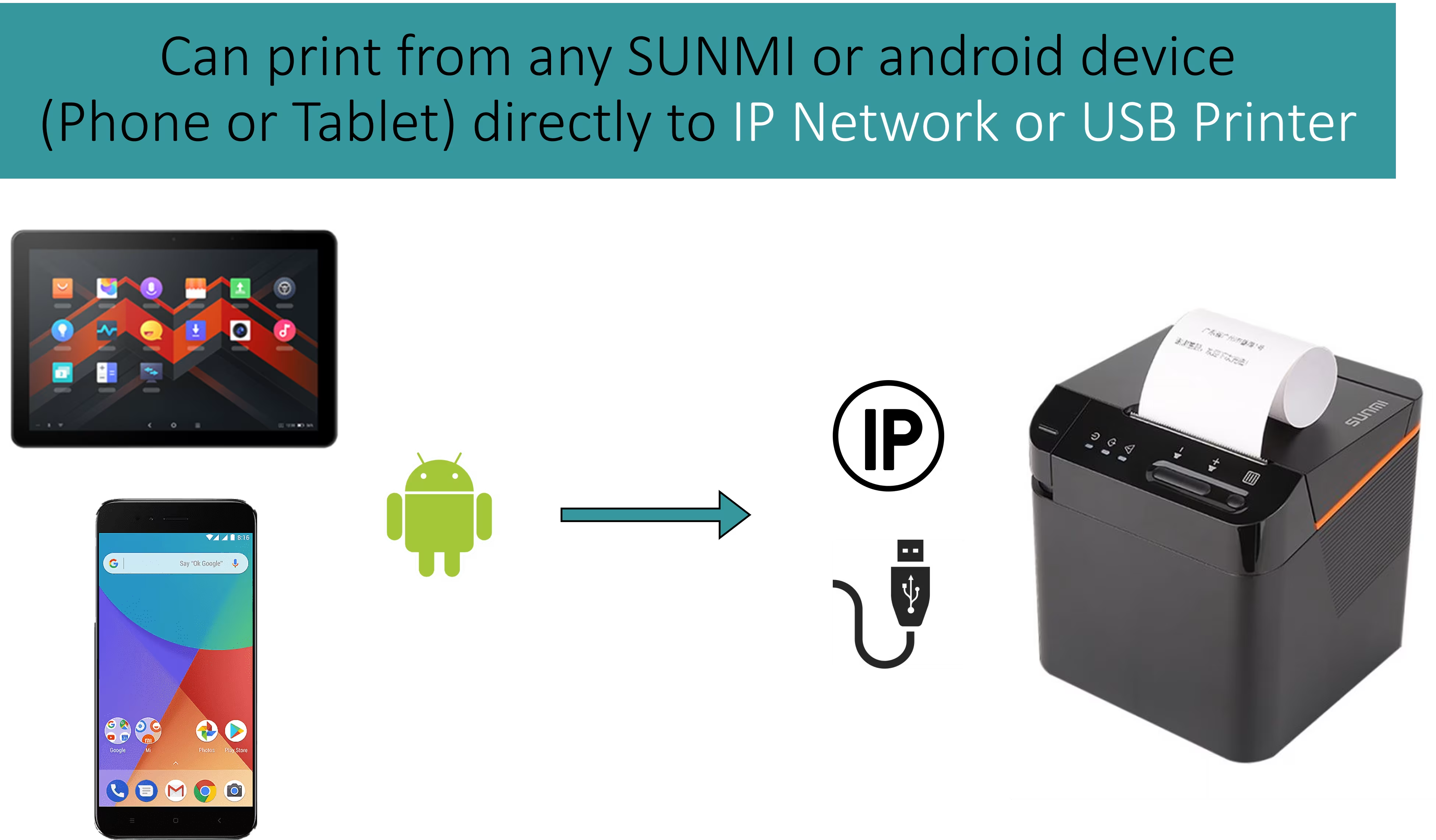
  • Multi-Printer Modes: Supports Bluetooth, integrated printer in the device, USB, or network (IP) printers as needed.

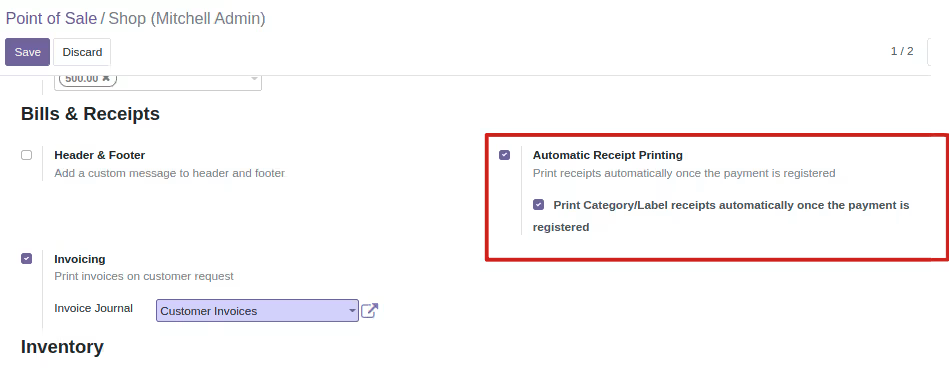
  • Automatic Receipt Printing: Configure automatic printing of POS sales receipts after each transaction for faster operations.

  • Reprint & Reports: Quickly reprint receipts or category/label printouts and generate sales reports with print options.

  • Cash Drawer Control: Automatically open the cash drawer on compatible devices during receipt printing.

  • Android PrintService App Integration: Works seamlessly with the PrintService Android app installed on the POS device for direct hardware communication.

📈 Benefits for Your Business

  • Faster Checkout: Eliminate manual printing steps by issuing receipts instantly at the point of sale.

  • Flexible Hardware Compatibility: Support for Bluetooth, built-in printer hardware, USB, and IP network printers gives you deployment flexibility.

  • Simplified Retail Operations: Ideal for cafes, retail stores, fast food outlets, and mobile point of sale setups where speed and flexibility matter.

  • Improved Customer Experience: Quick printing and smooth checkout flow enhance customer satisfaction and operational throughput.

This module is perfect for implementers and retailers who want direct Android POS printing support inside Odoo Point of Sale without requiring additional IoT hardware, saving costs and setup time.
Android Print Service App for Odoo POS Bluetooth/Built-in Printer Module

Android App Configuration

  • Get the latest Print Service app in releases page : https://github.com/odoovo/sunmi_device_odoo
  • Download the Main.Service.apk file and install it on your android device
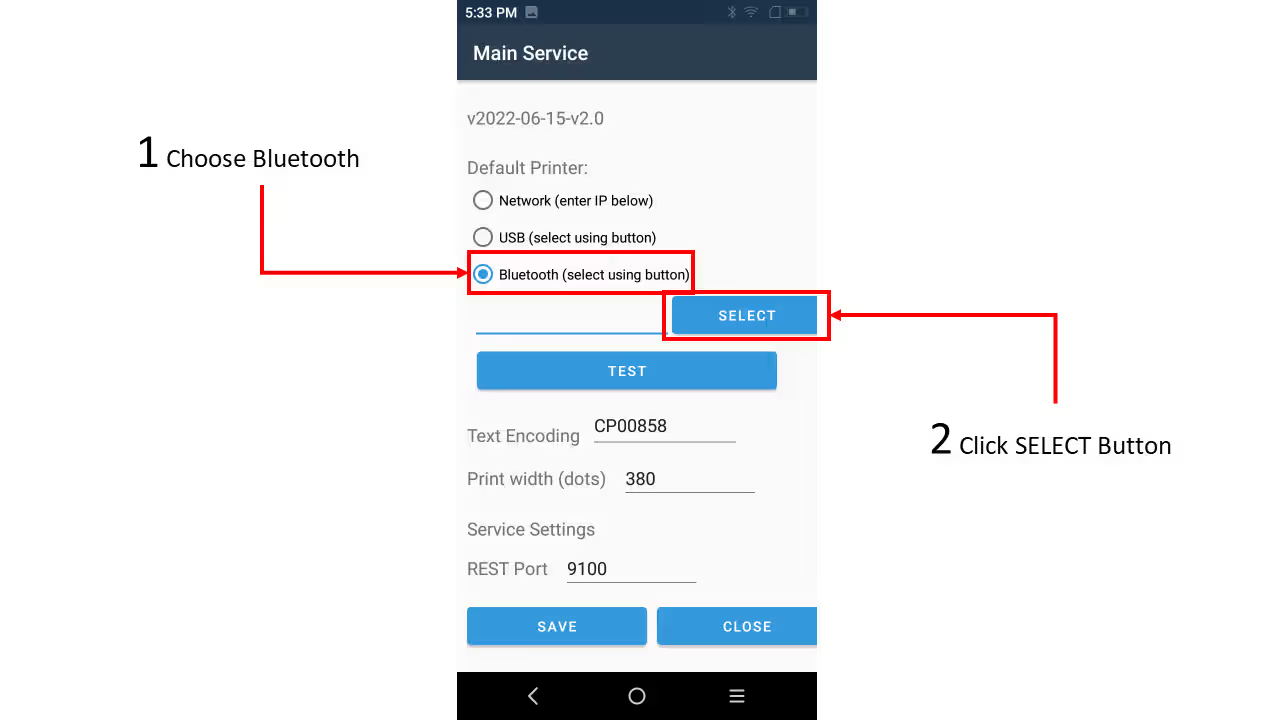
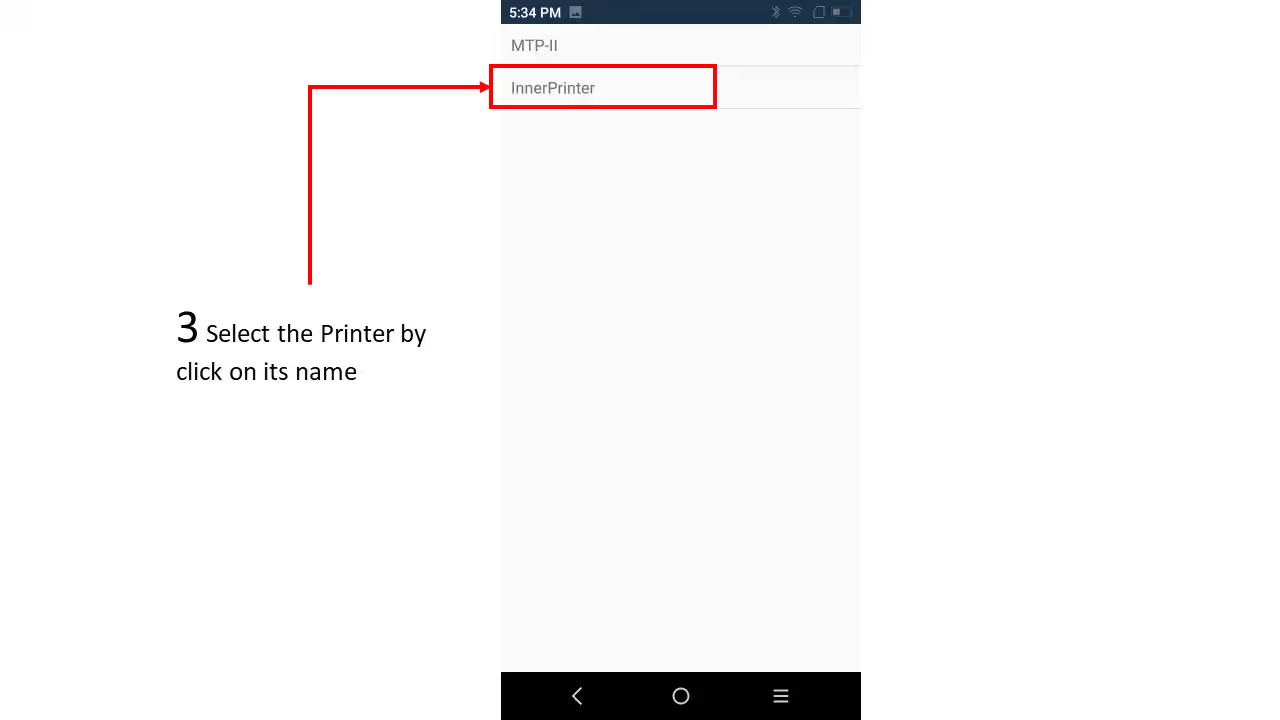
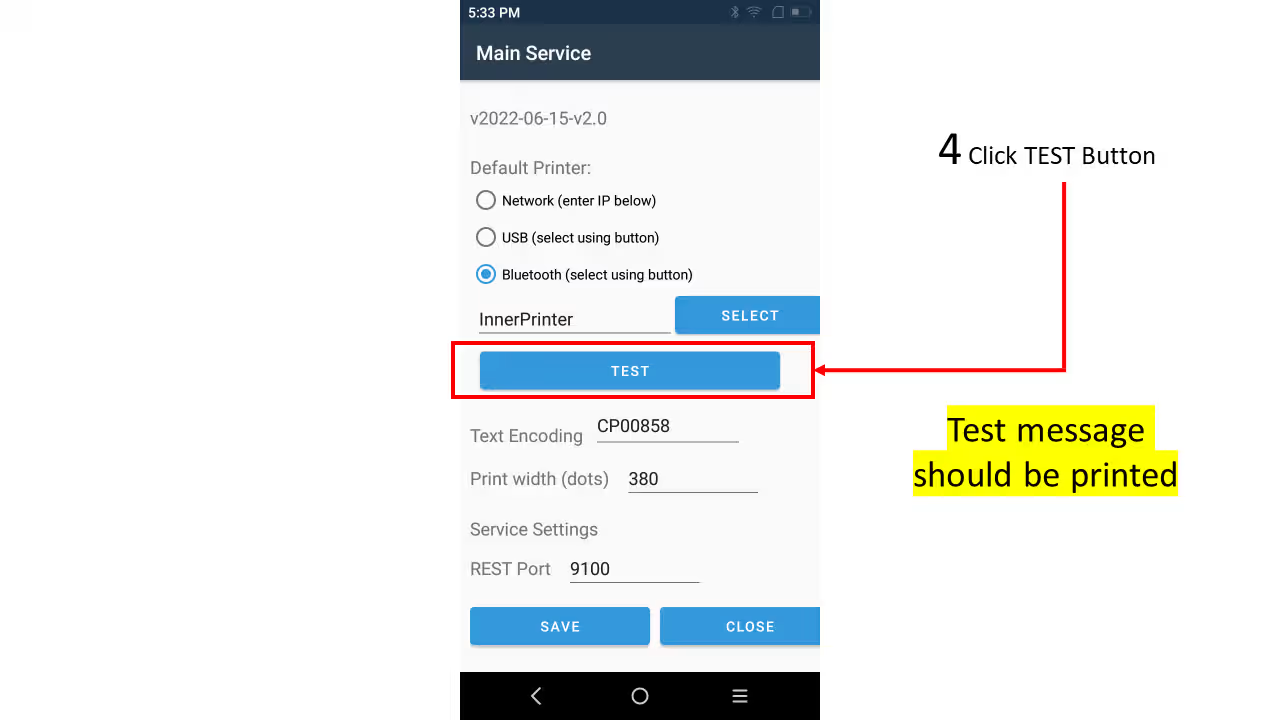
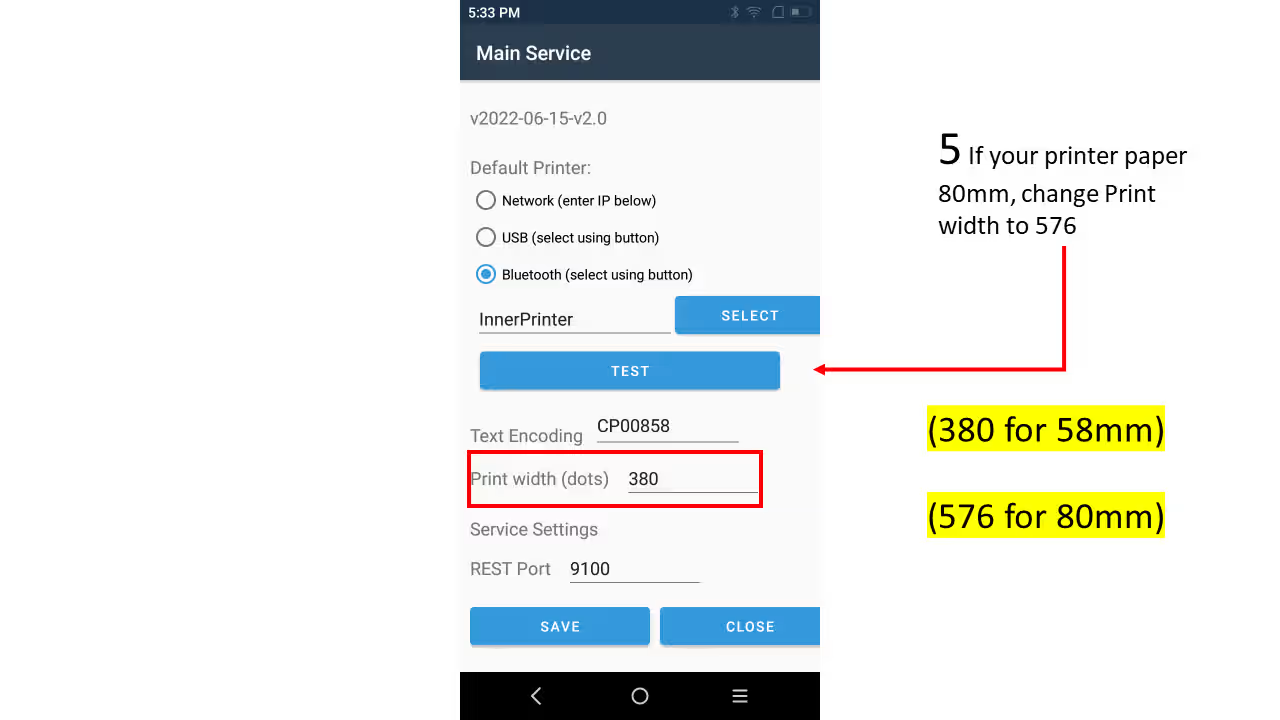
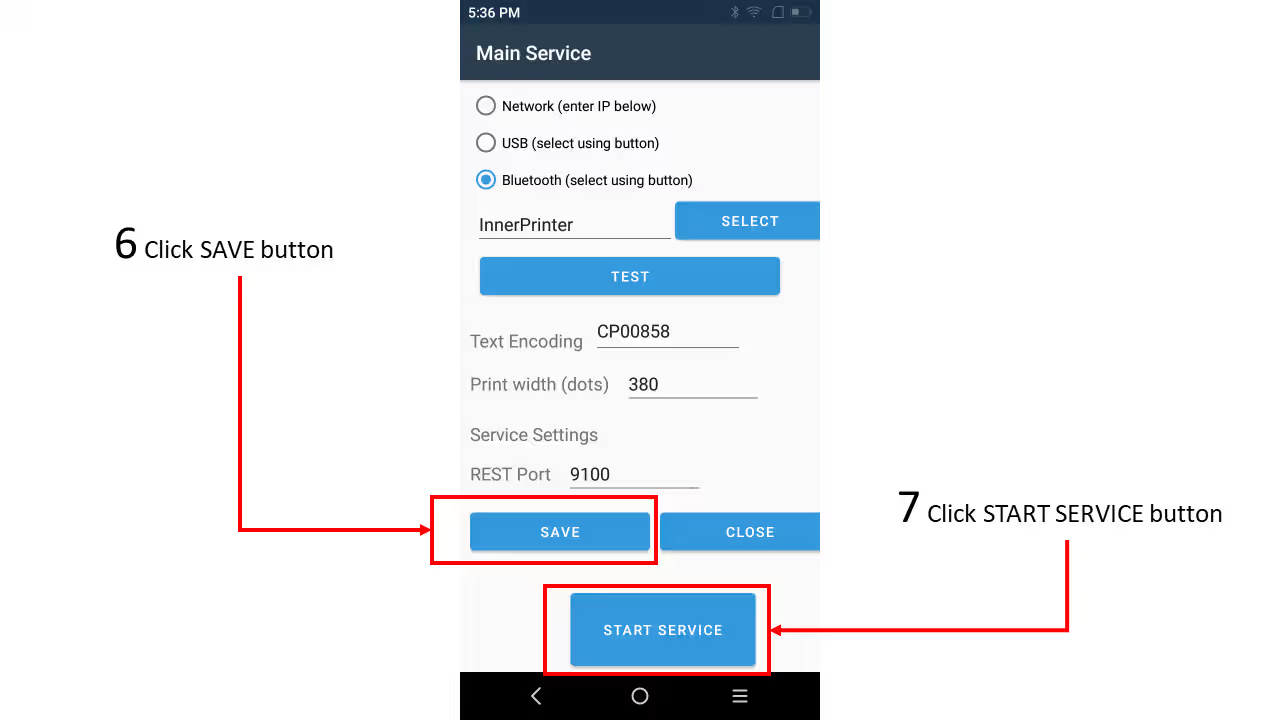
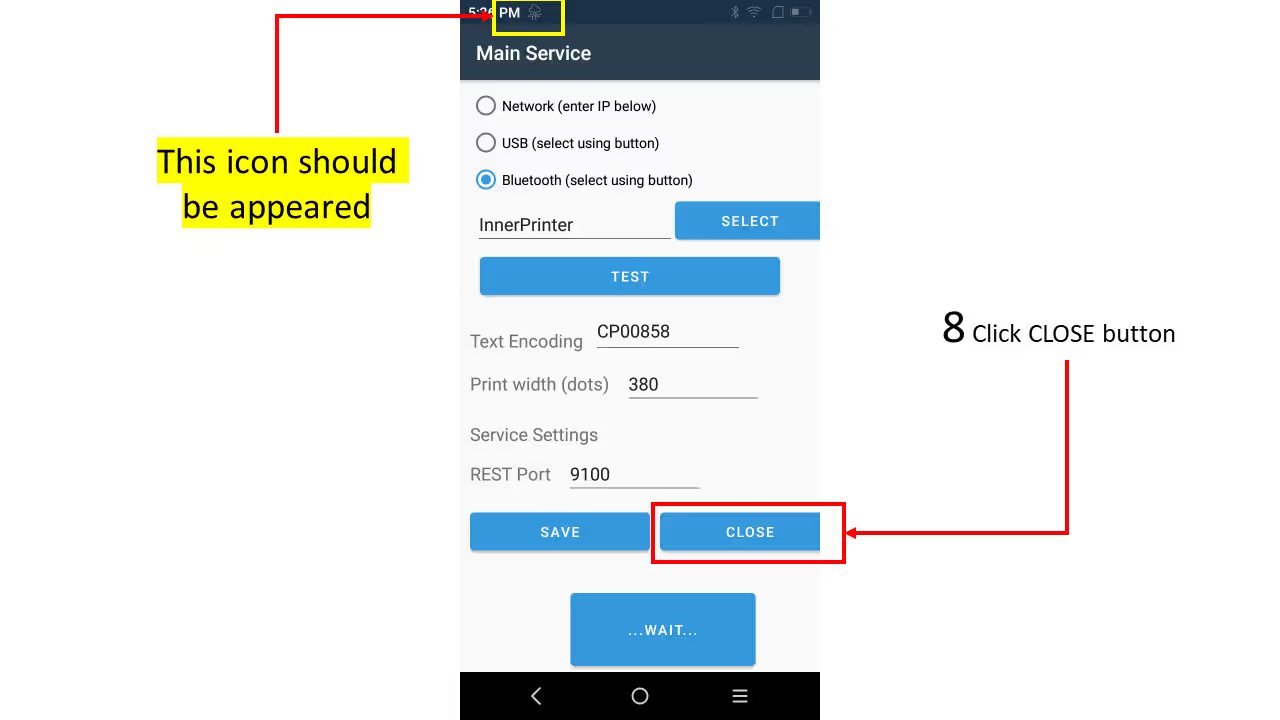
  • Open the app and follow the below instruction:

The app now ready to use

Odoo Configuration

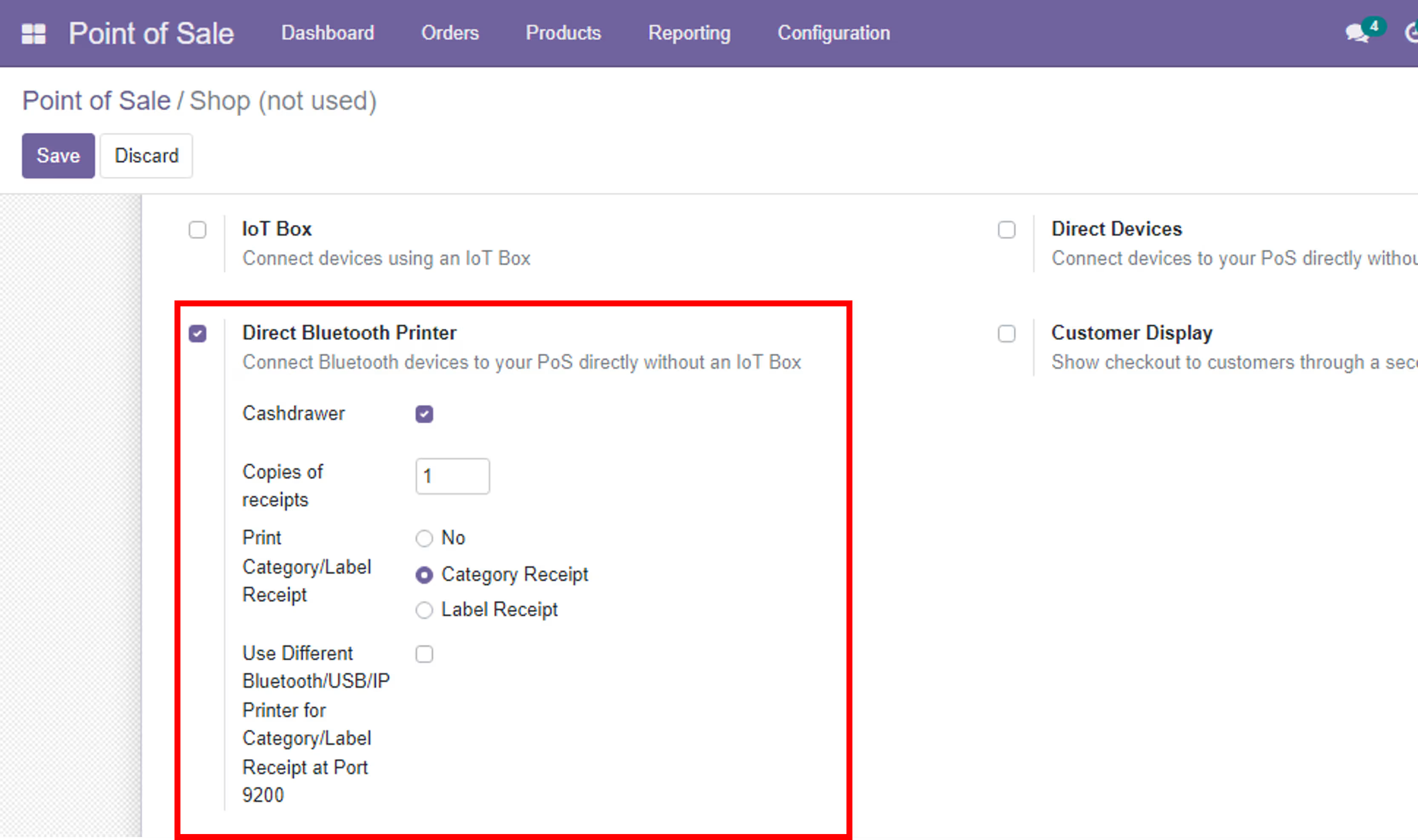
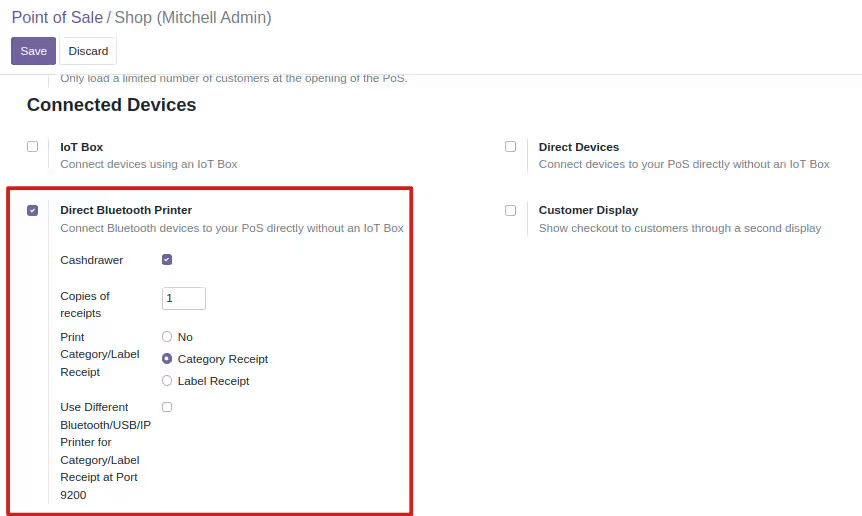
Now go to odoo and install the module and from POS session settings activate Direct Bluetooth printer and set other settings:

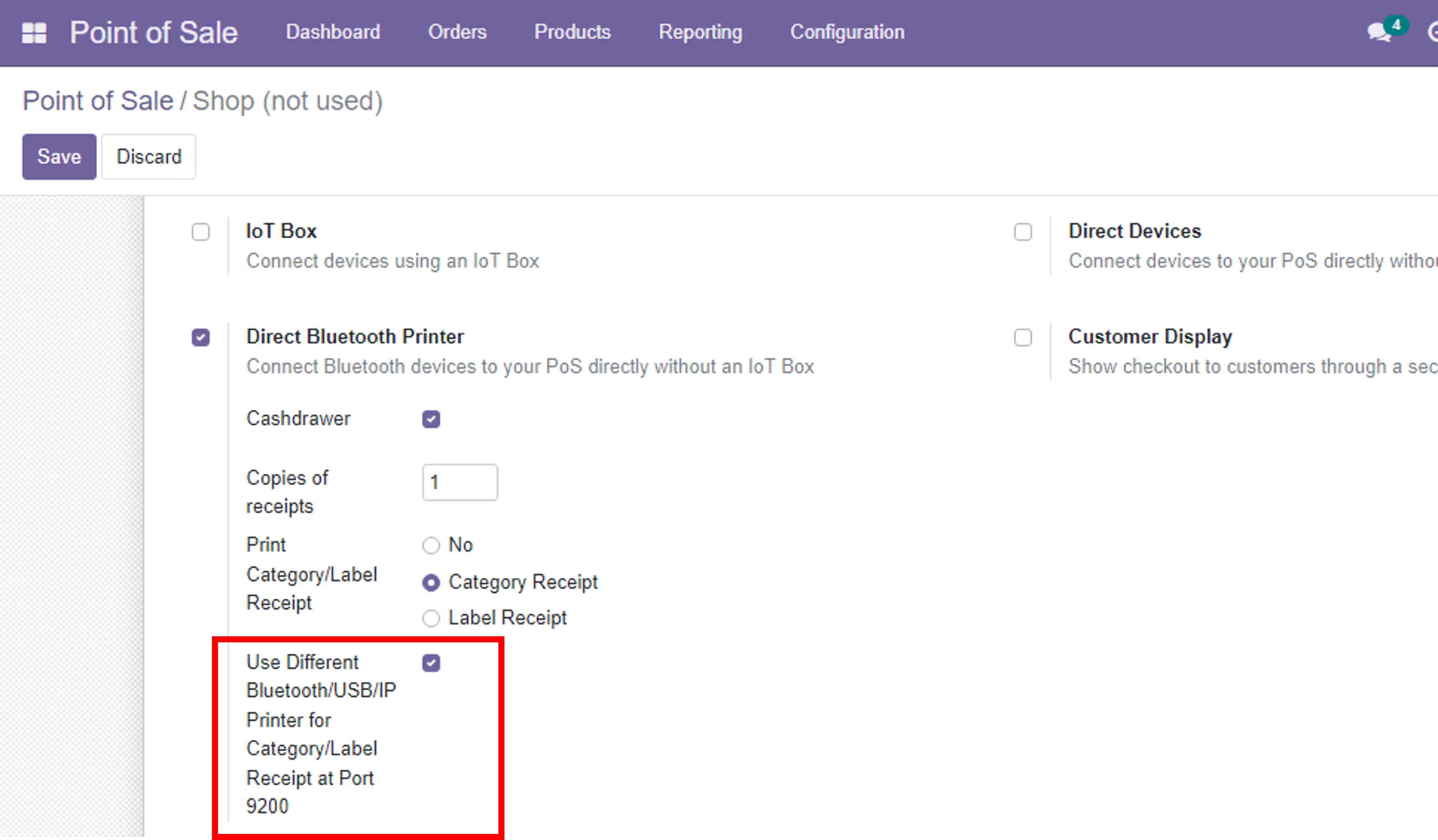
Use Different Printer for Category/Label Receipt

If you have other printer and want to print category or label receipt on it please follow the below:

  • Download the 9200.Service.apk file and install it on your android device
  • Open the app and follow the above instruction
  • Now go to odoo and POS session settings and select (Use Different Bluetooth/USB/IP Printer for Category/Label Receipt at Port 9200)

POS Bluetooth, Built-in, USB and IP Printer

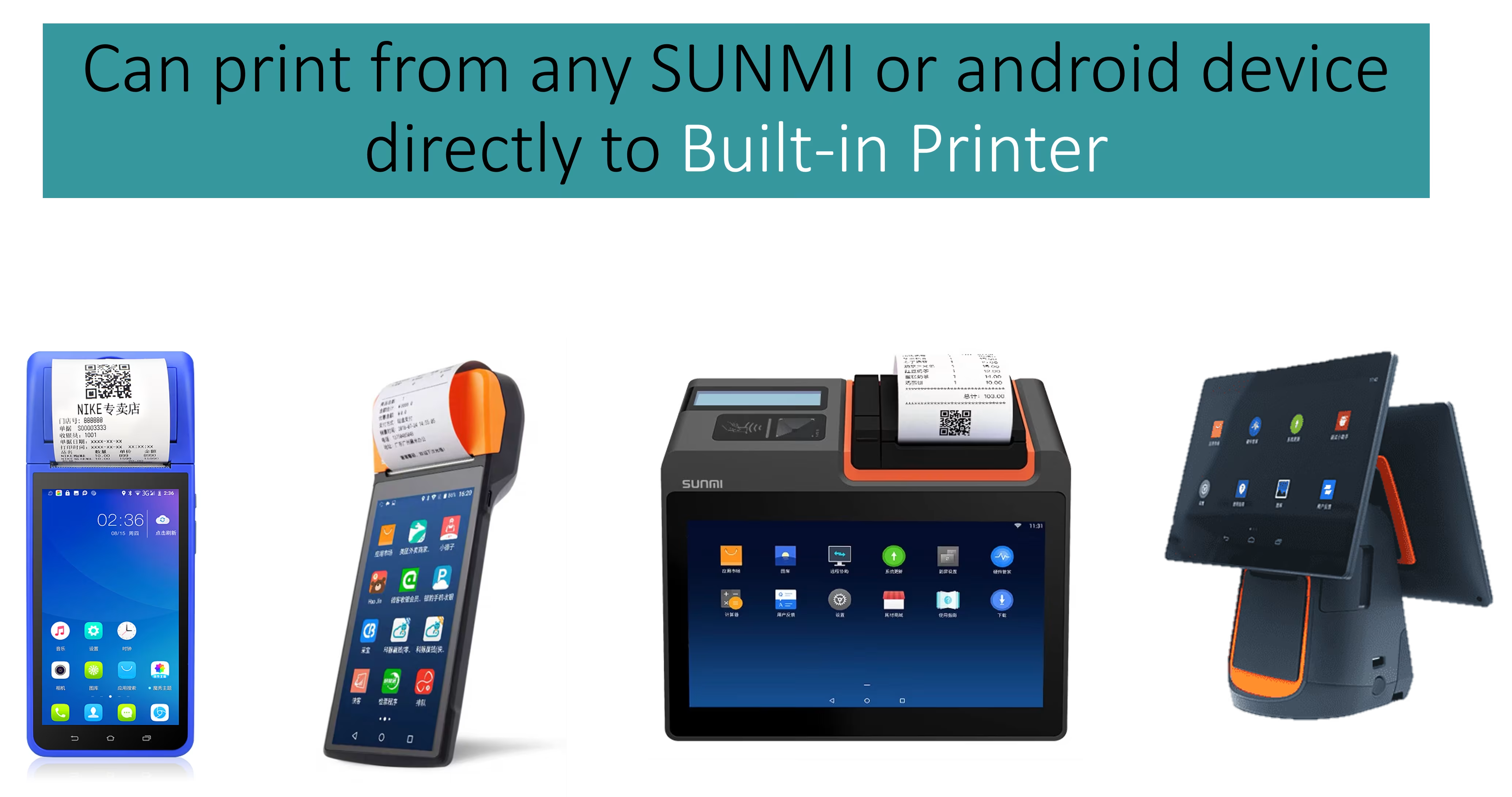
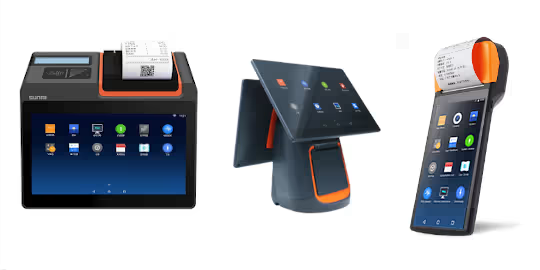
This module Allows you to print POS receipts directly using Bluetooth, Built-in, USB or IP Printer on SUNMI/Android devices

Work with all SUNMI/Android devices attached with Built-in Printer(V2 PRO,T2 MINI,T2 .....)

هذا المديول يمنحك طباعة ايصالات نقاط البيع مباشرة باستخدام الطابعات المدمجة في الاجهزة التي تعمل بنظام الاندرويد

LIVE DEMO

1- Install the Android App on your device https://github.com/odoovo/sunmi_device_odoo

2- Test the module on our Demo Server

Features

  • Print POS Receipt
  • Prints POS Category/Label Receipts
  • Use Different Bluetooth/USB/IP Printer for Category/Label Receipts
  • Reprint POS Receipt and Category/Label Receipts
  • Open cash derwer for support device
  • Print POS Sales Report
  • Support automatic printing receipt
  • Support of Bluetooth, IP Network and USB printers

Configuration

https://github.com/amr-devops/PrintService