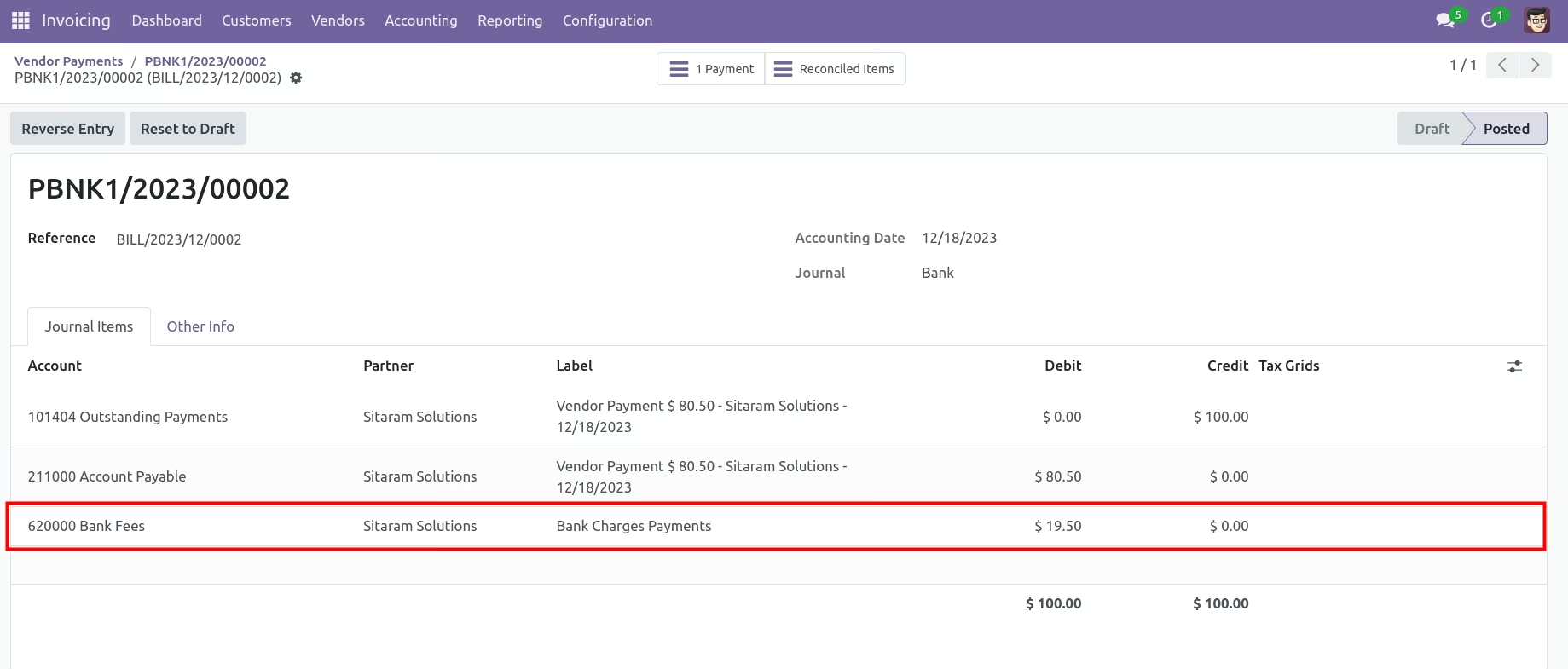
The module helps businesses accurately apply and record additional fees on bank and cash payments. By automating the fee configuration and journal entry creation, it ensures accounting accuracy and prevents mismatches caused by untracked charges.
Enable or disable extra bank charges per payment journal.
Define debit and credit accounts for proper charge mapping.
Apply extra fees on both bank and cash transactions.
Automatically generate journal entries for each additional fee.
Maintains profit and loss accuracy with recorded charges.
Saves time by automating accounting entries.
Provides transparency with clearly labeled extra charge entries.
Enhances reconciliation and audit readiness.
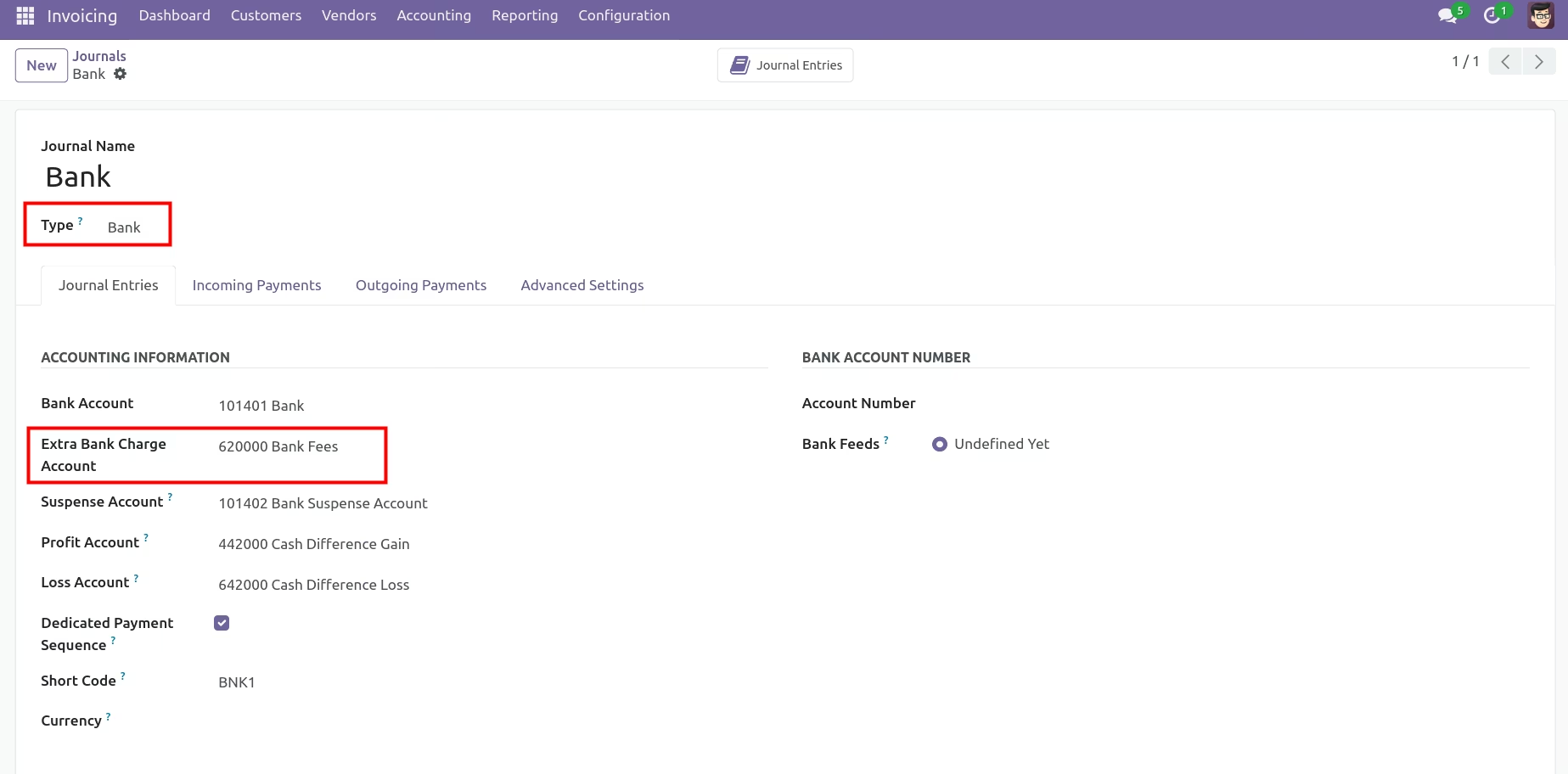
This application helps user to add extra bank charge (Transaction charge or Foreign exchange charge) in payment. User have to define separate account in journal and this application will automatically adjust bank charges on that account with separate entry.
- Define separate account for bank charges
- Separate journal entry for bank charges
Extra Bank charges Application Flow
First of all configure account for bank charges in Bank journals
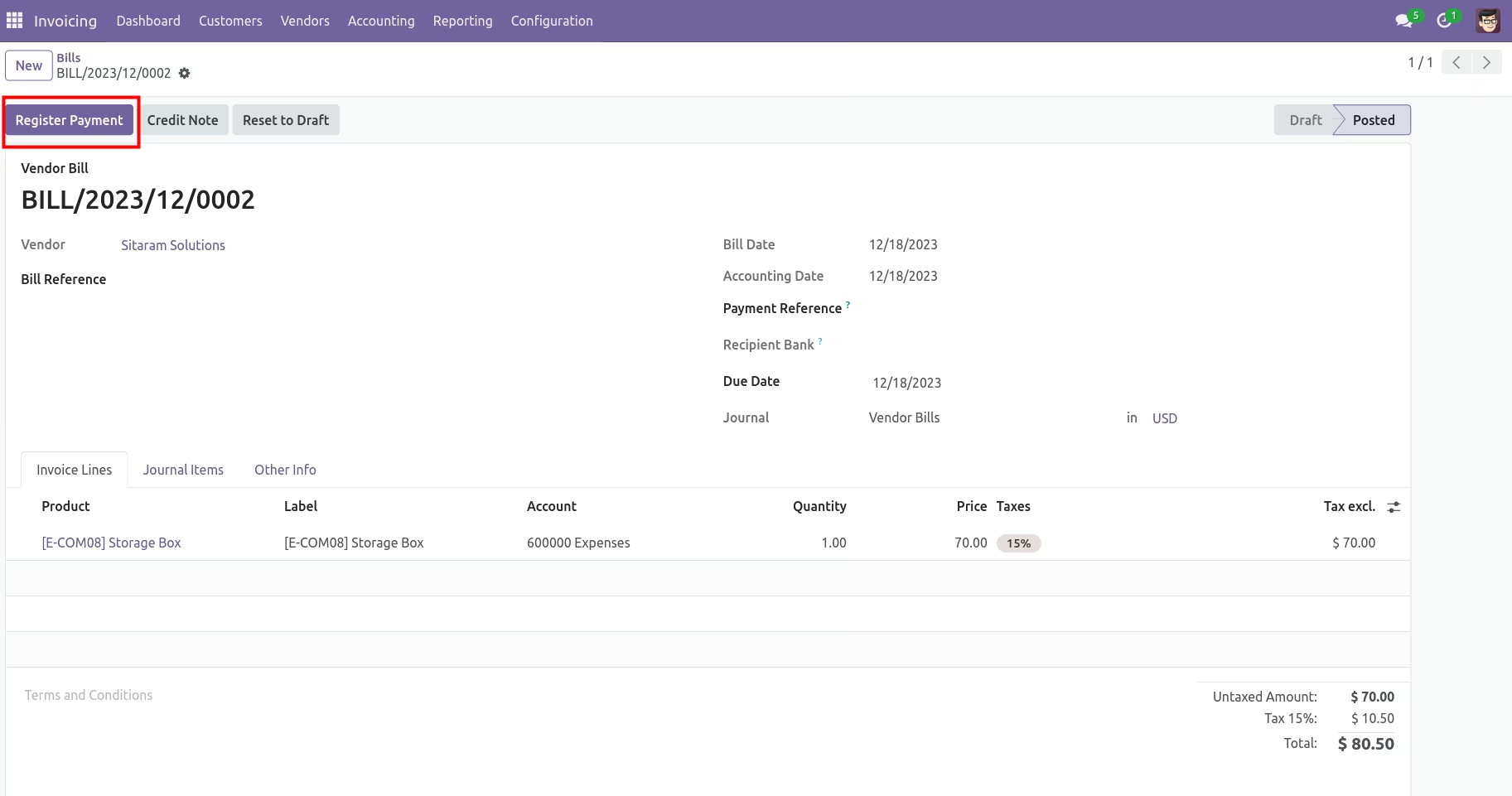
Create Vendor Bills And Register Payment.
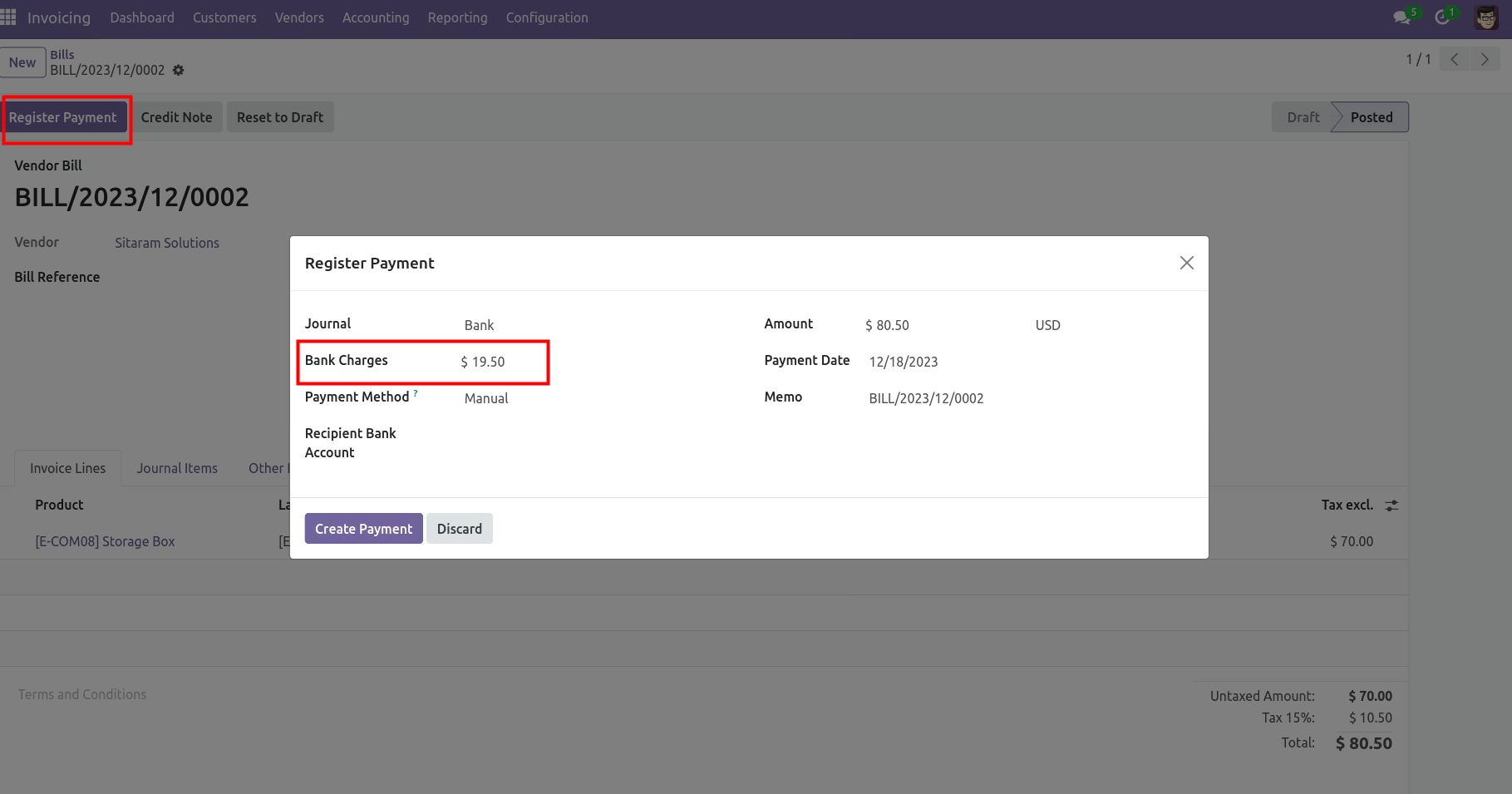
At the time of payment, You can add extra bank charges.
Here, You can see separated journal entry for bank charges.