The Charges for Bank App offers a streamlined solution for managing bank charge entries within your financial workflows. This module enables businesses to apply bank or payment charges automatically during invoice processing, eliminating manual adjustments and reducing reconciliation errors. By featuring configurable fees directly on payment forms and generating precise journal entries, this app enhances accuracy and efficiency in financial tracking. Whether you're dealing with bank transaction charges or payment fees, this tool empowers accountants with better control and visibility over operational costs.
Key Features
Automatically apply bank or payment charge amounts when registering invoice payments, ensuring accurate fee handling
Create separate journal entries for applied charges, enhancing accounting clarity and audit trails
Configure flat or percentage-based charges directly on payment screens for flexible fee settings
Easily enable or disable the module as needed from the invoicing backend, offering operational flexibility
Map specific debit and credit accounts for charges to maintain accurate chart of accounts classification
Benefits
Reduces manual accounting effort with automated processing of bank and payment fees
Eliminates reconciliation headaches by clearly separating charges from core transaction amounts
Enhances financial accuracy and transparency through detailed, automated journal entries
Supports customizable charge configuration to match business-specific fee structures
Improves bookkeeping and reporting by capturing all transactional costs in real time
Extra Bank Charges As Payment Fees
Many trasanction has online transaction charges by bank or payment portal,so this apps helps user to add extra bank charges to the payment. user can maintain separate account for bank charges. journal entries will be automatically adjusted with this module in odoo accounting and invoicing payment.

Creates Account for Extra Bank Charges
Users are allowed to create different account for extra bank charges.

Allows to Add Extra Bank Charges to Payment
Users are allowed to add bank charges amount to their bills from the payment wizard.

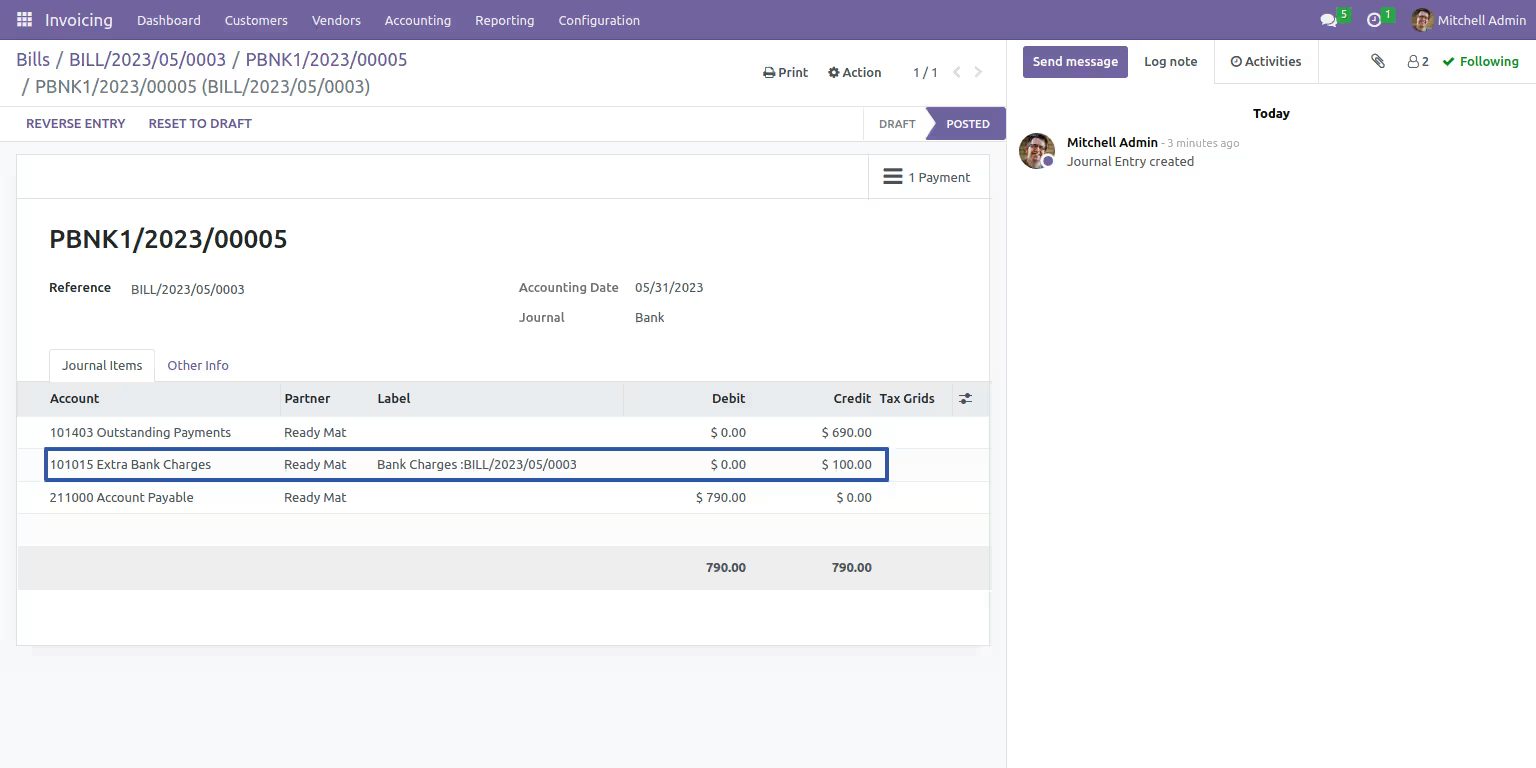
Journal Entries for Extra Bank Charges
Allows creating journal entries for extra bank charges.
Description
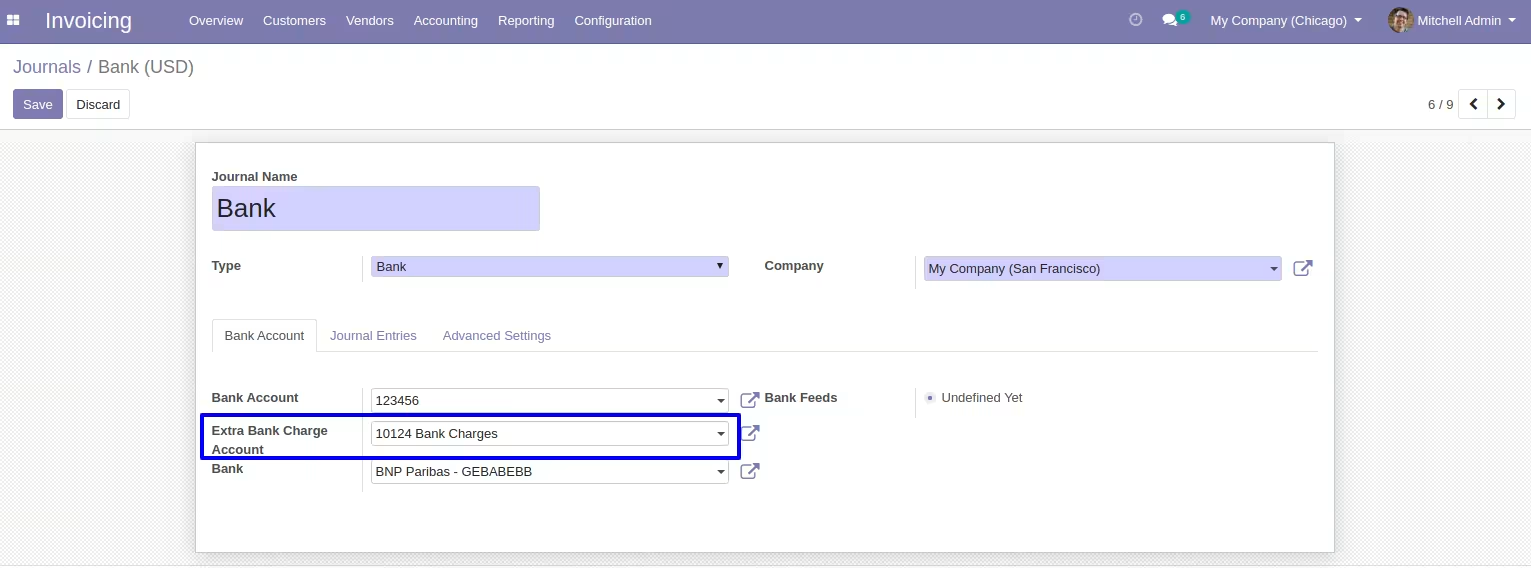
Configure Default Extra Bank Charge Account
User has to configure extra bank charge account for adding bank charges.
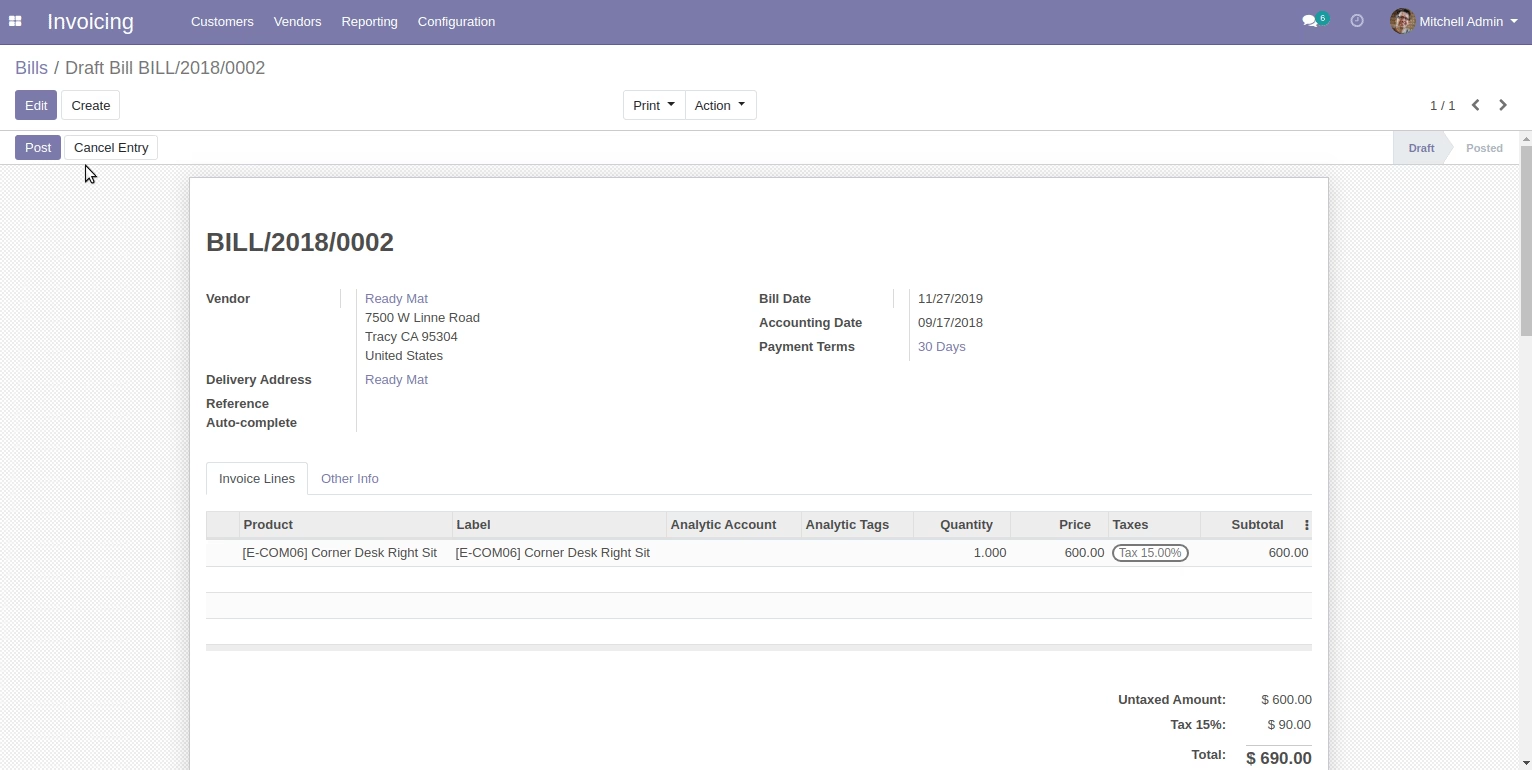
Add Extra Bank Charges to the Payment
Users can add extra bank charges from the register payment wizard.
Journal Entries of Extra Bank Charges
Journal entries of extra bank charges can be seen with credit and debit of bank charges.