The module provides a powerful and streamlined solution for exporting detailed stock data directly from Inventory. Designed to support efficient reporting, this tool enables users to generate comprehensive Excel and PDF reports that include current product stock levels across multiple warehouses, as well as categorizations and supplier details. Negative stock levels are visually highlighted for rapid identification, helping businesses manage inventory risks and enhance accuracy in stock management.
Export current product stock data in Excel format, tailored by warehouse, category, or supplier
Generate matching PDF reports for quick review or sharing of inventory information
Automatically highlight negative stock quantities in red for instant visibility
Configure report filters by warehouse, product category, or supplier to customize output
Seamless integration with Inventory, Purchase, Invoicing, and Discuss modules for cohesive workflow
Simplifies inventory management with clear, exportable stock reports for analysis
Improves visibility into negative stock issues through red highlighting for fast action
Enhances decision-making by offering quick access to formatted Excel and PDF reports
Saves time with ready-made reporting rather than manual data gathering
Supports multi-warehouse oversight and filtered reporting to focus on critical inventory segments
App: Stock Data Export Tool
Stock Reports in PDF & Excel
Stock Info Reports Export – App
Downloadable Stock Reports – App
This apps helps to export current stock information for all products in one or several warehouses in single spreadsheet and pdf report, it also highlights the stock quantity in the report according to its availability.This apps provide filter of warehouse , product categories ,date range (Start date and end date) filter, Supplier/vendors filter in wizard to generate the product current stock valuation reports in pdf and Excel format.
How to create Export Stock Report
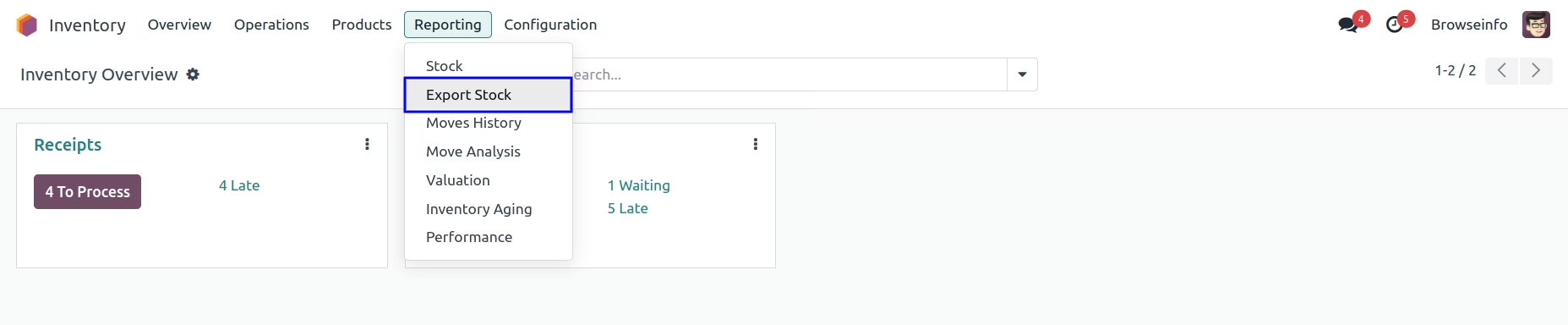
You can create export stock through Export Stock in the reporting of the Inventory.
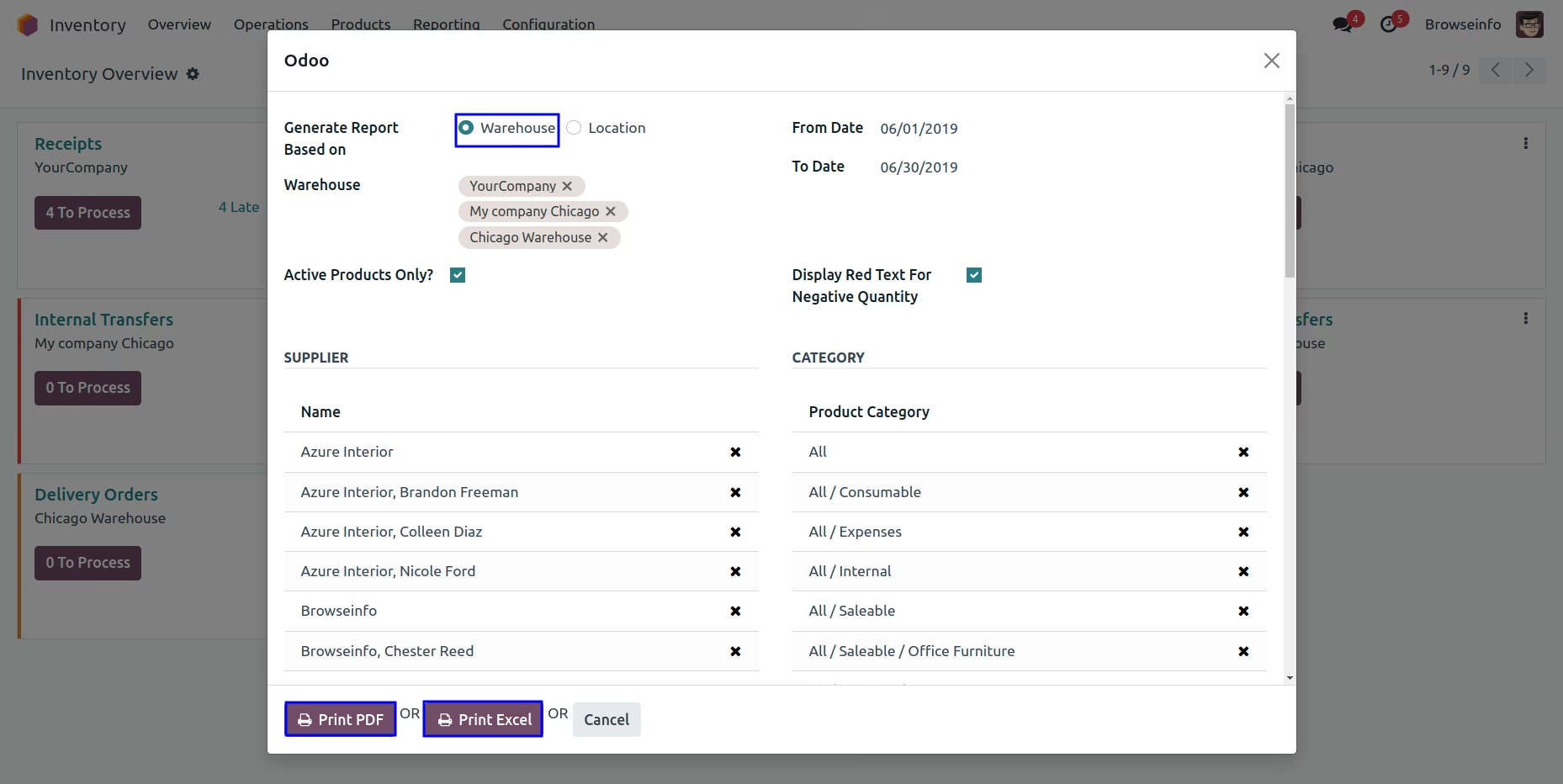
Export Stock wizard
After clicking on Export Stock, One wizard will appear, In that you have to configure dates for the report, warehouse(s), supplier(s), category(s) and other informations.
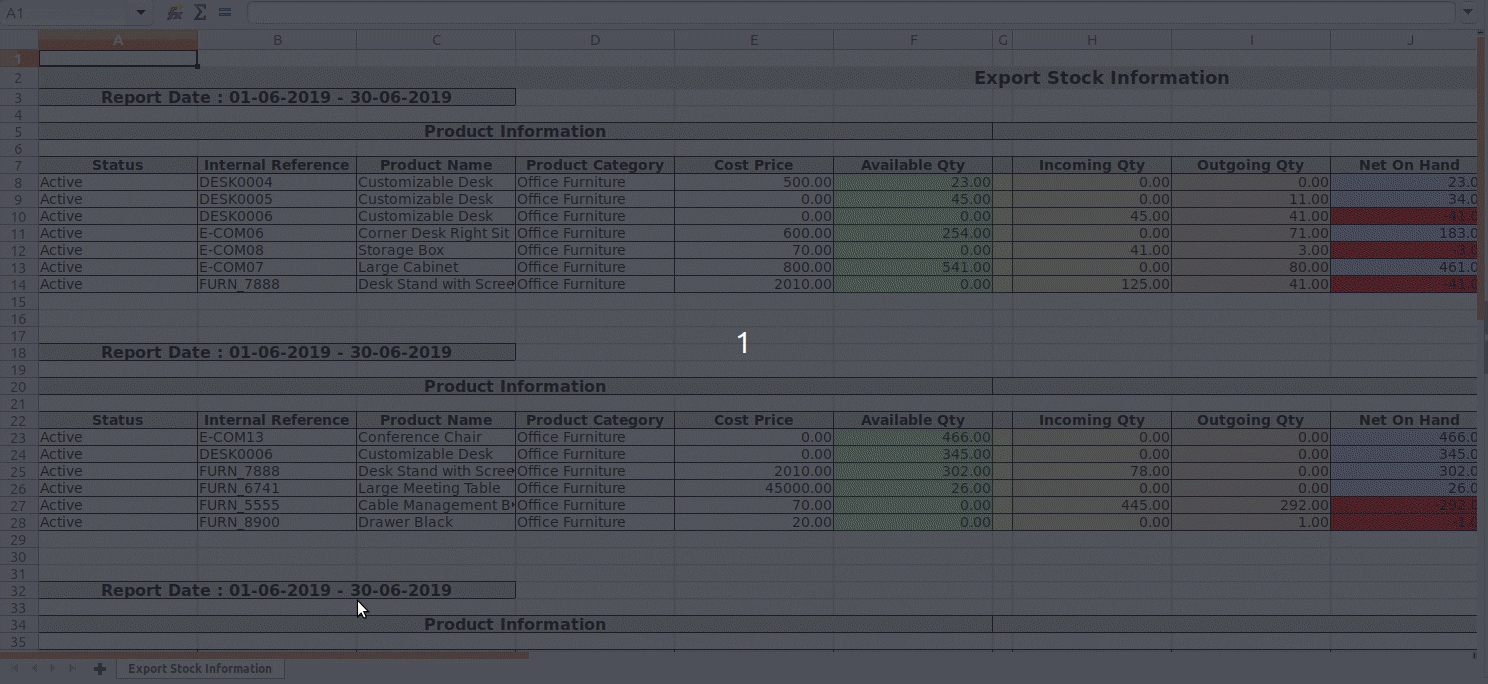
Export Stock Report in Excel
Excel Report as per the configured warehouse(s), supplier(s), date and category(s).
Negative stock will be highlighted in "Red" cells.
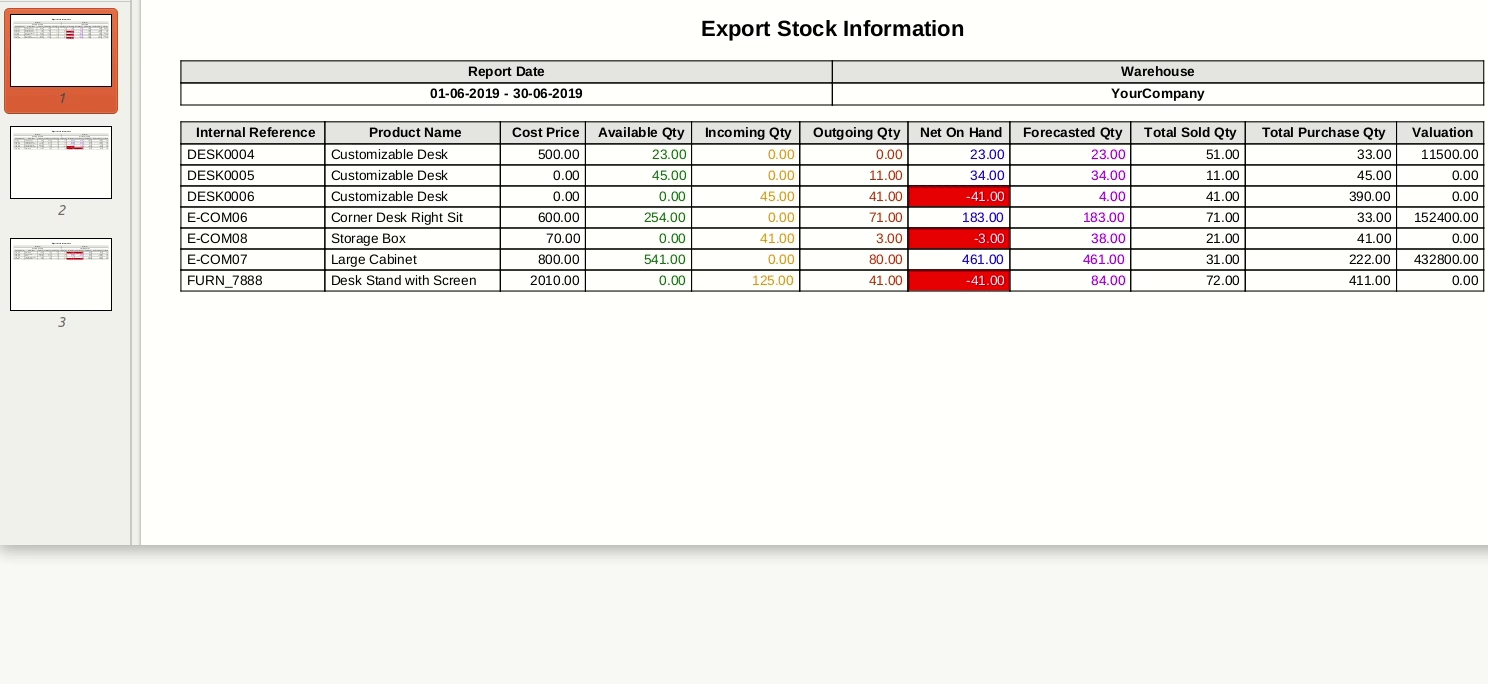
Export Stock Report in Pdf
PDF Report as per the configured warehouse(s), supplier(s), date and category(s).
Negative stock will be highlighted in "red" cells.