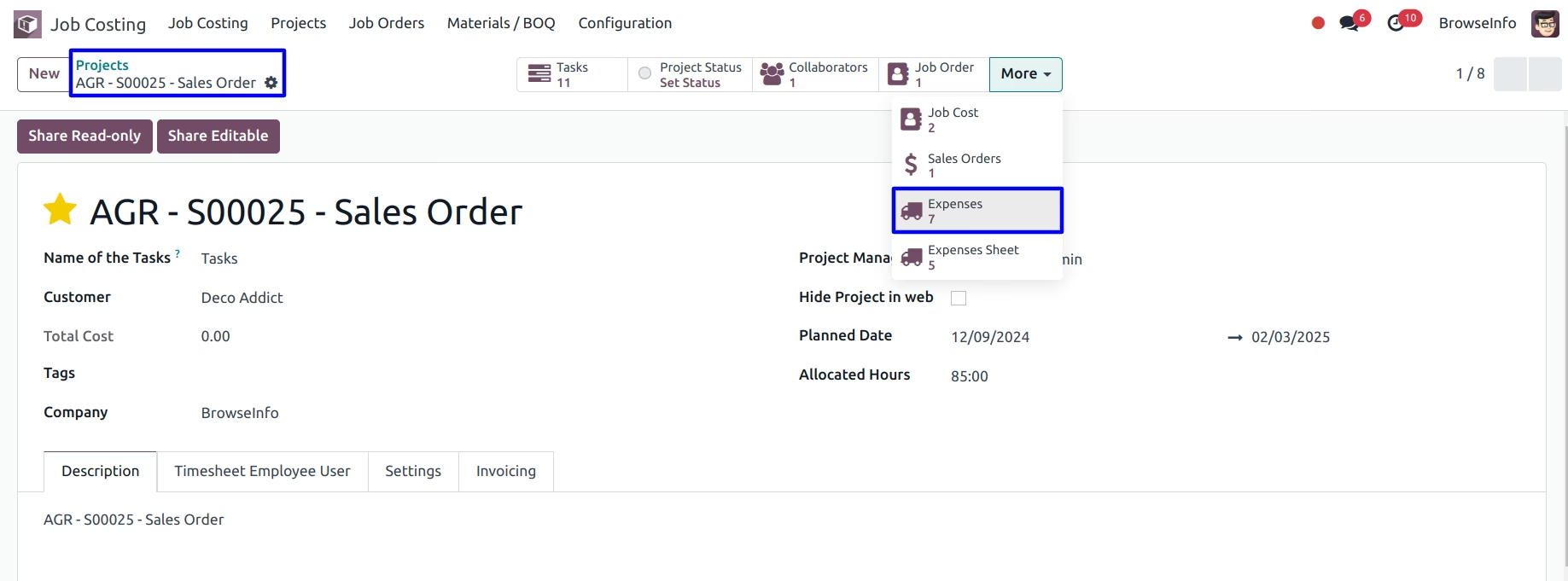
The module enhances project costing by allowing employees to submit expenses directly associated with specific job orders. This ensures accurate tracking of HR-related expenses such as transportation, lodging, and materials, providing comprehensive cost management for construction projects.
Expense Submission by Employees: Employees can submit expenses related to job orders, including descriptions and supporting images.
Linking Expenses to Job Orders: Each expense is associated with a specific job order, giving detailed insights into project costs.
Expense Reporting: Attach detailed expense reports to individual expenses for proper documentation.
Smart Navigation: Access related expenses directly from job order and project forms using smart buttons.
Comprehensive Expense Tracking: Monitor and manage all submitted expenses efficiently.
Enhanced Cost Visibility: Gain a clear understanding of expenses per job order, supporting precise project budgeting.
Improved Financial Management: Streamline the expense submission and approval process, reducing administrative workload.
Accurate Project Costing: Ensure all HR-related expenses are recorded, leading to more accurate project cost assessments.
User-Friendly Interface: Simplify expense reporting for employees, encouraging timely and accurate submissions.
HR Expense Integration With Job Orders for Contruction Project Contracting Apps
Job Order Expense Integration Apps
Construction Cost Management Apps
Enhanced Project Expense Visibility Apps
Streamlined Construction Project Costing Apps
Job Order Expense Integration with Project Costing Apps allow to add HR expense of your employees who is working on job order they can submit expense regarding that job order with pictures of expense. It is very useful for contraction projects to add employee and HR expense on job costing process for those employee who works on contracting project. Employee can able to add their expense details on the job order request and this will be added as expense costing for construction projects.
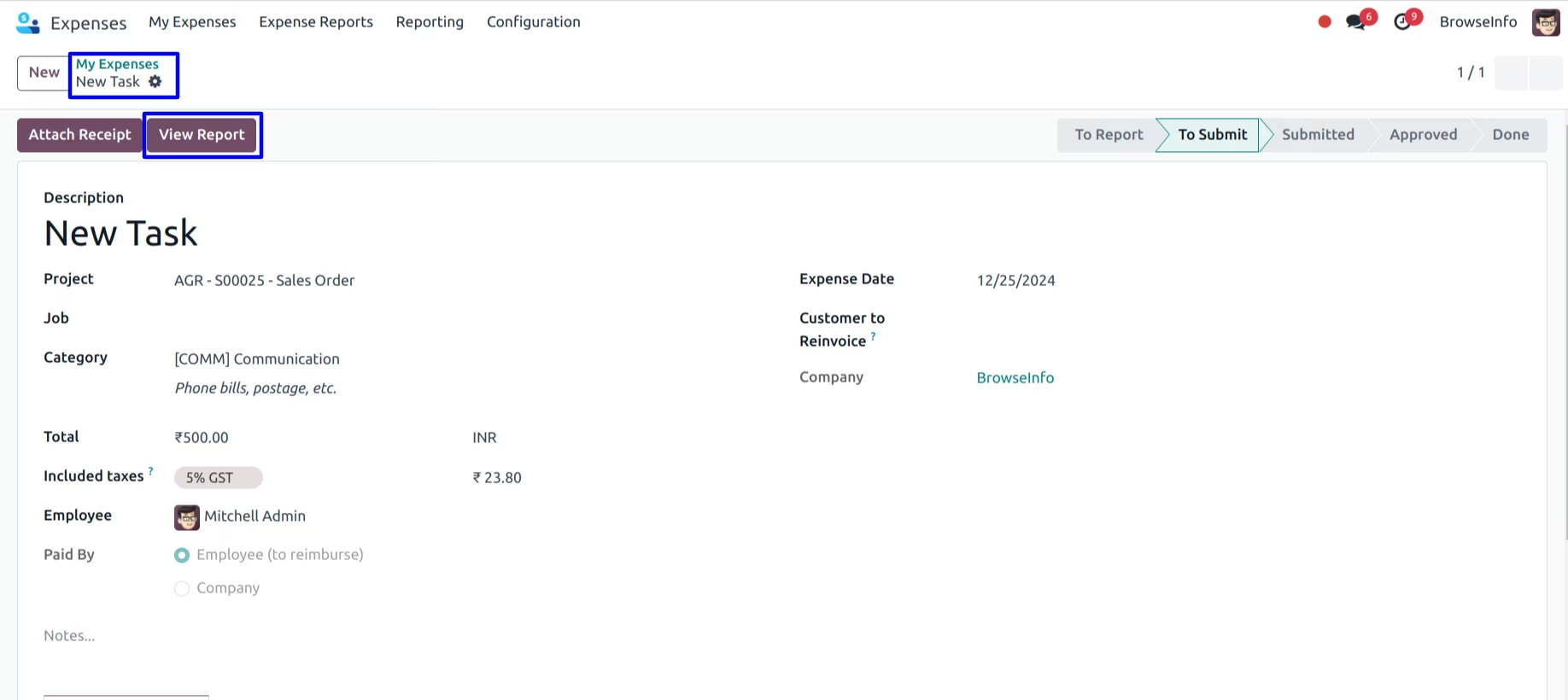
Employee Create Expense for Job Order
In hr expense employee can enter the details about the expense with pictures of related project and job order.
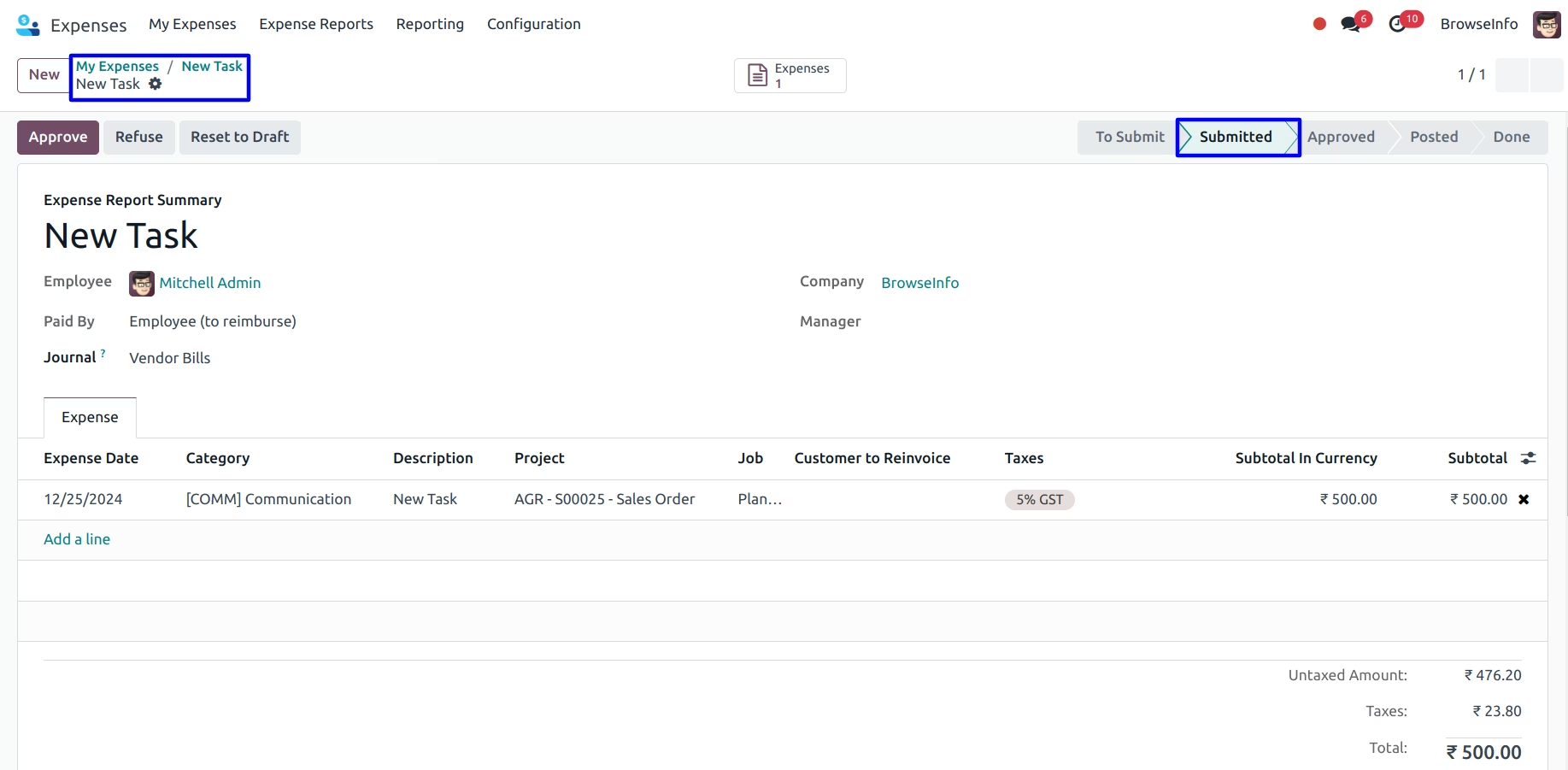
Employee Submit Expenses to HR Manager
In hr expense reports also you can see the project and job.
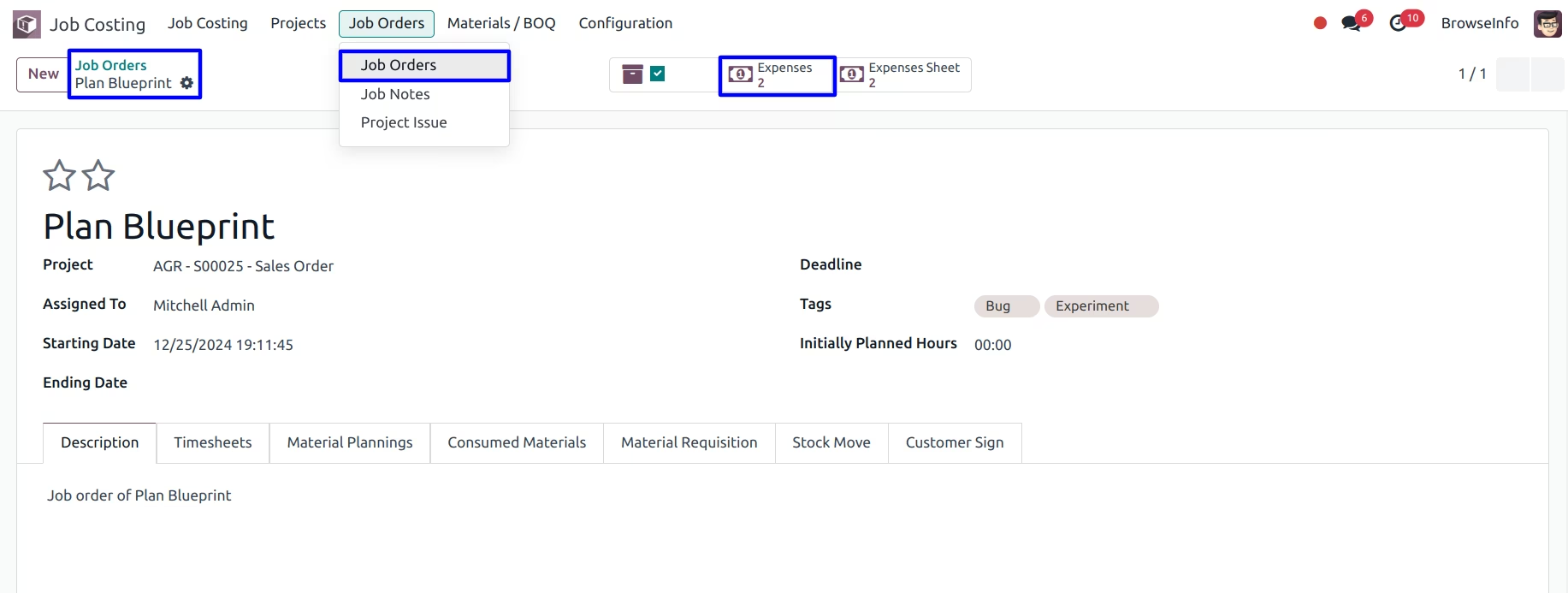
Smart Button On Job Order Form
From job order form you can redirect to expenses related and expenses sheet.
Smart Button On Project Form
From Project form you can redirect to related expenses and expenses sheet.