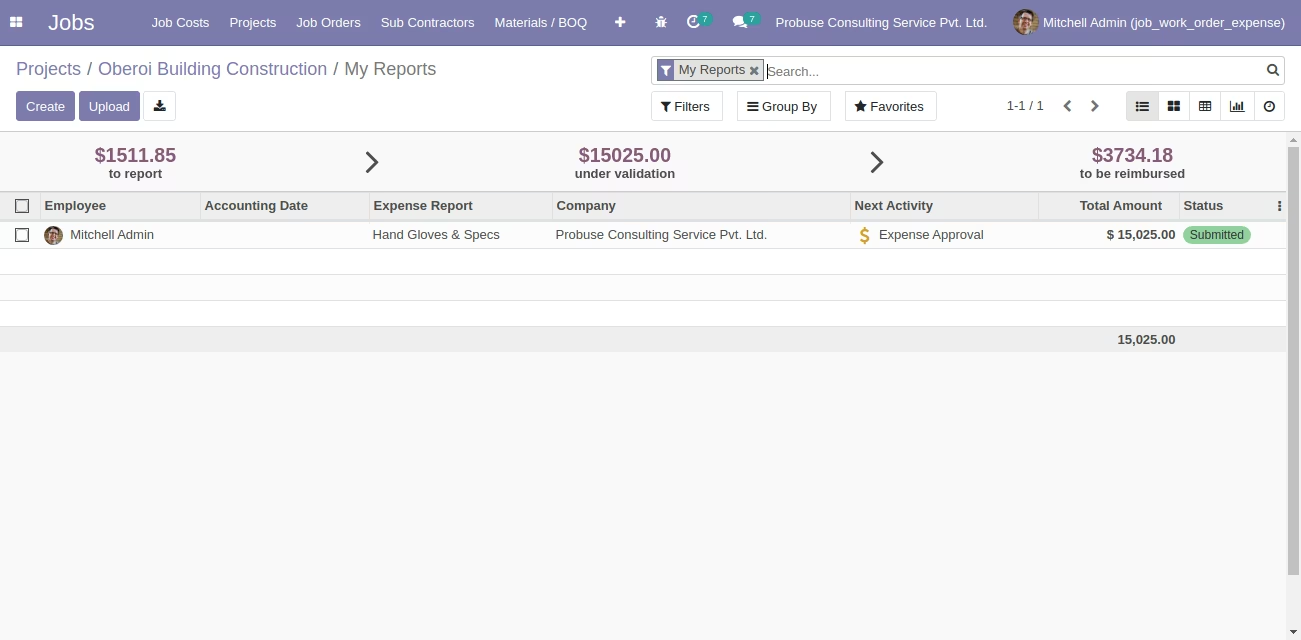
This module empowers employees to submit expenses directly on job orders and project tasks, enhancing project expense tracking and accountability. By enabling expense attachments and seamless integration with job or work order forms, the module simplifies the workflow for construction, contracting, or any job-based projects. With smart buttons on job orders and project views, users and managers gain immediate visibility into associated expenses, facilitating efficient expense management and accurate cost documentation.
Allow employees to submit expenses directly linked to job orders or work orders with optional receipt attachments
Expenses appear on job order, work order, and project forms via smart buttons for quick access
Expense submission integrates seamlessly into the standard expense approval workflow
Enable project managers to view all related expenses through smart buttons on project forms
Supports image or photo attachments for detailed expense documentation
Enhances accuracy by associating expenses directly with the job or project they belong to
Streamlines approval by integrating job-order expenses into existing expense workflows
Improves transparency through quick visibility of job-related expenses via smart buttons
Reduces administrative effort by centralizing both project and expense management
Supports detailed expense records with attachments for better documentation and verification
Expense Submit for Project and Job Order / Work Order
This app allows your project users who are working on a Job order or Work orders for construction and job contracting projects in the system to submit their expenses with pictures of expenses to the expense manager and expense team for reimbursement.
Main Features:
- Allow your employee / user to submit expenses for the job order / work order they are working on.
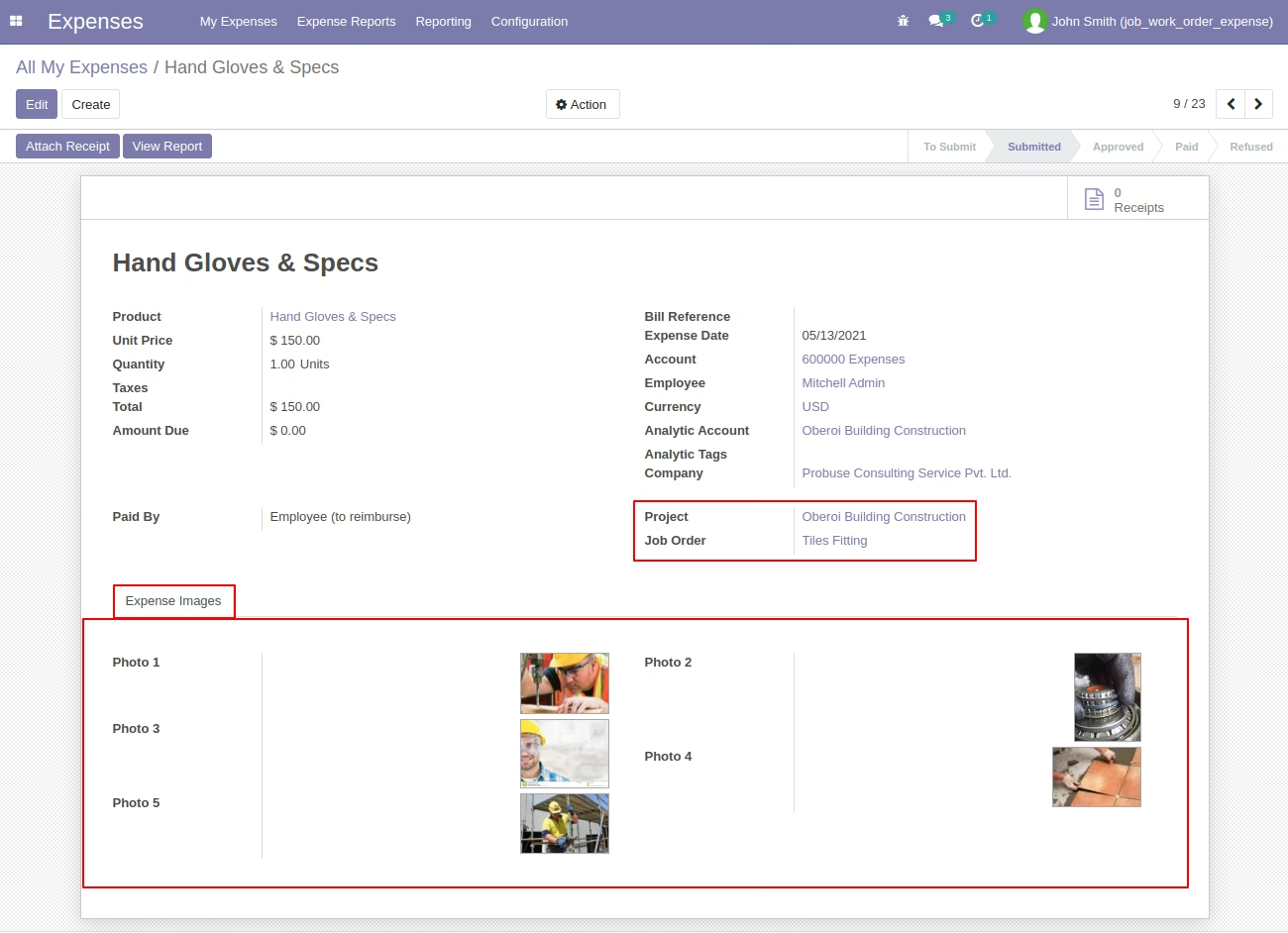
- On Expense form a user can select project, job order and photos for expense as shown.
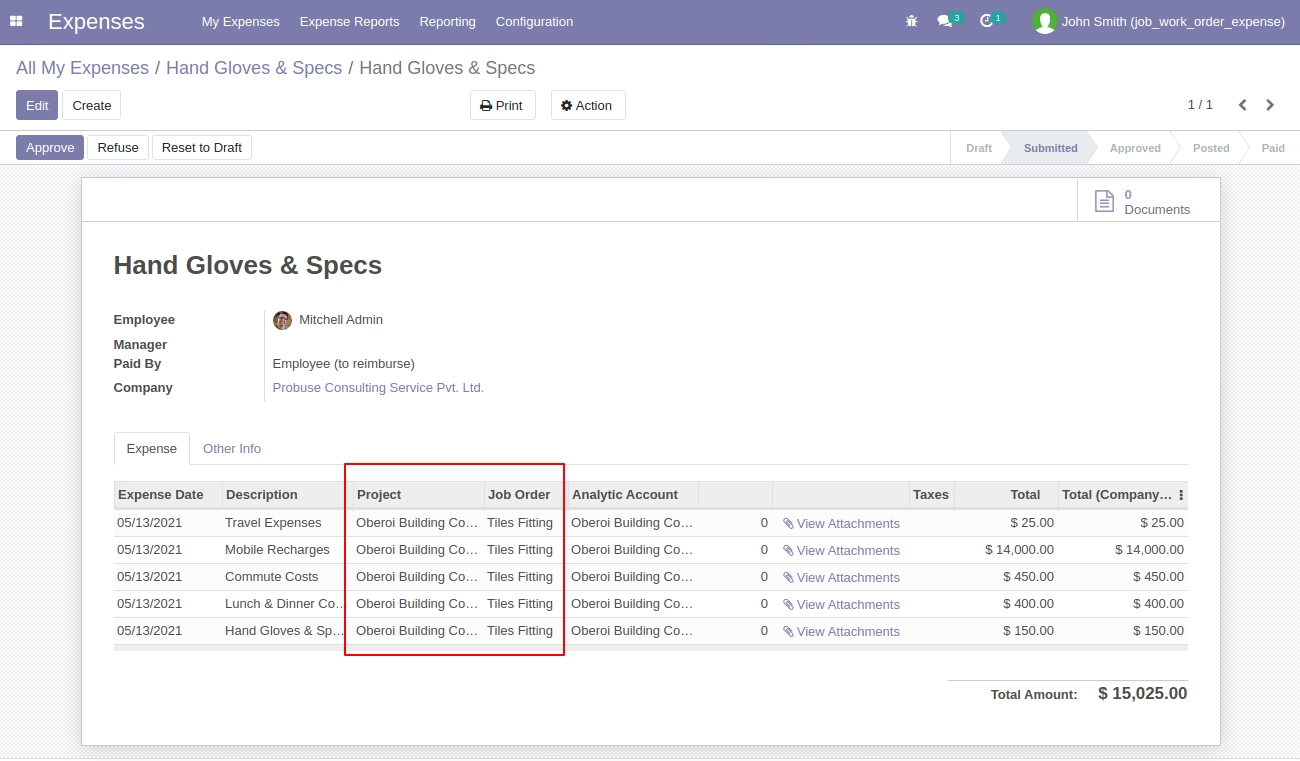
- User/Employee Submit Expenses to Expense Manager. (Standard Flow) for reimbursement.
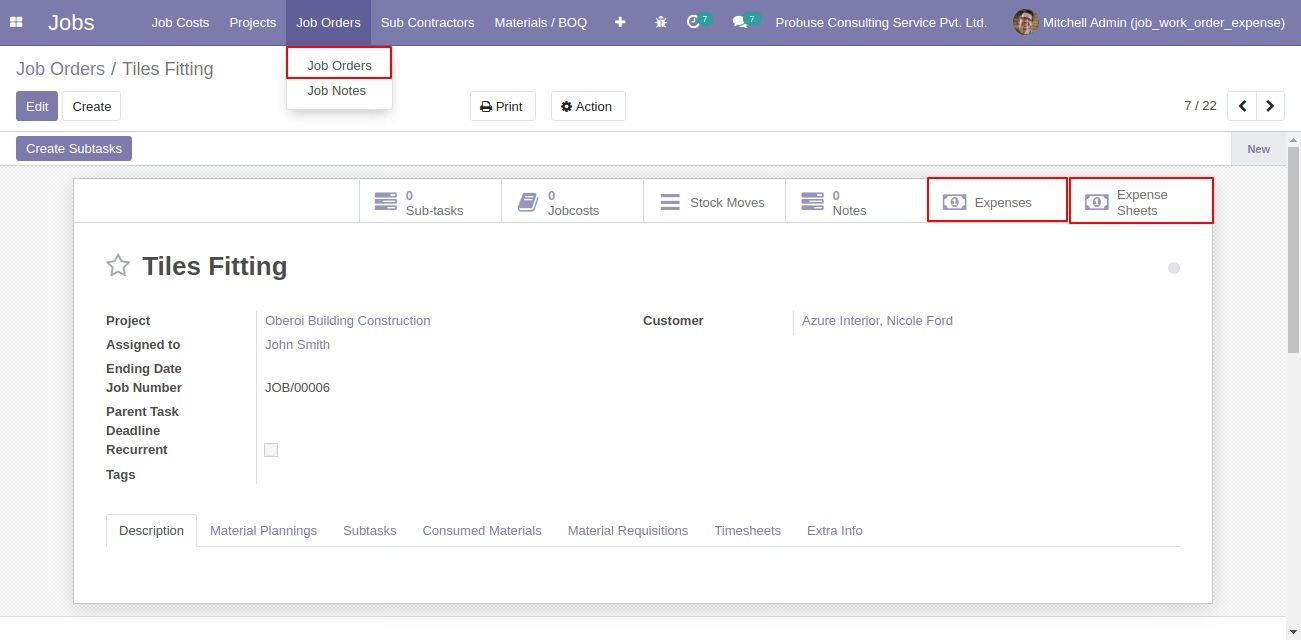
- Project user(s) can see the Expenses and/or Expense Sheets using the smart button on the Job Order / Work Order / Task form.
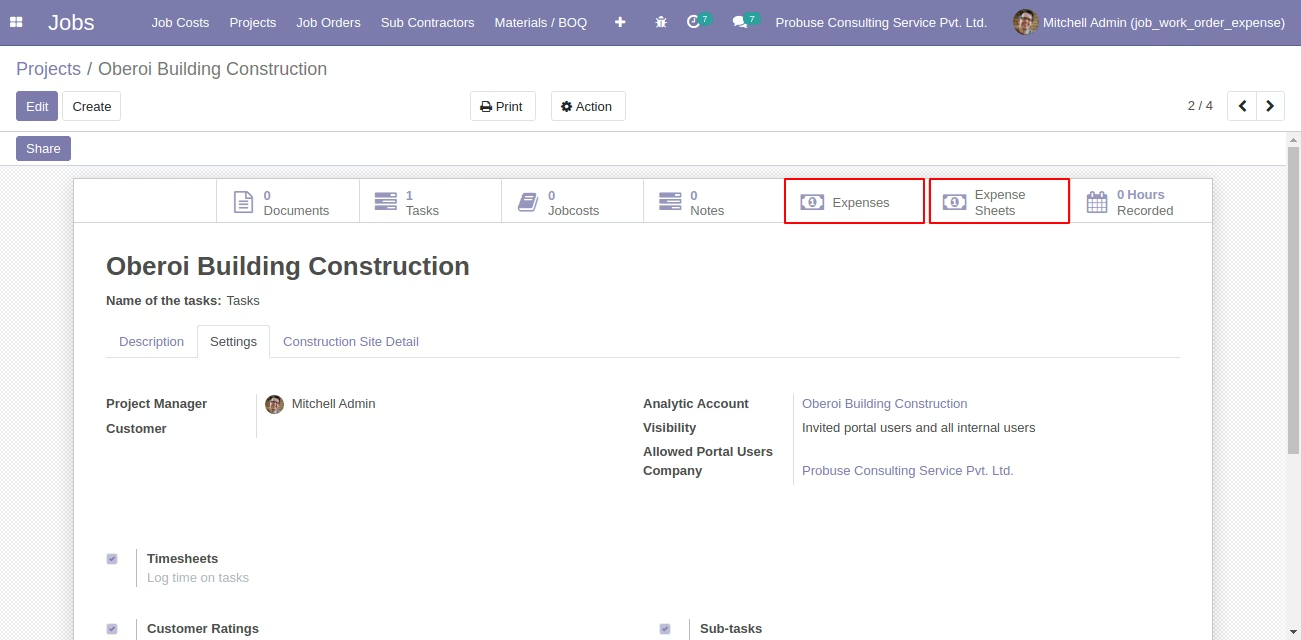
- Project managers can see the Expenses and/or Expense Sheets from the smart button on the project form.
- Related smart buttons on Job order and Construction Project to have a quick view of expenses.
- For more details please see video in the live preview and check below screenshots.
Employee Create Expense for Job Order
Employee can select Project and Job order on Expense form. Employee can also select images for expense.
Employee Submit Expenses to HR Manager
Job Order Form
Smart button on Job Order form to view Expenses and/or Expense Sheets.
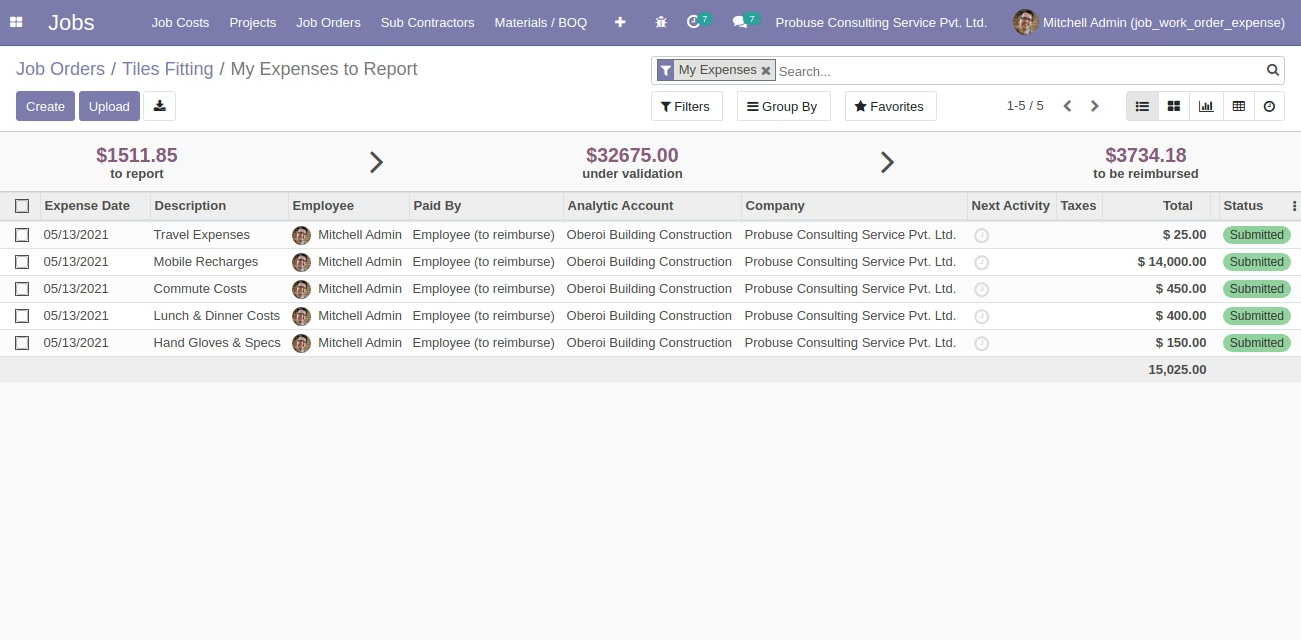
Related Expenses of the Job Order
Expenses Show from Job Order Smart Button
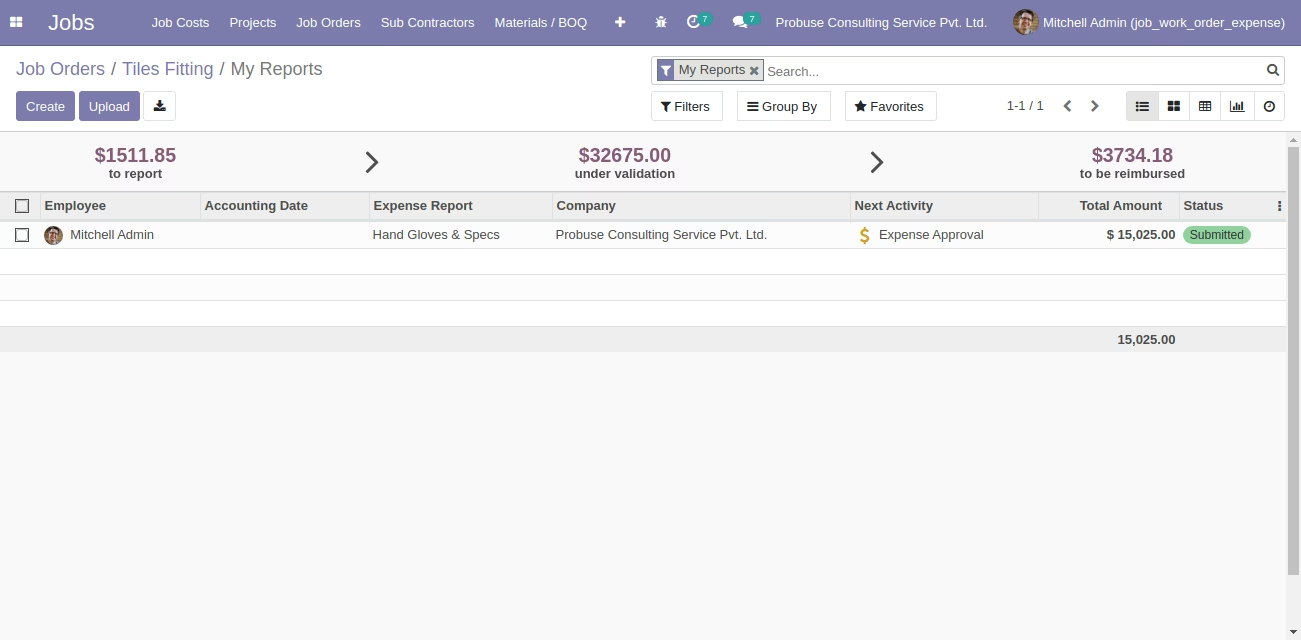
Related Expense Sheet of the Job Order
Expense Sheet Show from Job Order Smart Button
Project
Smart Button to show related Expenses and/or Expense Sheets.
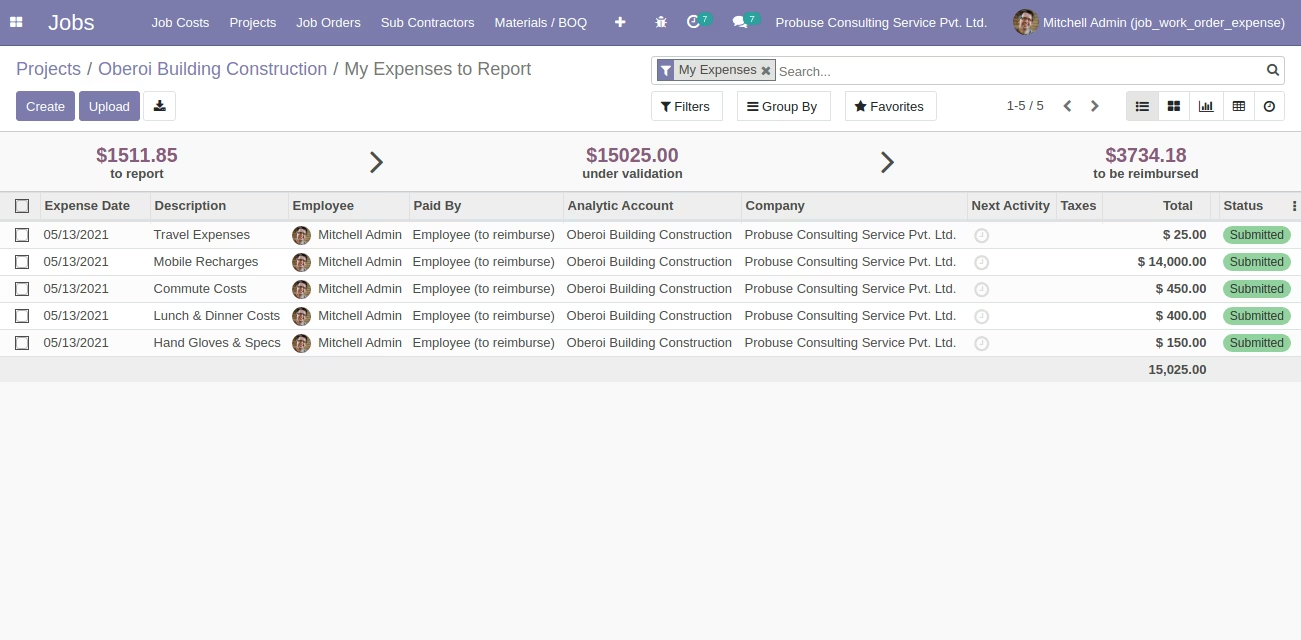
Related Expenses for Project
Expenses Show from Project Smart Button
Expenses Sheet Show from Project Smart Button