The module in streamlines the management of Bill of Materials (BoM) by introducing structured version control and approval workflows. It empowers manufacturing teams to efficiently document, review, and implement BoM changes, ensuring that all product revisions are accurately tracked. This module enhances transparency, reduces errors, and strengthens control over the production process.
ECO Creation: Easily create Engineering Change Orders directly from the BoM form, detailing the nature and impact of proposed changes.
Version Management: Automatically generate new BoM versions upon ECO approval, preserving a complete history of modifications.
Approval Workflow: Set up multi-stage approval processes to ensure changes are reviewed and authorized before implementation.
PDF Documentation: Generate comprehensive PDF reports for each ECO, capturing changes and approvals for compliance and record-keeping.
Controlled Activation: Activate approved BoM versions while archiving previous ones, preventing unauthorized or outdated changes from affecting production.
Enhanced Traceability: Maintain a clear and detailed record of all BoM changes, facilitating audits and ensuring compliance with industry standards.
Error Reduction: Structured workflows and versioning minimize the risk of mistakes and inconsistencies in manufacturing.
Improved Collaboration: Teams can collaborate efficiently, with clearly defined responsibilities and approval stages for changes.
Consistent Production: Ensure only approved BoM versions are used in production, leading to higher product quality and reduced waste.
Definition of ECO: An engineering change order (ECO) is a documentation packet that outlines the proposed change of Bill of material for Product / Items.
Main Features:
- This app allows you to create an Engineering Change Order (ECO) of Bill of Material of MRP.
- Bill of Material will be maintained using version information as shown.
- Workflow of full approval process and activation of new version of Bill of Material.
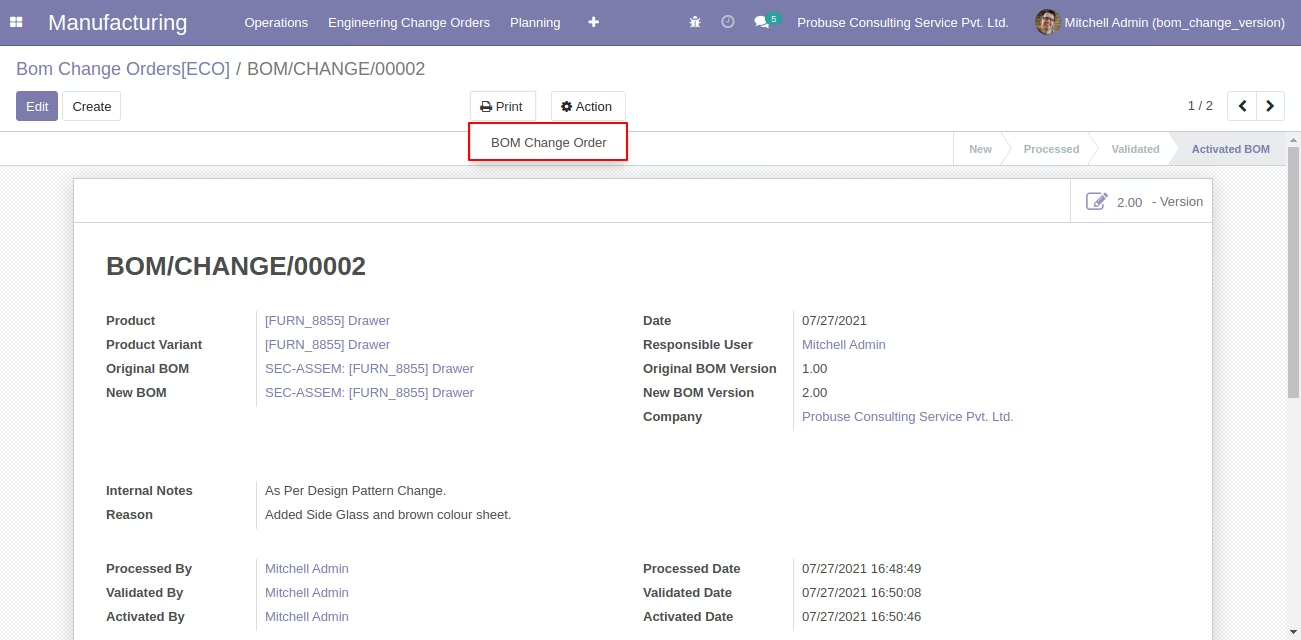
- Allow you to print a PDF report of the Engineering Change Order (ECO) of Bill of Material.
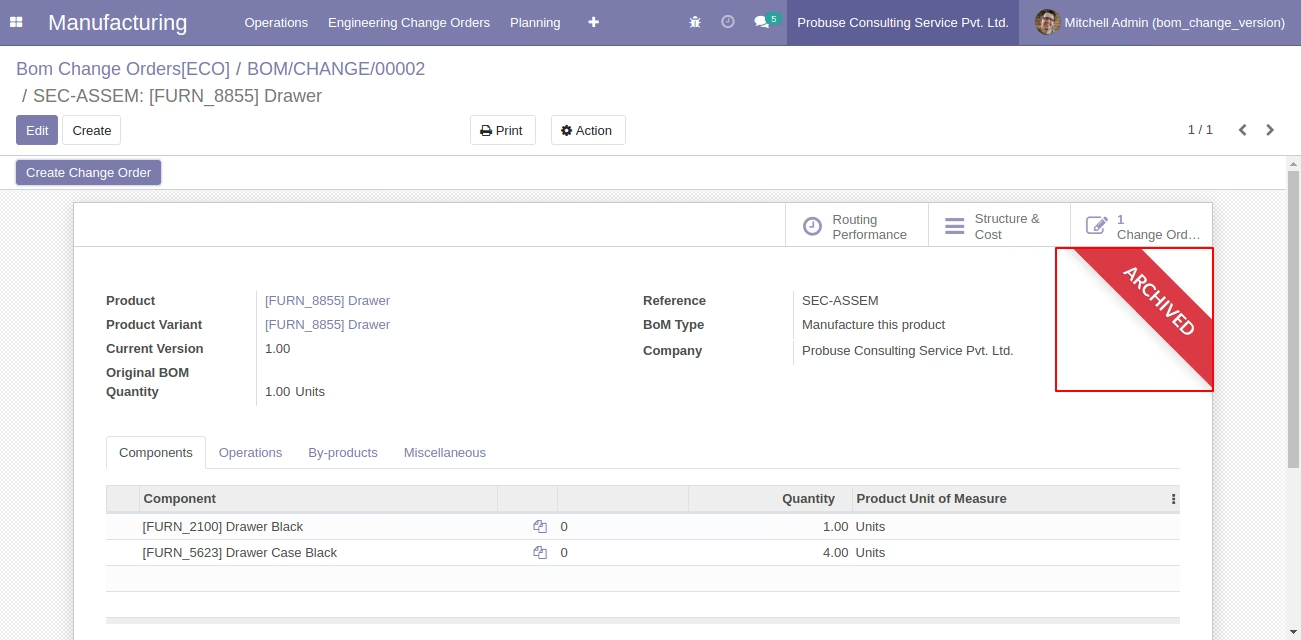
- On activation OLD BOM will be inactive/archive and new version BOM will be activated.
- For more details please watch below screenshots and watch the video.
Menus Available:
- Manufacturing
- Engineering Change Orders
- Bom Change Orders
Workflow of ECO
- New ==> Process ==> Validate ==> Activated BOM
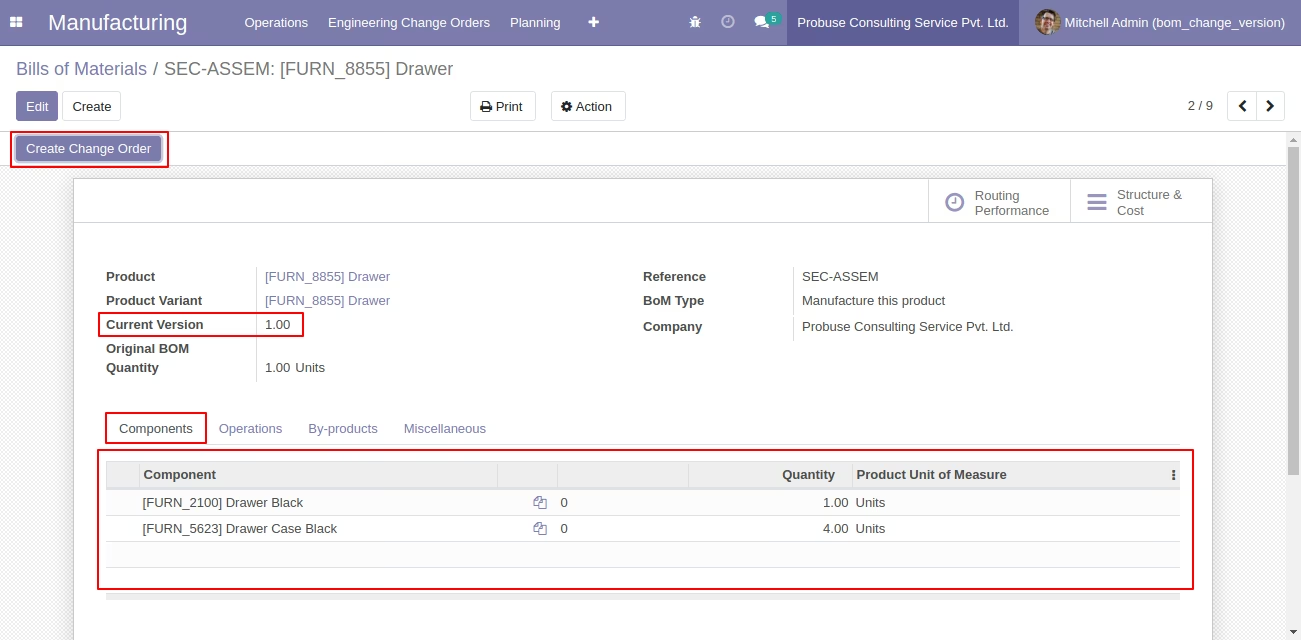
Create Engineering Change Order (ECO) on Bill of Material Form by Manufacturing Manager
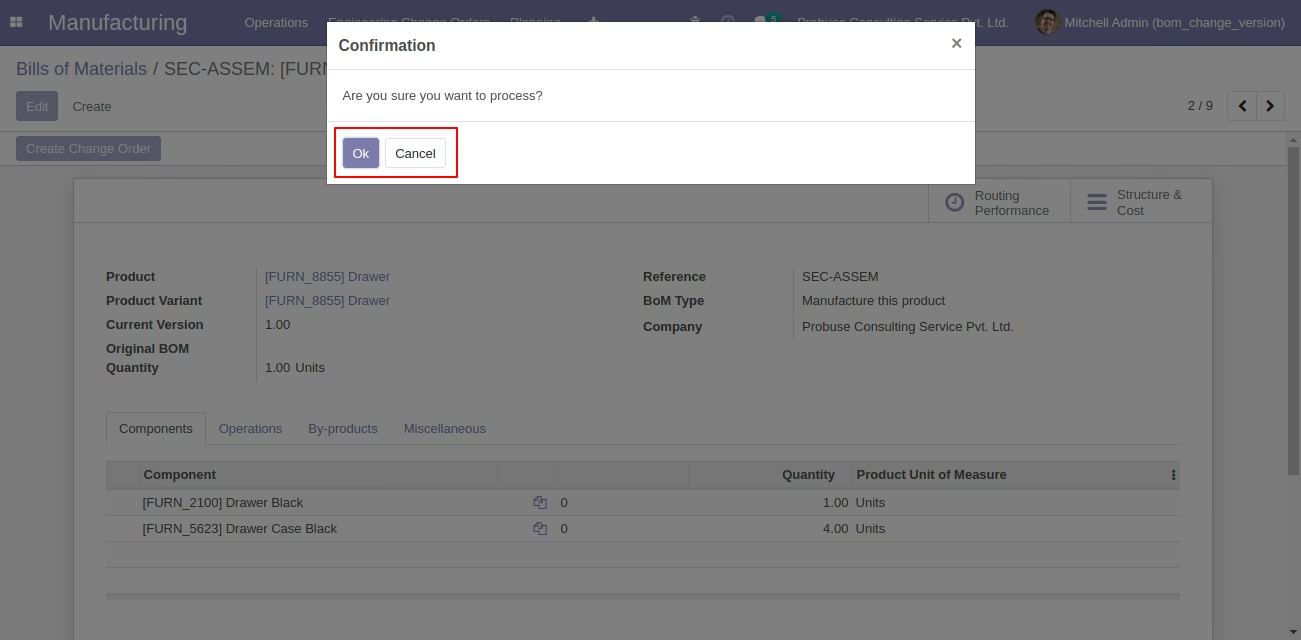
Confirmation Message of Before Creating Change Order
Created Engineering Change Order (ECO) of Bill of Material
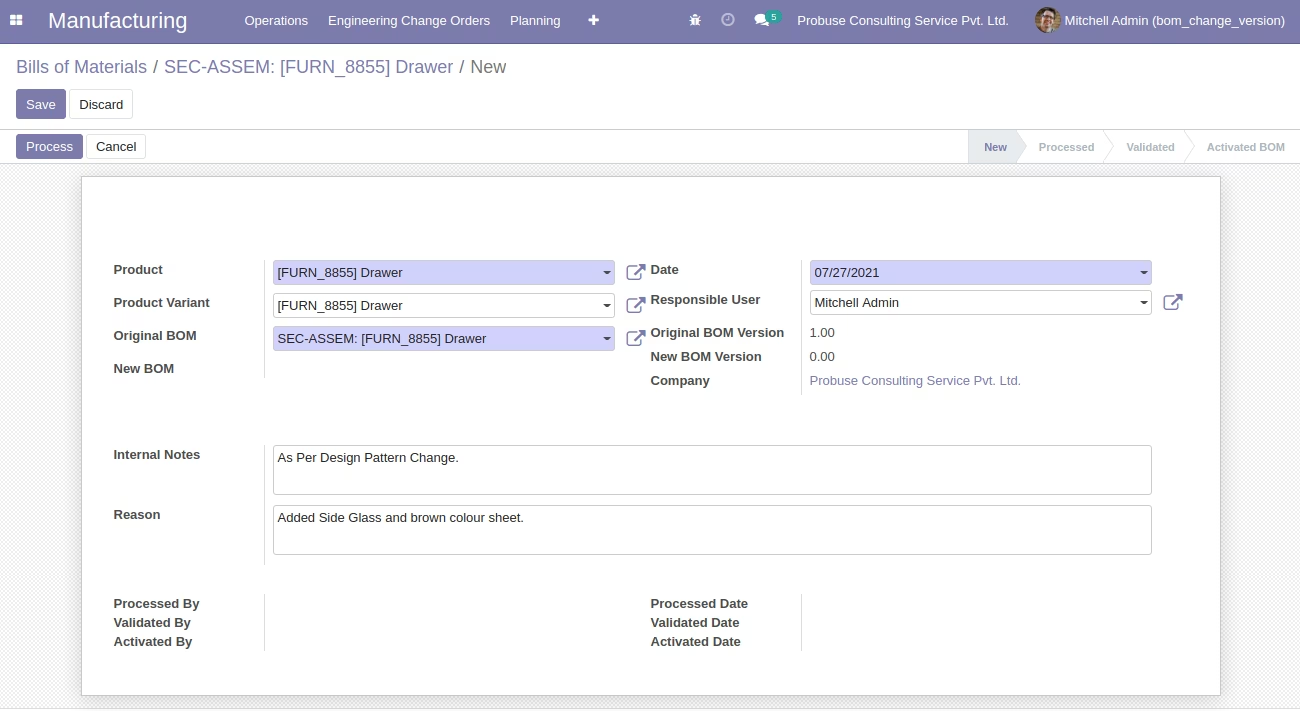
Process button on Engineering Change Order (ECO) of Bill of Material
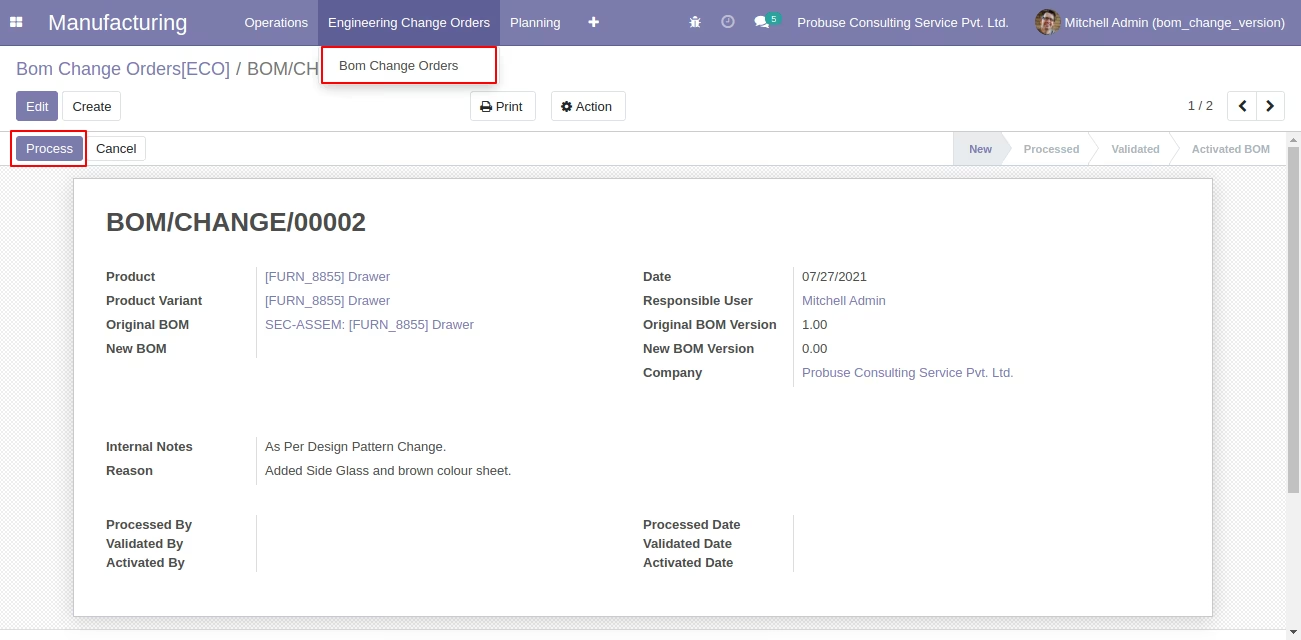
Processed Engineering Change Order (ECO) of Bill of Material
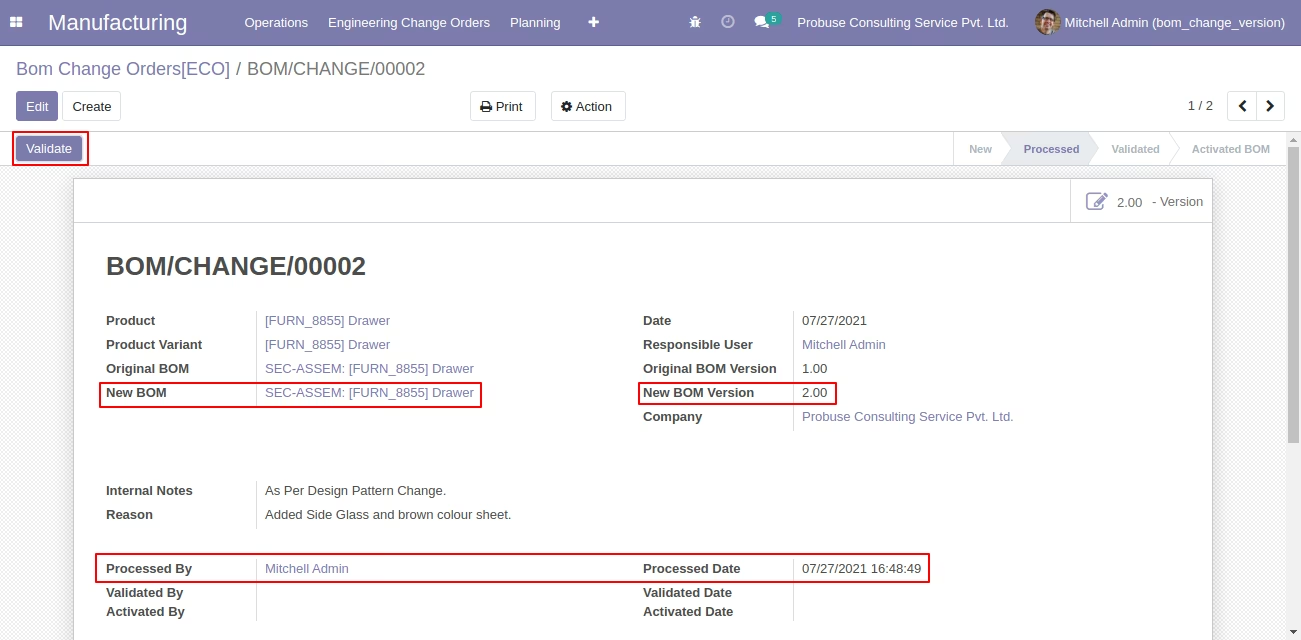
Validated Engineering Change Order (ECO) of Bill of Material
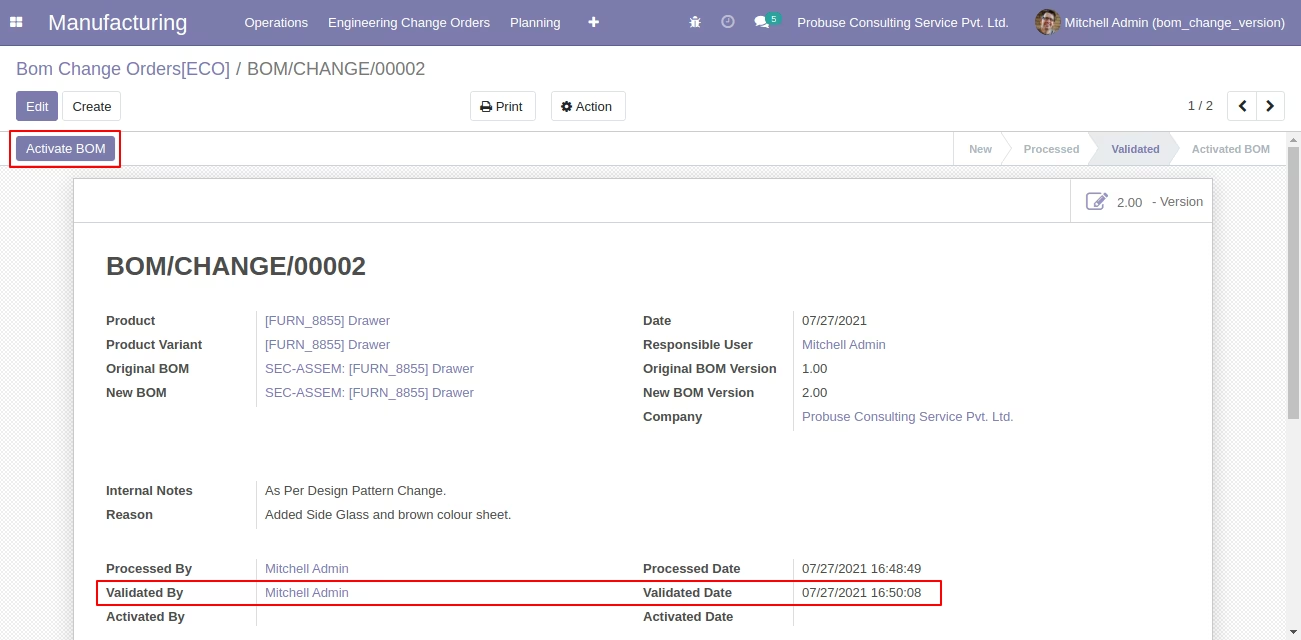
Activate BOM Engineering Change Order (ECO) of Bill of Material
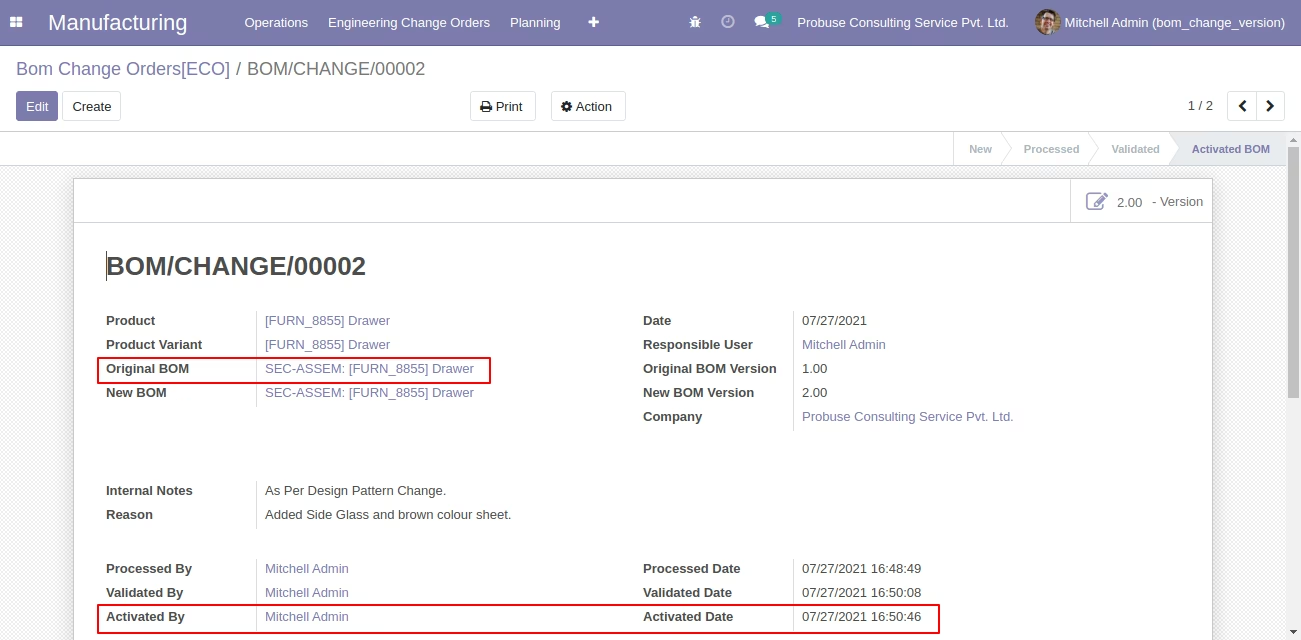
Archived Stage of Original Bill of Material
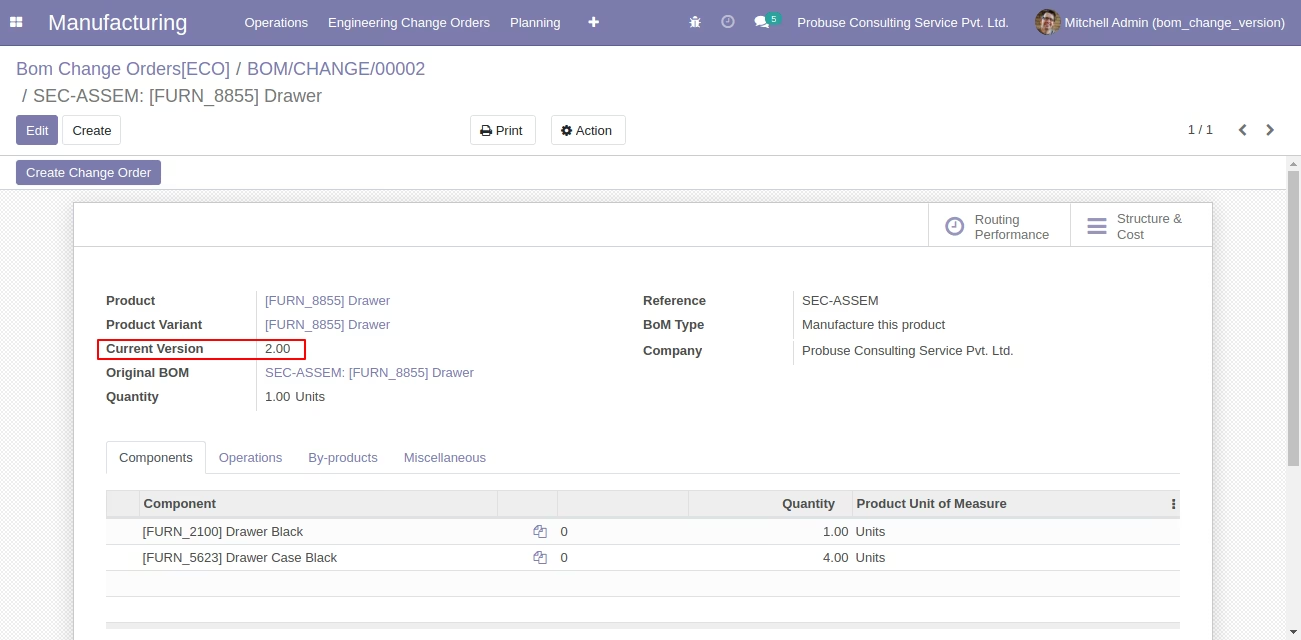
Current Version of New Bill of Material
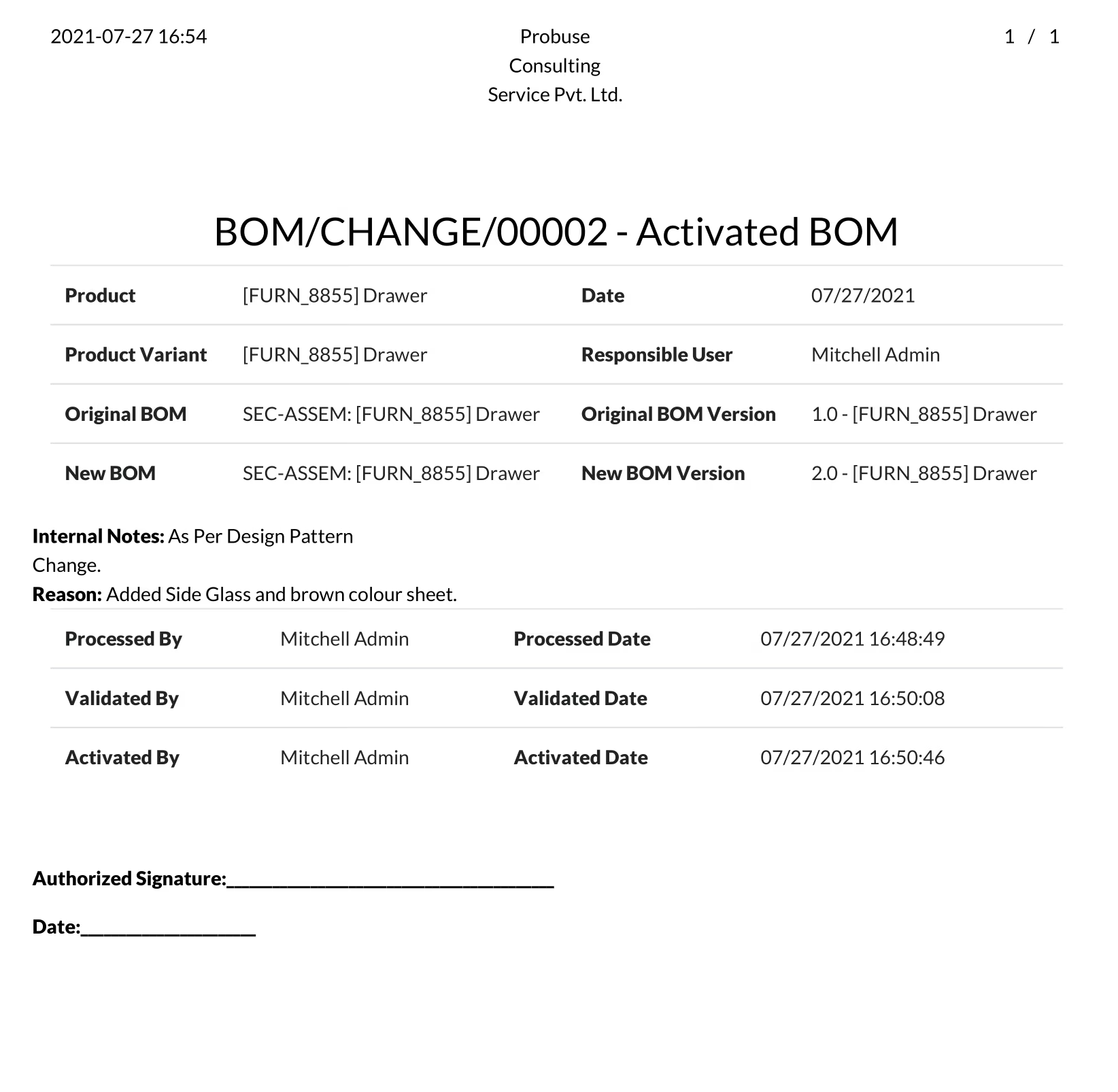
Print BOM Change Order PDF
Engineering Change Order (ECO) of Bill of Material PDF Report