Simplify your HR processes and gain valuable insights into your workforce with the Attendance Summary Report module. This powerful tool allows you to generate detailed and customizable attendance reports, providing a clear overview of employee check-in and check-out times, work duration, and attendance status. Whether you need to analyze daily, weekly, or monthly data, this module offers the flexibility to extract the information you need in a clean, easy-to-read format. Streamline your payroll, improve workforce management, and make data-driven decisions with this essential addition to your HR toolkit.
Generate detailed attendance summary reports for all employees.
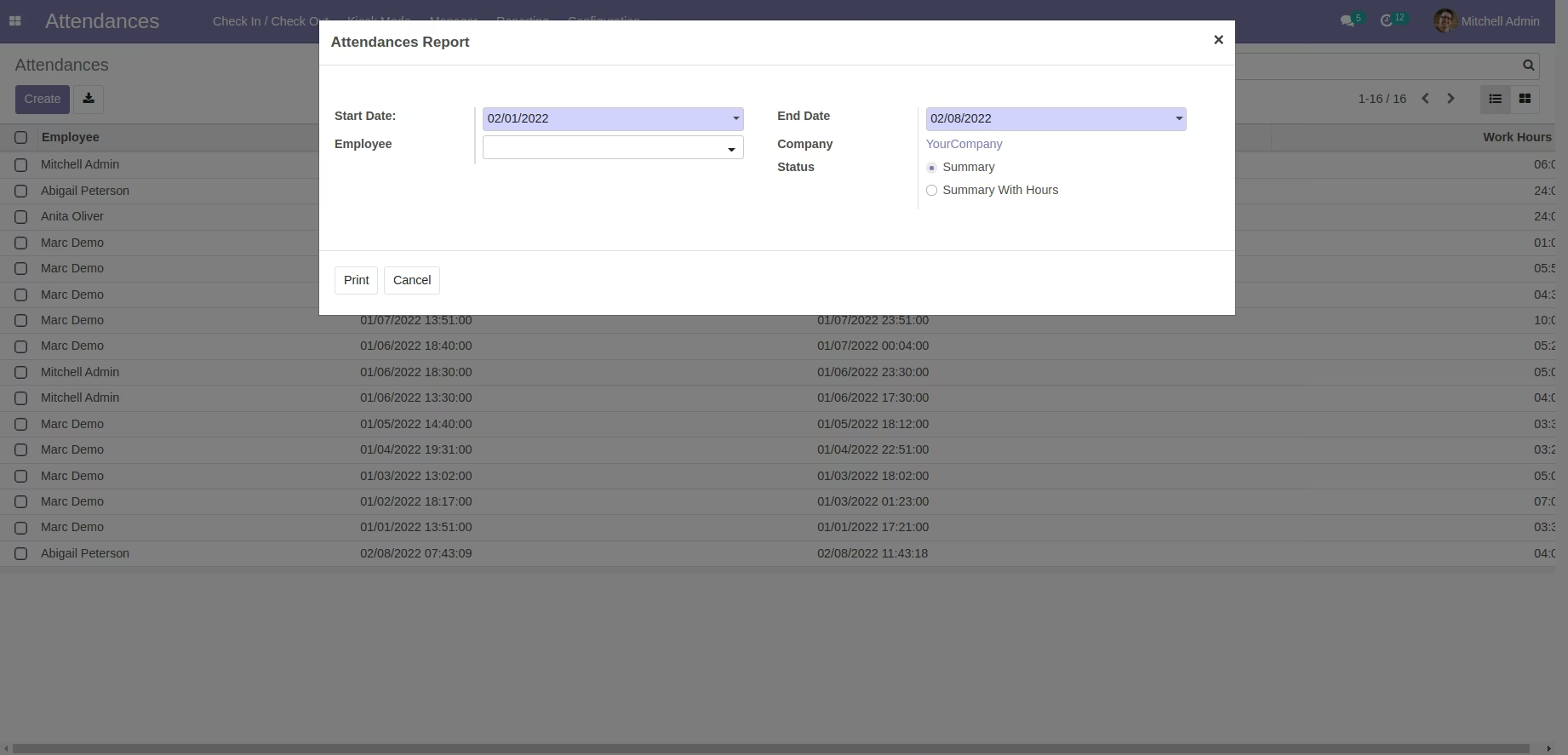
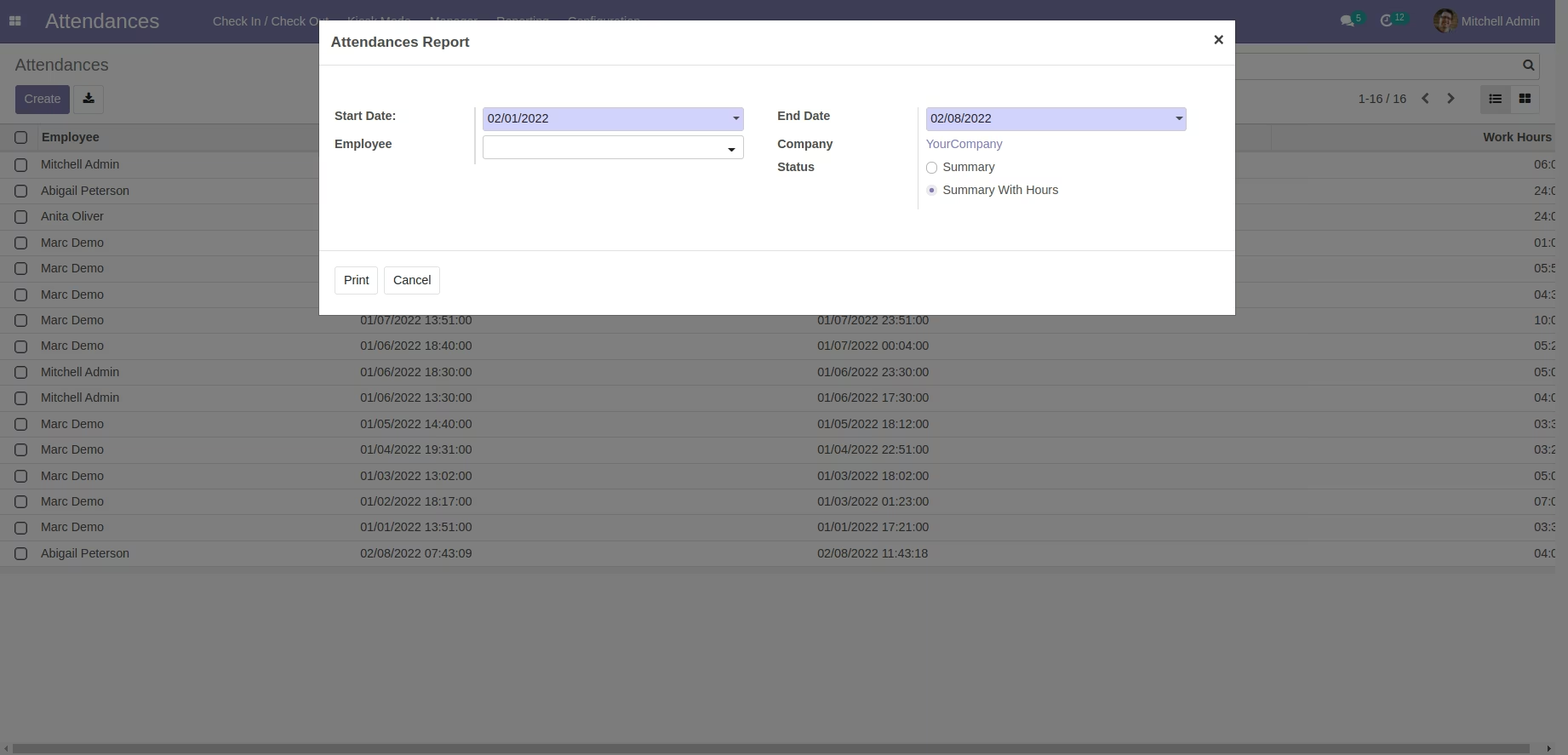
Filter reports by specific date ranges and individual employees.
Export reports in both PDF and Excel formats for easy analysis and sharing.
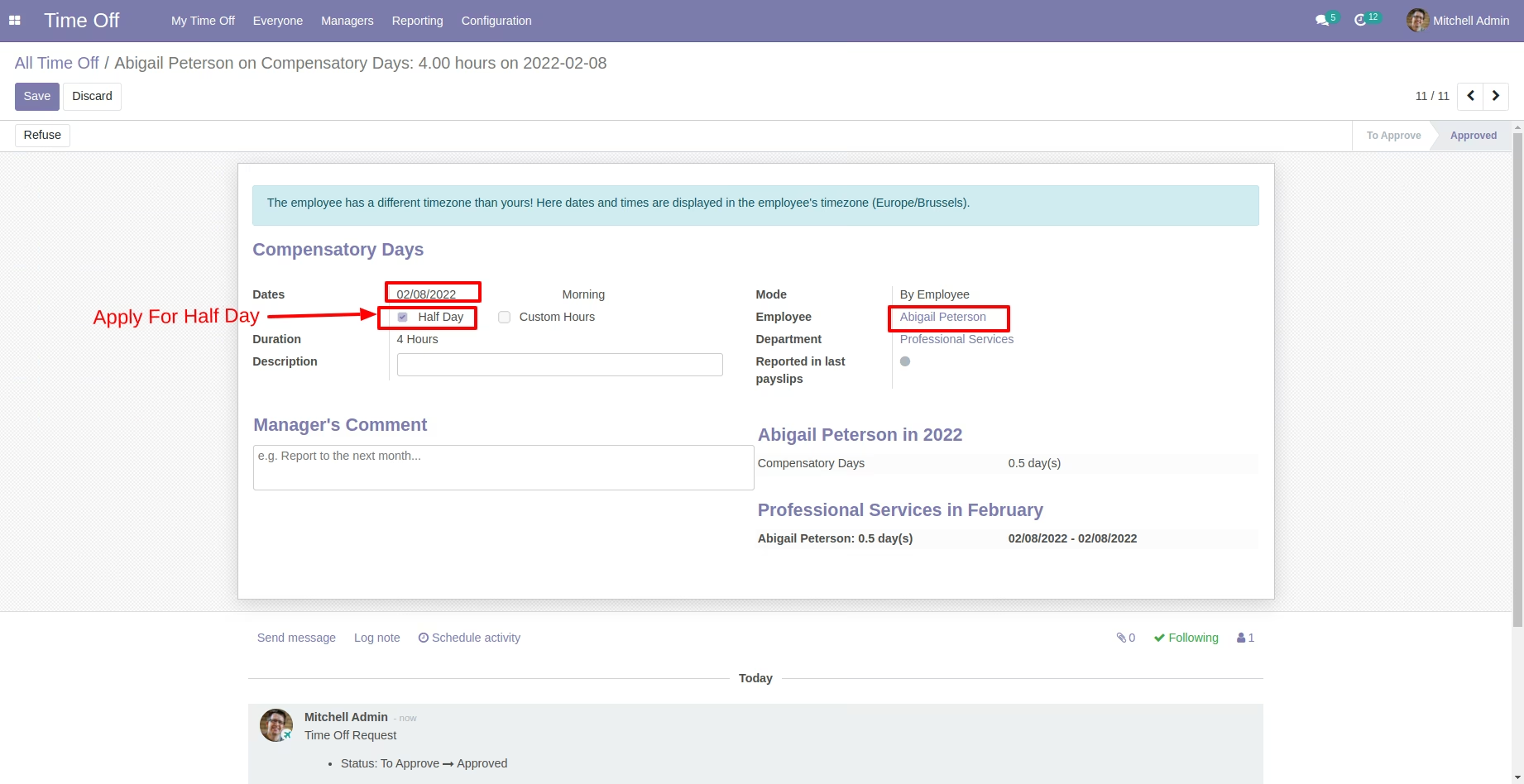
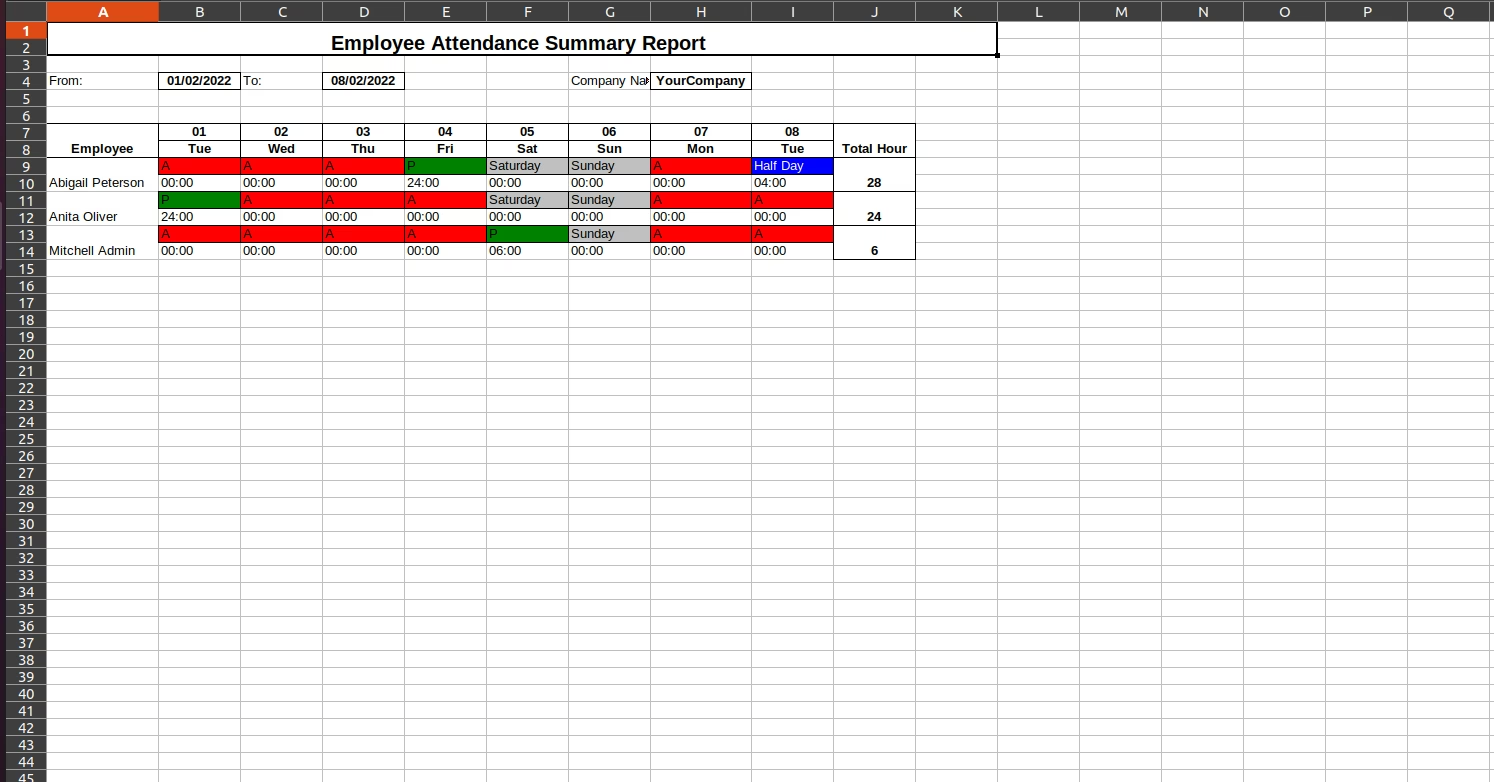
Includes a summary of attendance status such as present, absent, and leave.
Calculates and displays the total work hours for each employee.
Option to include detailed check-in and check-out times in the report.
User-friendly interface for quick and easy report generation.
Seamlessly integrates with the Attendance and Time Off modules.
Gain a clear and comprehensive overview of employee attendance patterns.
Simplify and expedite the payroll process with accurate work hour data.
Improve workforce management by identifying trends in absenteeism and tardiness.
Enhance decision-making with data-driven insights into employee productivity.
Save time and reduce administrative workload with automated report generation.
Increase transparency and accountability in attendance tracking.
Easily share attendance data with management and other stakeholders.
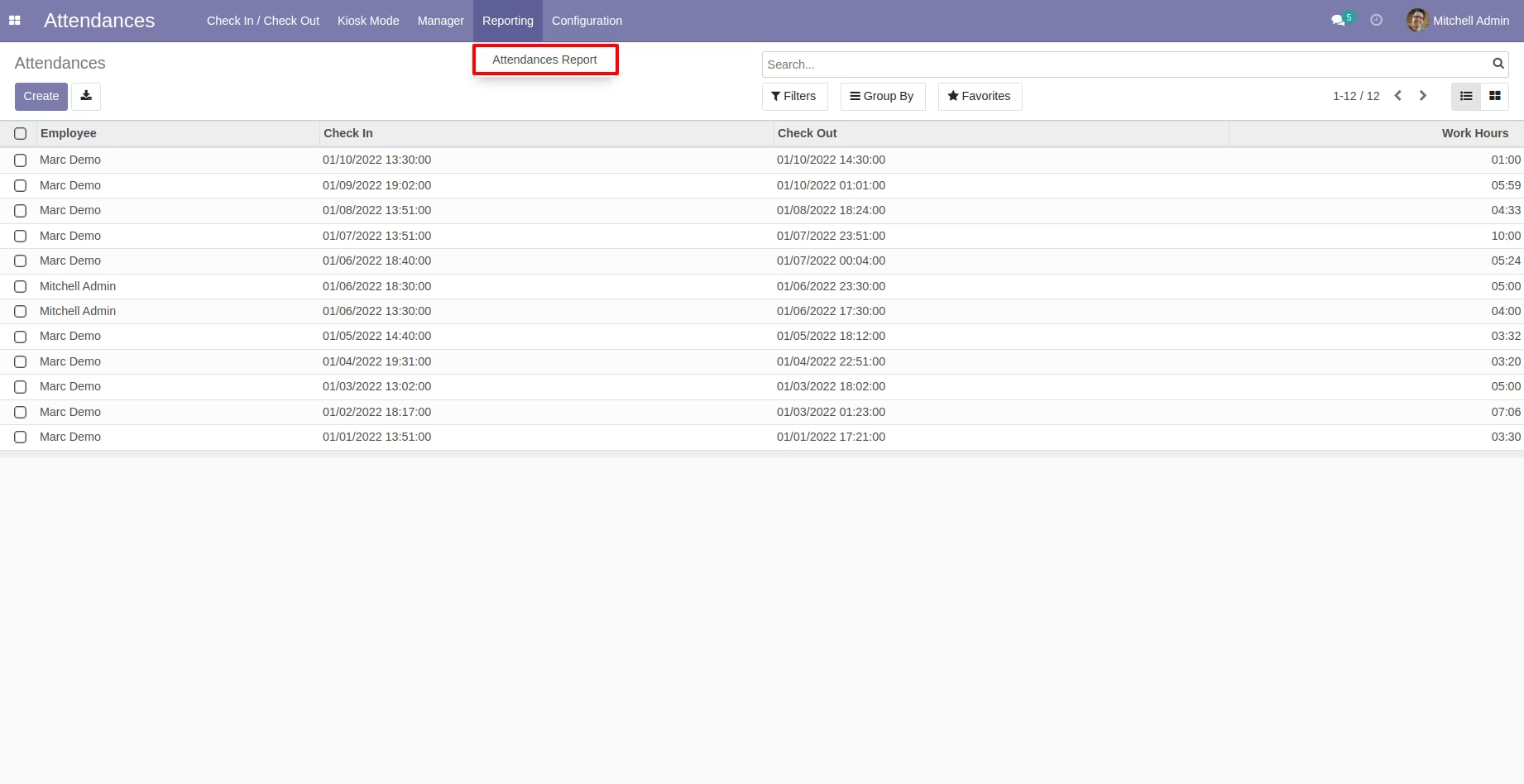
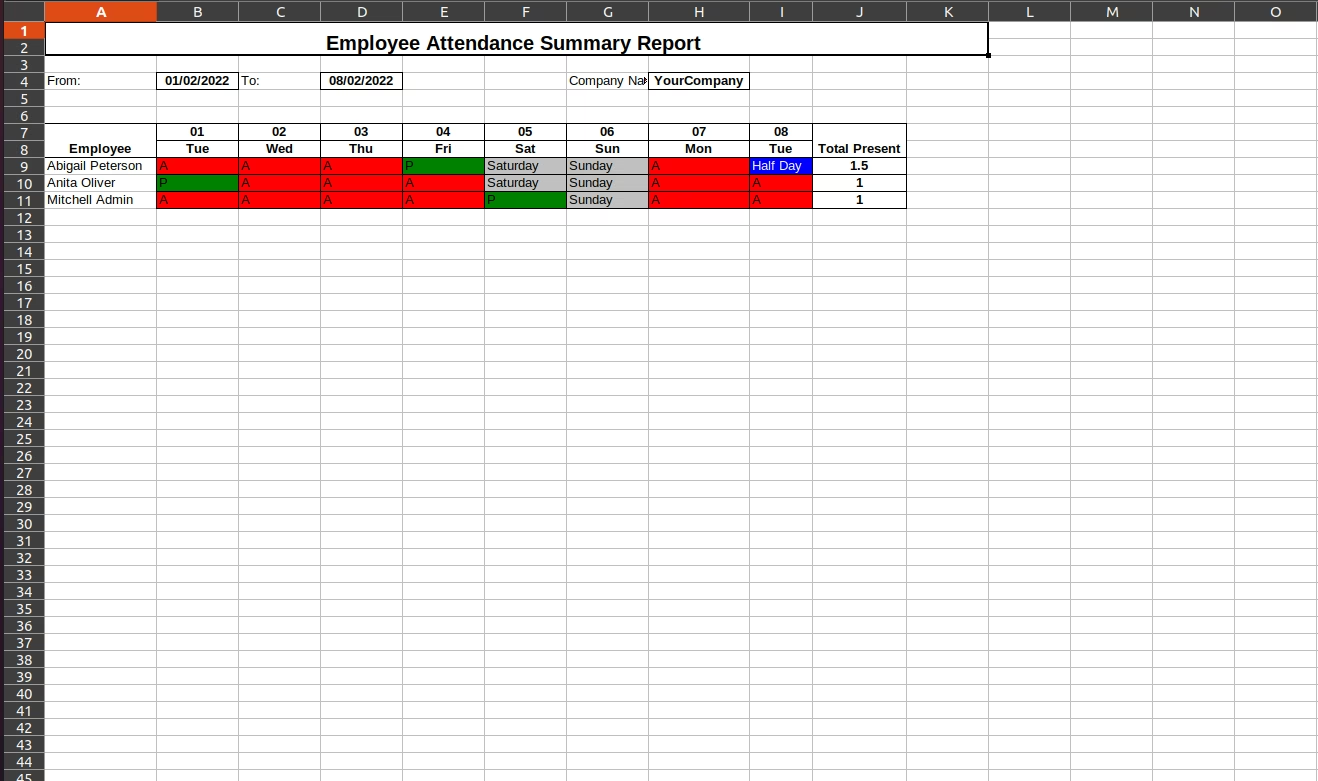
- Print Employee Attendance Report using Date Ranges in Excel Format
- Employee Attendance Report includes status summary like ( A - Absent, P - Present as well as with hours Summary (Attendance Hours of that day).
- We can export report for specific employee also