This module streamlines employee travel management by automating the entire workflow from travel request submission to advance expense handling and final reimbursement. Seamlessly integrated with core functions like expense processing, invoicing, projects, human resources, and internal communication, it ensures clarity and efficiency. By consolidating travel and finance workflows in one intuitive tool, it accelerates approvals, enhances visibility, and supports smooth coordination across departments.
Submit travel requests and approve them using a clear, guided workflow
Manage advance travel expenses directly within the travel request process
Create standard expense entries from travel requests with a single click
View expense sheets from the travel request form using smart buttons
Generate professional PDF travel request reports for printing and documentation
Integrated with core modules: Employees (HR), Expenses, Invoicing, Project, and Discuss for full operational alignment
Accelerates travel approval and advance expense workflows for HR staff
Reduces manual entry by linking travel requests directly to expense records
Enhances financial oversight through integrated reporting and approval tracking
Improves communication and record transparency via PDF documentation and smart buttons
Consolidates travel and expense processes into a unified, streamlined interface
Employee Travel Management with Employee Expense
Travel Management App for Employee Travels
This app allows you to manage the travel of your employees and expense advance and submit expense claims as shown below screenshots.
Main Features:
- Allow your employee to request travel and advance payment for expenses.
- Employees can confirm the travel request.
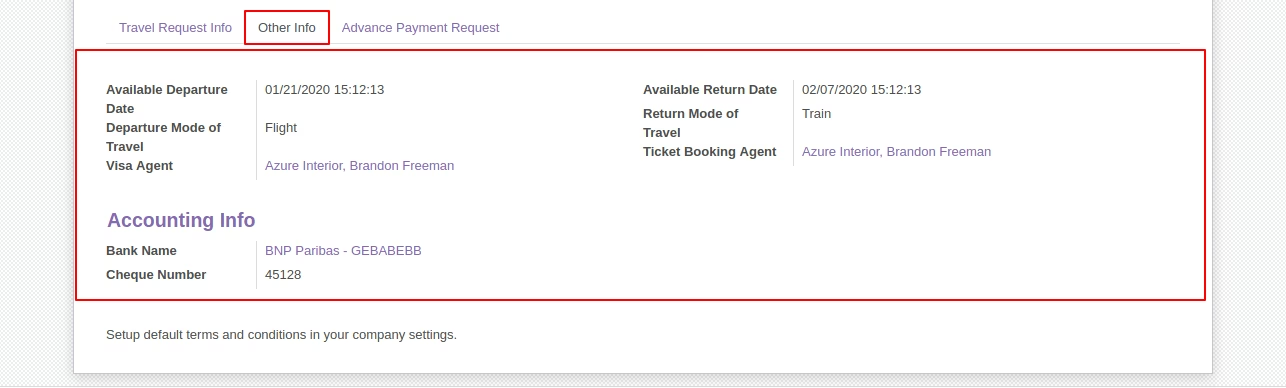
- HR Officer will add other information on the travel request form and then approve the travel request.
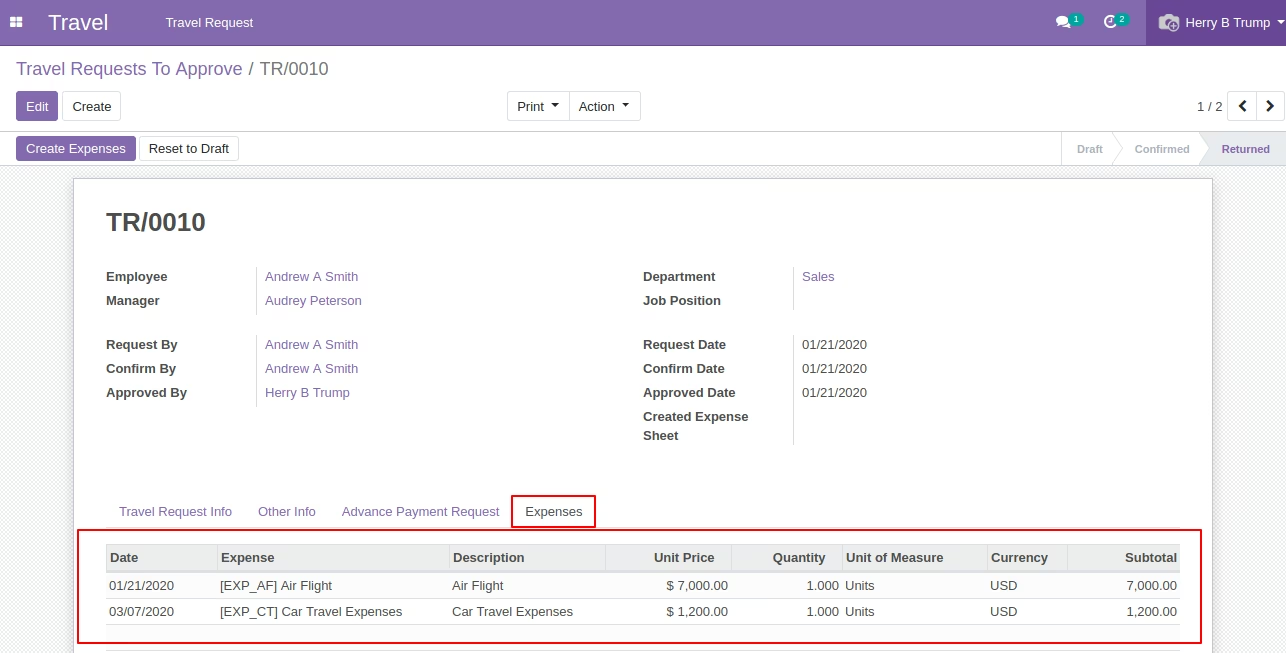
- After returning, the HR Officer can add expenses to the travel request form.
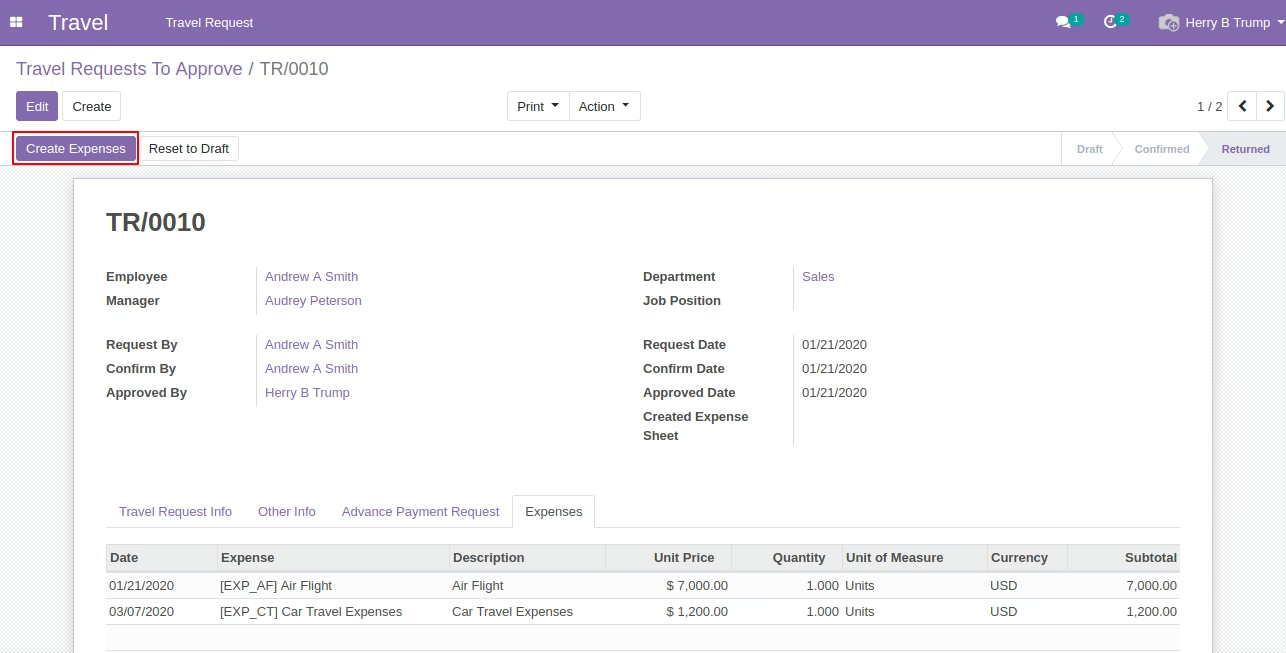
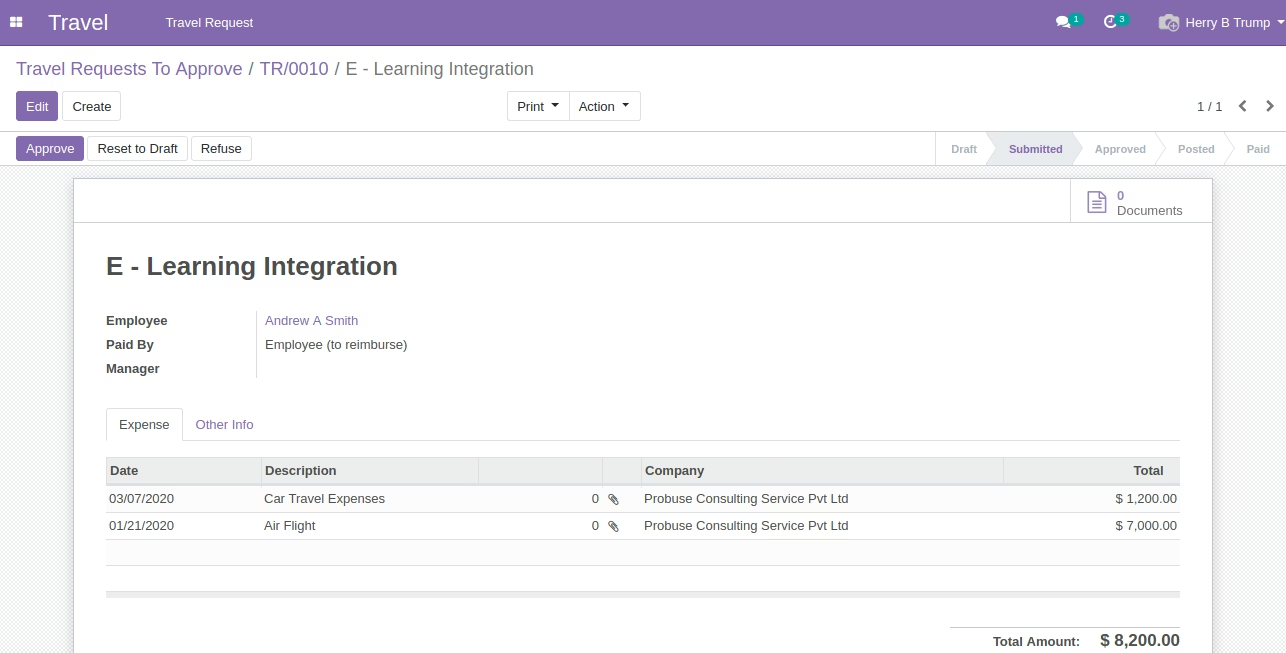
- HR Officer / Expense Officer can create Expenses (Standard) from the create expenses button.
- Expense sheet (Standard) employees can view from the smart button on the employee travel request form.
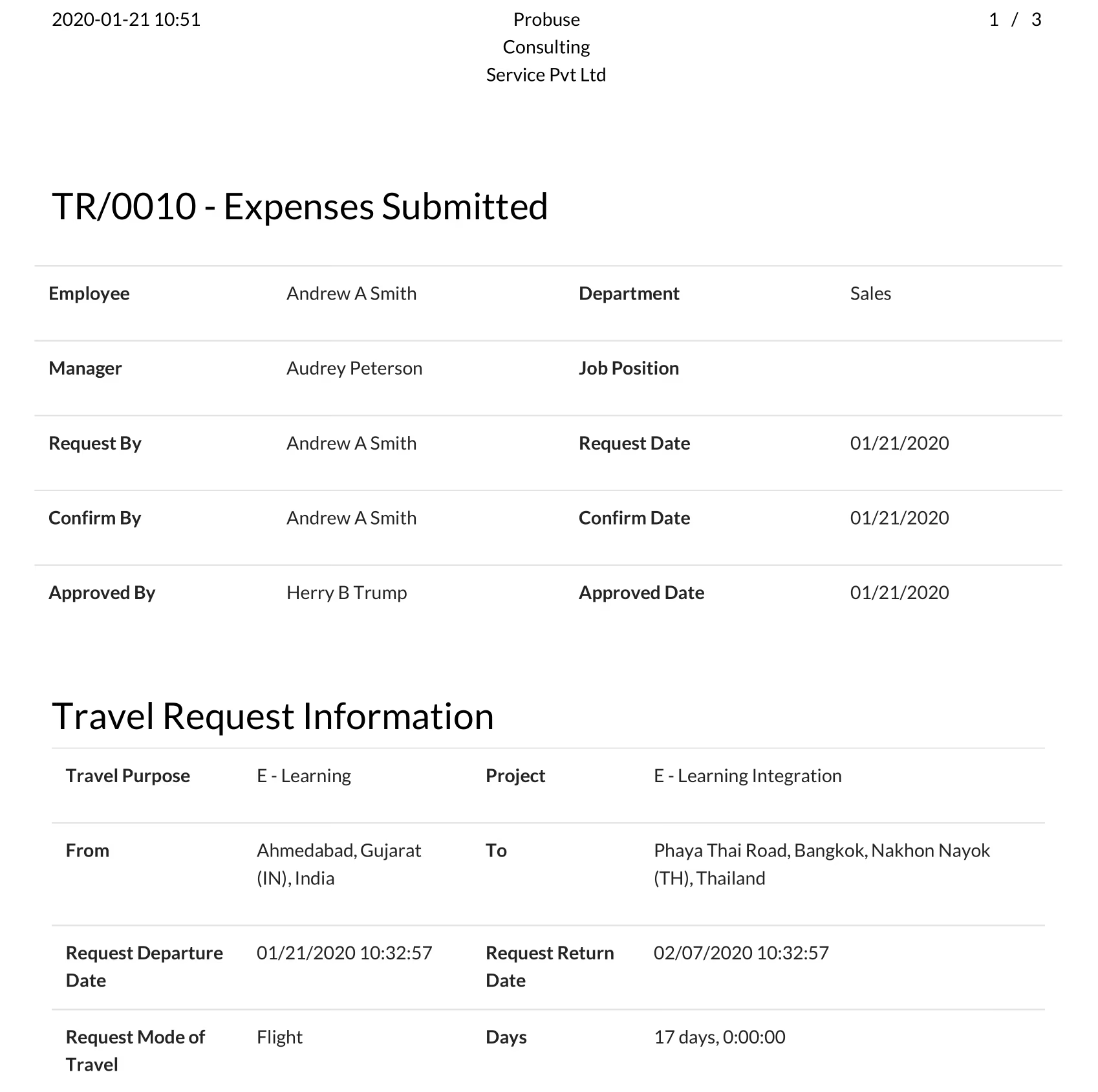
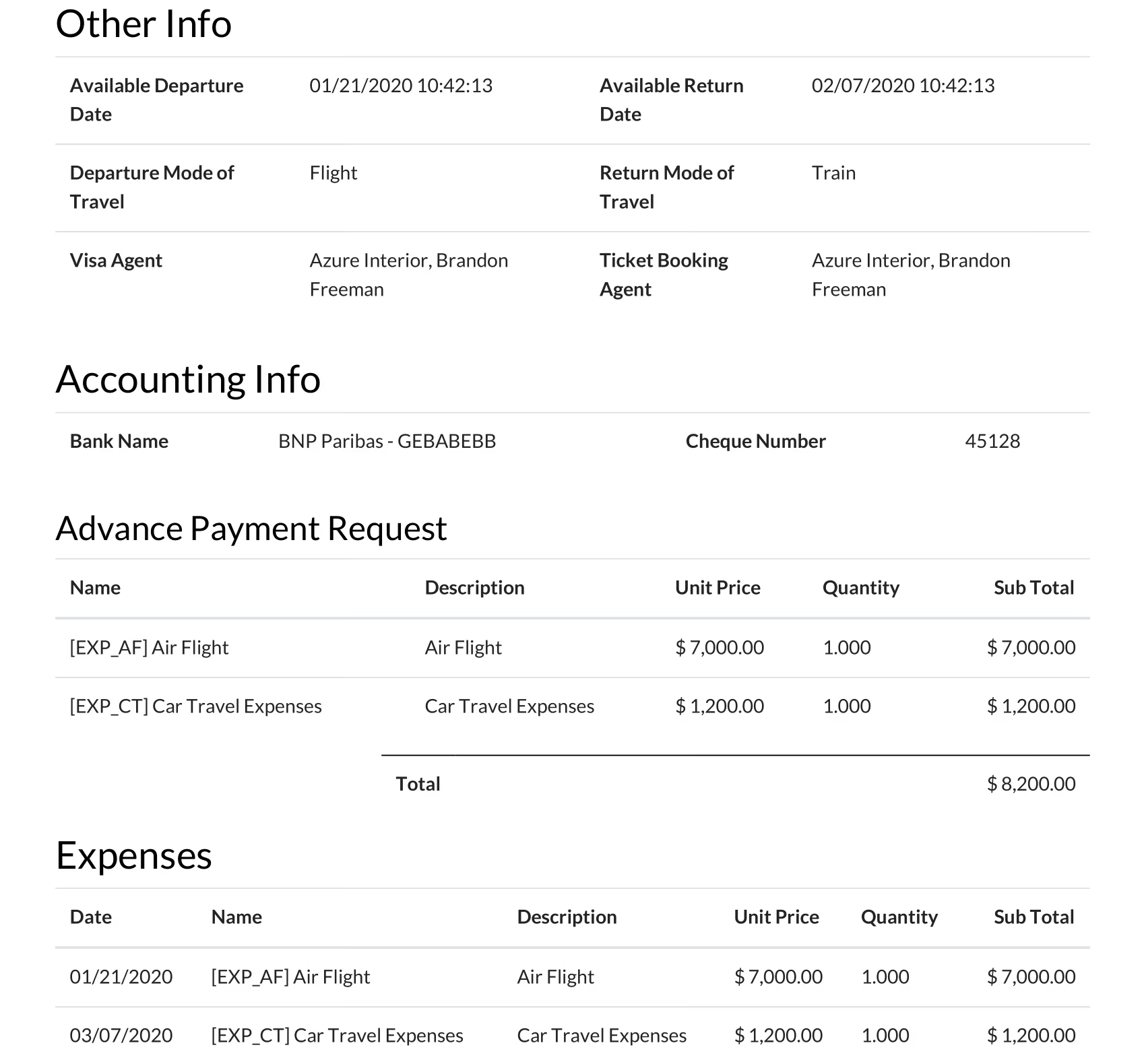
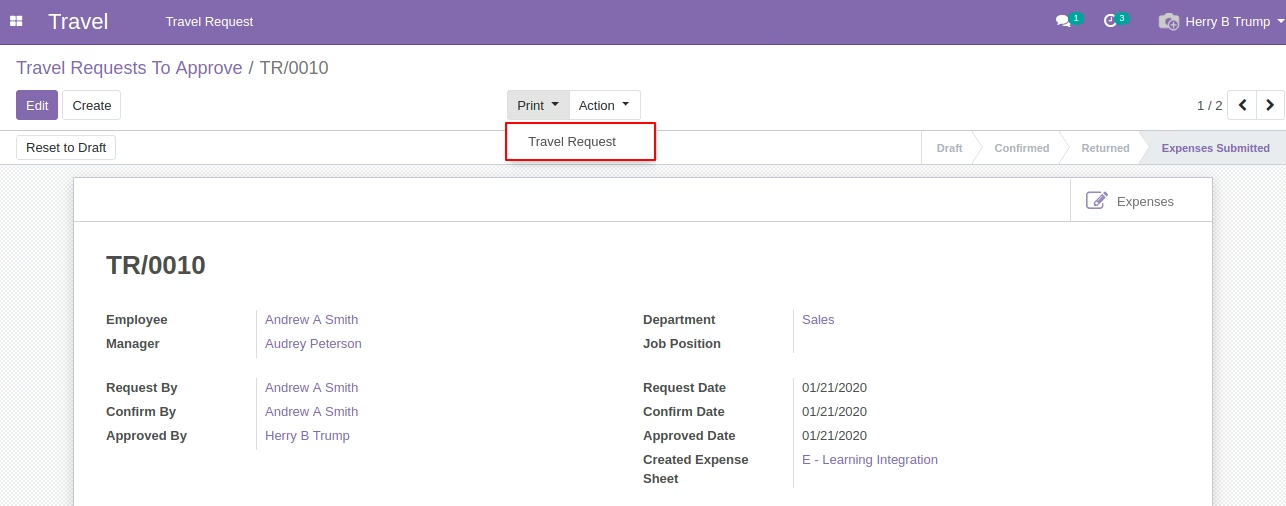
- Allow users to print a Travel Request pdf report as shown in the sample below.
- For more details please watch the video and check the below screenshots.
Created Menus :
- Travel
- Travel Request
- Employee Travel Request
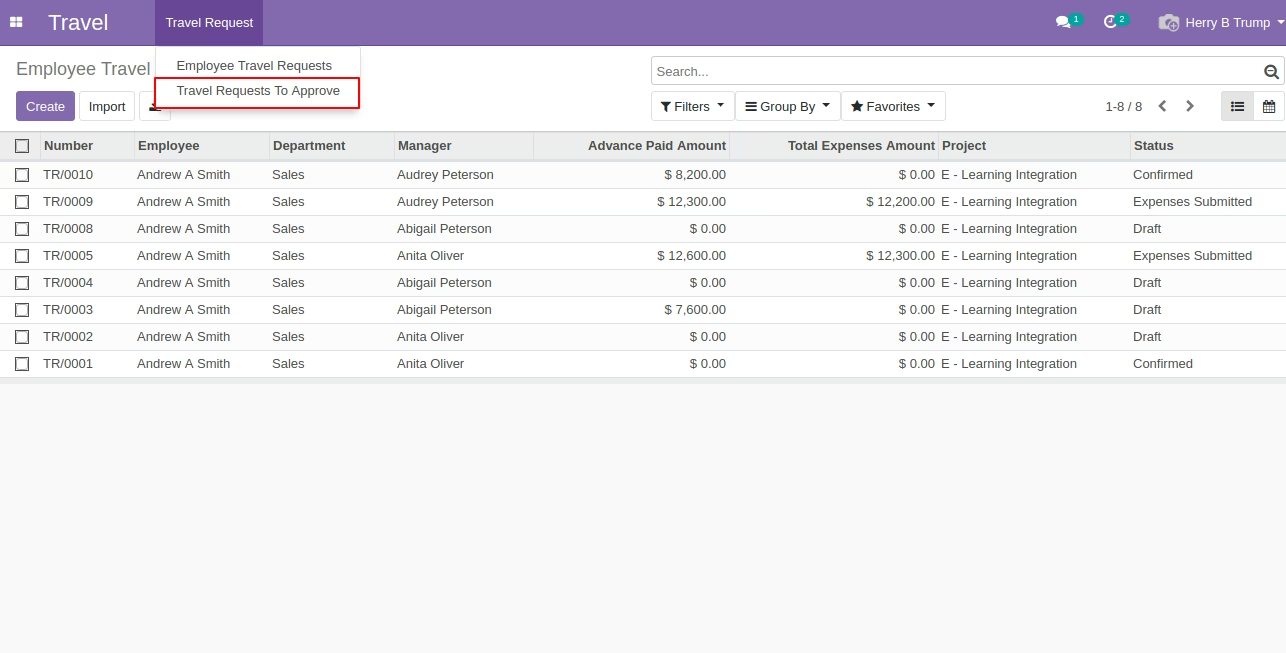
- Travel Requests To Approve
Defined Reports
- Travel Request
Workflow of Module: Draft ->Confirmed -> Approved or Rejected -> Returned -> Expenses Submitted
List of Sample Users we have used in demonstrate on below screens:
- Employee :- Andrew A Smith
Officer :- Herry B Trump
Login with Employee (Andrew A Smith) Create a Travel Request and Submit it for Approval
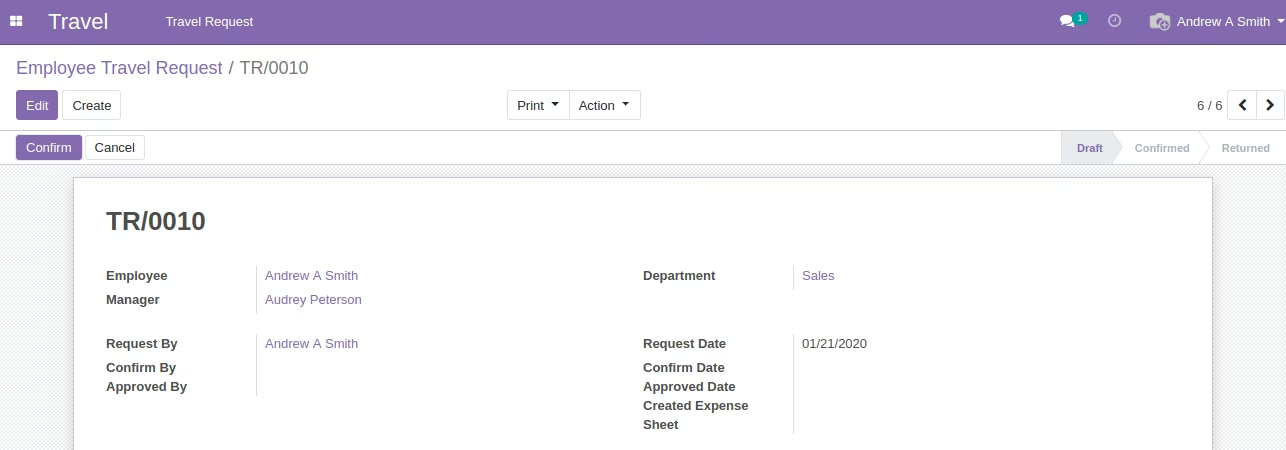
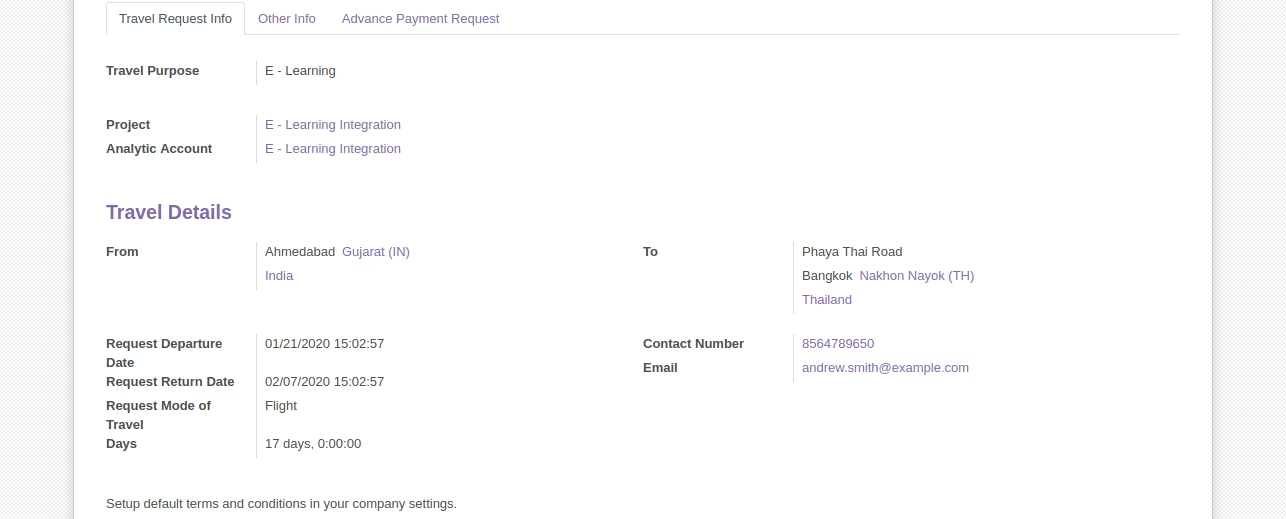
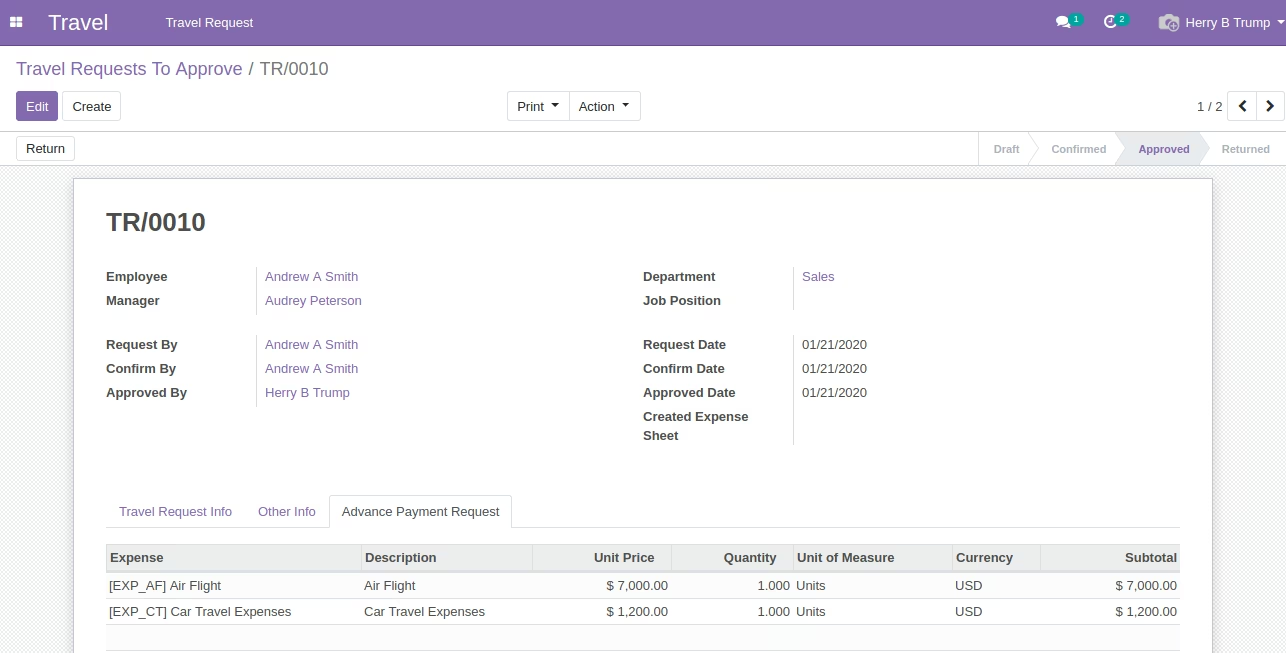
Employee (Andrew A Smith) Request for Advance payment by Filling Advance Payment Tab (This does not create any payment entry/accounting entry).
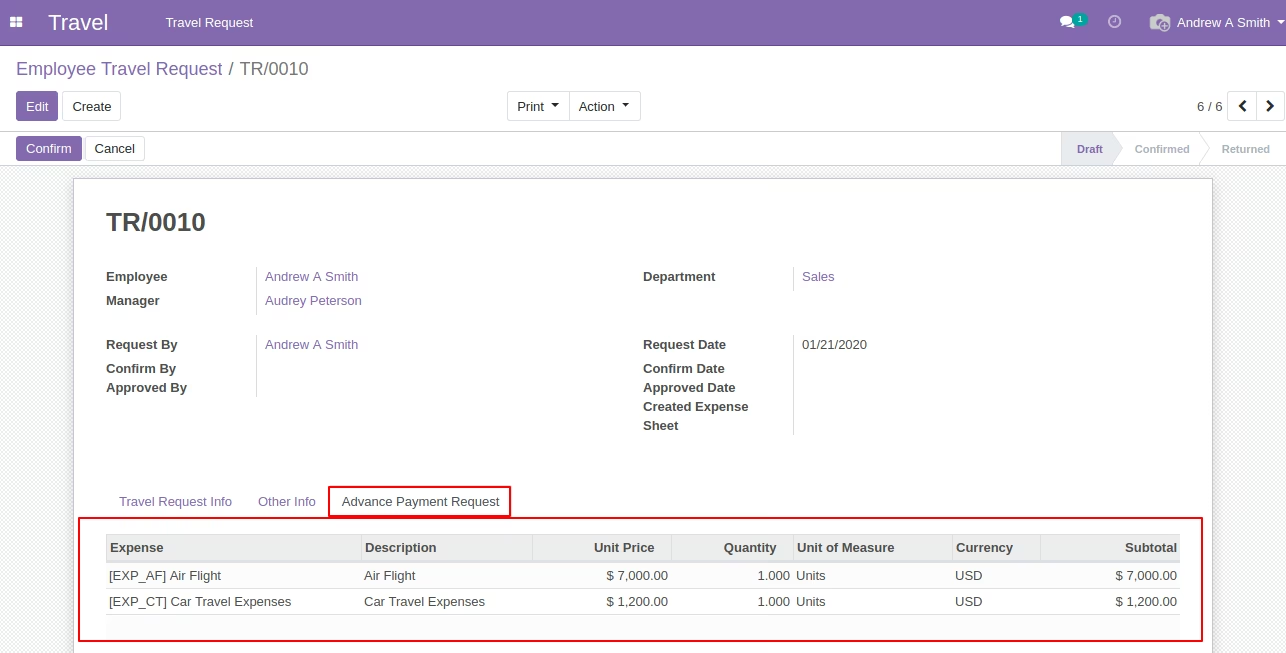
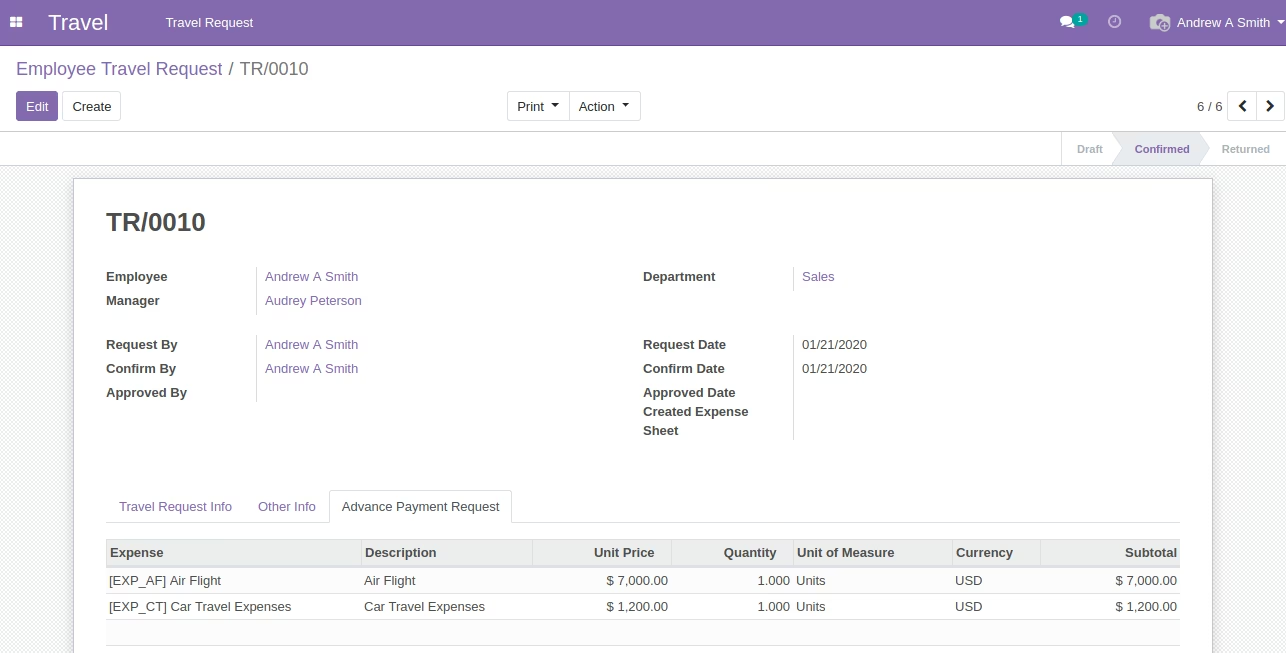
Employee (Andrew A Smith) Confirms Travel Request for Approval Purpose from Officer
Login With HR Officer (Herry B Trump) Showing List of All Confirmed Travel Requests
Login with Officer (Herry B Trump) with Other Information Tab
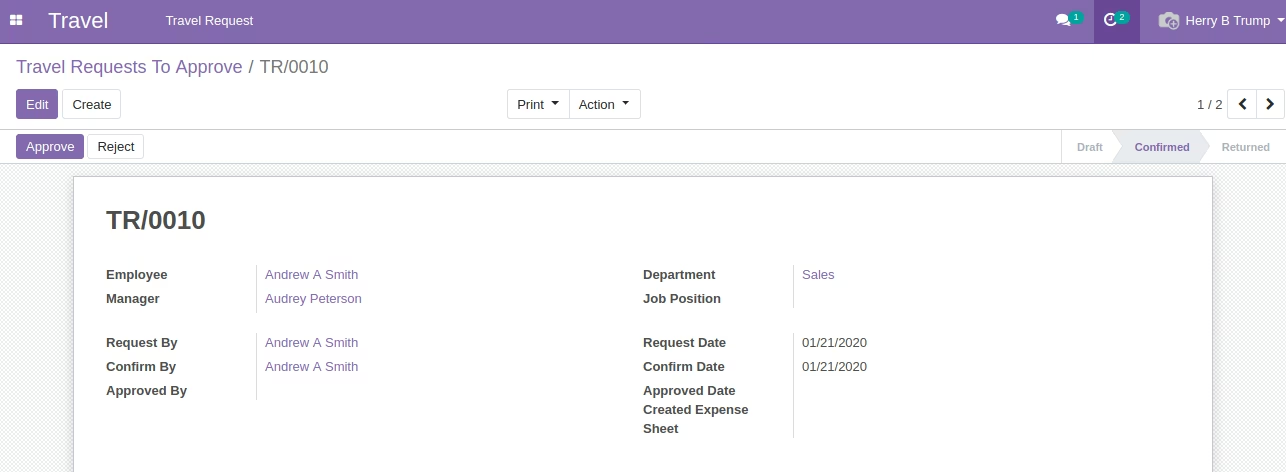
Officer (Herry B Trump) Approves Travel Request for Employee
Officer (Herry B Trump) adds Expenses once Employee Return Back after Travelling
Officer (Herry B Trump) can now Create an Expense Sheet from click on Crete Expenses Button on Travel Request Form
Open Expense Sheet from given Expenses Smart Button on Travel Request Form
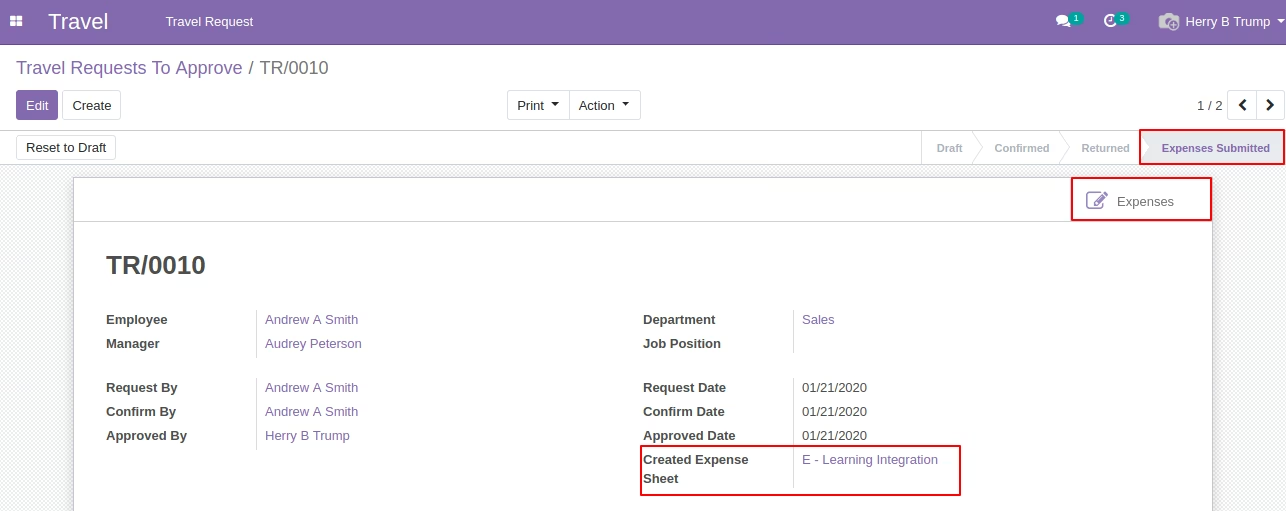
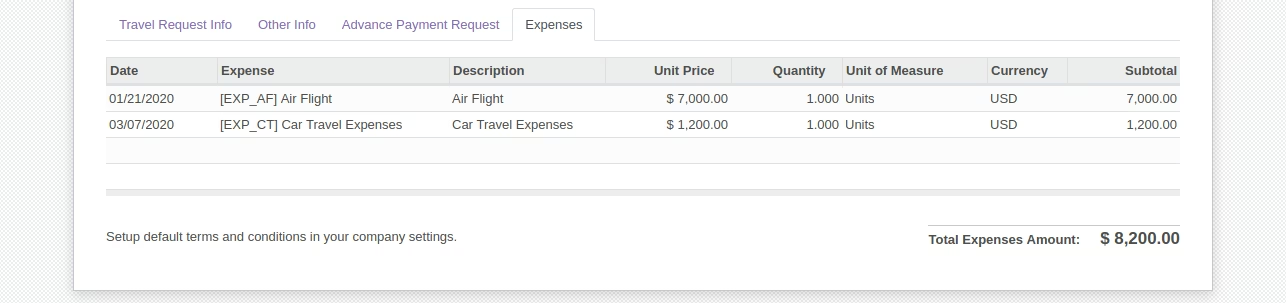
Created Expense Form [Standard] from Travel Request
Print Travel Request PDF Menu
Print PDF Report Travel Request [Sample]