The module for allows employees to log their work hours and submit them for managerial approval. Managers can review, approve, or reject timesheets, ensuring accurate payroll processing and project billing. This module enhances time tracking efficiency and accountability within organizations.
Employee Timesheet Entry: Employees can enter their worked hours by day, project, and task.
Timesheet Submission: Employees can submit their timesheets for managerial approval.
Managerial Approval: Managers receive notifications and can approve or reject submitted timesheets.
Analytic Reporting: Managers can generate reports by employee, project, or task to analyze time allocation.
Employee Dashboard: Employees can view and manage their submitted timesheets through their dashboard.
Accurate Time Tracking: Ensure precise recording of work hours for payroll and billing purposes.
Streamlined Approval Process: Simplify the timesheet approval workflow between employees and managers.
Enhanced Reporting: Gain insights into time allocation across projects and tasks for better resource management.
Improved Accountability: Foster accountability among employees by tracking and reviewing work hours.
Submit Timesheet for Approval Apps
Employee Timesheet Sheet Entry Apps
Each User Manages Own Timesheet Apps
Enable Timesheet Approval Notifications Apps
Employee timesheet sheet apps is use to enter/fill timesheet of employee and record Timesheet Sheet for Employee, this feature has been deprecated from community edition, so here this module provide all kind of same features for community edition of where each employee user can able log his/her timesheet entry, user can submit his/her timesheet to manager for approval. Timesheet manager will get notification for timesheet approval and timesheet user can only have access to his/her timesheet, timesheet manager can able to see/access timesheets of all employeee/users.
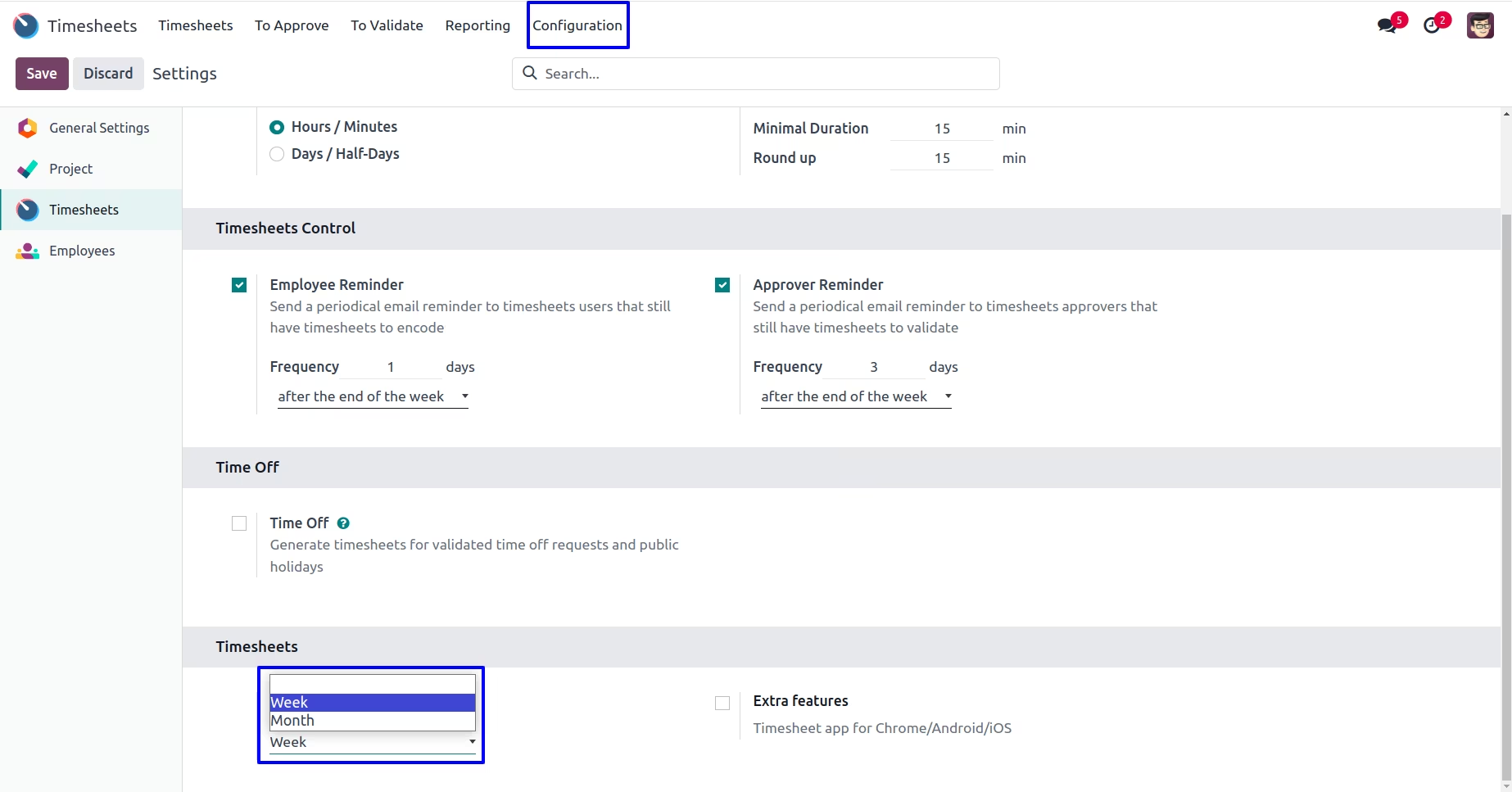
Timesheet Configuration
Under Timesheets > Configuration > Timesheet Range user can select week or month.
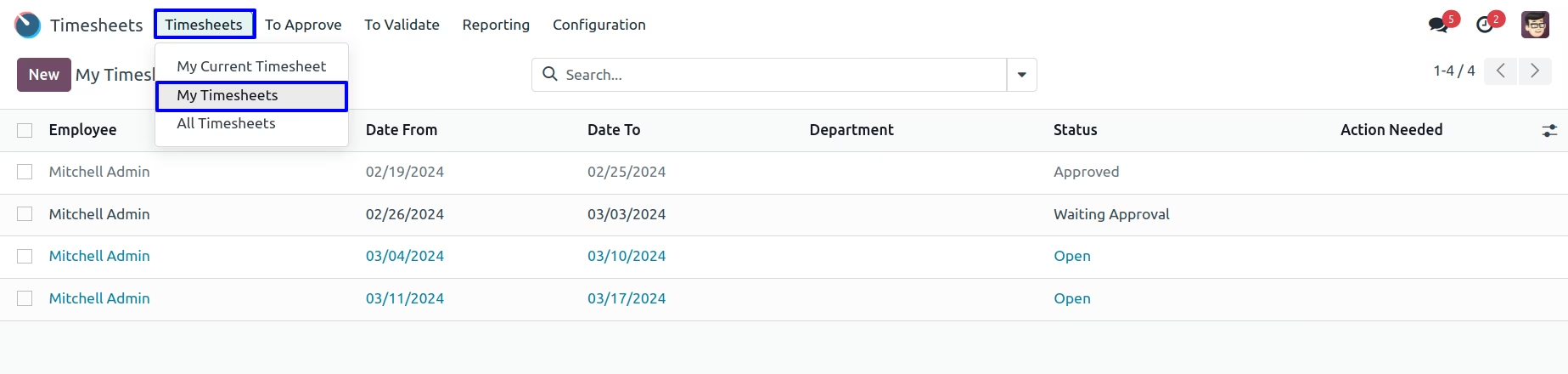
My Timesheet
Employee can view their all created/filled timesheet in tree/form view.
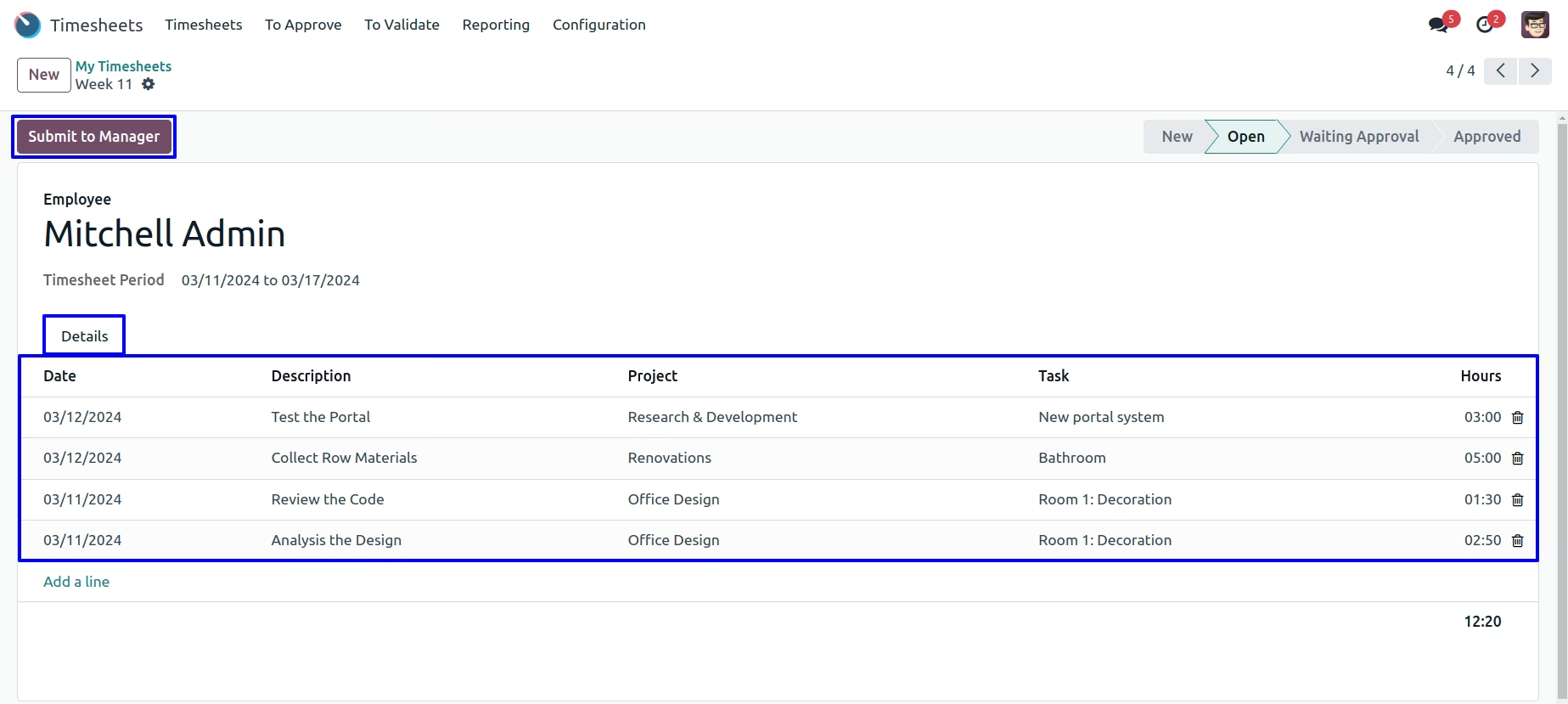
Timesheet For Employee
Employee can create and fill Timesheet Sheet for time period. After filling timesheet by employee, Employee can submit timesheet to manager for approve.
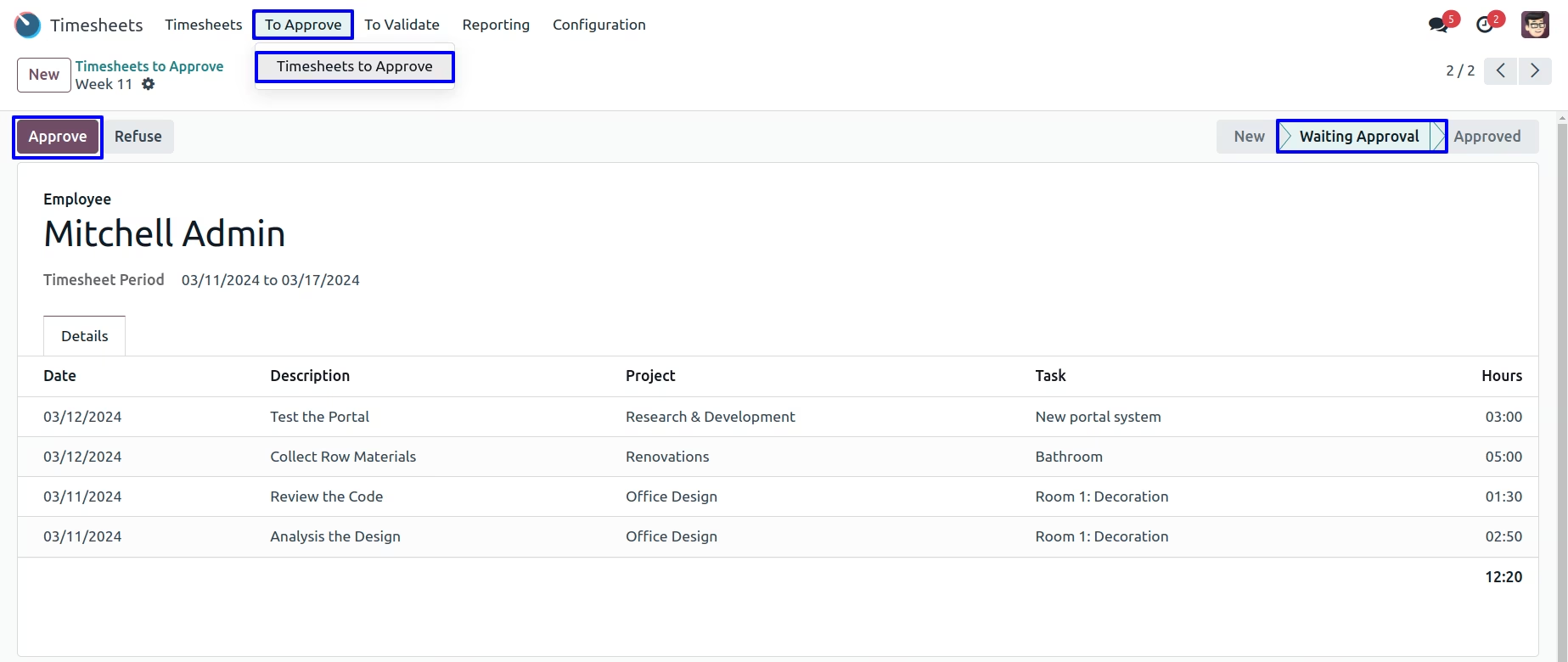
Timesheet Sheet to Approve By Manager
When employee submit their timesheet to manager then manager have access to approve or refuse employee's timesheet. Manager can approve or refuse employee timesheet.
Timesheet Analytic Report
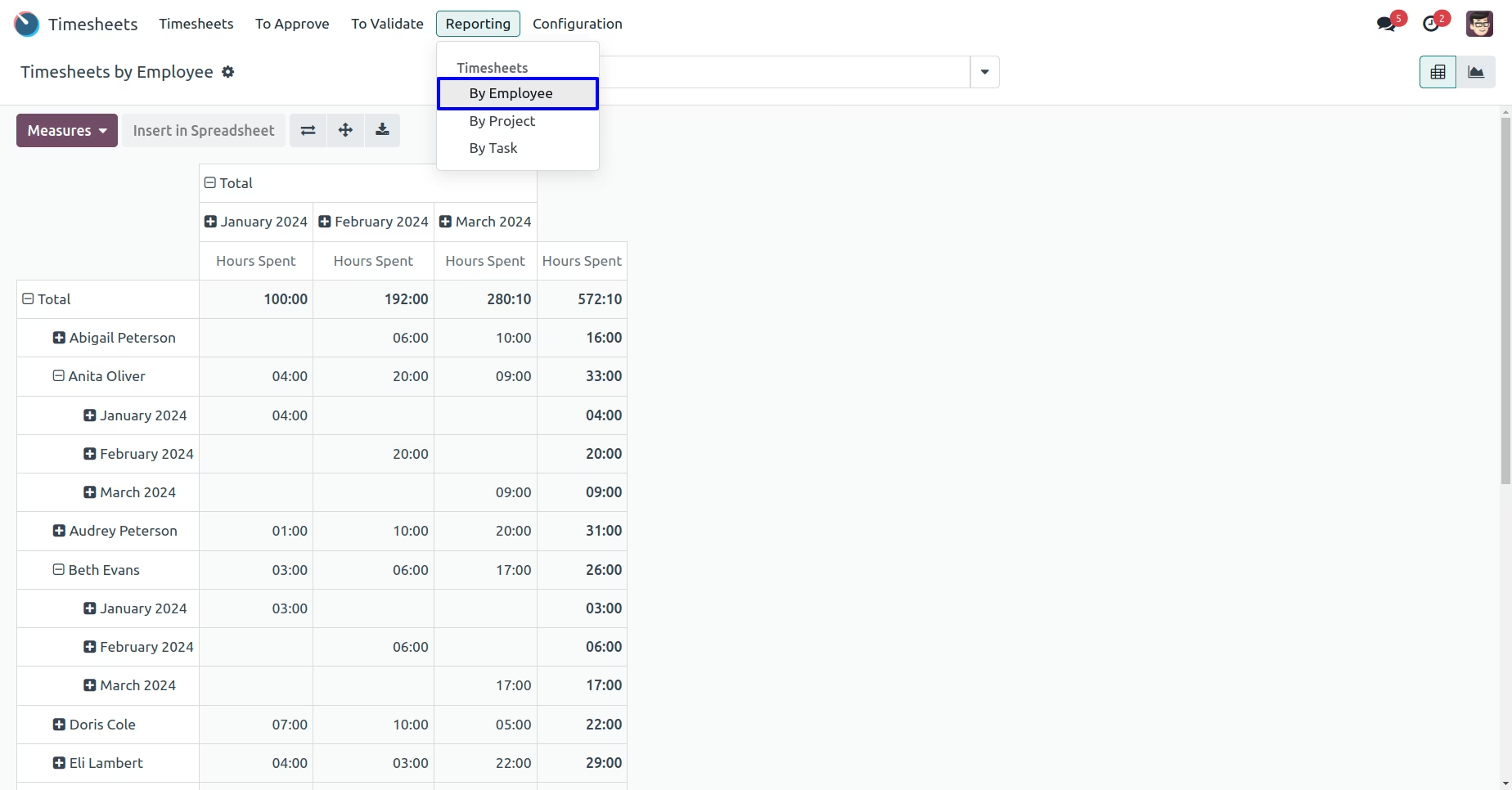
Manager can view analytic report for all timesheet.
By Employee
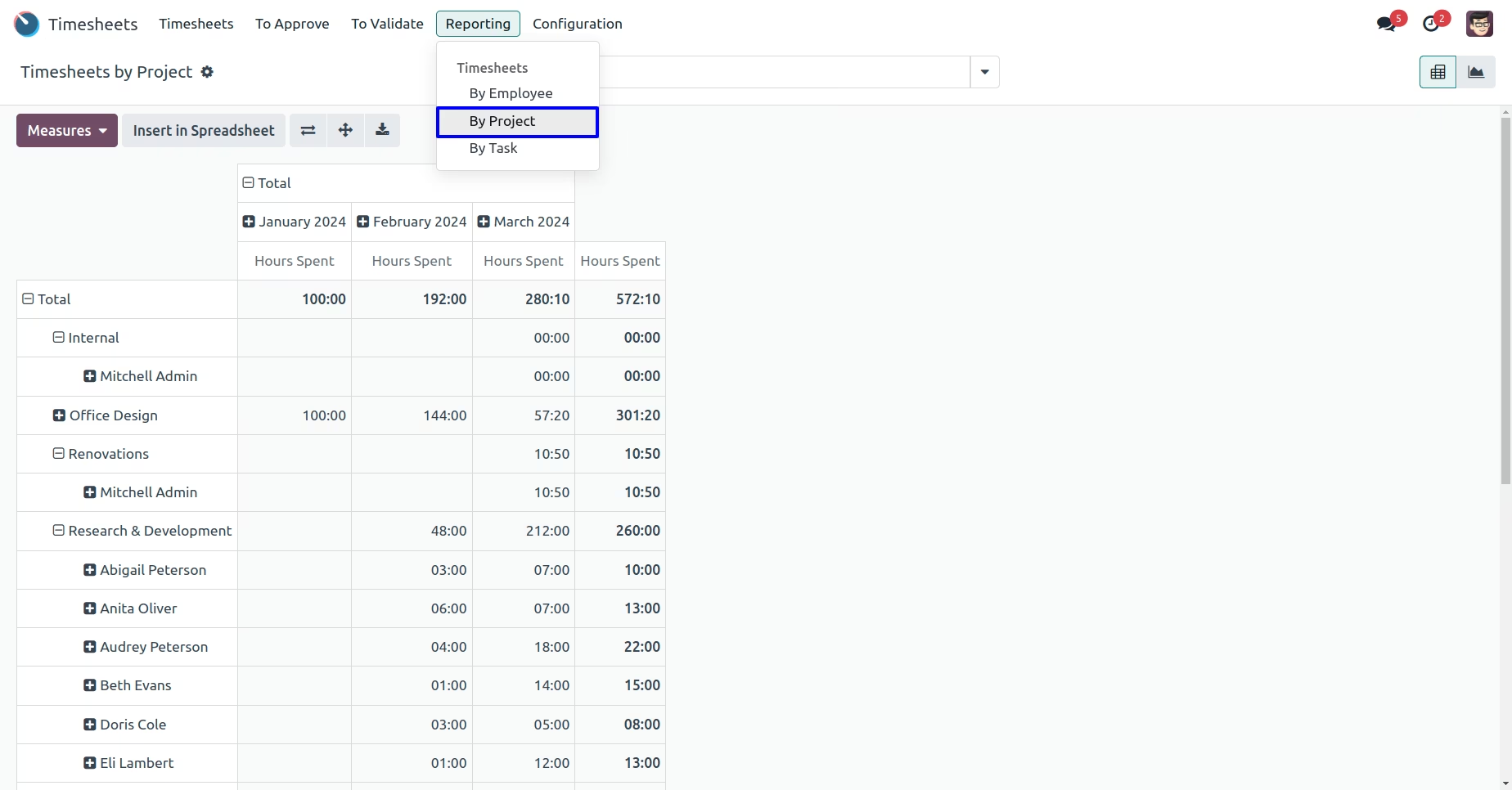
By Project
Manager can view analytic report for all timesheet.
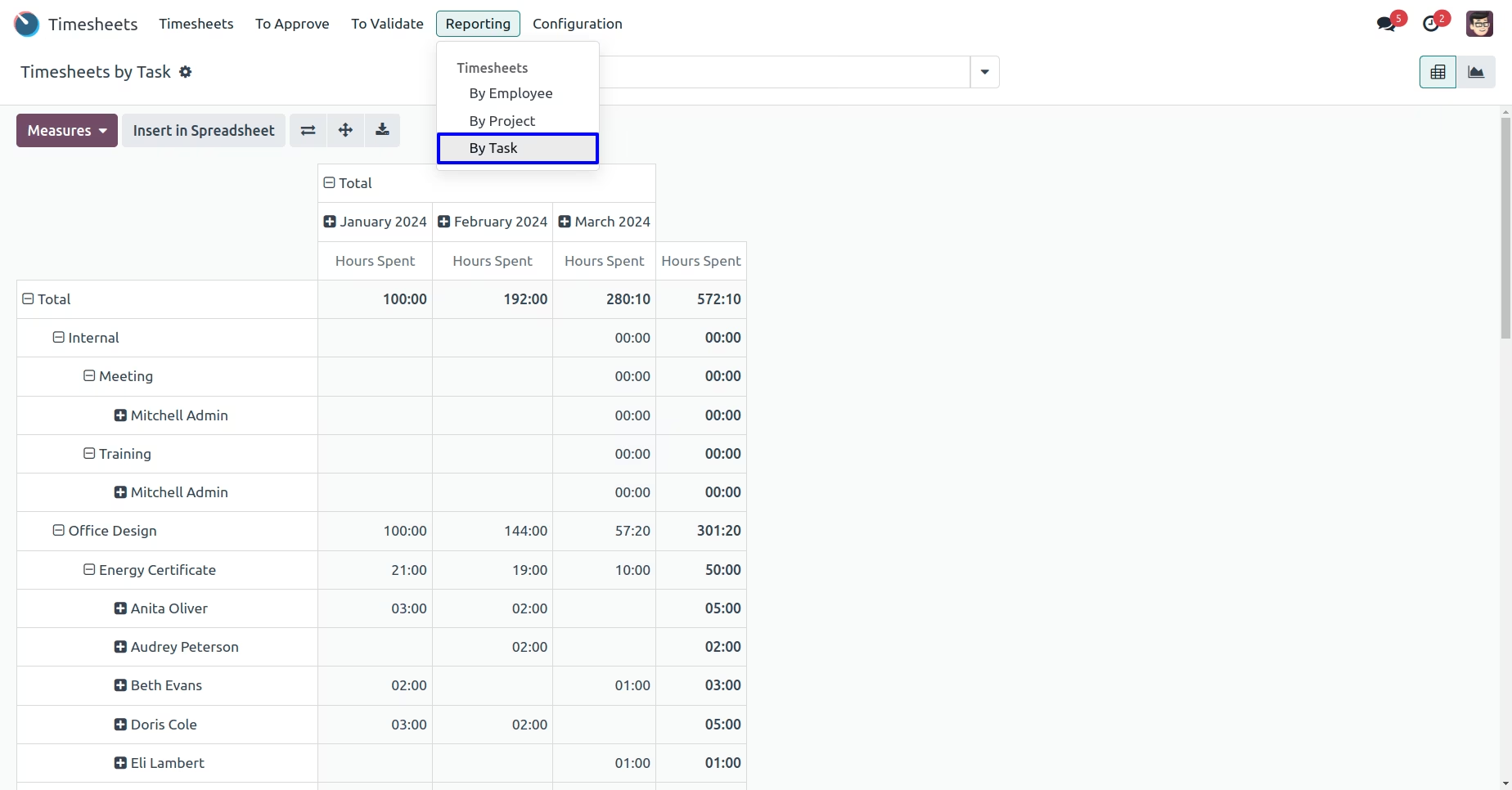
By Task
Manager can view analytic report for all timesheet.
Employee View
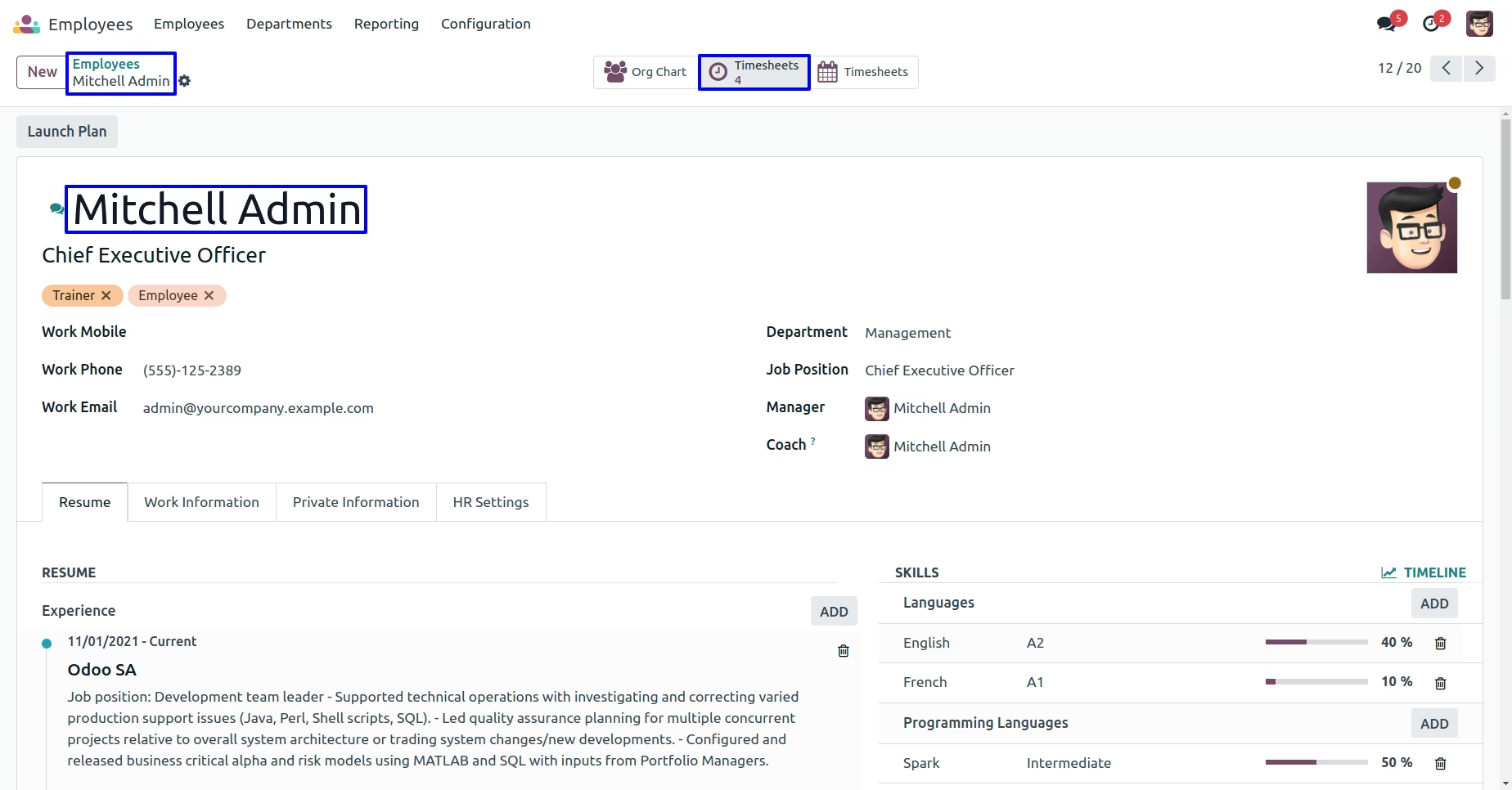
In Employee form view you can see timesheet button.By clicking on timesheet button employee or manager can view created timesheet.
Employee Timesheet Report
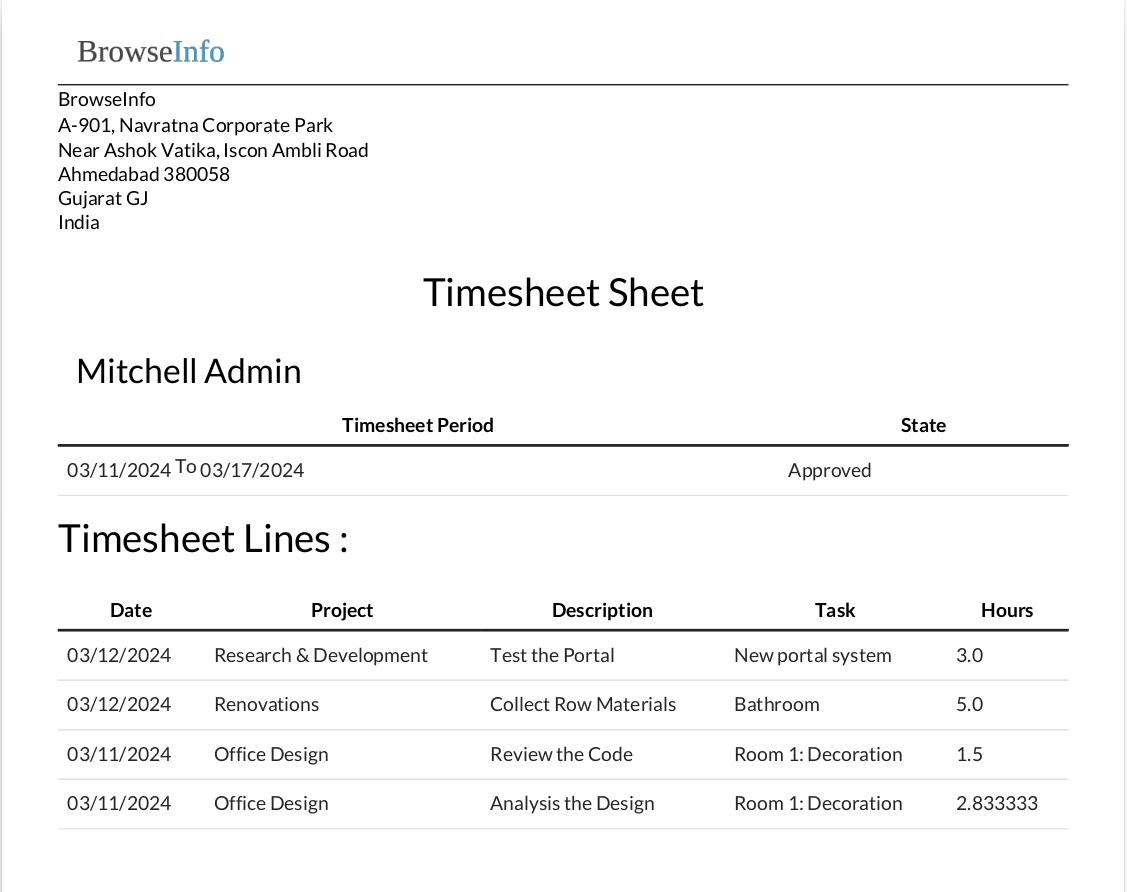
Click on Timesheet Sheet button to print report.