The module enables businesses to efficiently manage sales objectives and reward performance through automated processes. By defining both individual and team targets and attaching commission rules, this module ensures transparent tracking of sales performance. With seamless integration into sales workflows, it enhances motivation, supports clear goal alignment, and helps drive revenue growth through measurable and reward-driven strategies.
Set customizable sales targets for individuals and entire sales teams
Define commission rules tied to target achievement thresholds
Monitor real-time progress and visualize performance against goals
Automate commission calculation based on performance metrics
Facilitate manager approvals and adjustments for targets and commissions
Integrate target and commission data into sales dashboards for reporting and transparency
Drives sales motivation by tying performance to rewards through clear targets
Reduces manual errors with automated commission computations
Enhances visibility of progress and performance across teams
Simplifies incentive management with streamlined target and commission workflows
Aligns sales efforts with organizational goals through transparent tracking
Commission System for Sales Employees
Sales Target-Based Employee Commission Apps
Employee Target Based Commission - Enterprise Edition Apps
Target Based Sales Commission for Employee Sales Team Apps
Employee Sales Target and Commission App helps users to manage sales commission and helps out to achieve a target for each sales person. You can create a sales commission target group which is based on amount and percentage and also can set start date and end date for each target group. Sales commission is calculated based on total sales and selected commission group. After installing this module salary structure and salary rule will be auto generated for sales commission also you can see sales commission was included into generated payslip of employee.
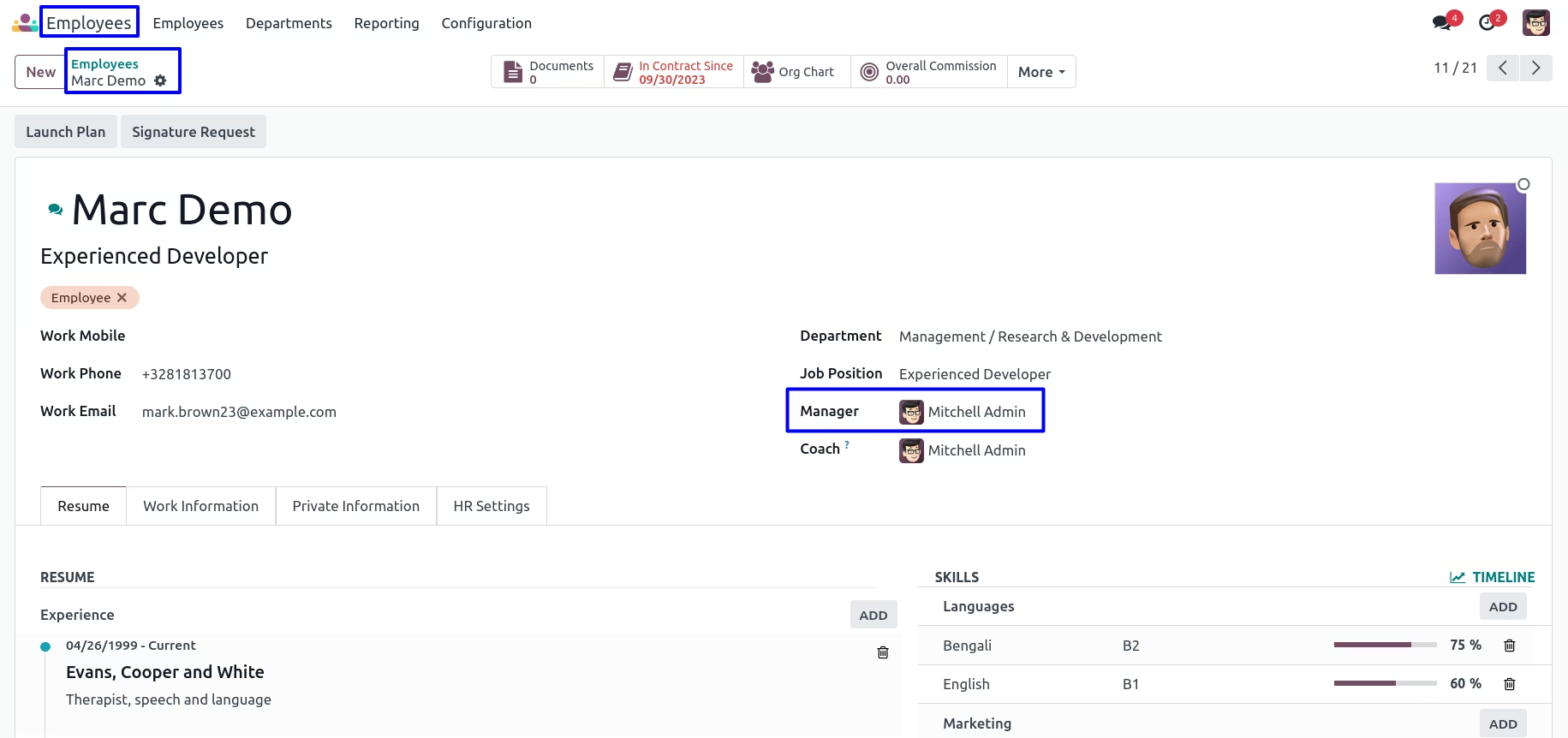
Create Salesman and Set Manager
Create Sale Commission Target Groups
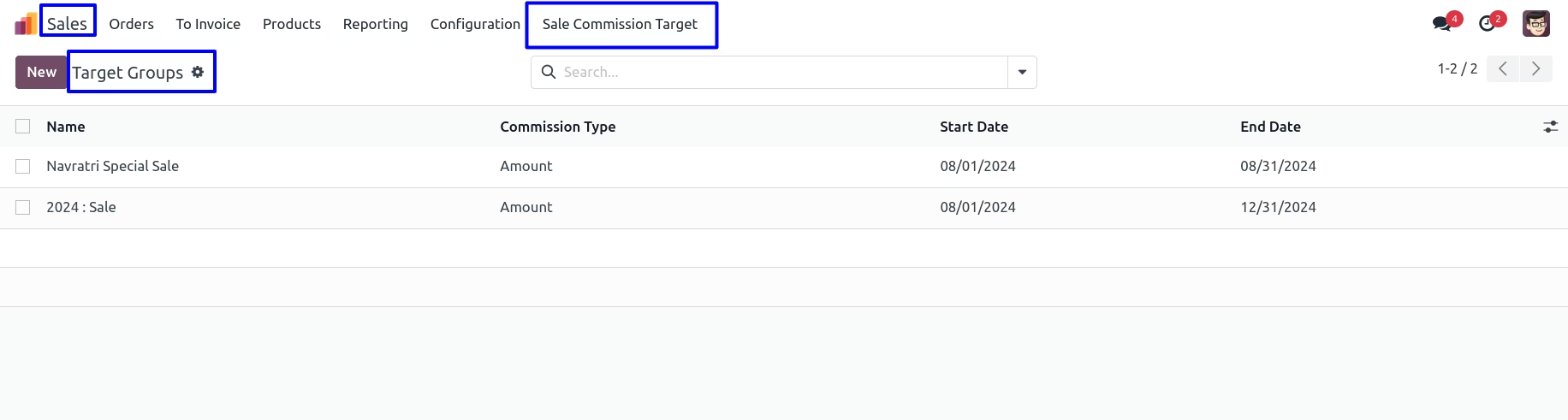
Goto Sales -> Sale Commission Target in that you can create target groups.
Sales Commission Based on Amount
Create Target Group
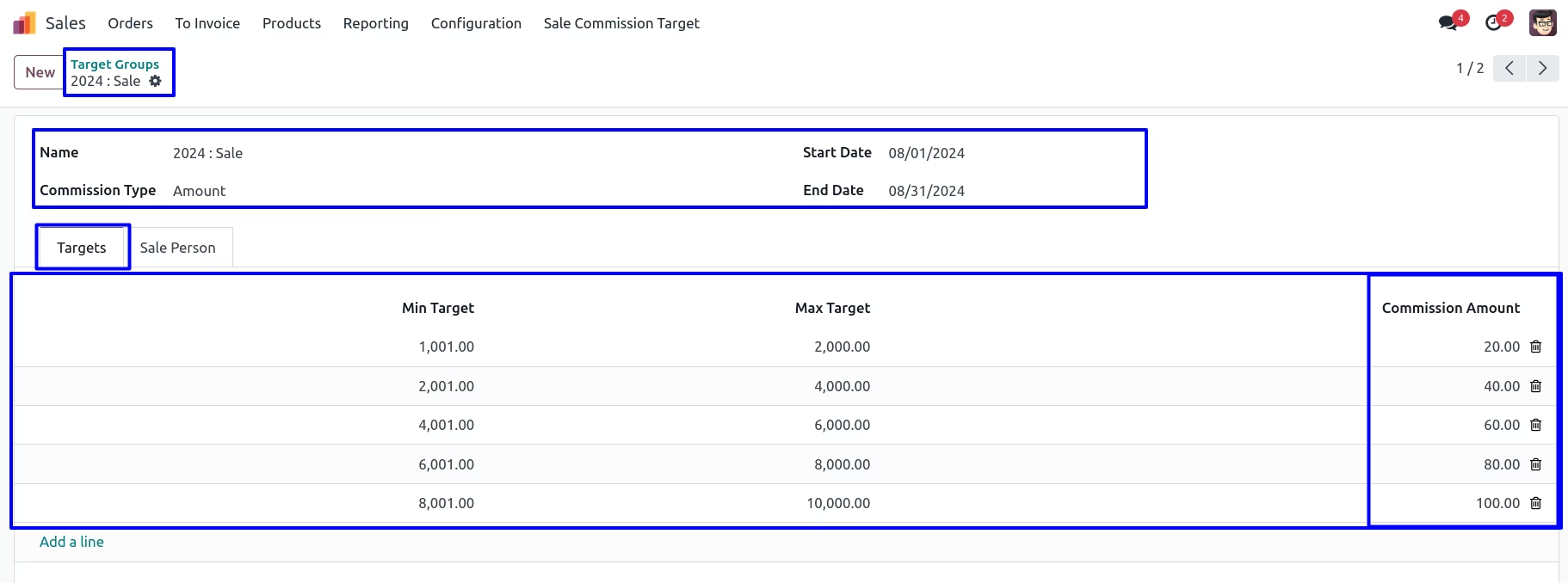
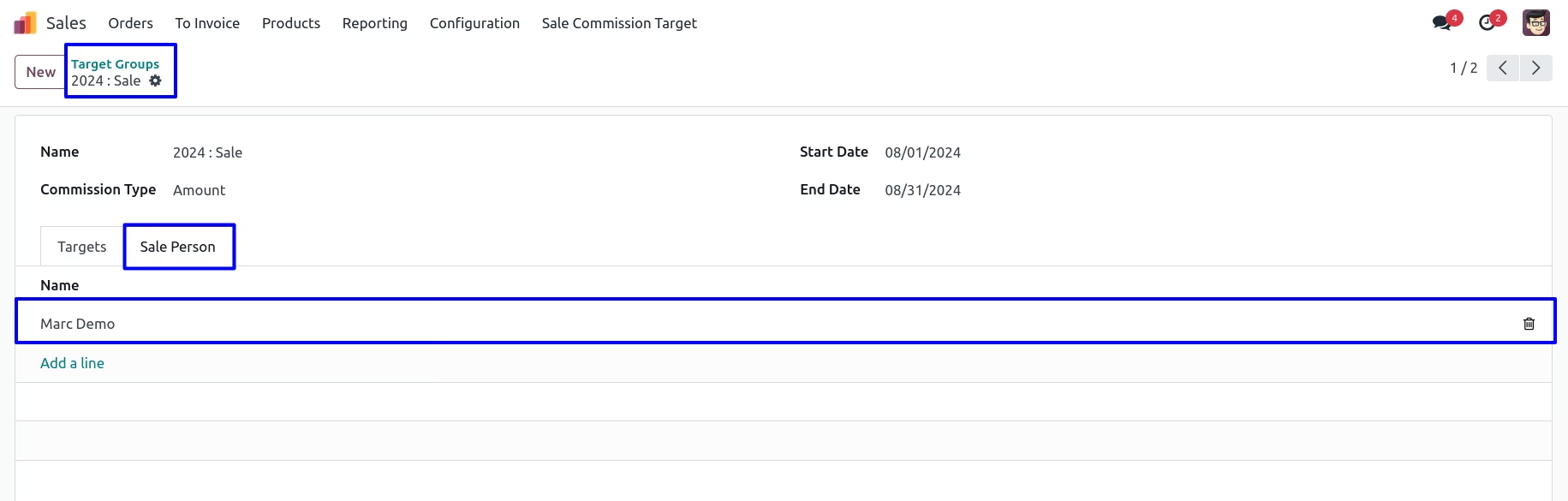
You can create target group in that enter details like group name, commission type, start date, end date and also enter minimum target, maximum target with the commission amount.
After adding sale commission target, you can assign the salesperson for particular group.
Salesman Logged into System
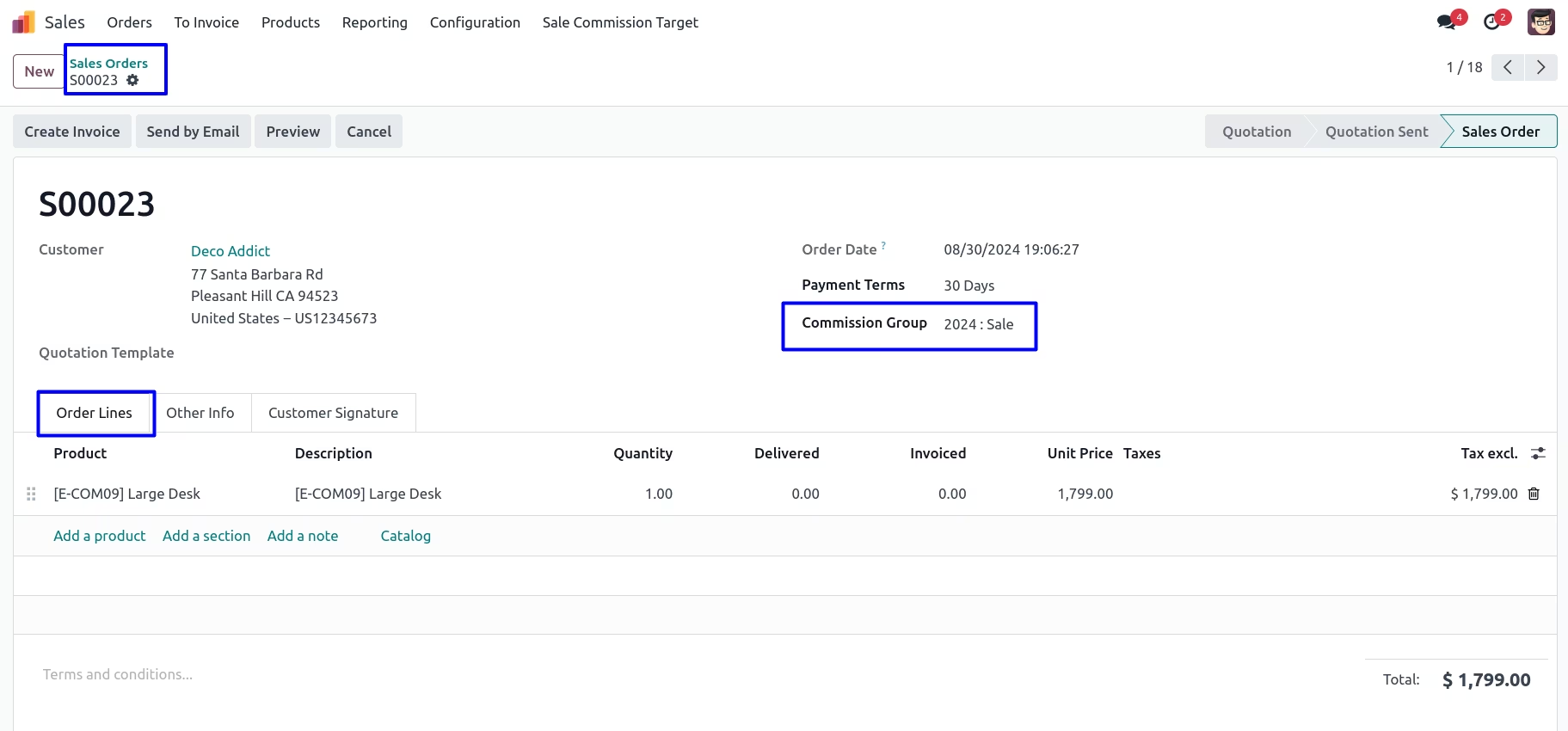
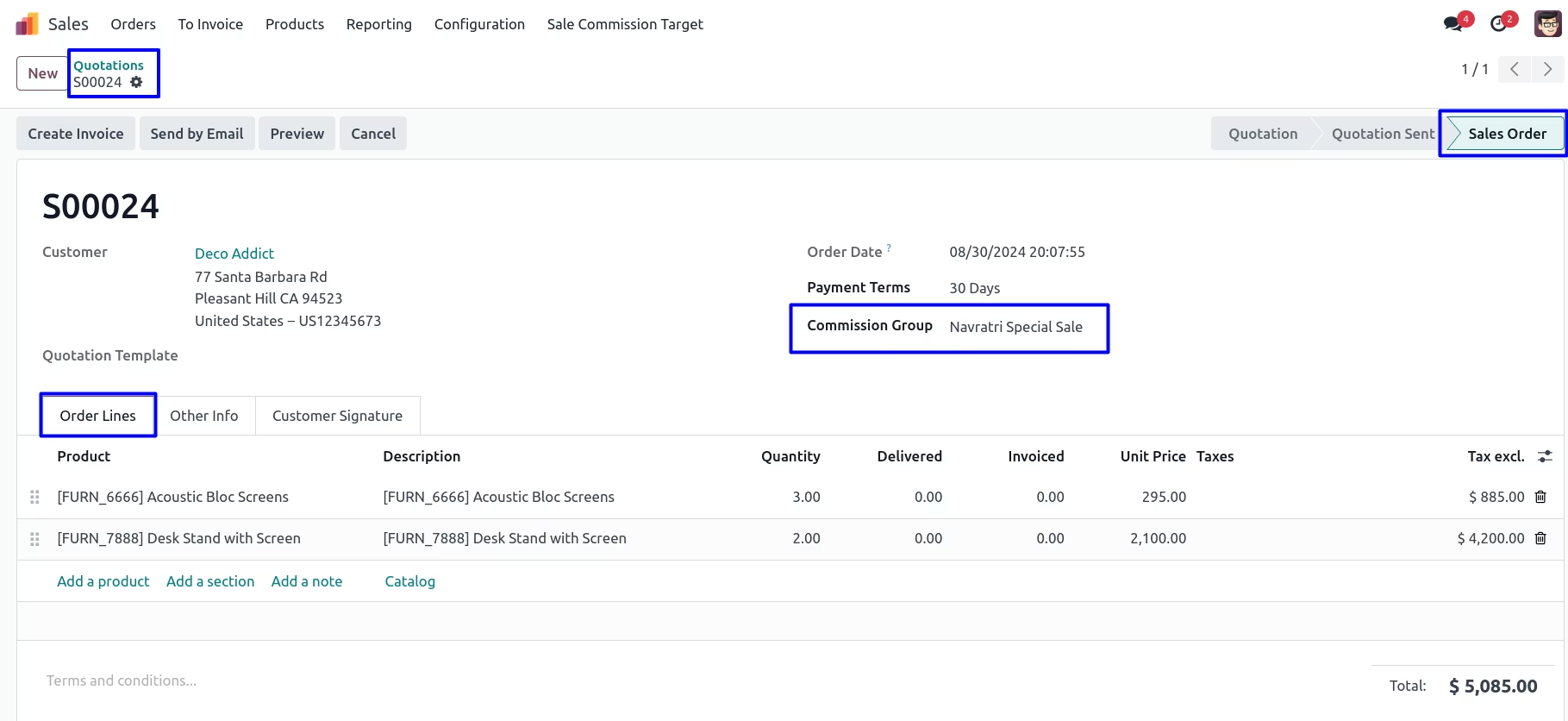
Salesman can create a sale quotation and select commision group based on that commission will be added.
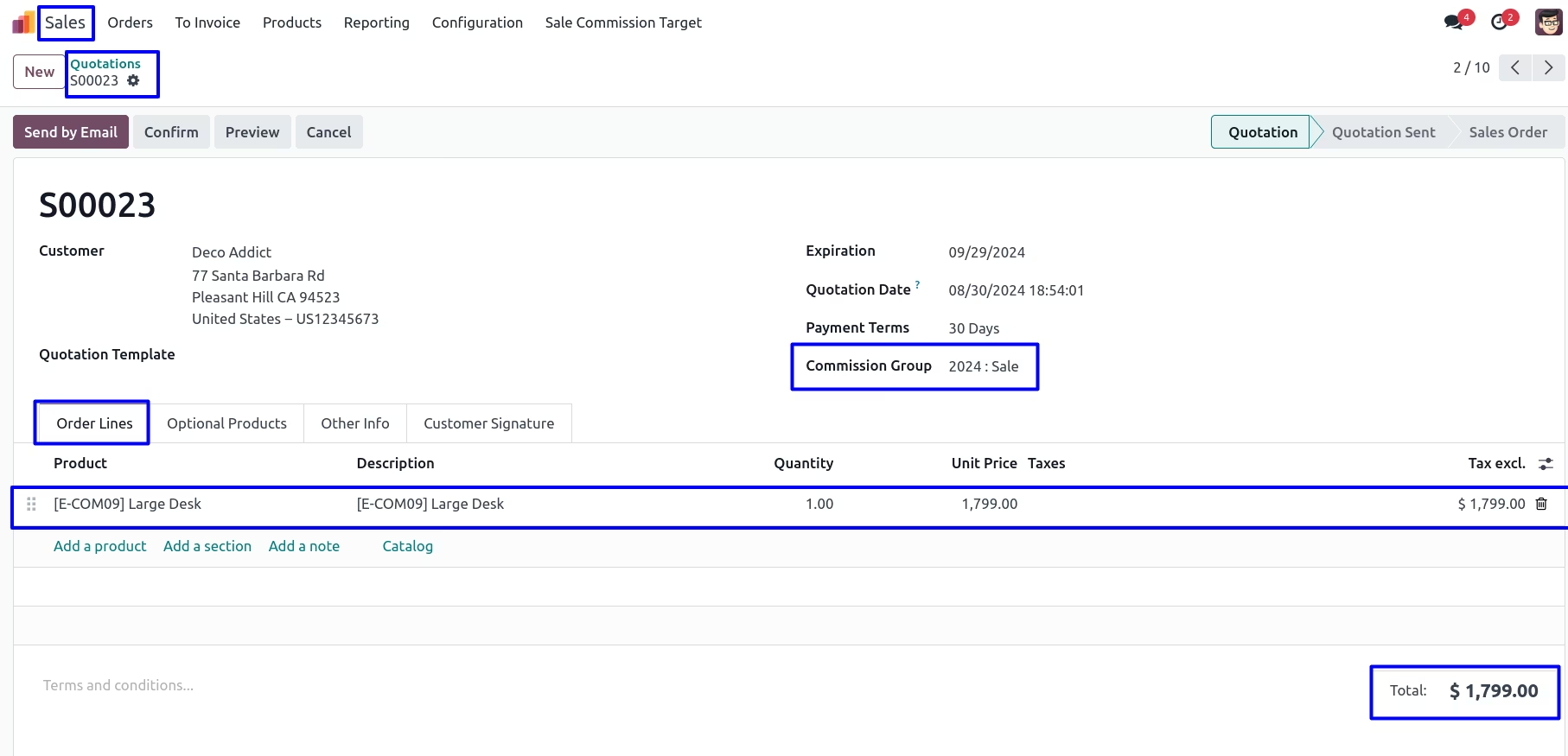
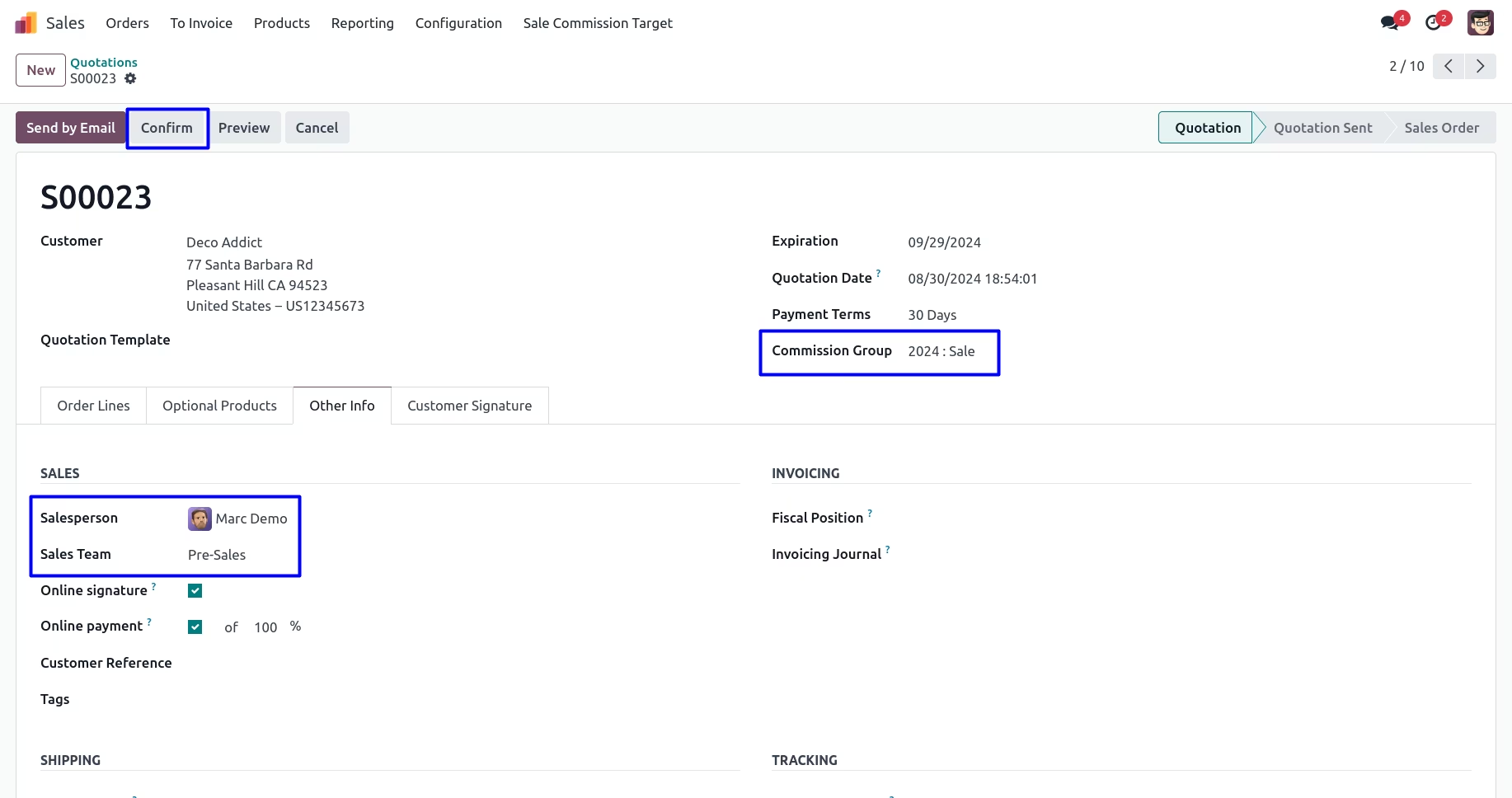
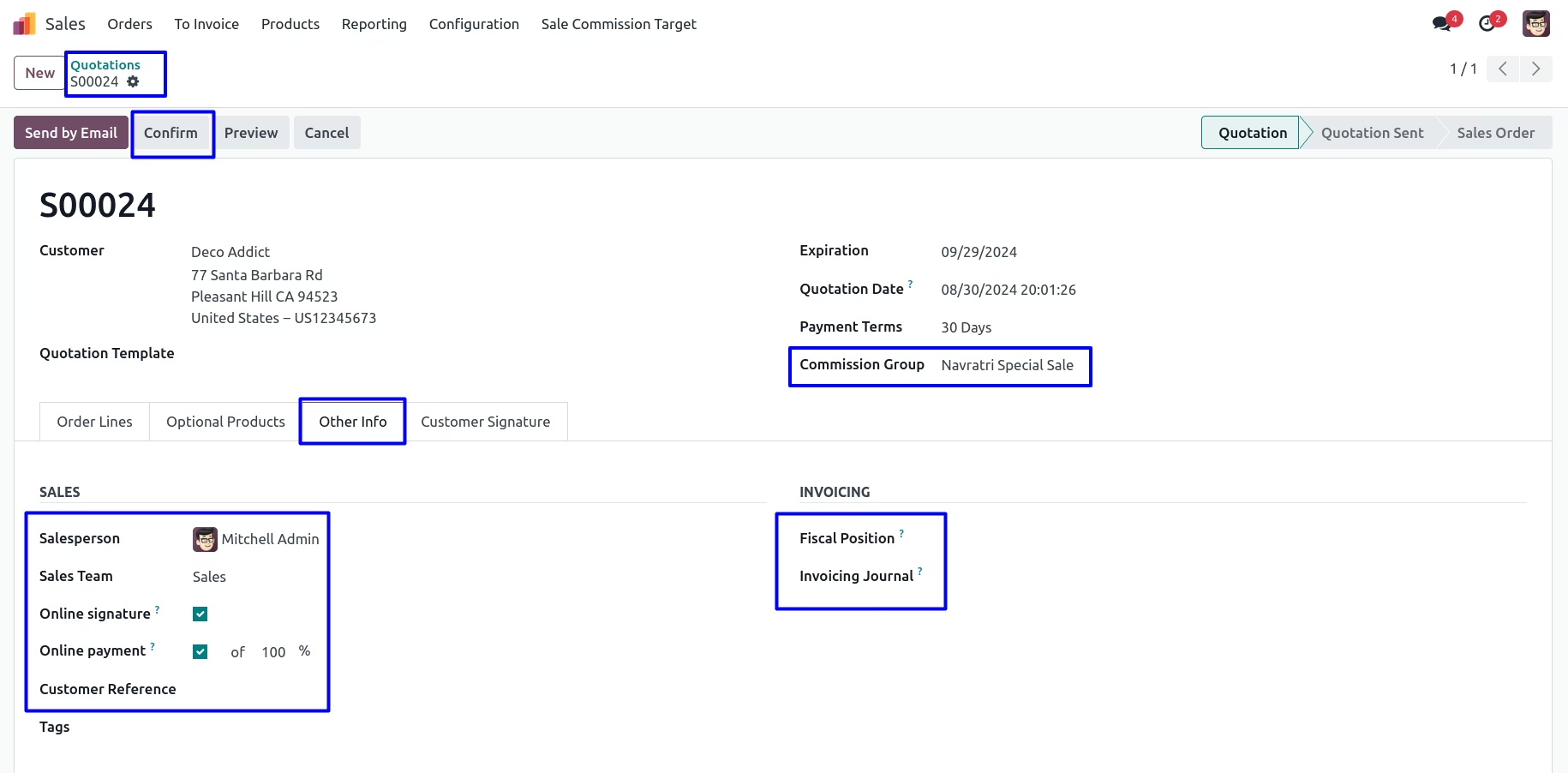
After adding quotation line, In other info tab you can see salesperson and sales team.
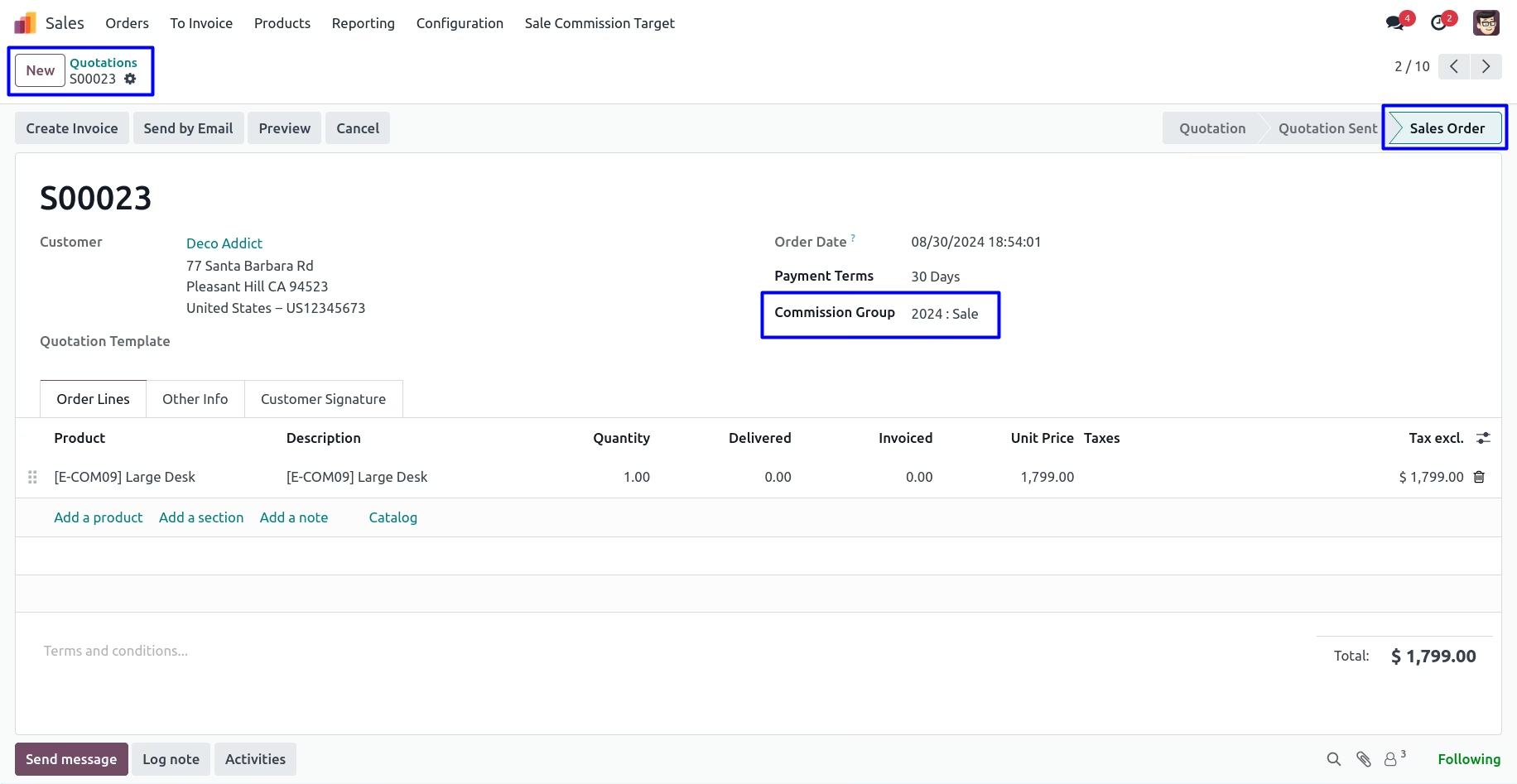
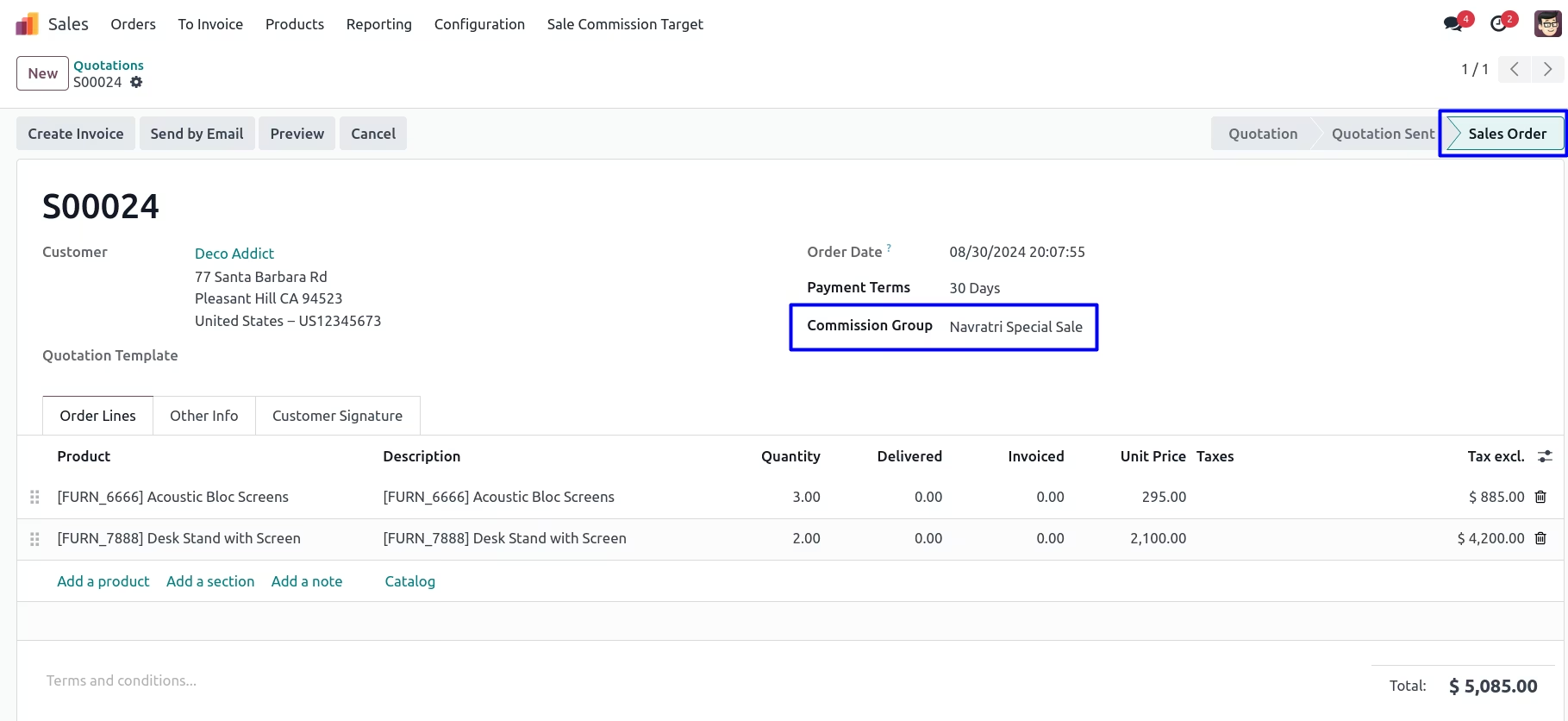
After confirm sale order, Sales commission will be added into salesperson form view.
Administrator Logged into System
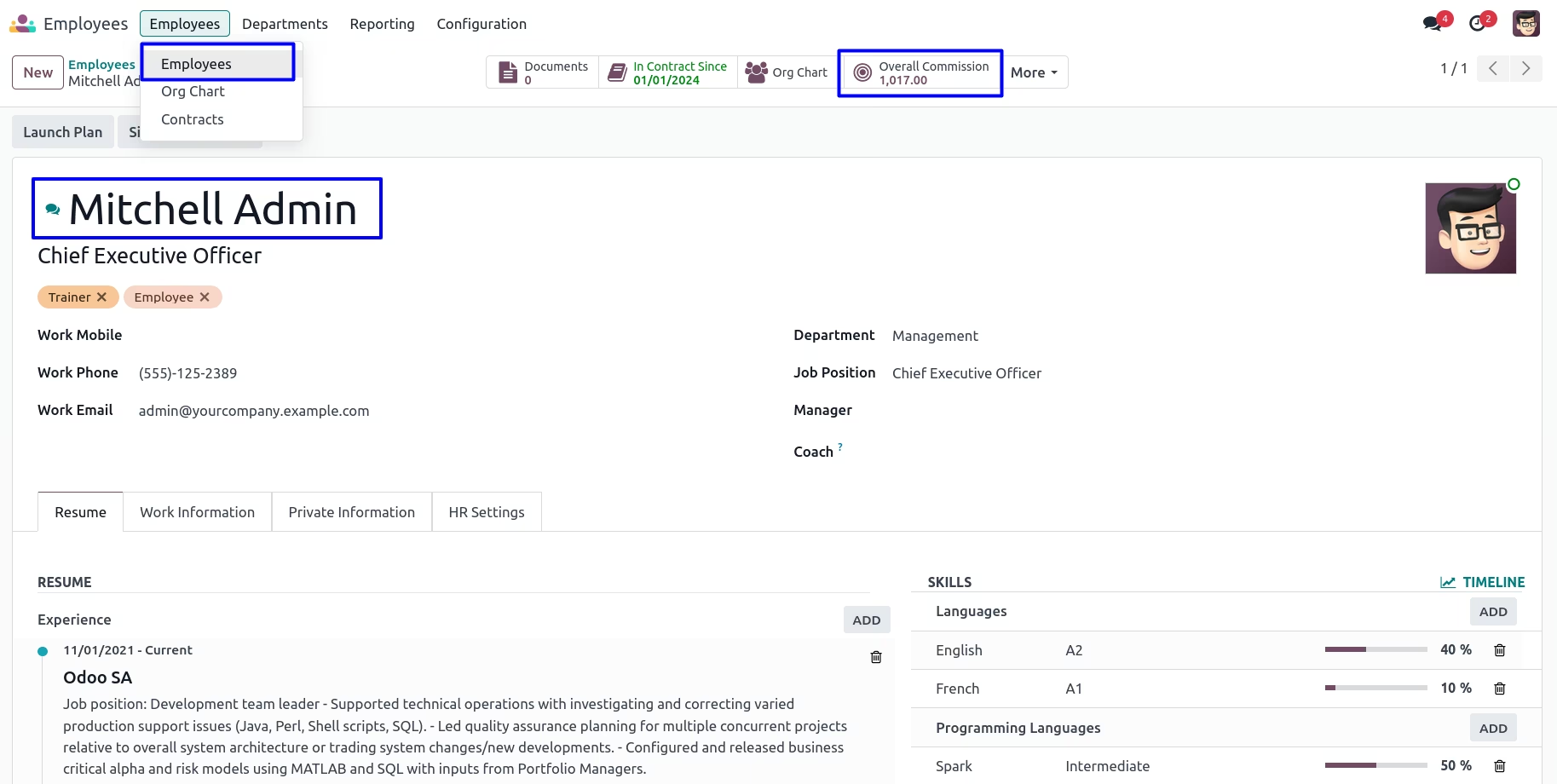
Admin can open salesman form and view overall commission which is calculate based on total sales and selected commission group.
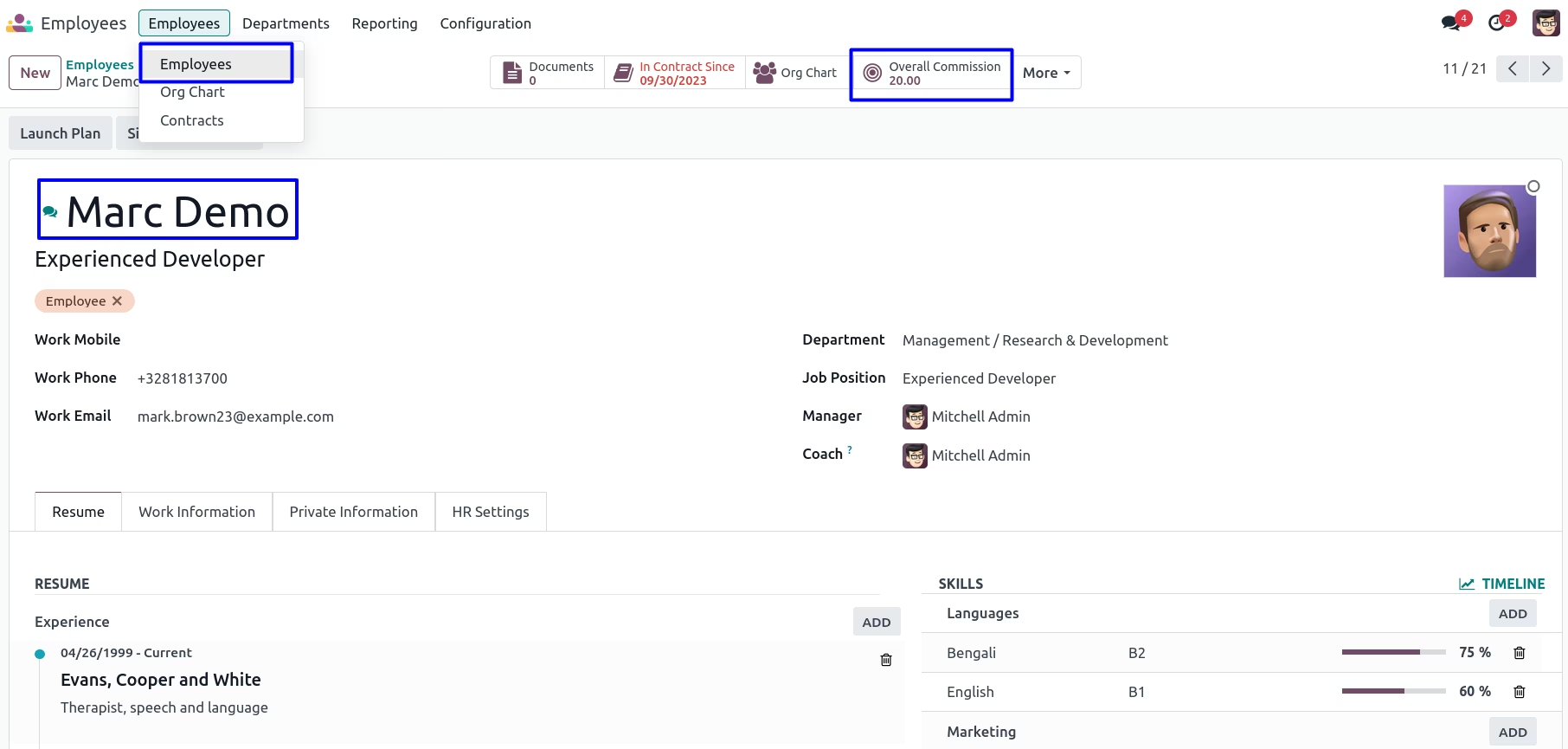
Admin can view list of product sold by the salesman.
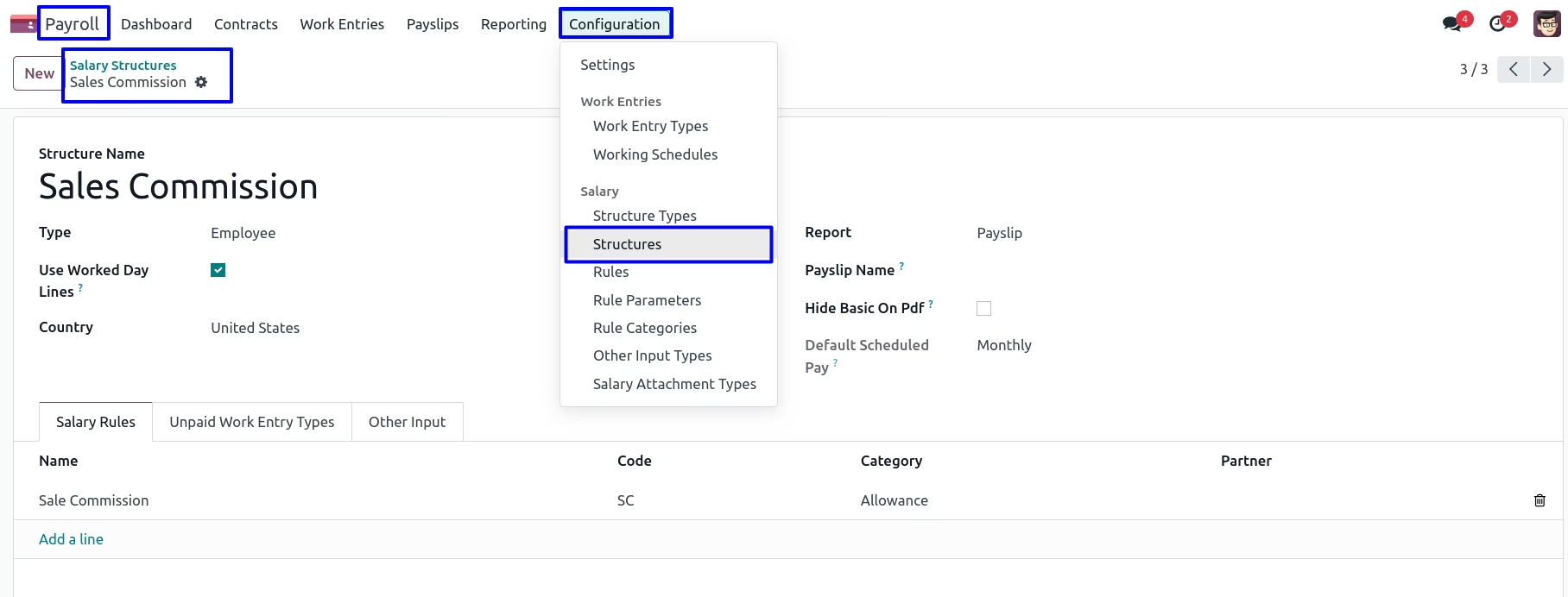
After installing this module, sales commission salary structure and rule will be auto generated into the system.
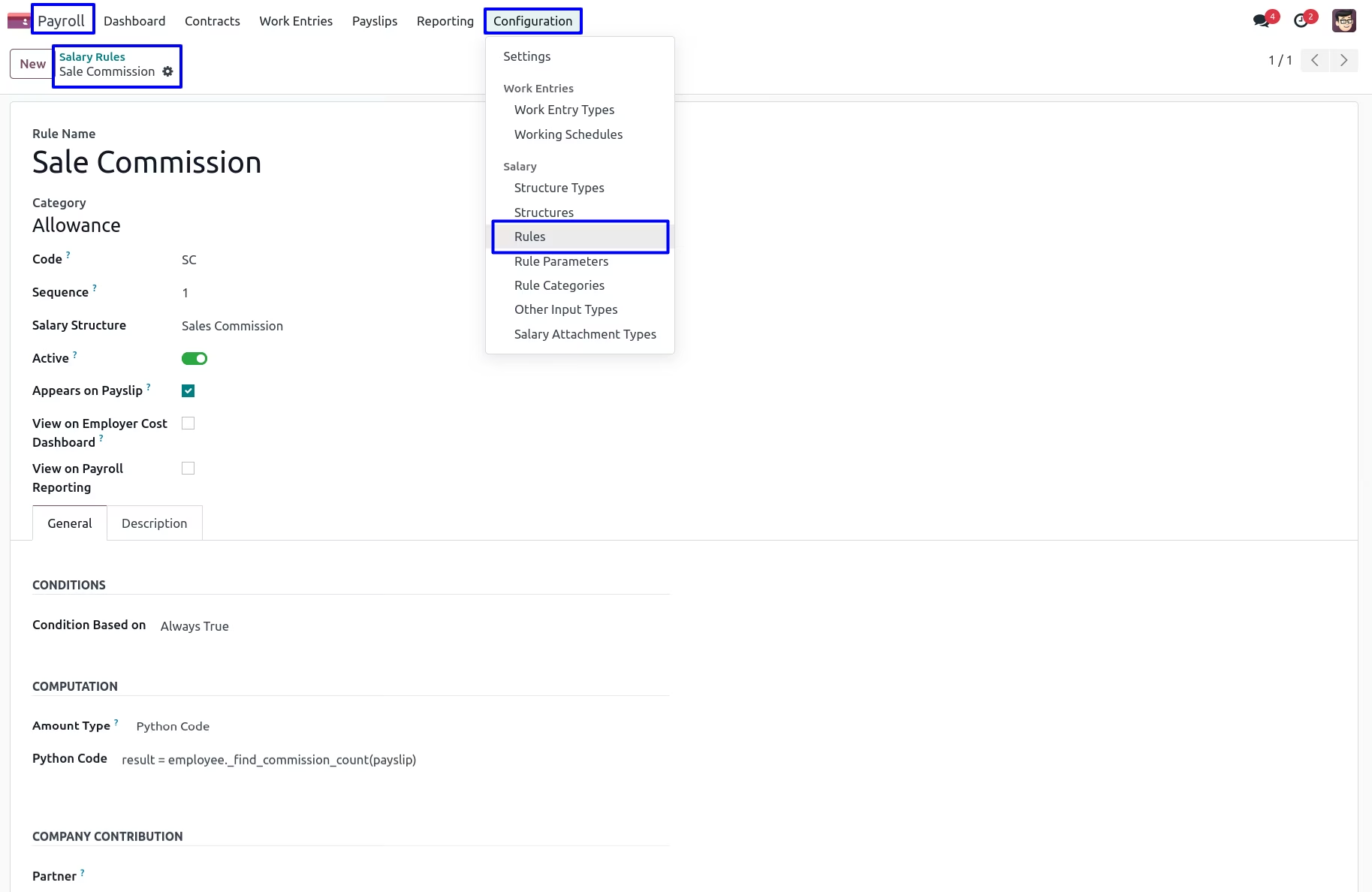
Here user can see Salary Rules
Generate Payslip Including Sales Commission
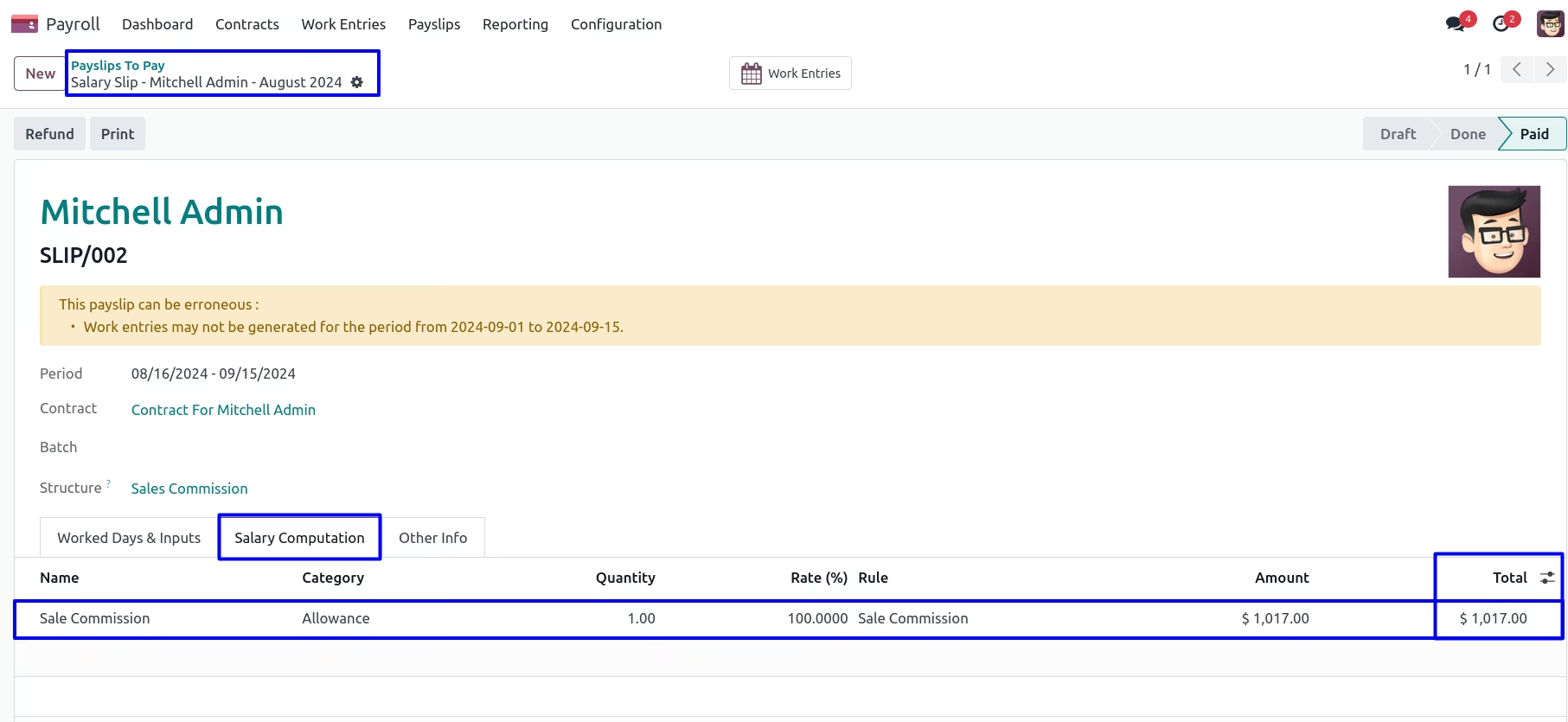
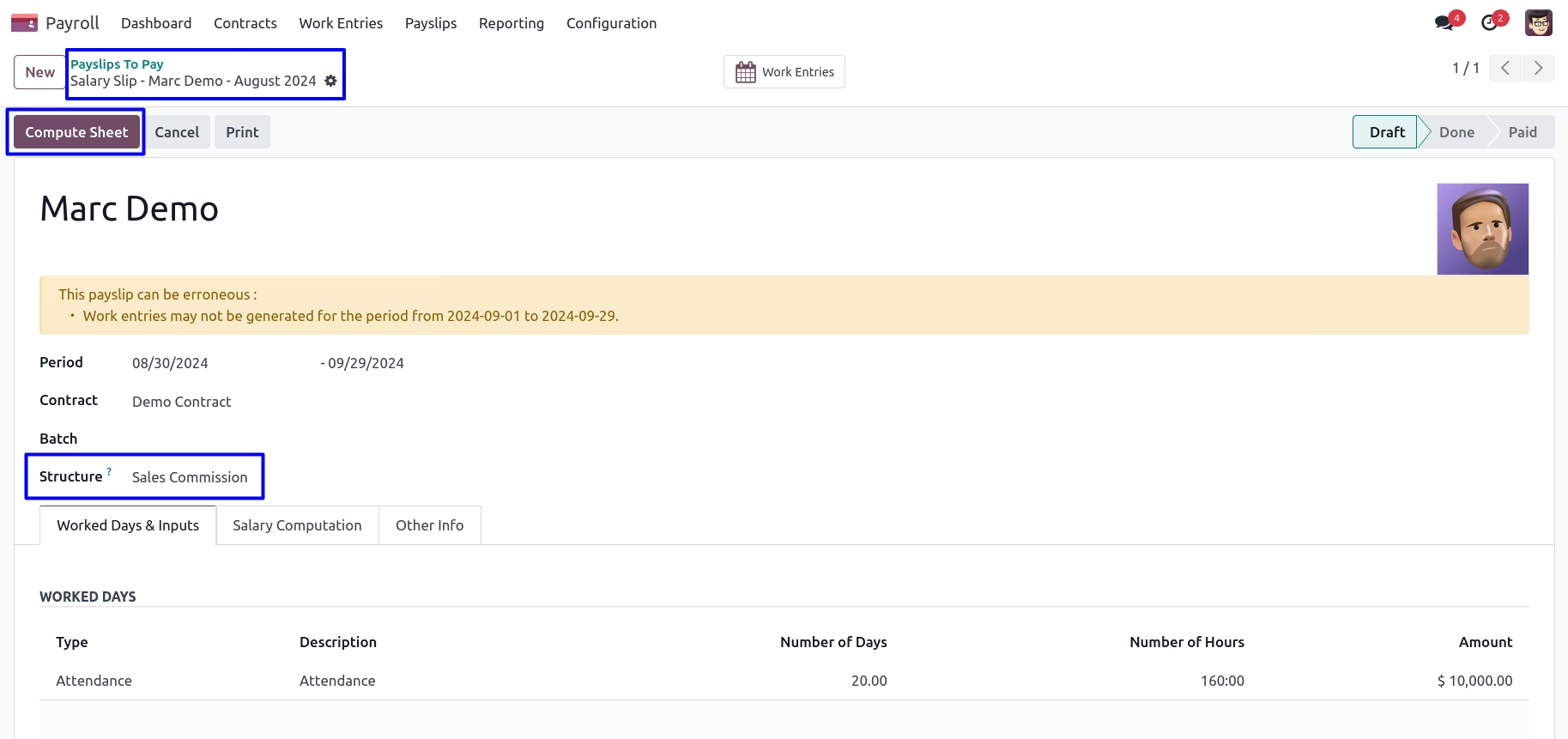
You can select structure type as 'Sales Commission' and then click on compute sheet button so sales commission added into 'Salary Computation' tab.
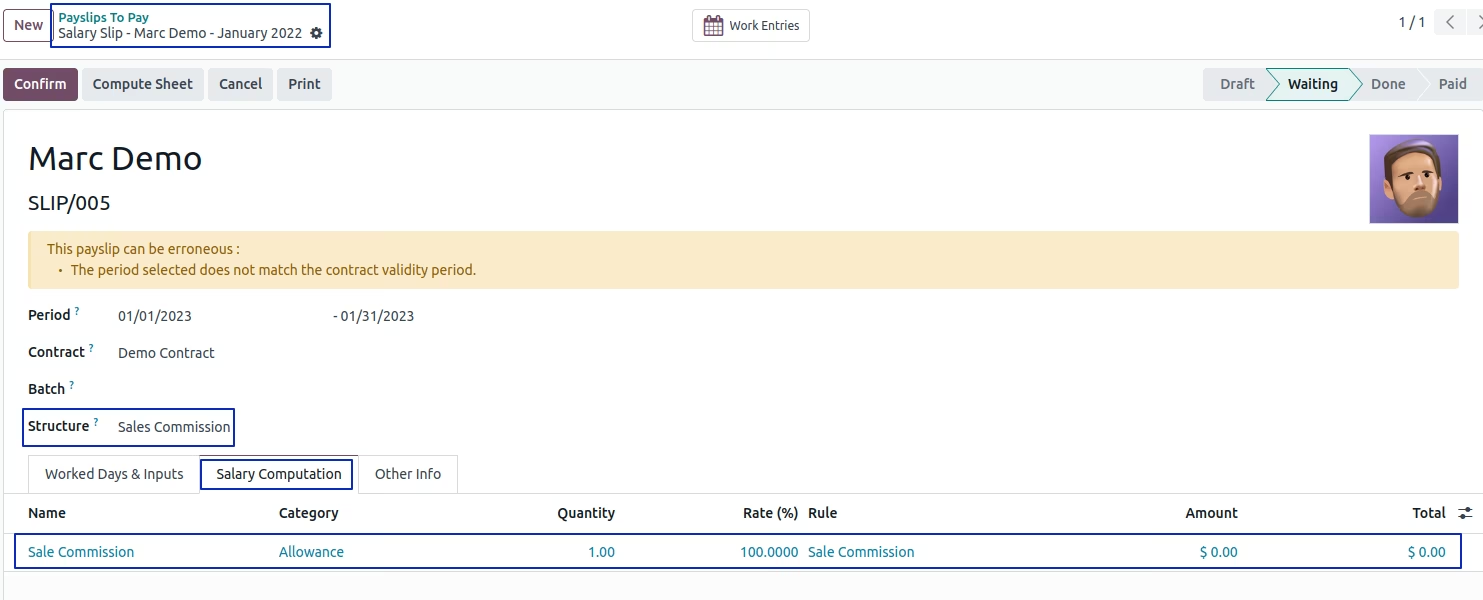
User can see added sales commision into 'Salary Computation' tab.
Sales Commission Based on Percentage
Create Target Group
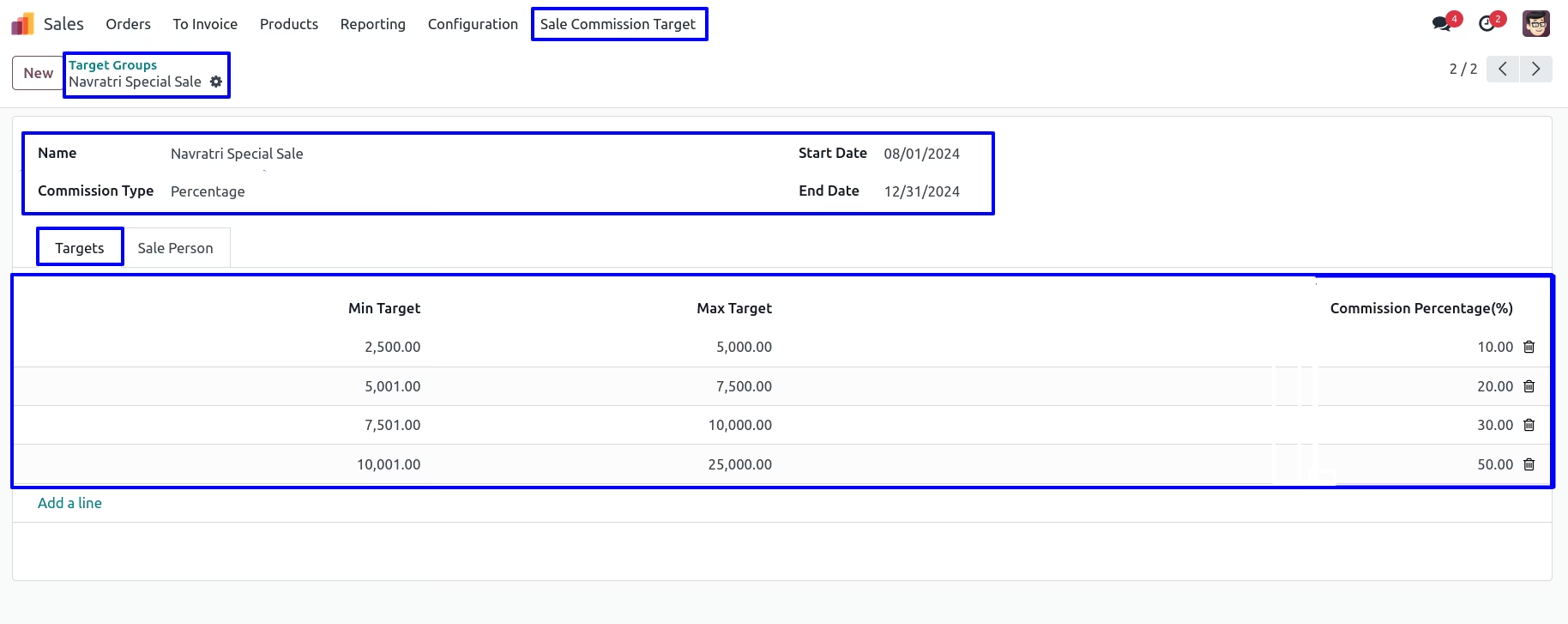
You can create target group in that enter details like group name, commission type, start date, end date and also enter minimum target, maximum target with the commission percentage(%).
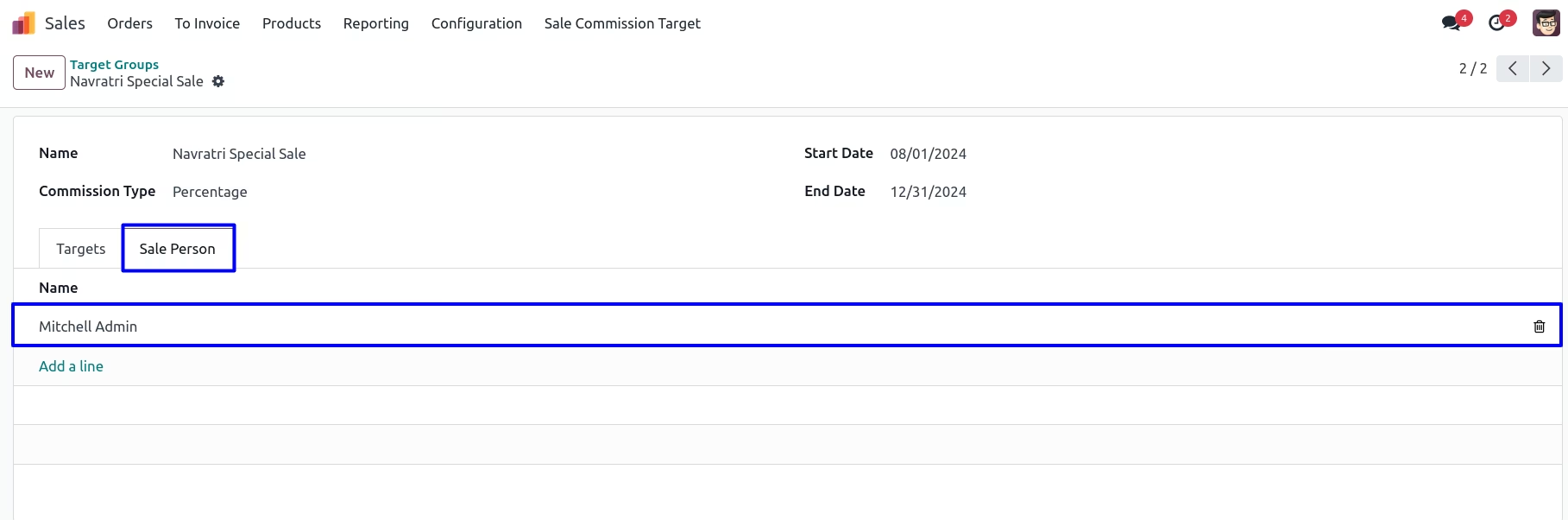
After adding sale commission target, you can assign the salesperson for particular group.
Create Sale Order with Selection of Commission Group
You can create a sale quotation and select commision group based on that commission will be added.
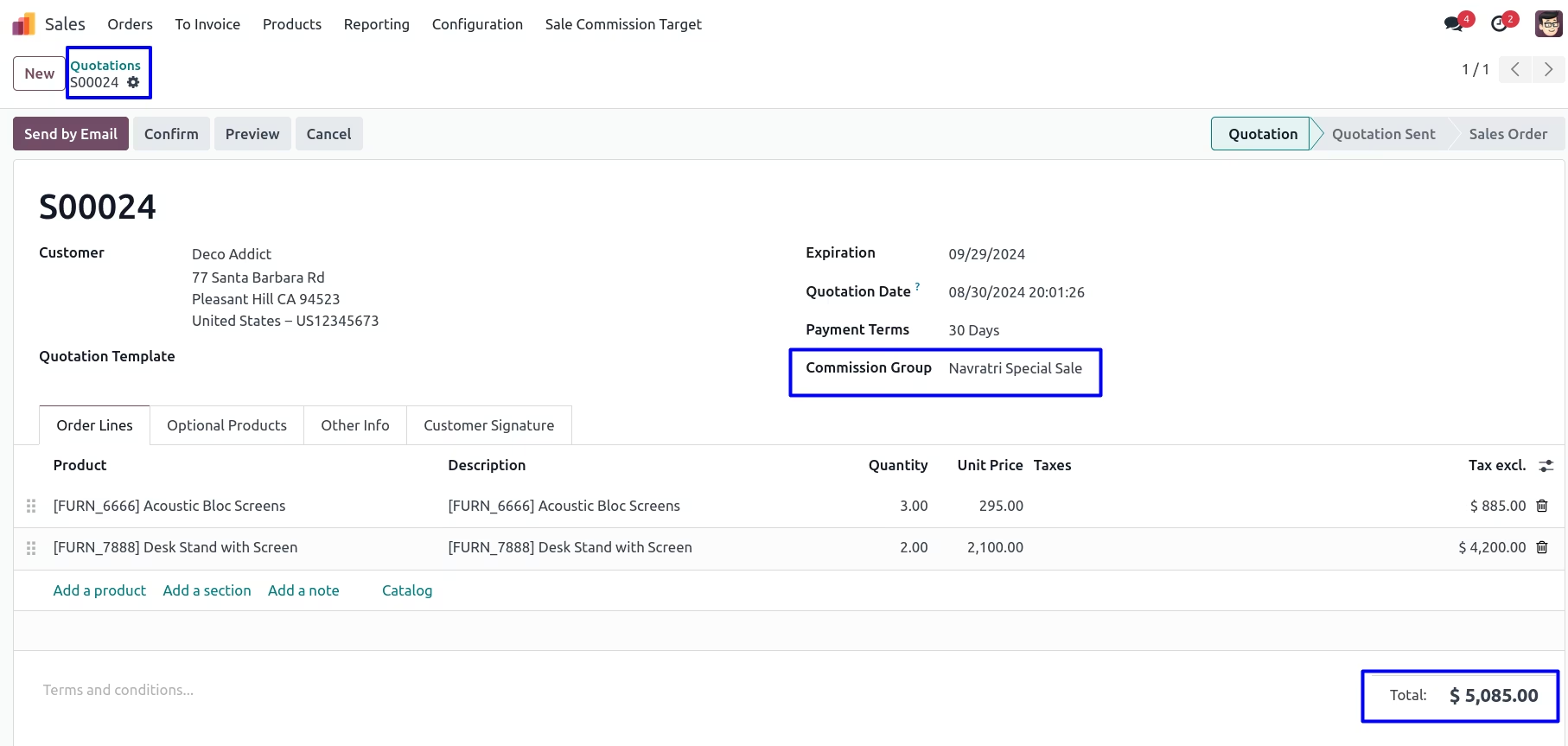
After adding quotation line, In other info tab you can see salesperson and sales team.
After confirm sale order, Sales commission will be added into the salesperson form view.
Employee's Form View
In employee's form view, You can see overall commission which is calculate based on total sales and selected commission group.
You can view list of product sold by the salesman
Generate Payslip Including Sales Commission
You can select structure type as 'Sales Commission' and then click on compute sheet button so sales commission added into 'Salary Computation' tab.
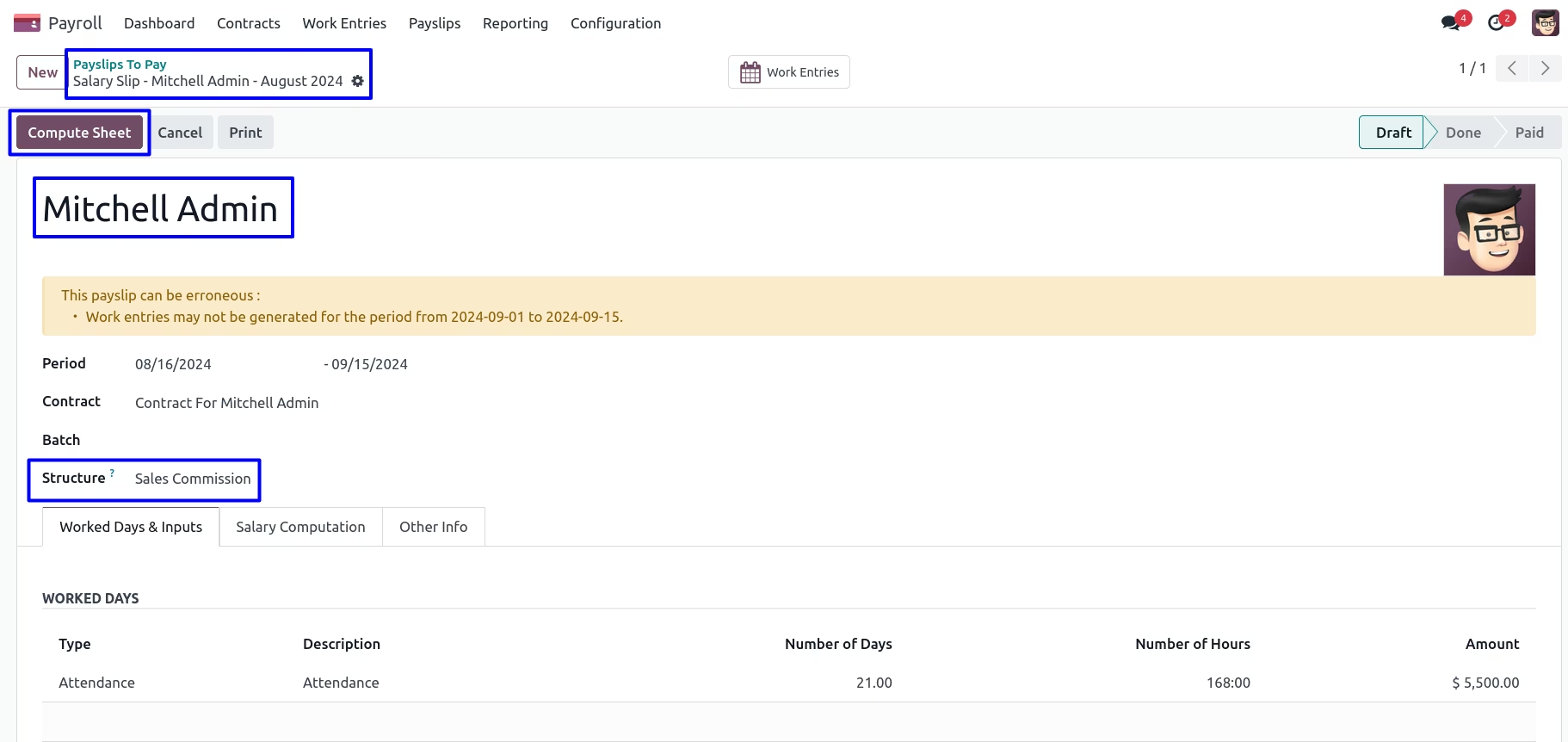
You can see added sales commission into 'Salary Computation' tab.