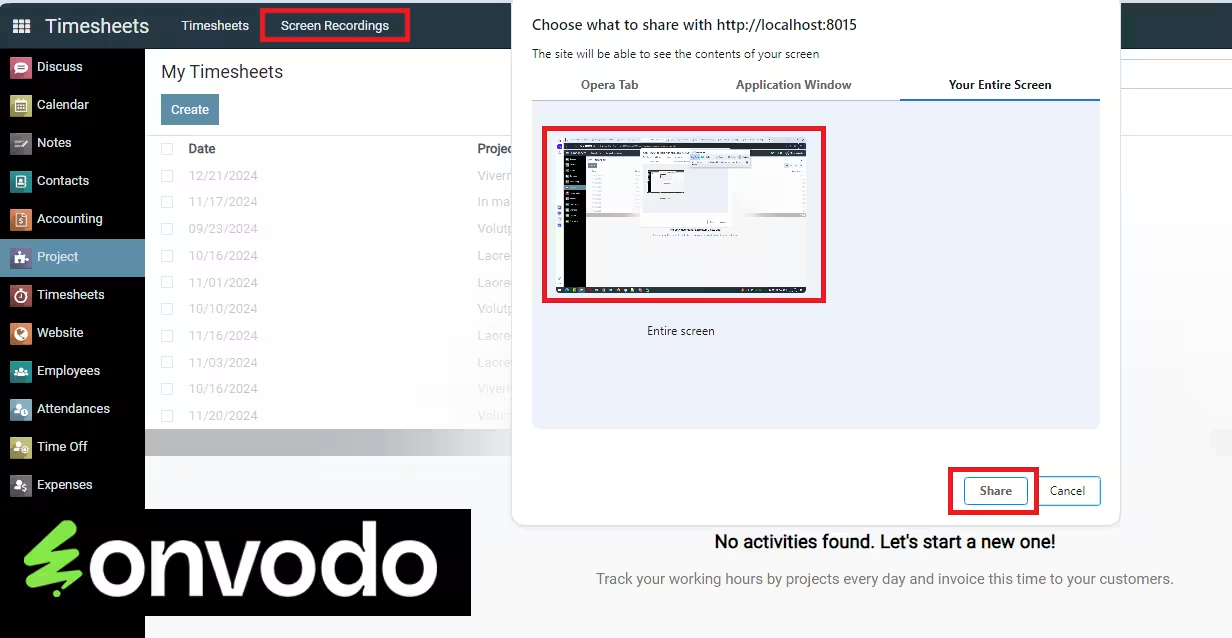
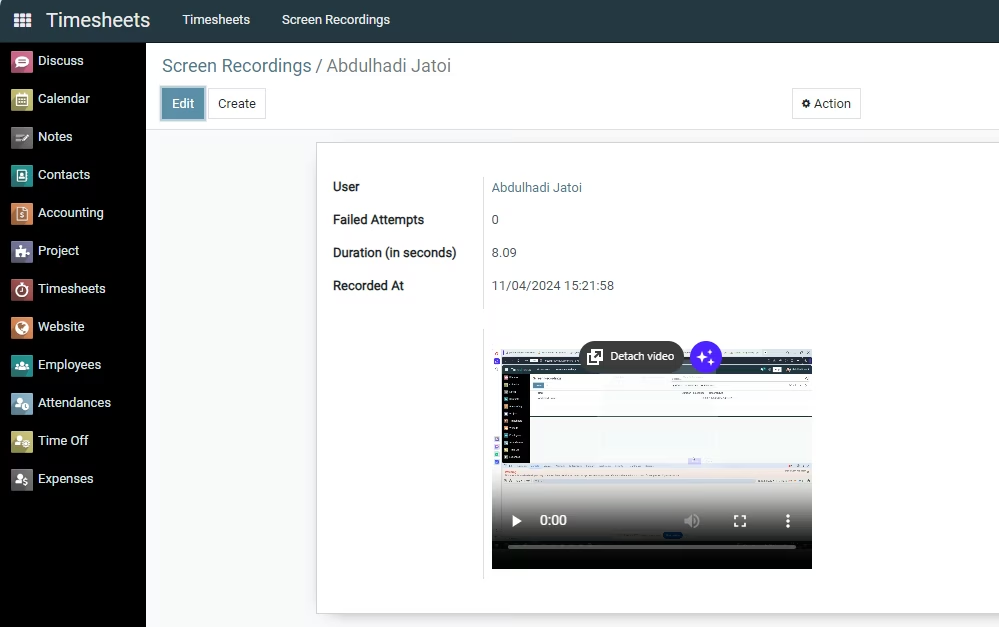
The Screen Recording module enhances employee monitoring in by automatically capturing and storing screen activity based on attendance events. Whenever an employee checks in or out, the screen recording process is triggered, creating comprehensive video logs. This functionality supports supervision, ensures accountability, and provides valuable insights into user activity for compliance and performance evaluations.
Trigger automatic screen capture when employees check in or check out
Record and store video logs tied to attendance events
Provide easy access to view recorded screen activity for management
Enable video review workflows for performance tracking or audit purposes
Integrate with attendance systems for seamless recording logic
Enhances oversight by capturing employee screen activity in correlation with attendance
Boosts accountability with clear, timestamped video records
Supports HR and management with transparent monitoring for evaluations
Ensures compliance through reliable activity documentation
Reduces manual supervision efforts with automated recording workflows
This app introduces an automated and configurable screen recording feature for monitoring employee activity based on attendance check-in and check-out status. It allows administrators to set custom intervals for scheduling screen recordings and adjust timeout settings, recording durations, and scheduling delays.
This tool is perfect for businesses looking to track employee engagement seamlessly and non-intrusively within.
This app offers a structured and configurable solution to employee activity monitoring, making it ideal for businesses aiming to optimize productivity tracking with minimal overhead.
- Enable/Disable Screen Recording:Quickly toggle the screen recording functionality on or off from the configuration settings.
- Automated Recording Based on Attendance Status:Screen recording is scheduled only when an employee has checked in, ensuring recordings align with working hours.
- Configurable Scheduling Delays:Set minimum and maximum delay times for scheduling screen recordings. A random delay interval between these values ensures a non-predictable start time for each recording session.
- Dynamic Recording Check Interval:Specify how often the system should check the employees attendance status to decide whether to initiate a recording session.
- Customizable Recording Duration:Define the exact duration for each screen recording session in seconds, allowing for flexibility based on needs.
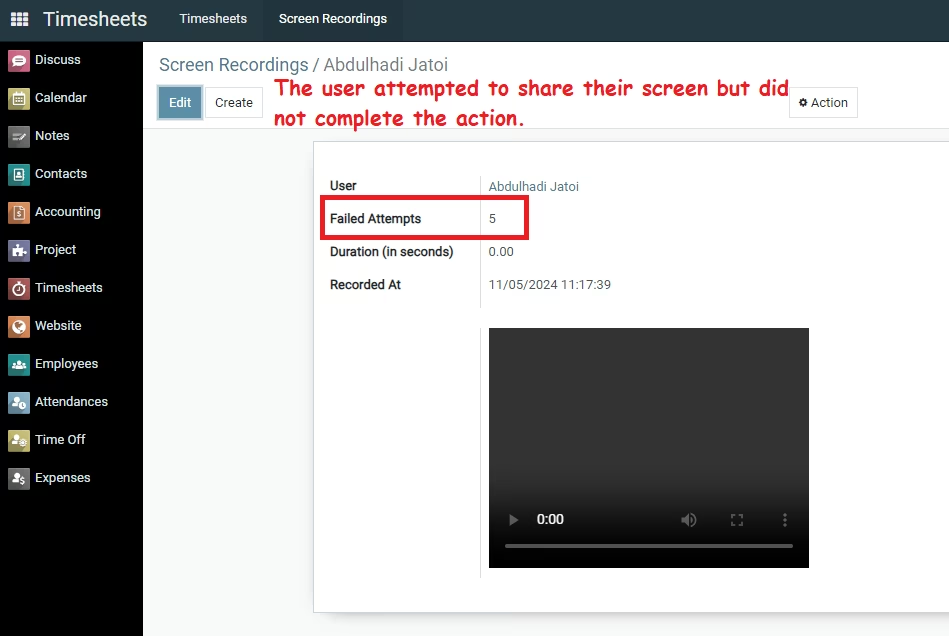
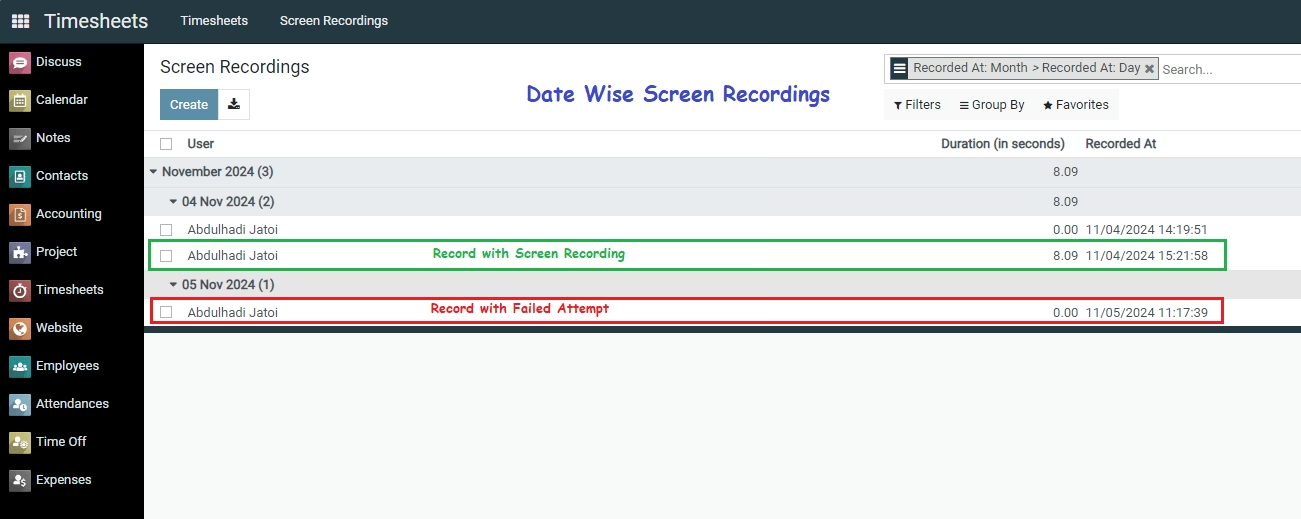
- Screen Sharing Timeout and Attempt Tracking:Set a timeout period for screen-sharing permission. If an employee fails to share the screen within this interval, the session is marked as a failed attempt. Track failed attempts with a counter, allowing you to monitor compliance with recording requests.
- Automated Session Closure:Recording automatically stops after the set recording duration, releasing the employees screen and stopping the session seamlessly.
Configuration and Settings
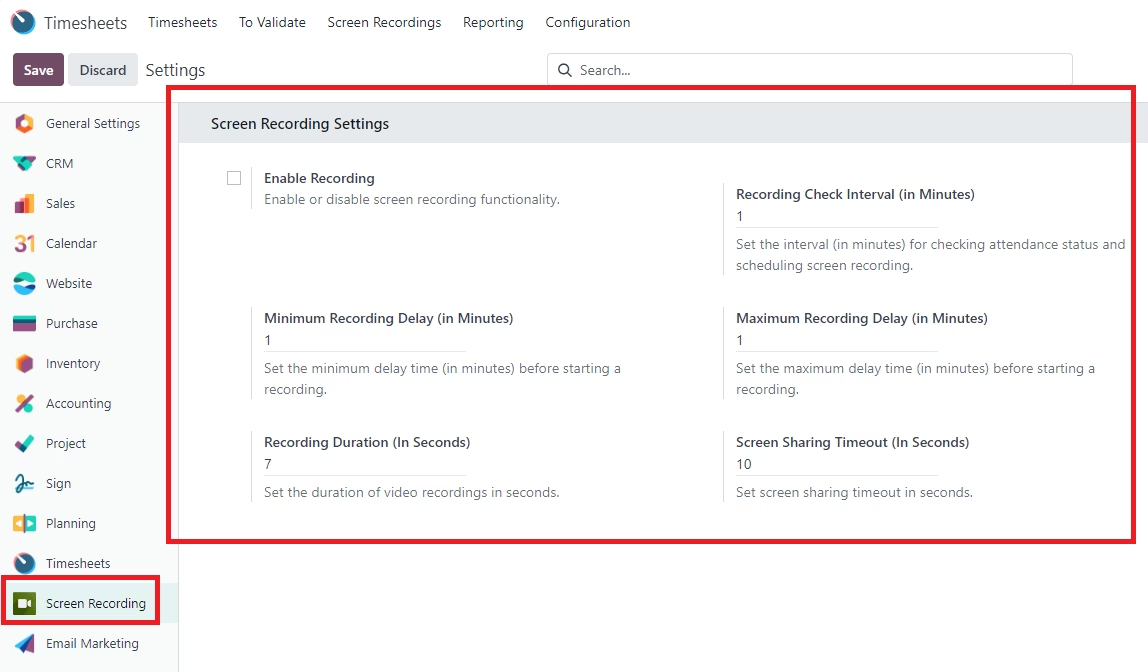
The app settings allow for a high degree of customization
- Enable Recording:A Boolean setting to toggle screen recording functionality.
- Recording Check Interval (Minutes):Sets the interval at which the system checks the employees attendance status. This ensures recordings are only scheduled during working hours.
- Minimum Recording Delay (Minutes):Minimum time delay before starting a scheduled recording.
- Maximum Recording Delay (Minutes):Maximum time delay before starting a scheduled recording.
- Recording Duration (Seconds):Length of each recording session, providing flexibility to set short or extended recordings.
- Screen Sharing Timeout (Seconds):Timeout for an employee to accept the screen-sharing prompt. If exceeded, the attempt is marked as failed, incrementing a failed attempt counter.
Screen Sharing Timeout and Attempt Tracking
Set a timeout period for screen-sharing permission. If an employee fails to share the screen within this interval, the session is marked as a failed attempt. Track failed attempts with a counter, allowing you to monitor compliance with recording requests.
- Seamless Integration with:Works within the environment and utilizes attendance records, making it easy to implement.
- Non-Intrusive Monitoring:Ensures recording aligns with attendance, so monitoring happens only when employees are checked in.
- Flexible Configurations:Easily customizable settings allow you to adjust recording behavior to suit business requirements.
- Automated Tracking of Failed Attempts:Built-in tracking for failed screen-sharing attempts enables a better understanding of employee engagement.
- Efficient Resource Use:Automatic start and stop of recordings based on schedules and check-in status mean the system works efficiently without constant supervision.