The Employee Loan Management module provides a comprehensive solution for handling employee loans. It enables efficient submission of loan requests, structured approval flows, and seamless integration with payroll systems. With embedded visibility on employee profiles, this module enhances transparency, reduces administrative effort, and ensures accurate loan tracking throughout the organization.
Employee loan request submission with configurable loan types
Approval workflows handled by designated managers or HR teams
Embedded loan status visibility directly on employee profiles
Seamless integration with payroll for automatic deduction or adjustment
Utilizes HR, Contracts, Invoicing, and Discuss modules for cohesive functionality
Simplifies loan application and approval processes for both employees and HR staff
Enhances accuracy of payroll deductions related to loan repayments
Improves loan tracking and visibility through centralized access on employee records
Streamlines coordination between HR, Payroll, and Accounting functions
Reduces manual errors and administrative workload in loan handling
Employee Loan Request Management
Employee Loan Request and Loan Disbursement and Installment
Request for Employee Loan Management App
This app allows your employee(s) to create loan requests in the backend and allow the Loan Department (Loan Officer / Loan Manager) to view all the loan requests from employees and approve/reject them. After approval, the accounting department can disburse the loan to the employee as shown below.
Main Features:
- Allow employees to create loan requests and Loan Officer/Manager to approve/reject loan requests from employees.
- Allow the accounting department users to disburse loan amounts to employees after approval from the loan manager.
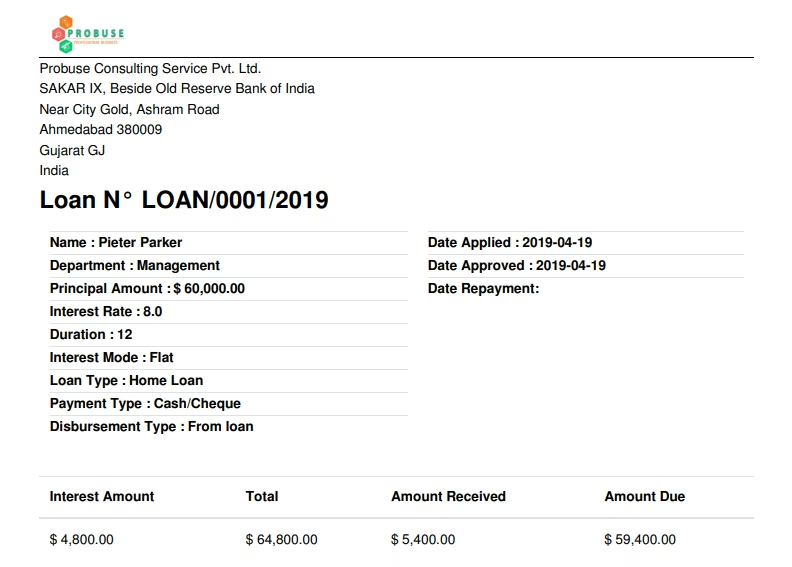
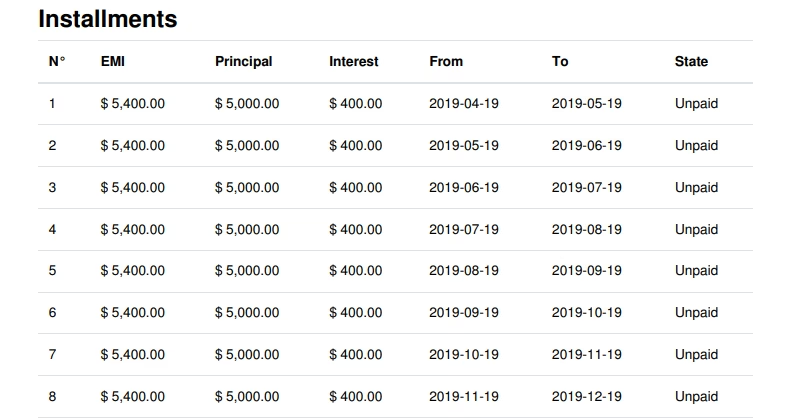
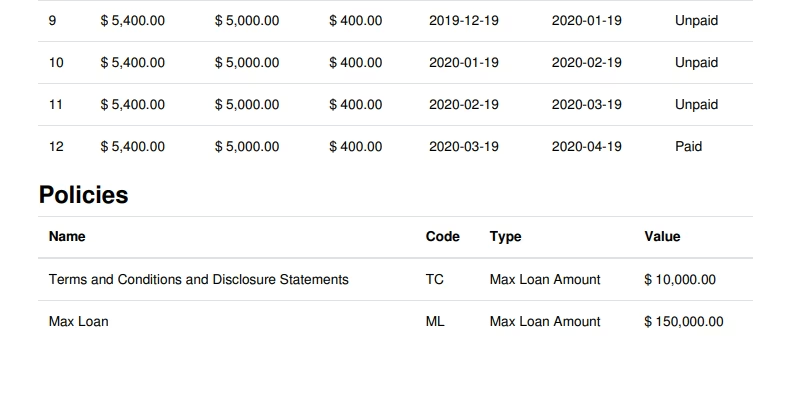
- Allow users to print a PDF loan request report as shown in the sample.
- Allow loan managers to create and manage loan proofs under configuration.
- Allow loan managers to create and manage loan types under configuration.
- Allow loan managers to create and manage loan policies under configuration.
- Repayment of loan installment by Cash / Bank method is only available in the app.
- Loan disbursement using the Cash / Bank method is only available in the app.
- Note: Only company currency loans are supported by the app so loans must be in company currency and installments are also in company currency only.
- App generates Loan Installments, Booking Interest, and Booking entry for repayment method = Cash / Bank Journals.
- For more details please see the below screenshots and watch the video.
- Loans
- Loans
- Loan Requests
- Loan Requests to Approve
- Loan Installments
- Accounting
- Loans to Disburse
- Configuration
- Loan Proofs
- Loan Types
- Loan Policies
- Employee: Pieter Parker
- Loan User/Officer: Mitchell Admin
- Manager/Account Department: Mitchell Admin
Configuration Section
Loan Proofs Configuration
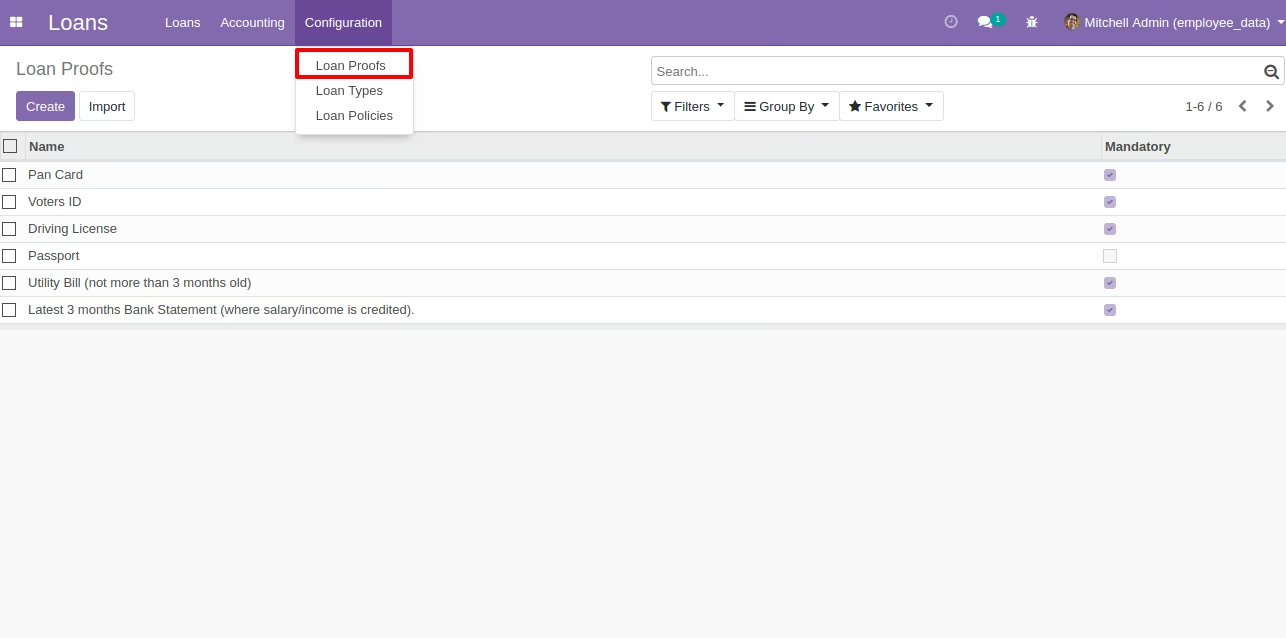
This loan proof menu allows the HR manager to create and configure all loan proofs that will be required to approve the loan and process it. These loan proofs will be selected on loan types and then it will be visible on the loan request form.
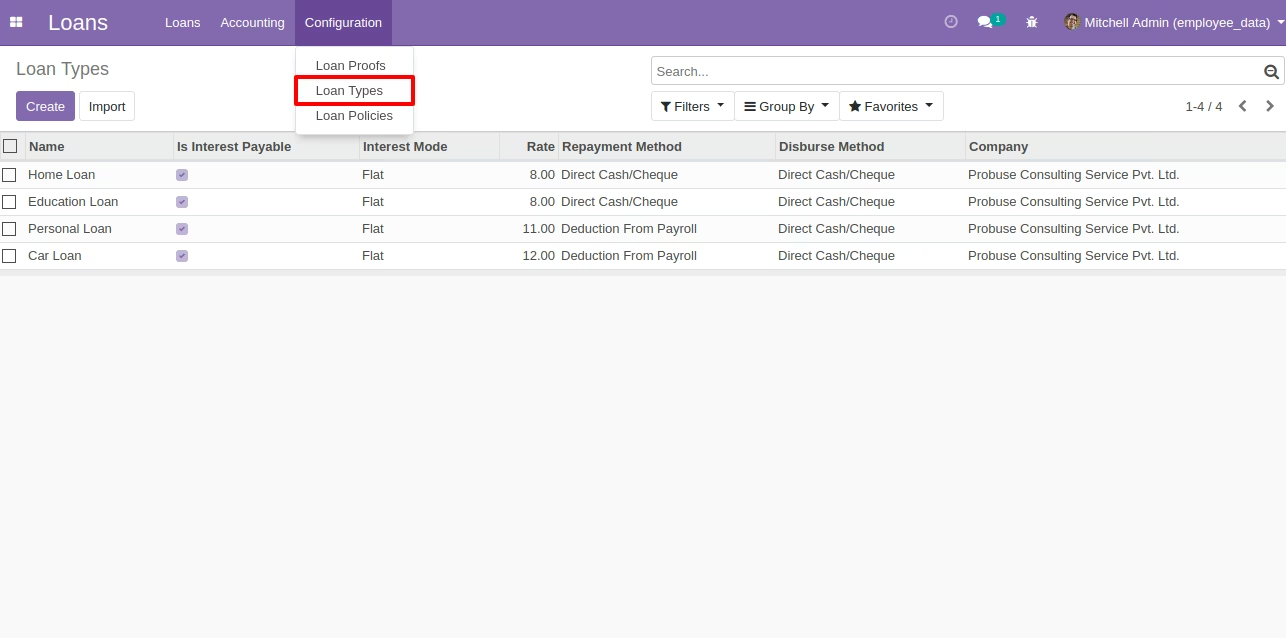
Loan Types List View Configuration
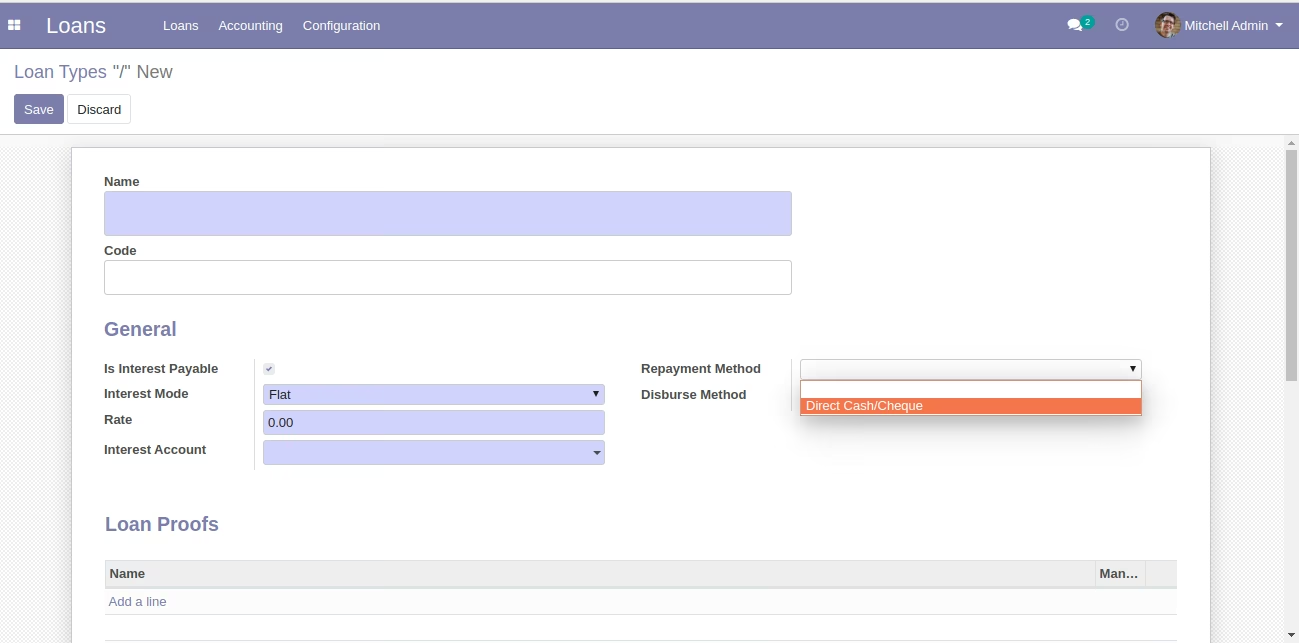
Loan Types Form View
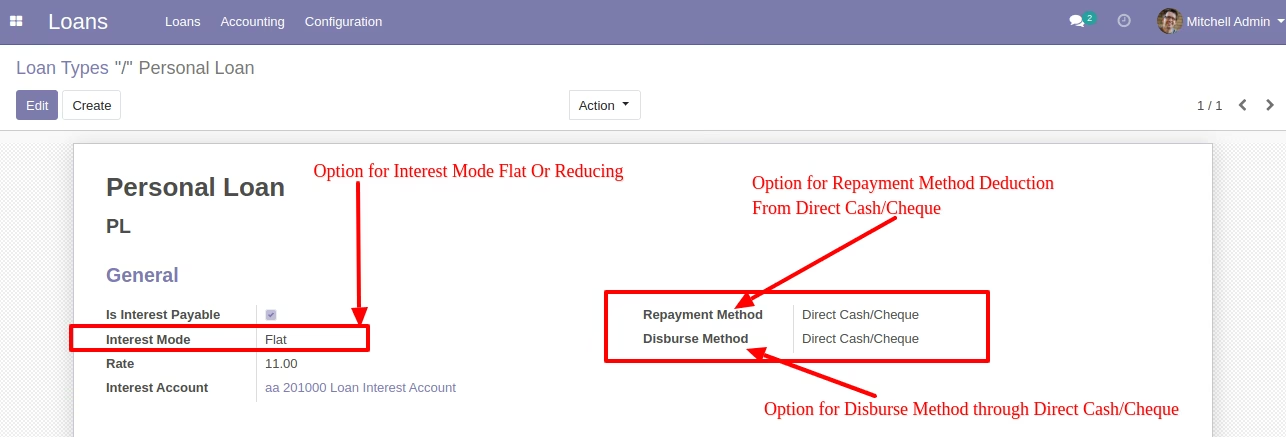
Loan Types Form View
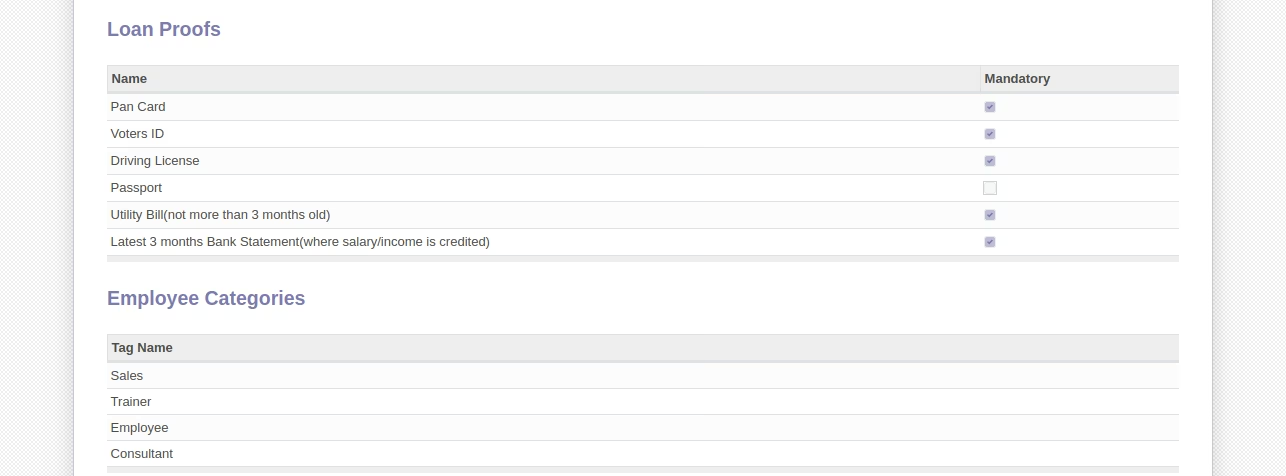
These loan types allow HR managers to create different types of loans for employees. Also this loan type allows the user to configure whether the loan given to the employee will be interest payable or not. Also it will allow you to configure that loan type repayment method will be from only one direct cash/bank cheque from the Employee at time of installment payment. This also allows the disburse method to be only by cash/bank. (Disbursement can be done when a loan request is approved.)
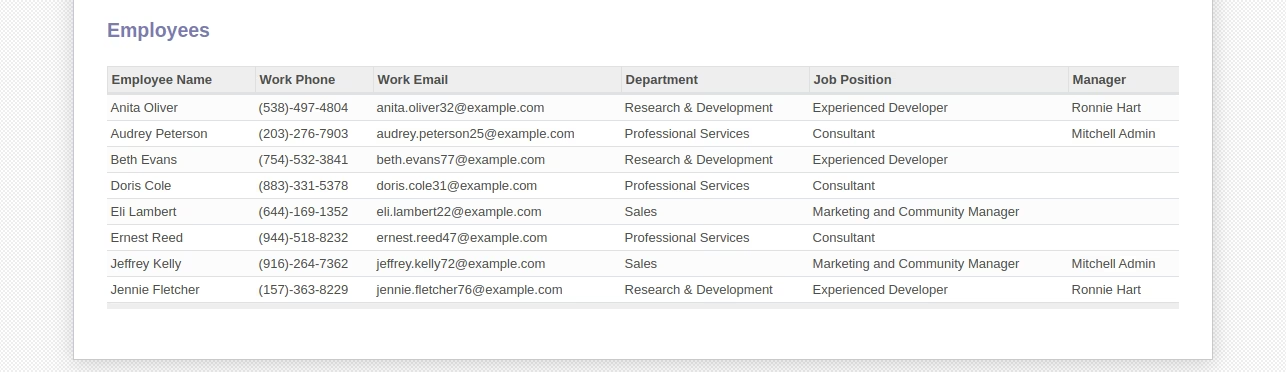
Here the HR manager can list out Employee categories and employees which can request for this type of loan from the company..... For example if Employee A is not eligible and does not come under the category selected in loan types then the system will not allow him/her to submit a loan request. Loan proof is also configured here so that we can state that these proofs will be needed to process loan requests for employees.
Loan Policies List View Configuration
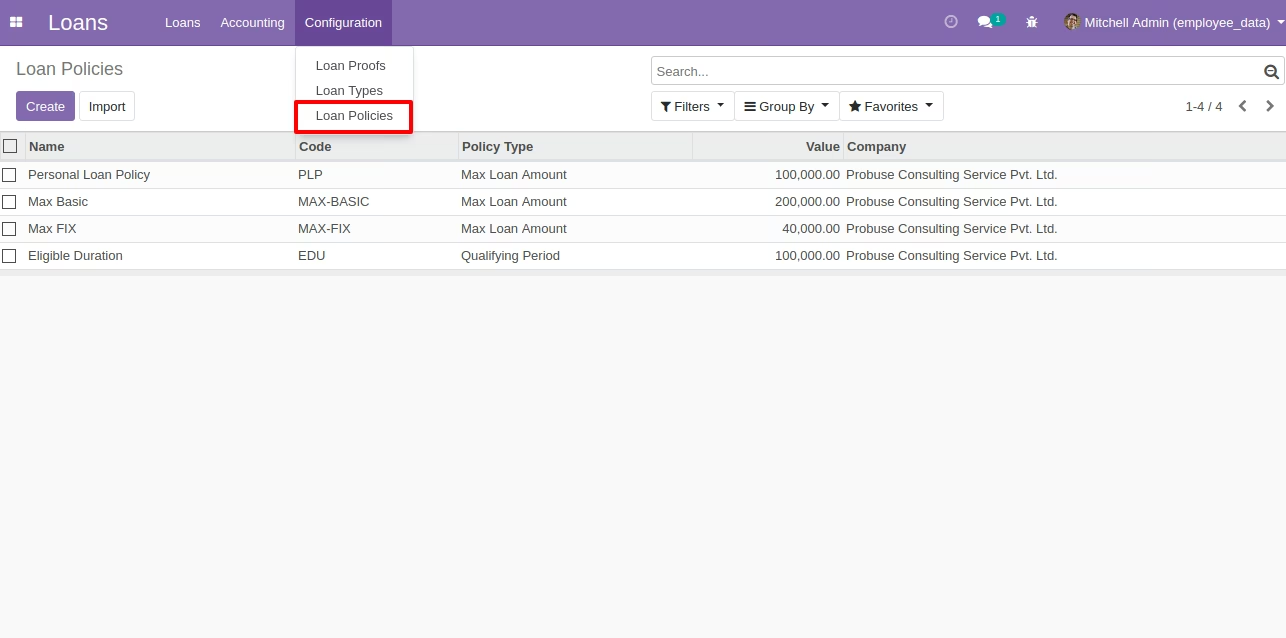
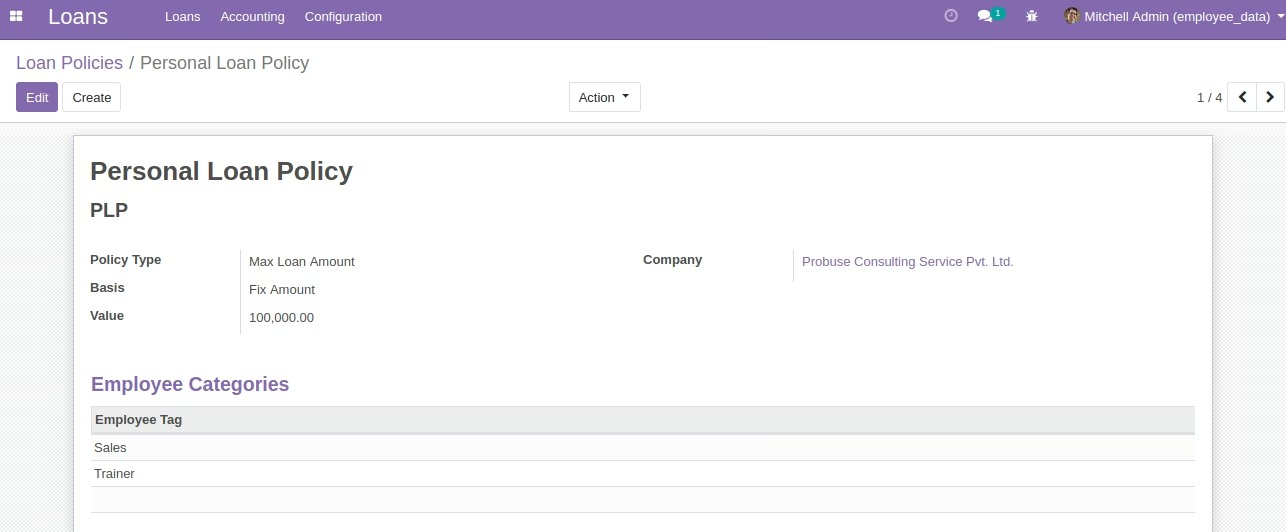
HR managers can configure policies or rules for loan requests and based on those rules it will check before approving a loan that if an employee fully fulfills that policy or not.
Loan Policies Form View
Policy types: 1. Max loan amount 2. Gap between two loans 3. Qualifying Period
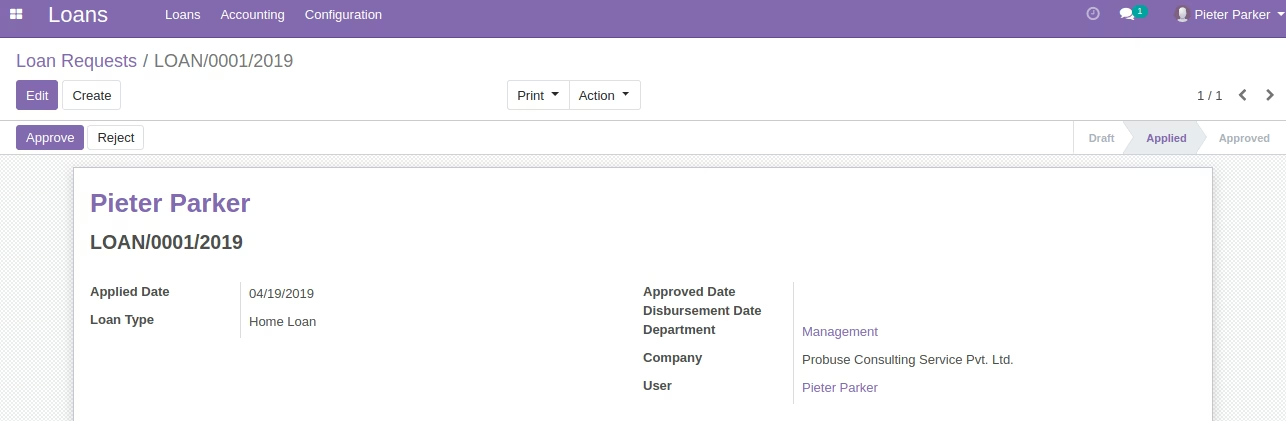
Loan Request Section
Loan Request Form

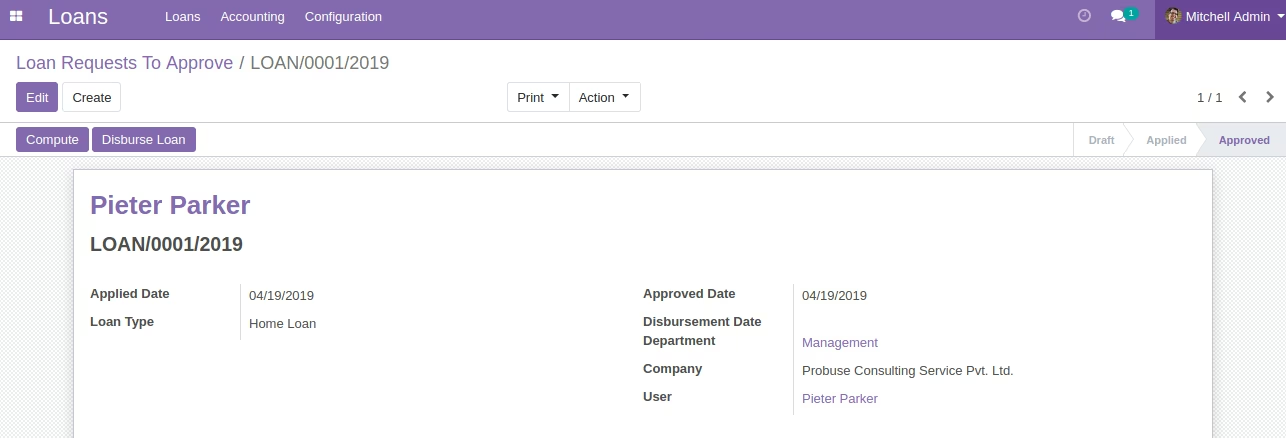
Loan Request to Approve

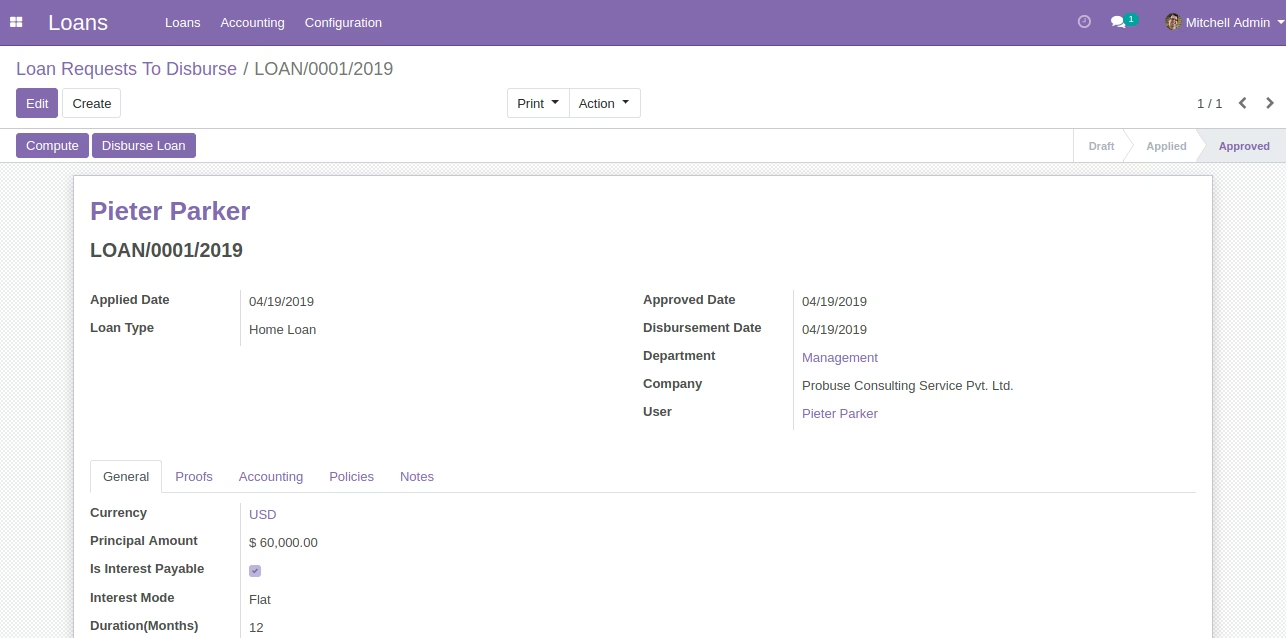
Loan Disburse Section
Loan to Disburse by Accountant

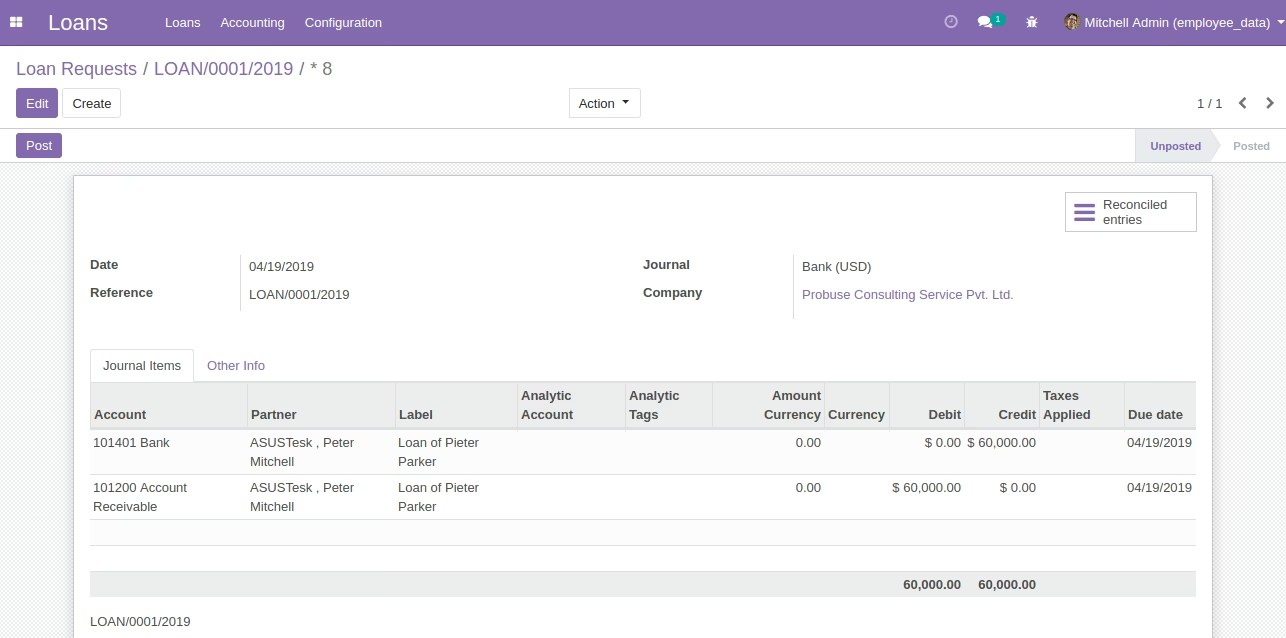
Disbursed Accounting Journal Entry
Loan Installments Section
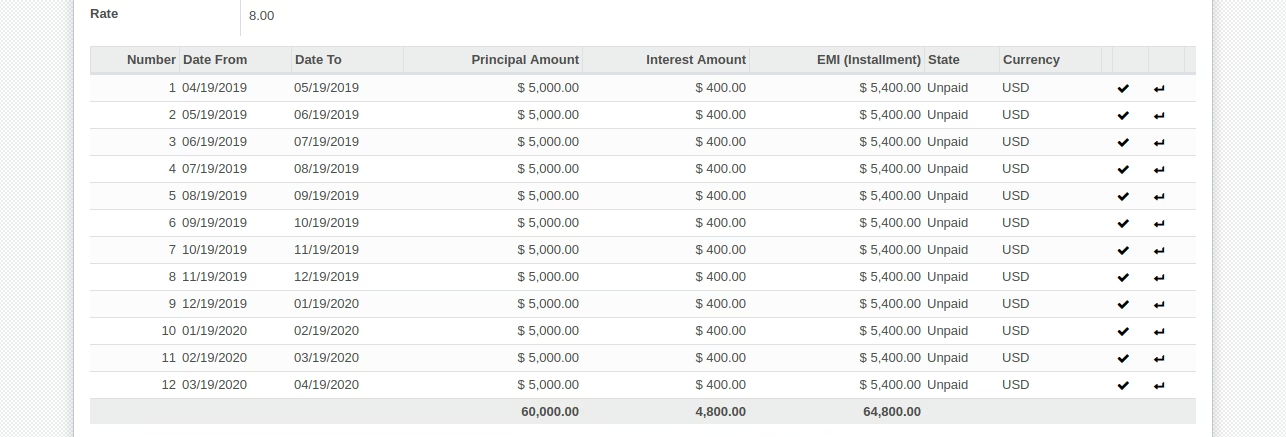
Loan Installments
All installments of loan will be listed here.
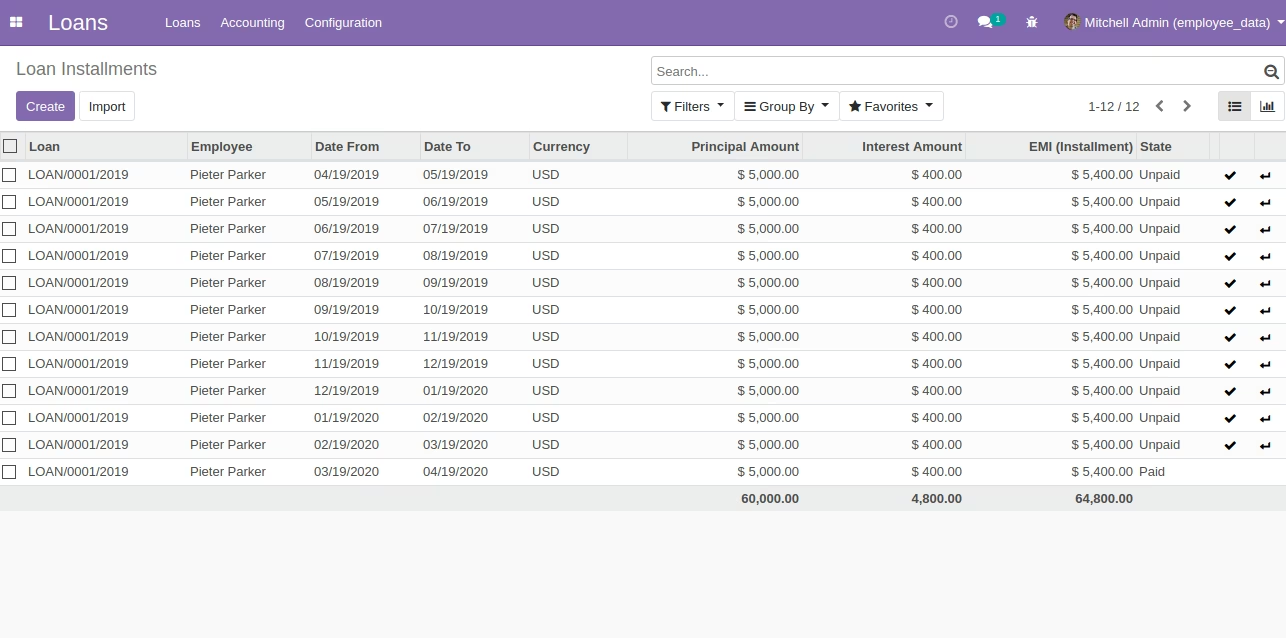
Loan Installments
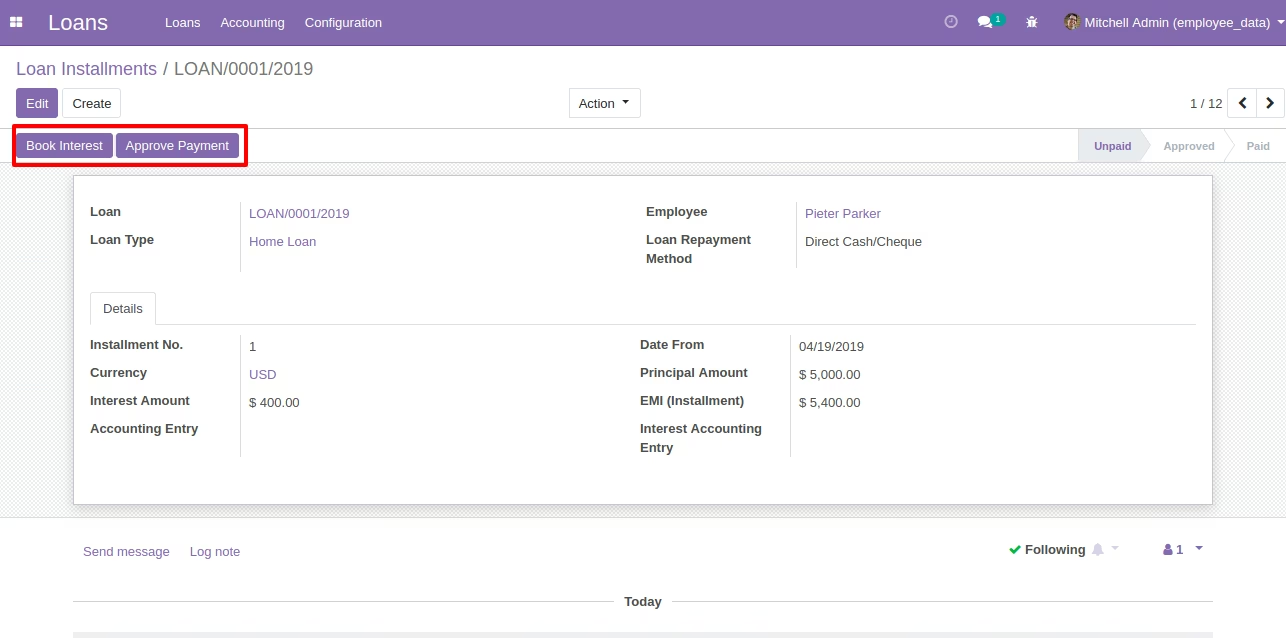
After Clicking Book Interest Generate Interest Accounting Entry
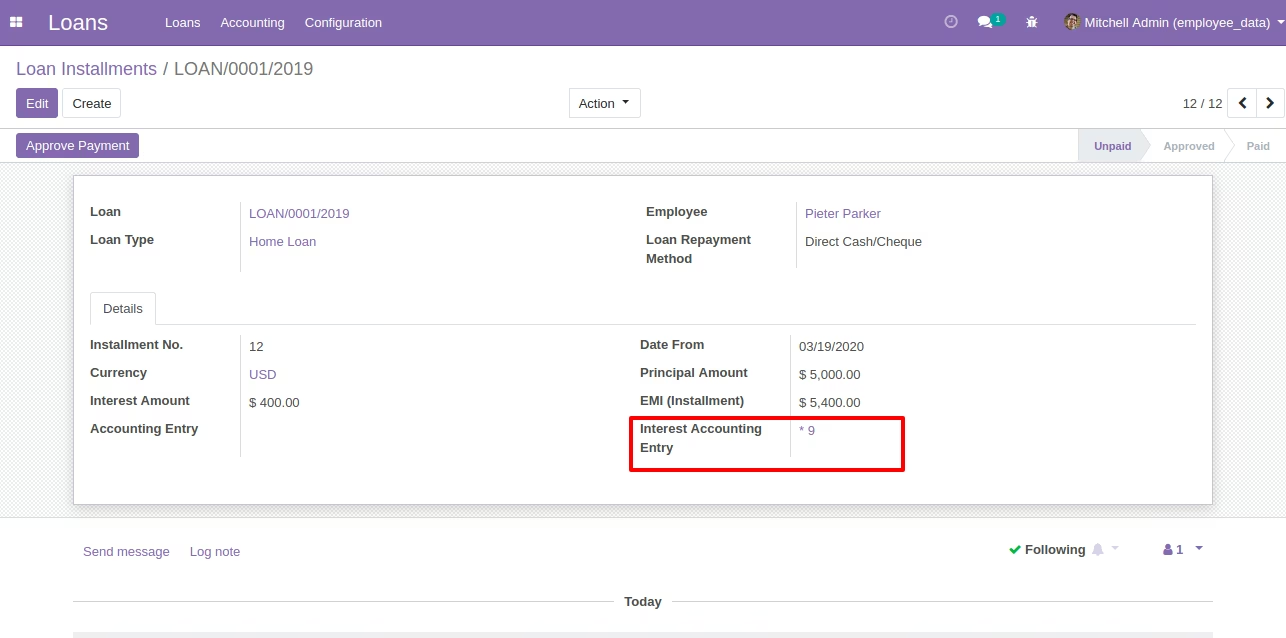
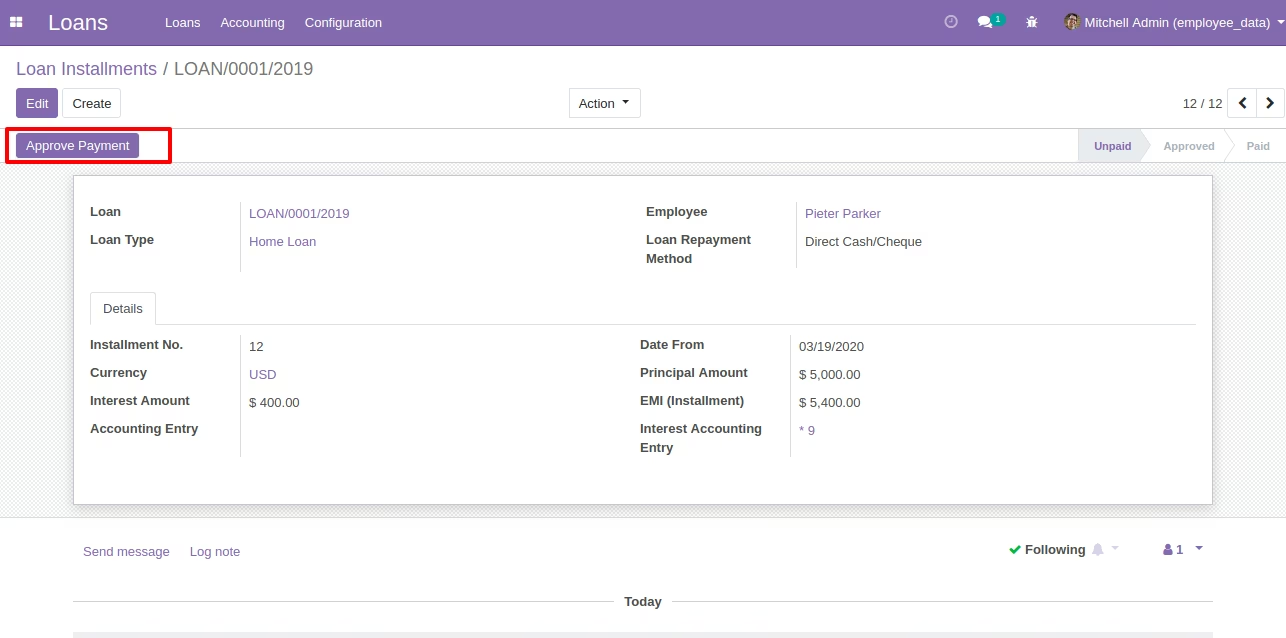
Approve Payment Button on Loan Installment
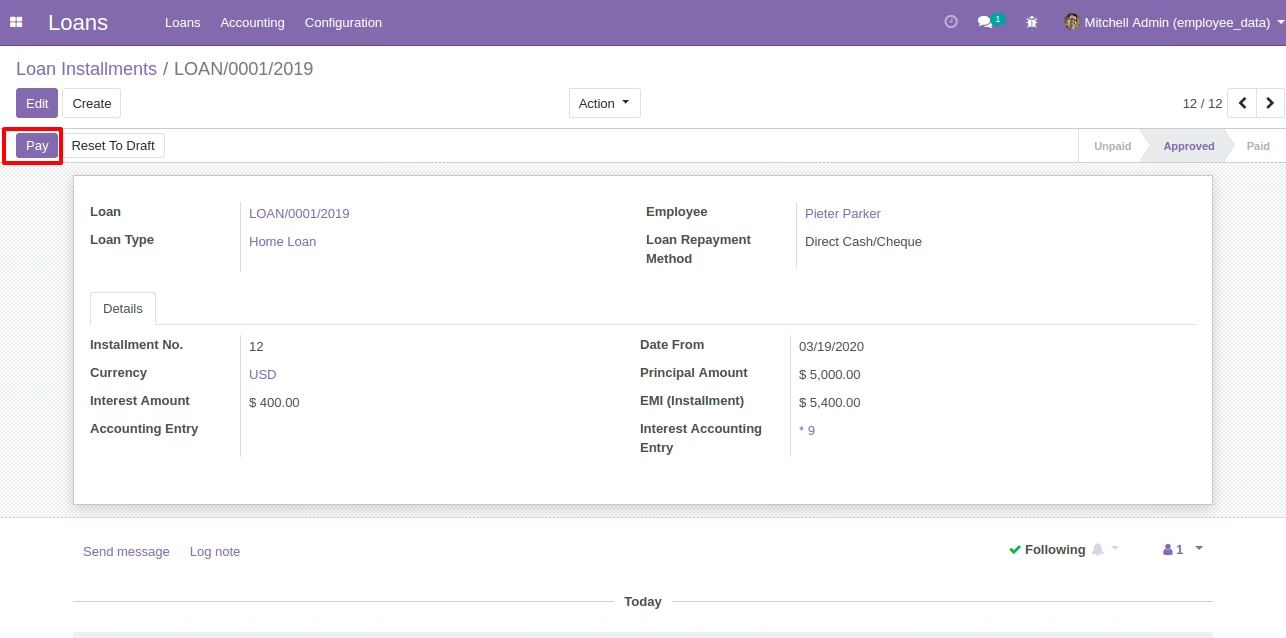
Pay the Loan Installment Button on Installament
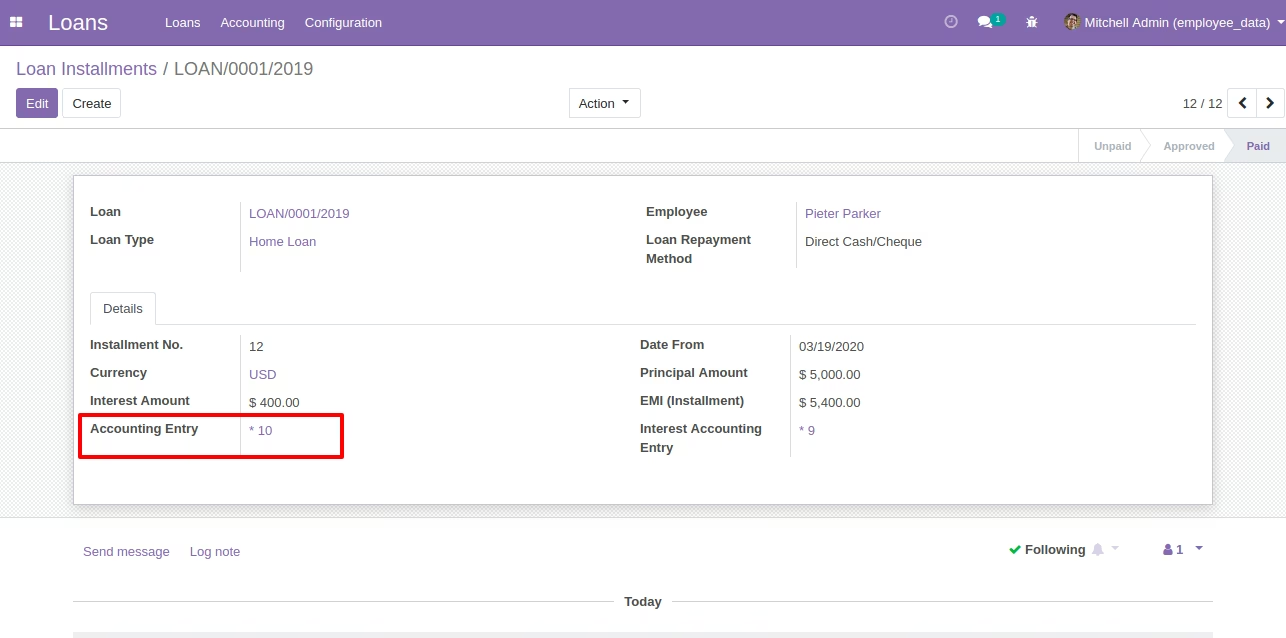
After Pay the Loan Installment Generate Accounting Entry Automatically
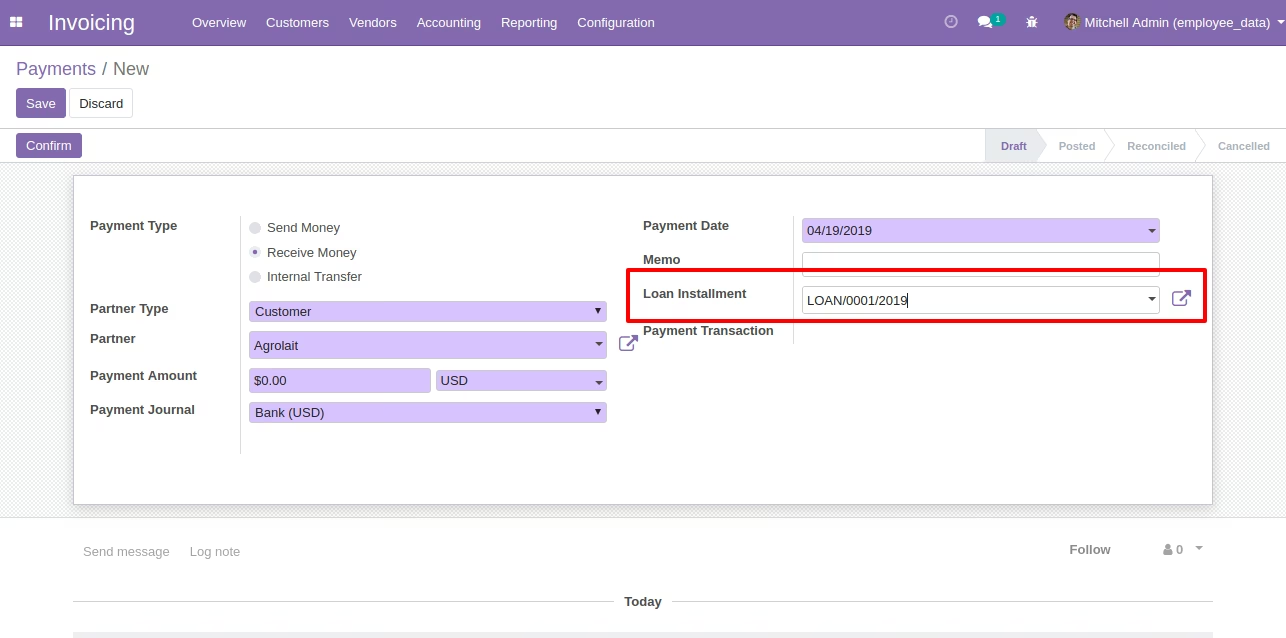
Payment Screen under Account [Standard]
If a loan has a repayment method by cash/bank then payment form has a new field which allows the accountant to select the installment and after validating that payment that installment will be paid.
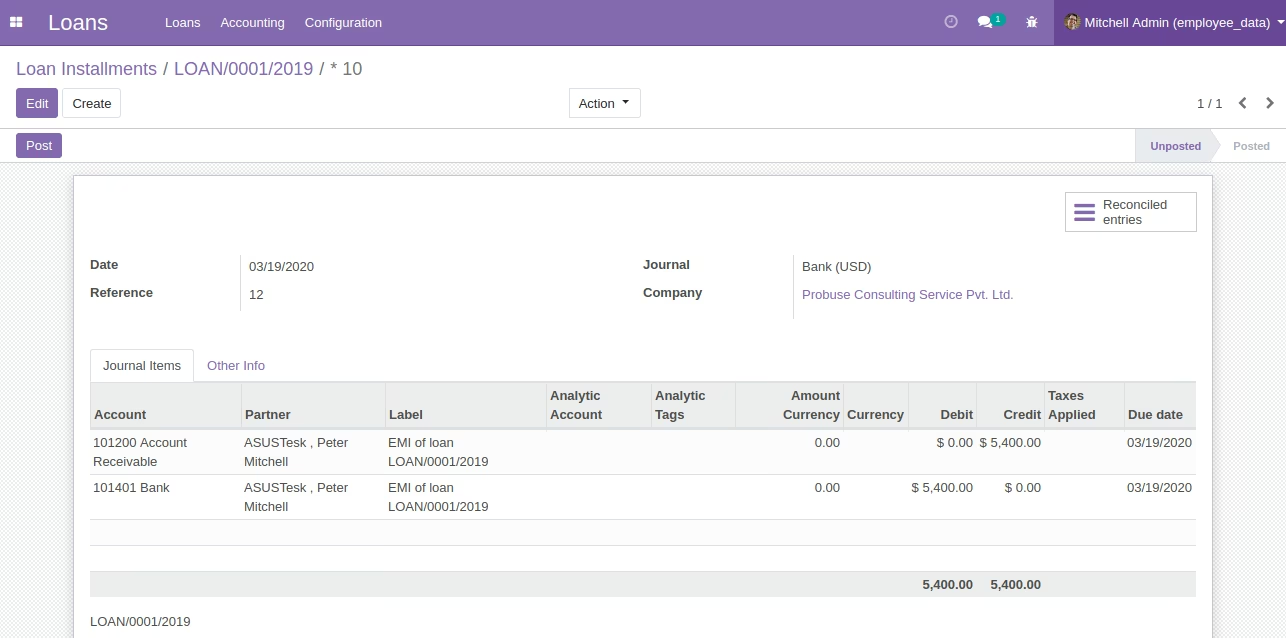
Loan Installment Accounting Entry
If you are not using payment screen to get installment payment from an employee then you can use the button on installment which will generate this journal entry.
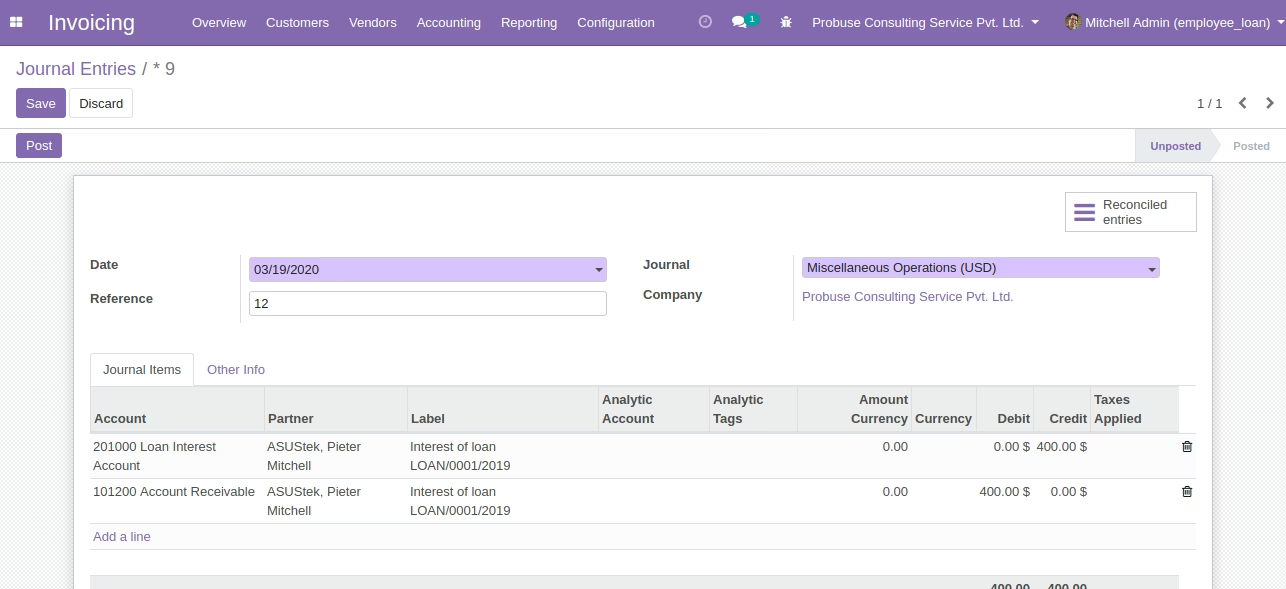
Loan Interest Accounting Entry
There is a button on the installment called "Book interest" that will raise this journal entry in the system for interest for that installment.
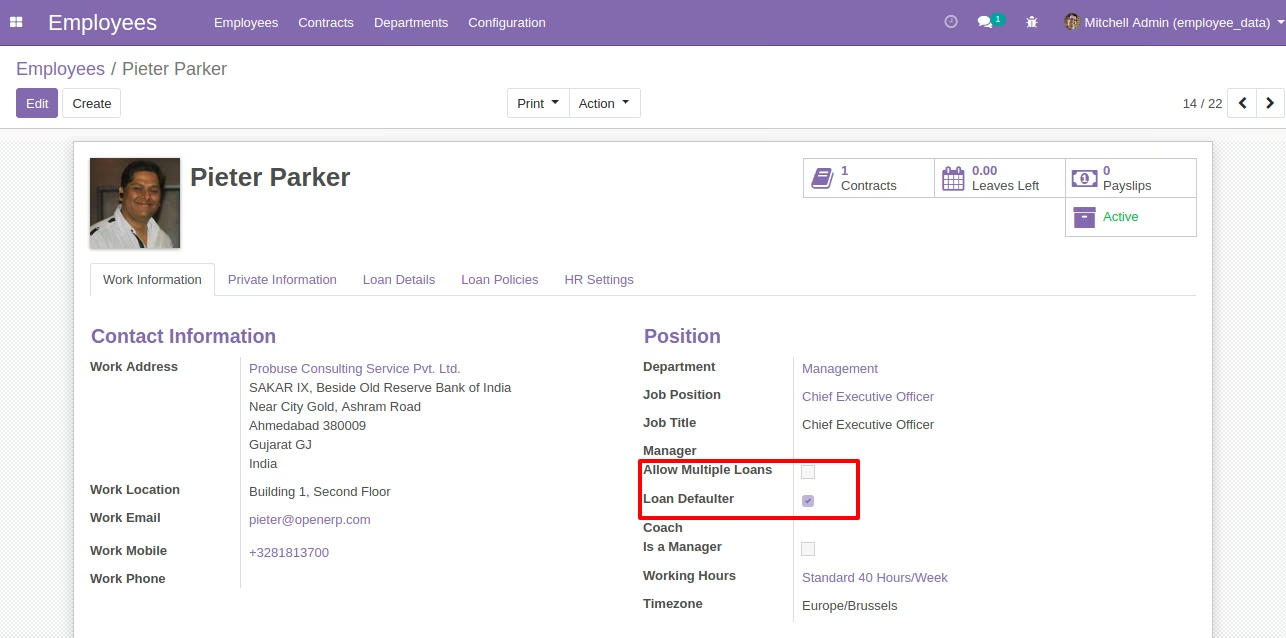
Employee Configuration Section
------------------------------------------------------------------------------------------------------------------------------------------------------------------------------------------------------------------------------------------------------Some Other Configuration on Employee Form
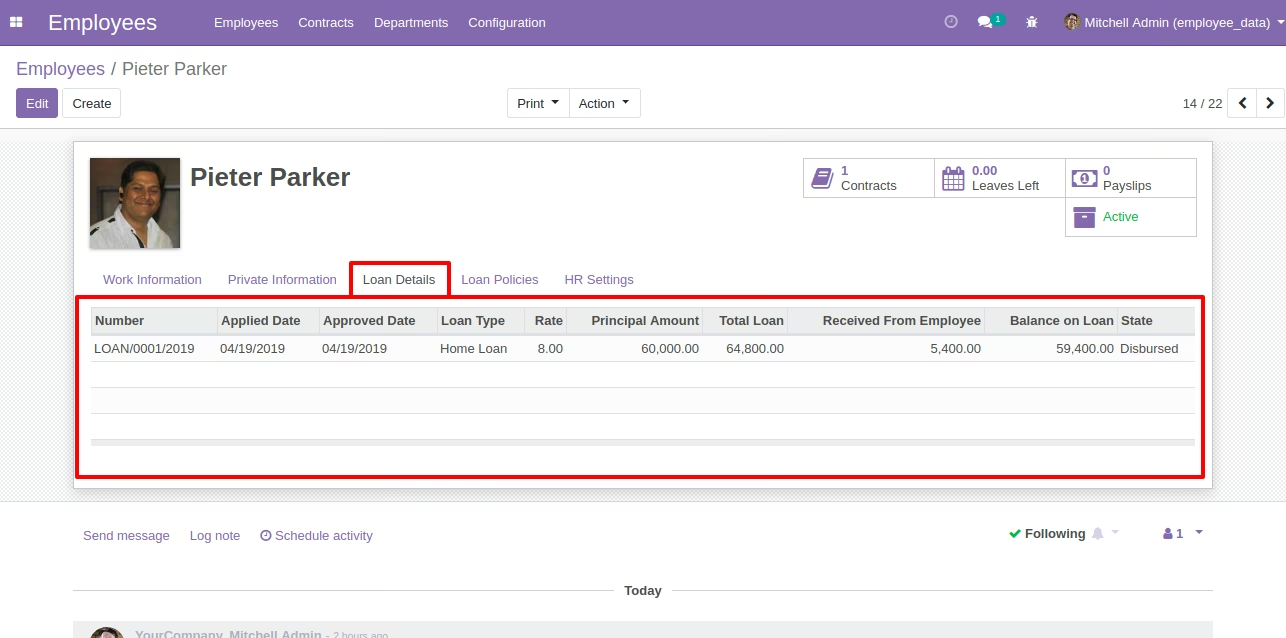
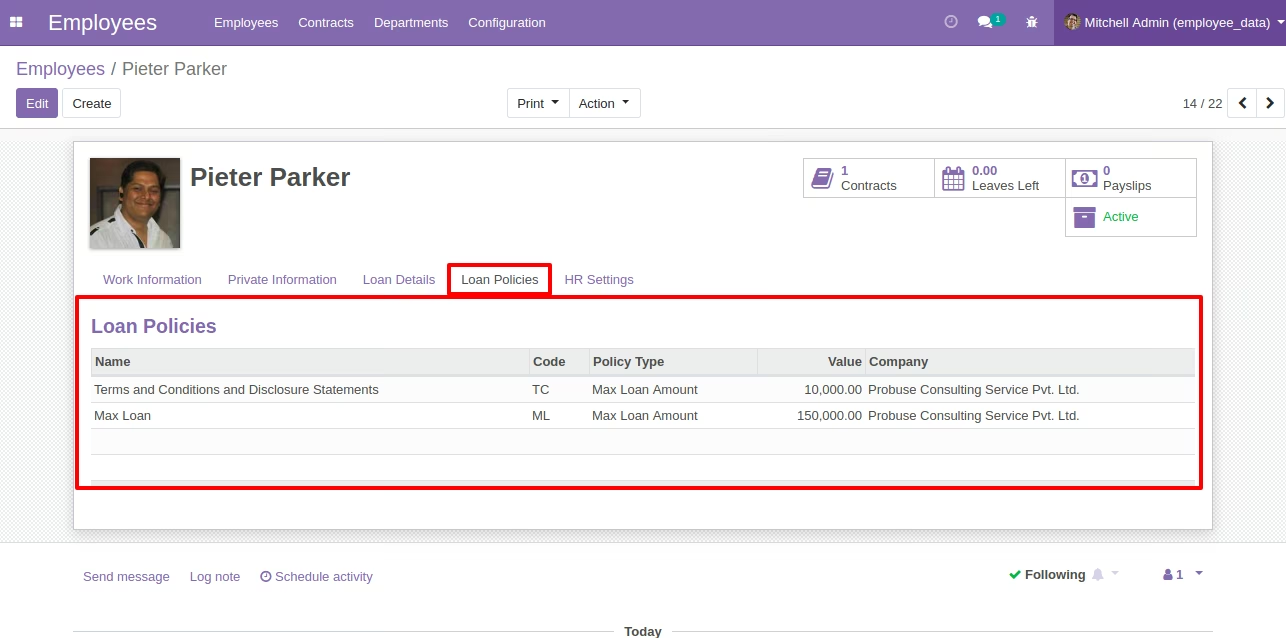
Loan details and loan policy will come automatically on employee form.
Print Loan Request PDF Sample
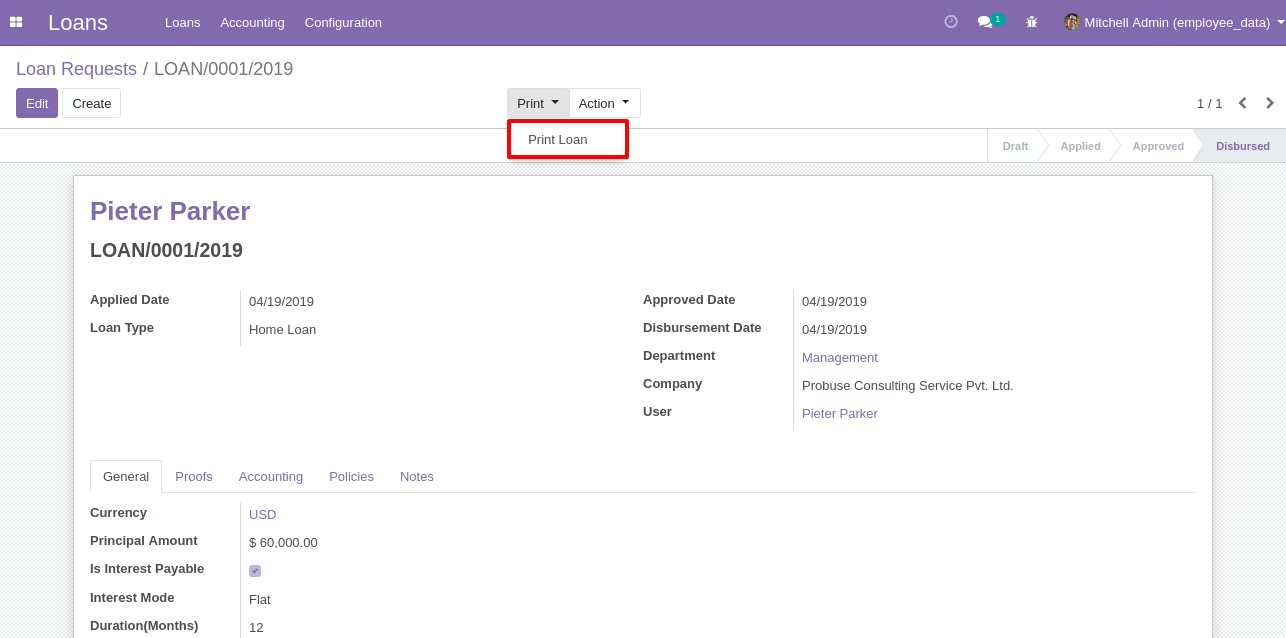
Loan PDF Report