![Employee End Of Service Rewards [ESR]](/web/image/product.product/1048/image_1024/16.0-hr_end_service_benefits?unique=149b221)
This module enables HR teams to automate the calculation and management of end-of-service rewards for employees. Designed for accuracy and efficiency, it integrates seamlessly with essential HR and financial modules, streamlining the end-of-service process. By facilitating transparent and reliable gratuity computations, the module enhances payroll workflows and supports timely reward distribution at employee departure.
Automates calculation of employee end-of-service rewards.
Integrates with payroll, accounting, invoicing, contract, and time-off modules for seamless data flow.
Supports accurate gratuity computation based on employee contracts and service records.
Enhances HR transparency and reduces manual processing errors.
Centralizes end-of-service reward management within the existing HR infrastructure.
Accelerates the end-of-service process with reliable automation.
Ensures accurate gratuity payouts and payroll consistency.
Reduces administrative workload and minimizes calculation mistakes.
Improves HR efficiency through streamlined, integrated workflows.
Provides clarity and transparency for HR and departing employees.
Calculate your employee END OF SERVICE reward, based on their hiring date and years of service, flexible calculation rules, with full approval cycle till payment.
Features:
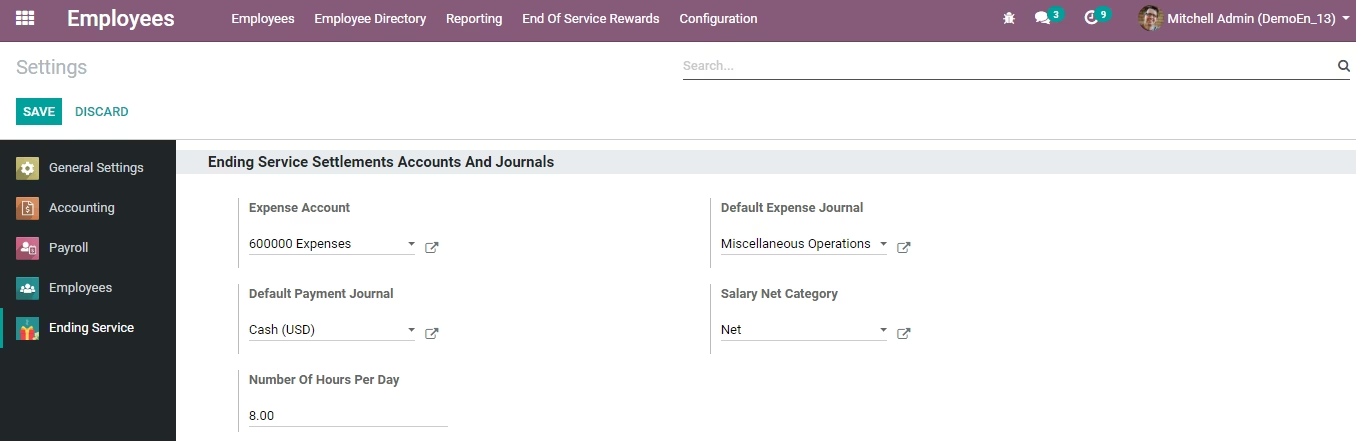
- Default setting (Expense Account, Payment, and Expense Journal).
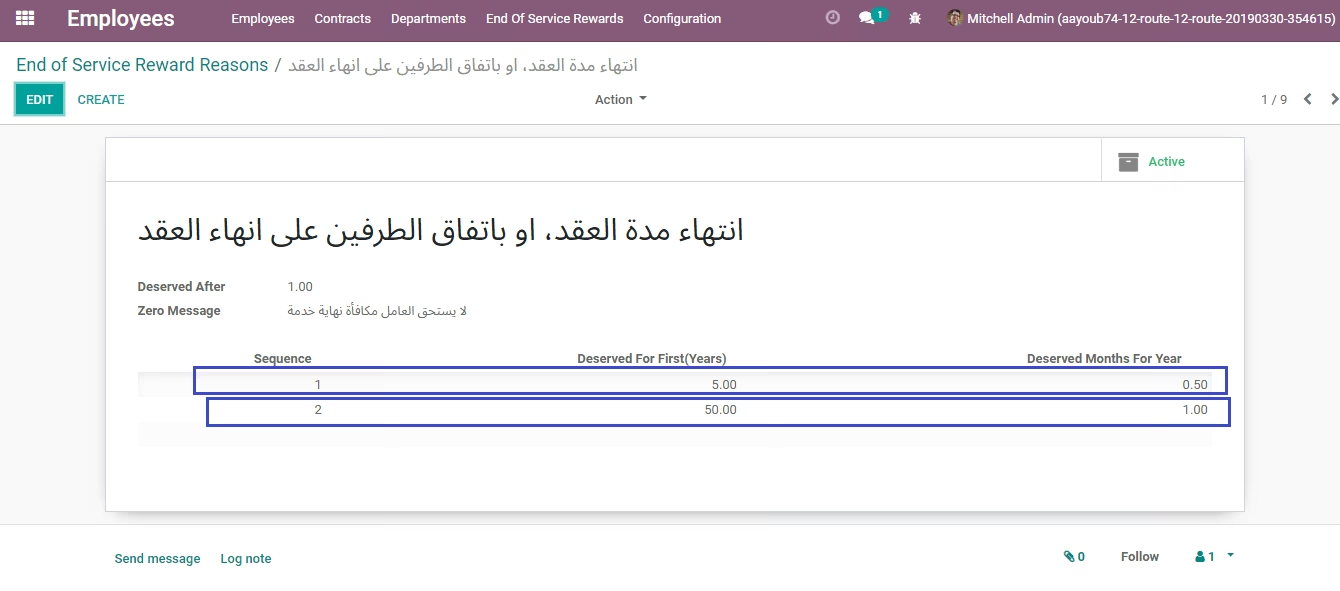
- 9 pre-defined Reason for Ending Employee Service.
- Multiple Allowances available for employee.
- Hiring date at Employee.
- Employee must have private address.
- Email to authorized users to approve and disburse.
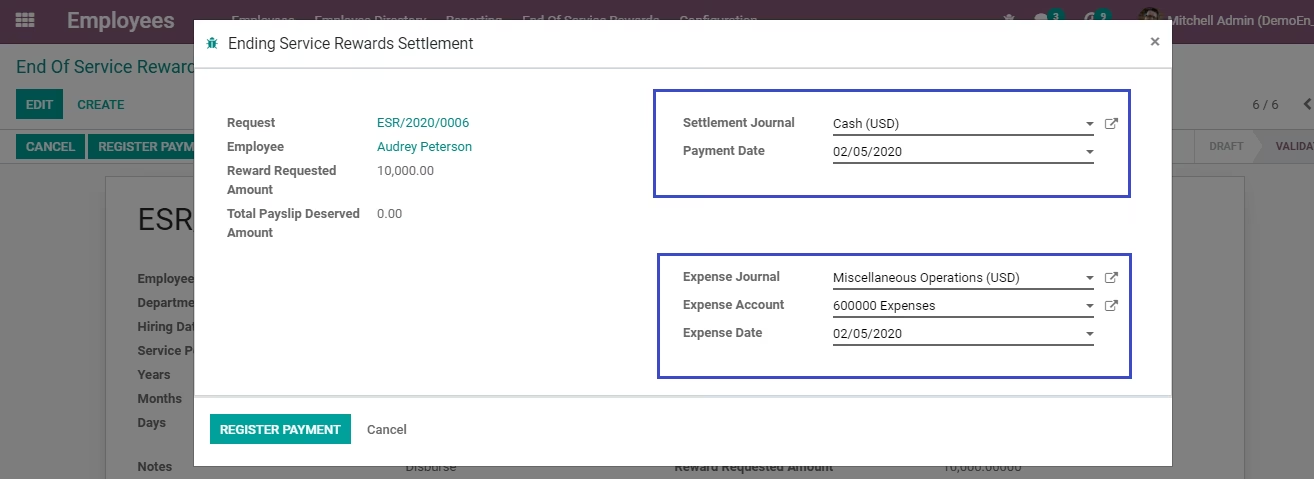
- Different dates for expense and payment.
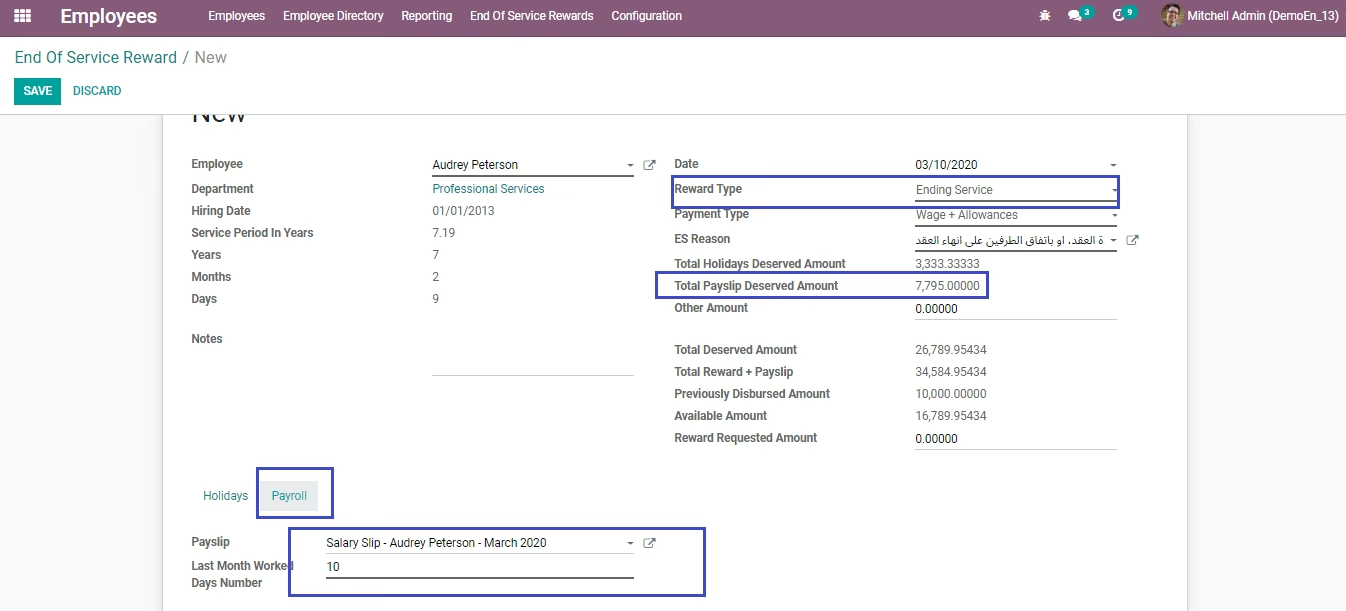
- You can link the last payslip to the request, and create different payment for it.
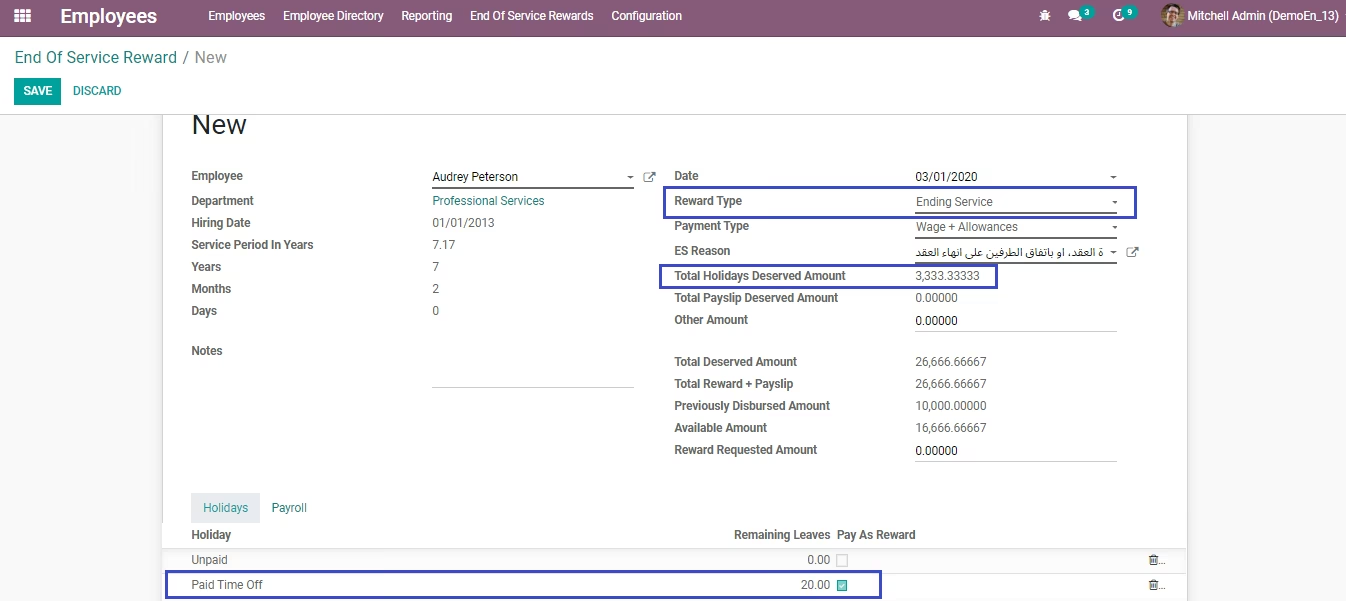
- You can link leave balances to the request and pay it as per the daily wage rate.
- Employee archiving and contract cancellation after request approval.
- Statement print.
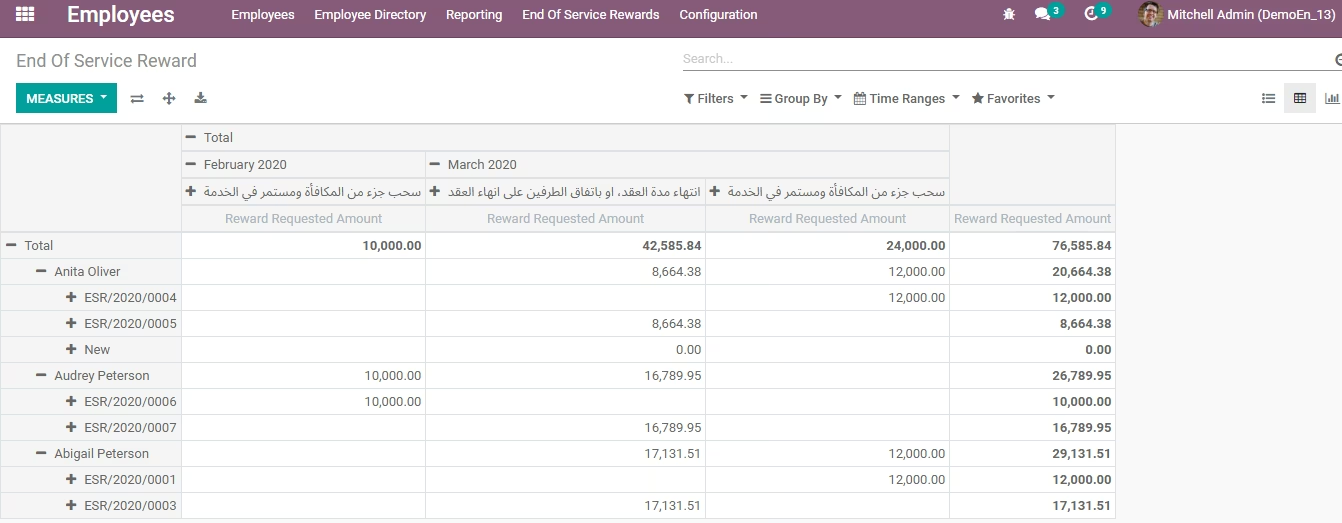
- Graph and pivot reports.
- Define your default expense account, expense journal, and payment journal.
- Choose the "Salary Net Category", this will take the amount on the net rule to disburse with the reward when the employee leaves.
- Private address must be added to employee private information.
- Hiring Date must be added to employee private information.
- Add allowances to your employee contract, every employee must have only one Running contract.
- Create ES request as HR Officer (email will be sent to HR manager).
- HR manager will approve (email will be sent to Accounting rule).
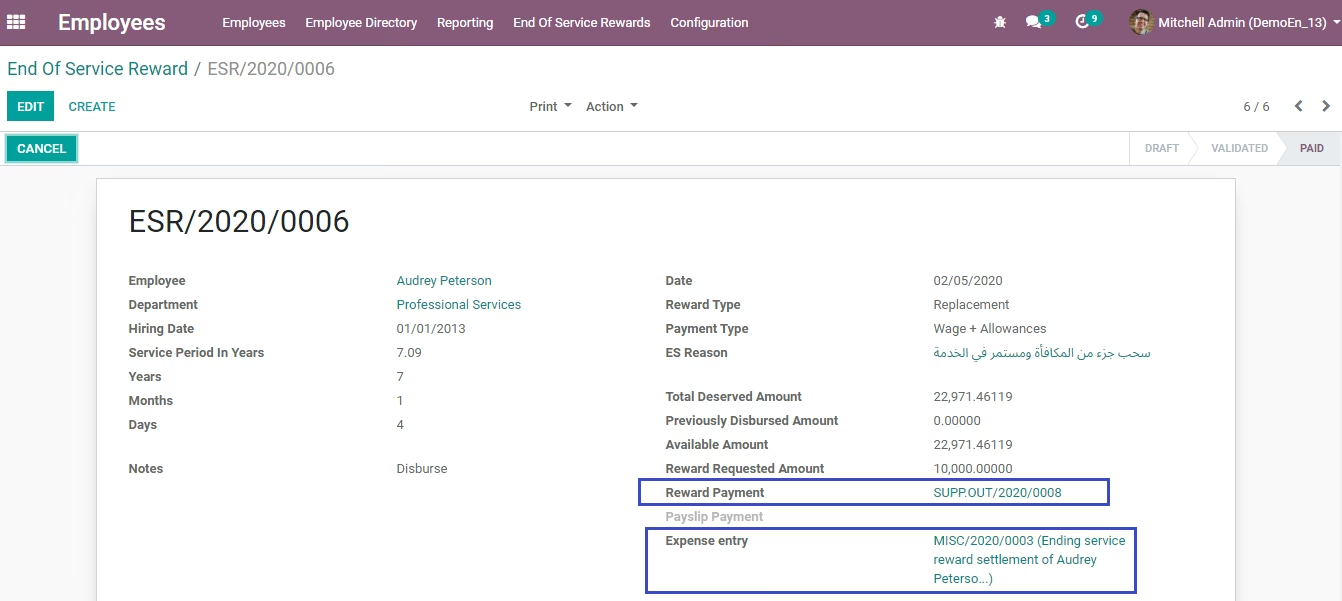
- Accountant will register payment and expense entry.
- Payment will be generated for employee, and journal entry for the expense.
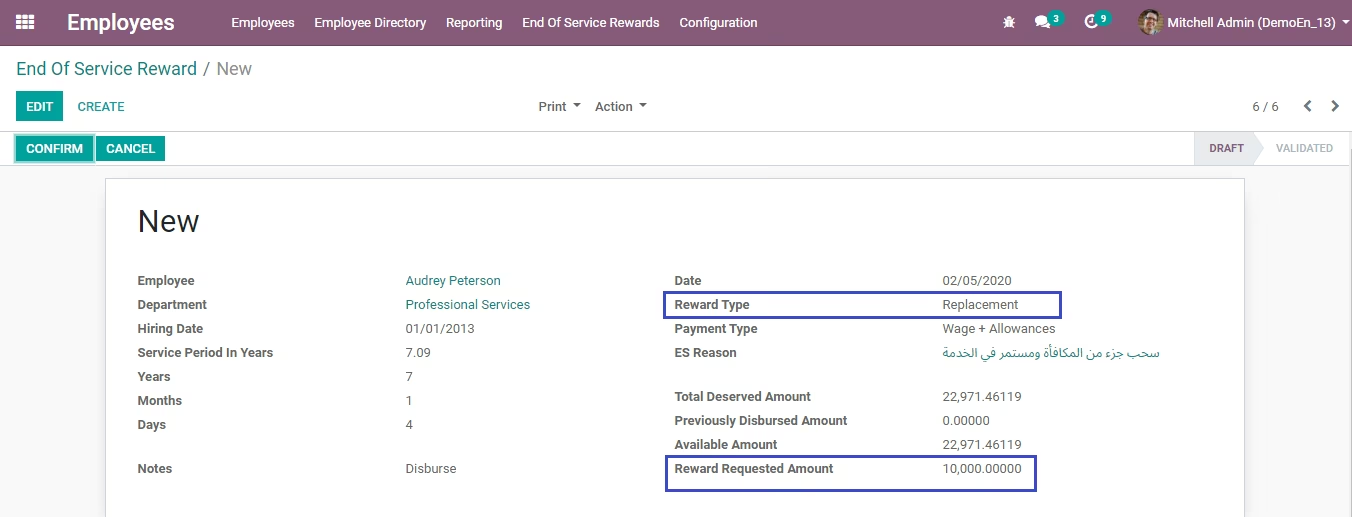
- If the request type is "Ending Service" you can pay the leaves remaining balances to the employee as per the daily wage, also you can choose the last payslip issued for him/her to pay it with the reward.
- If the payslip will be paid, a separate payment will be generated for it.
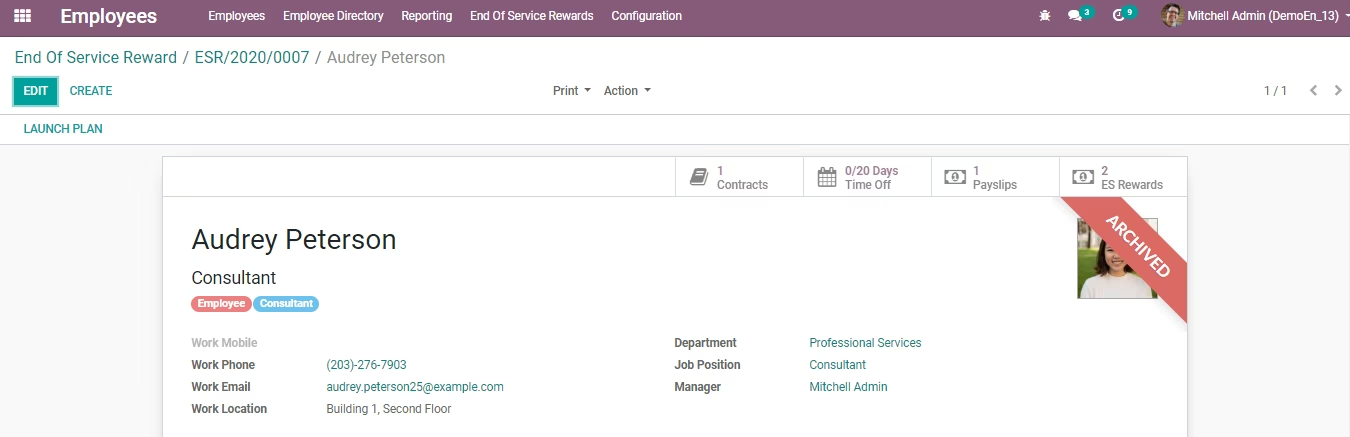
- After confirming a request with type "Ending Service" the employee will be archived, and the contract will be cancelled.
# This module is for Enterprise version only as the CE version doesn't include payroll. If you need the Community version please contact us on our email below.
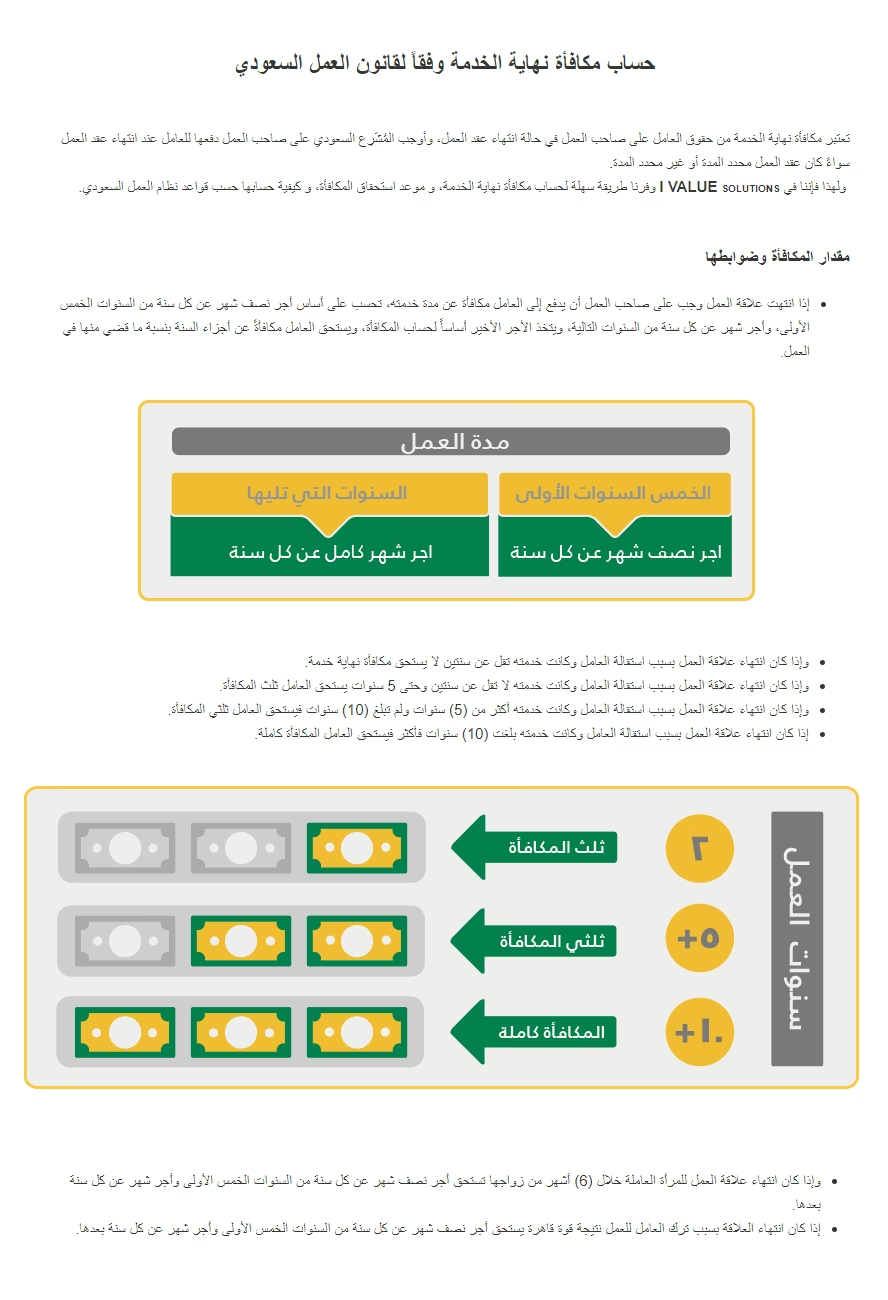
# This module is pre-defined based on KSA labor rules for ending employee services. However, it's applicable for any need as its rules are modifiable.