The module for enables businesses to maintain a comprehensive history of all sent and received emails associated with each partner. This feature enhances communication tracking, streamlines customer relationship management, and ensures that all interactions are documented for future reference.
Comprehensive Email History: View all emails sent to and received from a partner.
Smart Buttons: Access email history directly from the partner form view.
Integration with Discuss Module: Utilizes the Discuss (mail) module for email tracking.
User-Friendly Interface: Easy navigation and access to email history.
Search and Filter Options: Quickly find specific emails using search and filter functionalities.
Improved Communication Tracking: Keep a detailed record of all email interactions with partners.
Enhanced Customer Relationship Management: Access email history to better understand partner needs and preferences.
Streamlined Operations: Reduce the time spent searching for email communications.
Increased Efficiency: Quickly retrieve relevant emails to assist in decision-making processes.
Better Collaboration: Share email histories with team members to improve collaboration.
Emails and Messages History of Customer/Vendor/Contact/Partner
Customer/Supplier/Contact Emails and Messages History
Emails and Messages History on Partner form
Main Features:
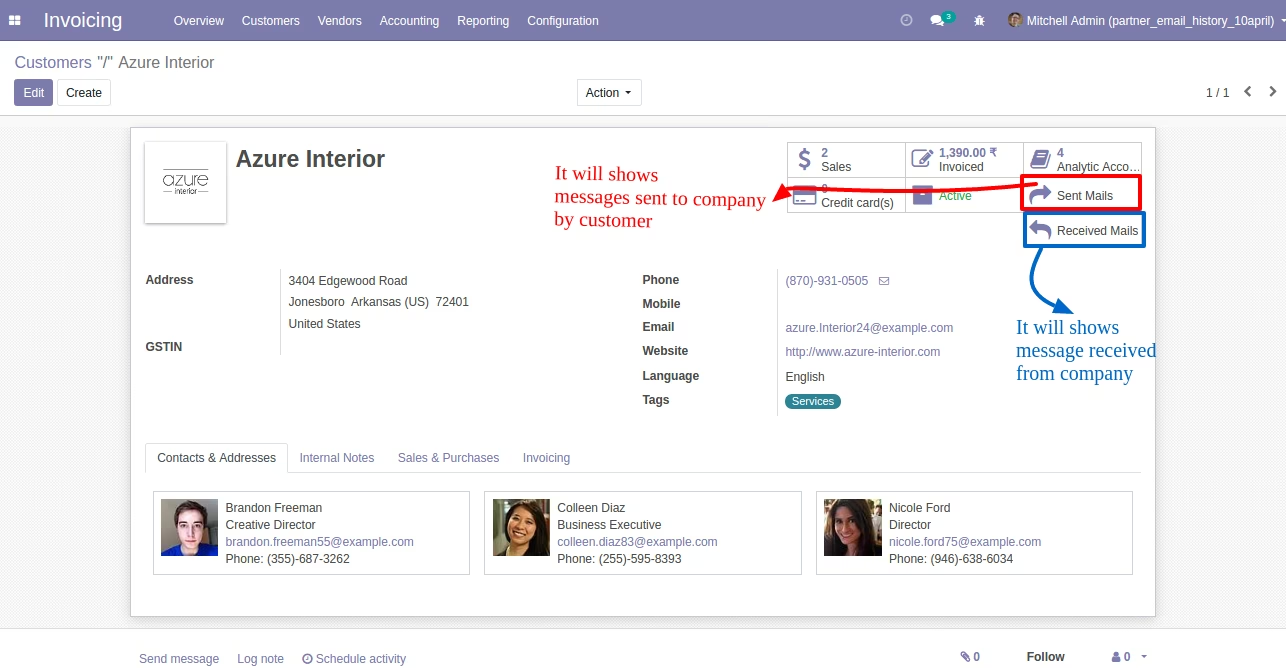
- This app will allow your internal users to show emails and messages history of customers/suppliers/contacts (res.partner form in Odoo). Please note that outgoing and incoming email history will be listed on clicking buttons as shown in below screenshots.
- The app adds Emails and Received Emails buttons on the customer/vendor/partner/contact form view of standard.
- This app adds buttons for sending emails and receiving emails on customer, vendor, and contact form view of standards.
- Security: Sales All Leads Group and Sales Manager group can able to view buttons.
- For more details please see the below screenshots and watch the video.
Sent Emails and Received Emails Buttons on Customer/Supplier/Partner Form (Standard)
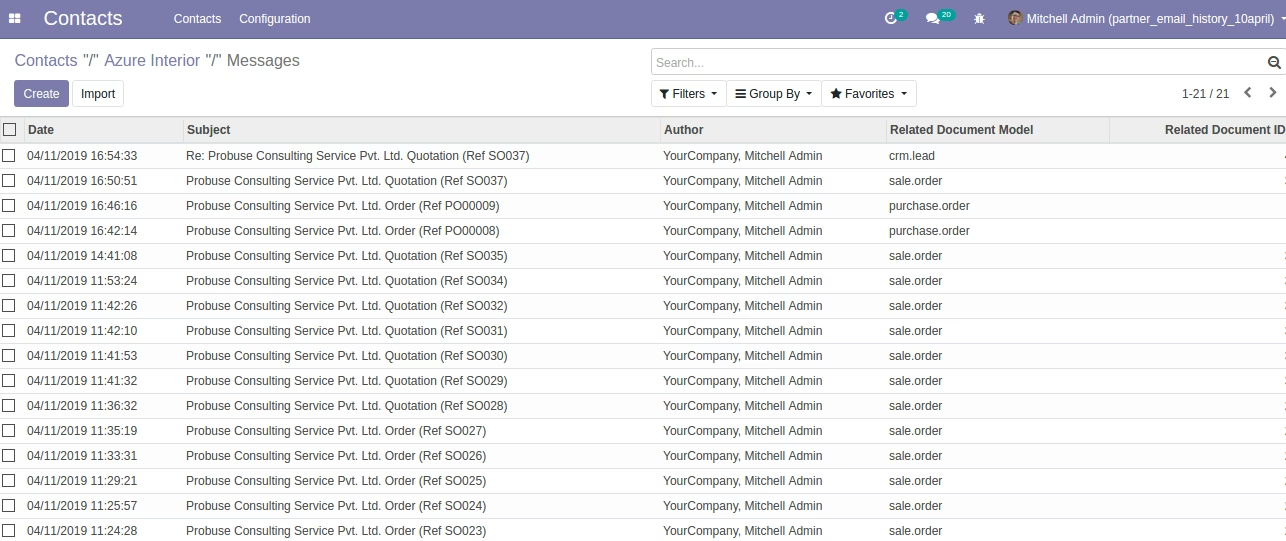
After Clicking On 'Sent Emails' Button
List view
After Clicking On 'Sent Mails' Button
Form view
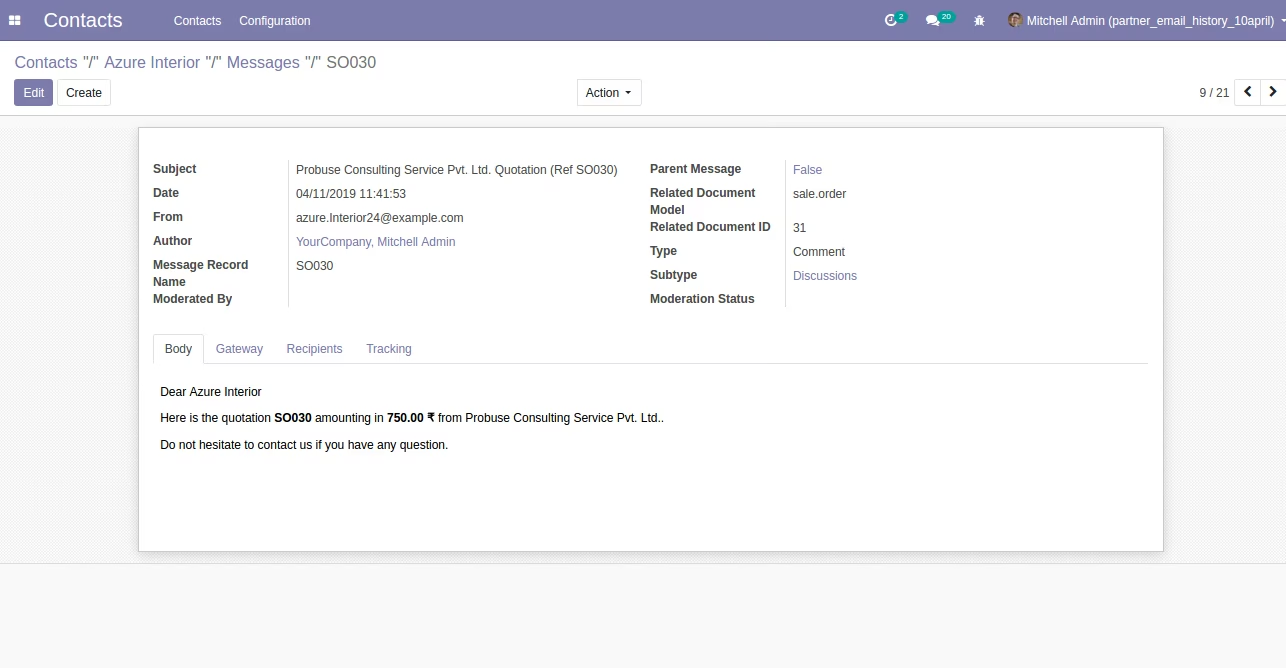
After Clicking on the 'Received Mails' Button
List view
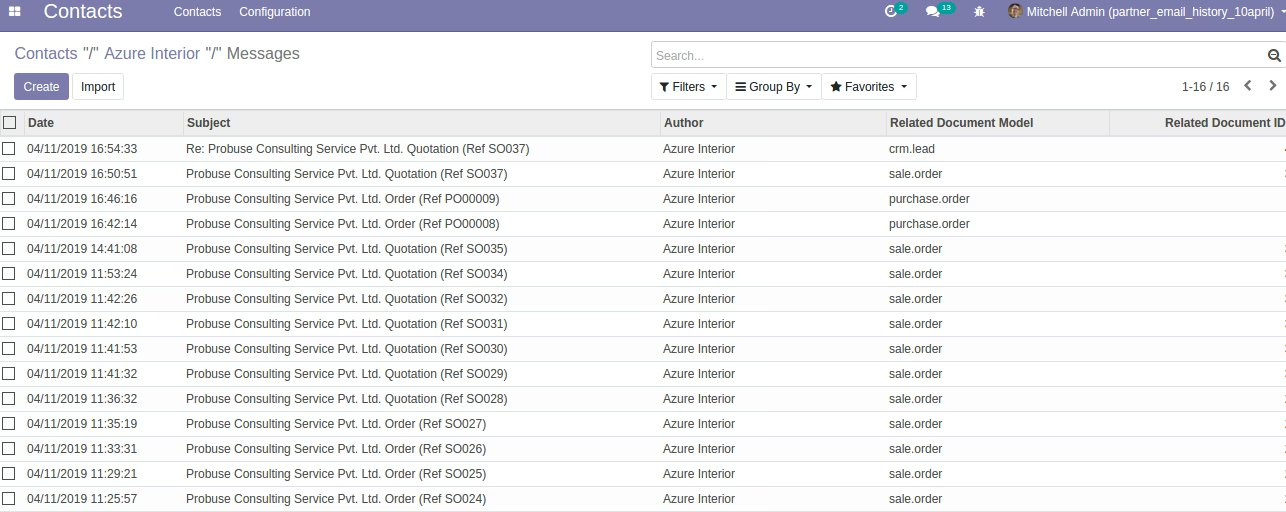
After Clicking on 'Received Mails' Button
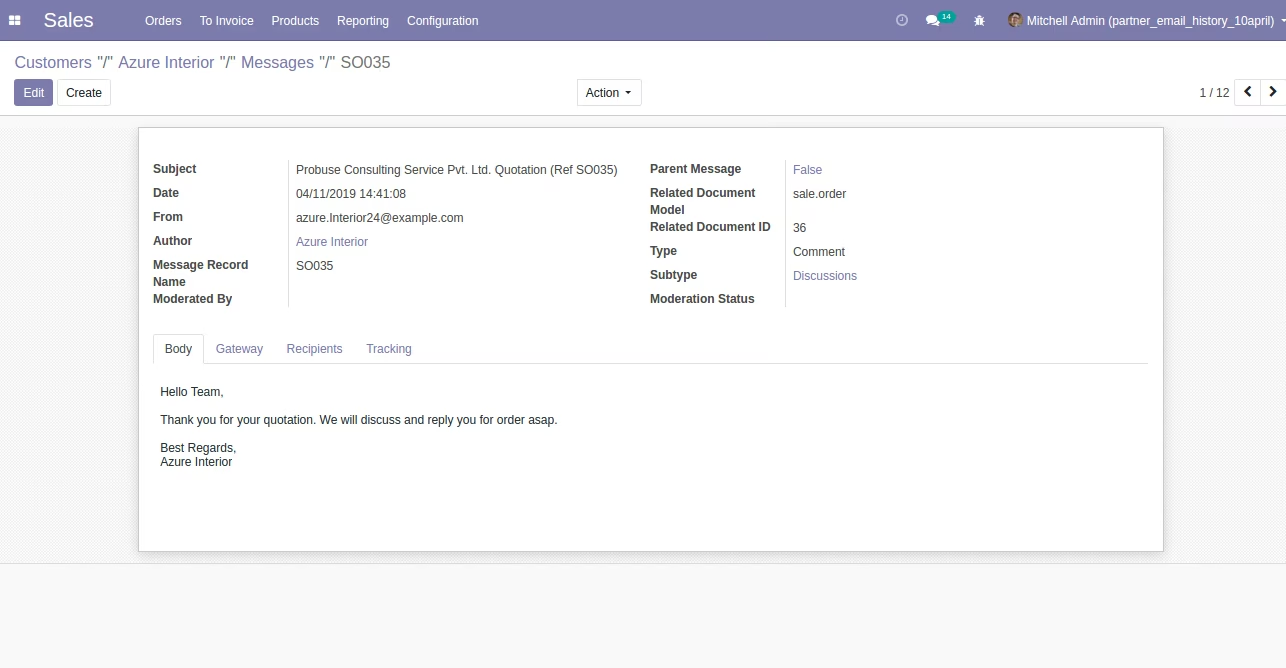
Form view