The Email CC/BCC App is a vital tool for improving your email communication and tracking. This module seamlessly integrates with email composer, allowing you to add Carbon Copy (CC) and Blind Carbon Copy (BCC) recipients to your emails, a feature not available in the standard Odoo setup. By enabling you to include multiple recipients and keep relevant parties informed, this app enhances transparency and ensures that all your business correspondence is properly documented and easily accessible.
Add CC and BCC fields to the email composer for all outgoing emails.
Send emails to multiple recipients in the CC and BCC fields.
Set default email addresses for CC and BCC to be automatically included in all emails.
Include a "Reply-To" field to specify a different reply address.
Keep a complete record of all email correspondence, including CC and BCC recipients.
Enable or disable the CC and BCC functionality from the general settings.
Compatible with all modules, including Invoicing and Sales.
Improve communication and transparency by keeping all relevant stakeholders informed.
Enhance email tracking and record-keeping for better accountability.
Save time and effort by setting default CC and BCC addresses for routine communications.
Maintain a professional image with standardized and well-managed email practices.
Increase efficiency by managing all your email communications directly.
Avoid miscommunication and ensure that the right people receive the right information.
Email CC and BCC is specially designed to send email to multiple partners in CC and multiple partners in BCC of mail. Users can select partners for CC, BCC and also make BCC or CC visible in emails by enabling them from general settings, according to the requirement.

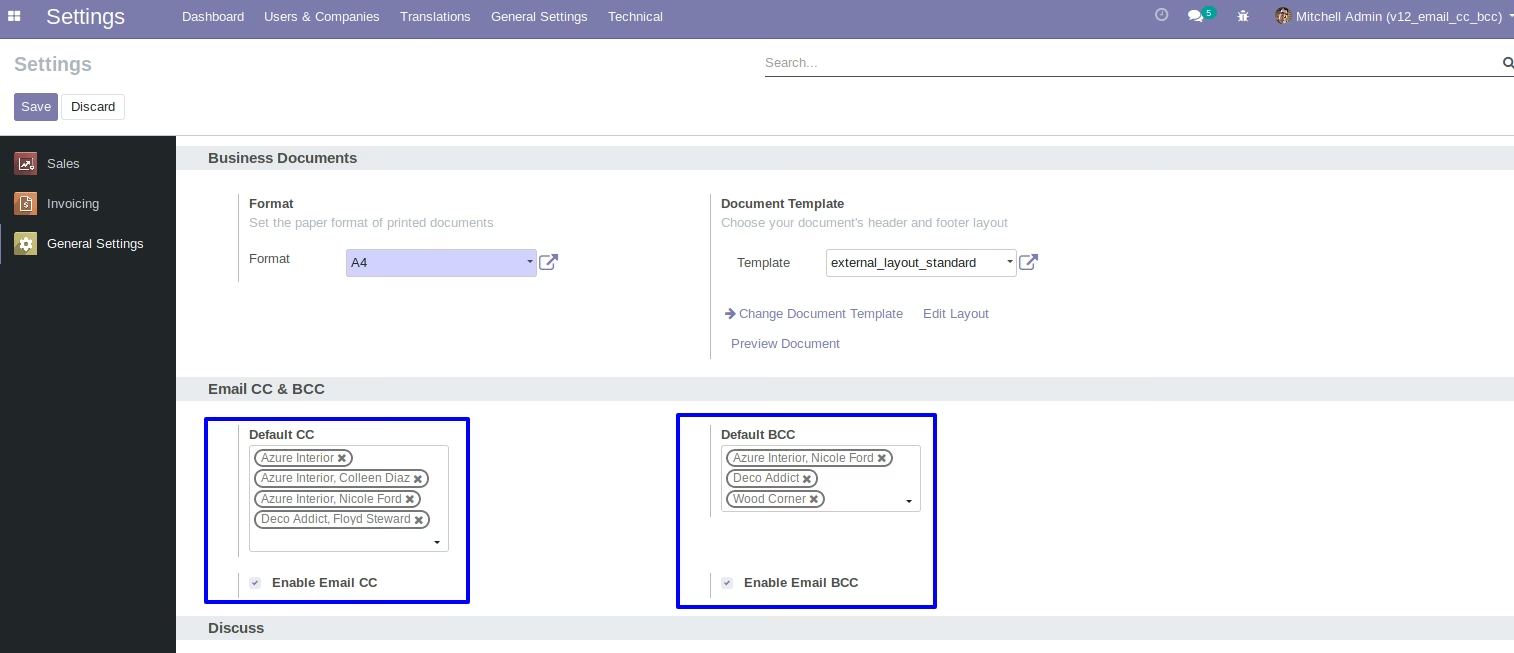
Select Default CC and BCC in General Settings
User can select multiple partners for default CC and default BCC in general settings.

Send Mail to the Customers with CC
User can send mail to the customers with selected CC in general settings.

Send Mail to the Customers with BCC
User can send mail to the customers with selected BCC in general settings.
Module Working Flow
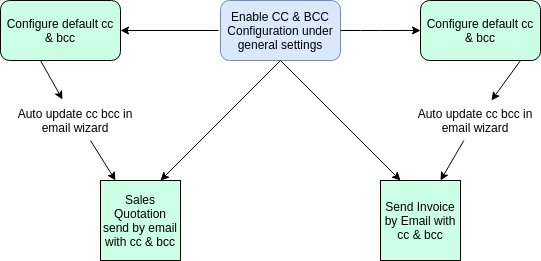
Set Default CC or Default BCC inside General Settings.
Set Default CC or Default BCC in general settings and also enable CC and enable BCC in general settings to see CC and BCC in emails.
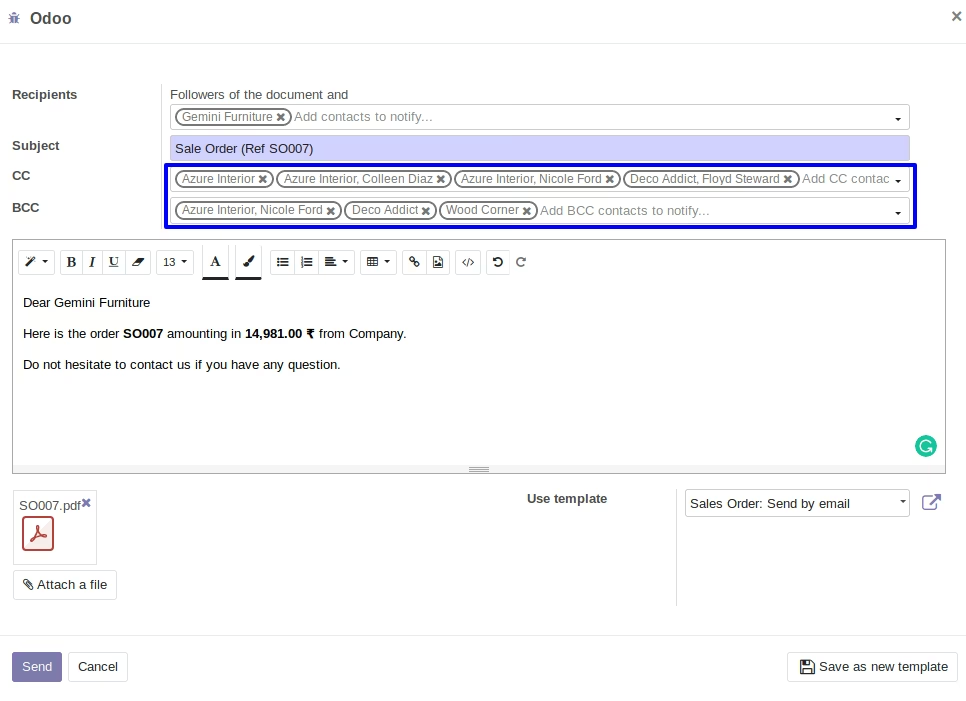
Email Wizard
Email Wizard would also contains the selected CC and BCC if the enable CC and enable BCC is checked inside general settings.
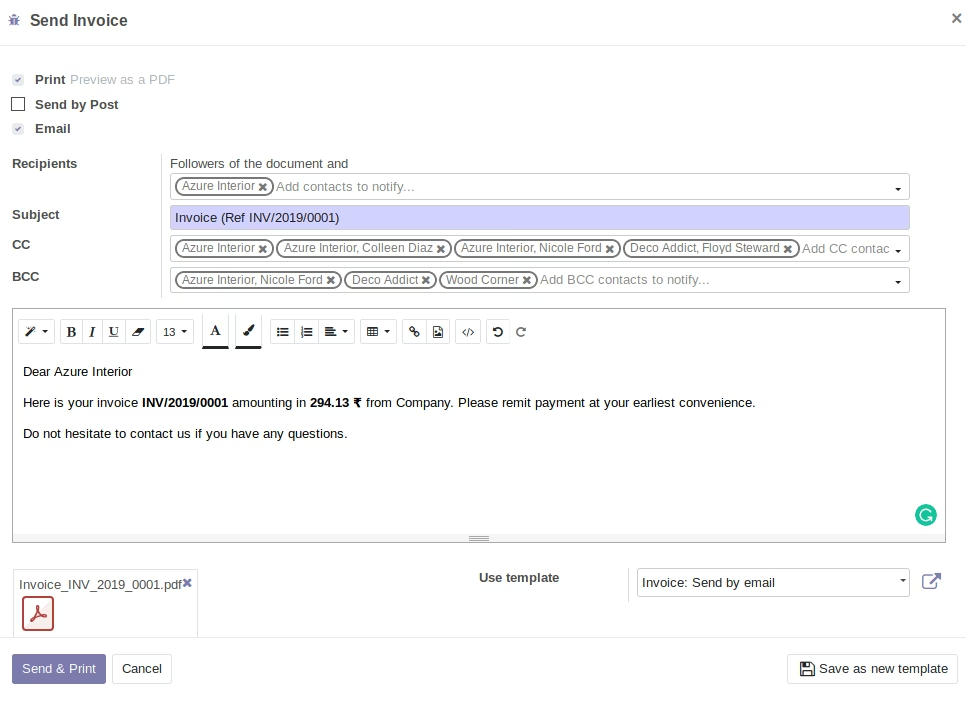
Email Wizard for invoice
Email Wizard of invoice would also contains the selected CC and BCC if the enable CC and enable BCC is checked inside general settings.