The module for empowers users to edit or delete their own messages, notes, and live chat entries. This functionality enhances communication flexibility and ensures data accuracy within the platform.
Message Editing: Users can edit their previously sent messages to correct typos or update information.
Note Deletion: Allows users to delete notes they've created, maintaining a clean and relevant record.
Live Chat Management: Provides the ability to manage live chat messages, improving real-time communication.
User Permissions: Administrators can configure permissions to control who can edit or delete messages and notes.
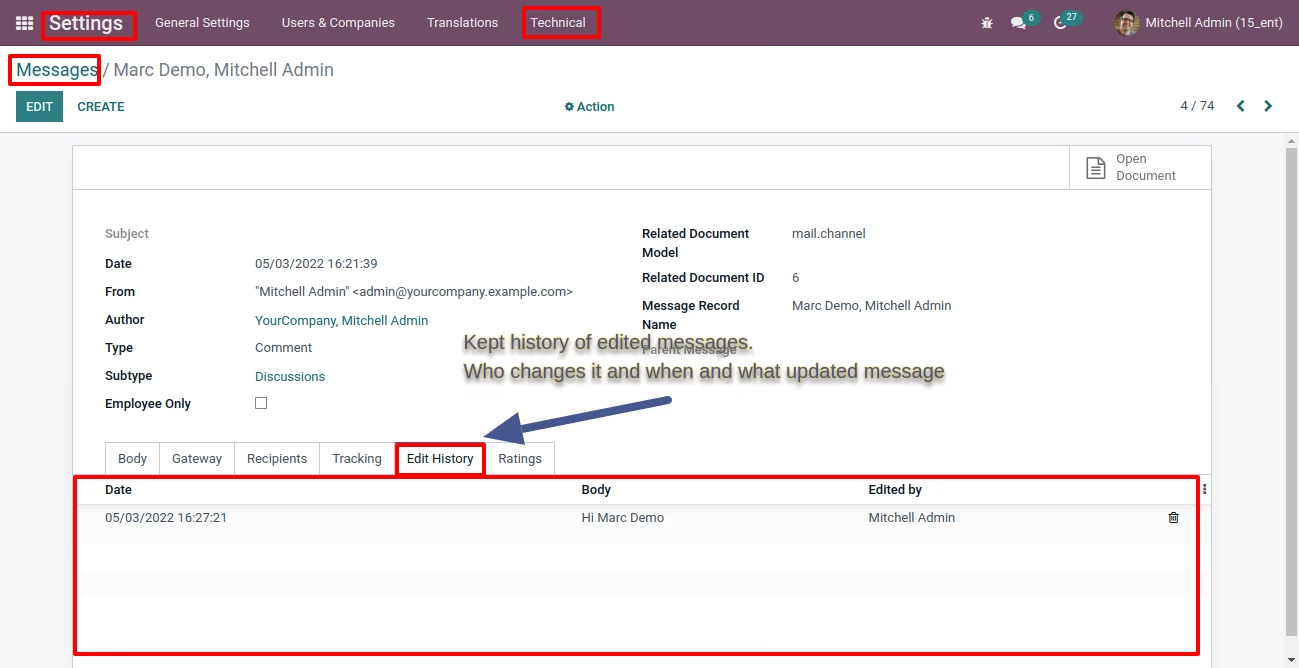
Audit Trail: Maintains a log of edits and deletions for accountability and transparency.
Improved Communication: Users can rectify mistakes promptly, leading to clearer communication.
Enhanced Data Accuracy: Ensures that only relevant and accurate information is retained.
Increased User Satisfaction: Provides users with more control over their interactions within the platform.
Better Record Keeping: The audit trail feature ensures that all changes are documented for future reference.
Customizable Access: Administrators can tailor permissions to fit organizational needs.
- Option to Edit and Delete messages/notes
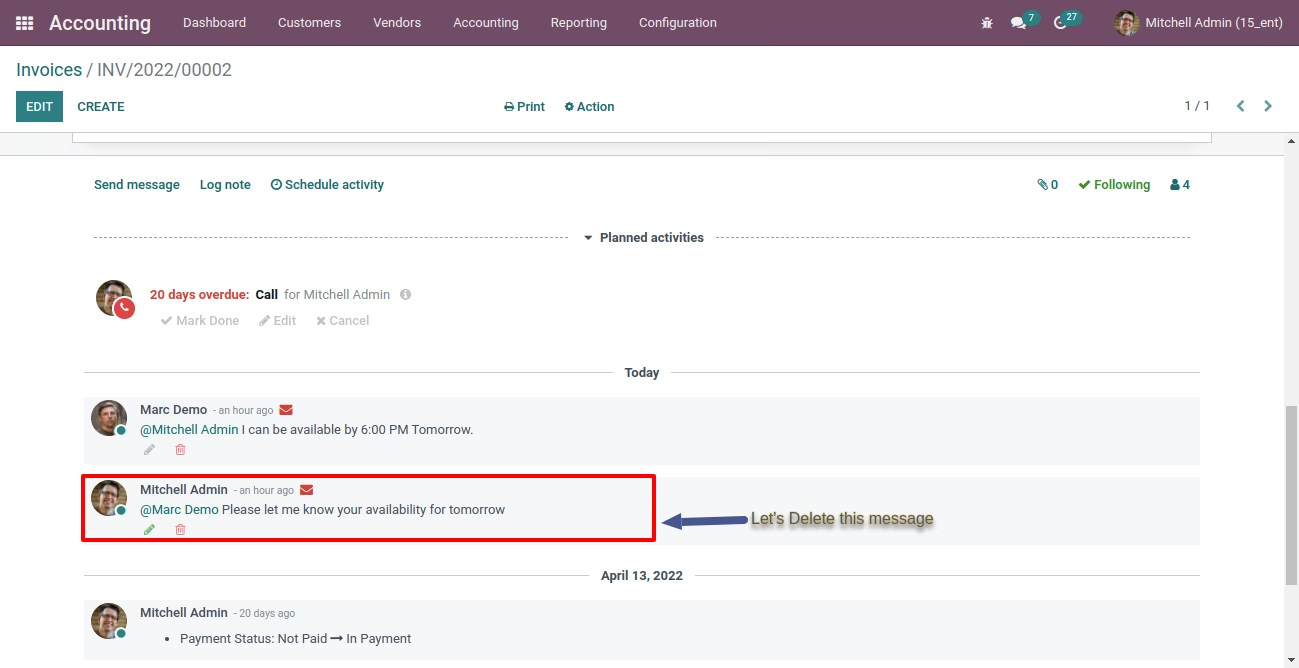
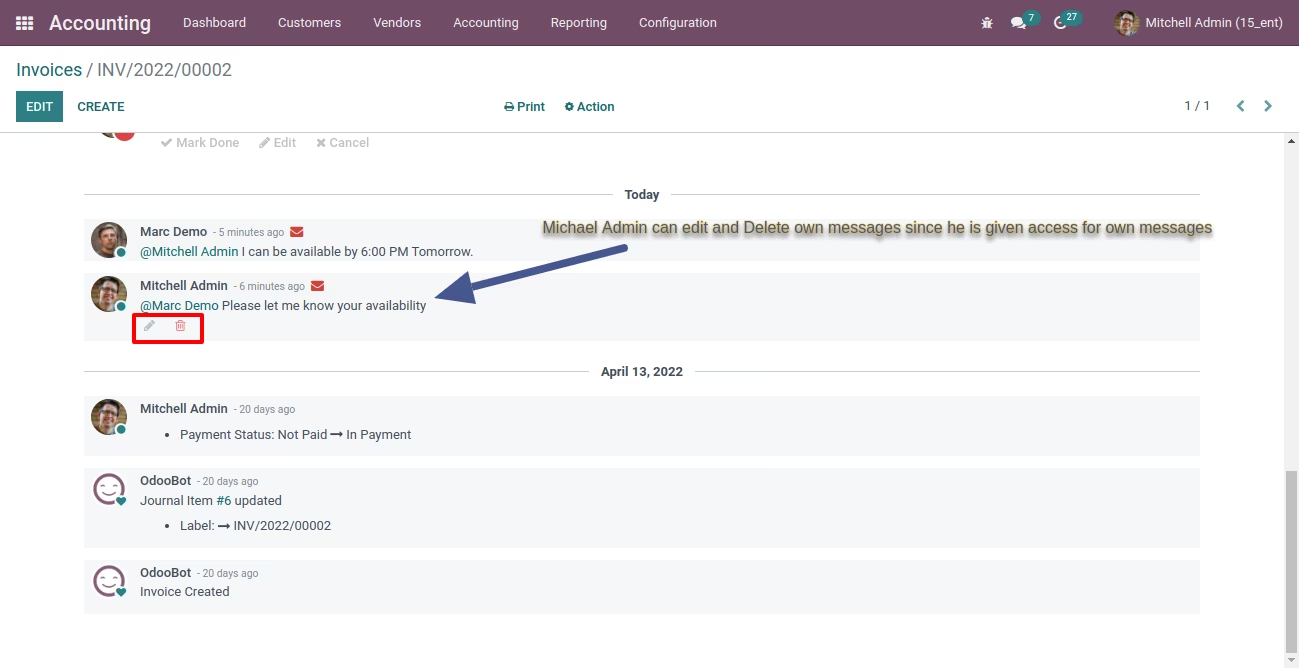
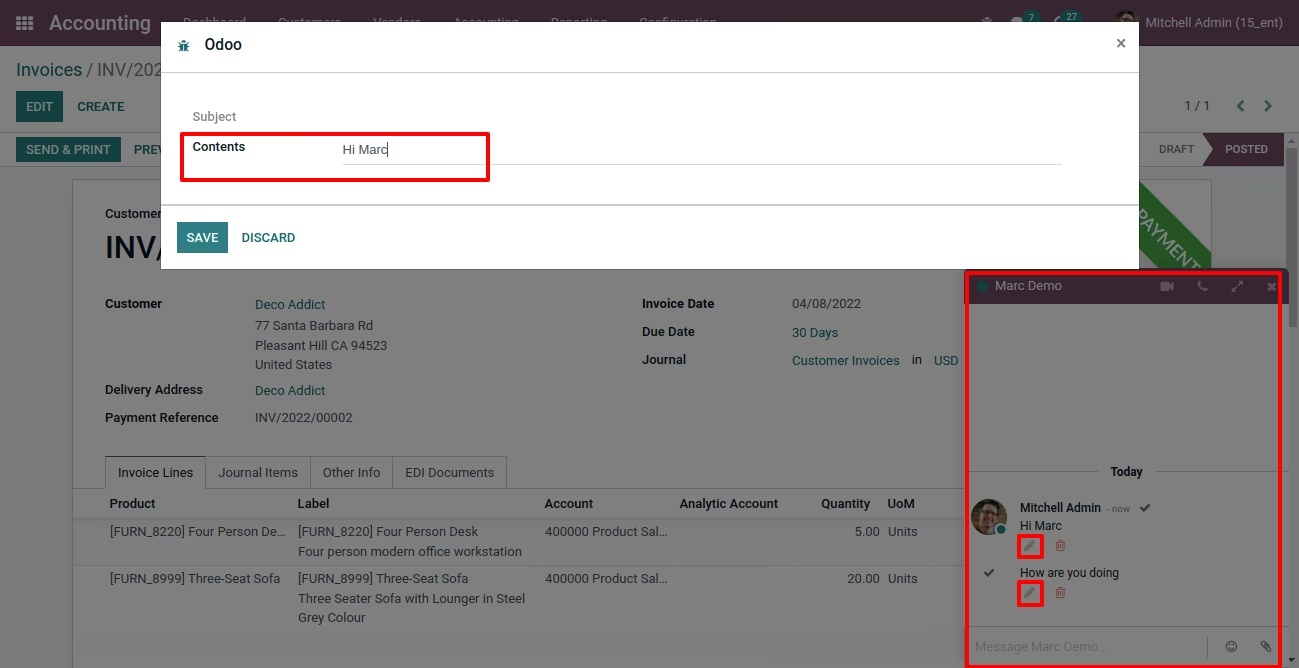
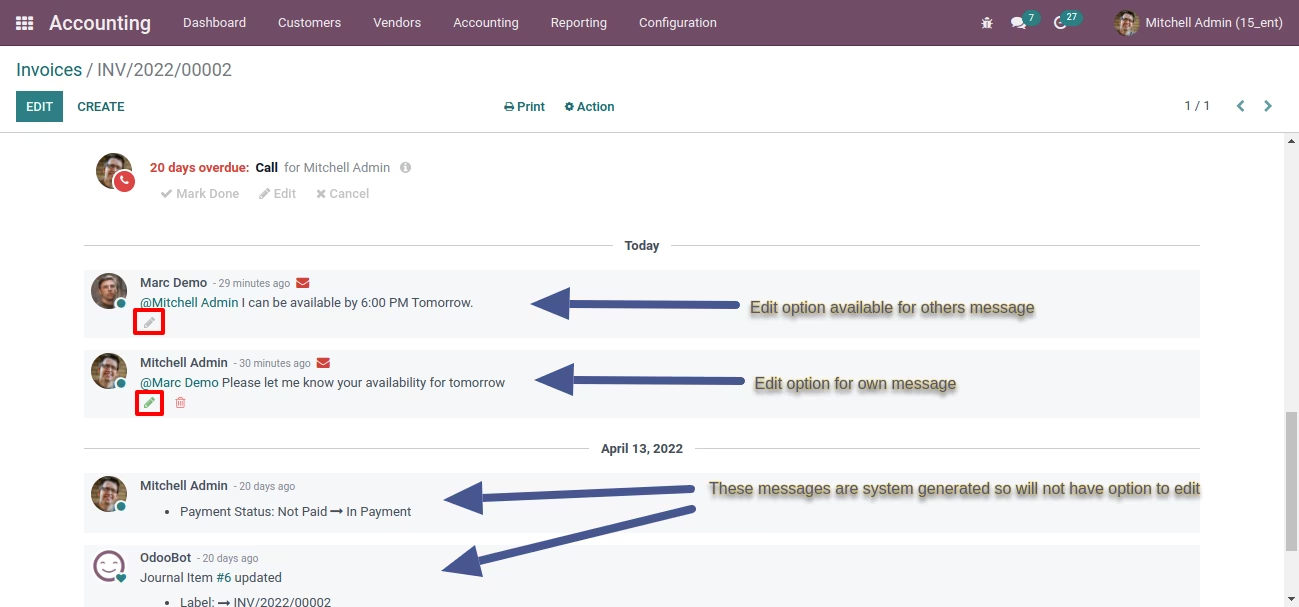
- Easy to Edit with Icon
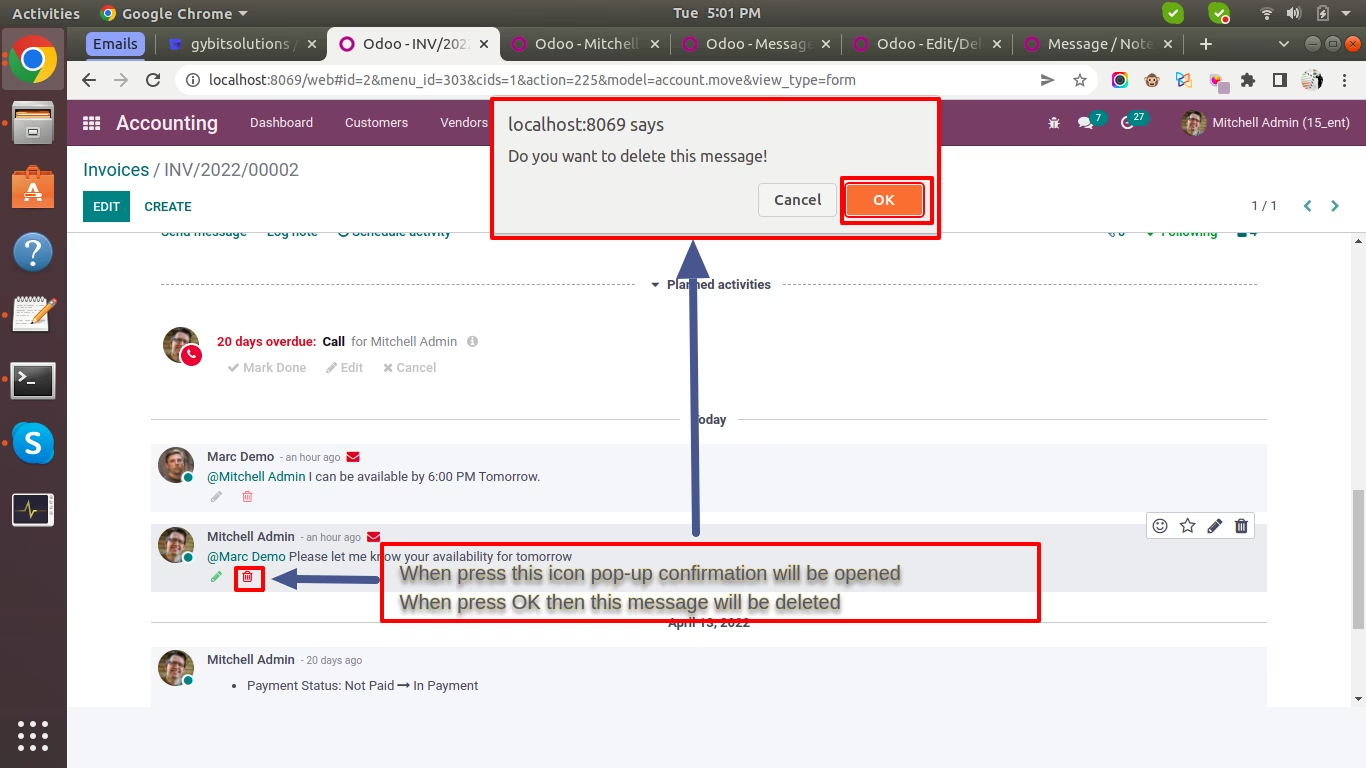
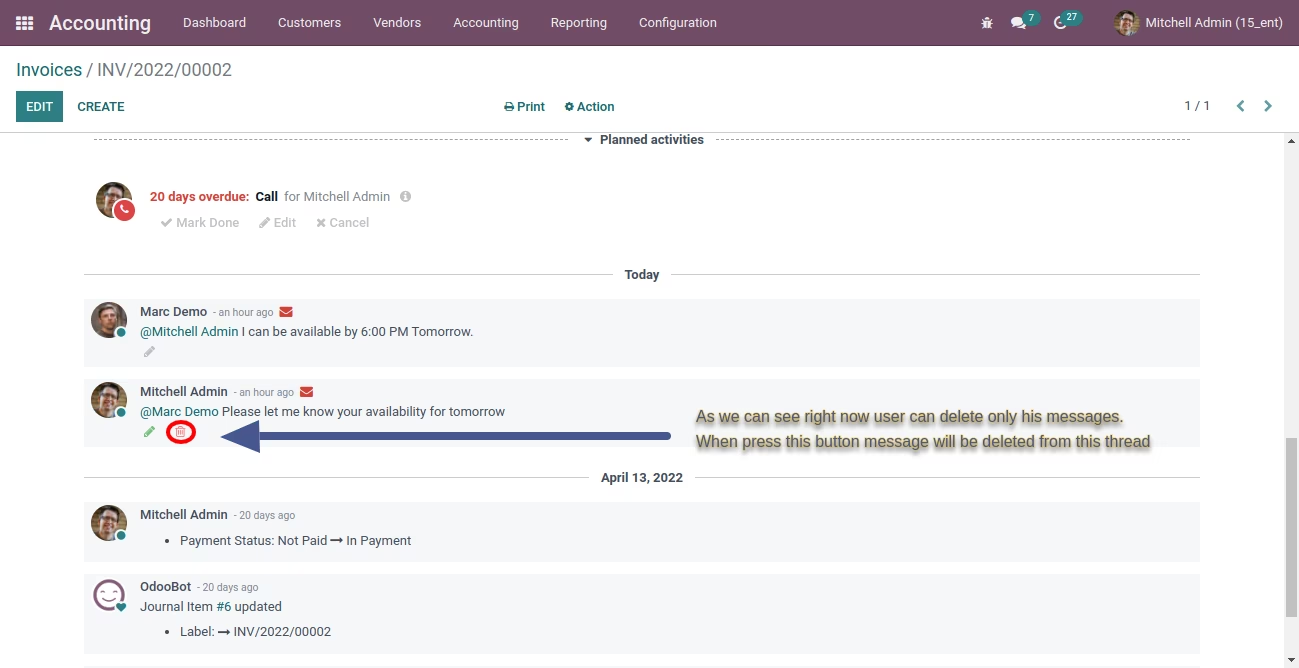
- Easy to Delete with Icon
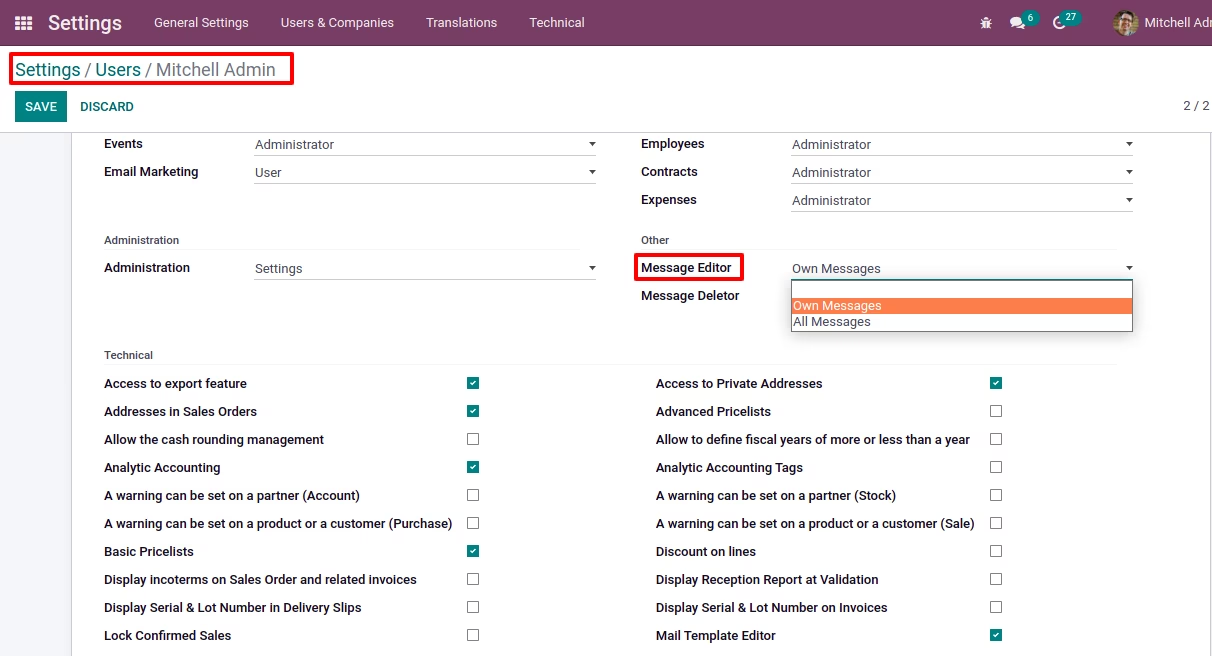
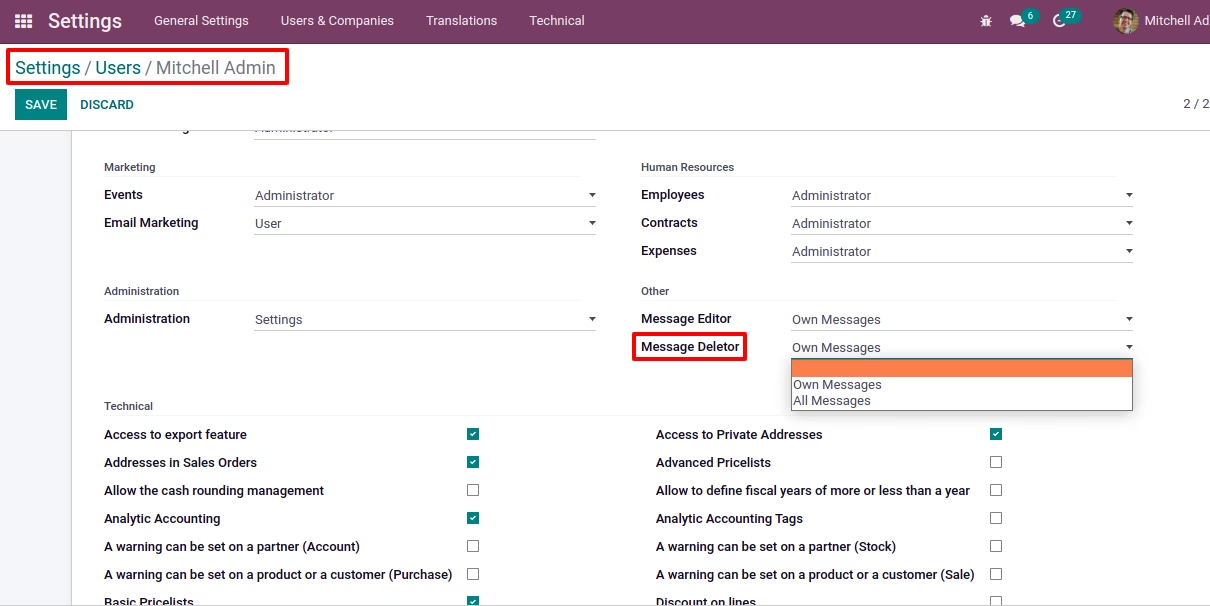
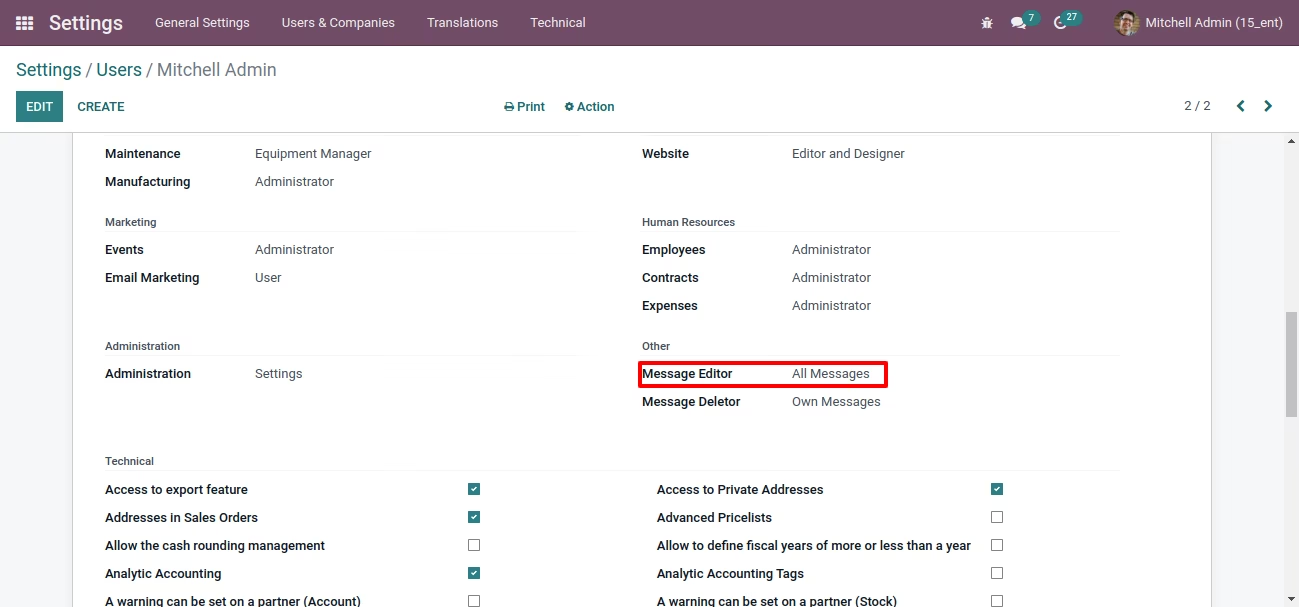
- Aceesrights for user to edit/delete own messages/notes
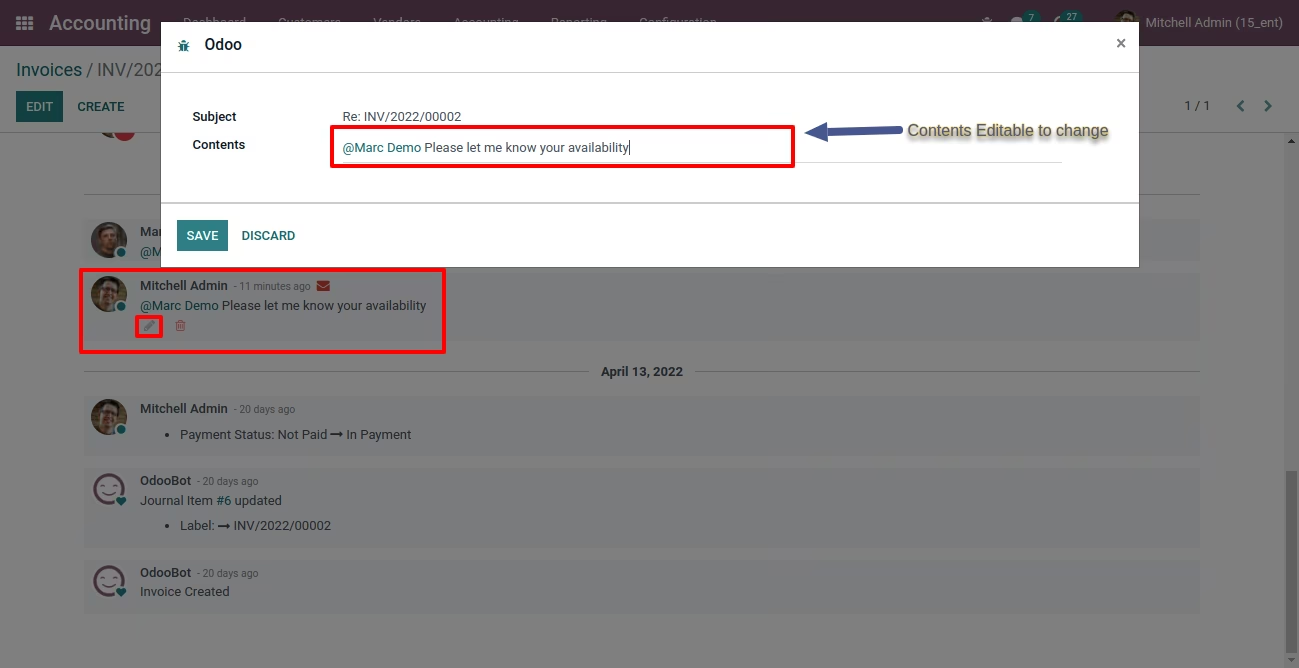
- Easy to Edit with 'Pencil' Icon
- Aceesrights to Allow user to delete and edit messages/notes of other users
- Maintain history for edited messages
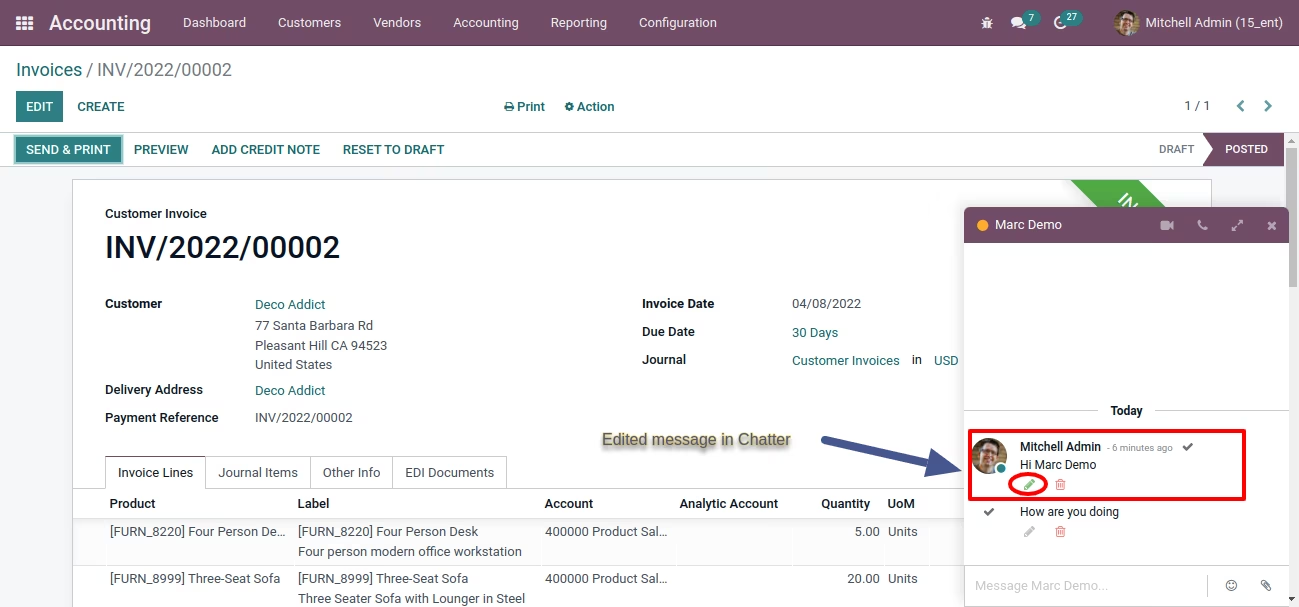
- Edited message will highlighted with Icon
- Editing/Deleting would be available for all communication means: documents threads, mail channels, direct discussion, live chats.
- Only user who has accessrights can perform editing/deleting operations.
- Only user who has accessrights can perform editing/deleting operations.
- We believe subject is not suppose to change so we do not provide editing subject of message/notes
- System generated messages will not have an oprtion to edit/delete Please check below instructions and Video for more Details
How It Works
User Accessrights
Added Icon for Edit and Delete
Edit Own Message pop-up
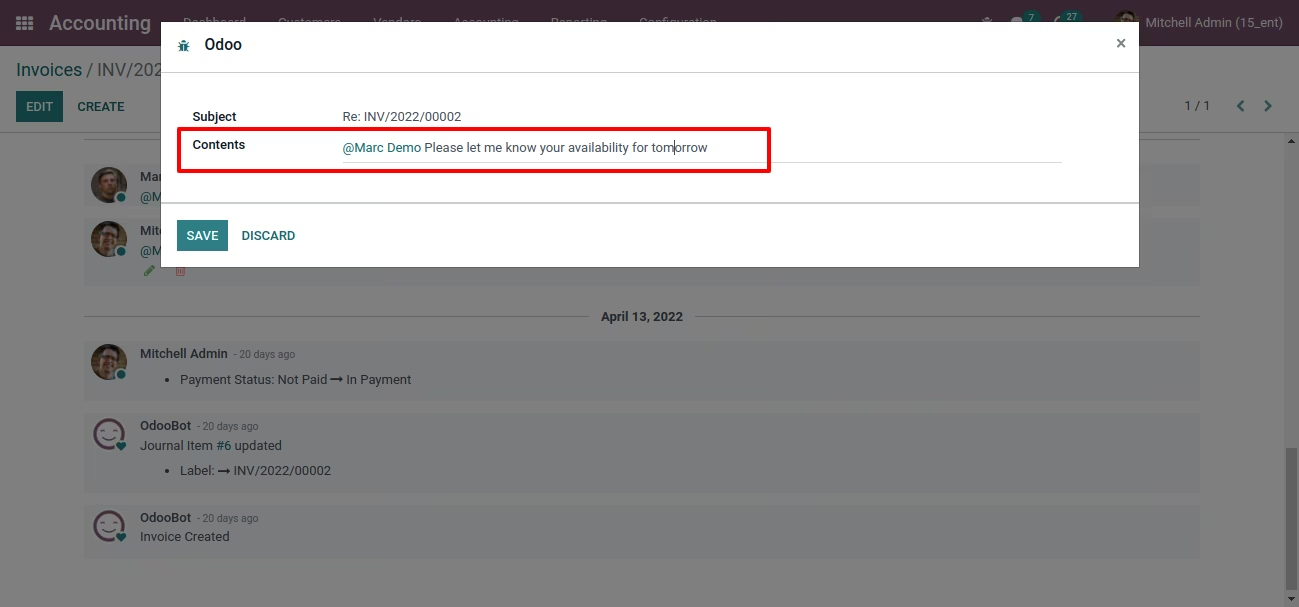
Edited own message
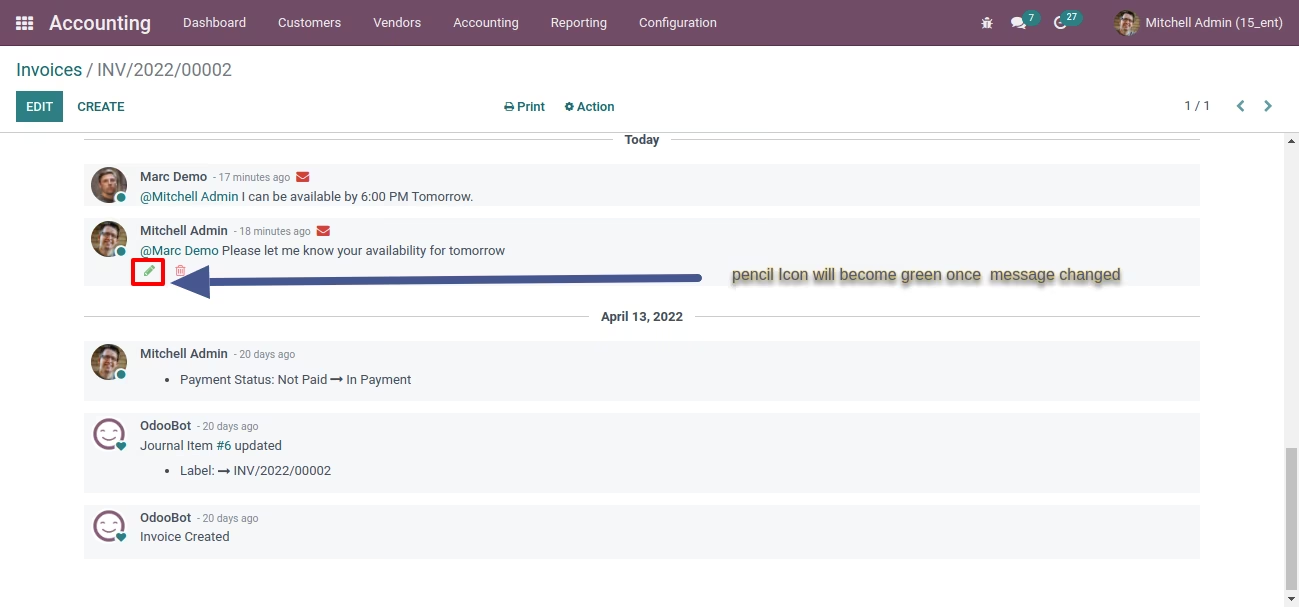
Edite Message in Chatter Conversation
History of Edit in Settings/Technical/Messages
Change Accessrights to Edit All Messages
Edited Own+Other user messages
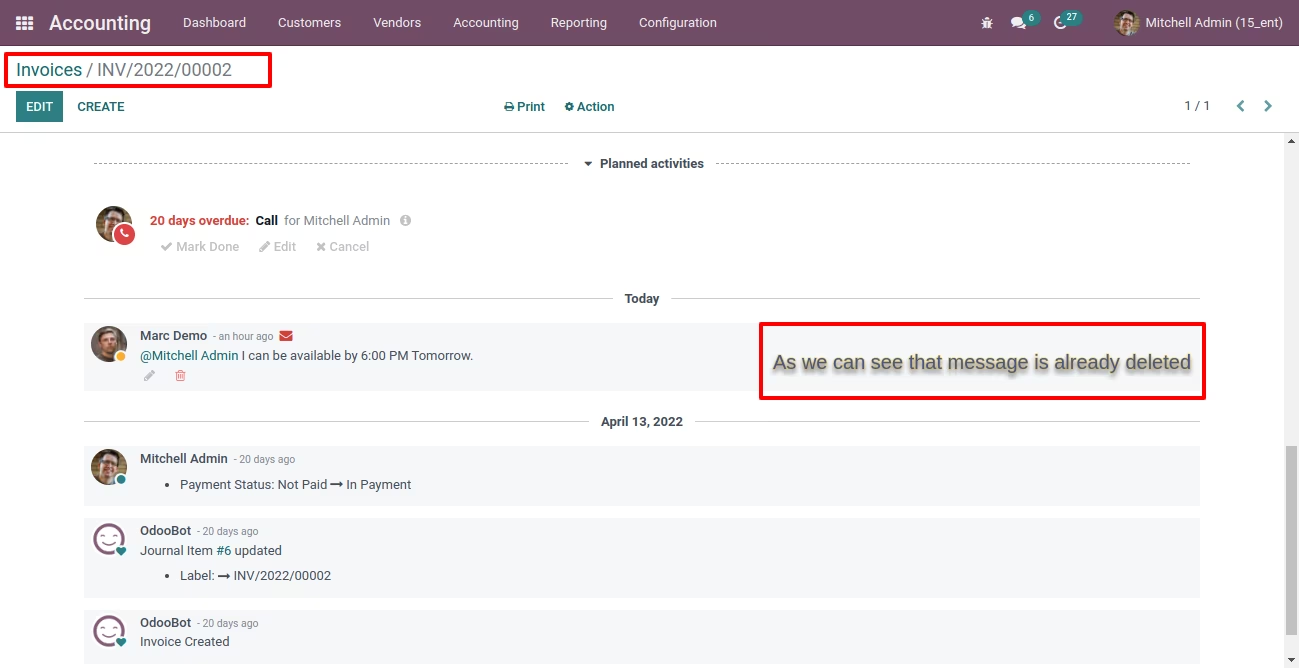
Delete Own Message
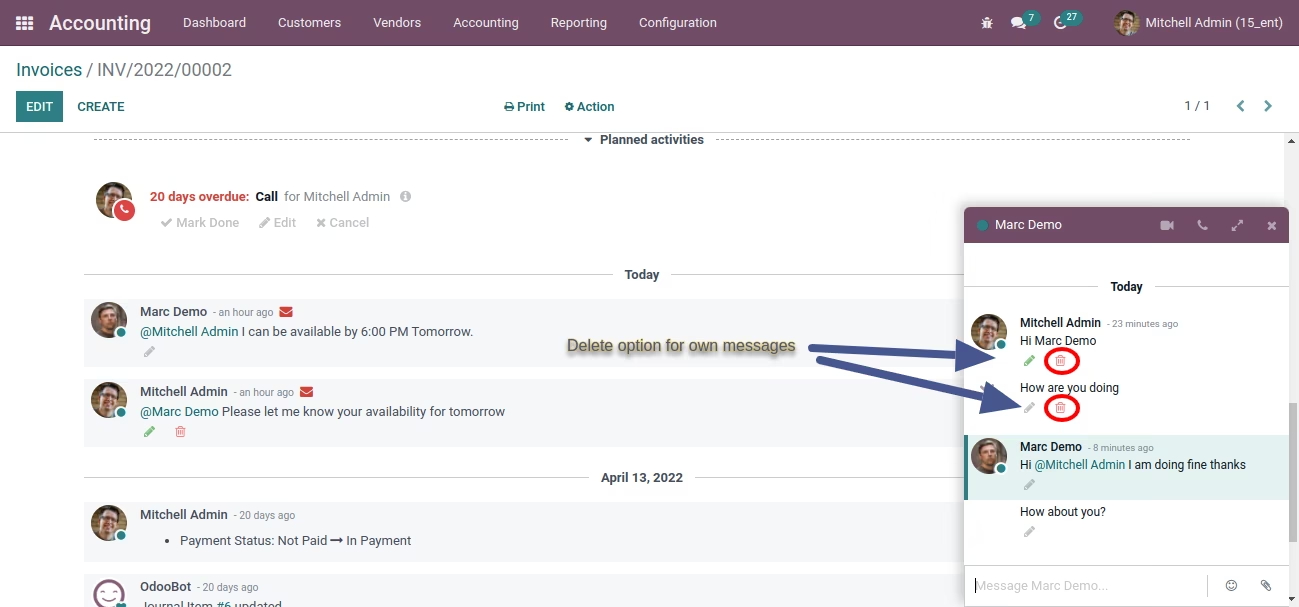
Change Accessrights to Delete All Messages
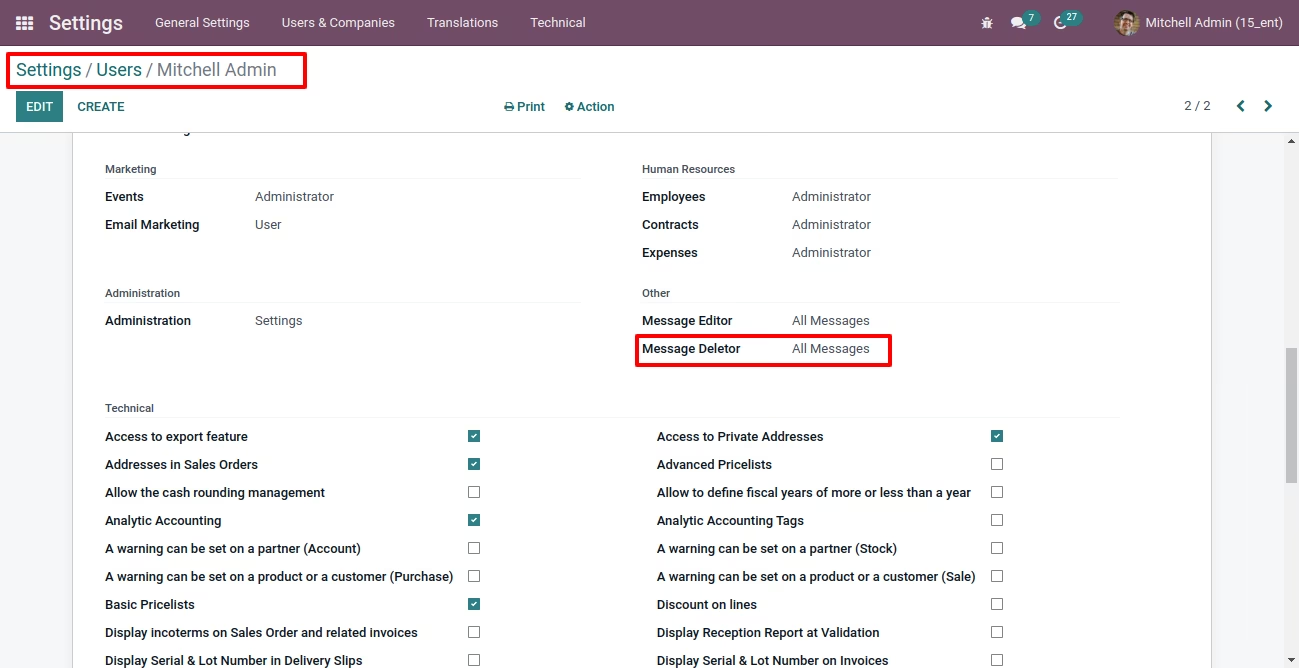
Delete Own+Other user messages
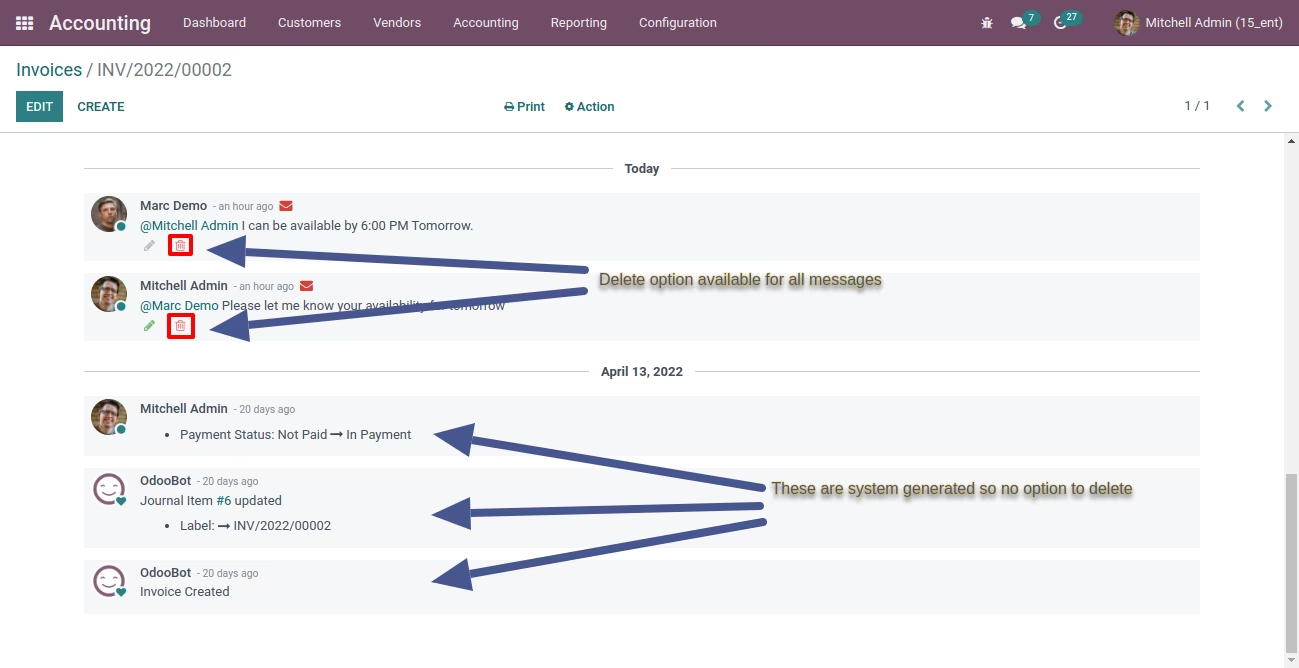
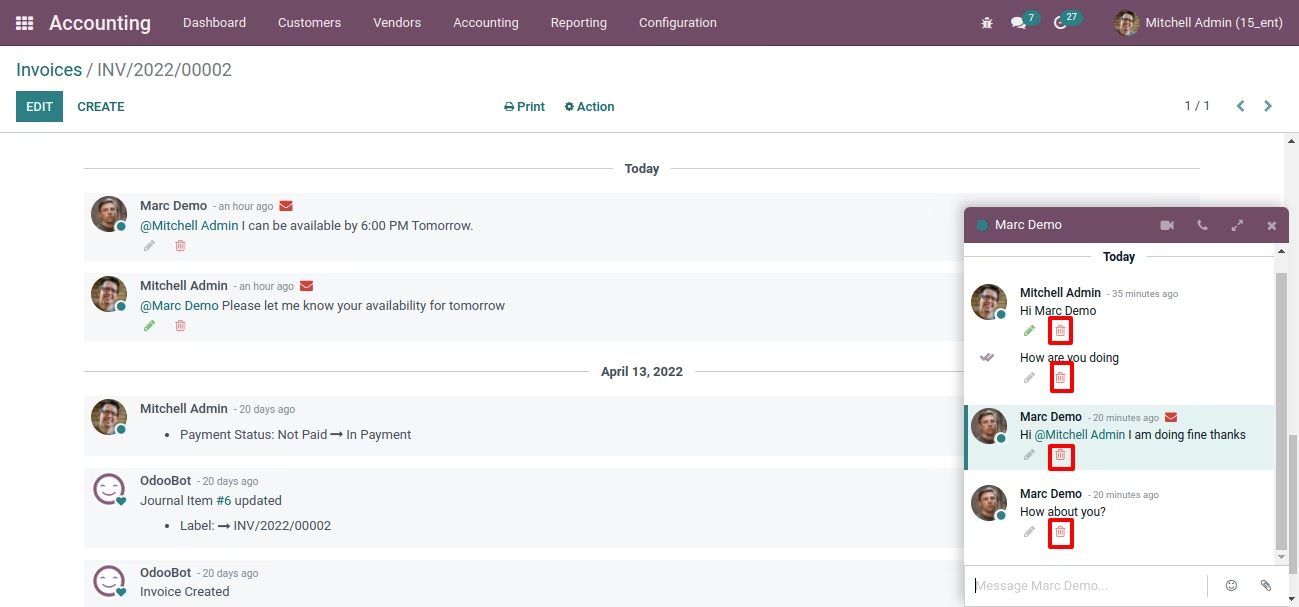
Deleting Message