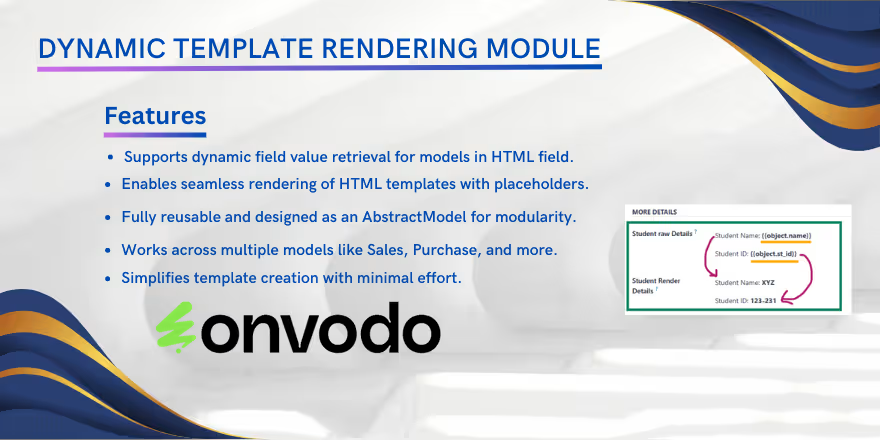
The module enables the dynamic rendering of QWeb templates. This allows developers to customize website content dynamically using OWL components and XPath, providing a flexible approach to template rendering.
Dynamic QWeb Rendering: Render QWeb templates dynamically based on runtime data.
OWL Component Integration: Utilize OWL components for interactive and reactive content.
XPath Customization: Apply XPath expressions to modify existing templates.
Modular Architecture: Extend and customize templates without altering core code.
Real-Time Updates: Reflect changes immediately on the website without full page reloads.
Enhanced Flexibility: Customize website content dynamically to meet specific requirements.
Improved User Experience: Provide interactive and responsive content to users.
Seamless Integration: Integrate smoothly with existing modules and templates.
Reduced Development Time: Accelerate development by leveraging dynamic rendering techniques.
Maintainability: Keep customizations separate from core code for easier maintenance.
The Dynamic Template Renderer Module provides an intuitive way to dynamically render templates with placeholders. Use this module to create customizable templates that replace placeholders with field values from your models, including nested relational fields and formatted dates.
- Dynamically replace placeholders with model field values.
- Support for nested and relational fields (One2many, Many2many).
- Automated formatting for date and datetime fields.
- Reusable Abstract Model for seamless integration across multiple modules.
- Effortlessly create dynamic templates for reports, emails, and more.
Step 1: Add the Mixin
Inherit the mixin in your model:
from import models, fields, api class YourModel(models.Model): _name = 'your.model' _inherit = 'dynamic.template.mixin' base_template = fields.Html(string="Base Template") next_template = fields.Html(string="Next Template") other_template = fields.Html(string="Rendered Base Template") render_template = fields.Html(string="Rendered Next Template") @api.onchange('base_template', 'next_template') def update_description(self): for rec in self: rec.other_template = self.update_dynamic_field(rec.base_template) rec.render_template = self.update_dynamic_field(rec.next_template)
Step 2: Use Placeholders
Define placeholders in your templates:
Hello {{object.name}}, your ID is {{object.st_id}}. Your address is {{object.st_address}}.
Relational fields can be accessed using dot notation:
Your product is {{object.line_ids.product_id.name}}.
Screenshots
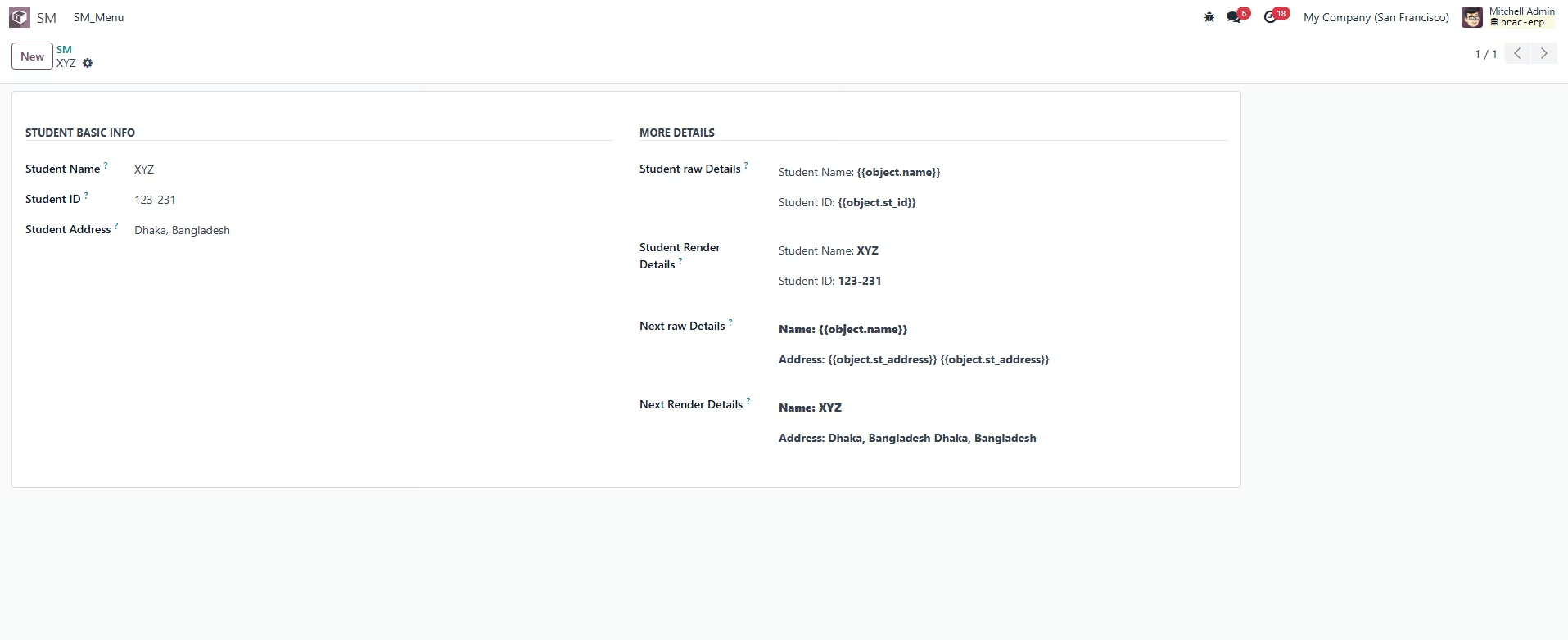
Form View Example
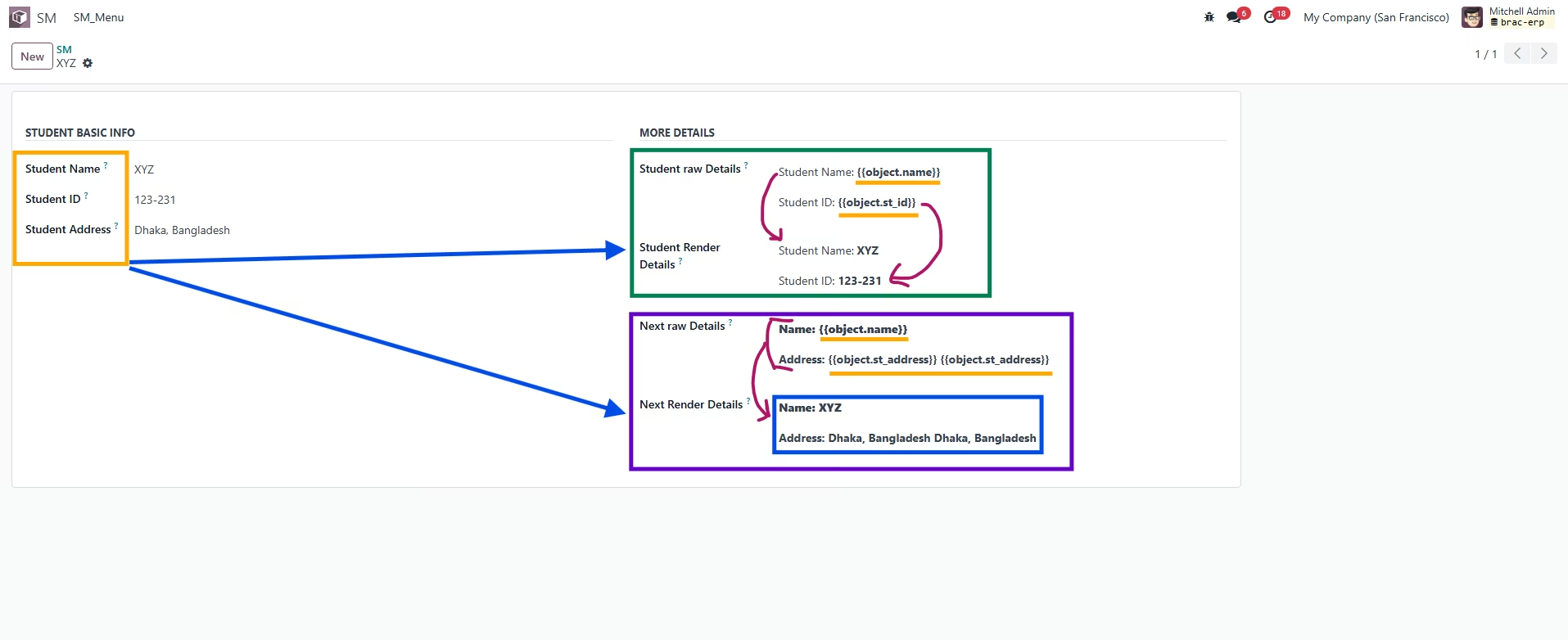
Rendered Template Example
- Save time with automated template rendering.
- Enhance accuracy by eliminating manual entry errors.
- Deliver professional documents and reports effortlessly.