The module enables businesses to implement multi-level dynamic approval workflows for sales orders. This module allows for the automation of approval processes based on configurable rules and thresholds, ensuring that sales orders are reviewed and approved as per company policies.
Multi-Level Approval: Configure multiple approval stages with different approvers for each stage.
Dynamic Rules: Set up approval rules based on order amount, product categories, customer segments, and more.
Automated Notifications: Automatically notify approvers when their action is required.
Approval History: Track and record all approval actions for auditing purposes.
Seamless Integration: Integrates smoothly with Sales, Invoicing, and Discuss modules.
User-Friendly Interface: Provides an intuitive interface for managing and configuring approval workflows.
Enhanced Control: Ensure that sales orders are reviewed and approved according to company policies.
Improved Efficiency: Automate the approval process to reduce manual intervention and speed up order processing.
Better Compliance: Maintain a clear record of approval actions for auditing and compliance purposes.
Scalability: Easily scale approval workflows as your business grows and policies evolve.
Seamless Operations: Integrate approval workflows into existing modules for a cohesive system.
This module helps to create multiple custom, flexible and dynamic approval cycle for sale orders based on sales team settings.
- Sales Module Administrator can configure unlimited approval process rules by creating Sales Teams
- Approval Cycle can be generated dynamically based on Total Amount of Sale Order
- Each Approver can be included to SO approval workflow depending on the settings of the Minimum or Maximum Amount fields
- SO Approval Process can be used optionally or forcibly, depending on the module settings
- Locking Total Amount of SO after approval from particular approver or after generating approval route
- Unlimited level of "step by step" approval process
- Multi Company and Multi Currency features of System are supported
- Improved access rights for the Sales module based on team settings
How it works:
After module installation new settings block will be displayed:
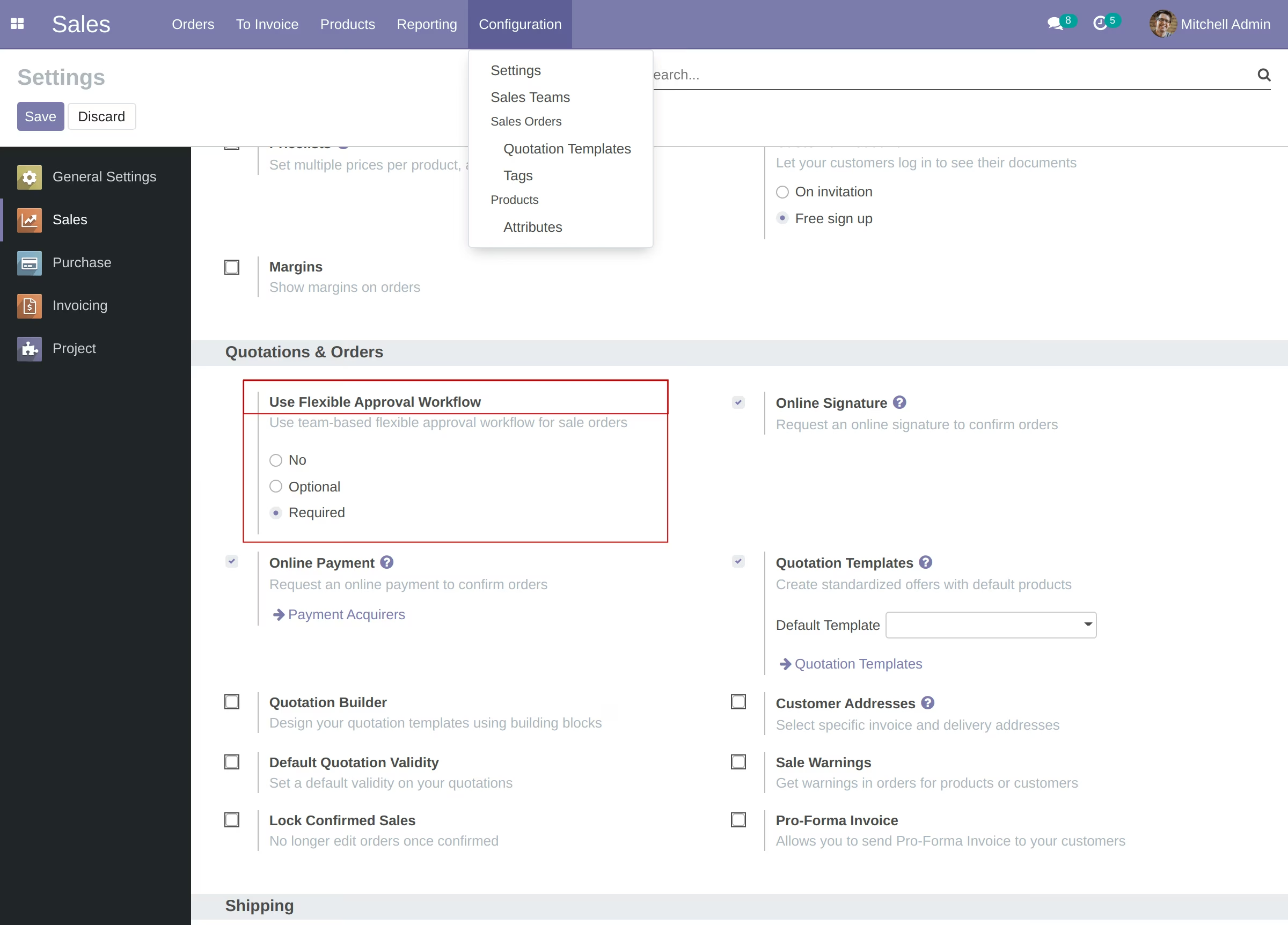
- No - approval cycle functionality disabled.
- Optional - SO approval workflow can be used based on initiator (Salesperson) choice.
- Required - sales order approval cycle is required. It means user should select SO Team with approvers on create Quotation.
Each Administrator of the Sales Module has access to create and manage sales teams.
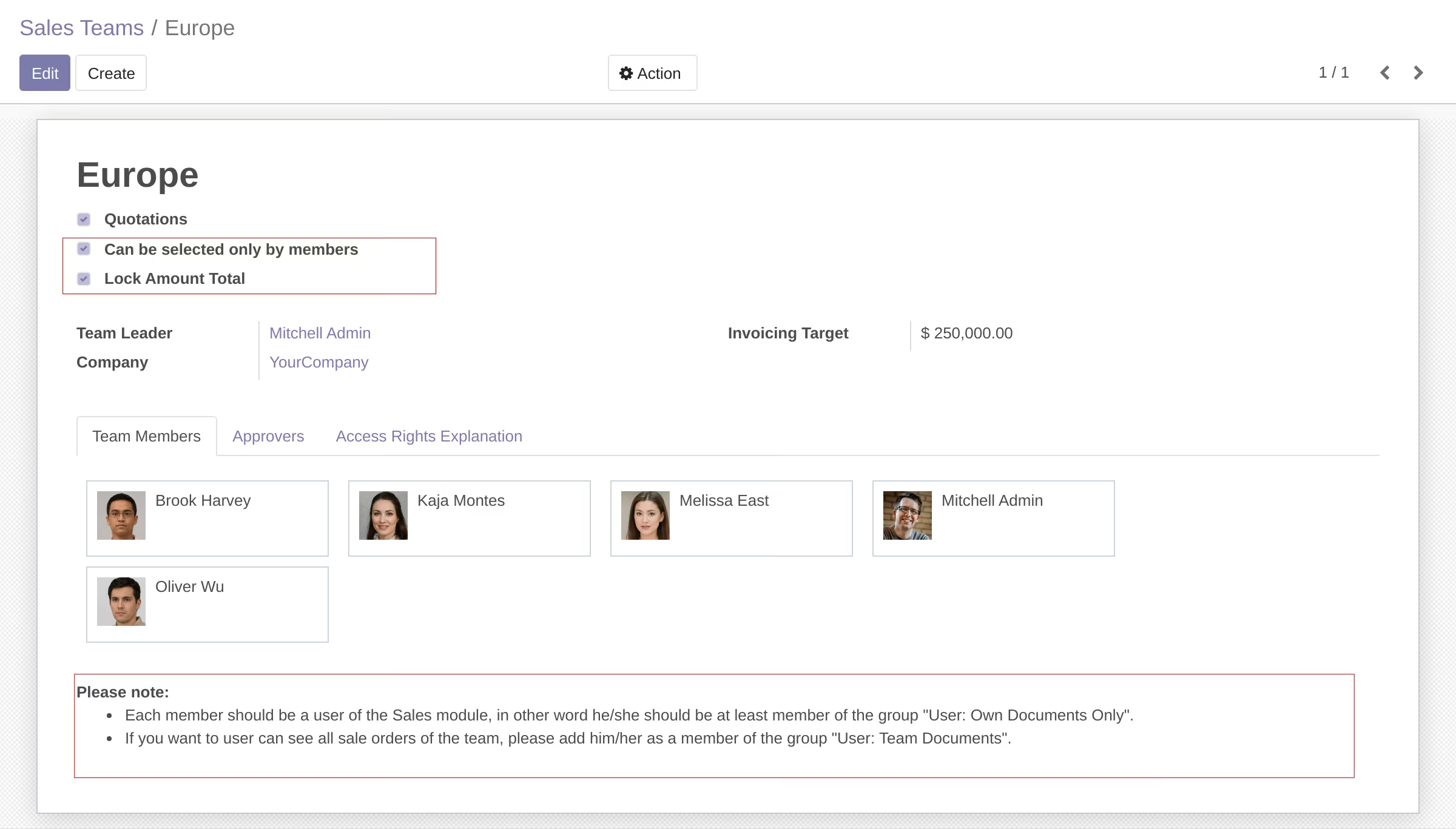
The form looks like in the screenshot below:
Enter name of the team, select team leader and add approvers. Optionally you can set Minimum or Maximum Amount for each person.
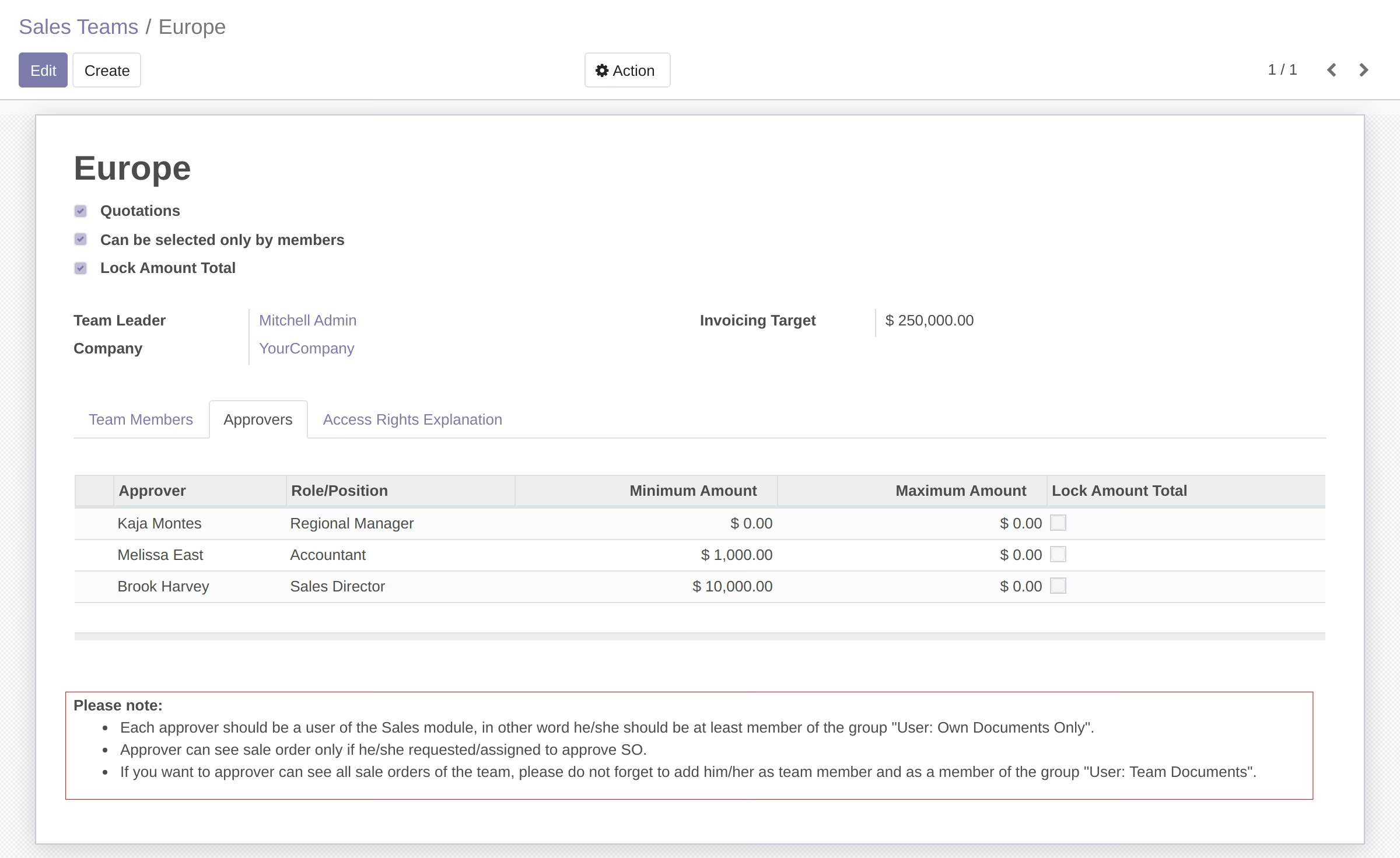
The tabs with members and approvers have useful hints and suggestions. Also there is the additional tab with improved access rights explanation:
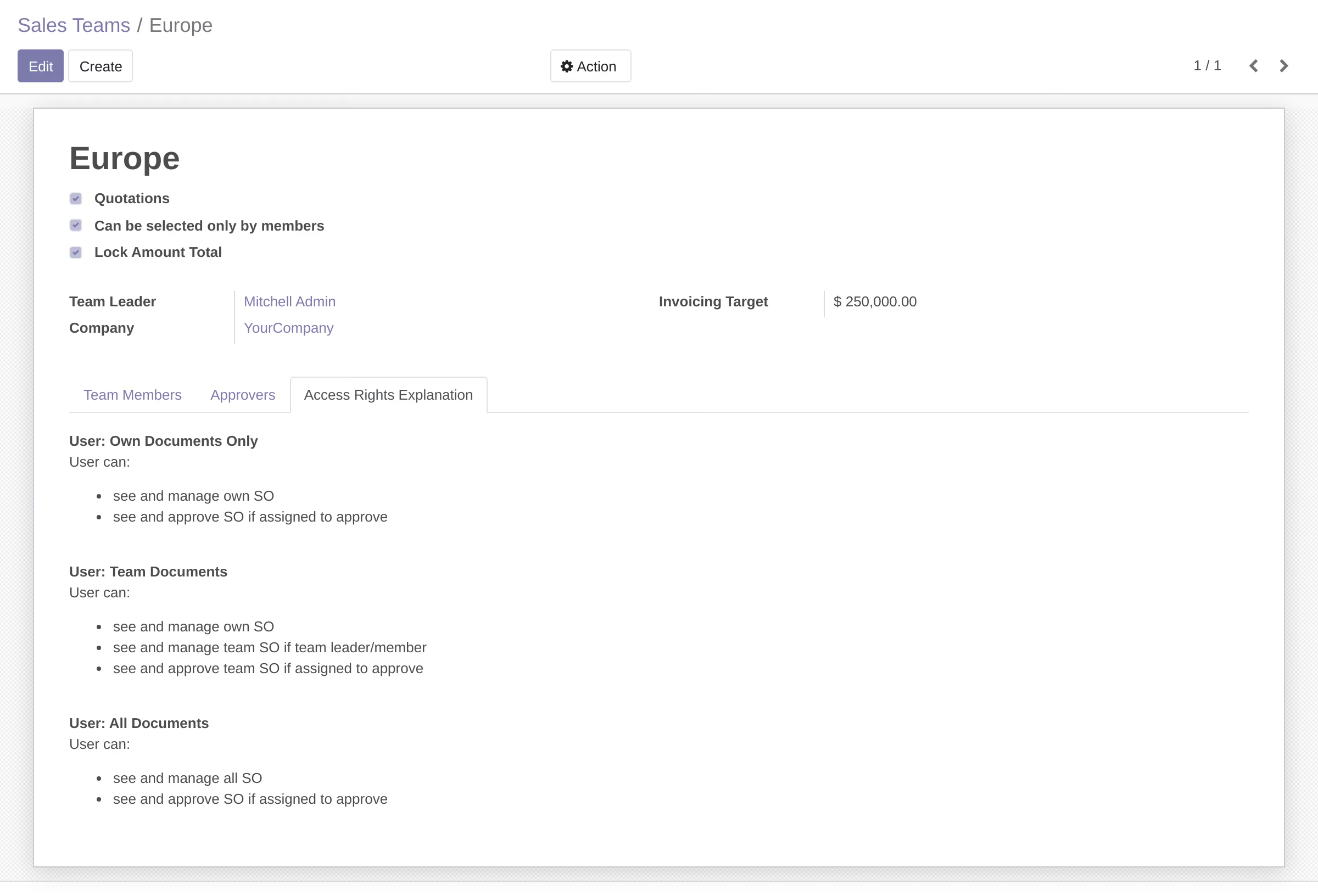
Fields information
If
Lock Amount Total
checkbox is enabled the system prevents updating order lines after confirming order.
As
Approver
can be selected any User of the Sales Module . Also you should enter
Role/Position
of the Approver. If information is available, system will try to set approver`s Job Title or Job Position in this field.
The system generates approval route using Total Amount value of SO and Minimum/Maximum Amount value for Approver.
- If Minimum Amount is not set, approver should approve each order.
- If Minimum Amount is set and Total Amount is less than Minimum Amount , then approver will be skipped.
- If Maximum Amount is set and Total Amount is greater than Maximum Amount , then the approver will be skipped.
Also you can enable the option
Lock Amount Total
. If this checkbox is enabled user can not update order lines after approval. An error will be triggered if the system detects a change in the Total. 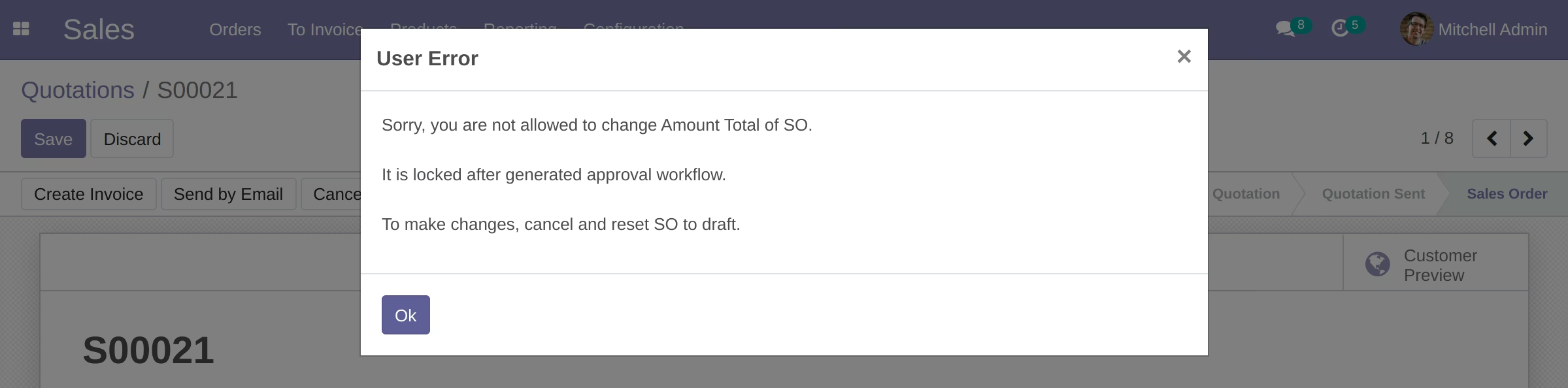
Sale Order Form:
After creating SO user clicks the "Confirm" button. After that a request to approve to the first approver will be sent:
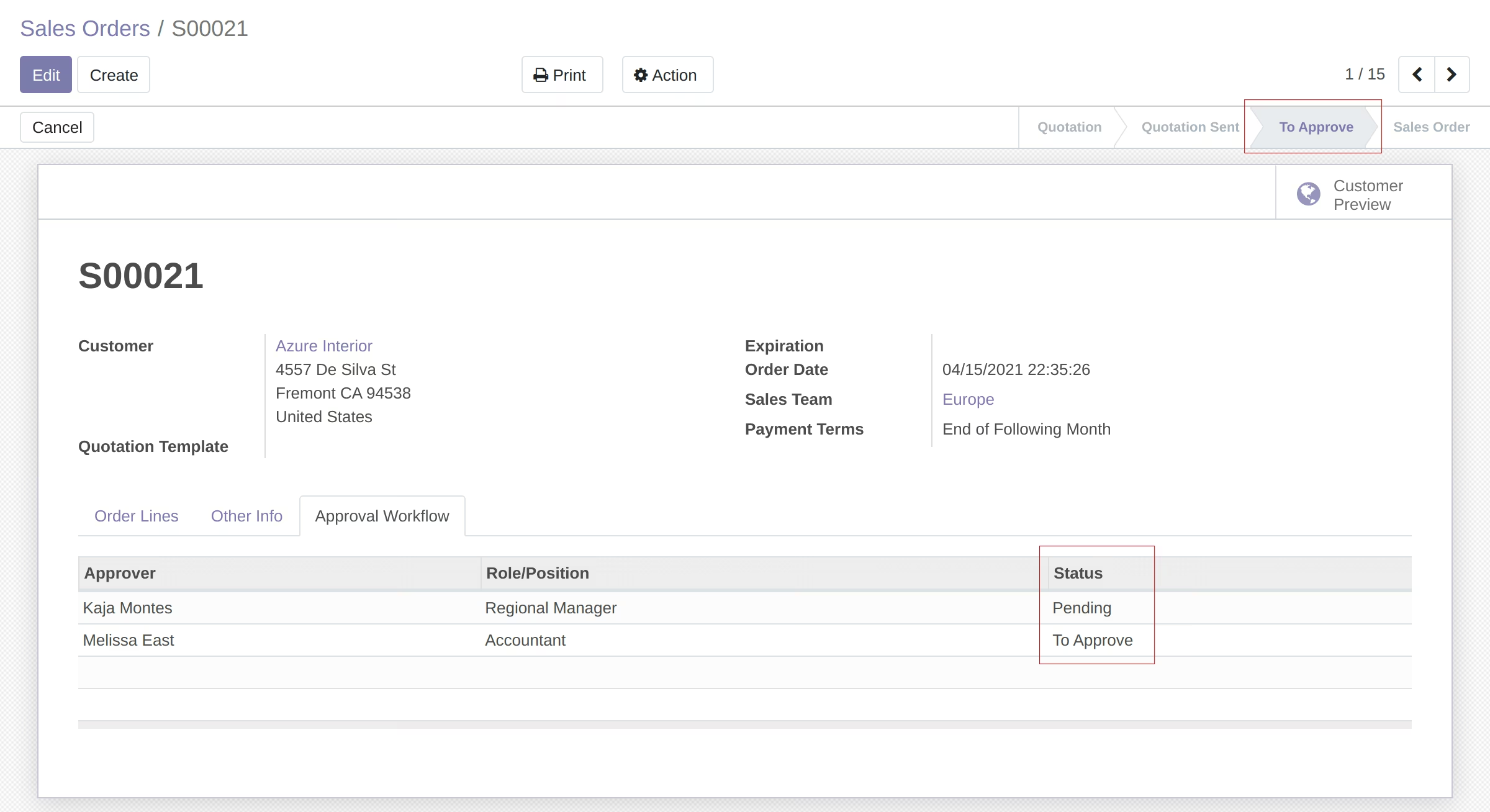
Pending - is the status for current approver
Each approver will be requested to approve SO step by step by email notification:
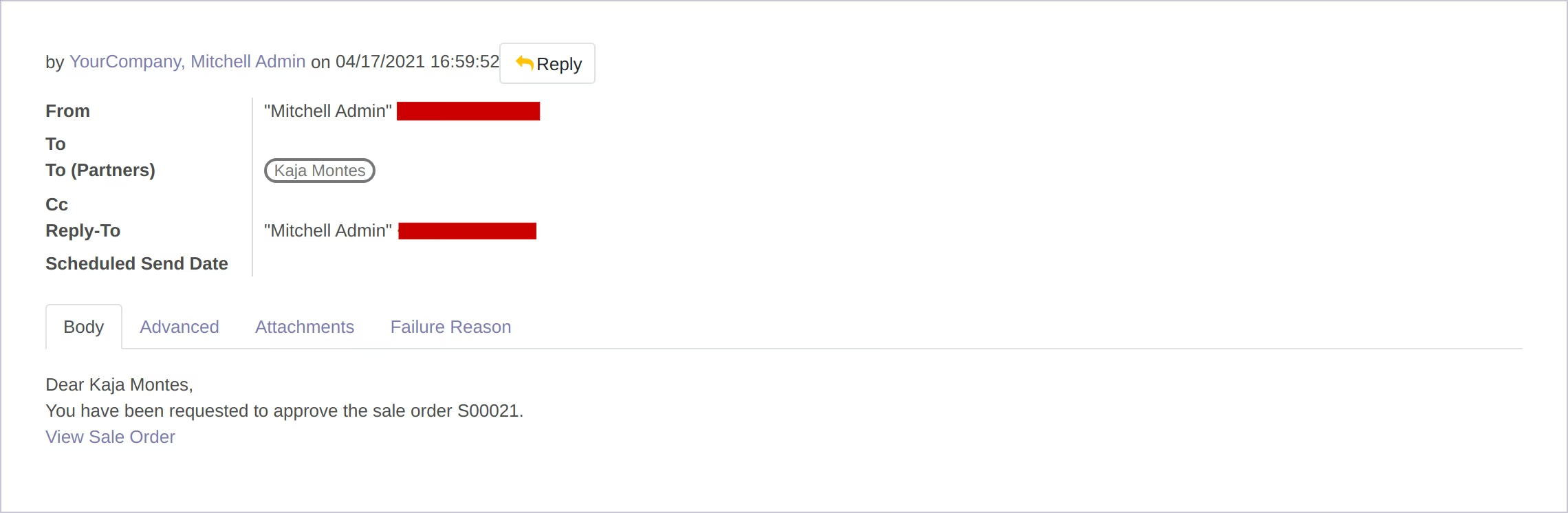
Only current approver can see the "Approve" button:
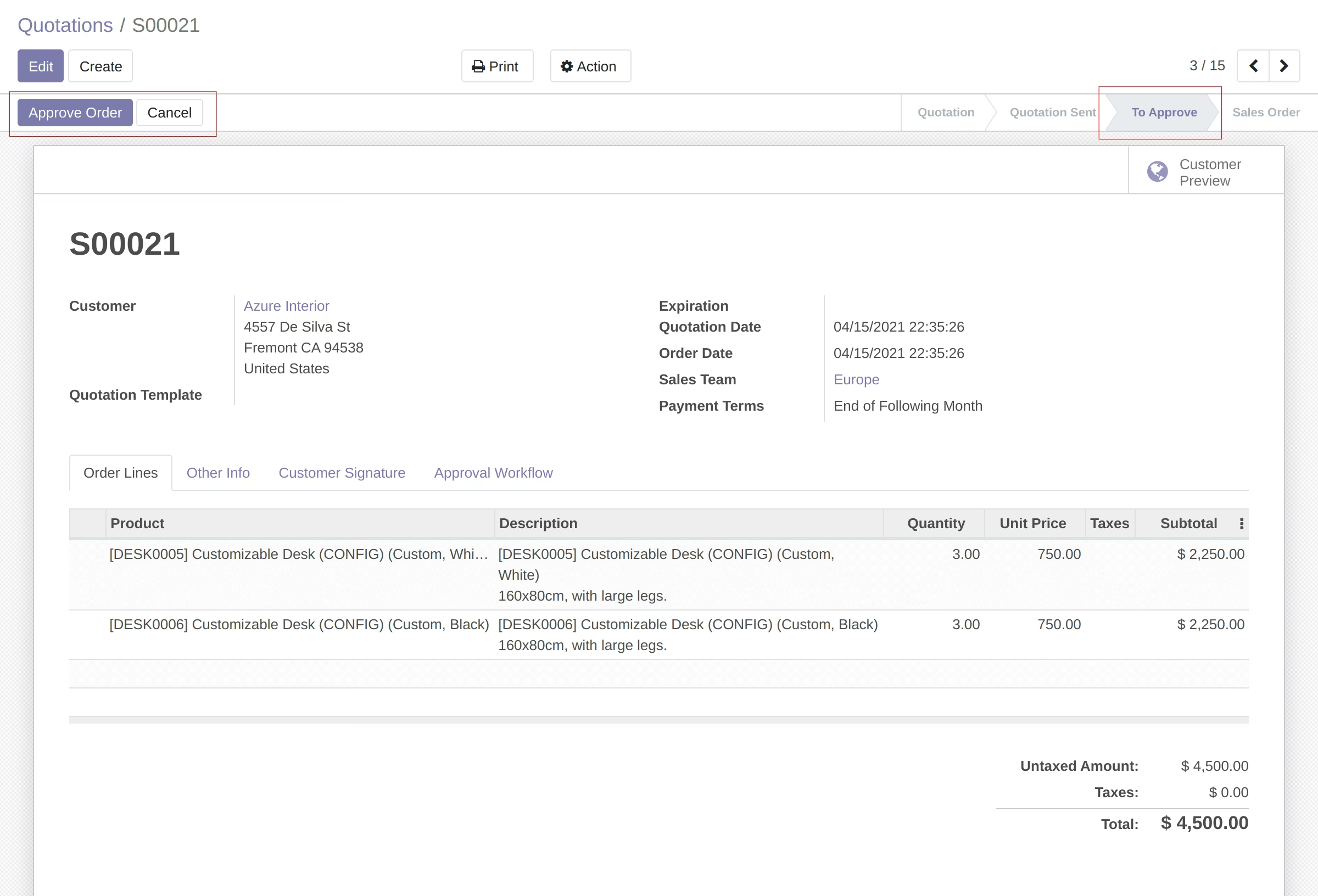
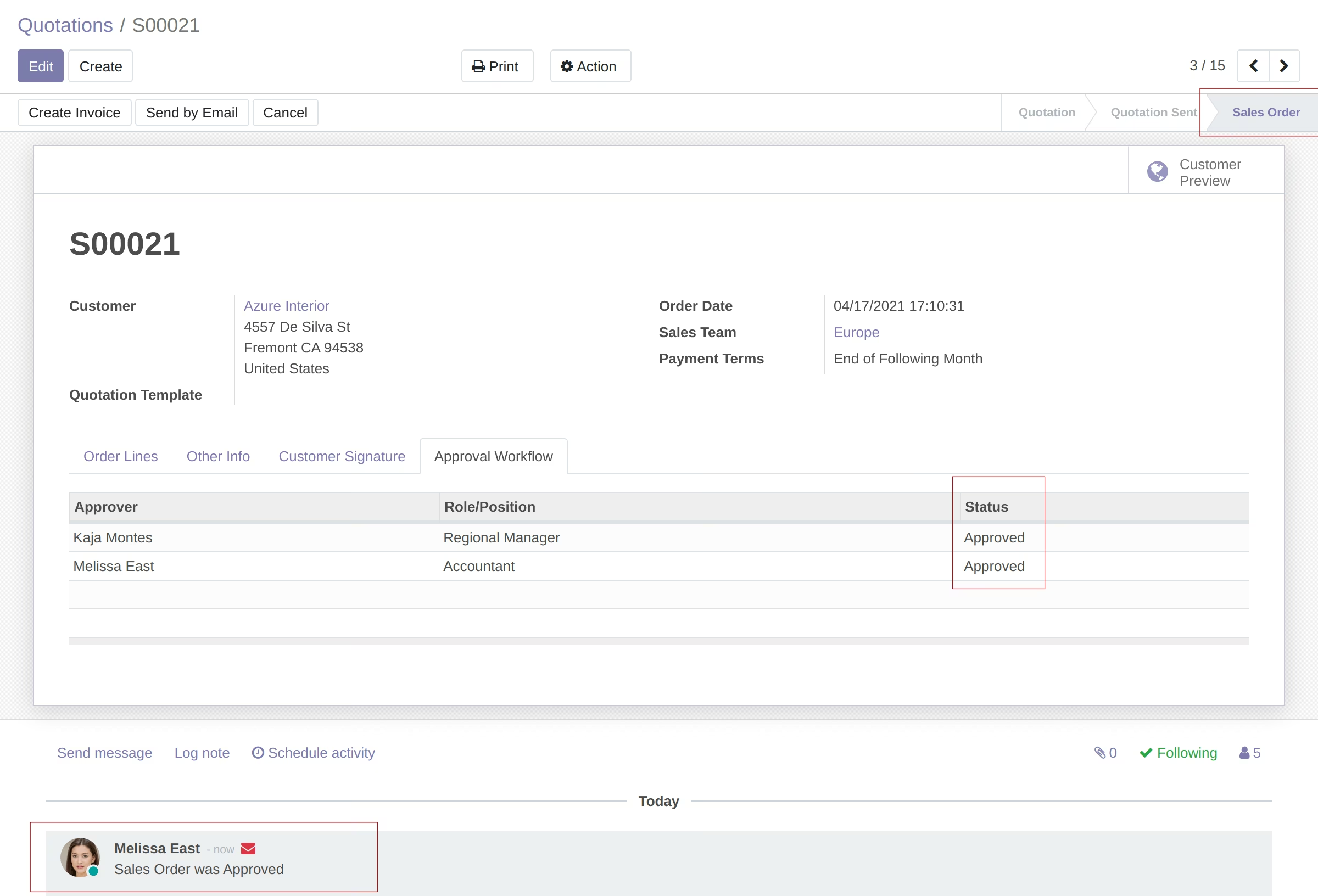
After the last approval SO is moving to the "Sale Order" state and approval process is closing.