Streamline your data analysis and reporting processes across all applications with the Dynamic Date Filter module. This powerful tool enhances default search capabilities by adding a wide range of preset date filters, eliminating the need for manual date selection. Whether you're analyzing sales orders, purchase histories, or accounting entries, you can instantly apply common date ranges like "Today," "This Week," "This Month," or "Last Year." This module is designed to improve user efficiency, save valuable time, and allow for quicker, more consistent data filtering throughout your entire system.
Adds a comprehensive set of dynamic date filters to any application.
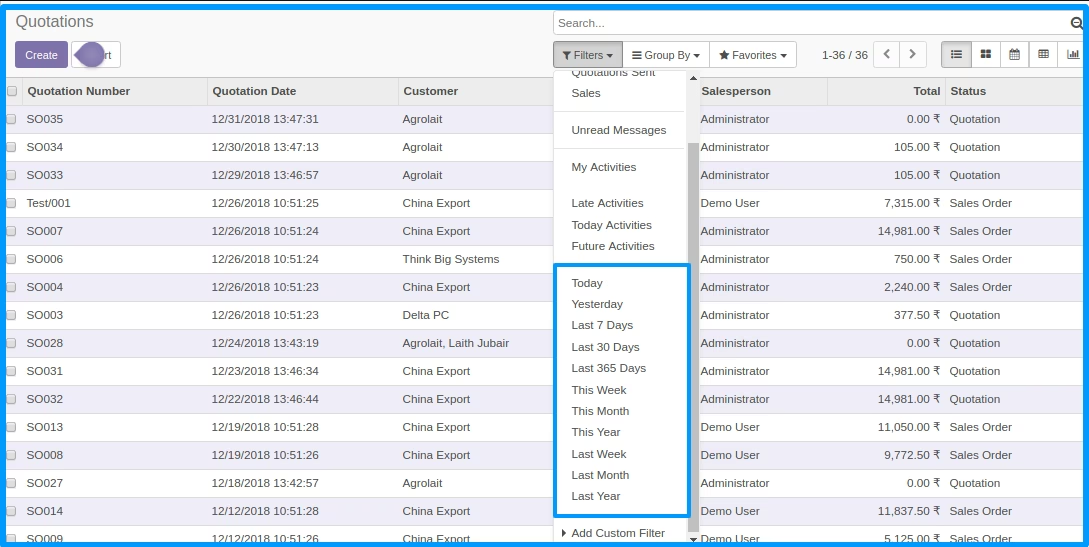
Instantly filter records for today, this week, this month, or this year.
Easily access data from yesterday, last week, last month, or last year.
Apply rolling date ranges such as the last 7, 30, or 365 days.
Seamlessly integrates with any model, including Sales, Purchasing, and Accounting.
User-friendly interface allows for easy selection and application of filters.
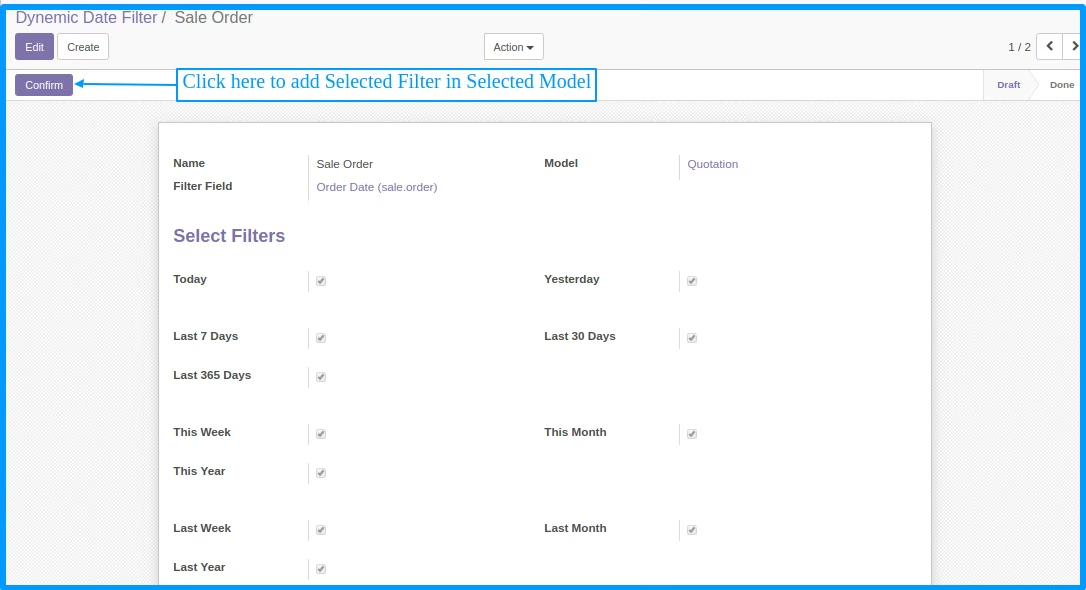
System administrators can configure and assign filters to specific models.
Significantly speeds up data retrieval and analysis across all modules.
Improves user productivity by simplifying the data filtering process.
Ensures consistent reporting with standardized, pre-configured date ranges.
Enhances the user experience with intuitive and powerful search options.
Reduces manual errors associated with repetitive date entry.
Gain faster insights into your business operations with agile data filtering.
This application will help to add dynemic date filter in any model like sale order, purchase order, account invoice, point of sale, account move line etc...
 User can add and remove date filter in any model.User can add Today, This Week, This Month, This Year, Yesterday, Last 7 Days, Last 30 Days, Last 365 Days, Last Week, Last Month, Last Year Filter
How It Works