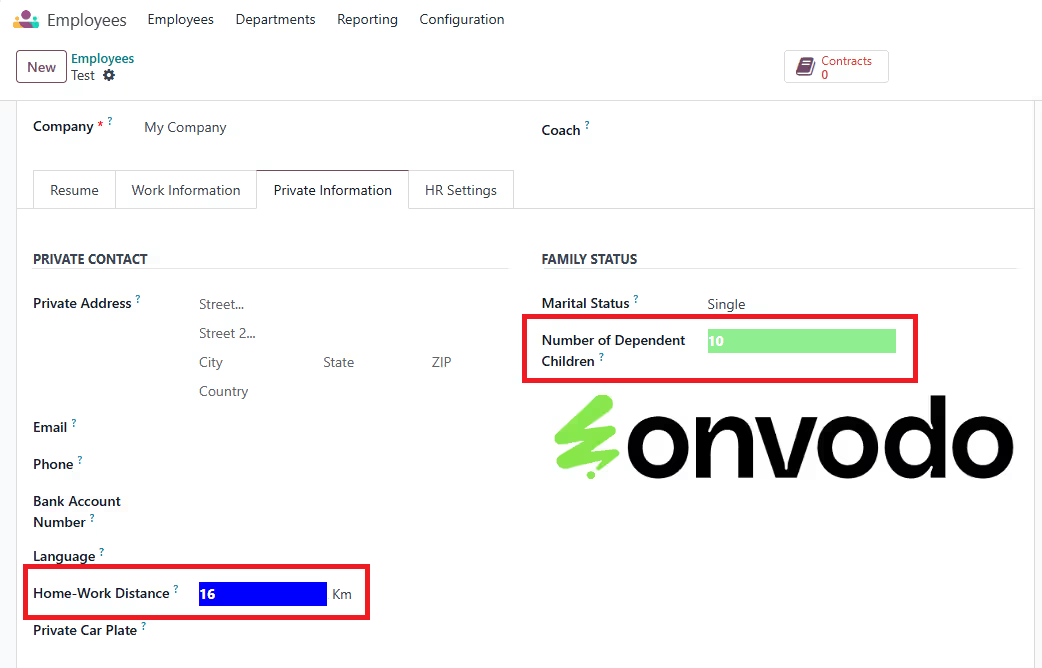
Enhance your user interface with the Integer Field Color Widget, a dynamic tool designed for superior data visualization. This module allows you to transform standard integer fields into vibrant, color-coded indicators, making it easier than ever to interpret numerical data at a glance. By assigning colors based on the value of the field, you can create intuitive visual cues for statuses, priorities, or levels directly in your list and form views. This simple yet powerful widget improves data readability and allows users to quickly assess information without needing to scrutinize numbers, leading to a more efficient and user-friendly experience.
Provides a new "color" widget for use on any integer field.
Visually represents integer values as color-coded tags or backgrounds.
Allows for dynamic color changes based on the specific value of the integer field.
Seamlessly integrates into both tree/list views and form views for consistent display.
Easy to implement for developers on any custom or standard integer field.
Enhances the visual appeal and usability of data-intensive screens.
Improves data comprehension with intuitive, at-a-glance visual indicators.
Accelerates user decision-making by making critical data points stand out.
Enhances the overall user experience with a more modern and readable interface.
Reduces the time required to analyze and interpret numerical data in lists.
Provides a flexible way to visually categorize records based on numerical values.
This Odoo app allows users to dynamically change the background and text color of any integer field based on a threshold value. The app introduces a customizable widget that automatically adjusts the visual representation of integer fields, allowing users to define their own colors for values below and above the threshold. Whether for financial figures, performance metrics, or other numeric values, users can easily tailor the display according to their preferences.
With this app, users can configure both the background and text colors for integer fields, making it easier to visually identify values that exceed or fall below critical thresholds. Fully customizable, this app enables users to define specific thresholds and assign colors accordingly, providing greater flexibility and control over how data is displayed in Odoo.
- Dynamic Options:Dynamically changes background and text color based on a user-defined threshold for integer fields.
- Fully customizable:Set different background and text colors for values below and above the threshold.
- Efficient Management:Easy integration with any integer field in Odoo using the widget and options attributes.
- Visual Representation:Enhances visual data representation, making it easier to interpret integer values at a glance.
- Supported Options:Supported configuration options include threshold value, background color, and text color for both below and above threshold scenarios.
- Ideal for Numeric Fields:Ideal for numeric fields such as budgets, quantities, and performance metrics.
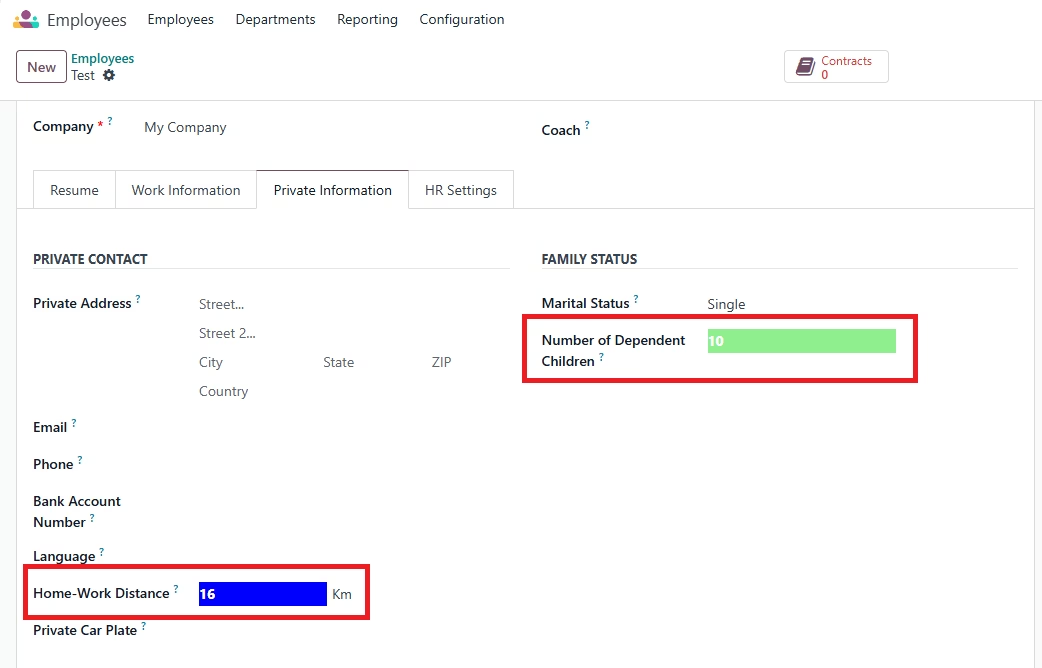
Configuration
How to Use the Widget in an Integer Field
- Define the integer field in your Odoo form.
- Add the color_integer widget to the integer field using the XML view definition.
- Configure the options attribute to define the threshold value and assign the desired background and text colors.
Explanation of Options
- threshold:The integer value that acts as a boundary for color changes. Values below or equal to this will use the belowThresholdColor, and values above will use the aboveThresholdColor.
- belowThresholdColor:The background color for values less than or equal to the threshold.
- aboveThresholdColor:The background color for values greater than the threshold.
- belowThresholdTextColor:The text color for values below or equal to the threshold.
- aboveThresholdTextColor:The text color for values above the threshold.

Examples of Using the App
- Homework Distance Tracker:You have an integer field Homework Distance, where you track the distance students live from school. If the distance is less than or equal to 10 kilometers, display a green background with white text. If the distance exceeds 10 kilometers, display a red background with white text.
- Sales Quota Tracker:In the Sales Quota integer field, you track whether a salesperson meets their monthly target. If the quota is below or equal to 50 units, display a yellow background with black text, indicating under performance. For quotas above 50 units, display a blue background with white text.
- Stock Levels:In your warehouse, you use an integer field Stock Level to track available stock. For stock levels below 20 units, display an orange background with black text, signaling low stock. For levels above 20, use a light blue background with white text.
- Employee Performance Rating:You use the integer field Performance Rating to assess employee performance. For ratings below or equal to 70, display a pink background with white text to signal a warning. For ratings above 70, display a green background with white text.
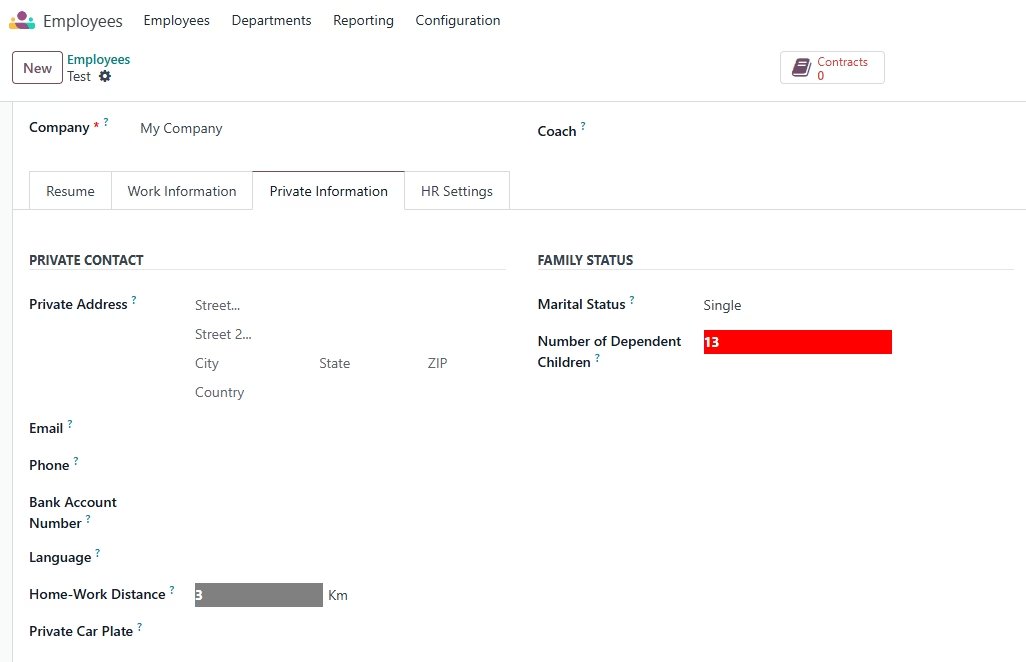
Why Choose This App?
- Visual Clarity:By dynamically changing the colors of integer fields, this app provides immediate visual feedback, helping users identify critical values and thresholds easily.
- Customizability:Users have full control over the threshold and colors, allowing them to adapt the display to fit their specific business needs.
- Efficiency:This app enhances user experience by making key data points stand out visually, saving time spent analyzing or searching for specific values.
- Versatility:Suitable for any scenario where integer fields are used to represent important metrics like performance, stock levels, or sales targets.