Enhance your customer's shopping experience, a versatile tool that allows users to download detailed product information directly from your eCommerce site. This module empowers your customers to create, view, and print comprehensive PDFs, complete with customizable content like product images, pricing, and descriptions. By providing all necessary information in a convenient, portable format, you can help customers make faster, more informed purchasing decisions. With flexible configuration options, administrators can tailor the PDF's content and appearance, ensuring a professional and branded experience that drives engagement and sales.
Allows customers to download detailed product information in a professional PDF format.
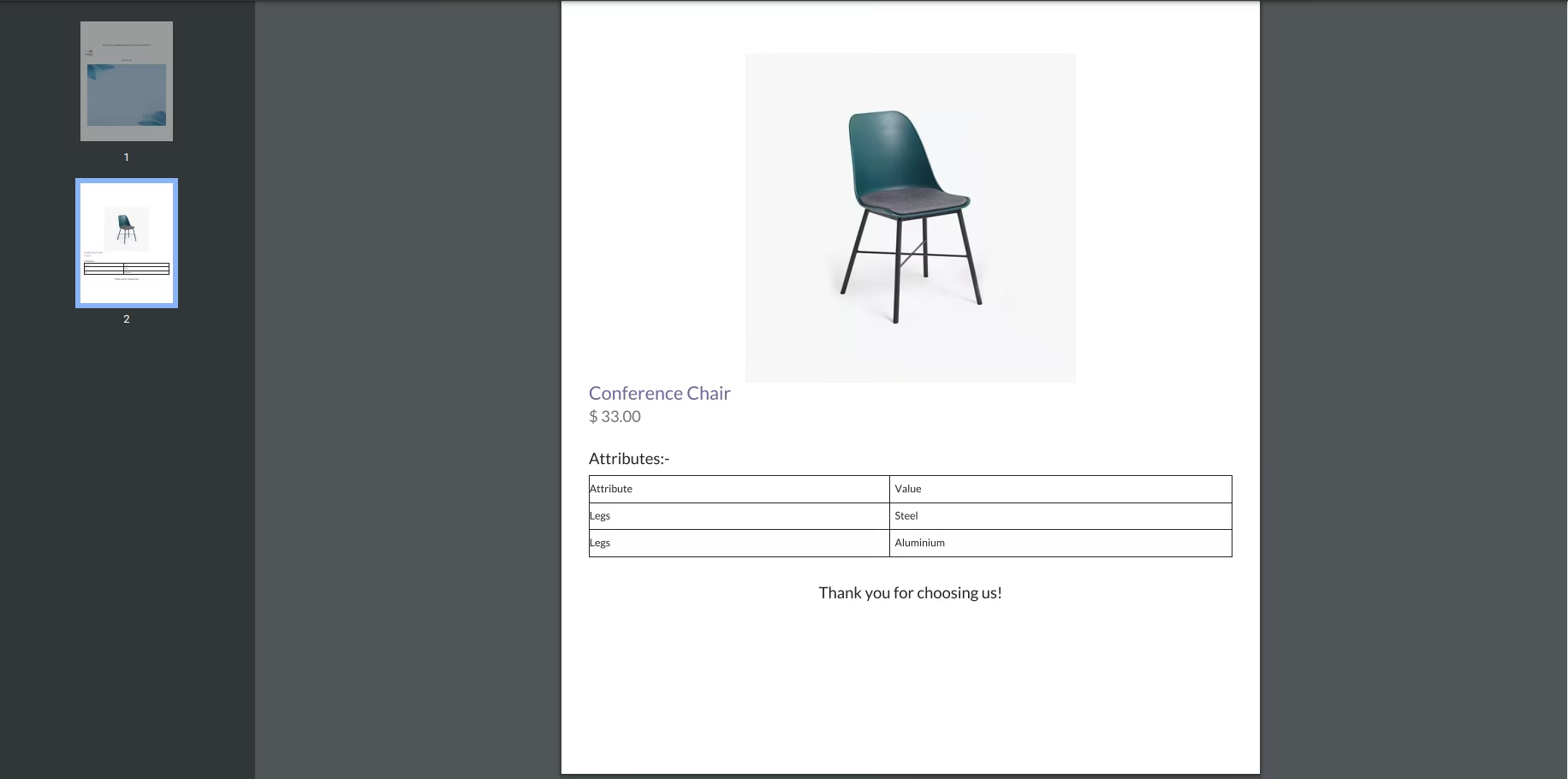
Administrators can configure which product details to include, such as images, prices, and descriptions.
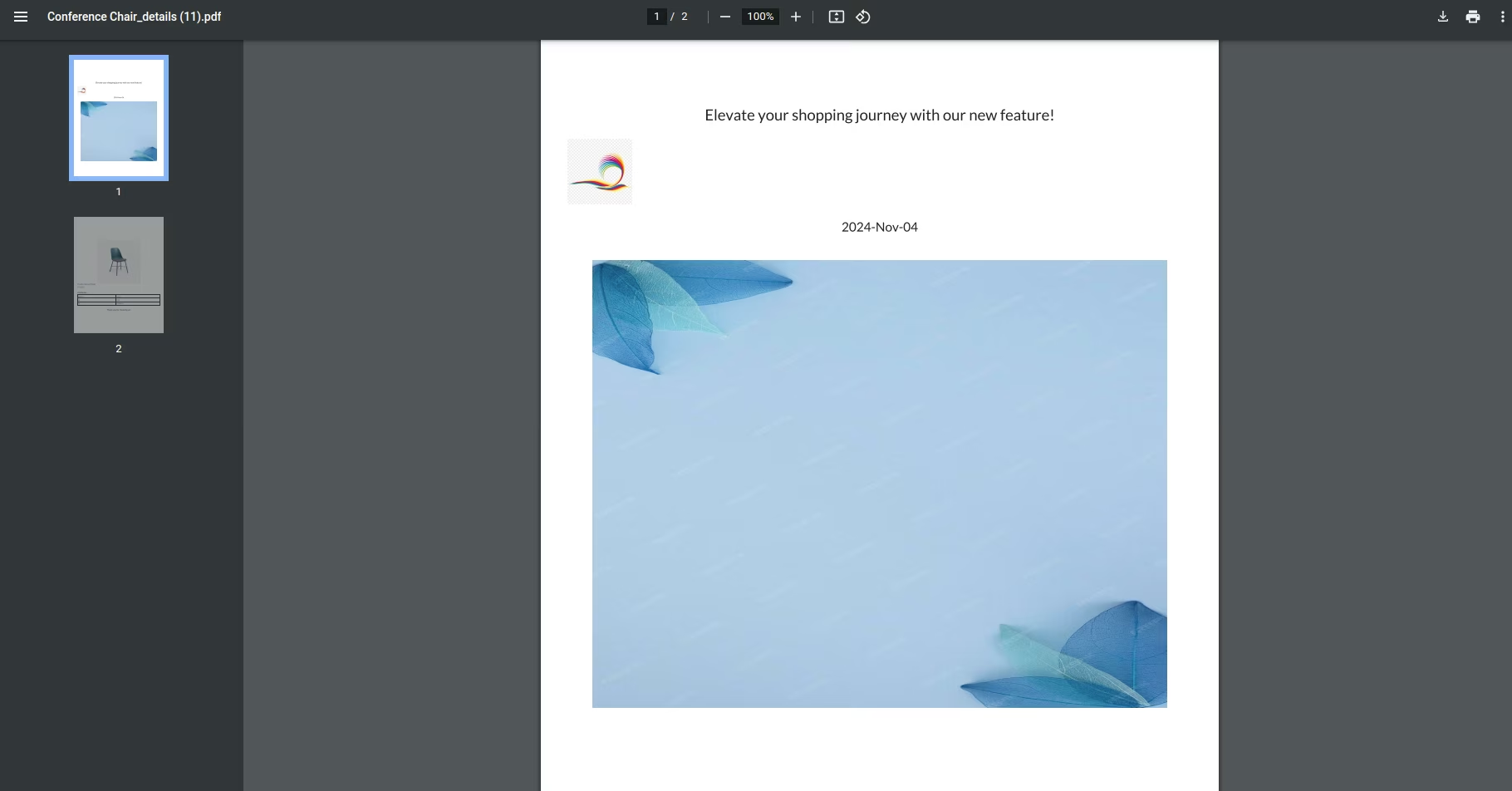
Customers can personalize PDFs with a cover page, custom headers, and footers.
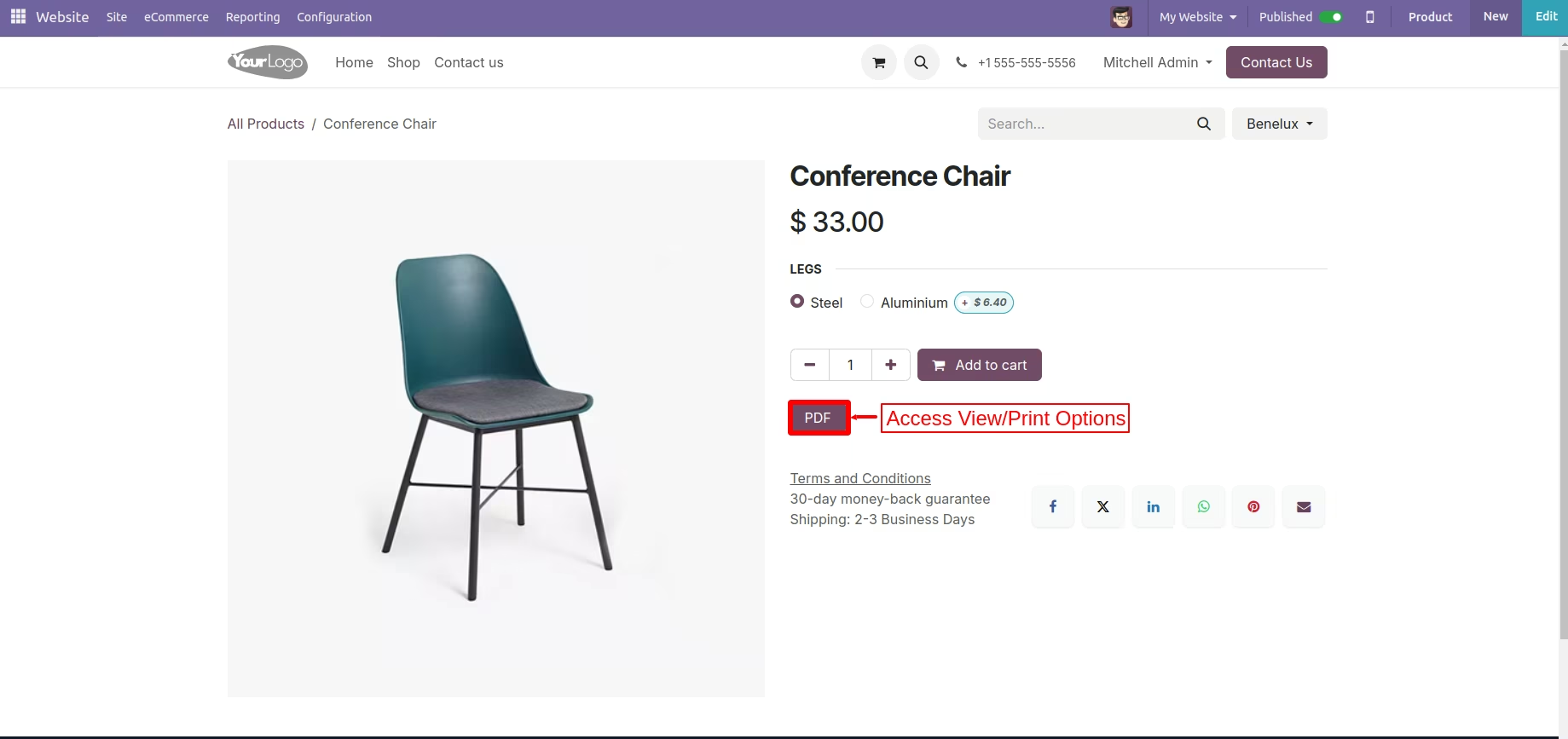
Provides options to view, download, or print the PDF directly from the product page.
Display the PDF download button based on specific products, categories, or customers.
Customize the PDF button name, cover image, and shop logo position.
Supports dynamic text fields in the header and footer for tailored messaging.
Utilizes standard report headers and footers for a consistent look.
Empowers customers to make better-informed purchase decisions with accessible, detailed information.
Improves the overall customer experience by providing convenient, on-demand product catalogs.
Enhances information accessibility, allowing users to save and share product details easily.
Reduces the workload on your customer service team by providing self-service information.
Offers extensive customization flexibility to align with your brand identity.
Increases customer engagement by offering a valuable and user-friendly feature.
Download Product PDF - Product Catalog - Product Sheet
Empower customers by offering comprehensive product information in a downloadable PDF format. This app enables admins to configure the details included in the PDF, such as product names, images, pricing, combinations, summaries, and descriptions. Customers can customize their PDF view to include additional elements like cover pages, headers, and footers, ensuring they have all the information needed at their fingertips. With options to view, download, or print, customers can seamlessly access the data they need to make well-informed purchasing choices.
ComprehensiveDownload Product PDF - Product Catalog - Product Sheet

Customizable PDF Content

Customization Flexibility

Enhanced Product Information

Improved Customer Experience

Personalized Viewing

User-Friendly Download Options
 Detailed Features and Steps:
- Customizable PDF Content: Admins can select which product details to include in the PDF.
- User-Friendly Download Options: Customers can view, download, or print product PDFs directly from the product page.
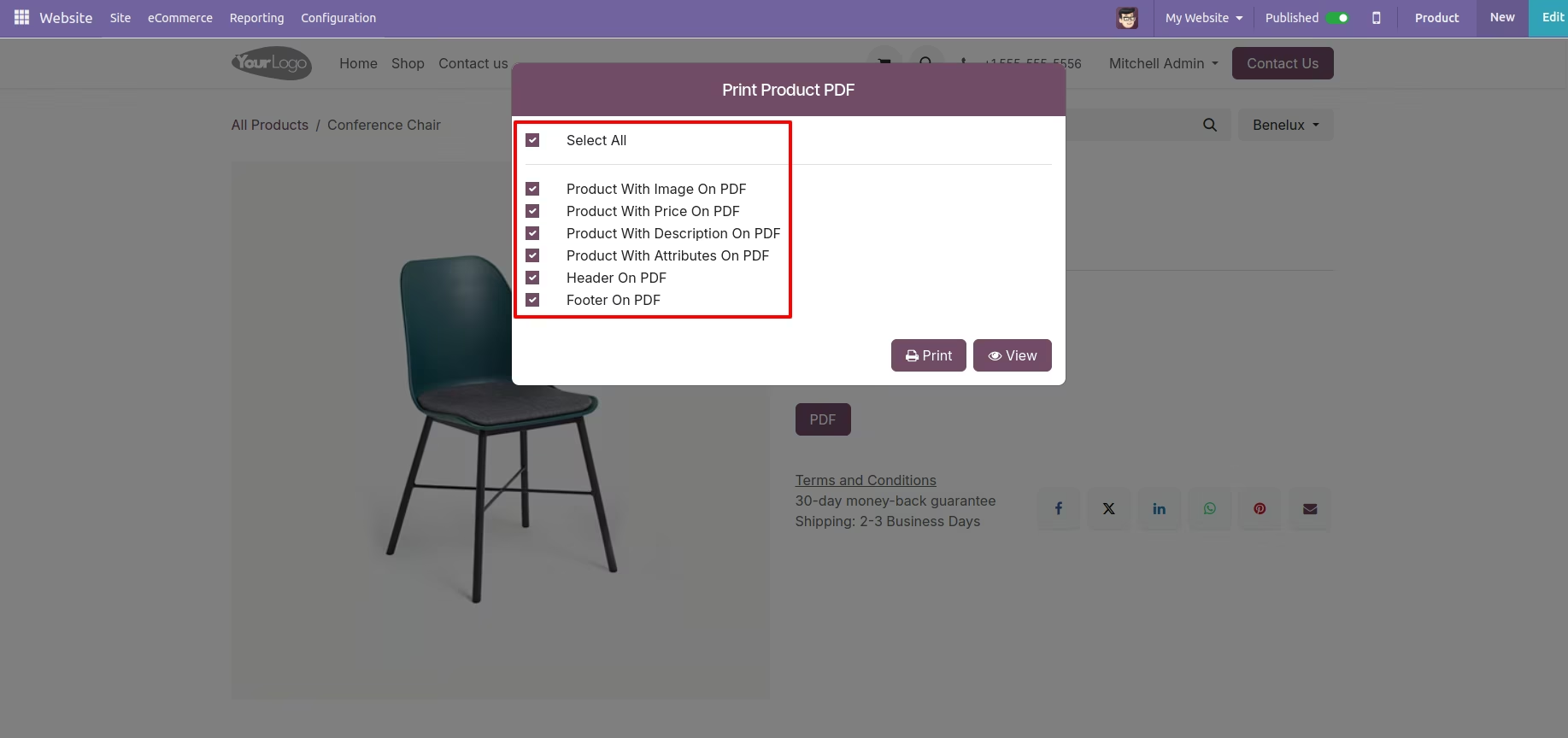
- Personalized Viewing:Customers choose additional PDF elements like cover page, header, and footer.
- Enhanced Product Information: Detailed PDFs provide all necessary information for purchase decisions.
-
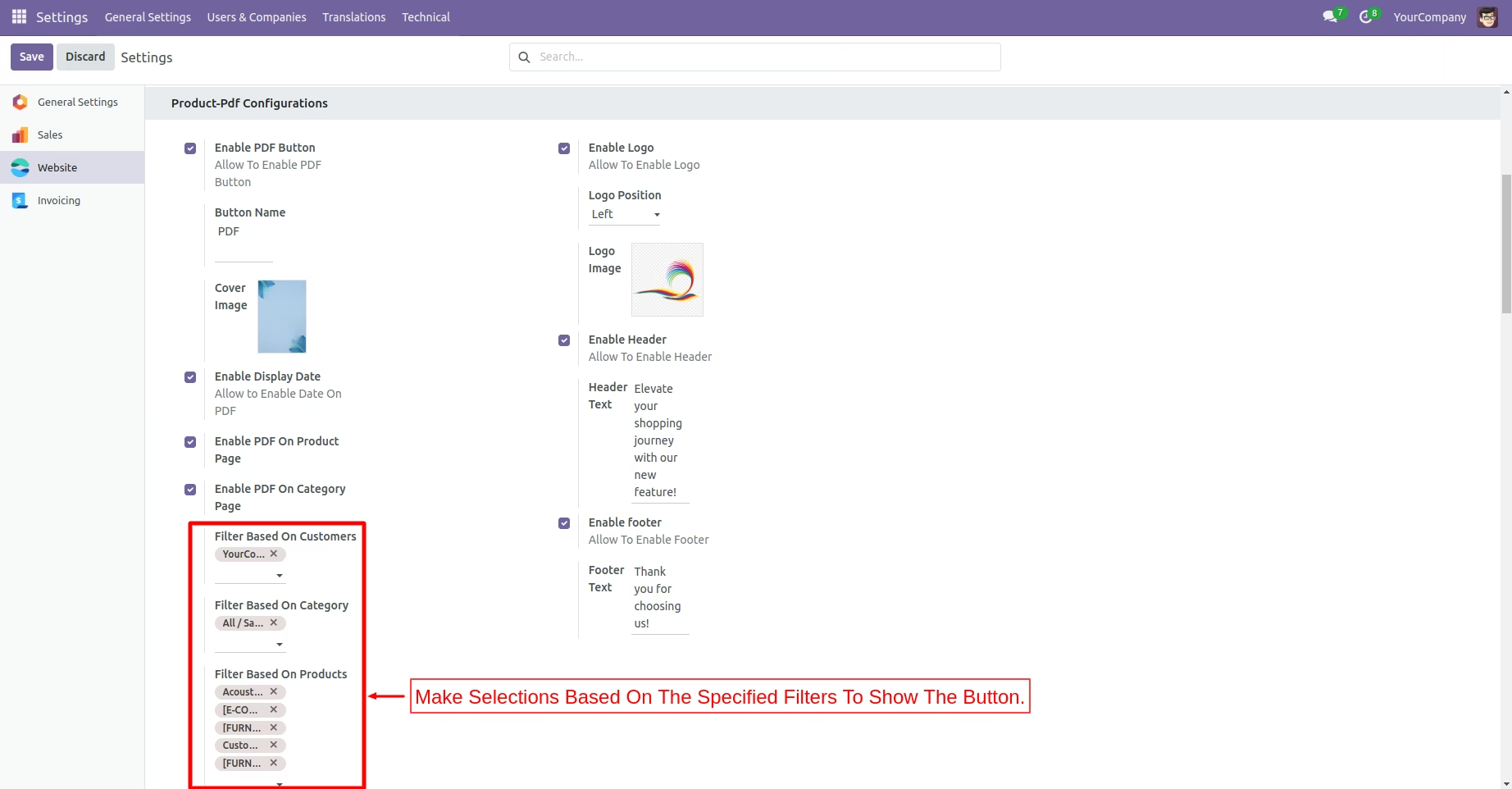
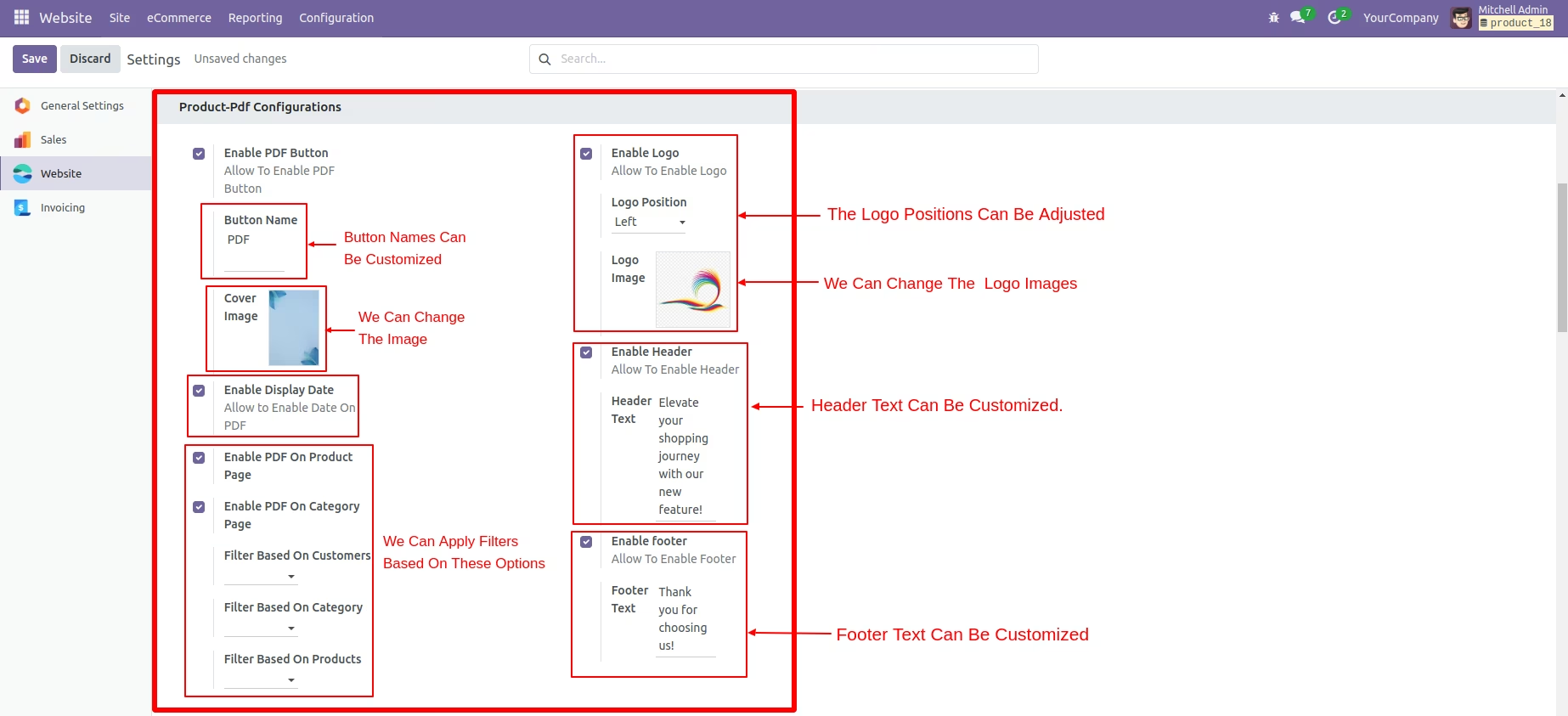
Admin can configure the PDF in multiple ways:
- 1. Configure the PDF button name on the product page.
- 2. Configure the cover image of the PDF.
- 3. Display the date in the PDF.
- 4. Configure the shop logo and its position in PDF.
- 5. Configure Header and Footer with dynamic text fields.
- 6. Enable/Disable the PDF page button on the product or category page.
- 7. Display PDF buttons based on products, categories, and customer filters.
Informed Purchase Decisions:
- Rich product details help customers make better buying choices.
Improved Customer Experience:
- Easy access to comprehensive product information increases satisfaction.
Customization Flexibility:
- Both admins and customers have control over how information is presented.
Increased Engagement:
- Encourages interaction with product pages through detailed offerings.
Enable the pdf Button.
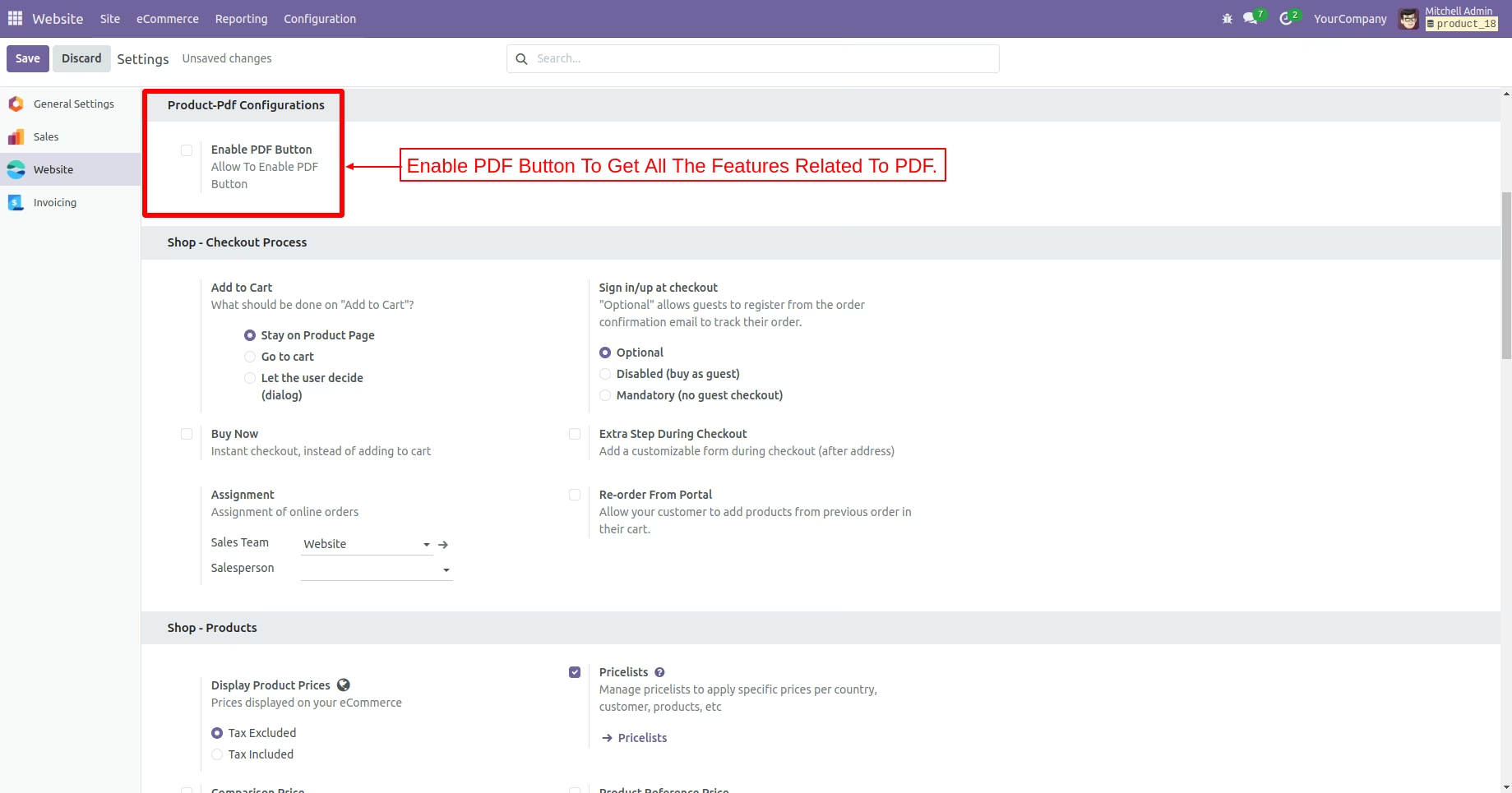
PDF Configurations.
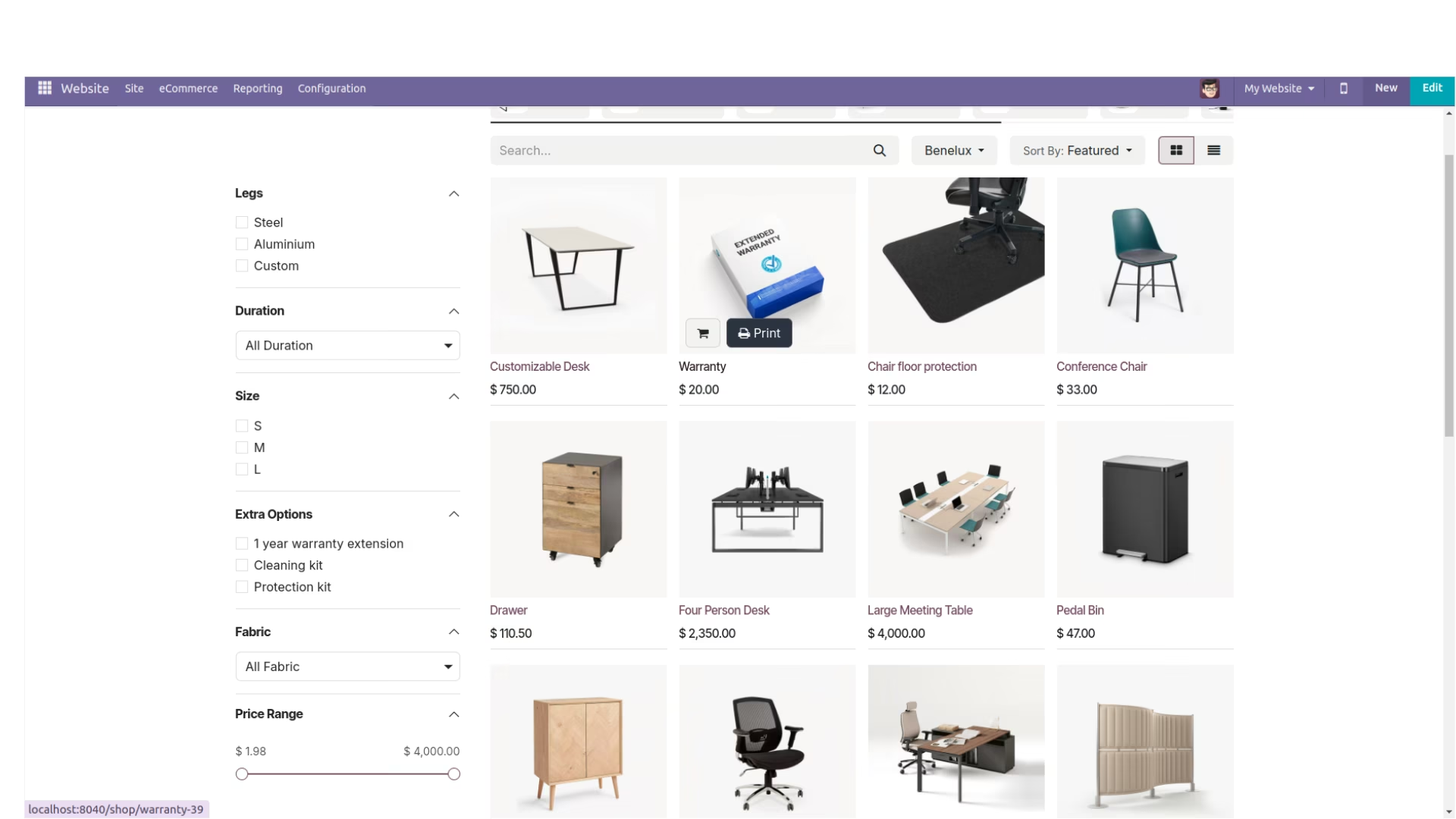
View Of Print Button.
Access View/Print Options.
Print Product PDF With Options.
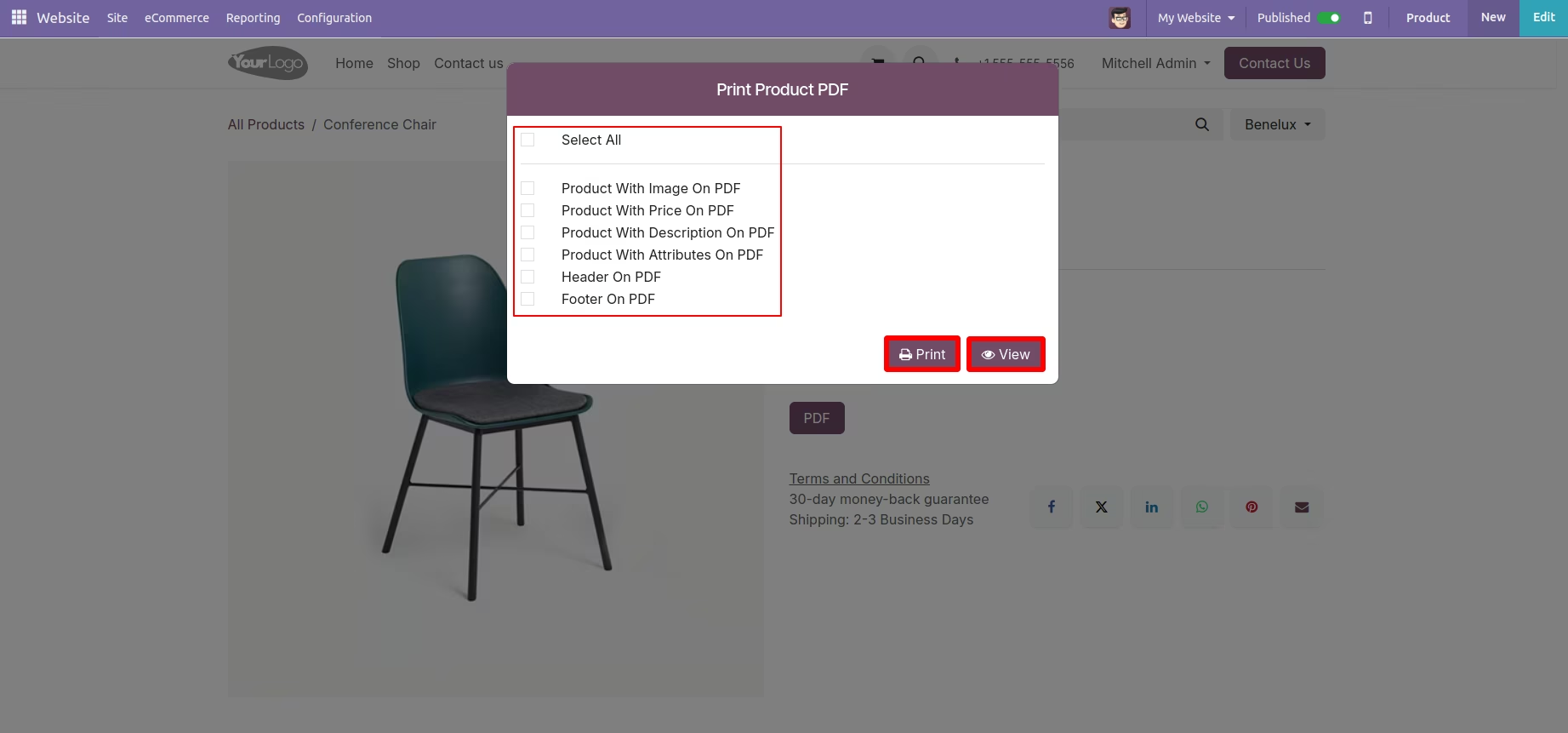
One Can Select/Unselect With Choices.
PDF View.
Make Selection Based On Specified Filters To Show The Button.