Elevate your online store's functionality and marketing capabilities with the Website PDF Catalog Generator. This powerful module provides your customers with the ability to view and download a comprehensive product catalog in a convenient PDF format, directly from your eCommerce website. By offering an accessible, offline version of your product listings, you enhance the customer experience and provide a valuable tool for both B2C and B2B clients. With customizable options for content and presentation, this module is an essential addition for any business looking to improve customer engagement and drive sales through professional, on-demand product catalogs.
Adds a "Catalog PDF" button to your website for easy one-click access.
Generates a complete product catalog in a downloadable PDF format.
Allows for customization of the PDF, including cover image, logo, and positioning.
Option to display the current date in the generated catalog.
Configure custom text for the header and footer of the PDF.
Ability to enable or disable the catalog button on the shop and product pages.
Filter the visibility of the download button based on specific products, categories, or customers.
Improves the customer experience by providing a convenient, offline product catalog.
Increases brand visibility and professionalism with well-designed, branded documents.
Acts as a powerful marketing tool, allowing customers to easily share your product offerings.
Saves time for your sales team by providing a self-service catalog option for clients.
Customizable layouts and content allow you to tailor the catalog to your specific needs.
Maximizes online marketing potential and drives customer engagement.
The Download Catalog PDF app for allows businesses to generate and provide downloadable PDF catalogues of their products or services directly from the platform. This feature enhances customer engagement by enabling users to view and download comprehensive catalogues, improving the shopping experience.tor, streamlining and expediting the calculation process for POS employees.

Maximized Online Marketing Profits

Increased Brand Visibility

Scalable Solution

Time Saving

Customizable Layouts

Improved Efficiency
Product Catalog Generation:
- Generate a professional product catalogue in PDF format that includes comprehensive product details such as name, description, price, and images.
Increased Brand Visibility:
- Enhances awareness of your brand through well-designed catalogues.
Customize Header and Footer Text:
- Display specific text in the PDF header and footer.
Customizable Layouts:
- Customize cover and logo images, and adjust logo positioning to create unique designs that reflect your brand identity.
One-Click PDF Access:
- You can instantly view and download product catalogues with a single click from both the shop and product pages.
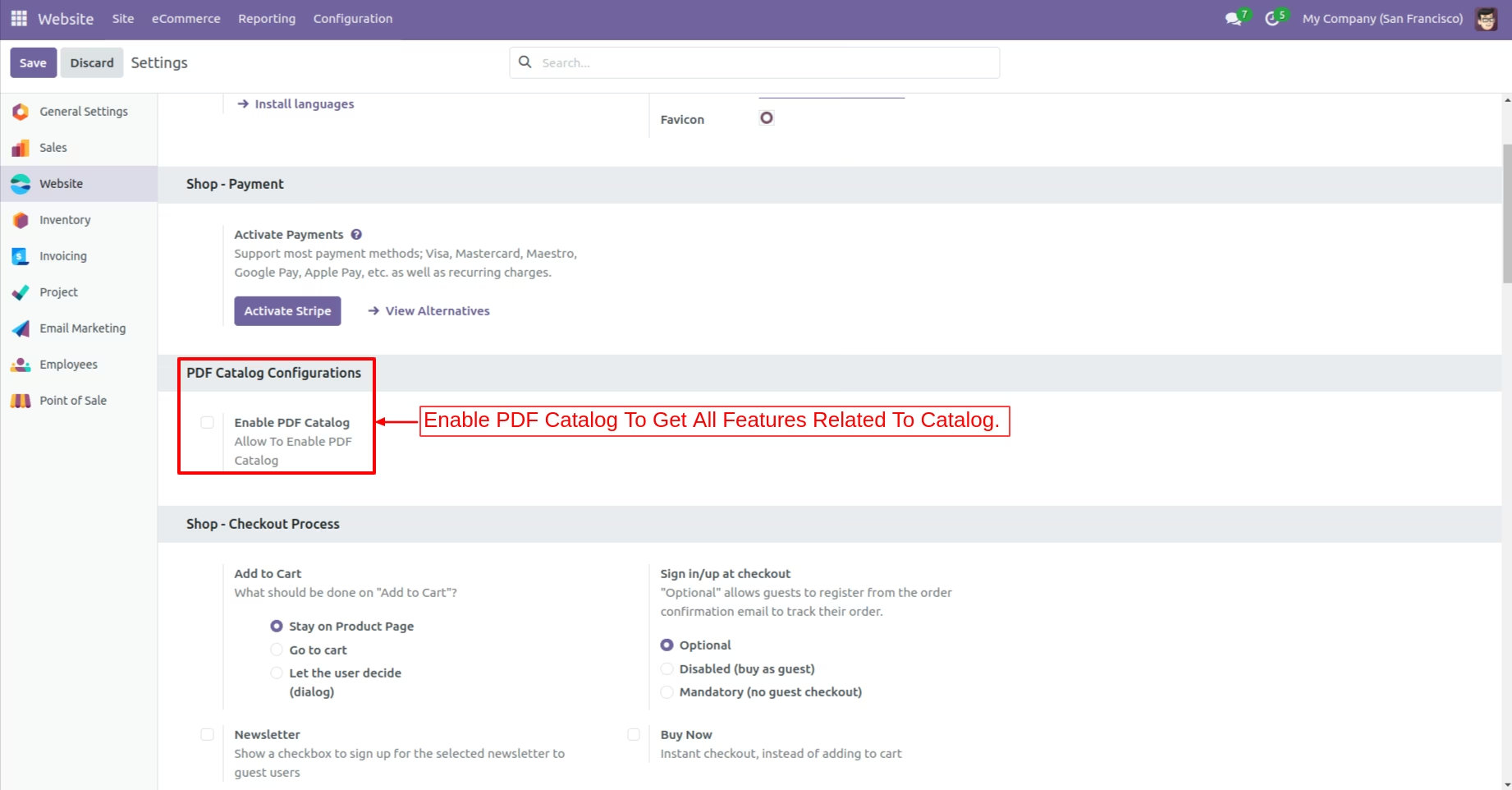
Configuration Setting
Enable PDF Catalog to unlock all related features for catalogue management and enhanced functionality.
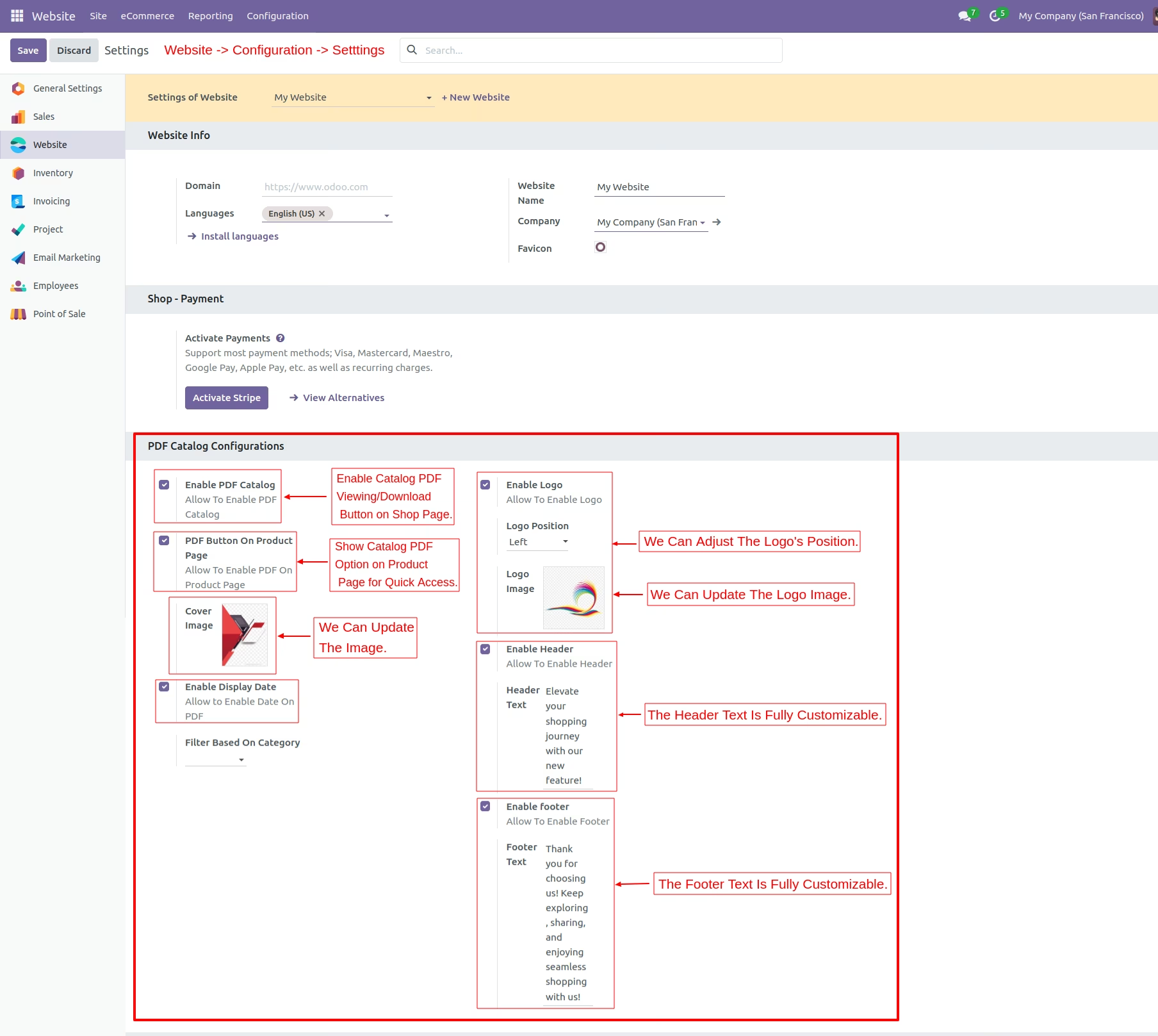
Further Configuration Setting
Enable catalog PDF viewing/download on shop and product pages, customize logo, adjust image and position, display date and fully customize header/footer text.
Shop Page
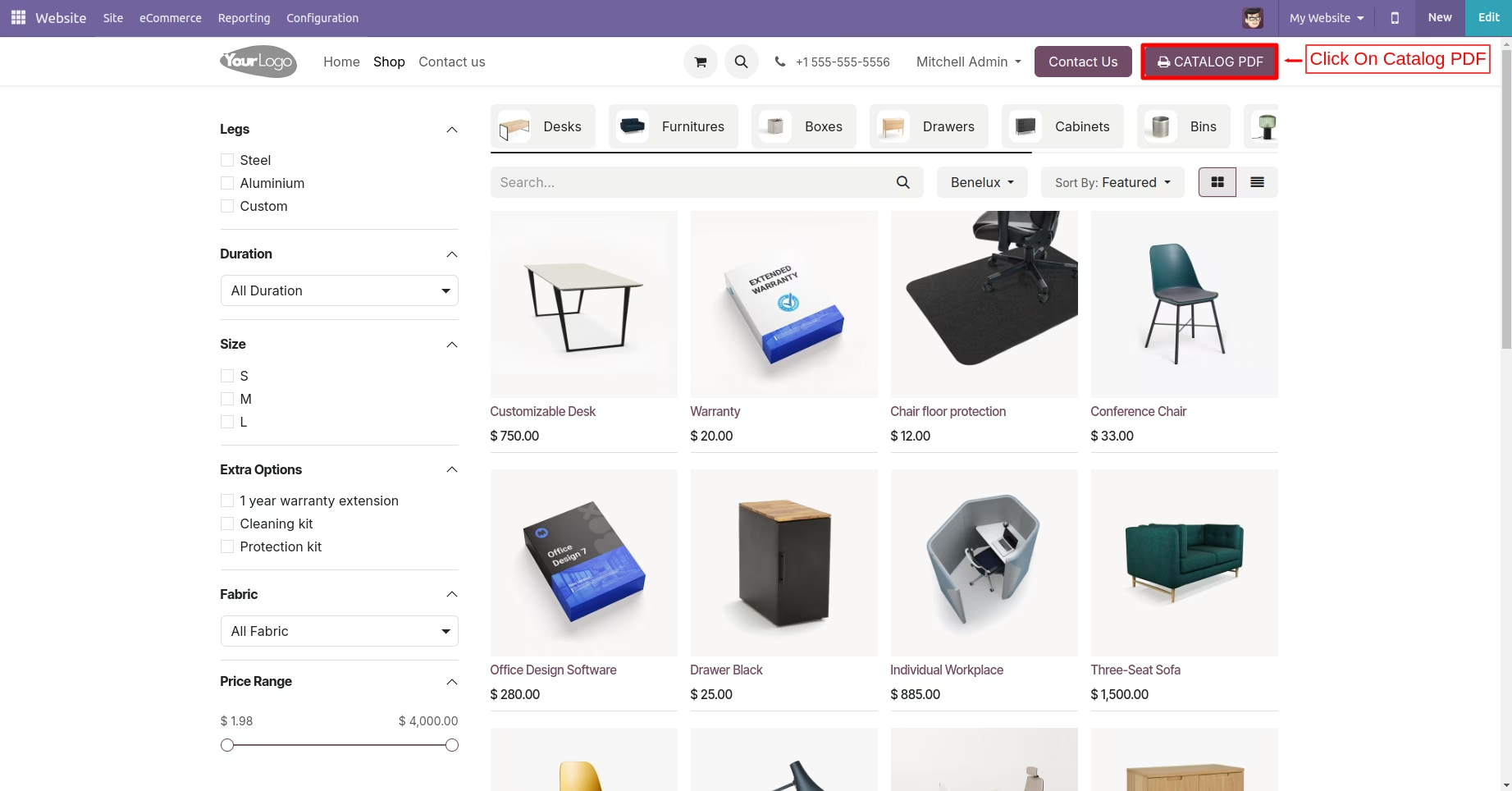
Display a catalog PDF button on the shop page and click on Catalog PDF.
Shop Page
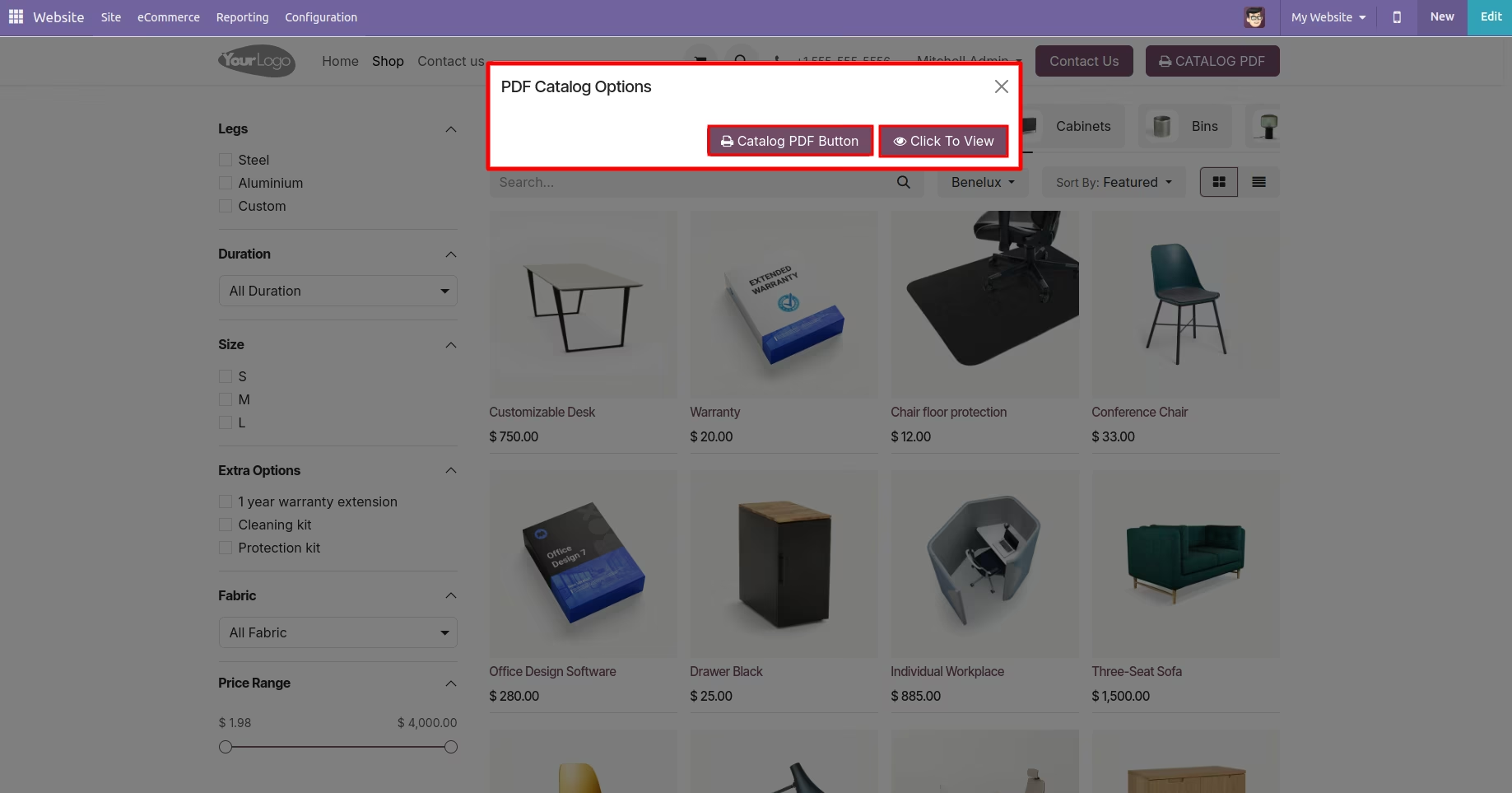
Display a pop-up PDF catalog with options to download or view the catalog.
Product Page
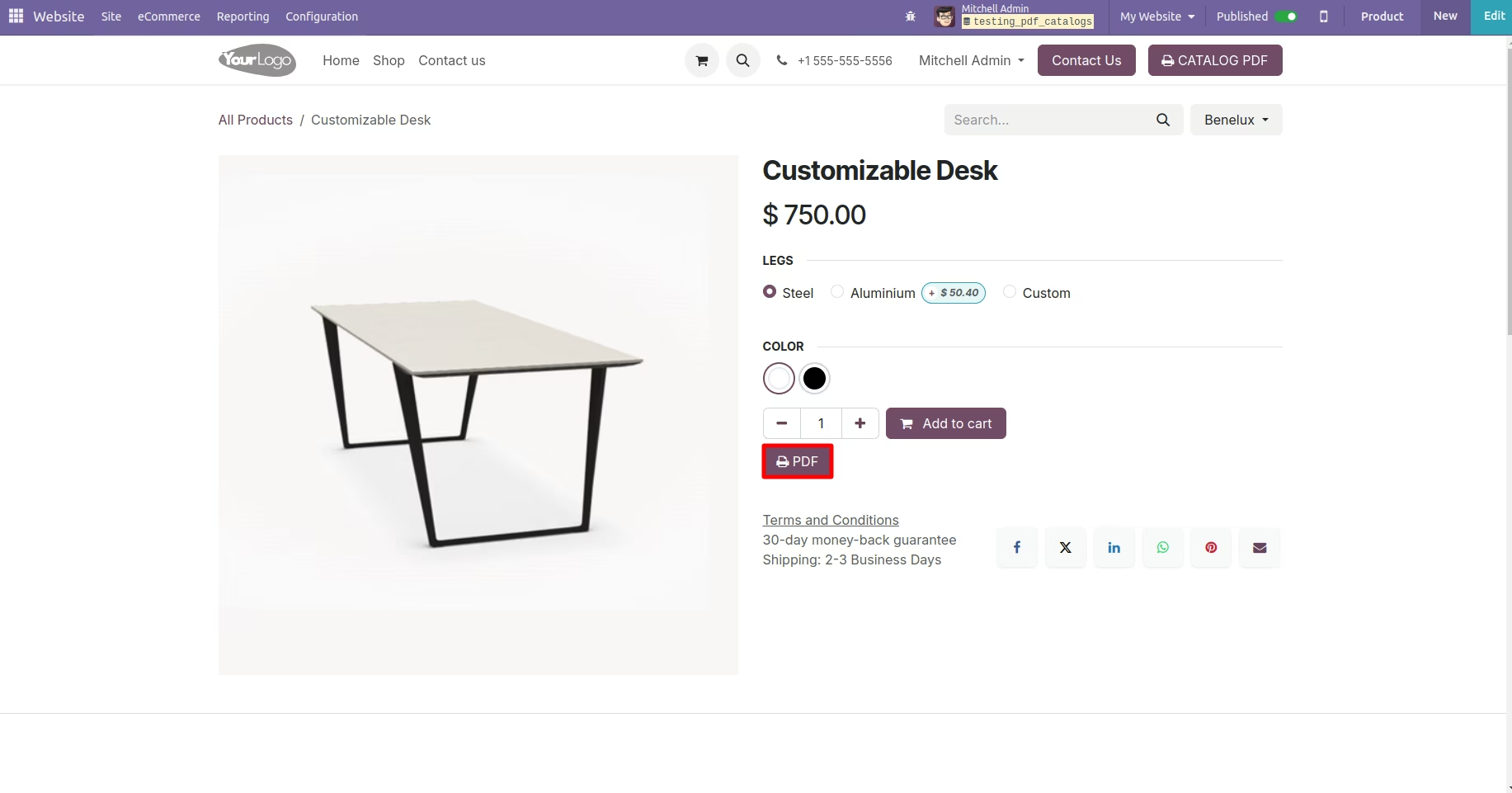
Display a PDF button on the product page to click and download the catalog.
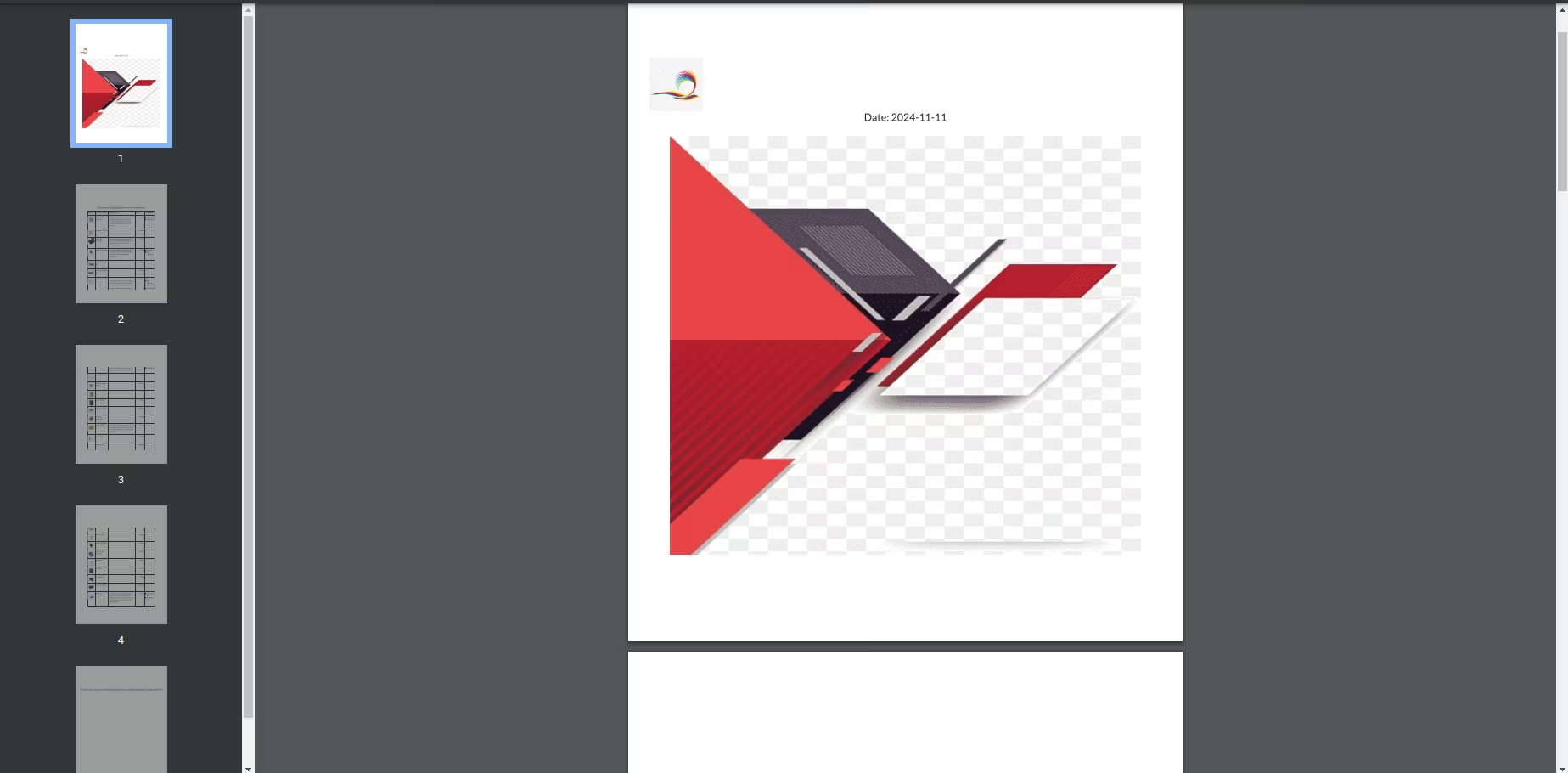
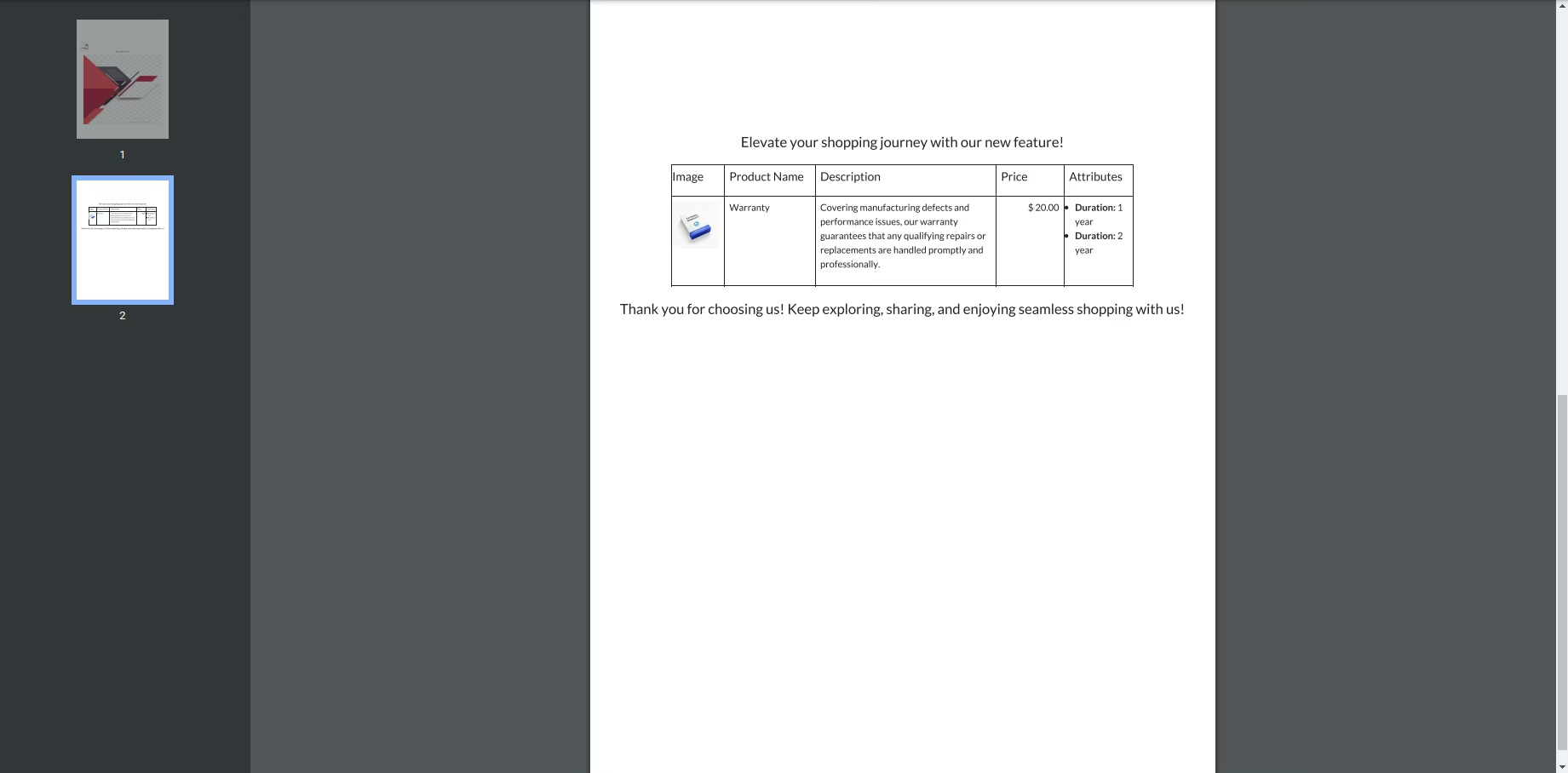
Display the first page of the PDF with the logo, date, and cover image.
Second PDF Page
Display header text along with product images, names, descriptions, prices, and attributes.
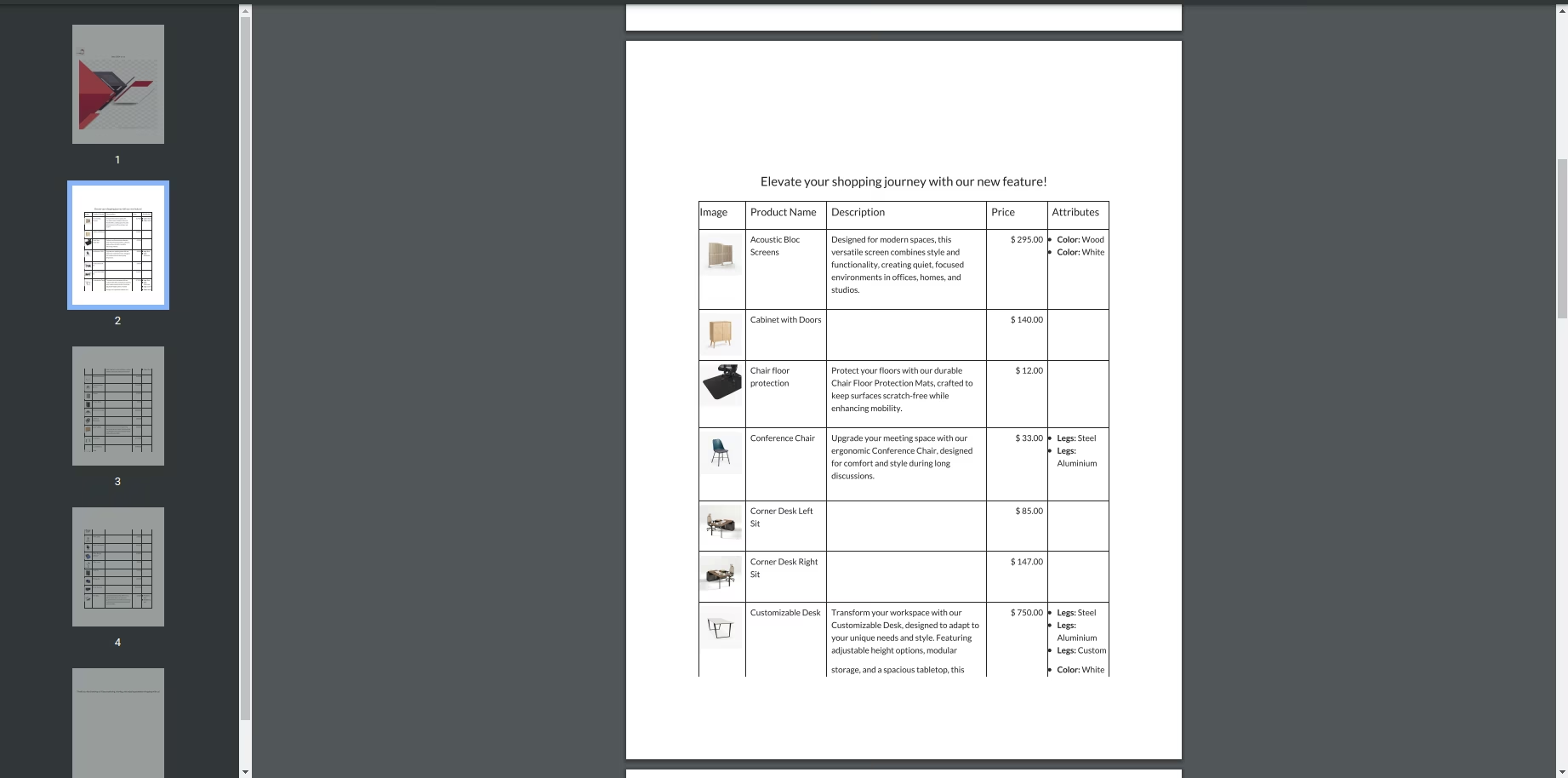
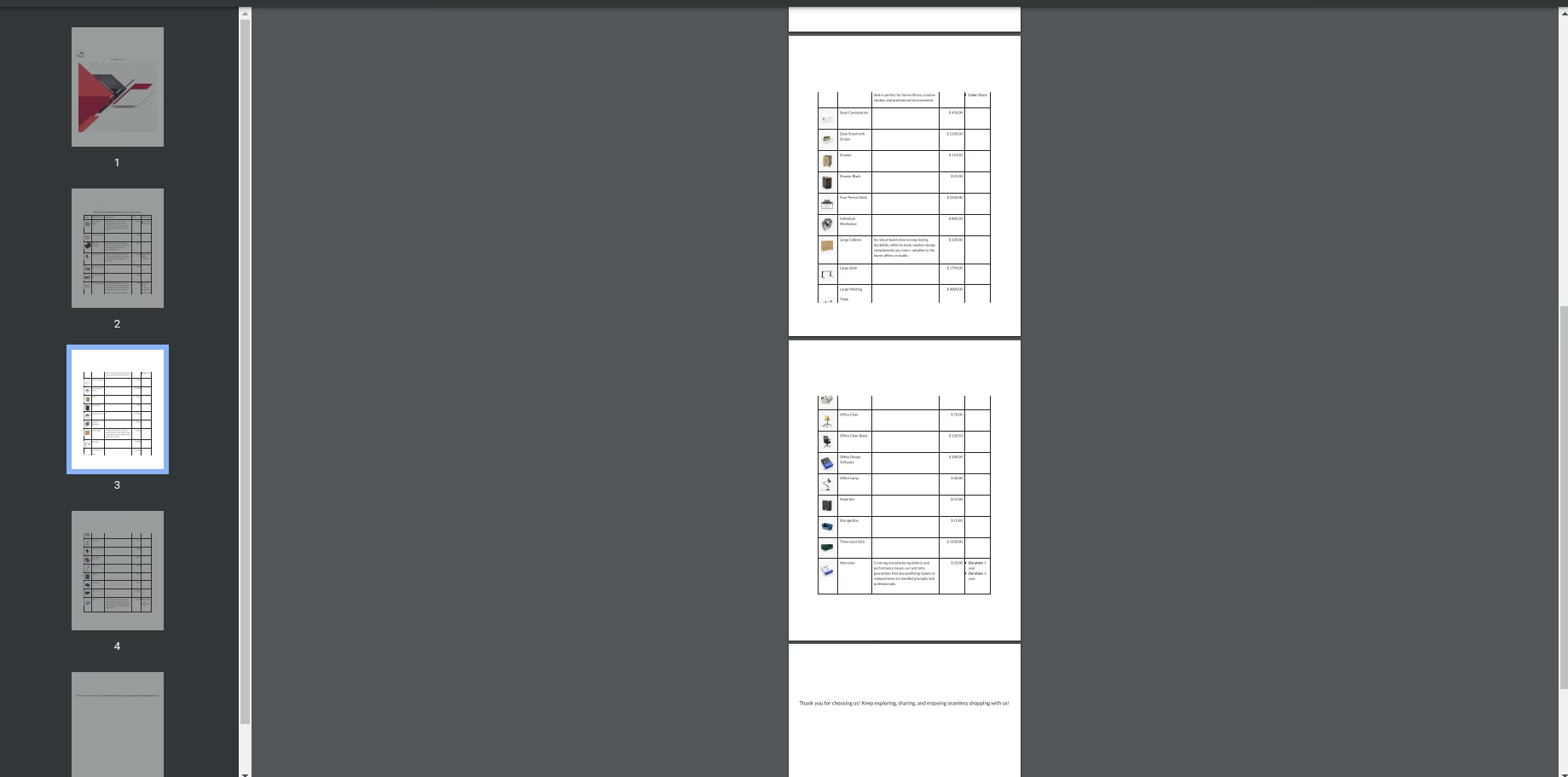
Remaining Pages of the PDF
Display products with images, names, descriptions, prices, attributes, and footer text.
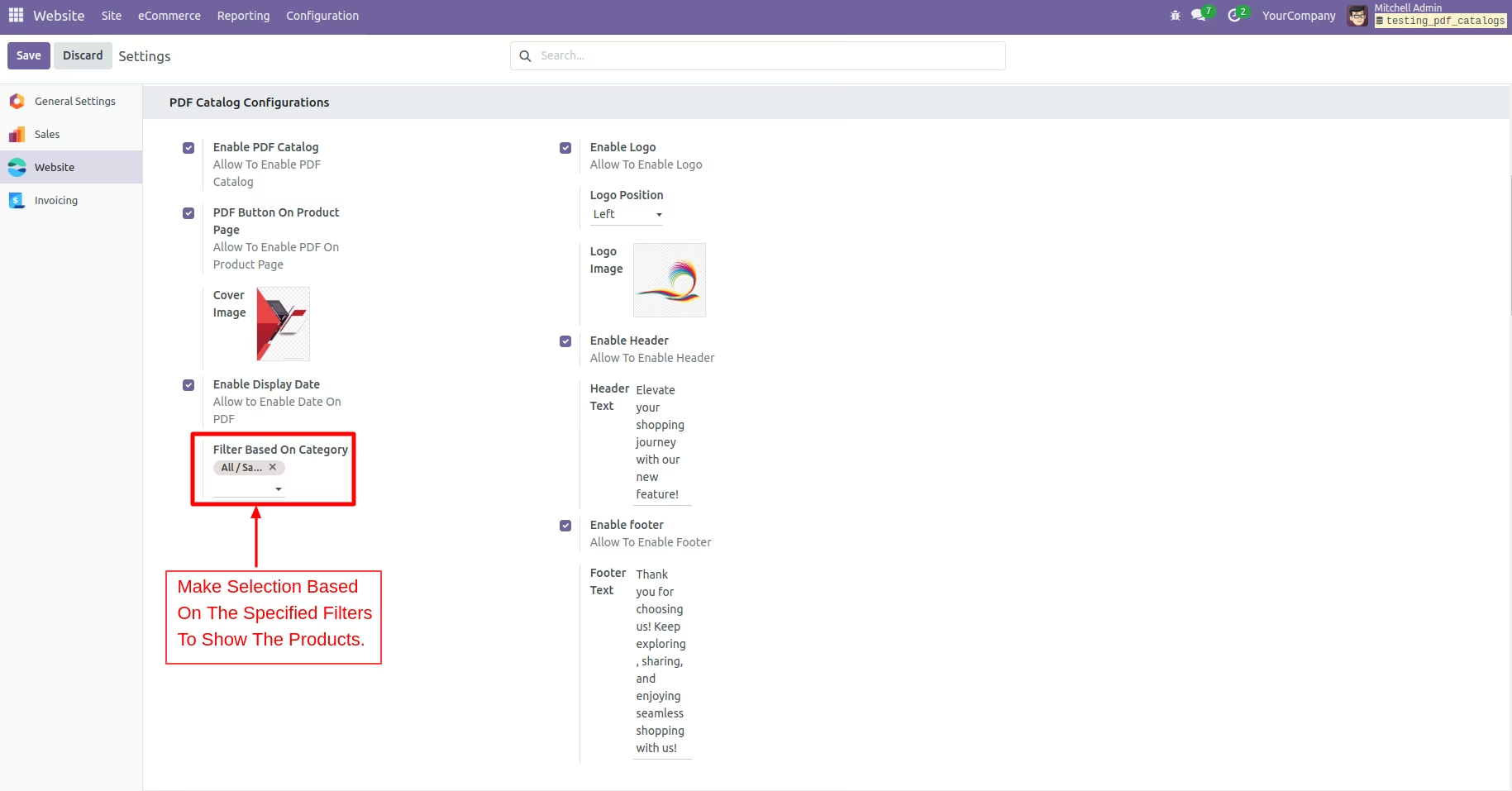
Configuration Setting
Apply specific filters and select multiple categories to display the relevant products.
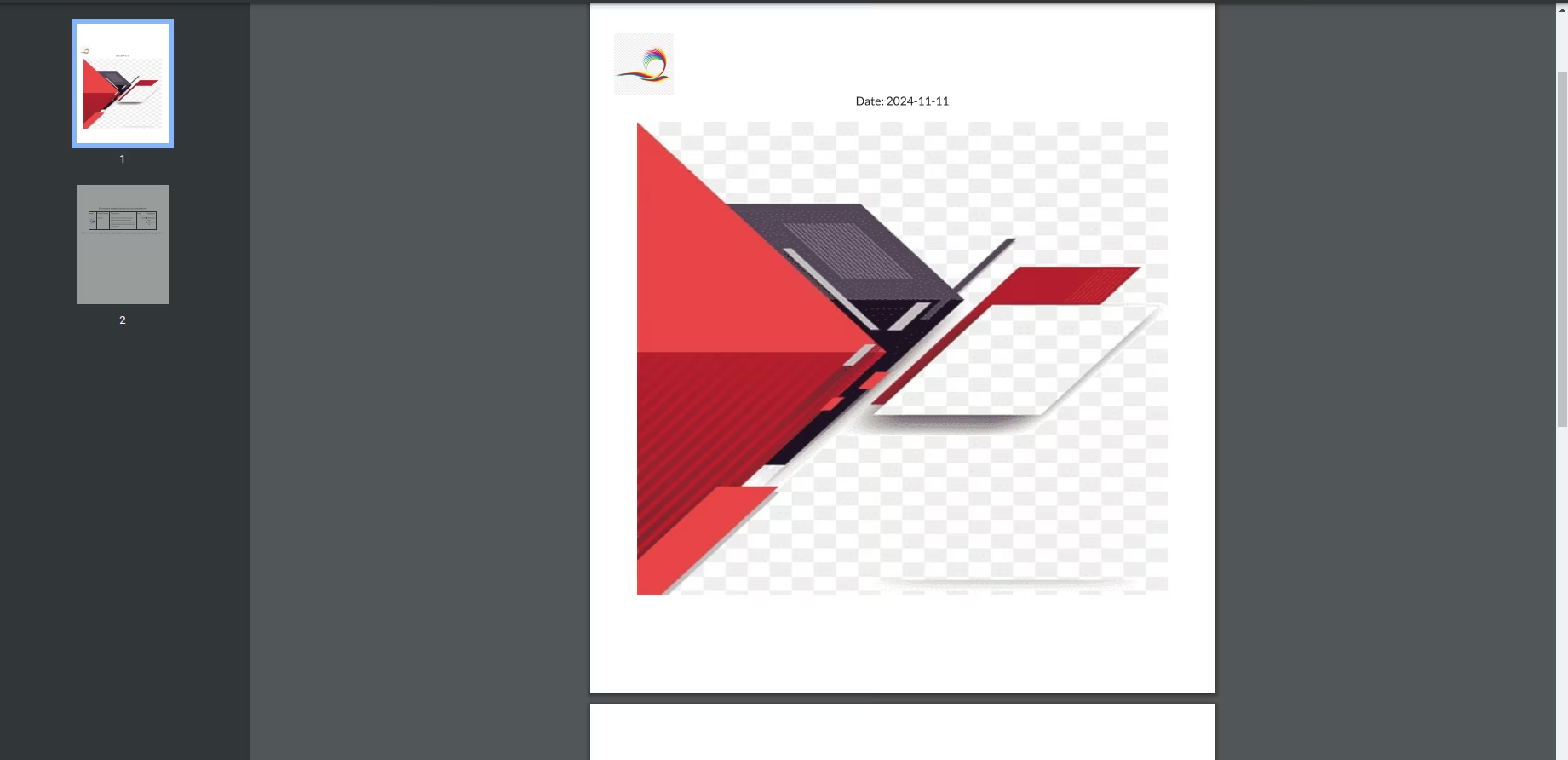
PDF Pages
Display the logo, date, and cover image on the first page of the PDF.
Second Page of the PDF
Display header text, selected product categories, and product details (image, name, description, price.)