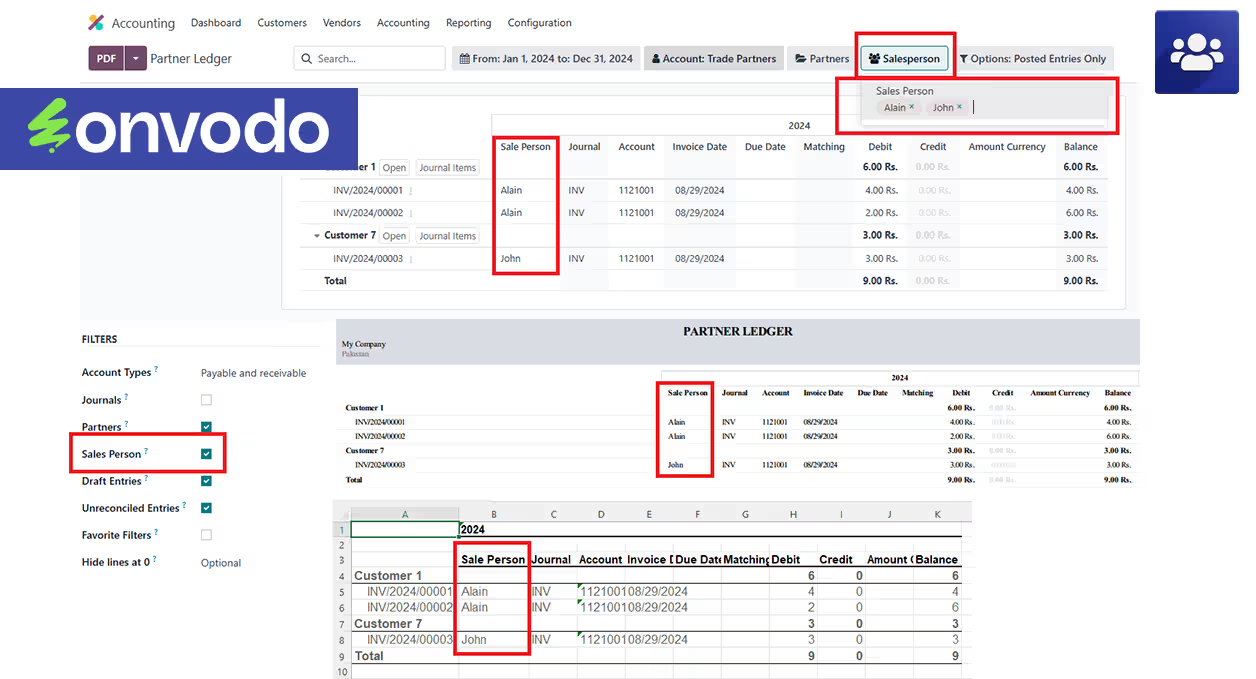
This module enriches accounting functionality by enabling dynamic salesperson filtering in the Partner Ledger Report. Users can easily include or exclude salesperson data to generate customized, insightful financial reports. Ideal for businesses aiming to monitor individual sales performance or refine reporting efficiency, this module adds precision and flexibility to standard reporting tools.
Add a dynamic filter by salesperson to the Partner Ledger Report
Enable inclusion or exclusion of salesperson information in reports
Simplify tracking of sales representative performance through filtered financial views
Improve reporting flexibility and customization in accounting module
Tailors financial reports to highlight individual sales contributions
Enhances data analysis with focused, salesperson-specific insights
Speeds up decision-making by filtering out irrelevant salesperson data
Streamlines reporting across teams by adapting ledger output flexibly
Enhance your Partner Ledger Report with advanced filtering options and additional data visibility. This module introduces a dynamic Salesperson filter to your Partner Ledger Report, allowing you to easily include or exclude salesperson information based on your reporting needs. Whether you need to track sales performance by individual salespeople or streamline your reporting processes, this module provides the flexibility and insights you need.
- Salesperson Filter:Easily include a Salesperson filter in the Partner Ledger Report to focus on transactions linked to specific salespeople.
- Flexible Export Options: You can hide or show salesperson information in PDF and Excel reports, providing control over the data you want to present.
- Customizable View:Use a checkbox to toggle the visibility of the Salesperson filter, adapting the report to various needs without altering core settings.
- Enhanced Reporting:Display salesperson information directly in the Partner Ledger Report, offering deeper insights into sales activities and performance.
- Automated Updates:The computed field automatically updates with any changes, keeping your information current and accurate.
- User-Friendly Configuration:Seamlessly integrate with existing reports and configurations, making it easy to set up and use without extensive modifications.
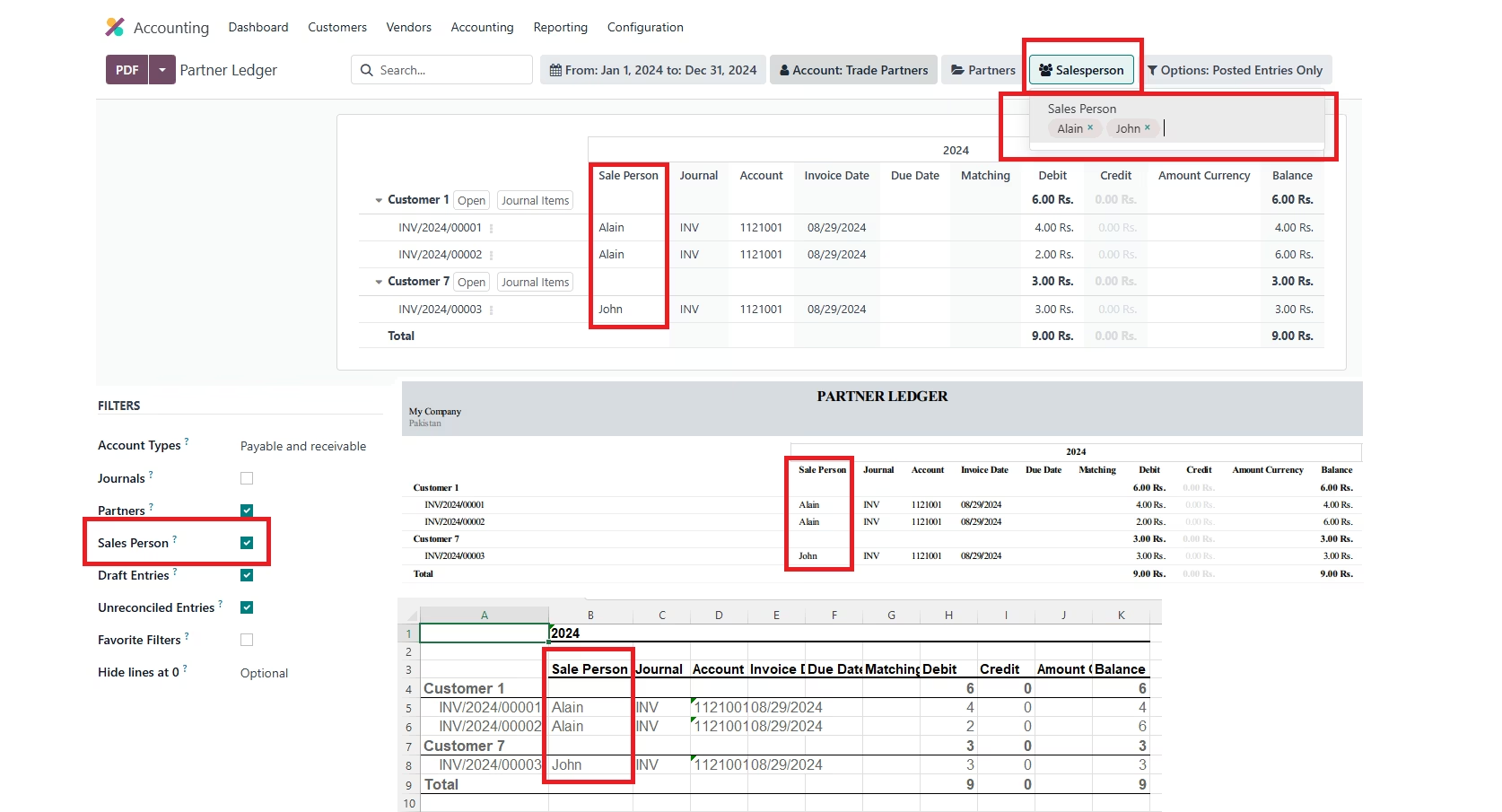
Configuration
- Navigate to Configuration:Navigate to Accounting > Configuration > Management in your Odoo instance, Go to Accounting Reports.
- Locate Partner Ledger Record:Locate the Partner Ledger Report and open its configuration settings.
- Under Options Tab:Under the Options tab, you will find a checkbox labeled Sales Person. Check this box to enable the Salesperson filter and column in your Partner Ledger Report. Uncheck it to hide the filter and column when not needed.