Improve your team's productivity and ensure that important tasks are never overlooked with the Activity Notification module. This essential tool enhances native activity management by sending automated email notifications for scheduled activities. Whether it's a reminder for an upcoming meeting, an alert for a task that is due today, or a notification for an overdue item, this module keeps your team informed and accountable. By providing timely reminders, you can foster a more proactive and efficient work environment, ensuring that deadlines are met and communication is seamless.
Key Features
Automated Email Notifications: Automatically send email alerts to users for their scheduled activities.
Configurable Notification Triggers: Set up notifications to be sent before the due date, on the due date, or after the due date.
Flexible Scheduling: Define the number of days before or after the due date that a notification should be sent.
Scheduled Action Control: Easily configure the timing and frequency of the notification schedule (e.g., daily, weekly).
Seamless Integration: Works with the activity scheduler in the chatter section of any form.
User-Specific Alerts: Notifications are sent directly to the user assigned to the activity, ensuring clear communication.
Benefits
Improved Task Management: Keep your team on top of their workload with timely reminders for all scheduled activities.
Increased Productivity: Reduce the risk of missed deadlines and forgotten tasks, leading to a more productive and efficient team.
Enhanced Accountability: Ensure that team members are aware of their responsibilities and upcoming deadlines.
Proactive Communication: Foster a more proactive work culture by keeping everyone informed and prepared for their tasks.
Reduced Manual Follow-up: Automate the reminder process, freeing up managers from the need to manually follow up on activities.
Simple and Effective: An easy-to-install and configure solution that provides immediate value to your business operations.
Activity Notification
The main purpose of the activity notification is to announce the arrival of the meeting time. another purpose of this module to make one aware of facts or occurrences before the due date. This module will help to send a notification before and after the activity due date. You can notify your salesperson/customer before or after the activity is done. Suppose you want to notify your salesperson for a meeting before the due date of the meeting so you can set a schedule into 'schedule activity' in the chatter of any form of view.
Features
- Easy to notify persons for activity before the due date so that they can be aware of that activity.
- Easy to set a schedule to notify a salesperson before and after the due date of the activity.
- Easy to define a notify day before the due date in the settings like '2 days before due date'.
- Easy to define a notify day after the due date in the settings like '2 days after due date'.
- Easy to set schedule execution time in scheduled Action like Day/Week/Month/Year.
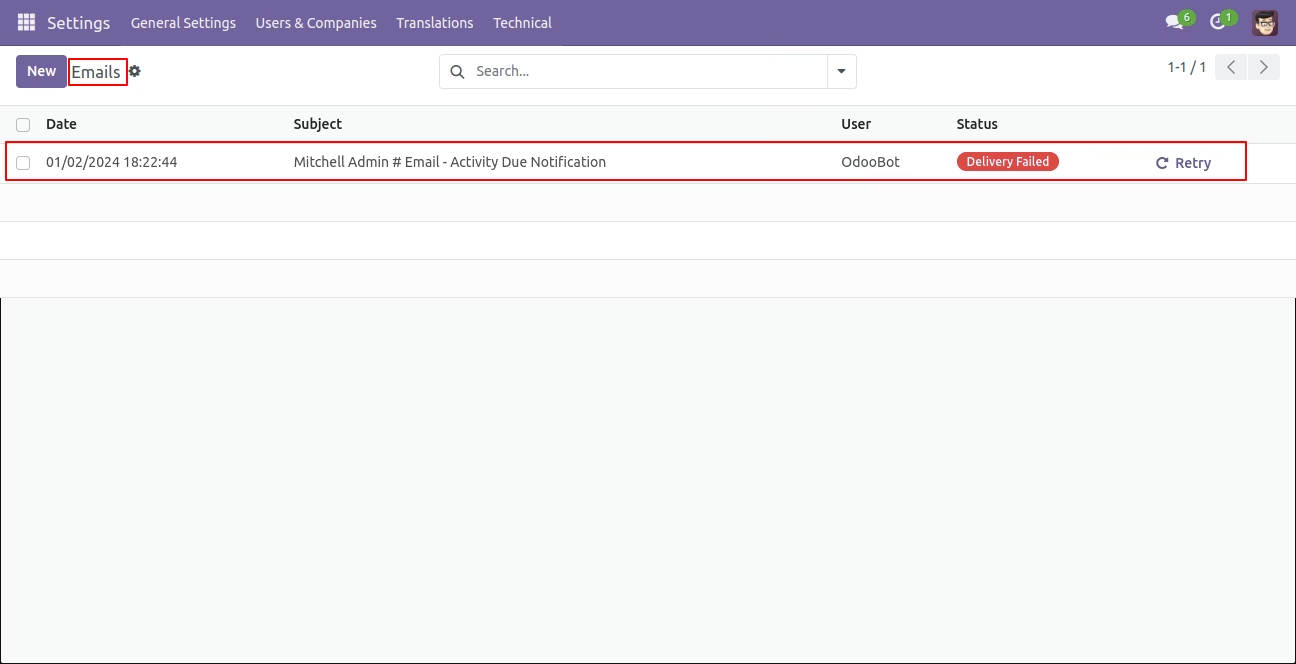
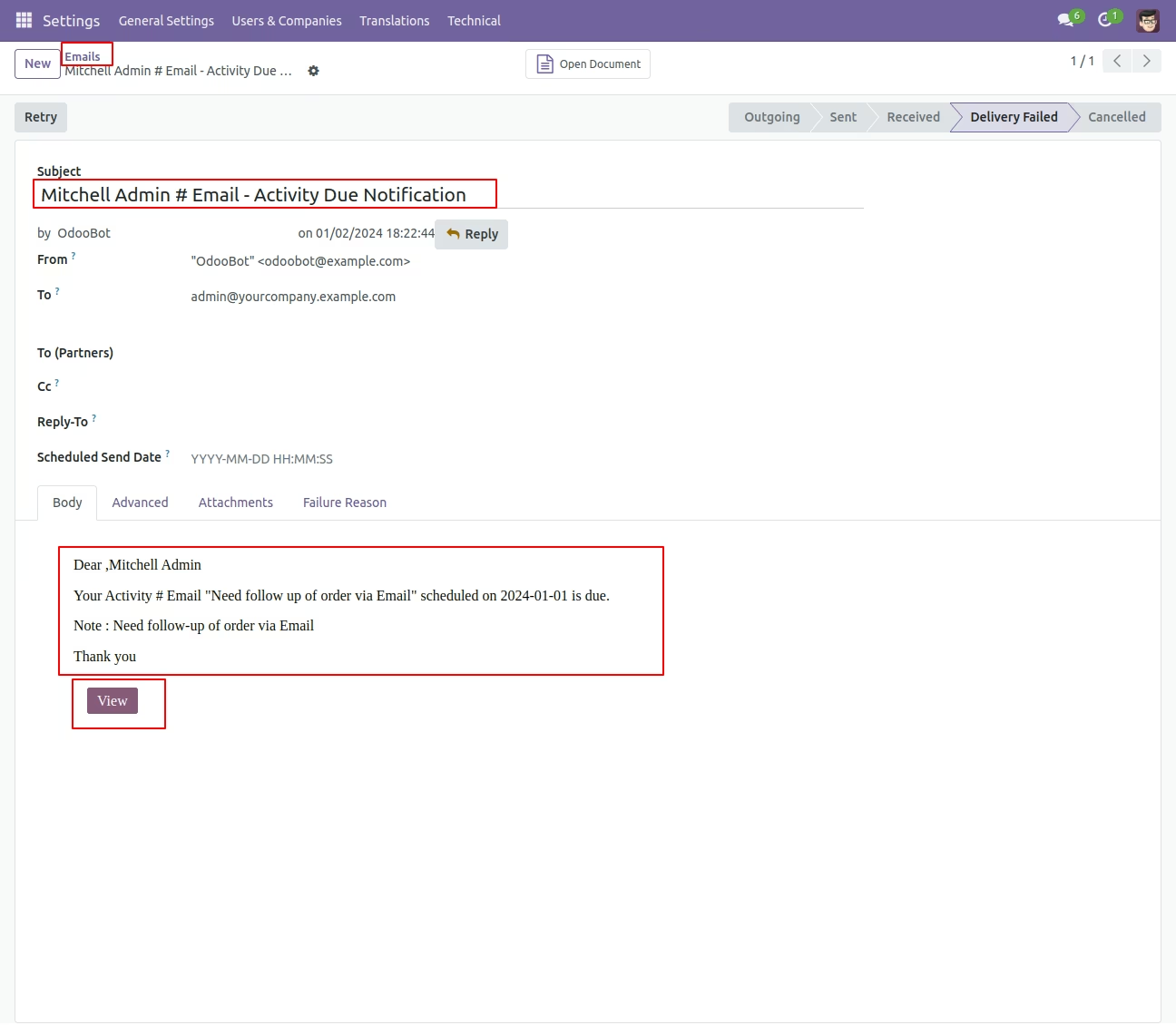
- Automatically create an email after the set schedule for notifying to a salesperson.
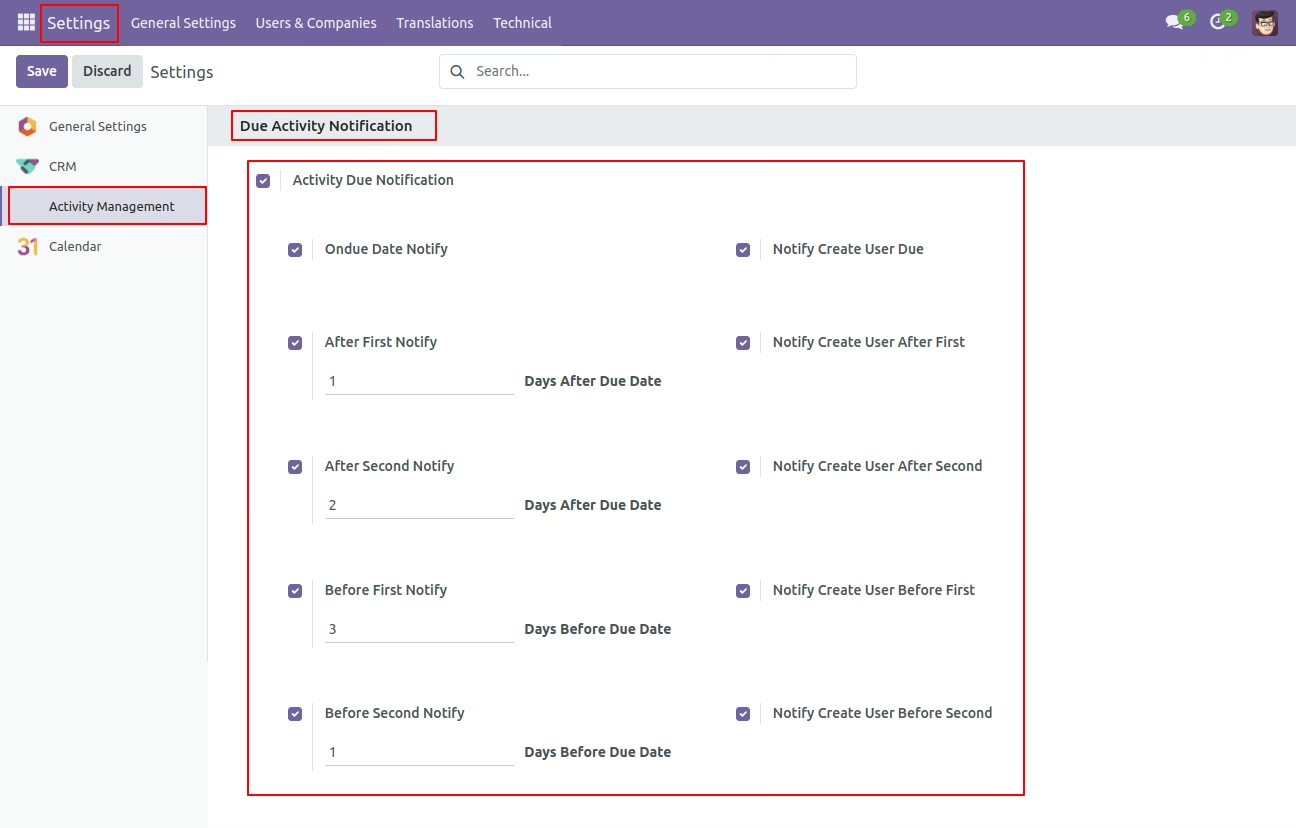
Set 'Activity Due Notification' to True form settings. The date will be compared with the Date Deadline set of activity. If Tick 'On Due Date' then the user of activity whose deadline date is the same as the current date will be notified. If days after the due date are entered, then the user of overdue activity whose ( deadline date + after due days entered ) is the same as the current date will be notified. If days before the due date are entered, then a user of upcoming activity whose ( deadline date - before due days entered ) is the same as the current date will be notified.
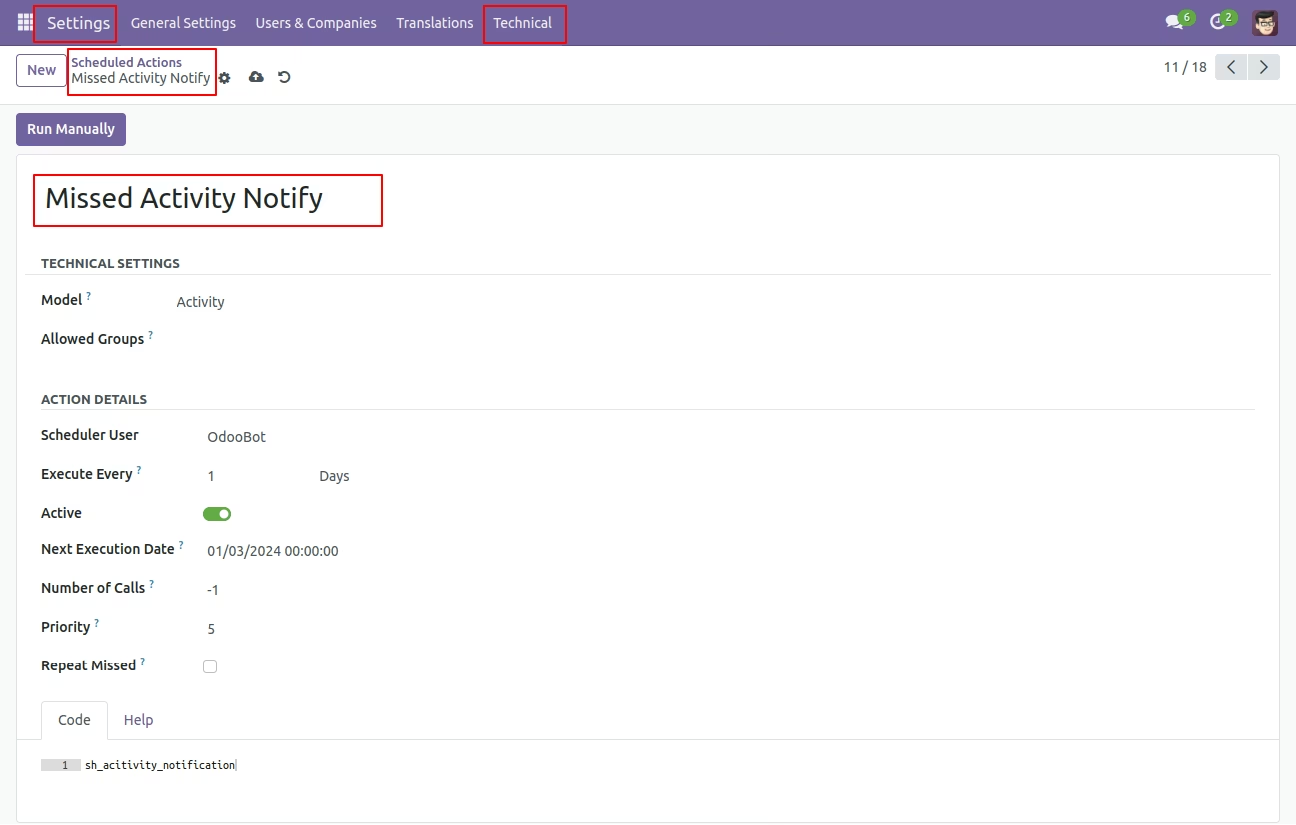
Schedule action 'Missed Activity Notification', set execution days and execution time as per requirement.
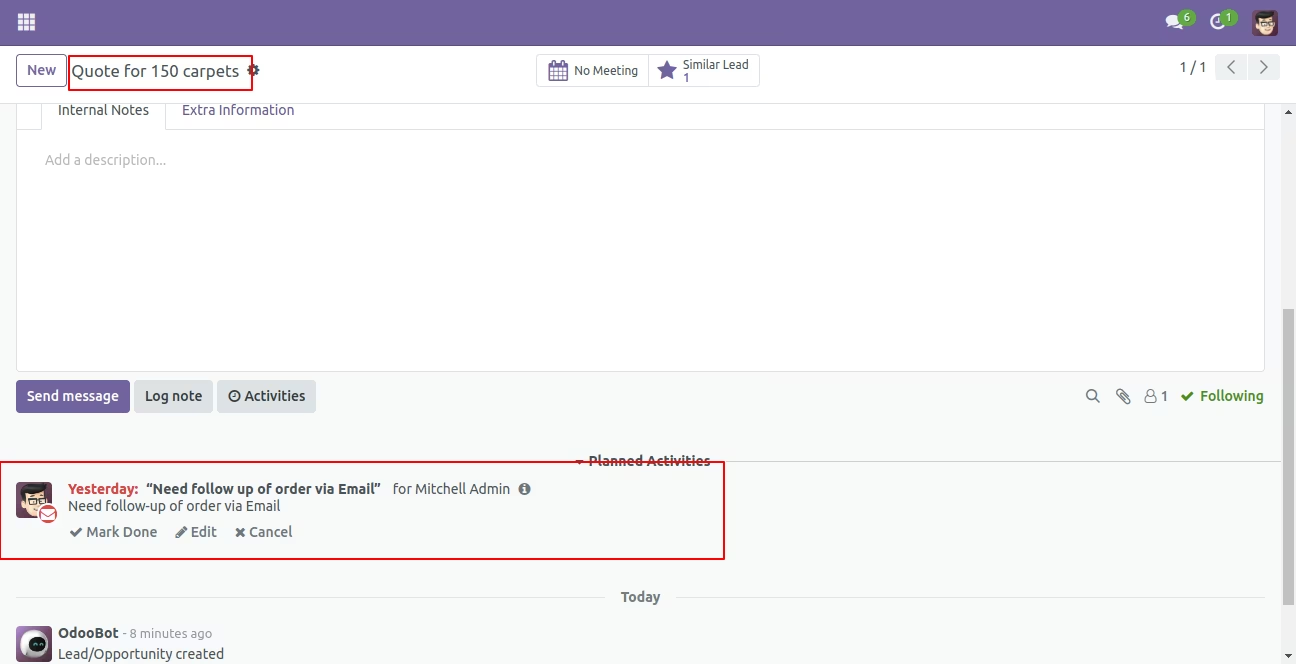
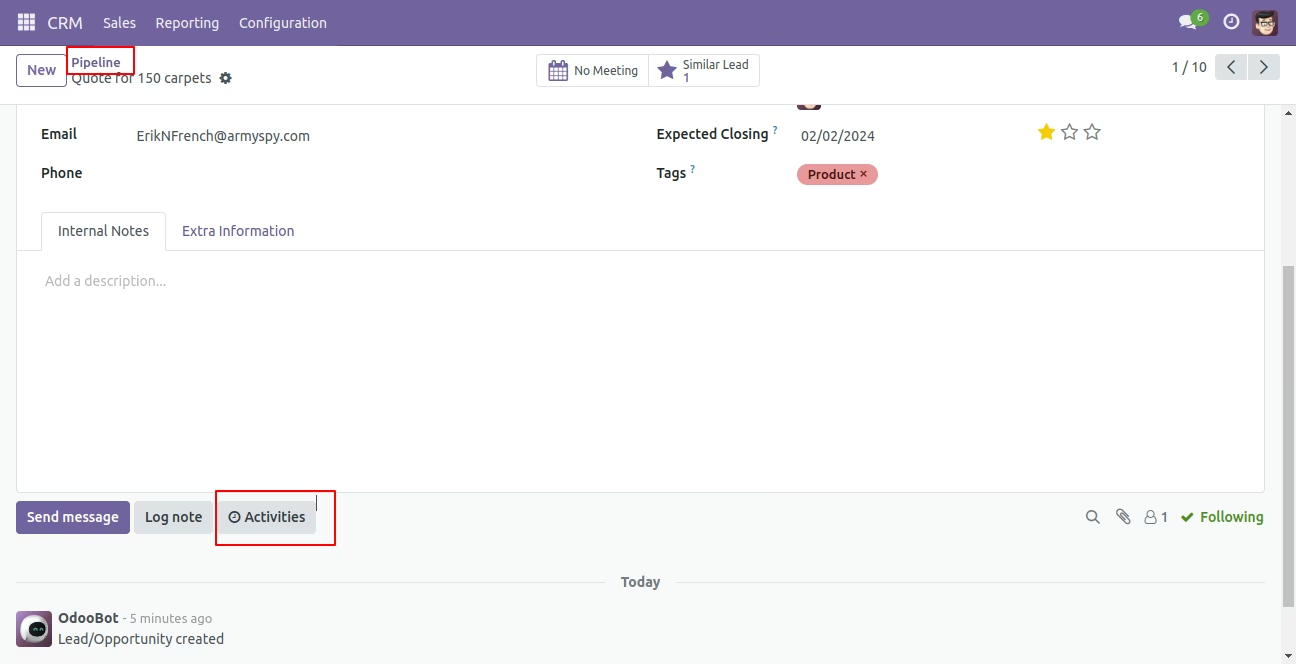
Activities from any form view.
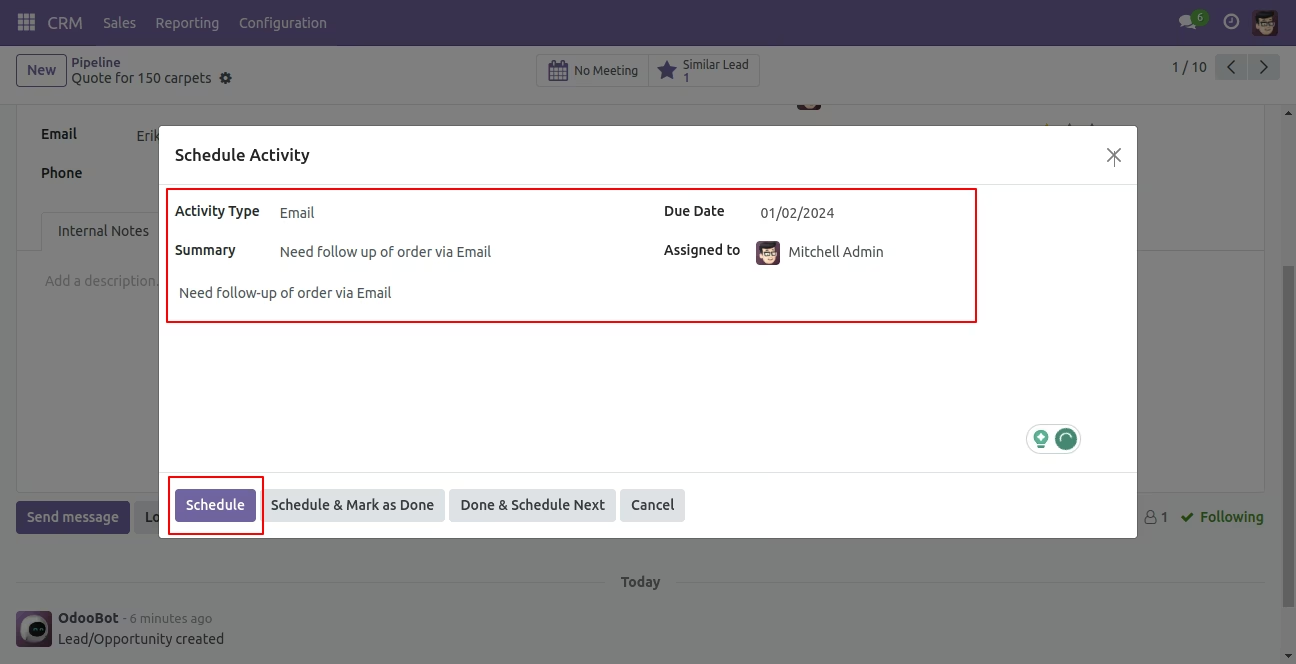
Create Activity and Set salesperson/customer whom you want to assign. This Assigned to user will get activity Due notification as per settings.
Email sent to assigned to salesperson/customer if the activity is due as per configuration settings.