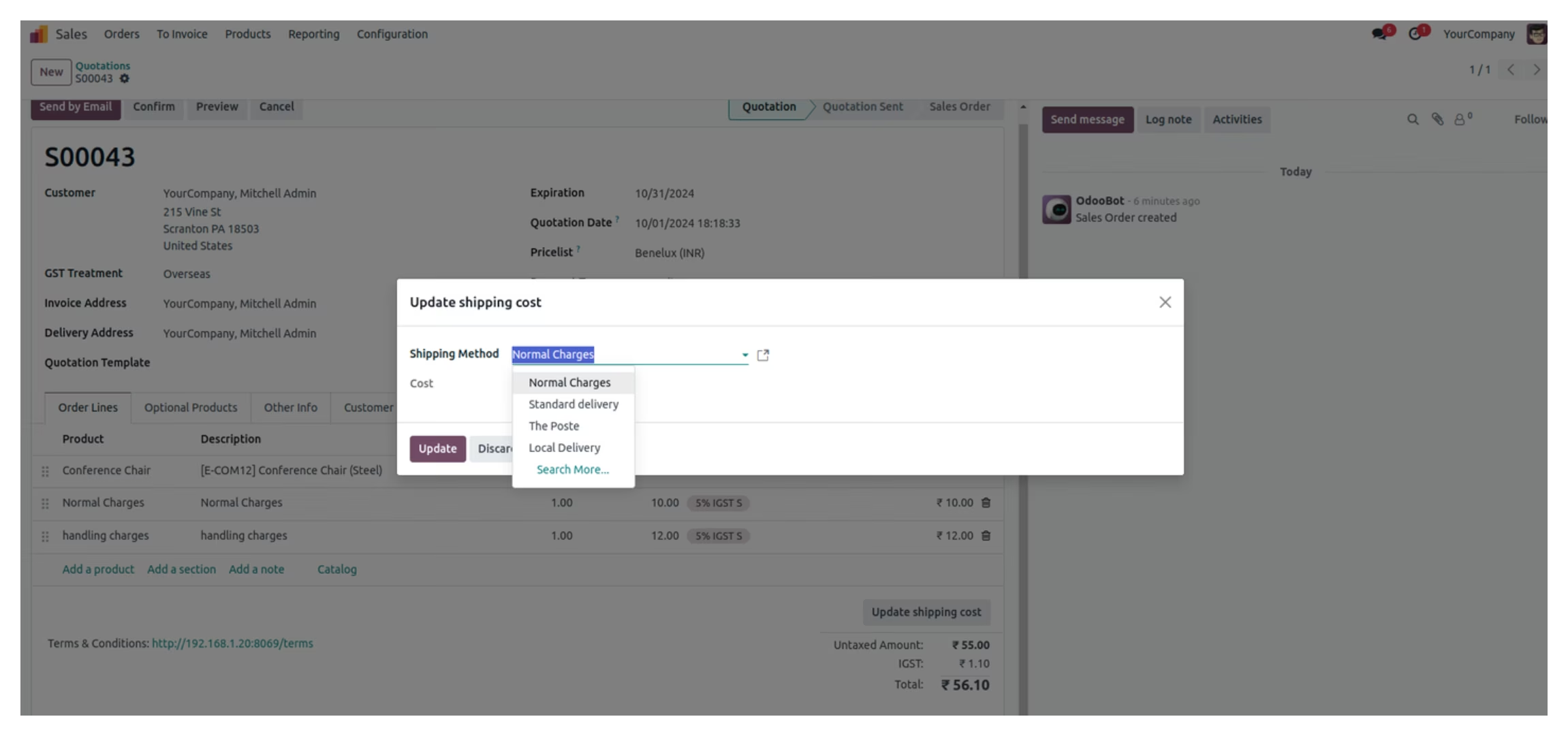
This module streamlines delivery cost management by automatically applying handling charges to orders when a shipping method's limit threshold is not met. Configurable directly within shipping methods, it ensures accurate and context-sensitive handling surcharges in both sales interface and ecommerce flows, enhancing operational precision in shipping fee calculation.
Applies handling charges automatically when order total falls below defined threshold
Configurable per shipping method for flexible fee management
Visible handling charges during sales and ecommerce workflows
Fully compatible with standard shipping and delivery features
Eliminates manual surcharge entries, speeding up order processing
Ensures shipping costs remain transparent and consistent for users
Enhances pricing accuracy and control in shipping operations
Reduces configuration complexity with built-in threshold logic
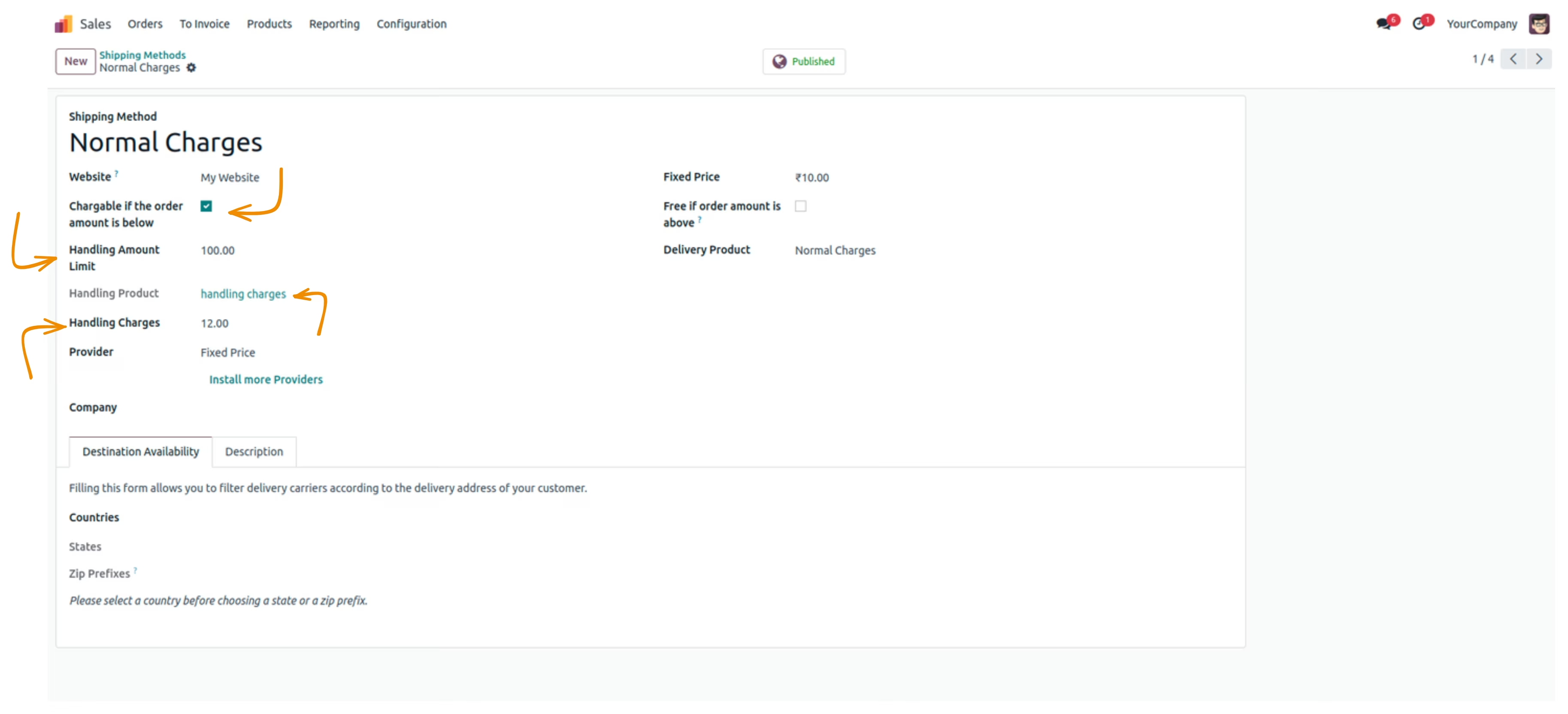
The module called Delivery Handling Charges in the Shipping Method that automatically adds the handling charges per order when the Handling Limit is set to the desired level in the Shipping Method.
To Navigate this functionality Go to Sales > Configuration > Shipping Methods. And set the limit in the "Handling Amount Limit" based on your requirements.
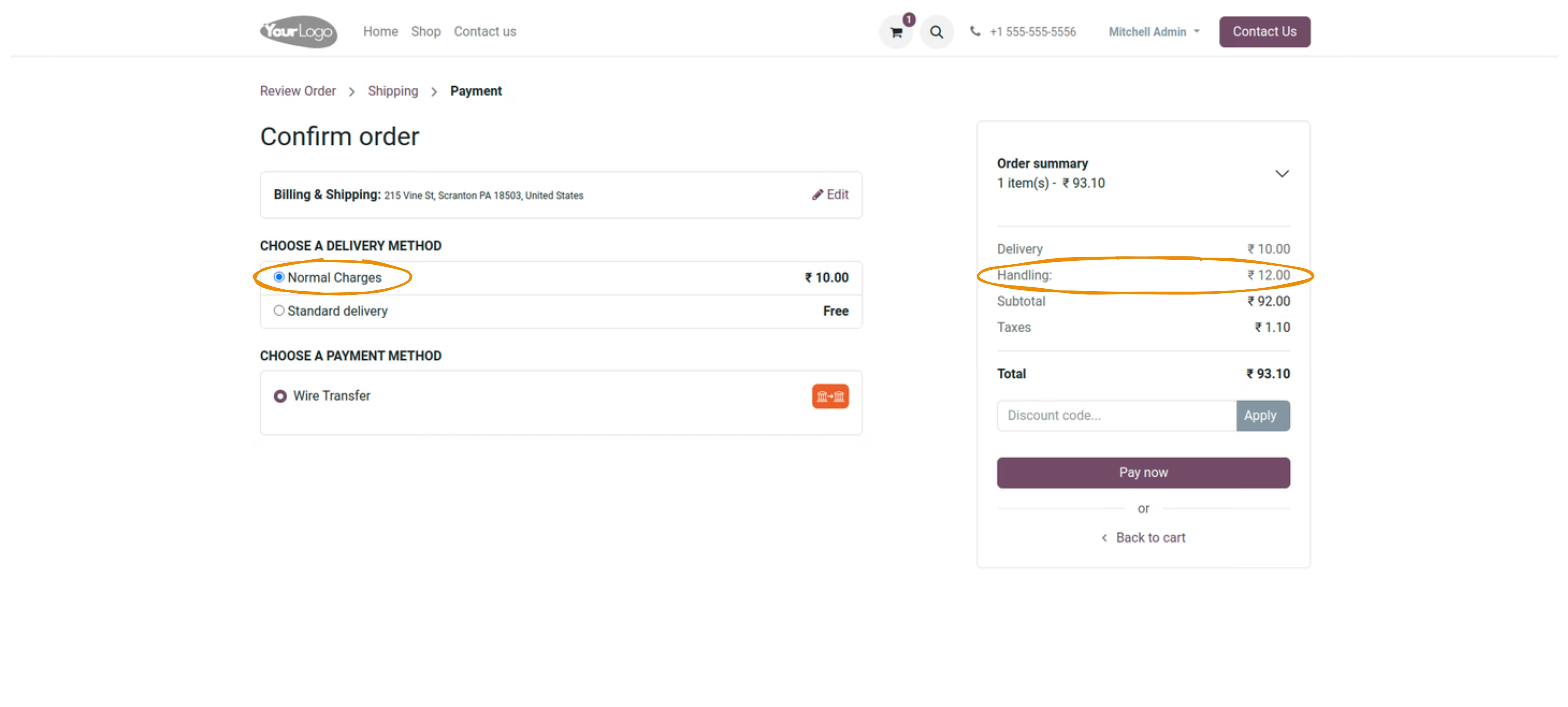
The Handling Charges will be visible on the payment page if the total amount is less than the handling amount limit otherwise the handling charge will be zero.
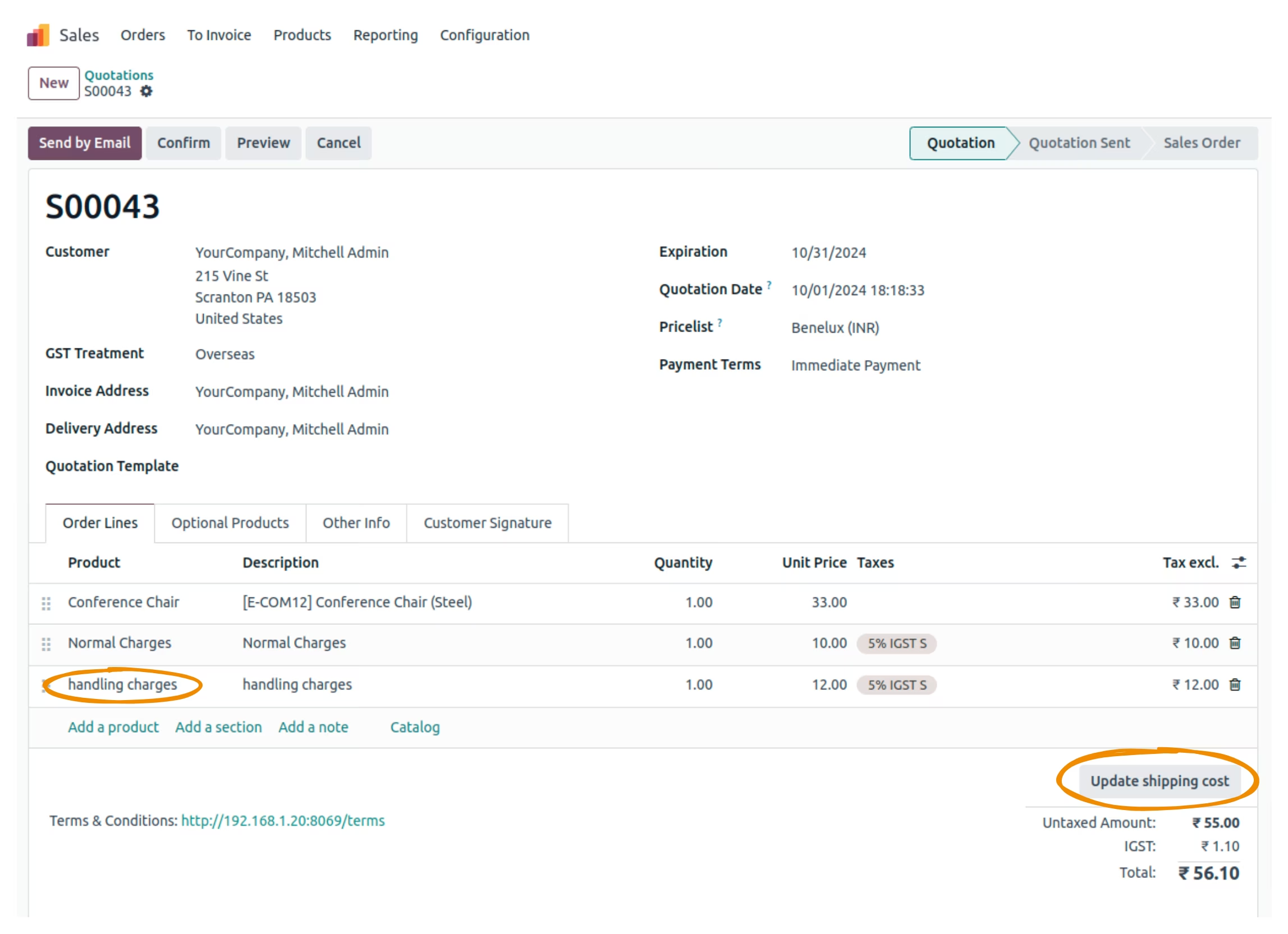
Once you navigate to Sales > Orders > Quotations, the handling charges has been added to the sale order line along with the delivery charge.
User can also edit the shipping cost by clicking on the "Update Shipping Cost" and selecting the desired shipping method. Selecting any option will also reflect on the payment page.