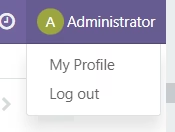
This module streamlines the user interface in by allowing administrators to remove predefined items from the user account dropdown menu such as preferences, help links, documentation, or “My account” delivering a cleaner, less cluttered navigation experience. It’s ideal for companies wanting to present a more intuitive and customized user portal.
Remove default menu options like preferences, help, or account links from the User Account dropdown
Simplify the user menu for a cleaner, more focused experience
Enhance user interface by reducing unnecessary navigation clutter
Lightweight module that delivers immediate UI improvement without complex setup
Streamlines user navigation by hiding non-essential menu items
Improves usability and branding by presenting a refined account menu
Reduces clutter, enabling users to focus on relevant options
Quick and easy to deploy, enhancing UI immediately after installation
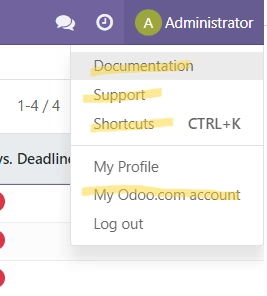
By removing menu items the menu will look like below :