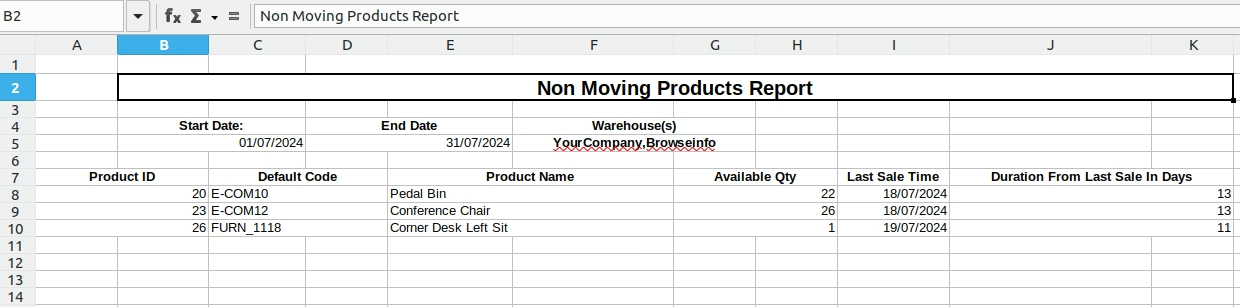
This module empowers businesses to analyze and manage non-moving or slow-moving inventory. With intuitive filters for date ranges and warehouse locations, it generates detailed reports on products that remain unsold or stagnant over time. Designed to optimize stock levels and financial outcomes, it provides clear visibility into dead stock and inventory aging trends.
Generate non-moving product reports by selecting date range and warehouse
Focus on identifying dead stock or slow-moving inventory
Export detailed reports to XLS for further analysis and auditing
Seamlessly integrates within Inventory workflows
Helps reduce excess stock and free up warehouse space through informed insight
Enhances cash flow by identifying underutilized inventory
Supports data-driven decisions with precise inventory aging reports
Boosts operational efficiency through actionable analytics
Optimize Inventory by Eliminating Long-Stagnant Stock
Identify and Track Dead Stock in Your Warehouse with Ease
Monitor Warehouse Stock Aging and Improve Storage Efficiency
Get Actionable Reports on Non-Moving and Slow-Moving Inventory
This apps will help to indentify Dead stock products, non moving products, slow moving product inventory which have quantity available has been remaining in warehouse for long time
Looking for All sort of warehouse stock reports Apps, please check below module link
All in one Inventory Stocks Reports Apps.
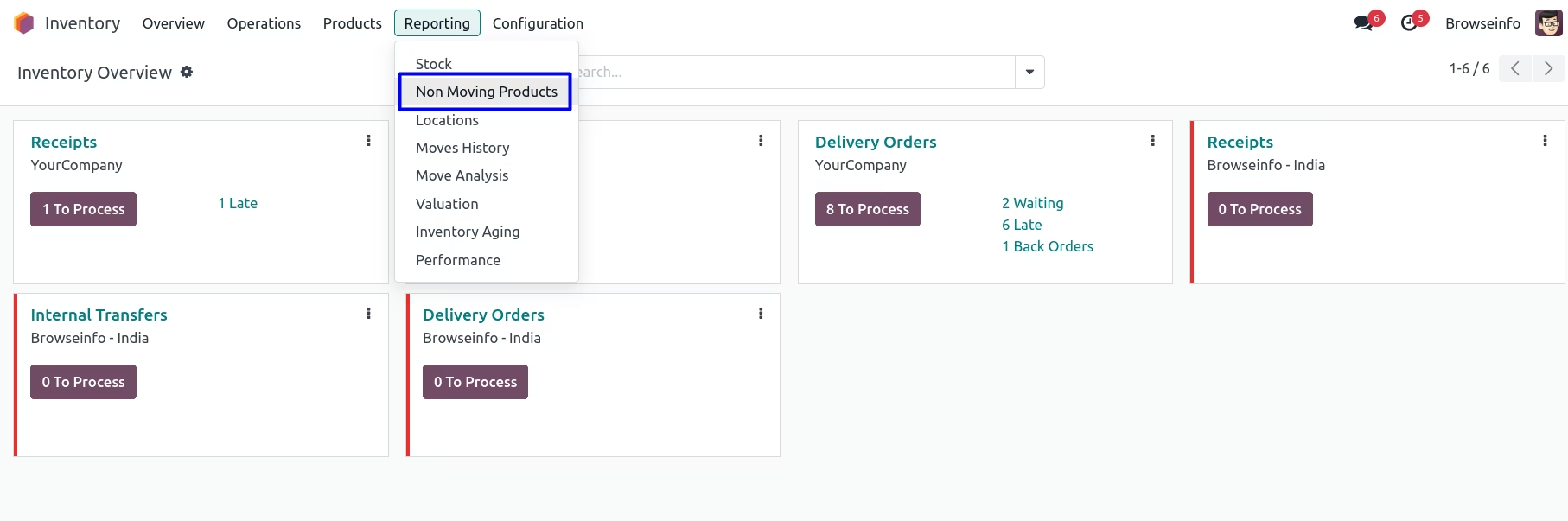
Non Moving Products Report Menu
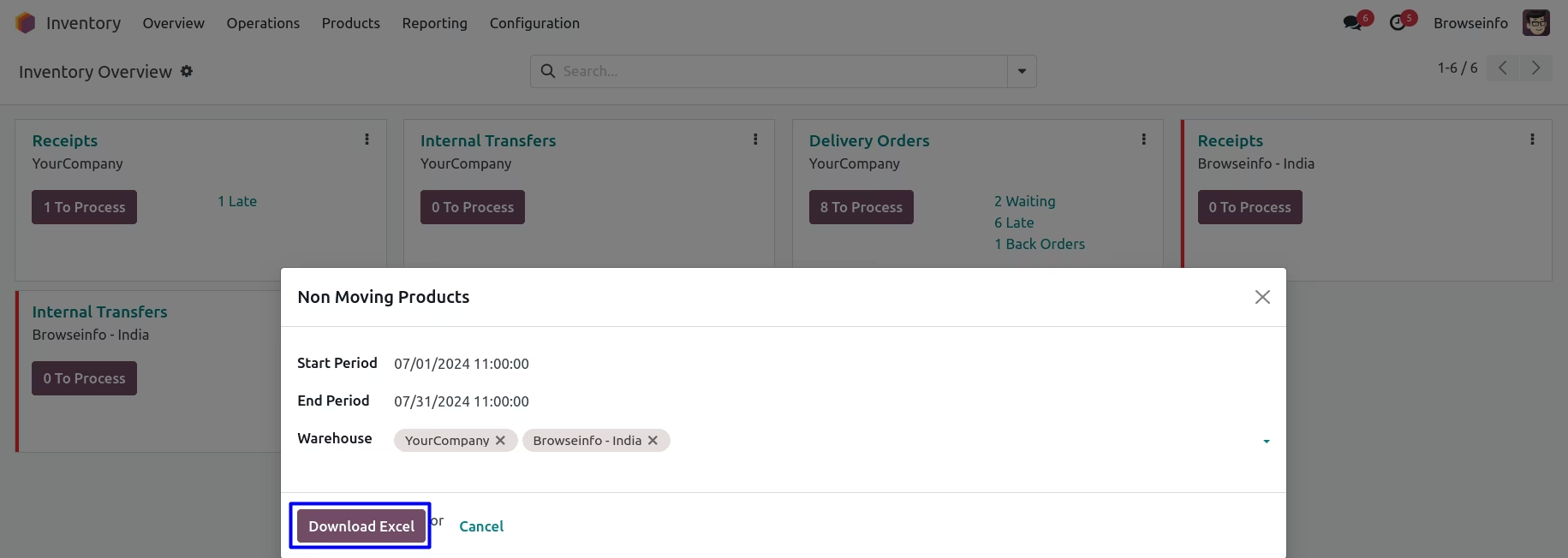
Non Moving Products Report Wizard
When you click to the Menu you will get this wizard,in this wizard you have to select particular duration and warehouse for Generating Report of non moving products.
Non Moving Products Report