This module enhances the Dashboard Ninja experience in by enabling real-time updates of dashboard items whenever underlying data changes without requiring a manual refresh. It elevates responsiveness and user engagement by optionally displaying popup notifications whenever updates occur, ensuring that insights remain current and actionable.
Automatically refreshes Dashboard Ninja widgets when model data changes
Offers optional real-time popup notifications for updates
Integrates seamlessly with Dashboard Ninja without disrupting workflow
Keeps dashboards current and reliable, improving decision-making speed
Eliminates need for manual refreshing, enhancing user efficiency
Enhances user awareness with visible alerts for data changes
Delivers smoother interaction within the analytics environment
-
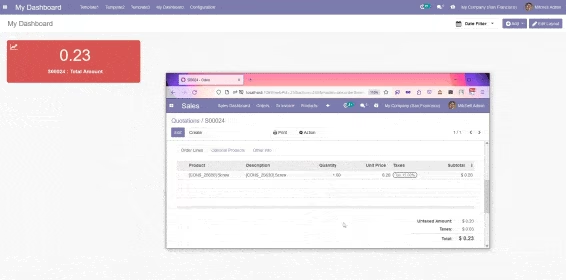
Auto Update: Updates for Every change in the model used in the dashboard

-
Popup Notification: shows Notification for every auto update
Installation
-
This app is an extension of Dashboard Ninja, so before installing this app makes sure you have installed Dashboard Ninja. After successful installation of Dashboard Ninja, install this app and go to menu "Sales" > Sales Dashboard.
Usage
-
With this module, Odoo user can see the instant updates over our Dashboard Ninja items (reports) without refreshing the view..
-
To enable the live update feature, follow these steps.
-
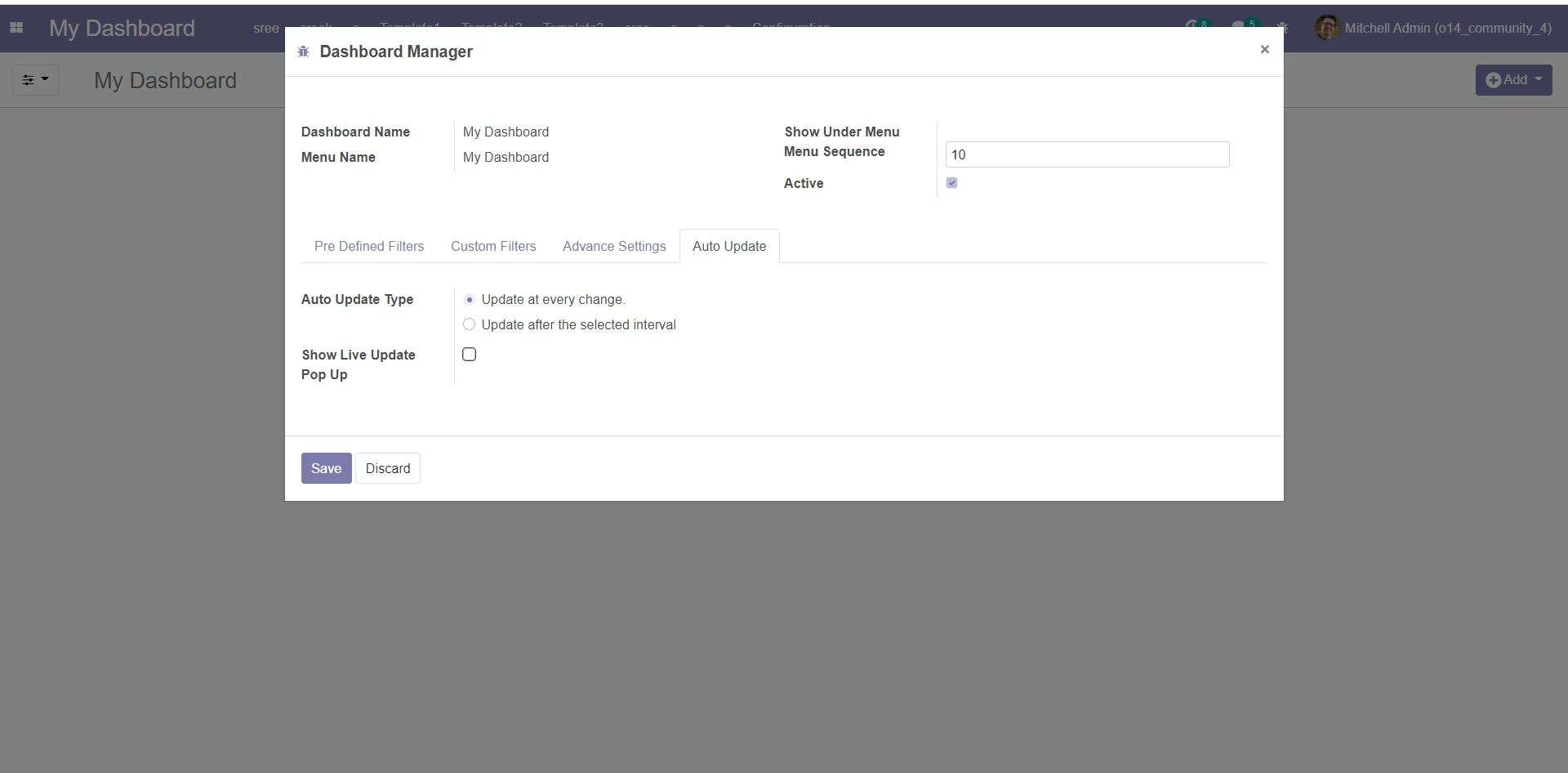
Go to the Dashboard Configuration form view.
-
Under Auto Update Notebook Tab select the Update at Every Change option for Auto Update Type.
-
User can also select whether to show notification pop up over the dashboard when there is some change in the Dashboard Items data.