The module for provides businesses with a robust solution to generate detailed account statements for both customers and suppliers. This module enables the creation of comprehensive reports in PDF and Excel formats, facilitating transparent financial communication and efficient reconciliation processes. By integrating seamlessly with existing accounting infrastructure, it enhances overall financial reporting capabilities, ensuring that businesses maintain accurate and up-to-date records of all transactions.
Generate customer and supplier account statements in PDF and Excel formats.
Filter statements by date range, account, and partner.
Customize the layout and content of statements to meet business requirements.
Automate the generation of statements on a scheduled basis.
Integrate with accounting modules for seamless data synchronization.
Provide access to statements through customer and supplier portals.
Send statements directly via email to customers and suppliers.
Track and manage statement history for auditing purposes.
Support multi-currency transactions and conversions.
Ensure compliance with accounting standards and regulations.
Enhances transparency in financial communications with customers and suppliers.
Streamlines reconciliation processes by providing clear and detailed statements.
Reduces administrative workload through automated statement generation.
Improves cash flow management with timely and accurate financial information.
Strengthens business relationships through professional and consistent reporting.
Facilitates compliance with financial regulations and auditing requirements.
Offers flexibility in report formatting to suit various business needs.
Integrates seamlessly with existing accounting modules for efficient data management.
Provides secure access to statements via customer and supplier portals.
Supports multi-currency transactions for global business operations.
Portal Access for Account Statements
Overdue Invoice Report and Email Statement Tool
Statement by Due Range for Customers/Suppliers
Customer/Supplier Financial Statement with Overdue Details
Customer/Supplier financial accounting Statement apps offers you to view customers or suppliers statements reports with overdue invoices details and helps you to send statements of account reports by email to your customers/suppliers statement reports comes with the due range tables with 0-30 days, 30-60 days, 60-90 and 90+ days kind of range. This apps also helps to print overdue invoice and overdue statement reports of customer statements tab of customer and supplier both shows total due amount and total overdue amount balance, total due is show total remaining due amount of customer or supplier and total overdue amount shows the total which become overdue based on the payment term selected on invoices. You can give the portal access to the specific customer/supplier to see the statement in portal.
Looking for customer account payment followup App, please check below module link
Customer Account Payment followup Apps.
Looking for customer statements and Overdue payment reports Apps,please check below module link
Customer statements and Overdue payment reports Apps.
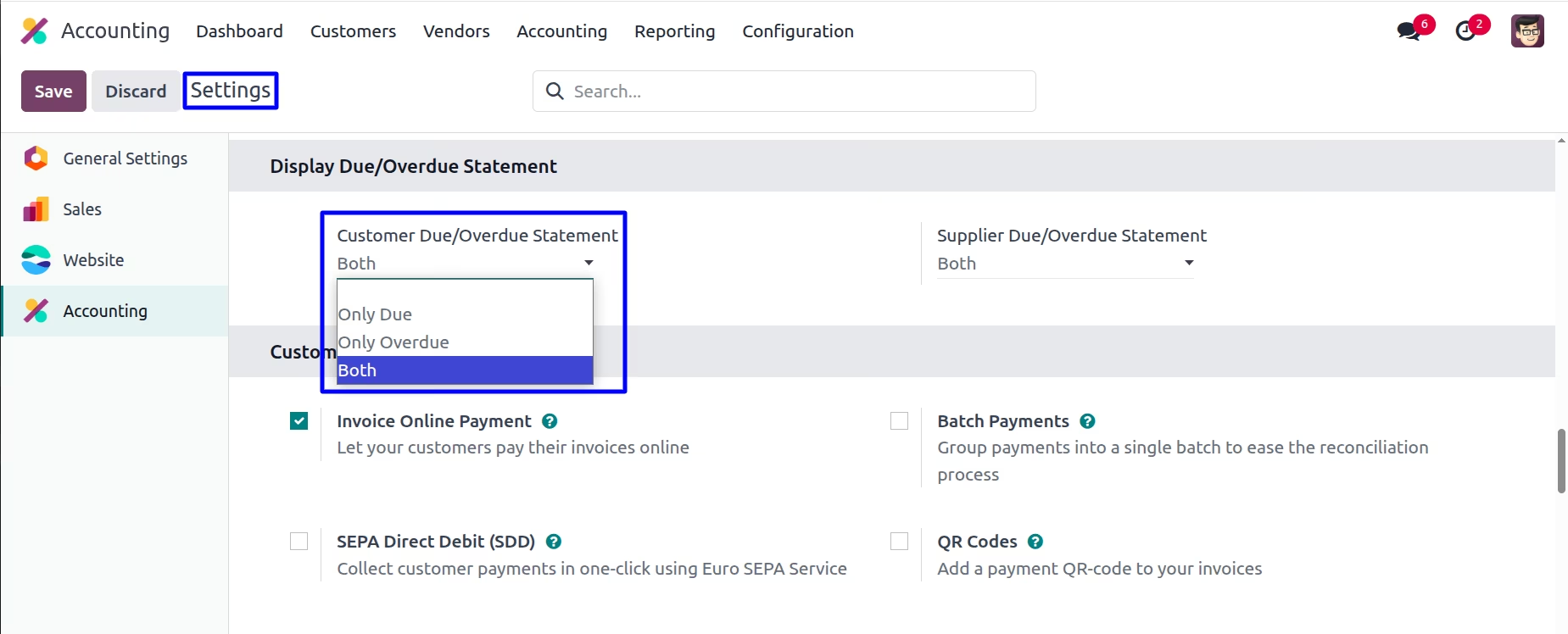
Display Customer Due/Overdue Statement
Goto Invoicing -> Configuration -> Settings in that user have options to display customer 'Only Due','Only Overdue', and 'Both' statement
Customer Statement
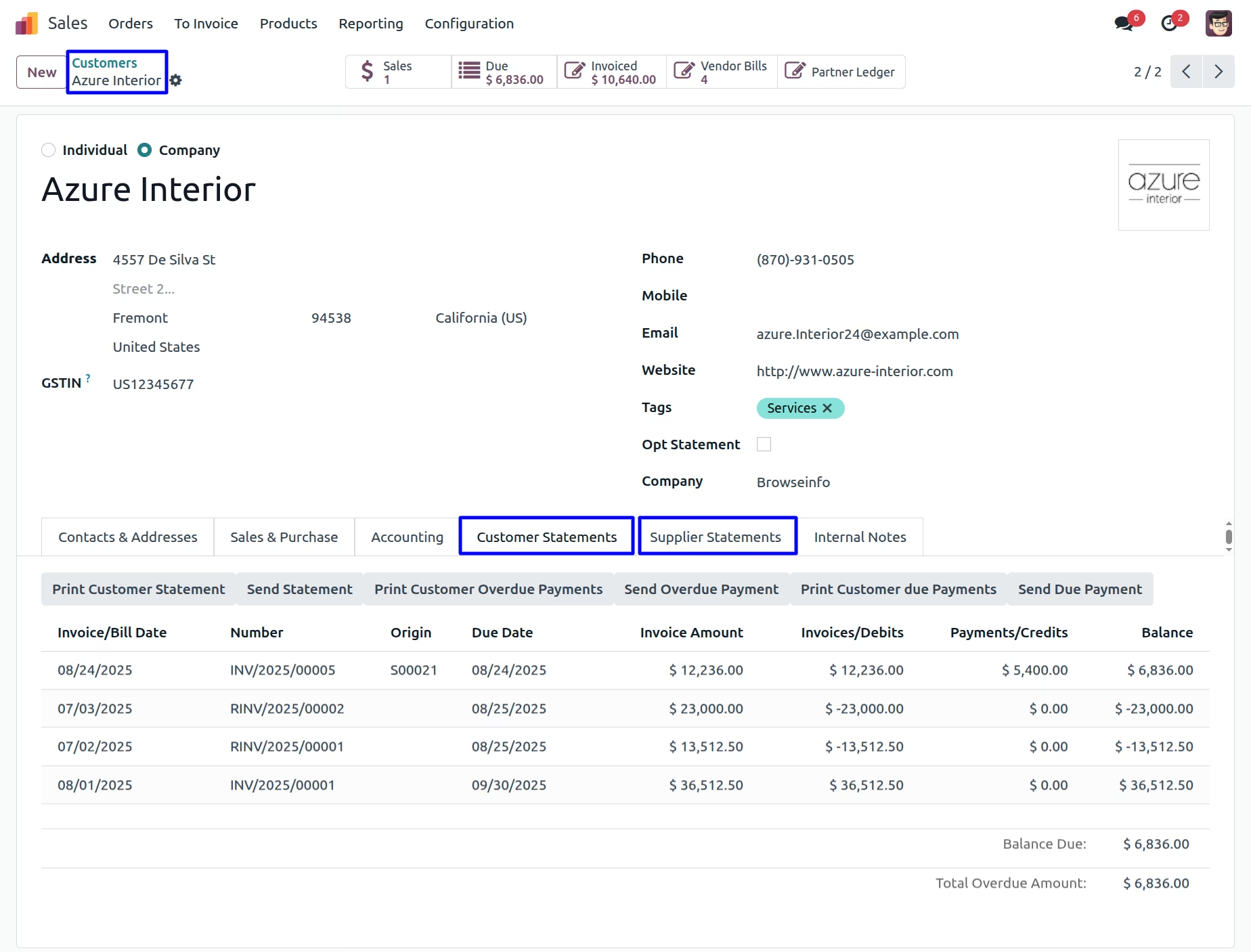
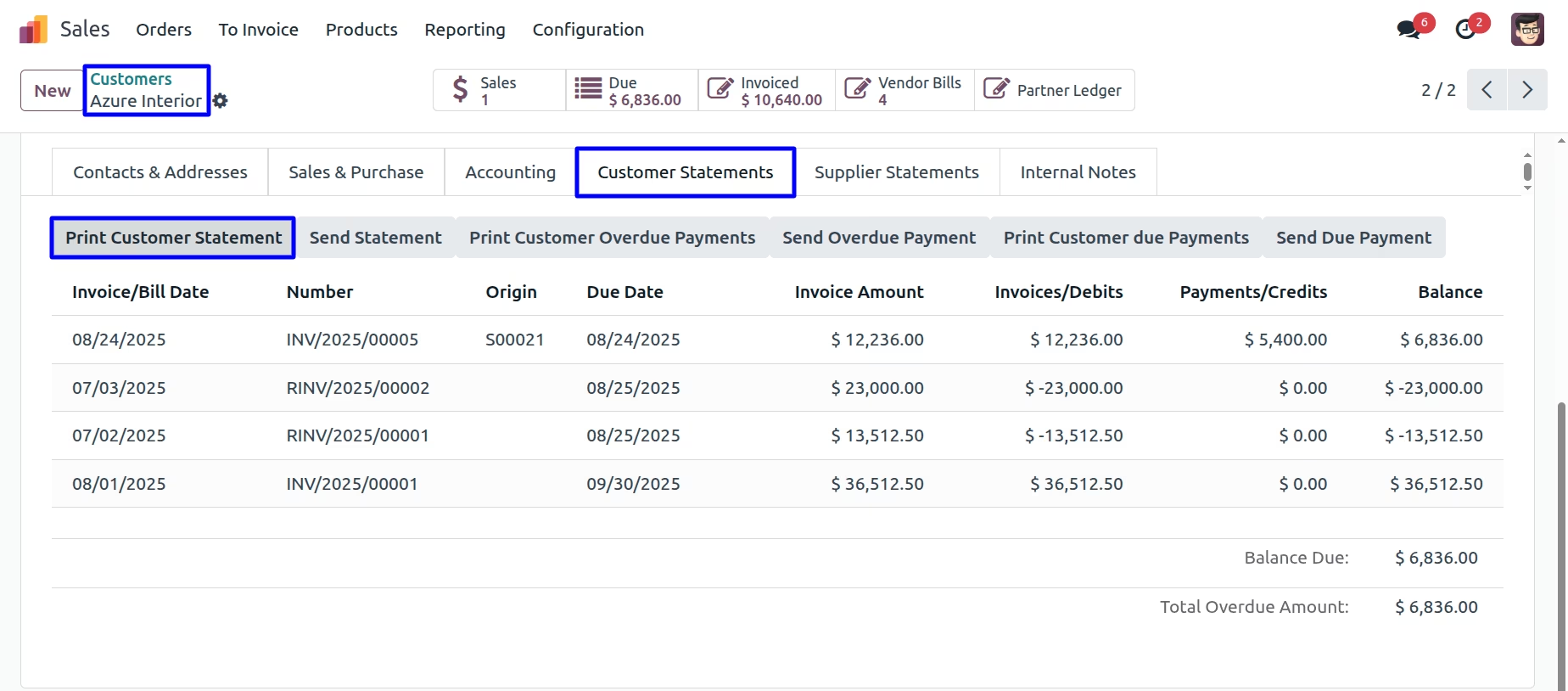
User can find "Customer Statement" and "Supplier Statement" tabs on customer/supplier form view, User also can see "Total Overdue Amount" and "Balance Due"
Print Customer Statement
User can print customer statement report by clicking "PRINT CUSTOMER STATEMENT" button.
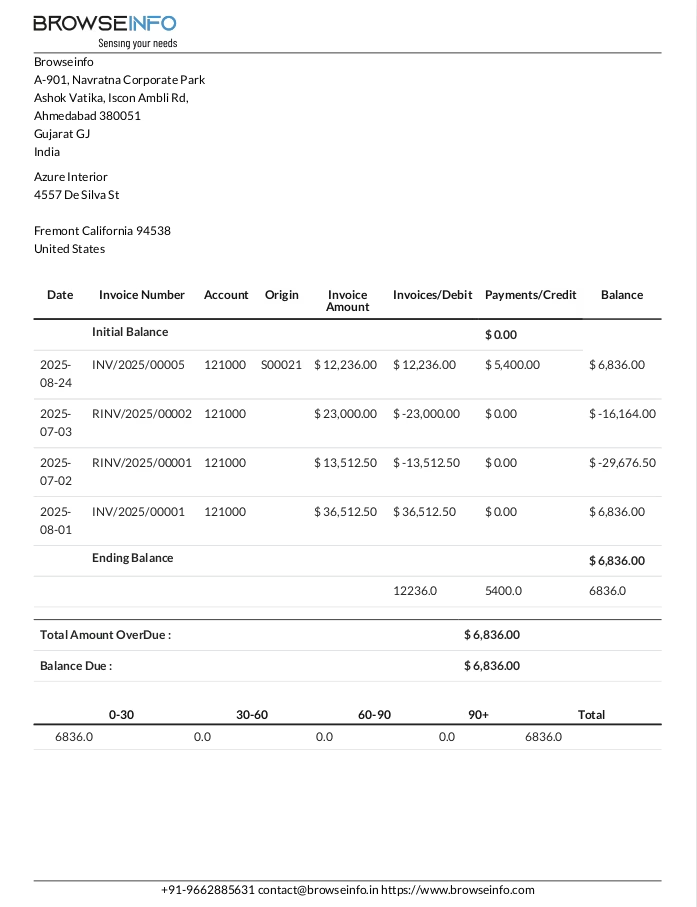
Customer Statement Report
User can see printed customer statement report.
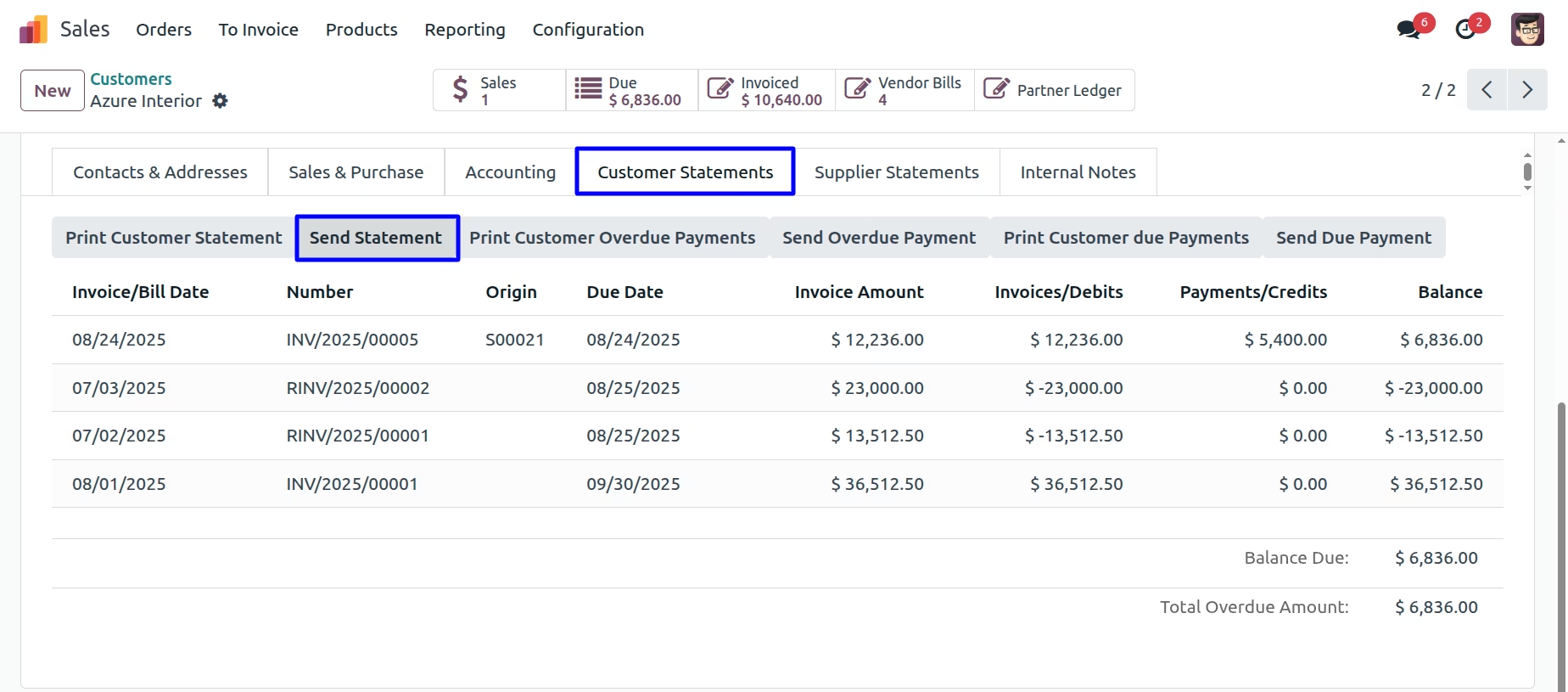
Send Customer Statement Report
User can send customer statement report by mail by clicking "SEND STATEMENT" button.
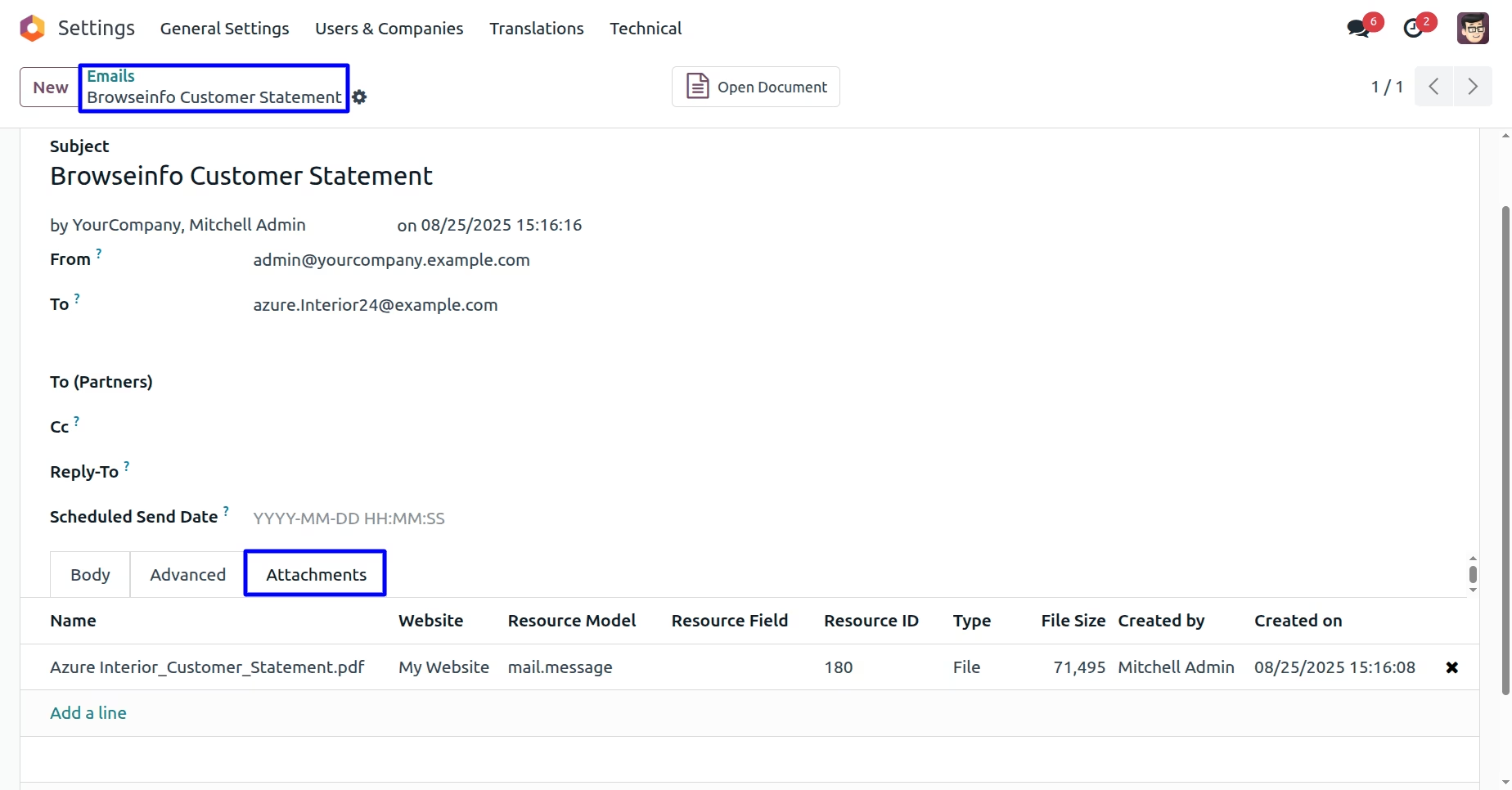
User can see sent mail with attached customer statement report.
Print Customer Overdue Payments
User can print customer overdue payments report by clicking "PRINT CUSTOMER OVERDUE PAYMENTS" button.
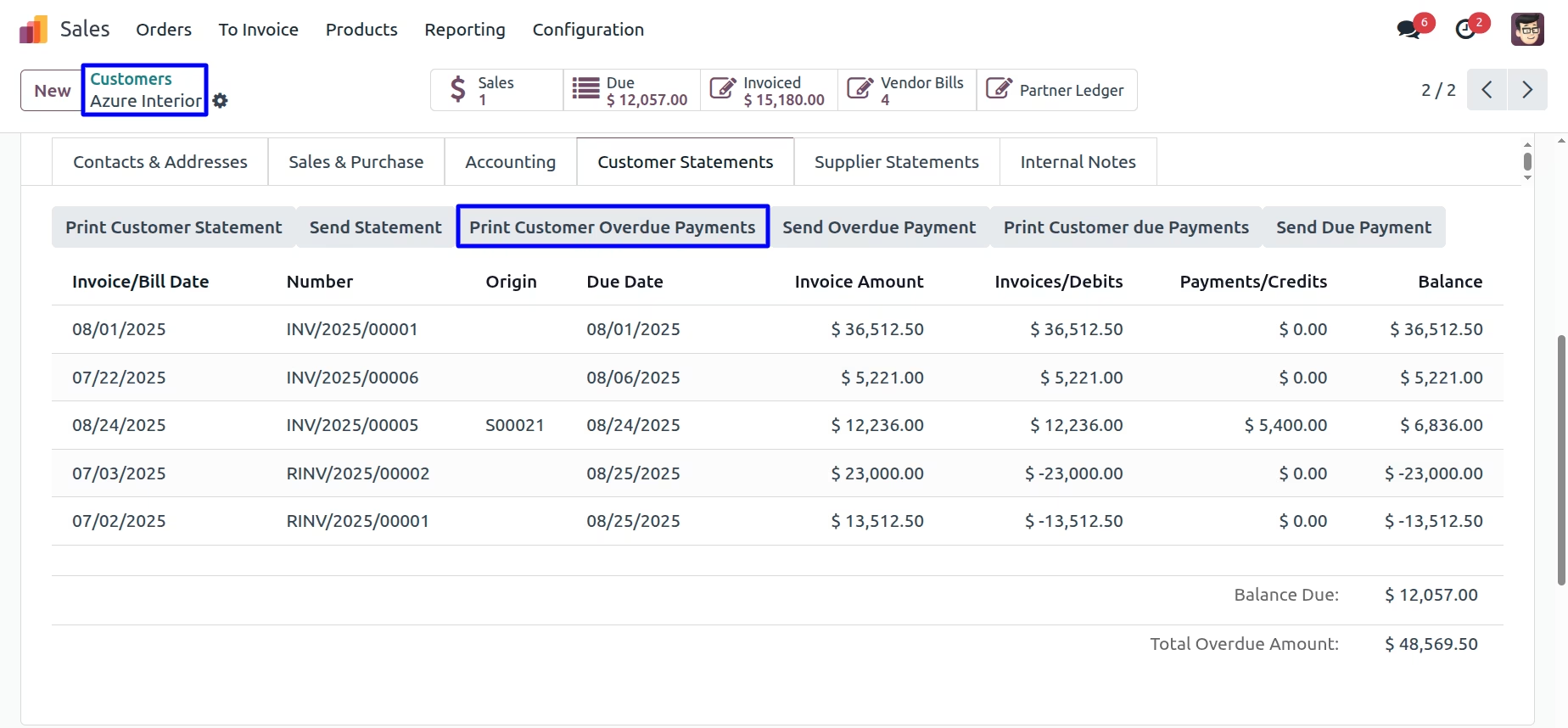
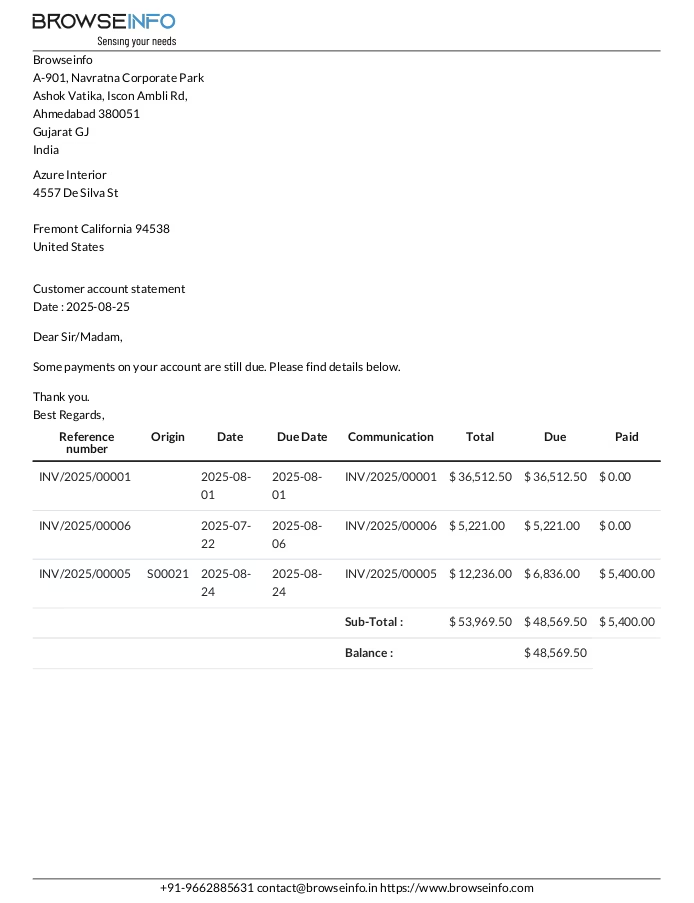
Customer Overdue Payments Report
User can see printed customer overdue payments report
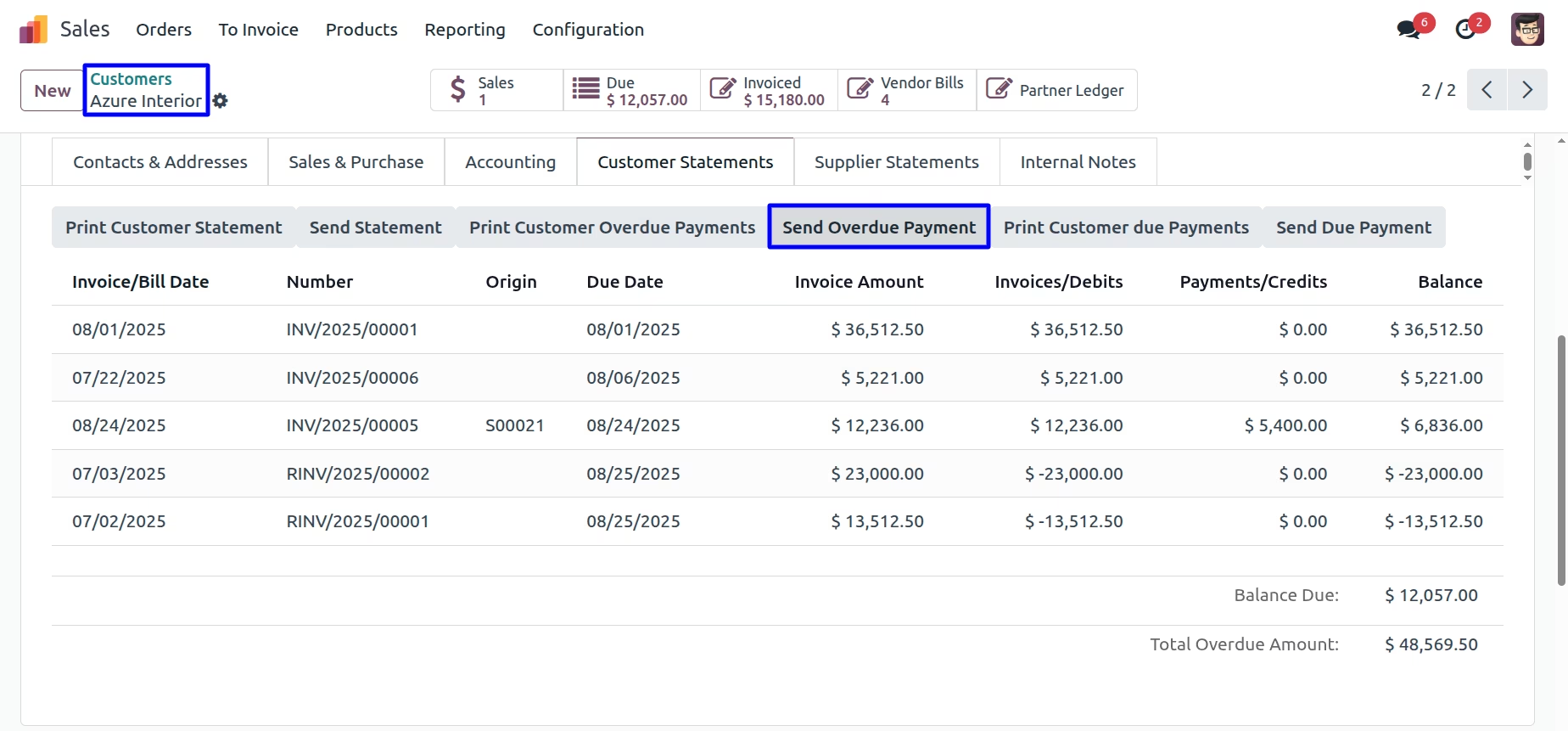
Send Customer Overdue Payments Report
User can send customer overdue payments report by mail by clicking "SEND OVERDUE PAYMENT" button.
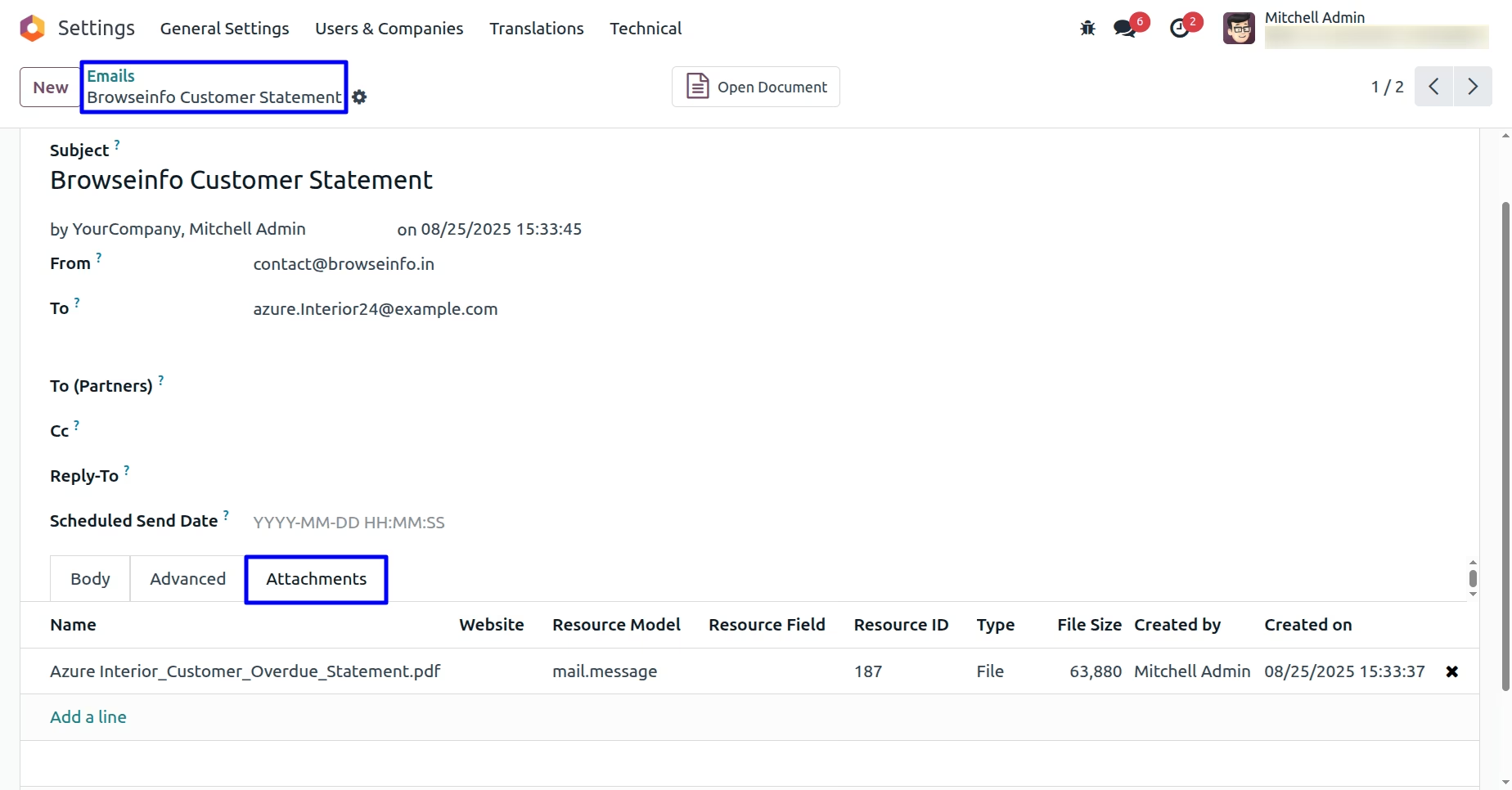
User can see sent mail with attached customer overdue payments report.
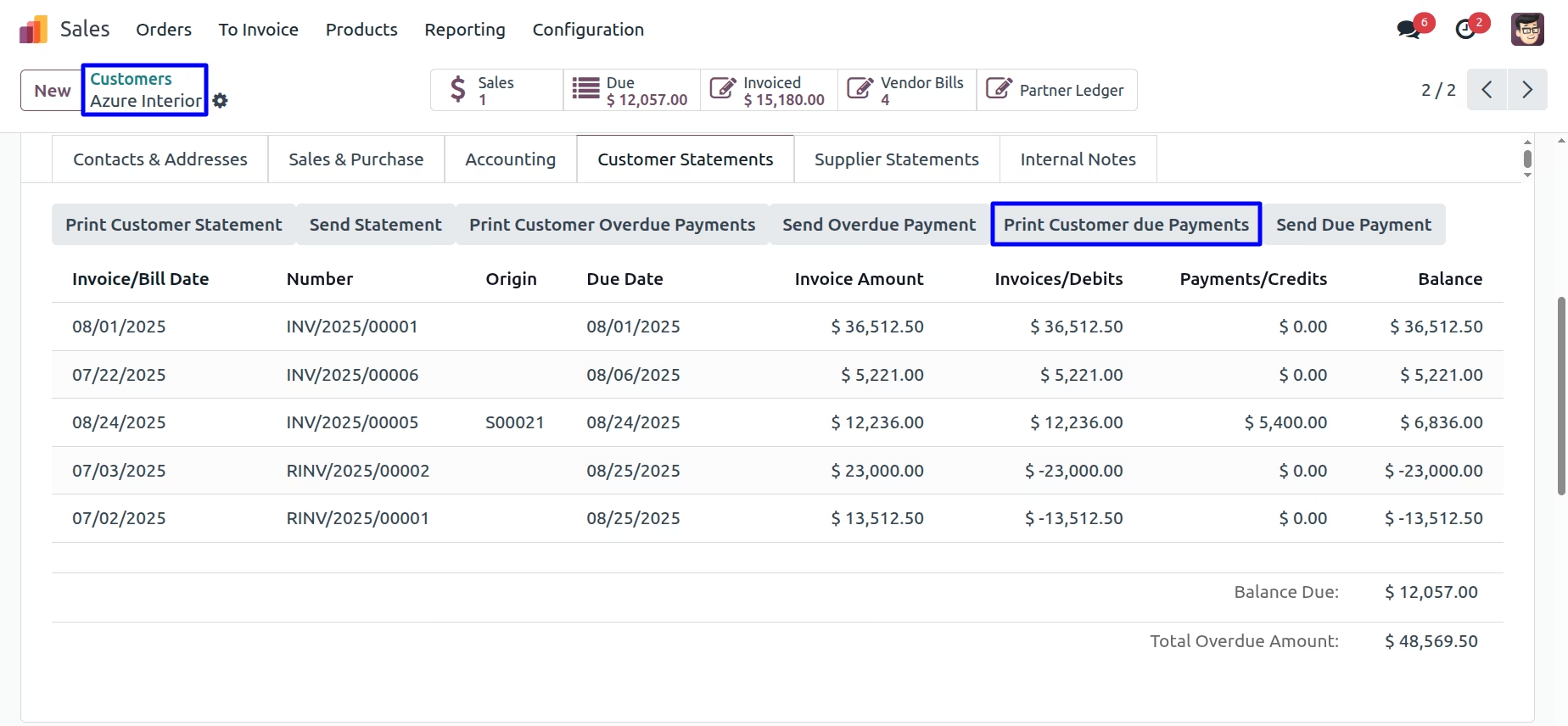
Print Customer Due Payments
User can print customer due payments report by clicking "PRINT CUSTOMER DUE PAYMENTS" button
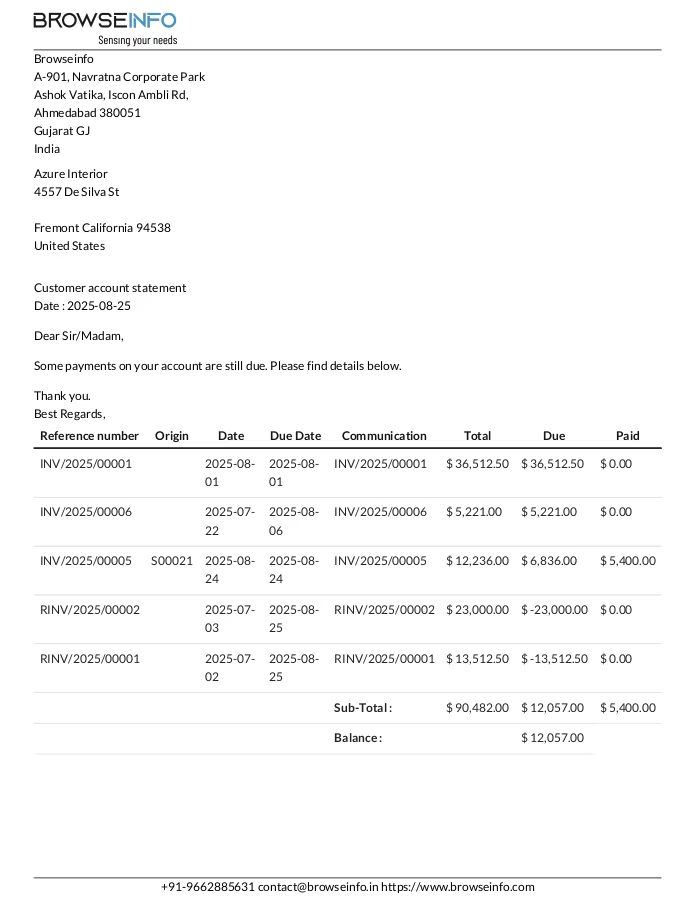
Customer Due Payments Report
User can see printed customer due payments report.
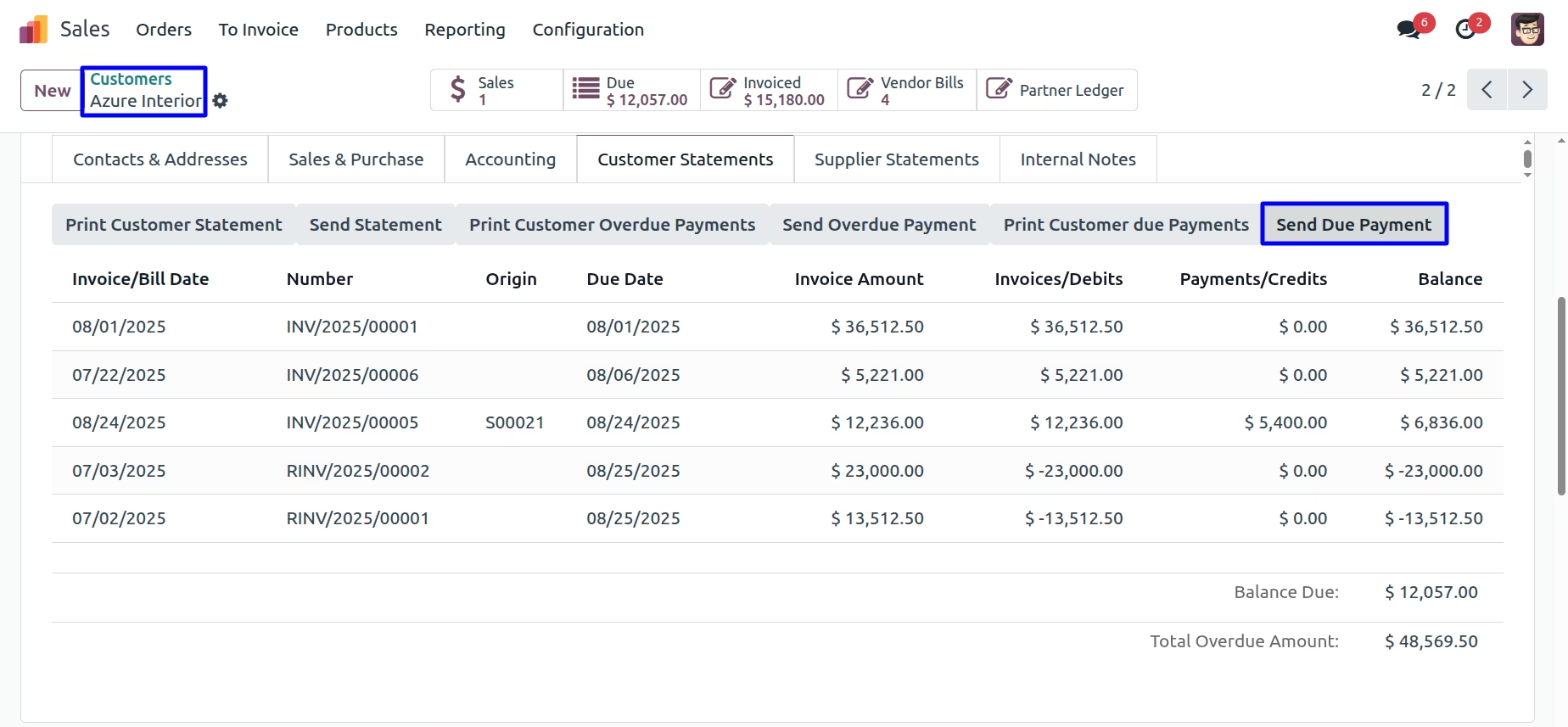
Send Customer Due Payments Report
User can send customer due payments report by mail by clicking "SEND DUE PAYMENT" button
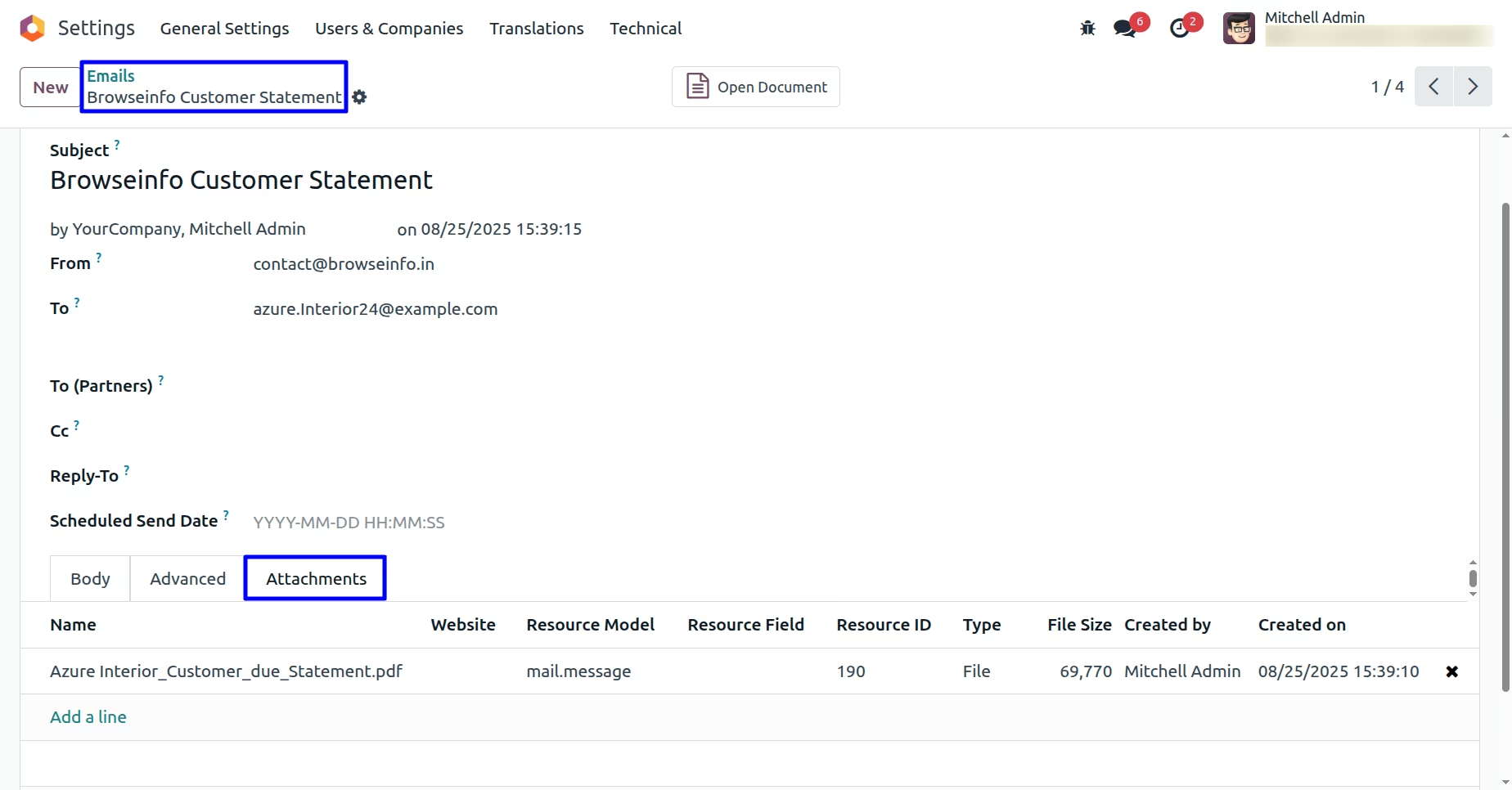
User can see sent mail with attached customer due payments report.
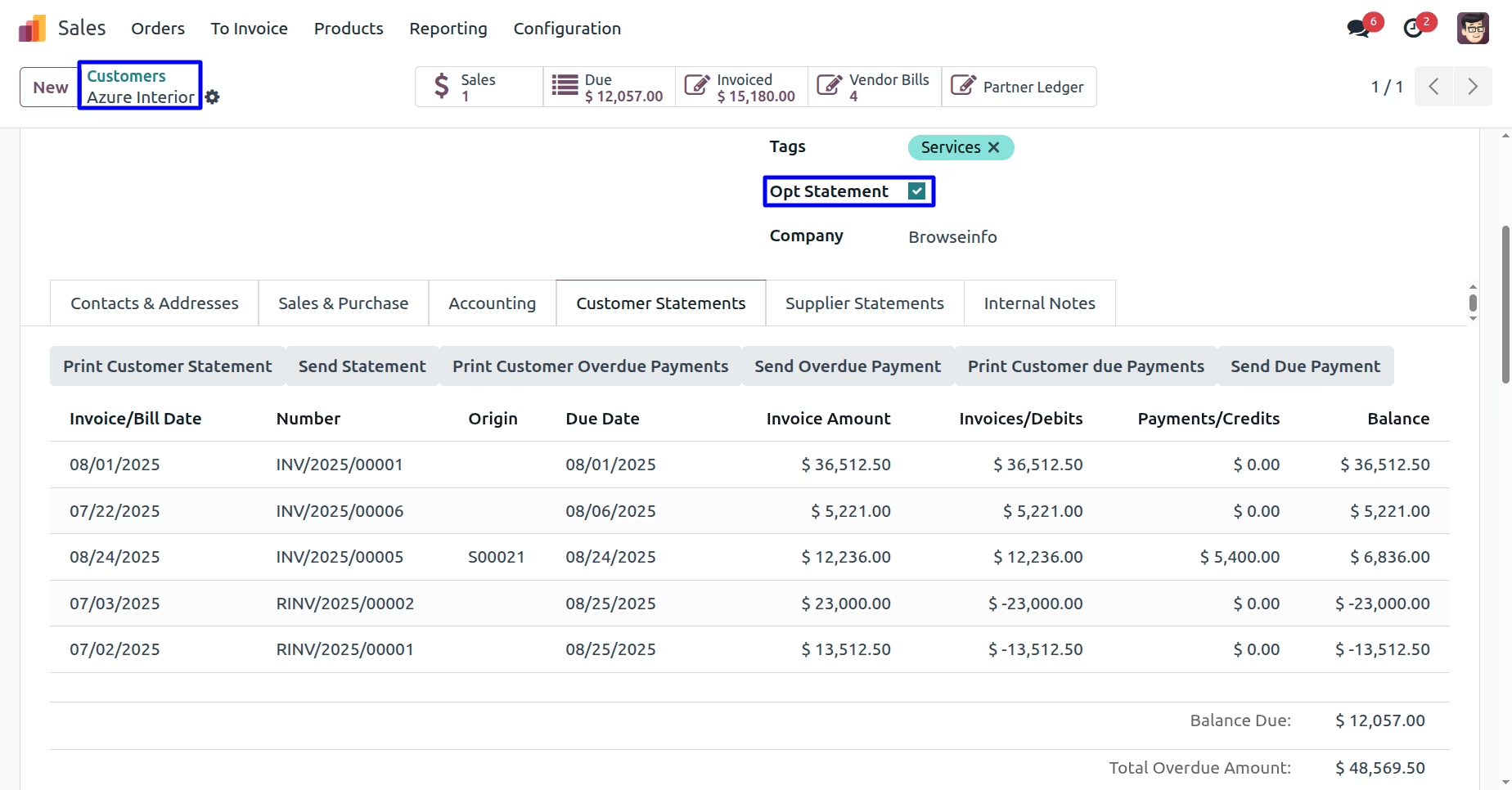
Opt Statement Option
User can enable "Opt Statement" option on customers and suppliers and these customer/supplier won't receive auto weekly, monthly and all statements report by email.
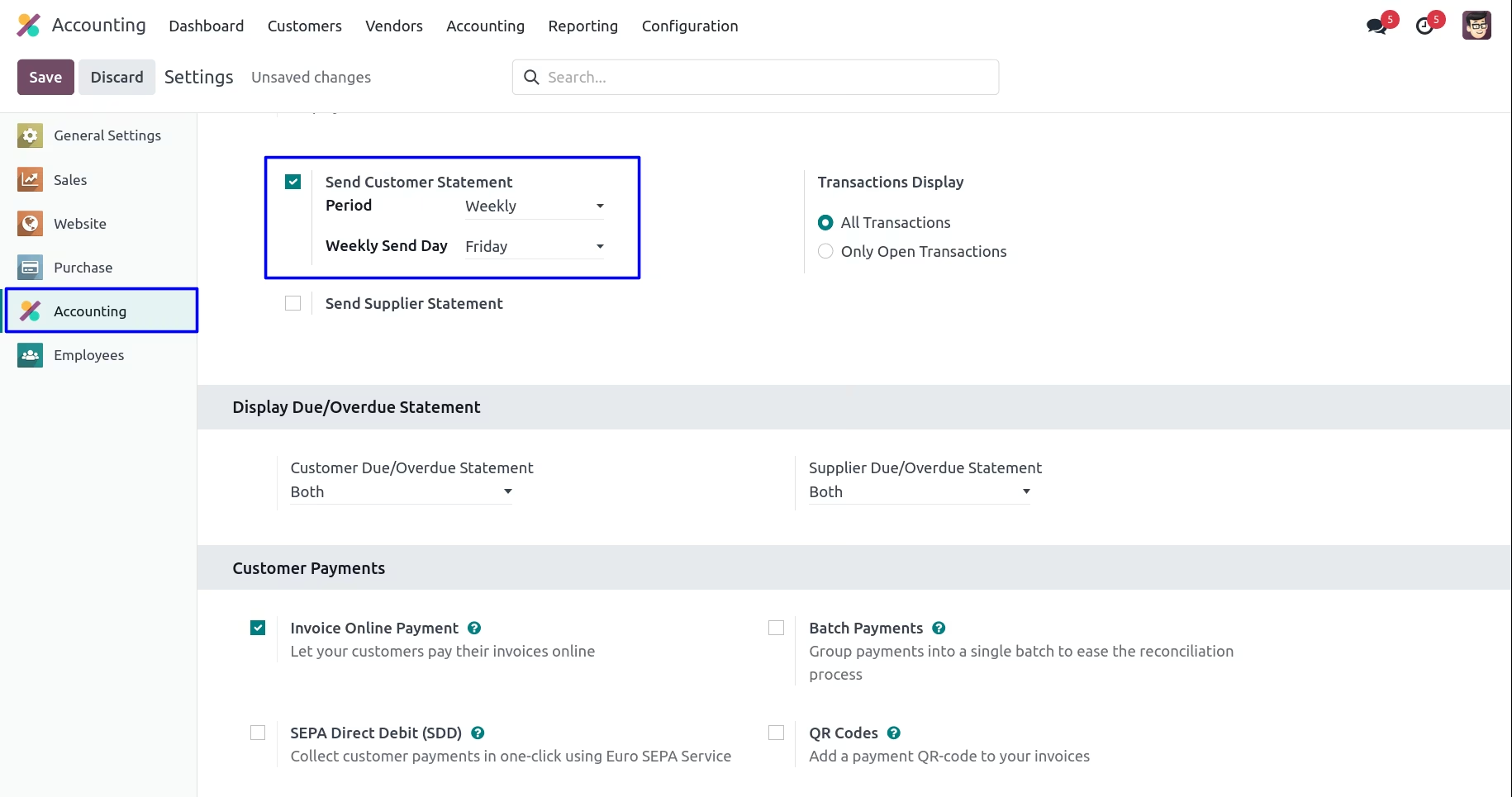
Auto Send Weekly Customer Statement
Under Invoicing > Configurations > Settings menu user have to enable "Send Customer Statement" and select "Period" as "Weekly" and select "Weekly Send Day".
User can choose "Transactions Display" as "All Transactions" or "Only Open Transactions" to send customer statements.
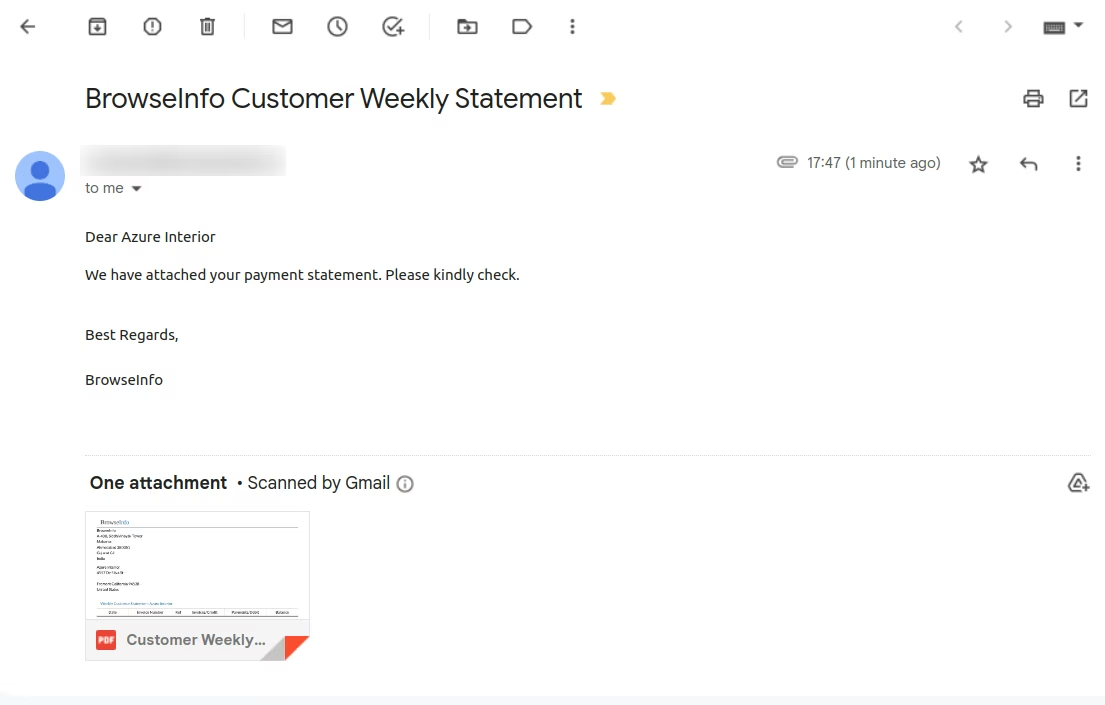
User can see auto send email on selected day of week.
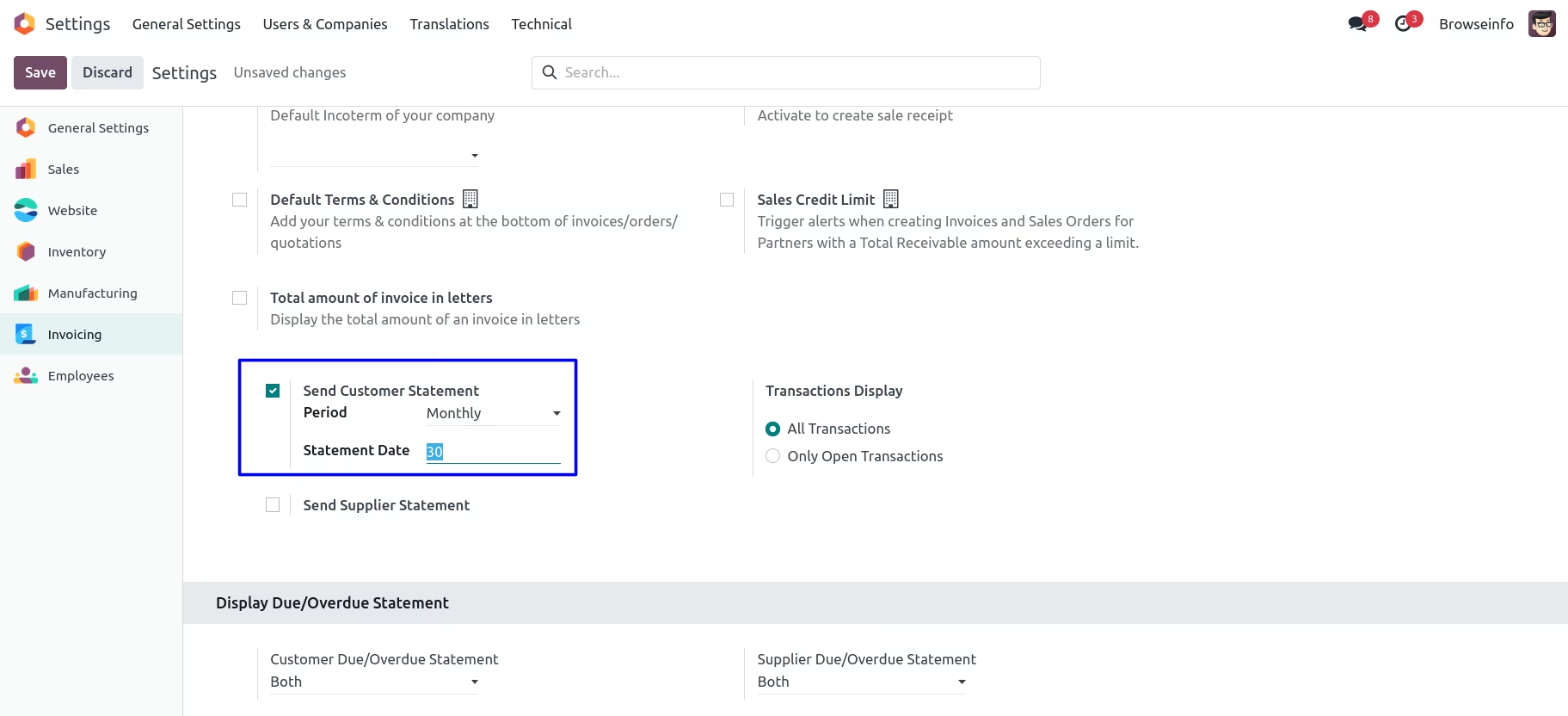
Auto Send Monthly Customer Statement
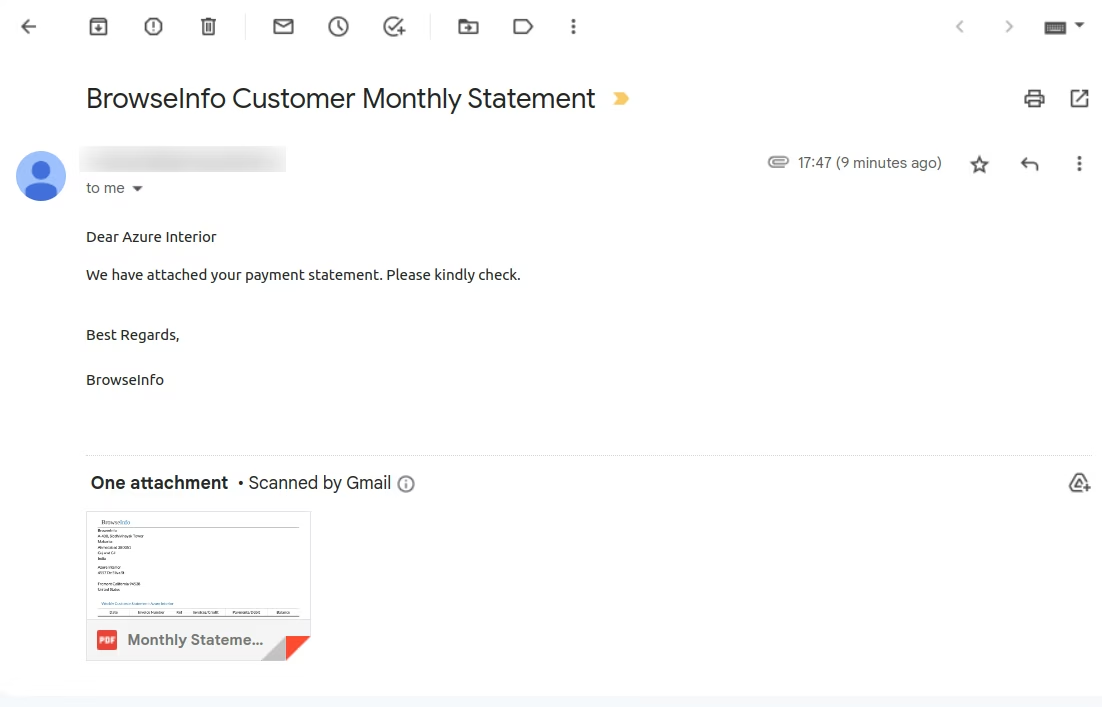
Under Invoicing > Configurations > Settings menu user have to enable "Send Customer Statement" and select "Period" as "Monthly" and enter "Statement Date"
User can see auto send email on selected date of month.
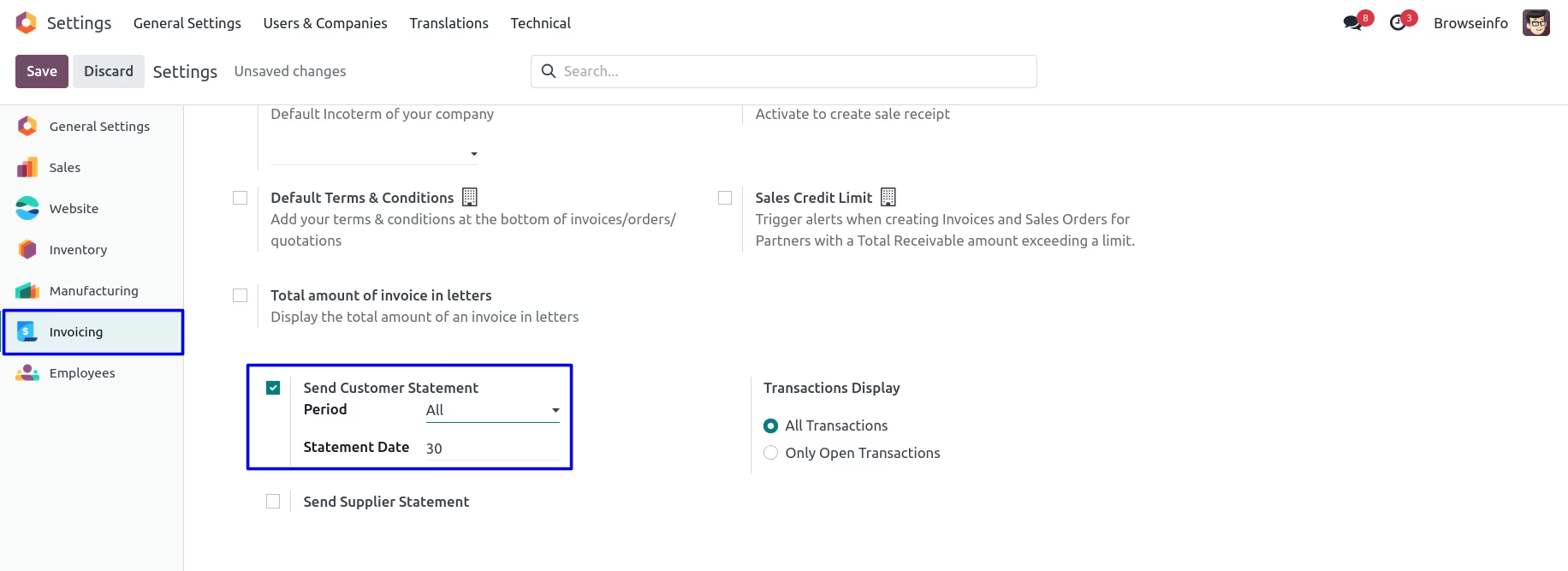
Auto Send All Customer Statement
Under Invoicing > Configurations > Settings menu user have to enable "Send Customer Statement" and select "Period" as "All" and enter "Statement Date".
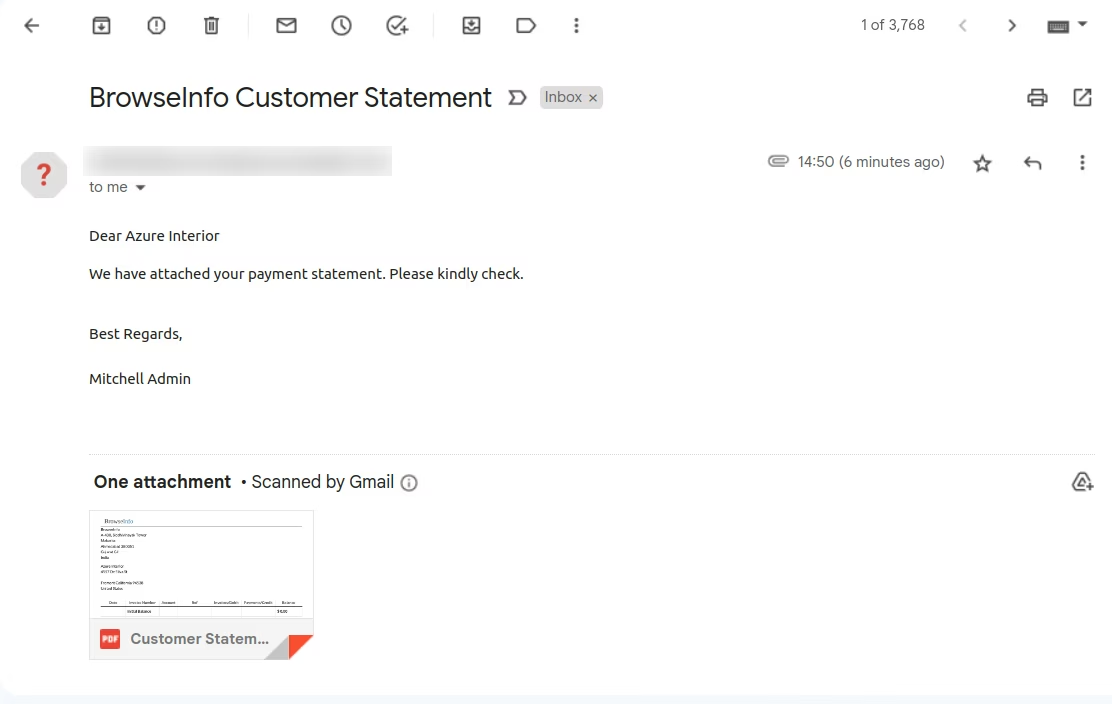
User can see auto send all email on selected date of month.
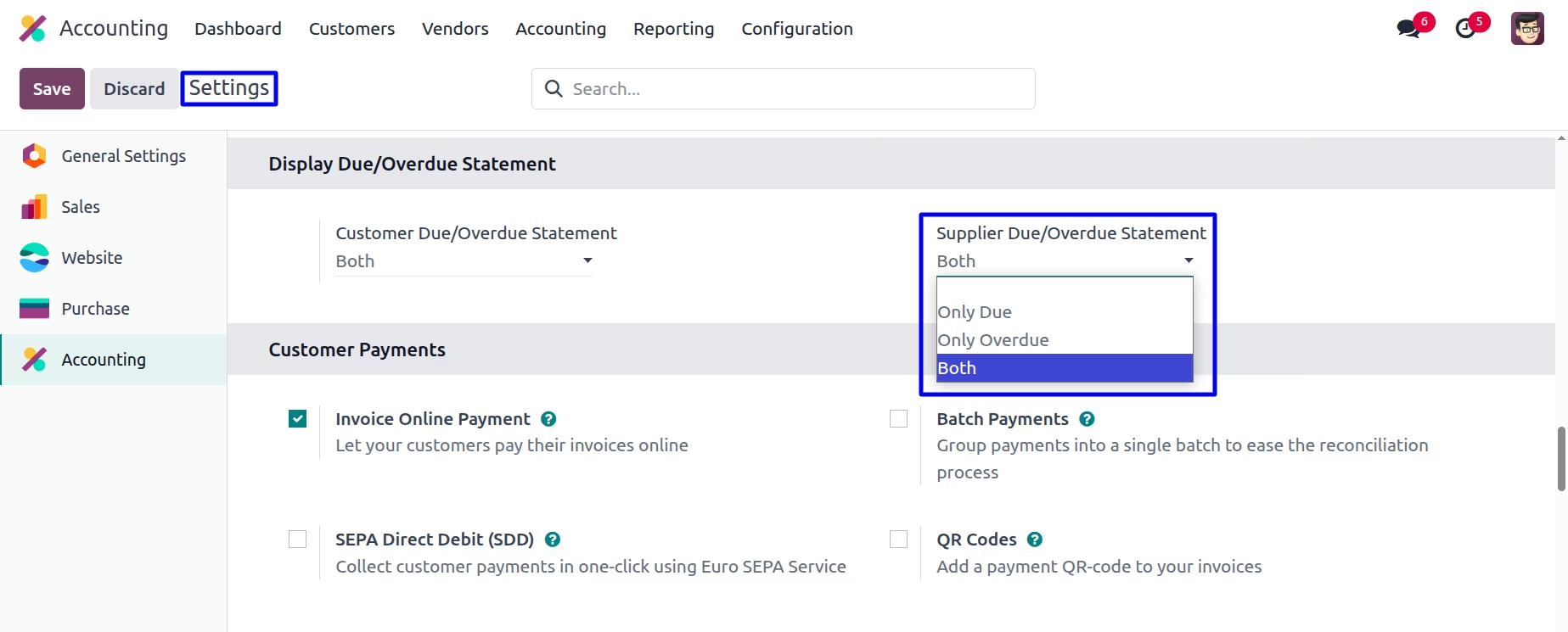
Display Supplier Due/Overdue Statement
Goto Invoicing -> Configuration -> Settings in that user have options to display supplier 'Only Due','Only Overdue', and 'Both' statement.
Supplier Statement
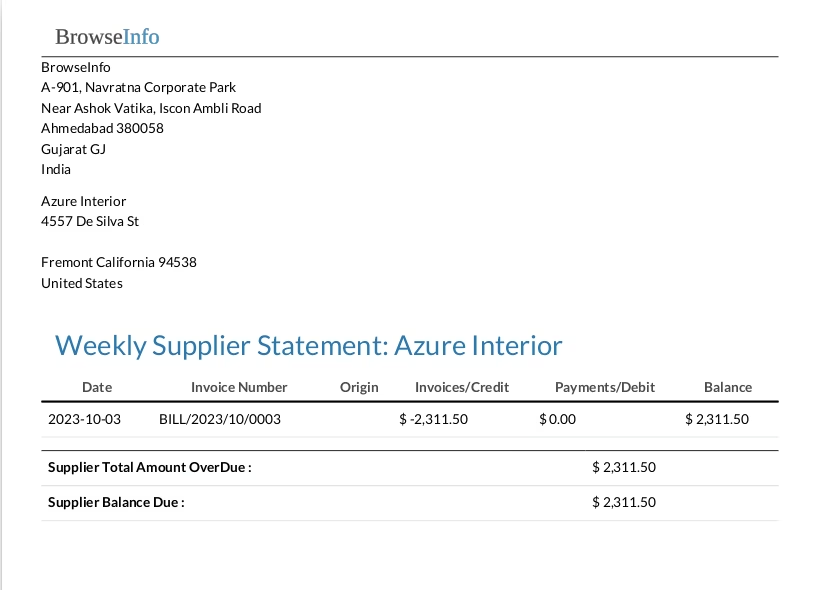
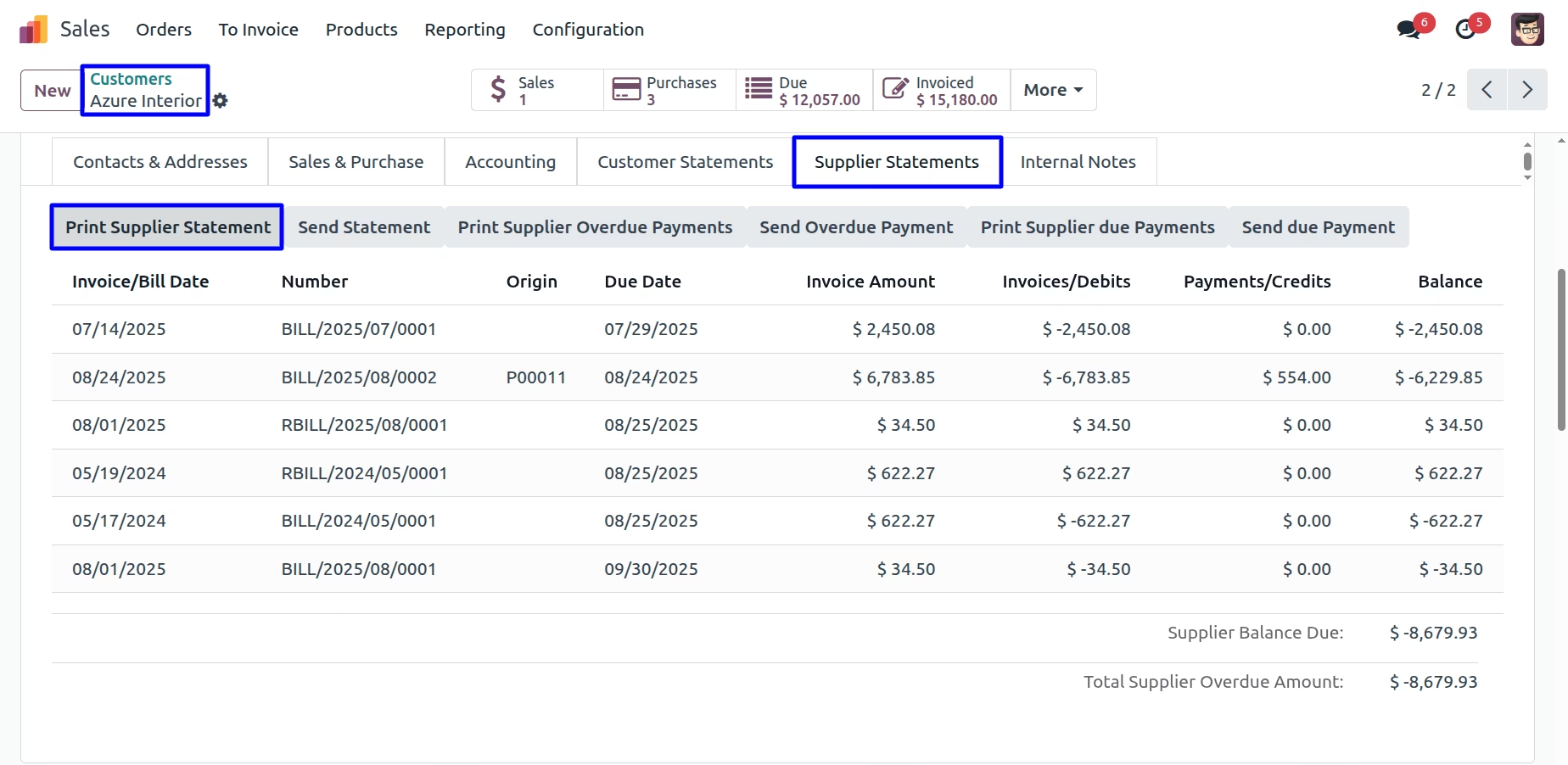
User can find "Supplier Statement" tabs on vendor form view, User also can print supplier statements by clicking "PRINT SUPPLIER STATEMENT" button.
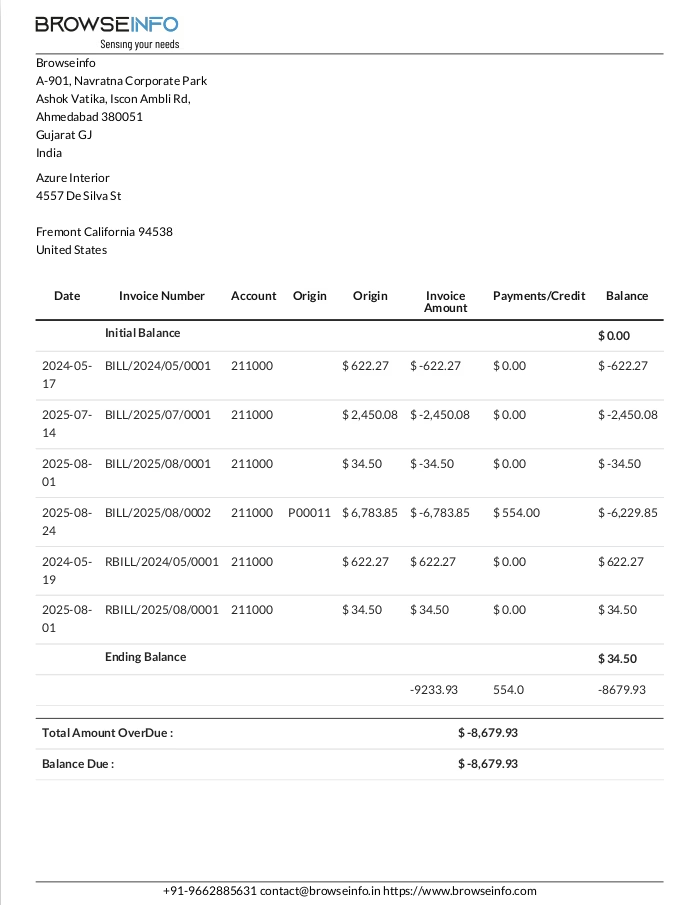
User can see printed supplier statement report
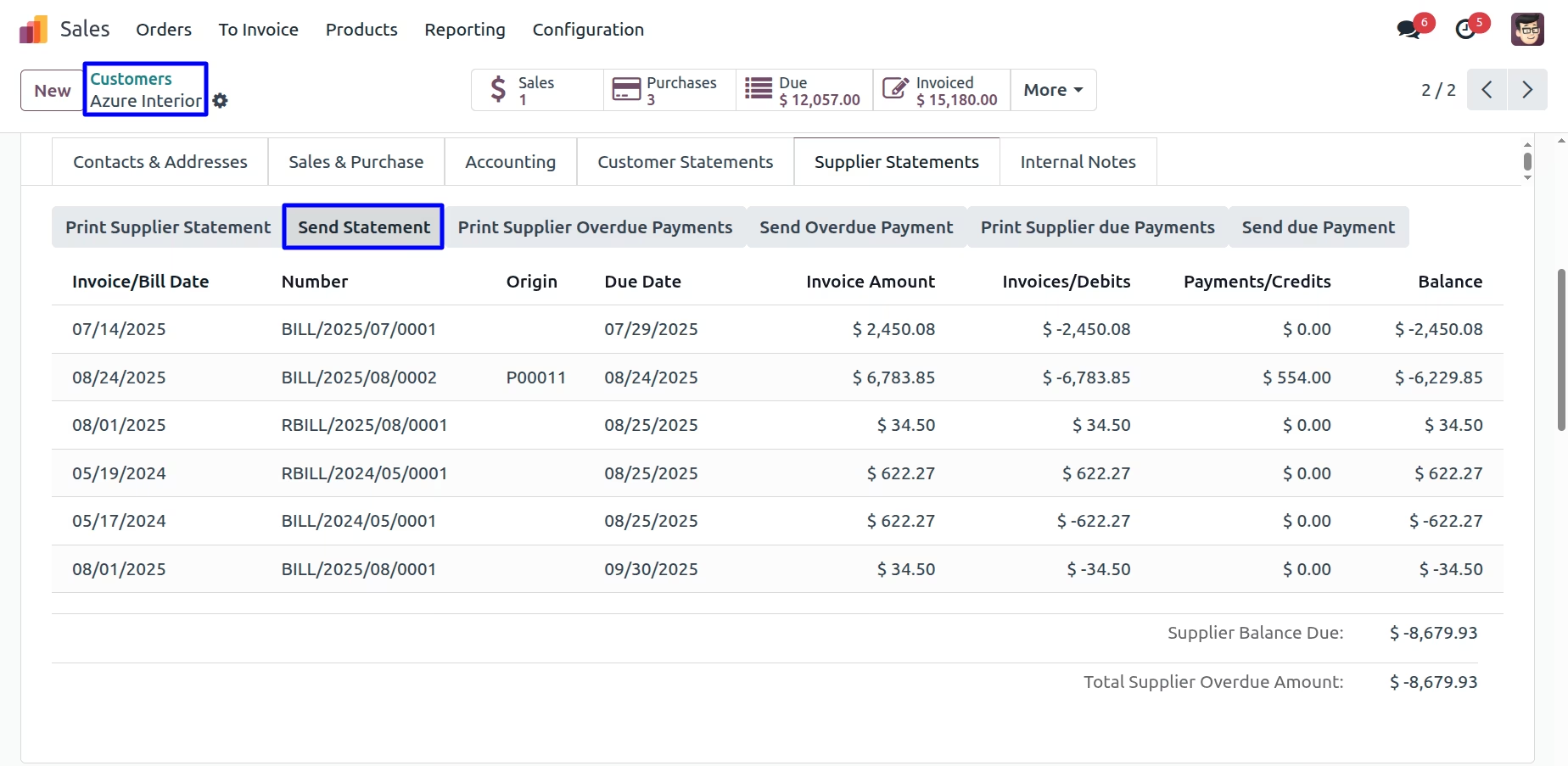
Send Supplier Statement
User can send supplier statement report by mail by clicking "SEND STATEMENT" button.
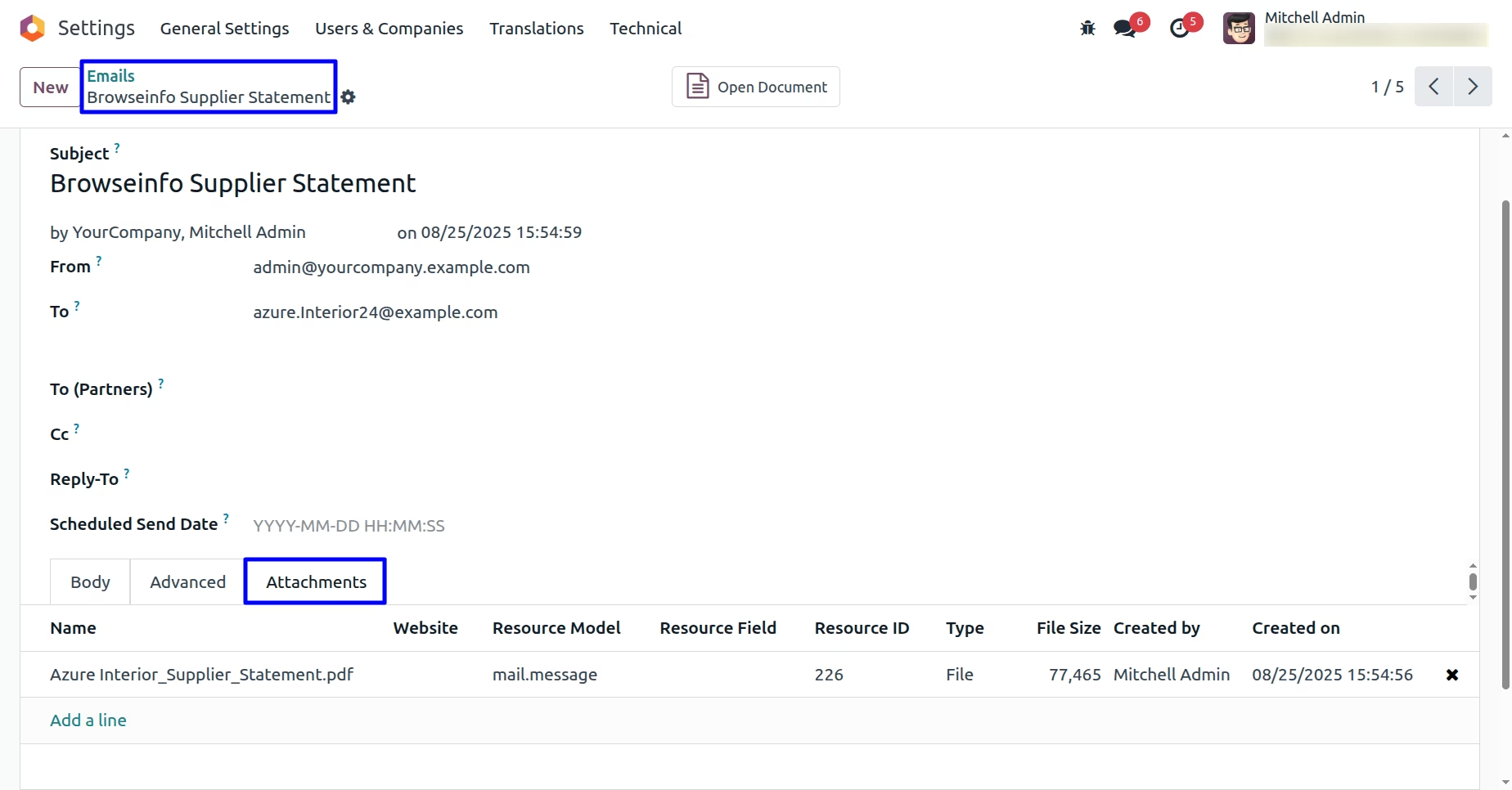
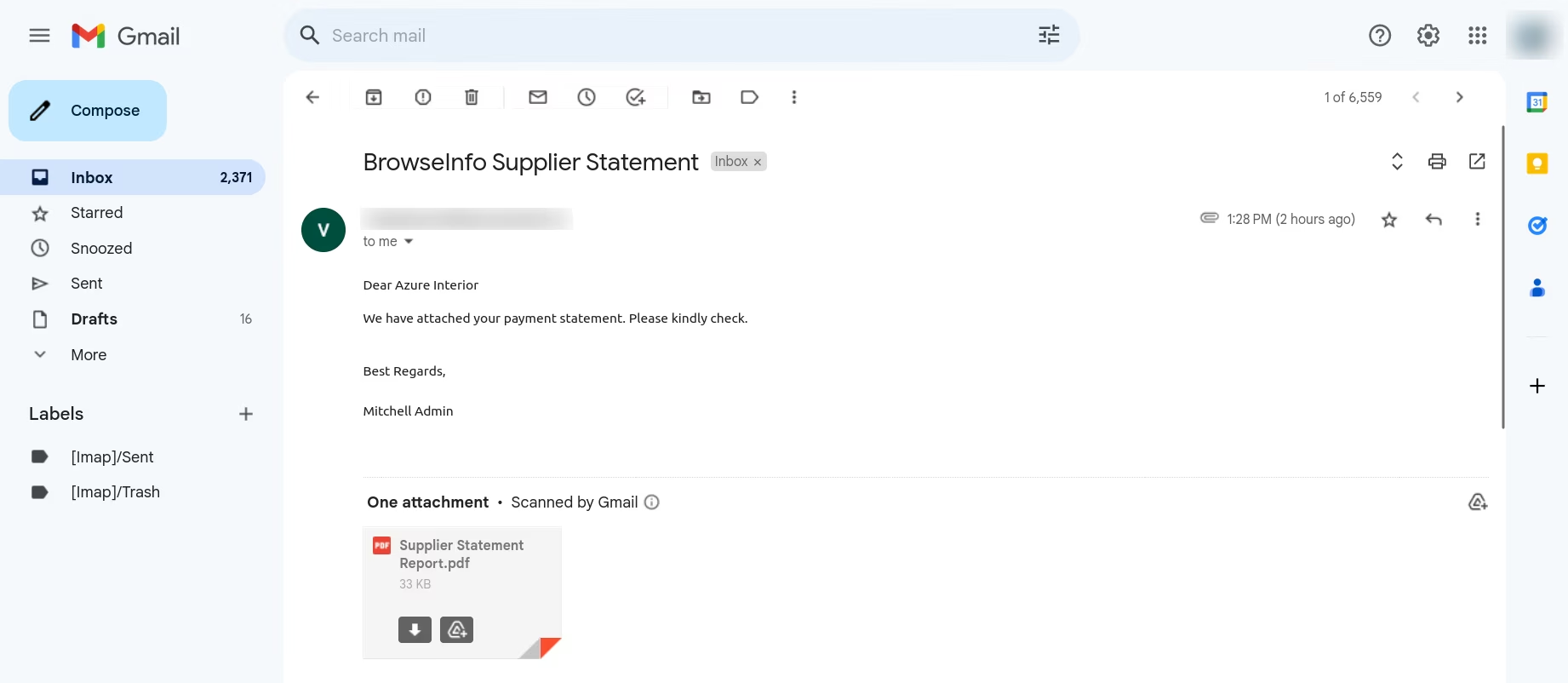
User can see sent mail with attached supplier statement report.
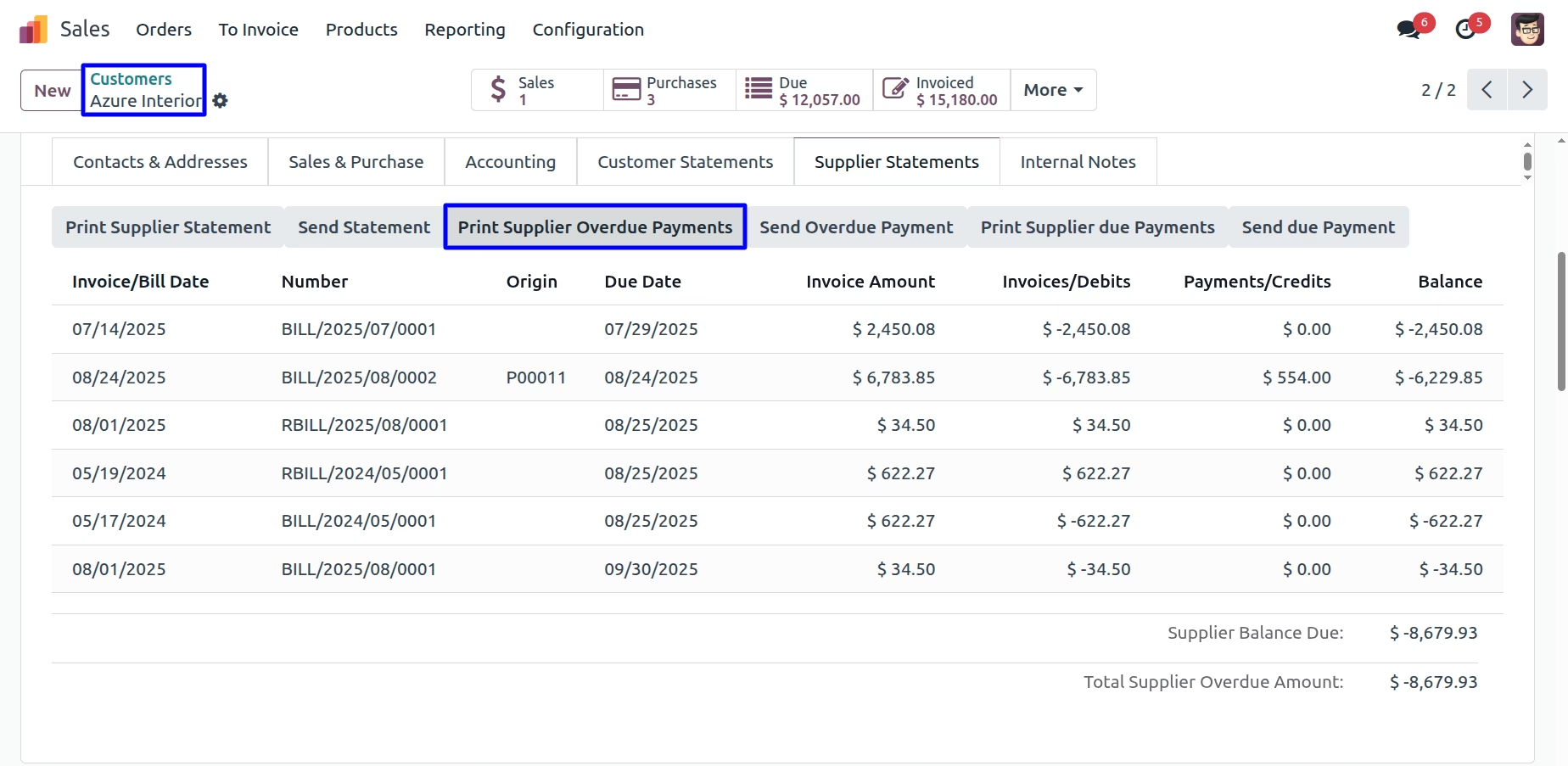
Print Supplier Overdue Payments
User can print supplier overdue payments report by clicking "PRINT SUPPLIER OVERDUE PAYMENTS" button
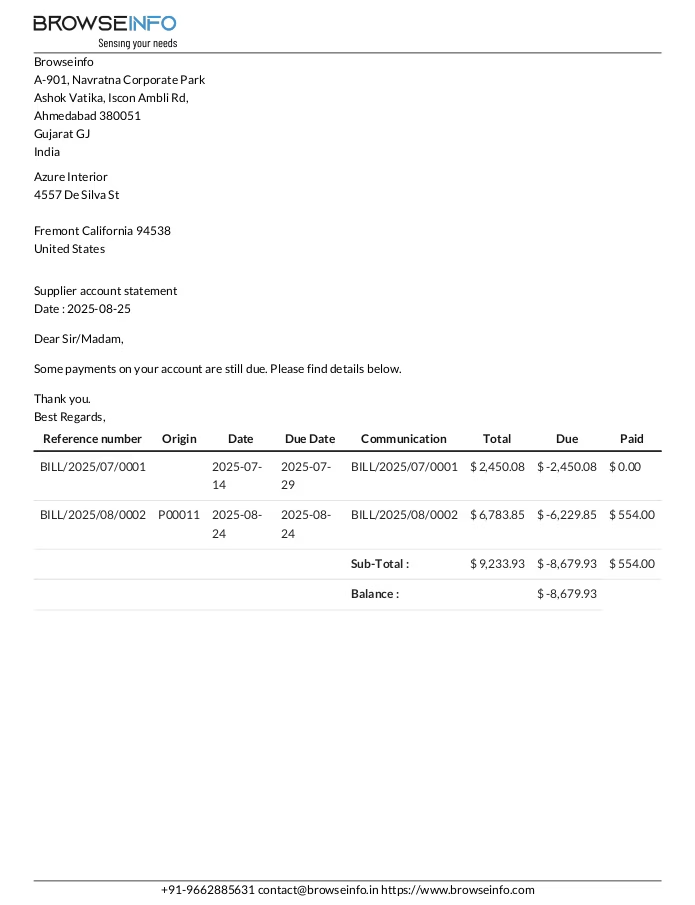
Supplier Overdue Payments Report
User can see printed supplier overdue payments report.
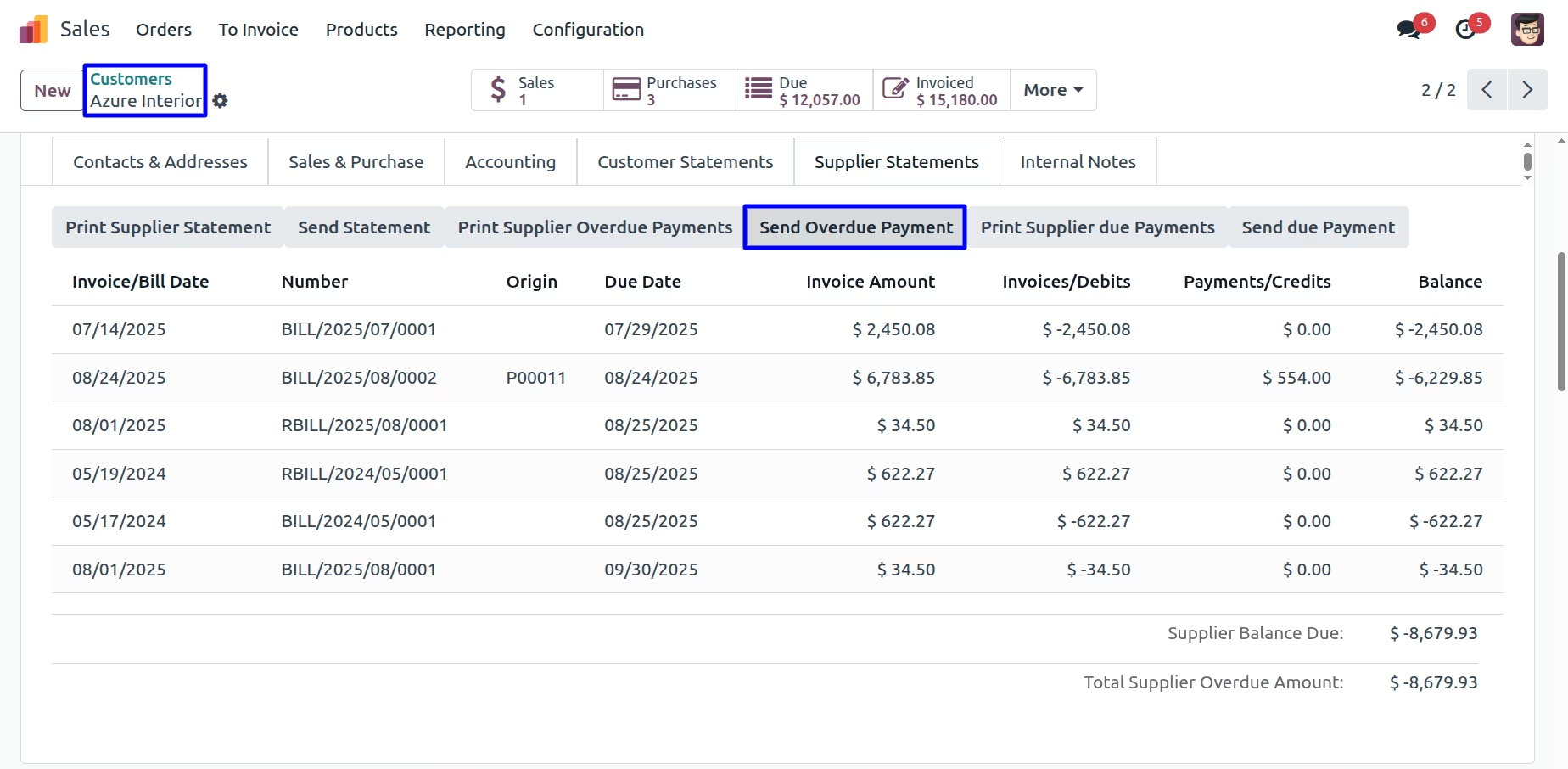
Send Supplier Overdue Payments Report
User can send supplier overdue payments report by mail by clicking "SEND OVERDUE PAYMENT" button.
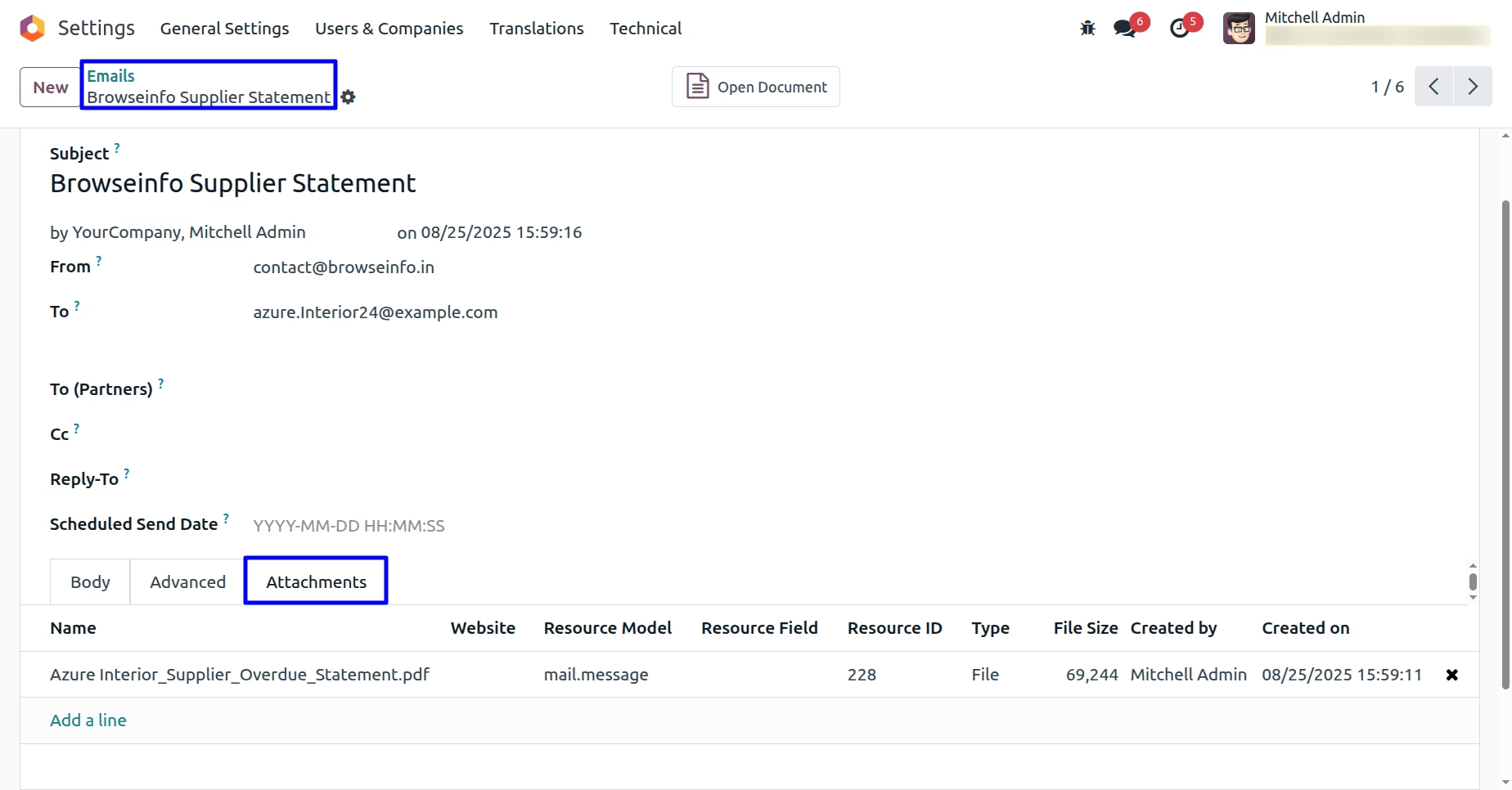
User can see sent mail with attached supplier overdue payments report.
Print Supplier Due Payments
User can print supplier due payments report by clicking "PRINT SUPPLIER DUE PAYMENTS" button.
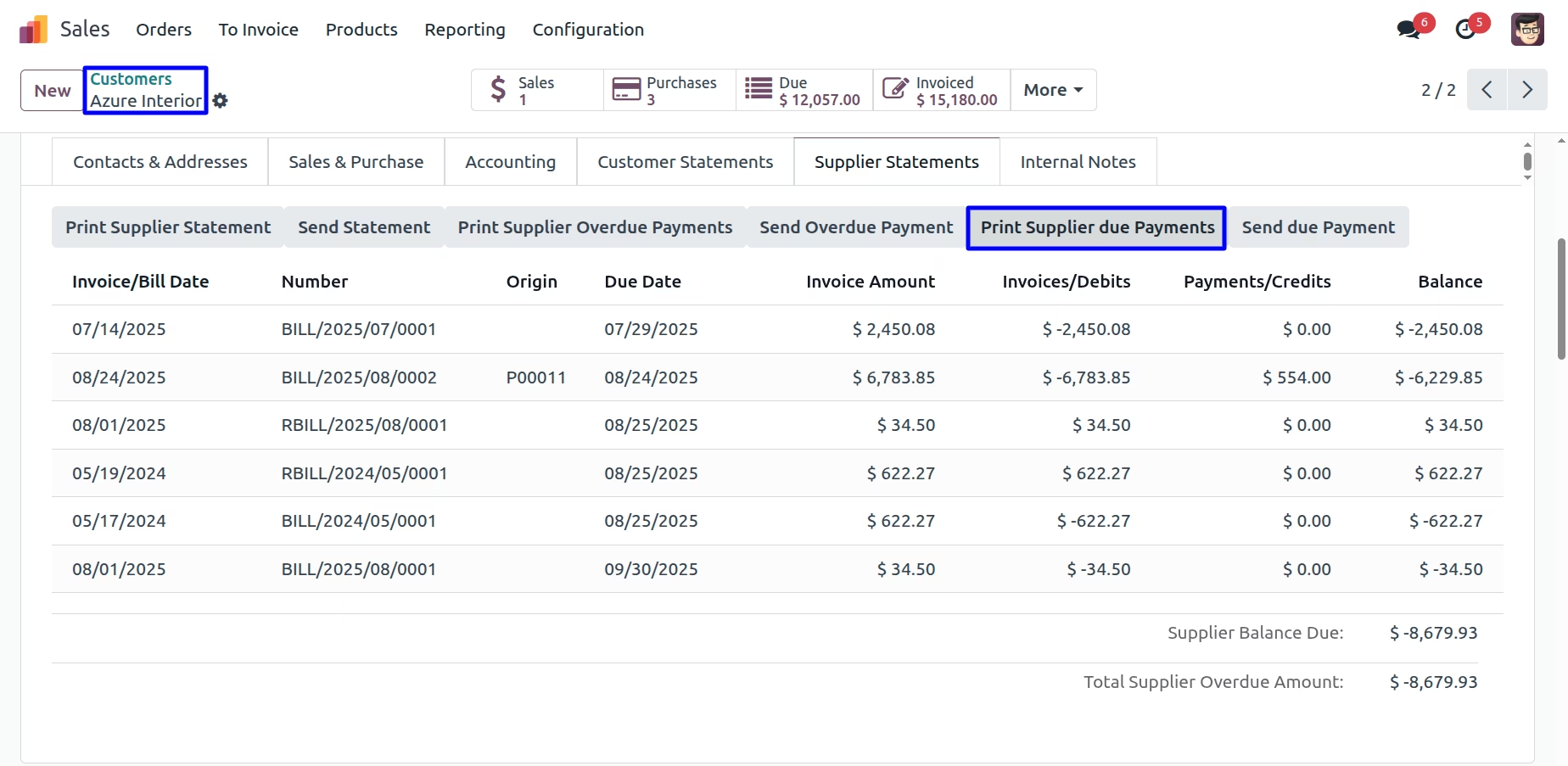
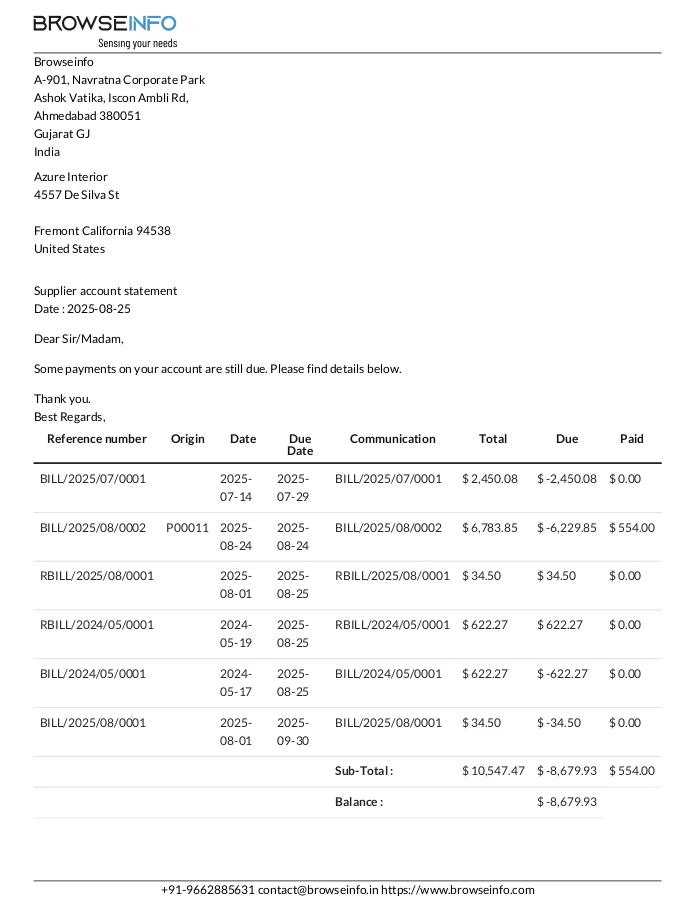
Supplier Due Payments Report
User can see printed supplier due payments report.
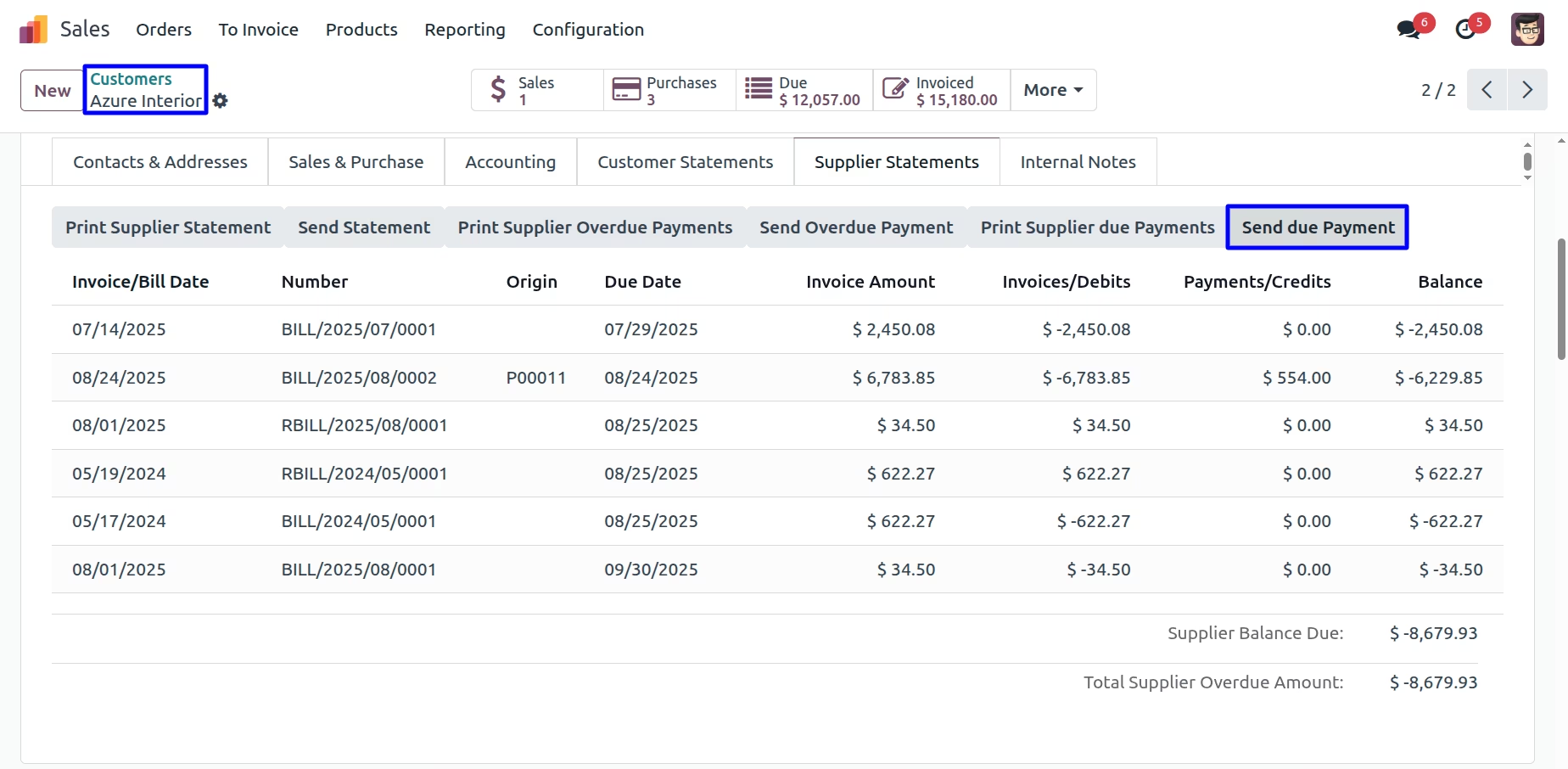
Send Supplier Due Payments Report
User can send supplier due payments report by mail by clicking "SEND DUE PAYMENT" button.
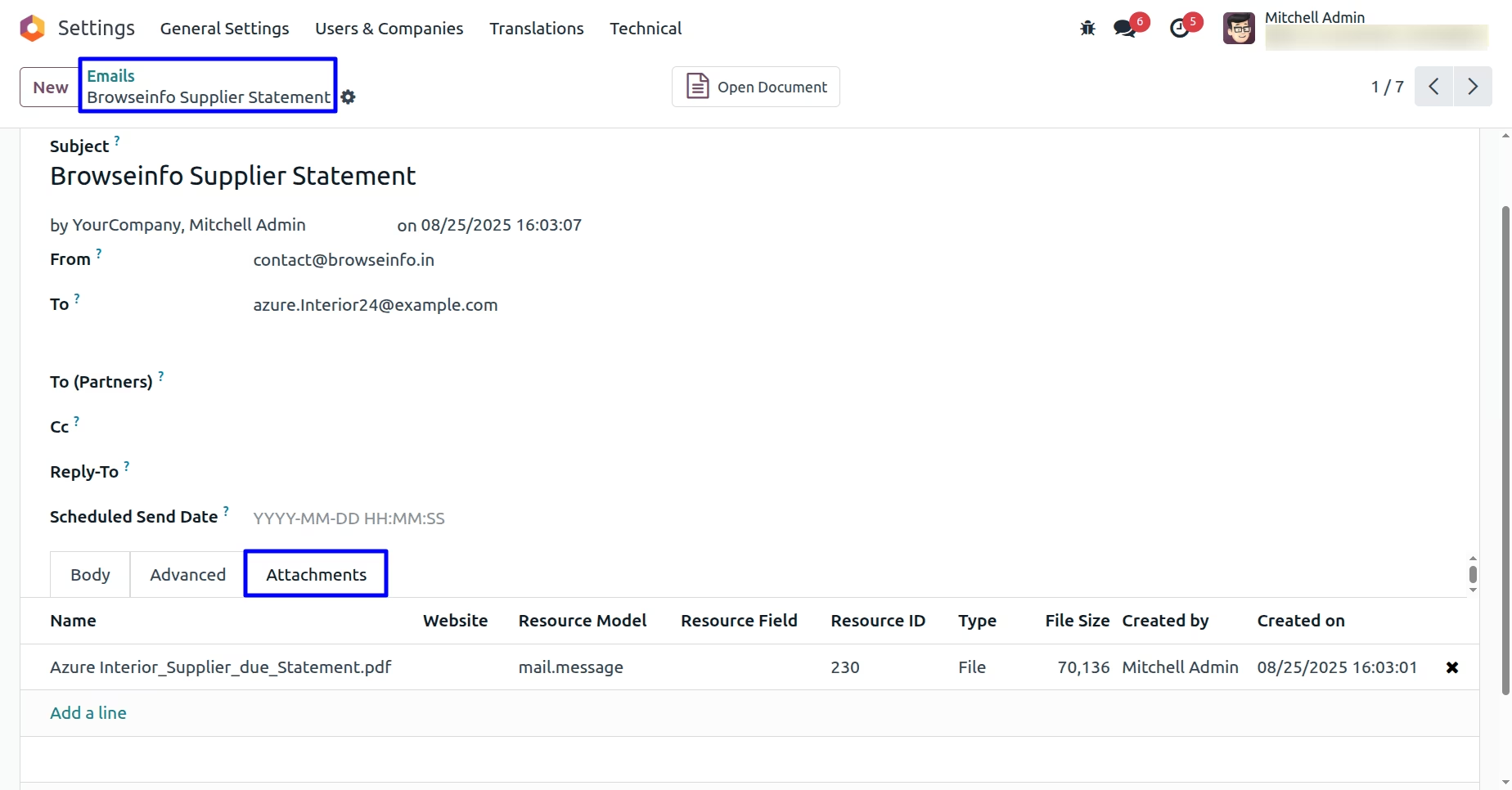
User can see sent mail with attached supplier due payments report.
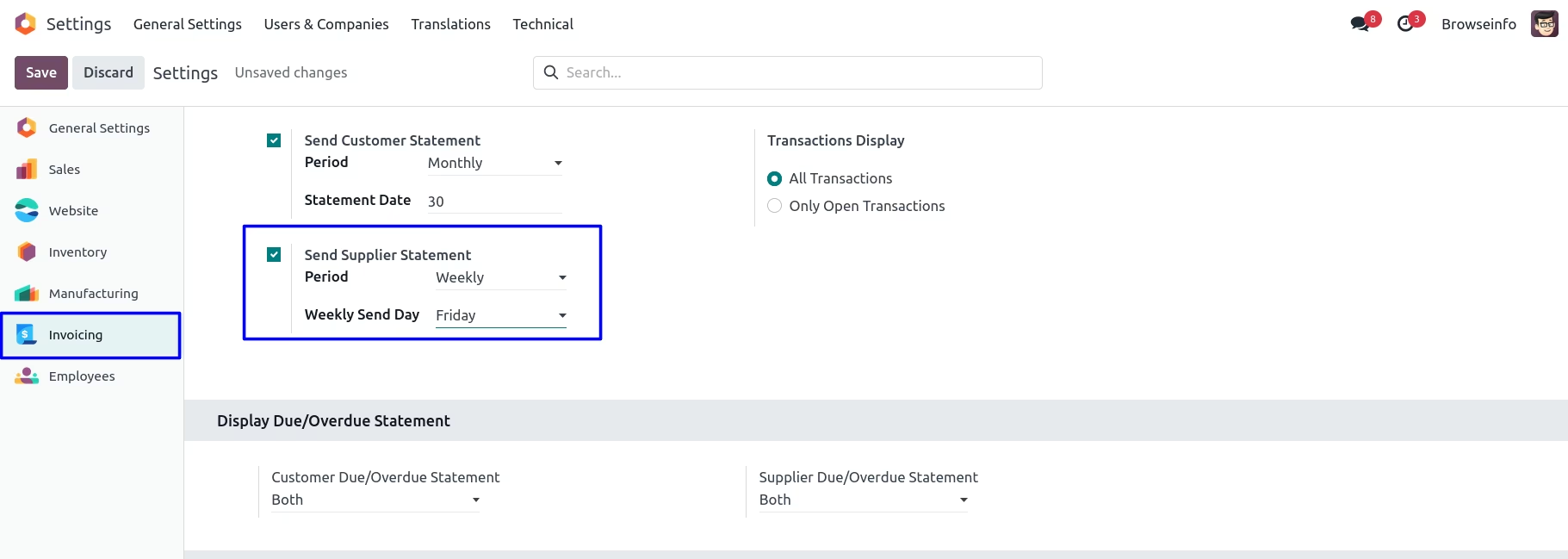
Auto Send Weekly Supplier Statement
Enable "Send Supplier Statement" in Invoicing > Settings, set Period to Weekly, choose Weekly Send Day, and select Transactions Display as All or Only Open Transactions.
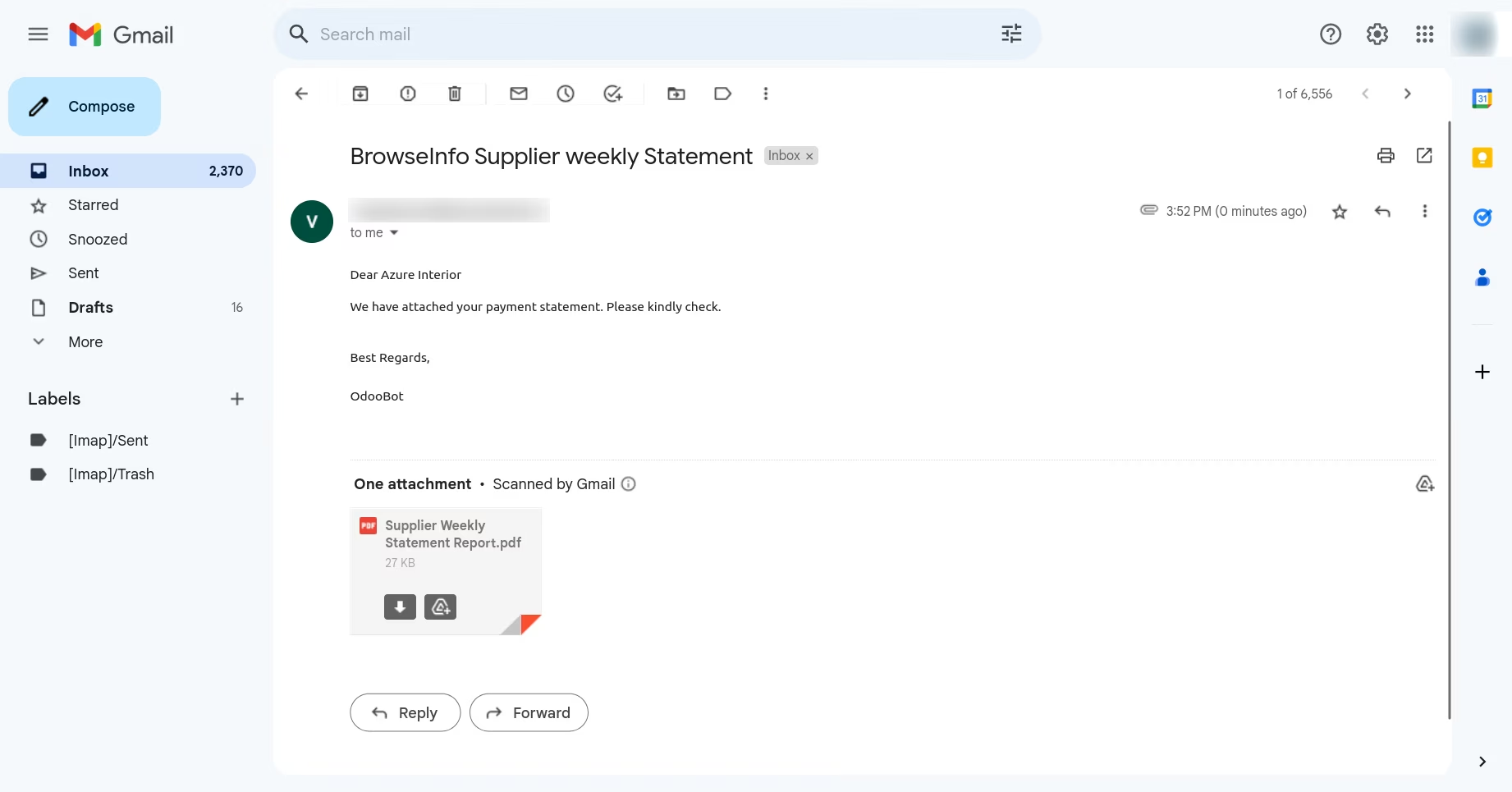
User can see auto send email on selected day of week
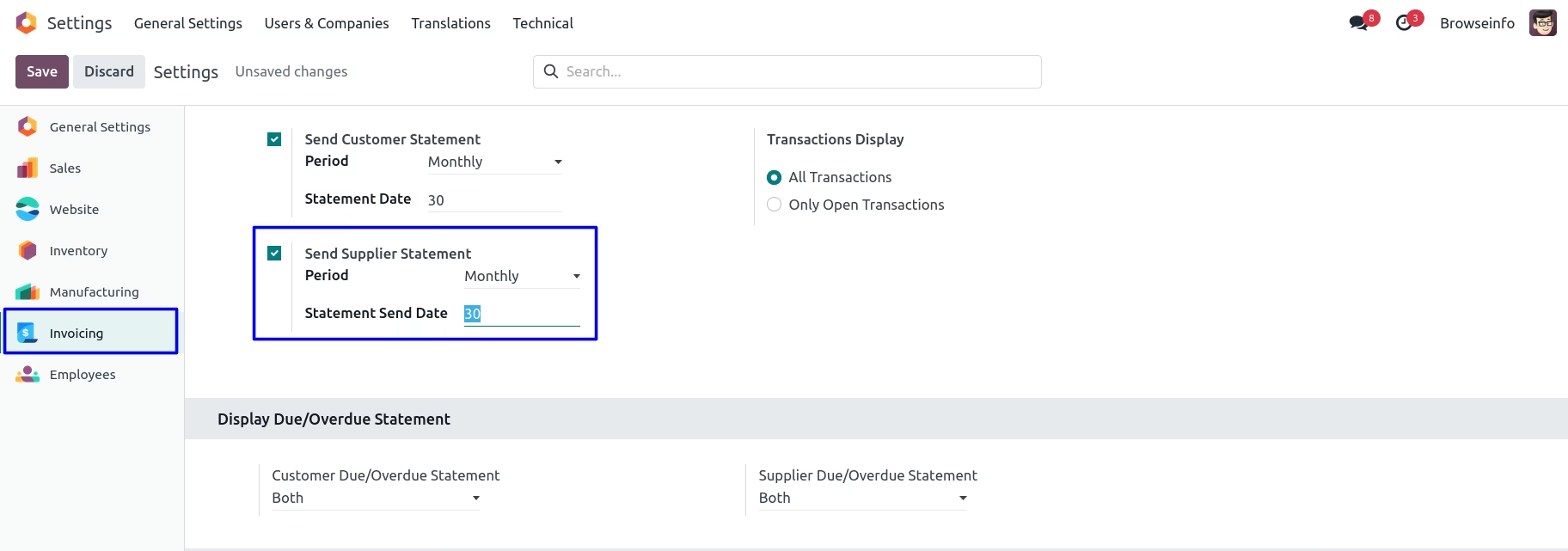
Auto Send Monthly Supplier Statement
Under Invoicing > Configurations > Settings menu user have to enable "Send Supplier Statement" and select "Period" as "Monthly" and enter "Statement Date".
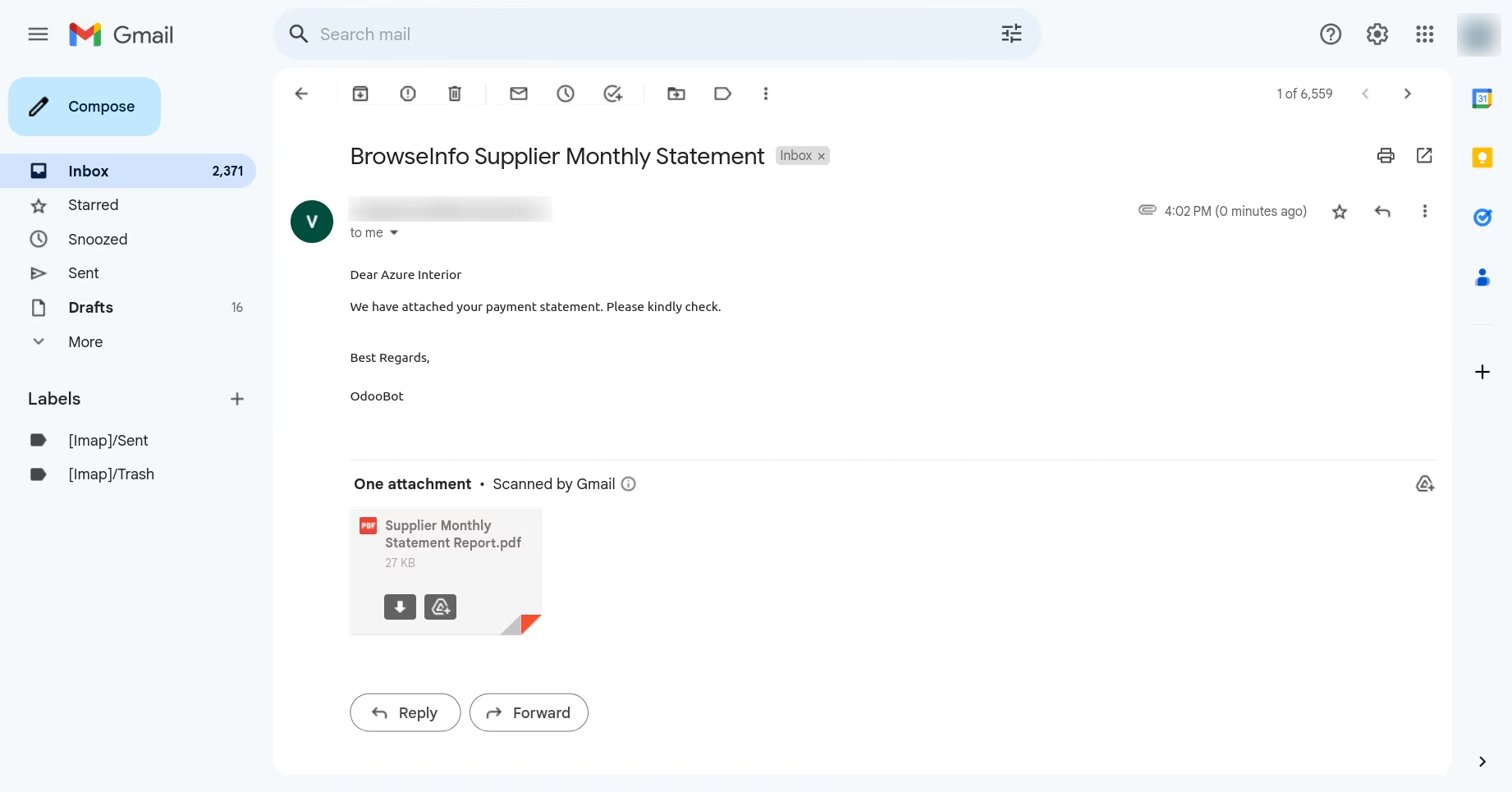
User can see auto send email on selected date of month
Auto Send All Supplier Statement
Under Invoicing > Configurations > Settings menu user have to enable "Send Supplier Statement" and select "Period" as "All" and enter "Statement Date".
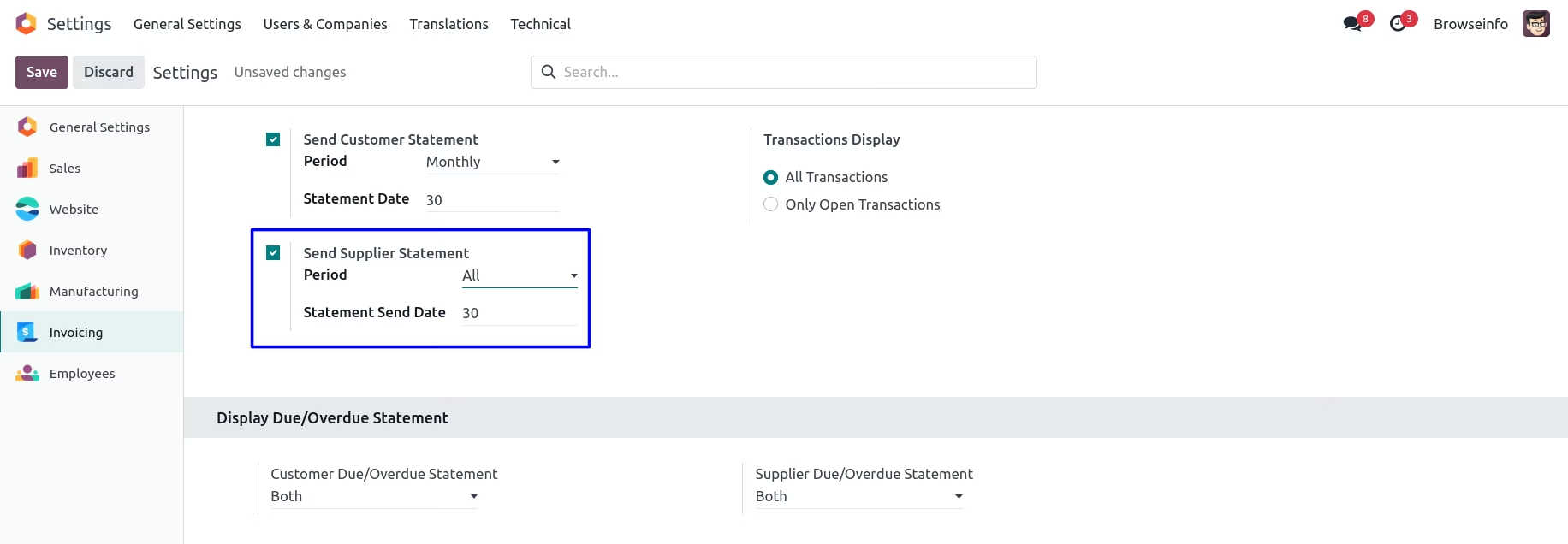
User can see auto send all email on selected date of month.
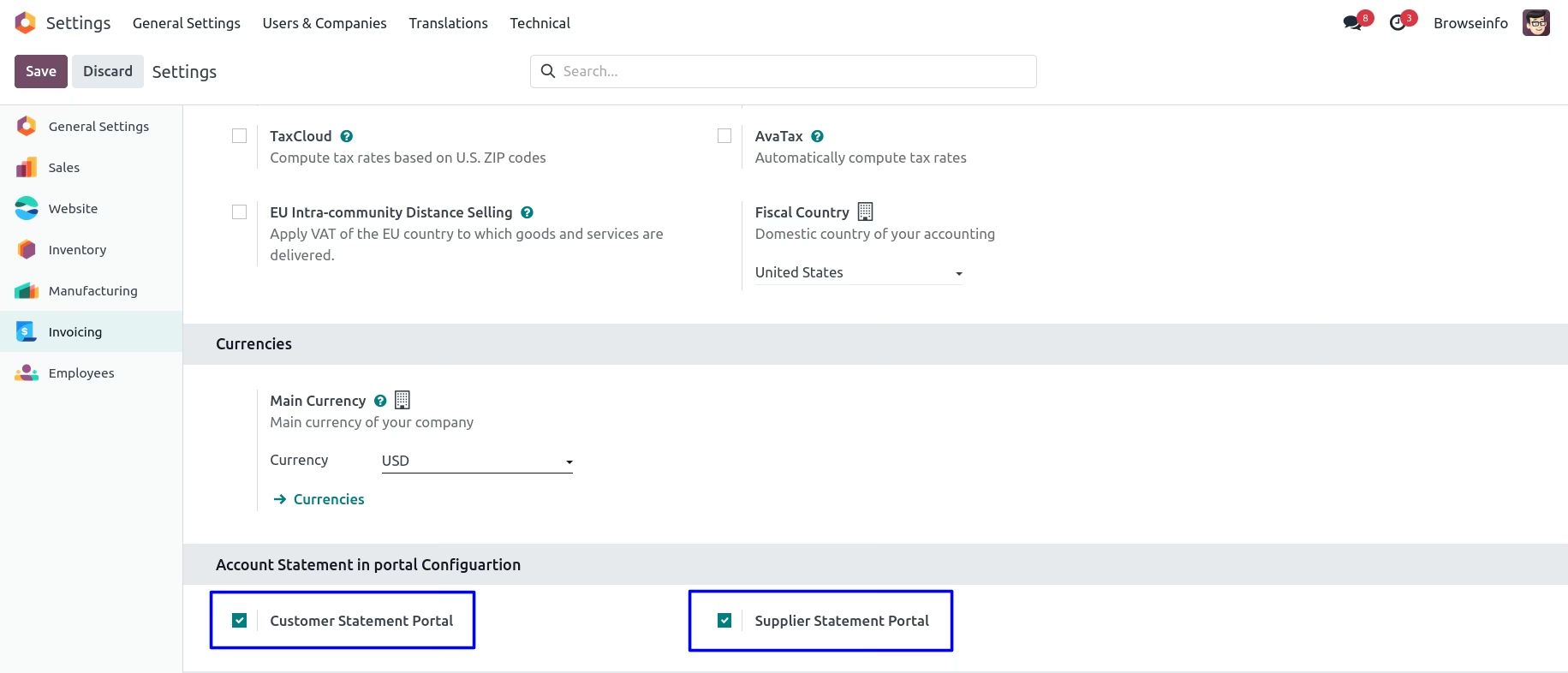
Auto Statement in Portal Configuration
Under Invoicing > Configurations > Settings menu user have to enable "Customer Statement Portal" and "Supplier Statement Portal" option to show customer and supplier statements in portal.
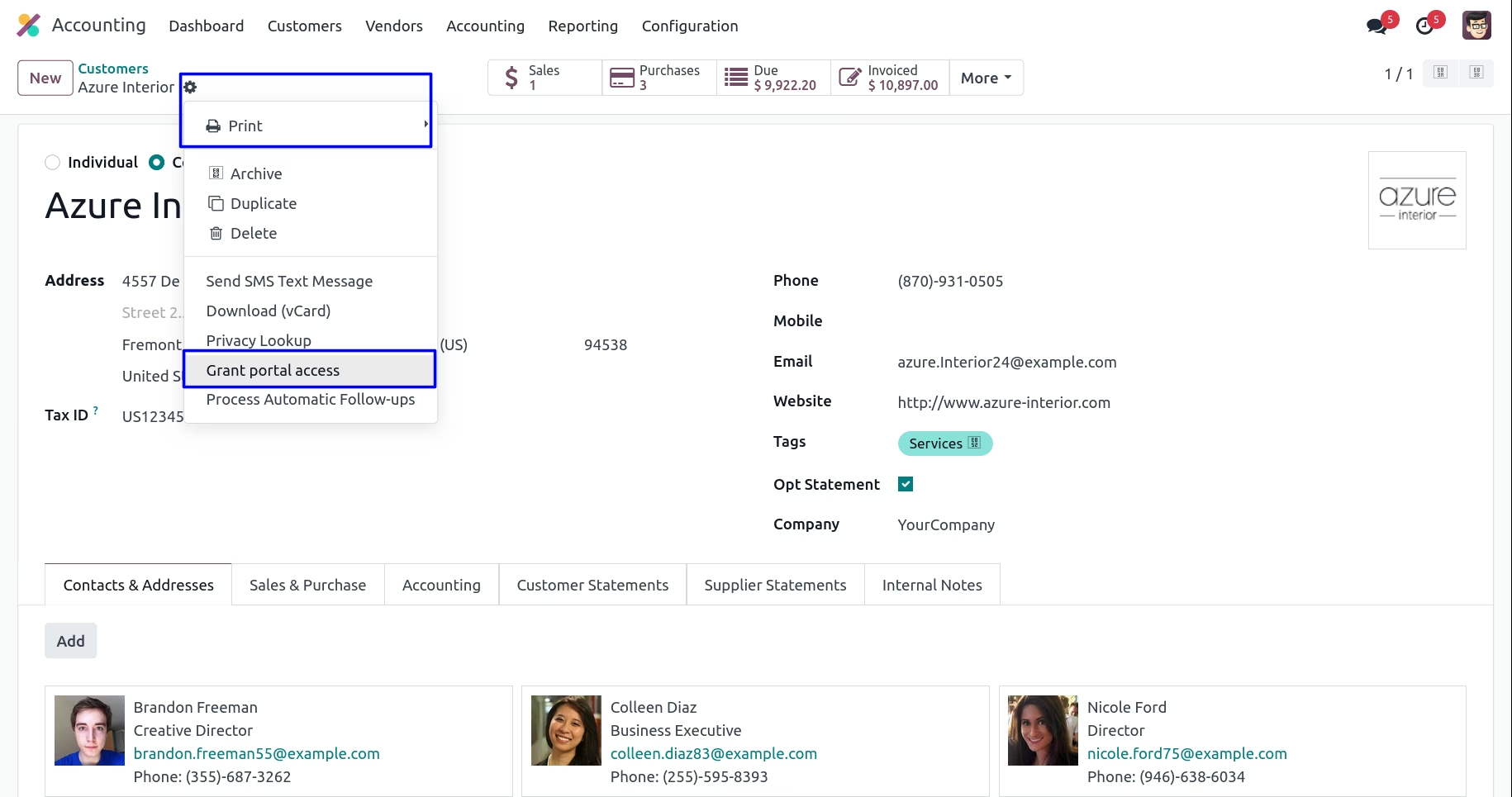
Grant Portal Access to Customer Or Supplier
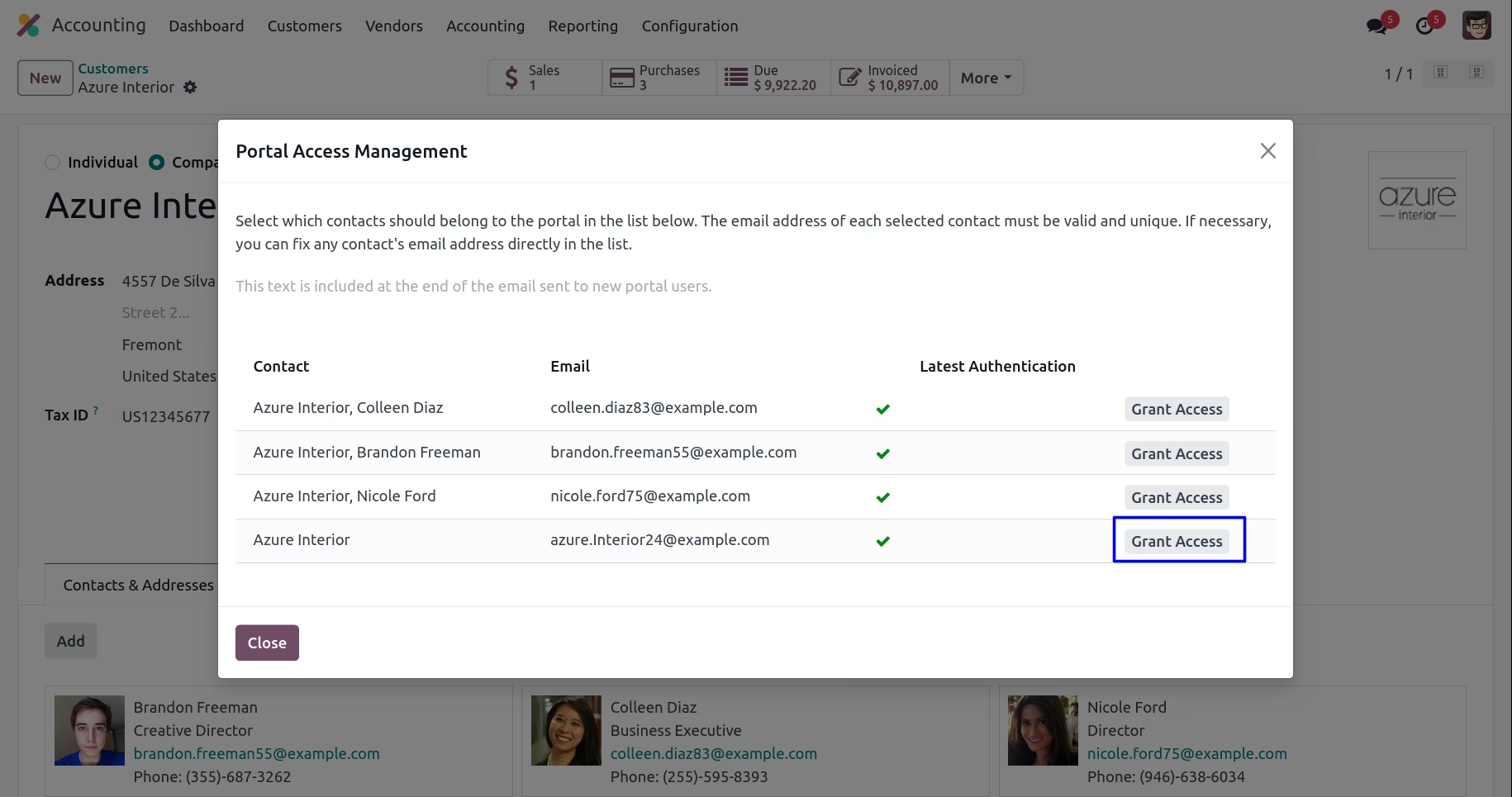
Customer or Supplier Statements in the Portal
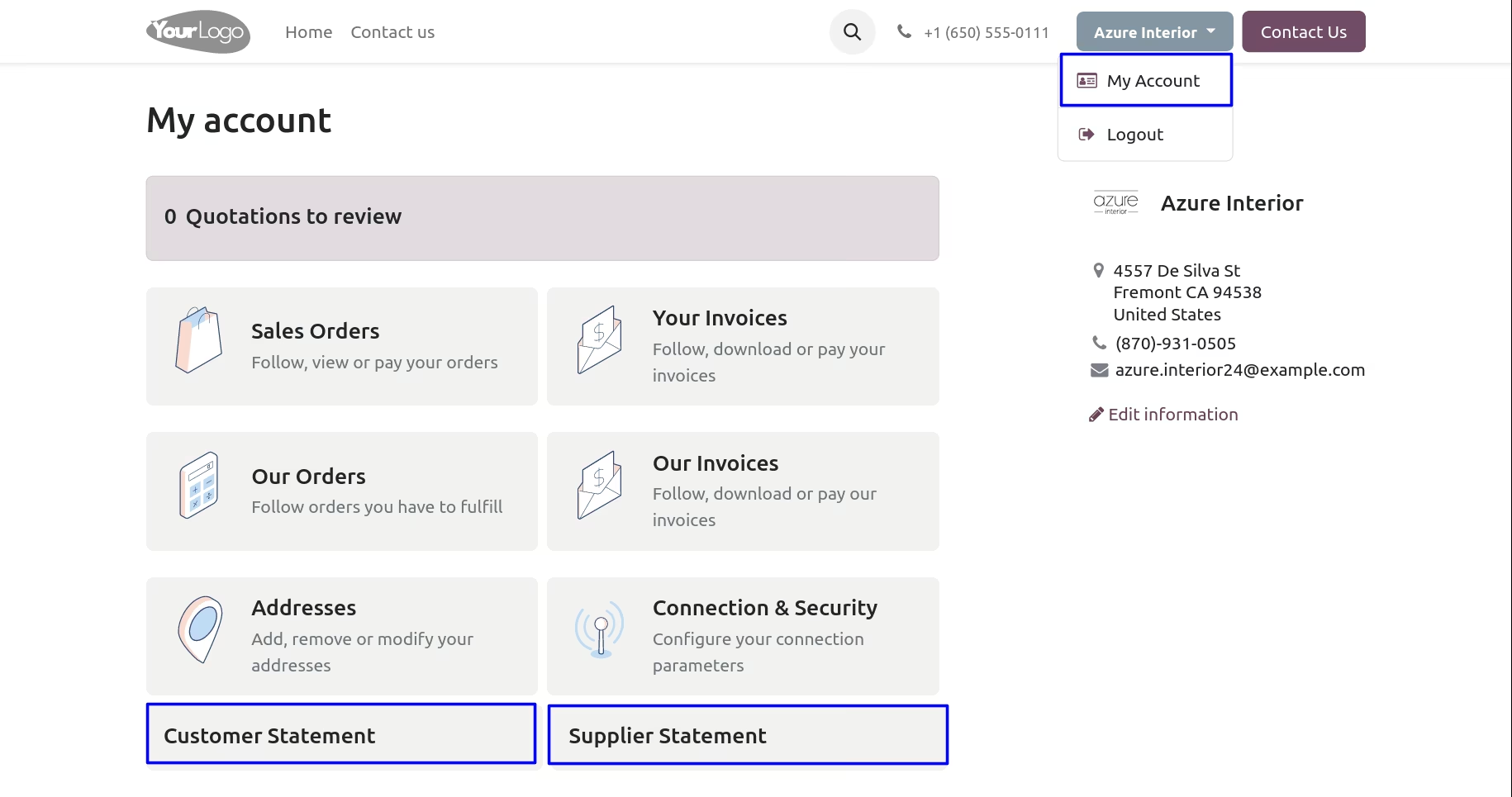
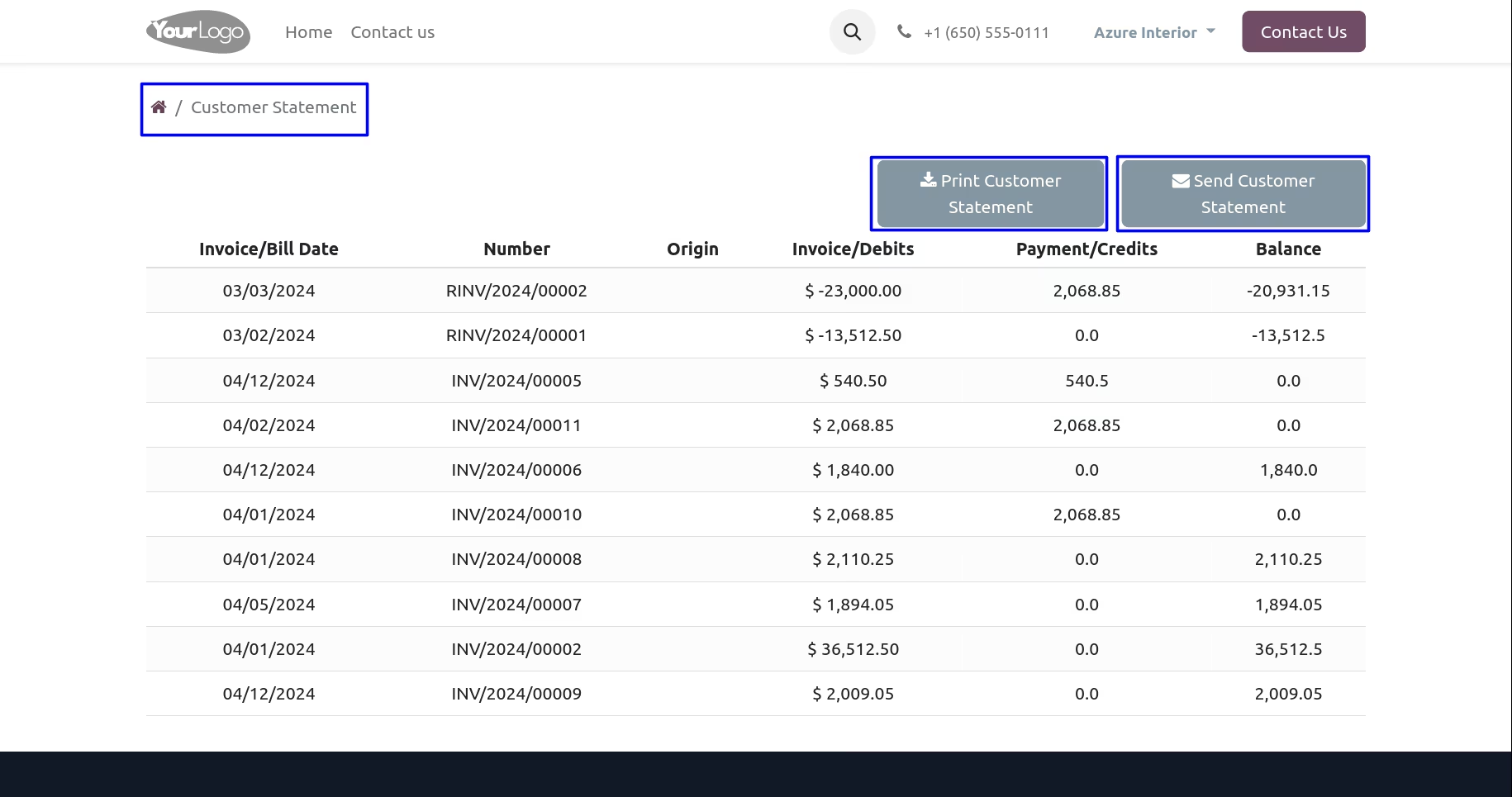
Customer Statement in the Portal
User can view customer statements in the portal and also download and print customer statement directly through the portal.
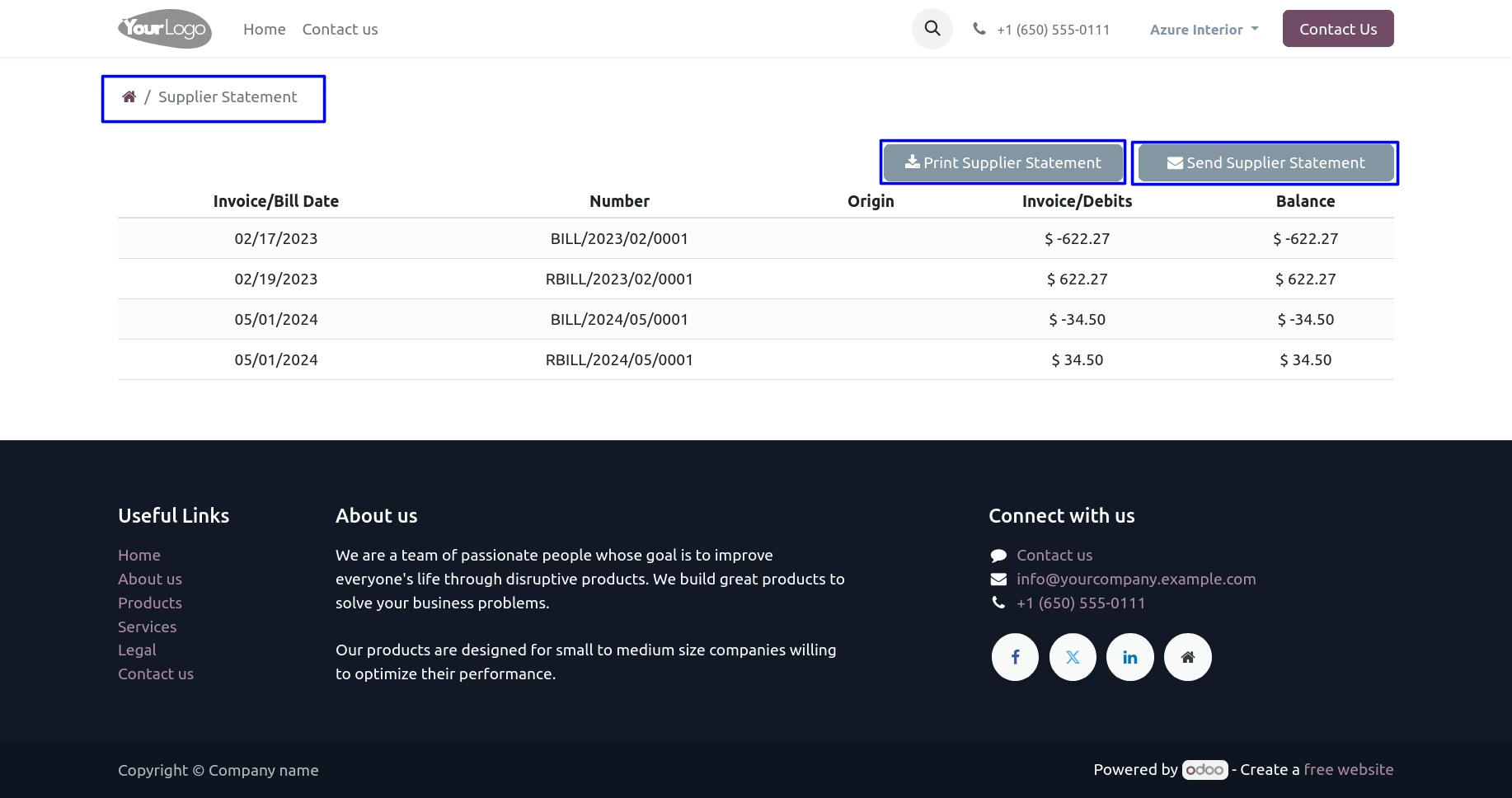
Supplier Statement in the Portal
User can view supplier statements in the portal and also download and print supplier statement directly through the portal.
Print Statement Reports
User can also print different statement report from customer/supplier "Print" menu.
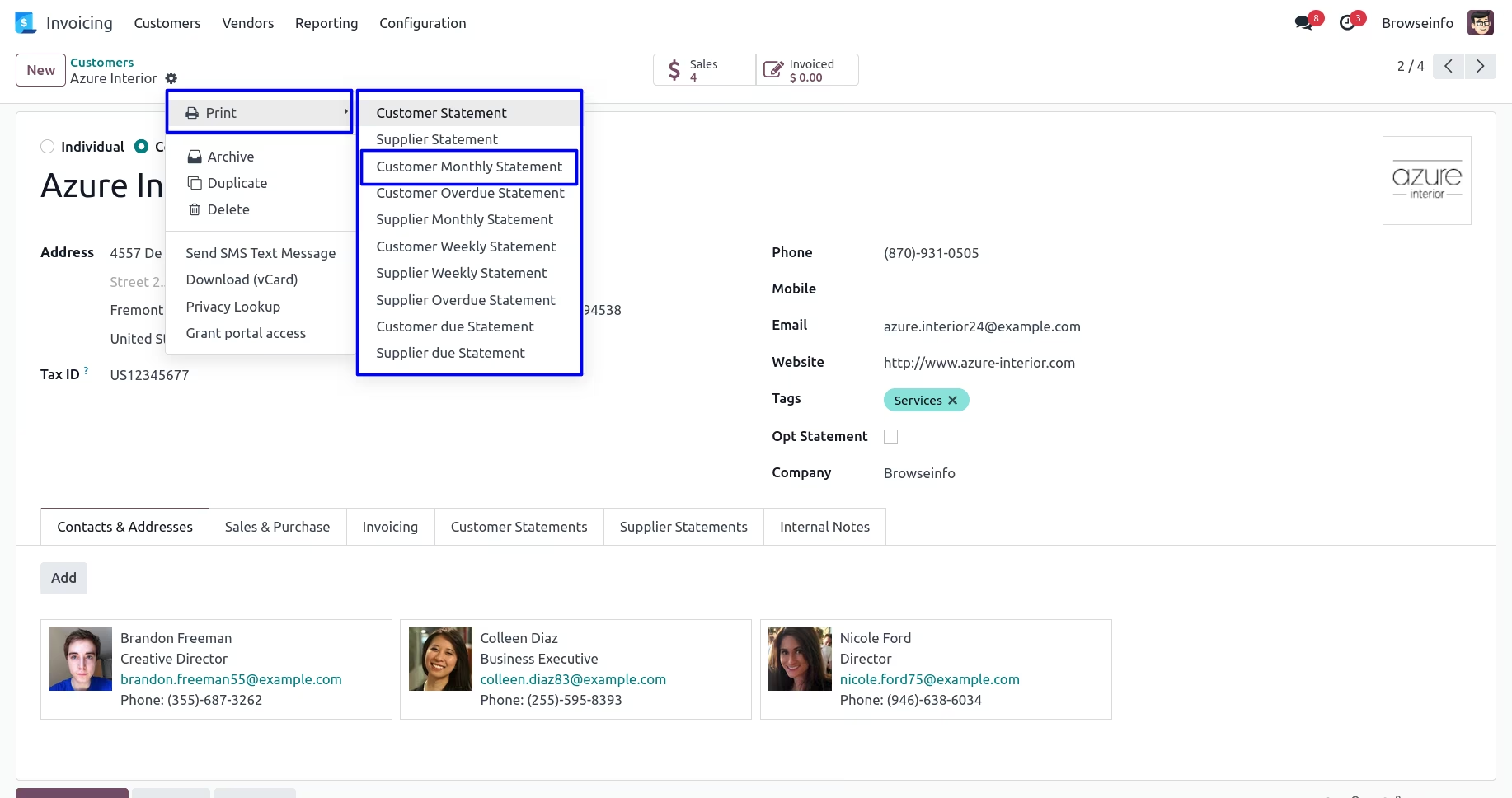
Customer Monthly Statement Report
User can print customer monthly statement report by clicking "Customer Monthly Statement" menu.
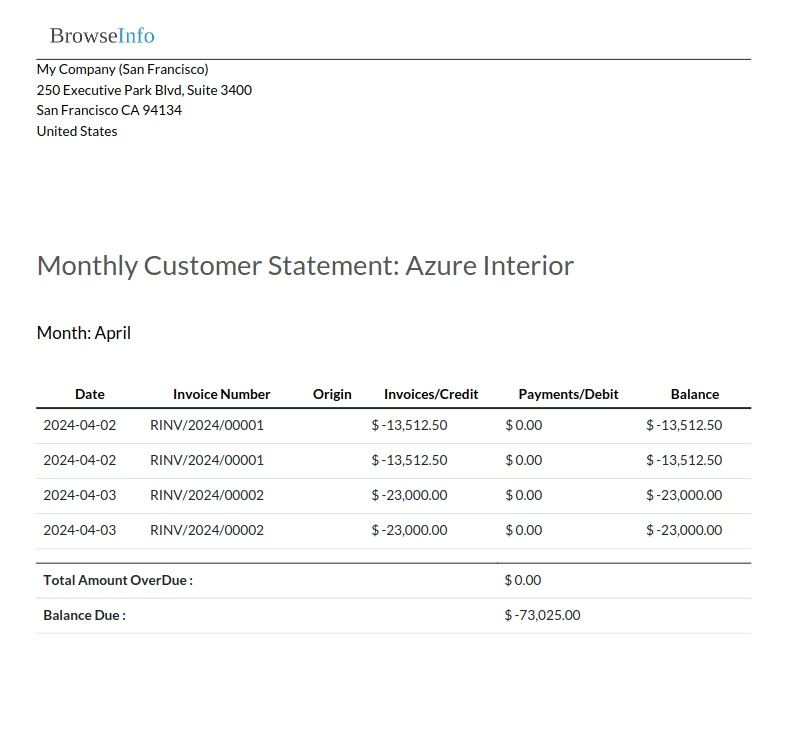
Supplier Monthly Statement Report
User can print supplier monthly statement report by clicking "Supplier Monthly Statement" menu.
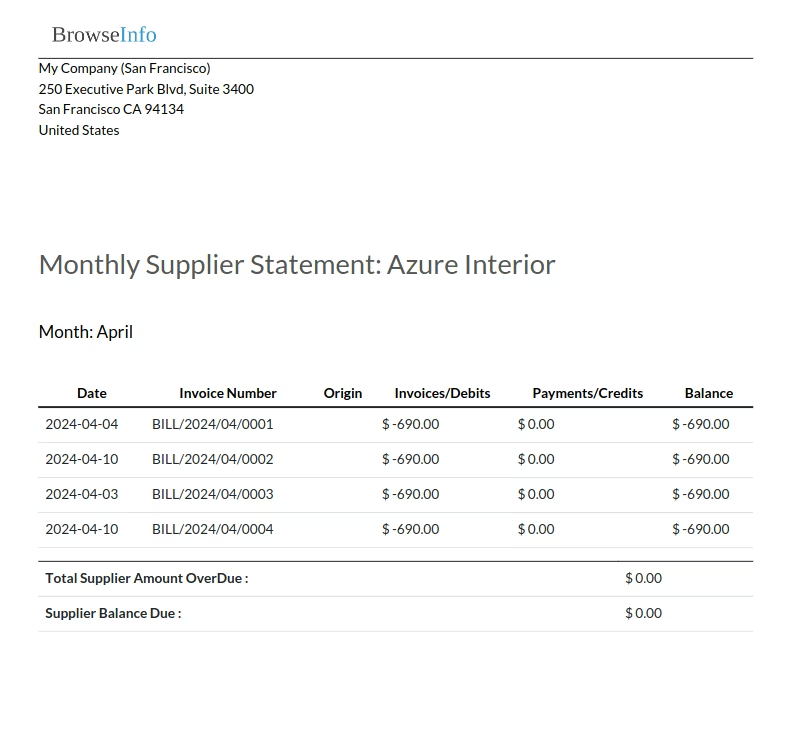
Supplier Weekly Statement Report
User can print supplier weekly statement report by clicking "Supplier Weekly Statement" menu.