The module for enables businesses to generate detailed account statements for both customers and vendors. This module enhances financial transparency by providing clear insights into outstanding invoices, balances due, and transaction histories, facilitating efficient management of receivables and payables.
Generate customer and vendor account statements with ease.
Select a customizable date range for transactions.
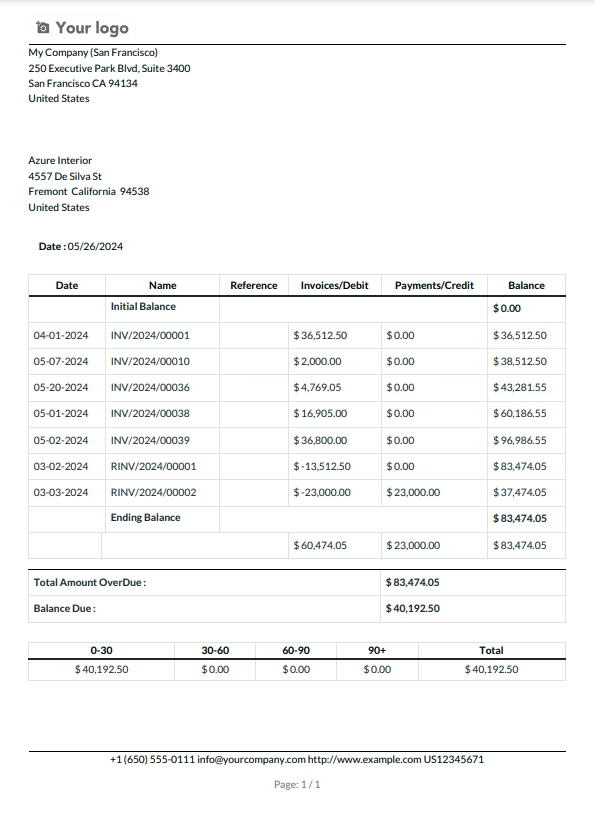
Display invoiced due amounts and balances due.
Provide a detailed transaction summary of amounts due.
Show amounts due per number of days.
Include miscellaneous journal entries for opening balances.
Support multi-currency and regional formatting for currency symbols.
Enhance customer and vendor satisfaction with clear and transparent statements.
Reduce manual work with automated data fetching and computation.
Ensure accuracy in financial reporting and reconciliation.
Improve cash flow management by identifying overdue invoices.
Strengthen business relationships through professional and timely communications.
The Apps for Customer/Vendor Accounting Statements and Overdue Payments is a robust tool that empowers businesses to efficiently manage financial transactions with their customers and vendors. This feature-rich application provides a comprehensive set of functionalities, allowing users to generate detailed statements, monitor overdue payments, and facilitate seamless communication. With customizable date range filtering, users can tailor statements to specific time frames, including an opening balance for a holistic view of financial positions. The app's automation features enable the automatic sending of statements via email, ensuring regular communication and transparency in financial dealings. The inclusion of total due and overdue amounts in the Statements tab enhances visibility into outstanding balances. Additionally, the option to grant portal access to customers and suppliers promotes self-service, enabling them to independently review their statements. Overall, this app contributes to a more streamlined and transparent financial workflow, providing businesses with a powerful tool for effective financial management.
Configuration
No additional configuration required
- Users can easily access and view detailed accounting statements for both customers and suppliers.
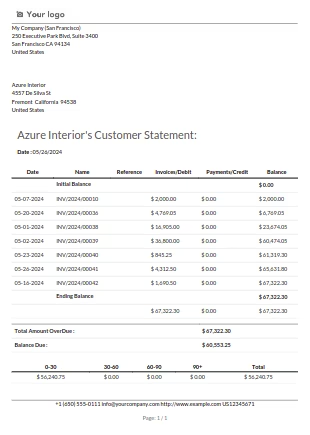
- Statements are presented with due range tables, such as 0-30 days, 30-60 days, 60-90 days, and 90+ days, offering a clear overview of outstanding payments.
- The app facilitates the seamless distribution of account statements via email to customers and suppliers.
- Email automation allows for the regular sending of statements, promoting timely communication and transparency in financial dealings.
- Users can generate reports specifically highlighting overdue payments, aiding in the identification of outstanding amounts and facilitating efficient follow-up.
- Accountants have the flexibility to filter statements based on start and end dates, providing a customizable view of financial transactions within a specified time frame.
- Automate the process of sending customer and vendor statements, streamlining communication and ensuring regular updates without manual intervention.
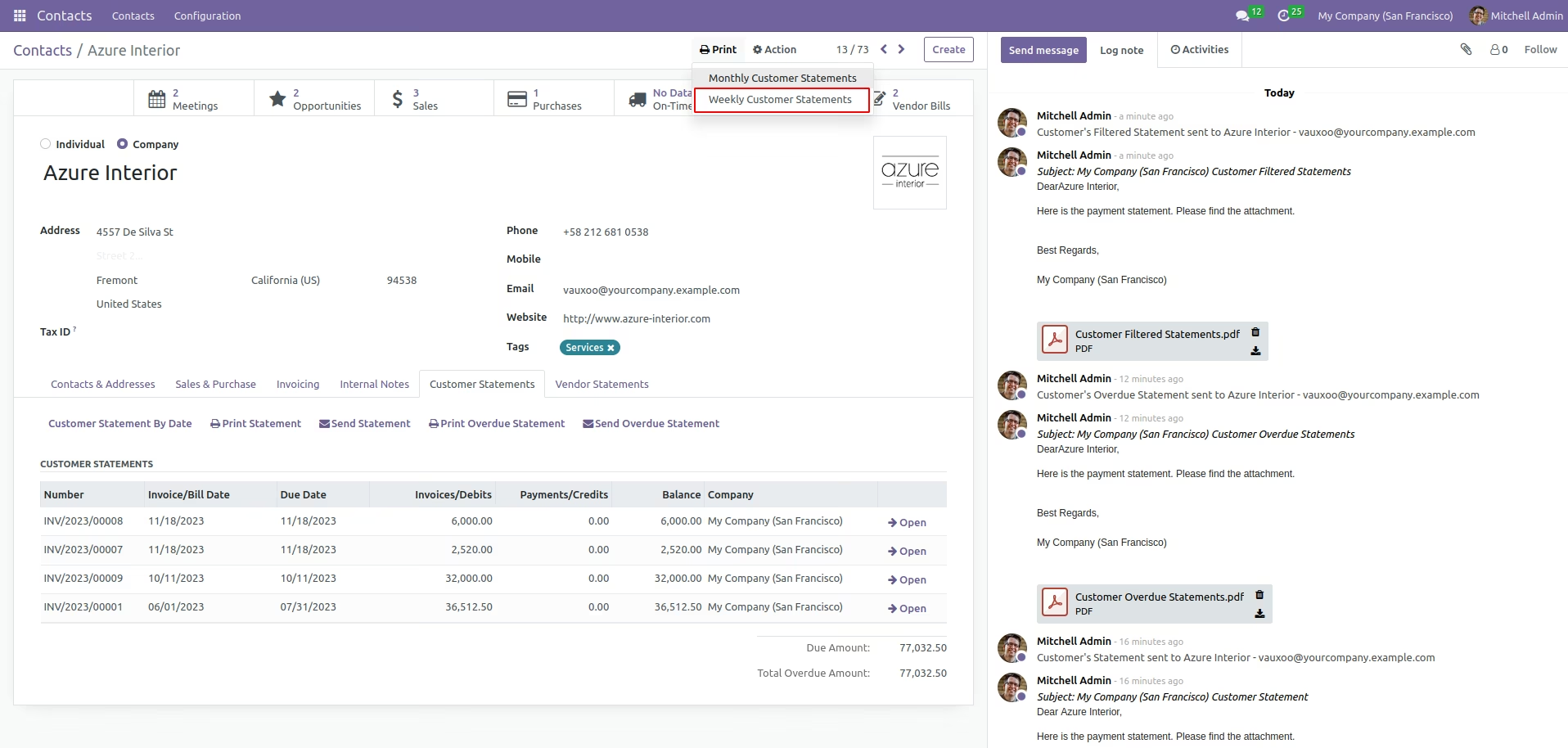
User can access the Customer Statements/Vendor Statements tab from respective customer form view .
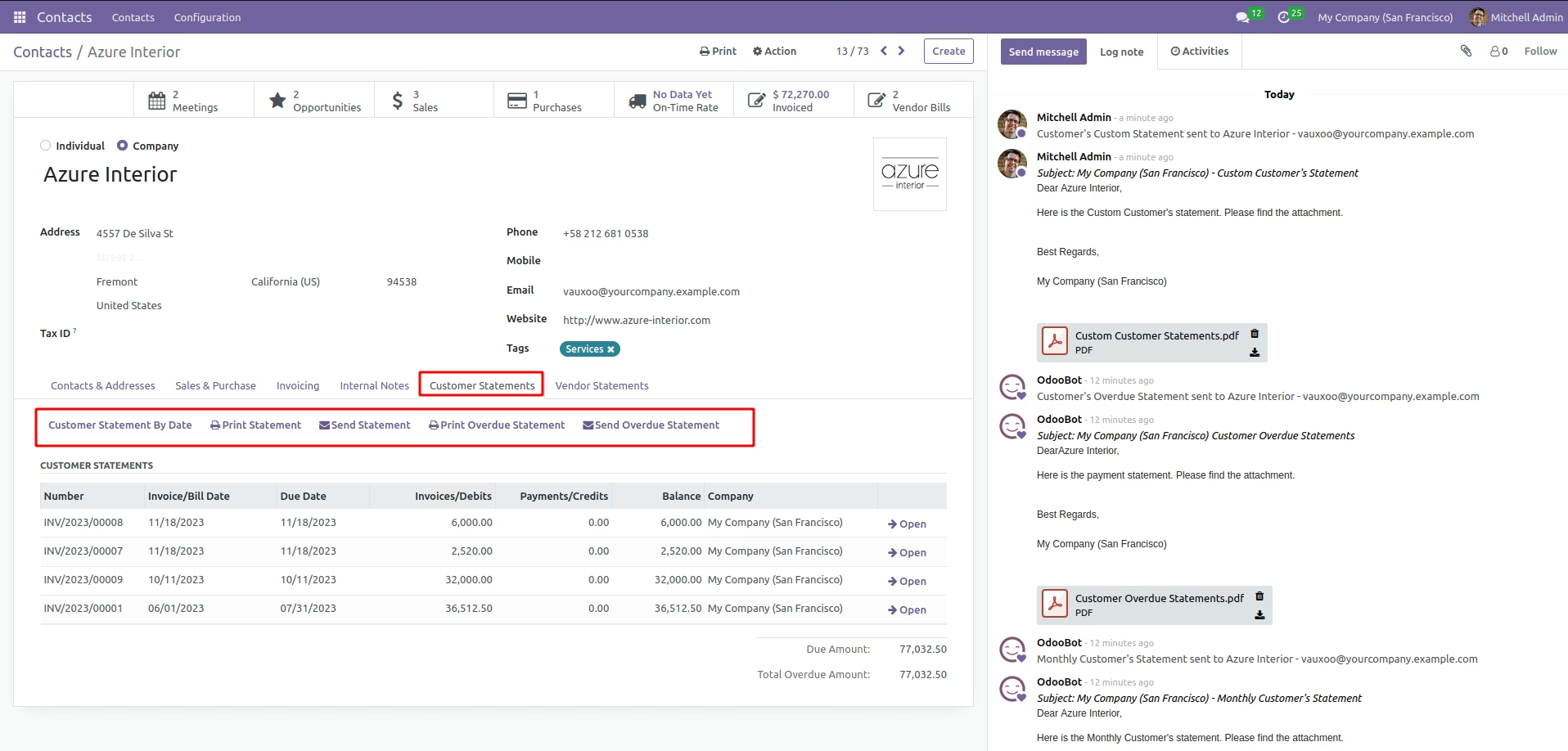
Use 'Print Statement' button to take the statements report.
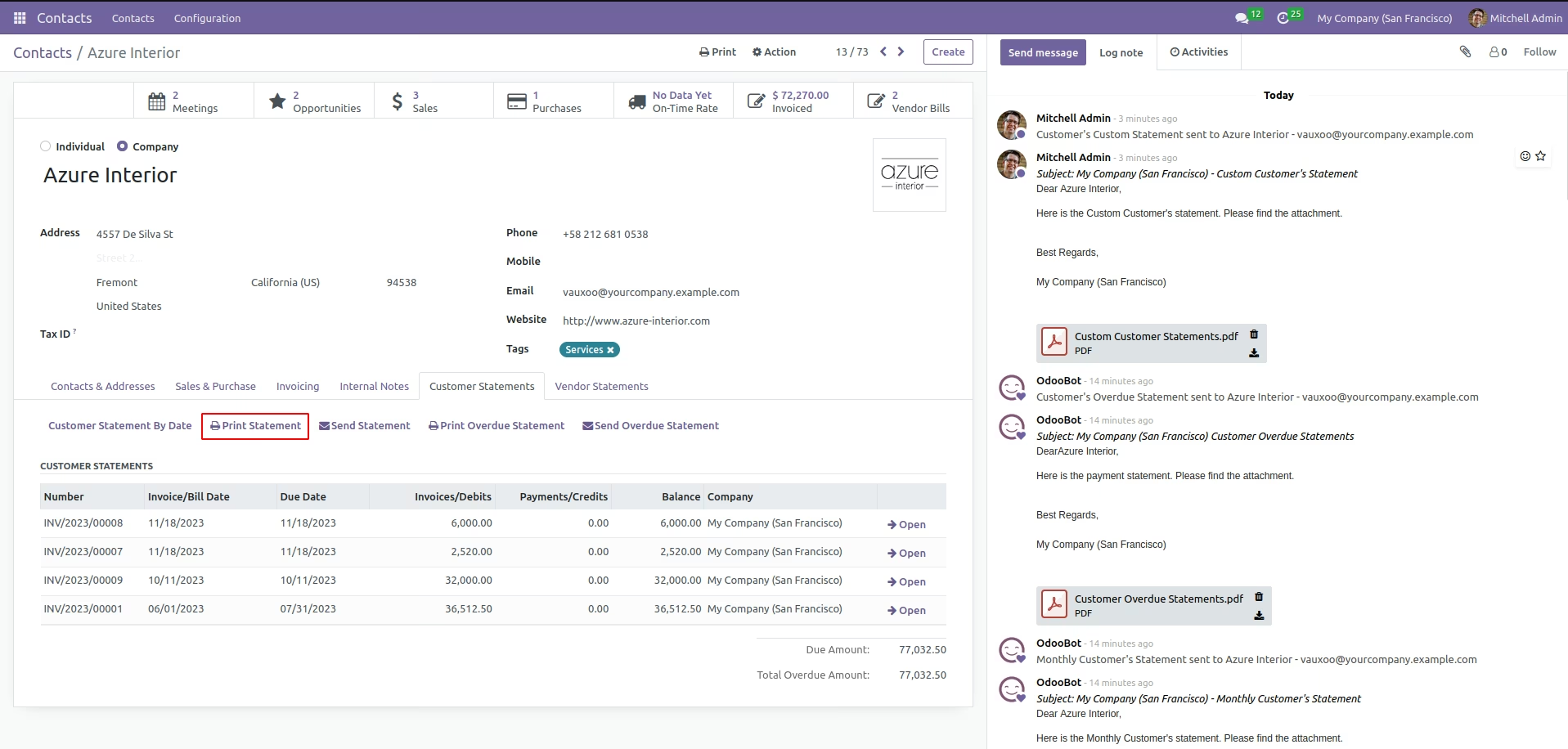
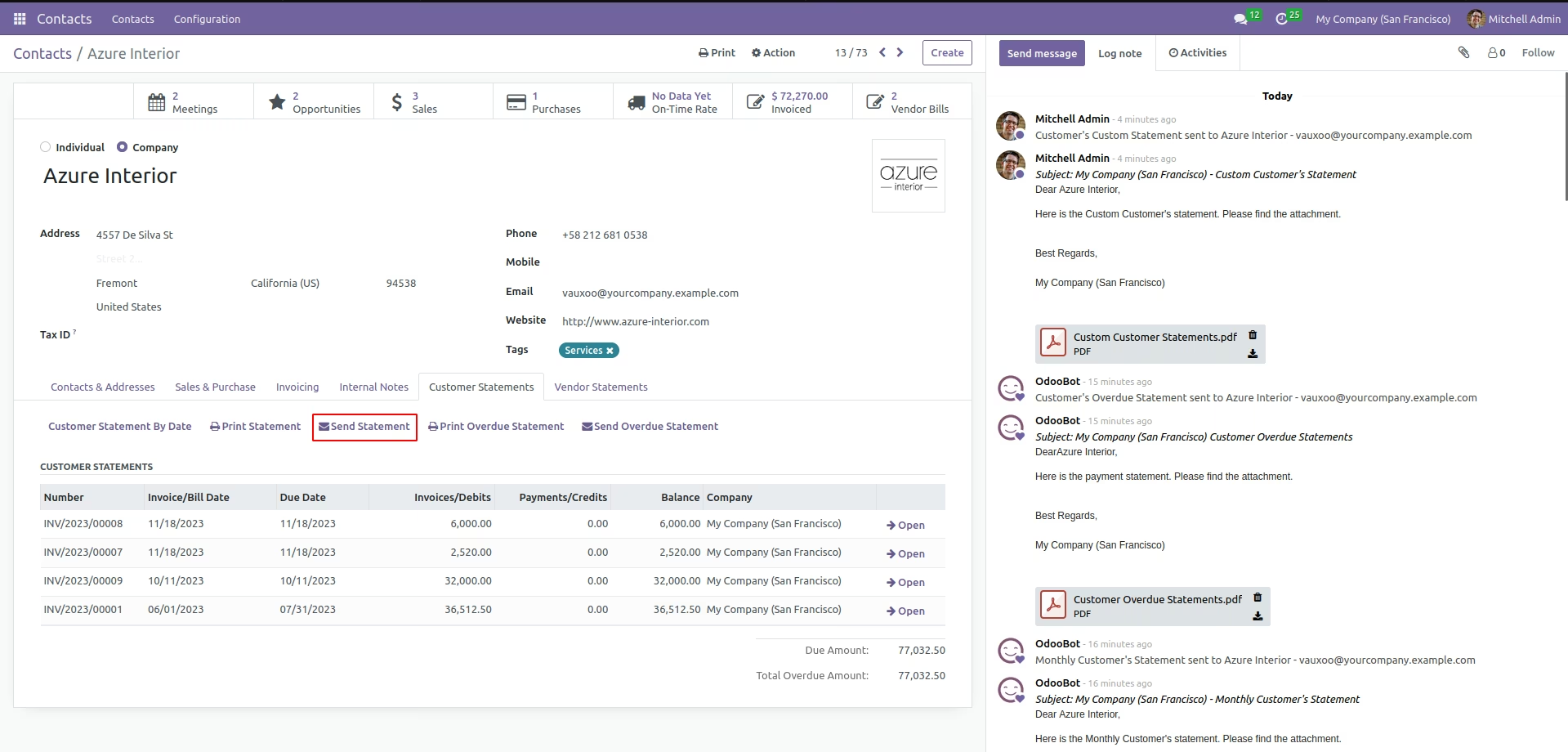
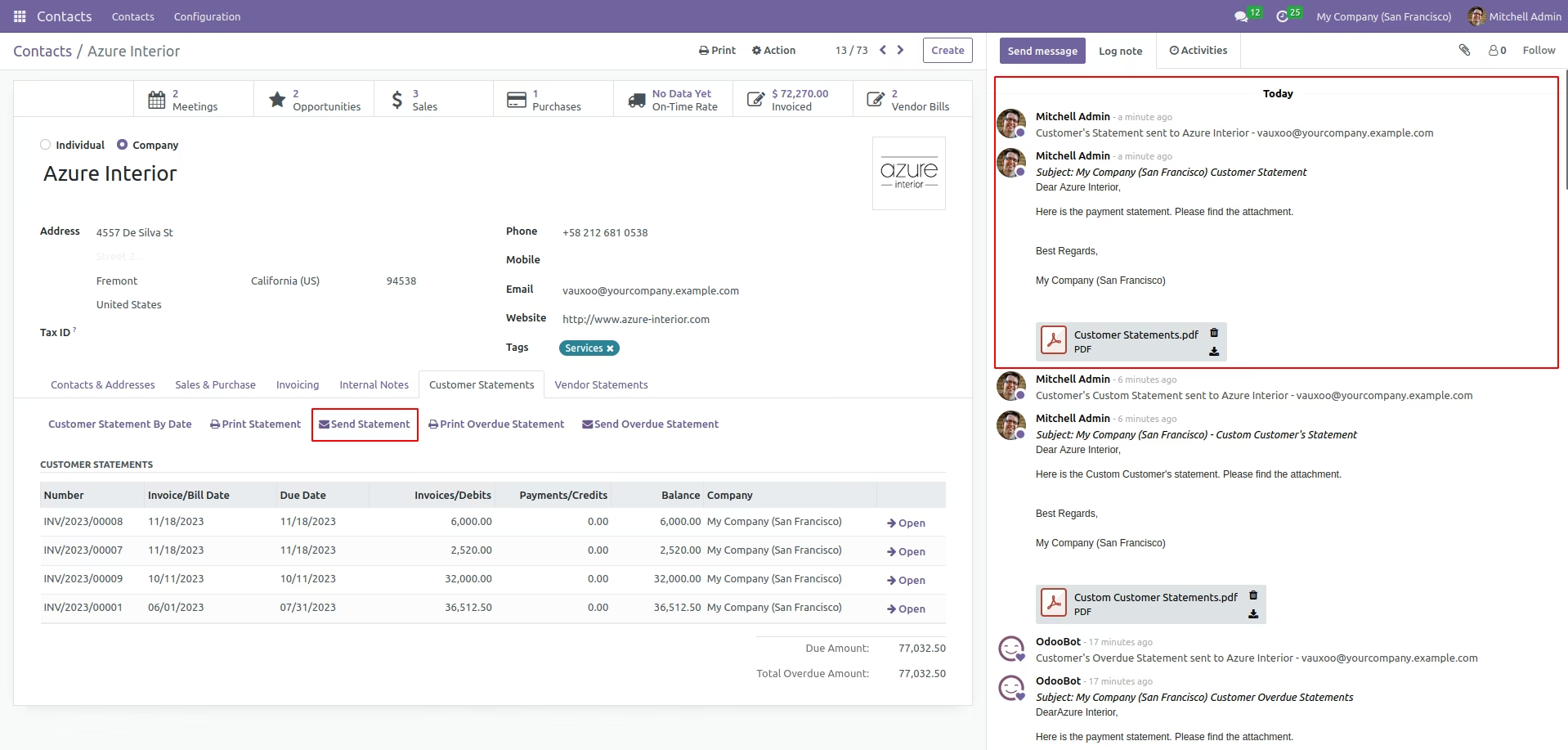
Use 'Sent Statement' button to send the statements to customer.
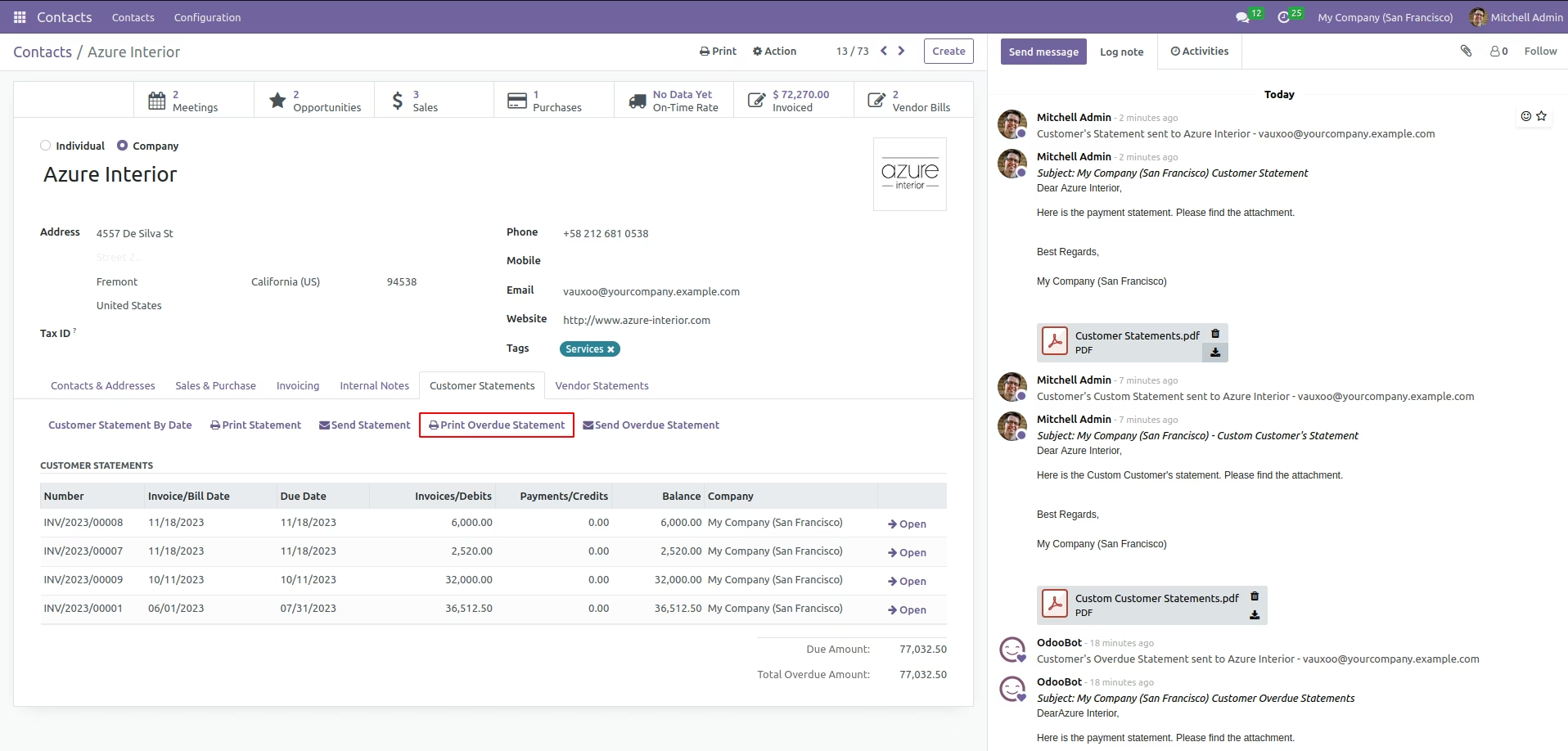
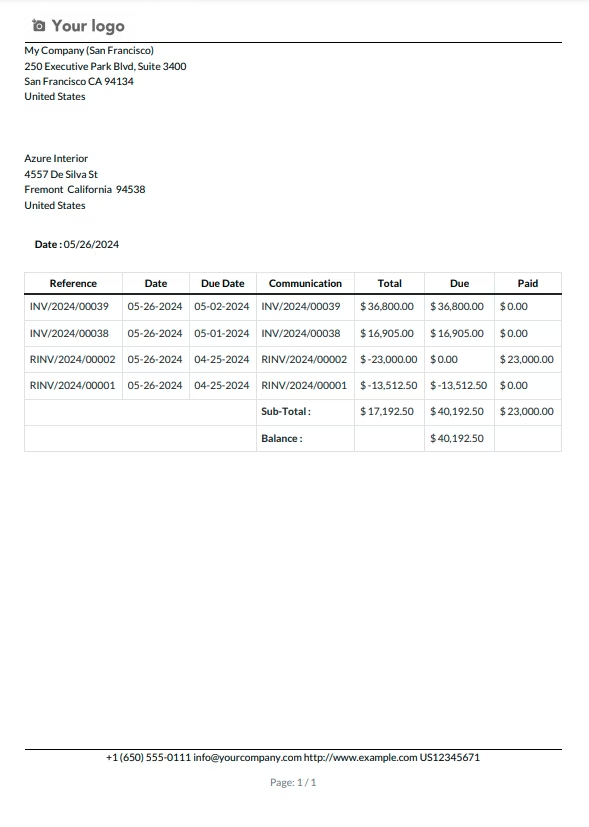
Use 'Print Overdue Statement' button to take the overdue statements report.
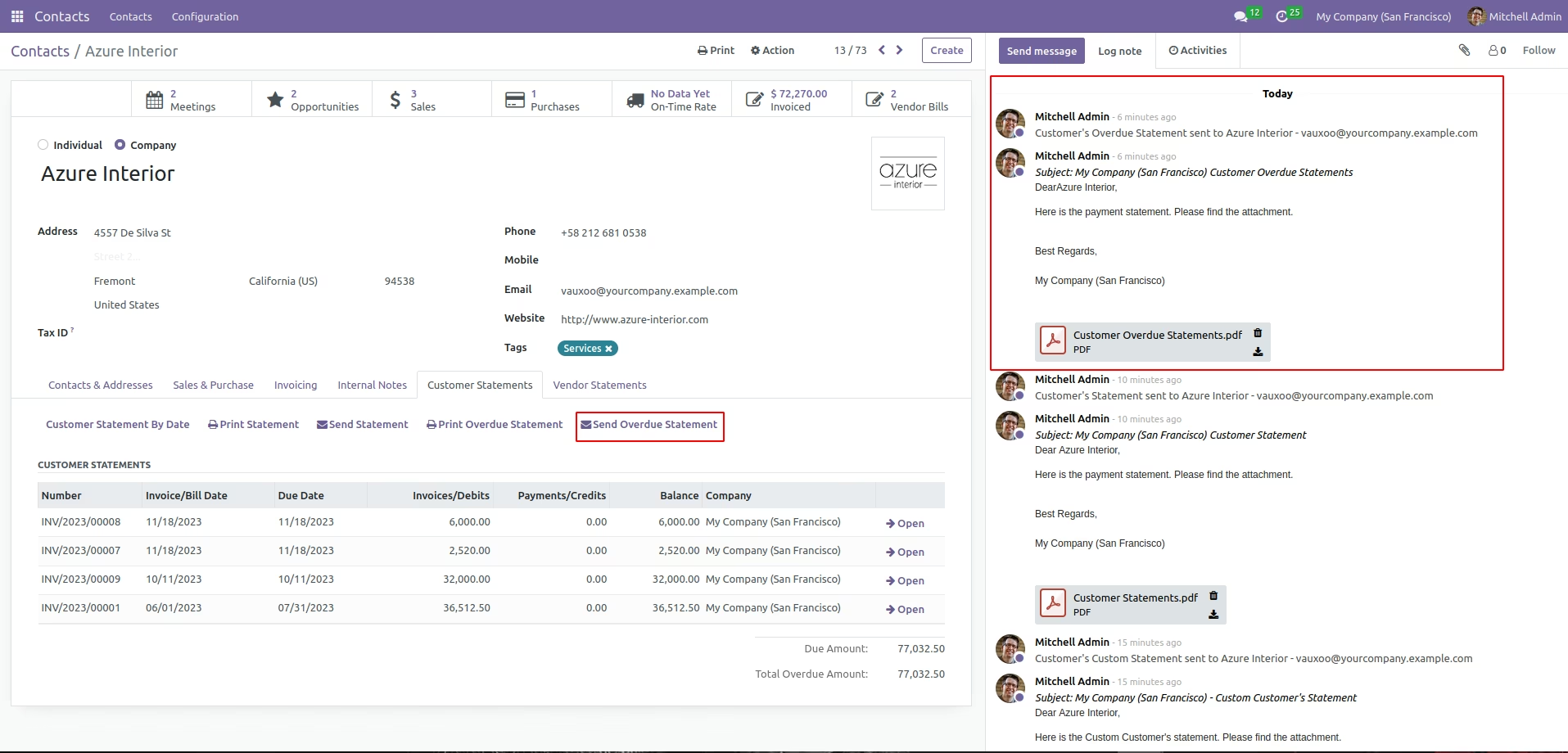
Use 'Sent Overdue Statement' button to send the overdue statements to customer.
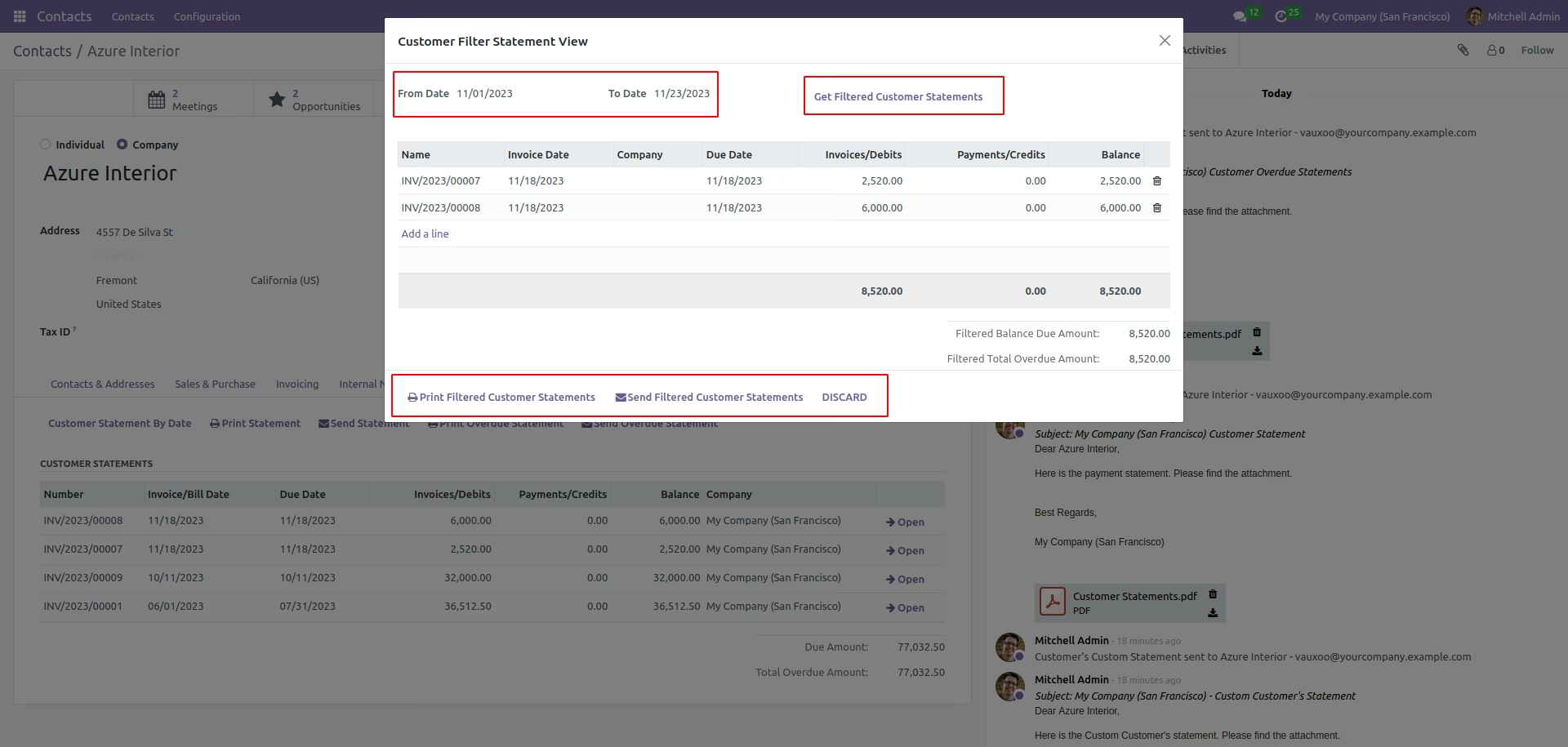
Utilize filter option to get the filtered customer statements. User can print/sent the filtered statements to the customer as well.
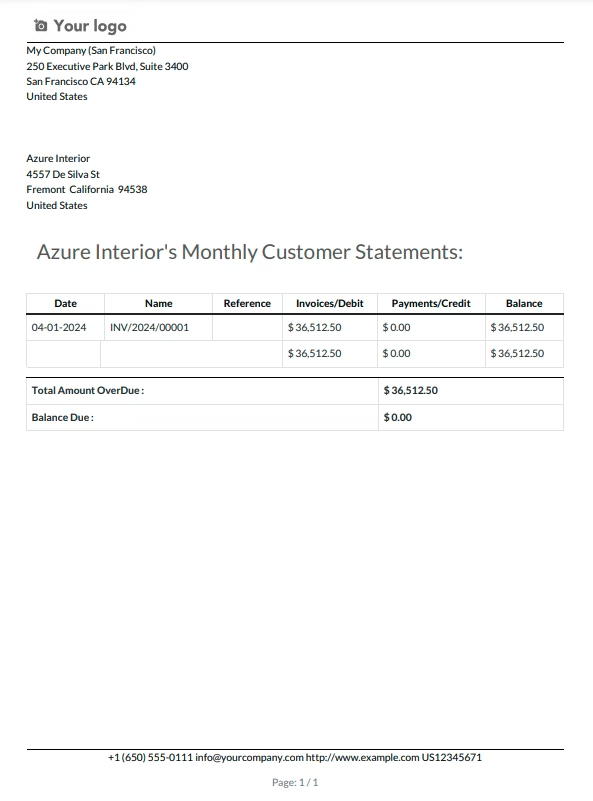
Use 'Monthly Customer Statements' button to take the monthly statements report.
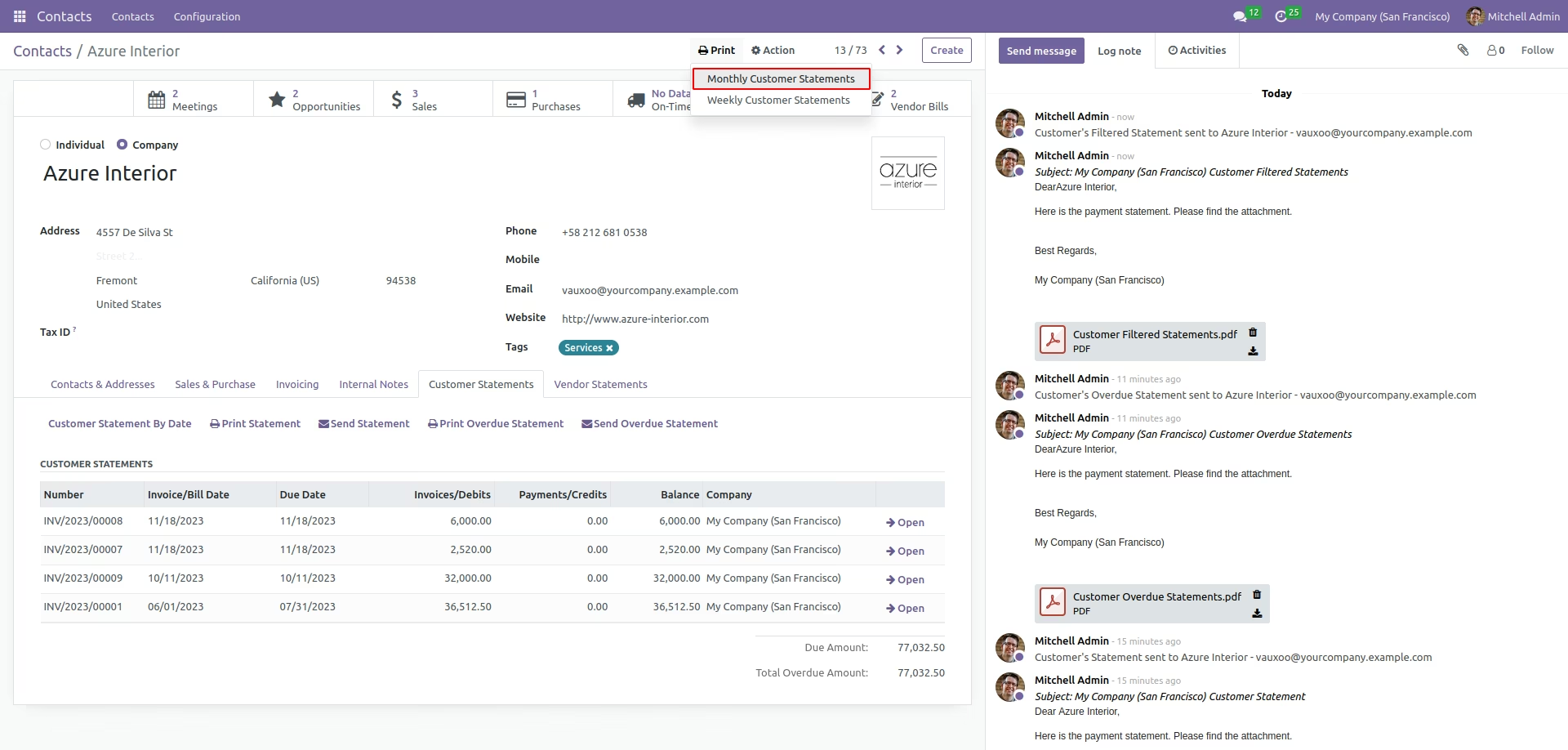
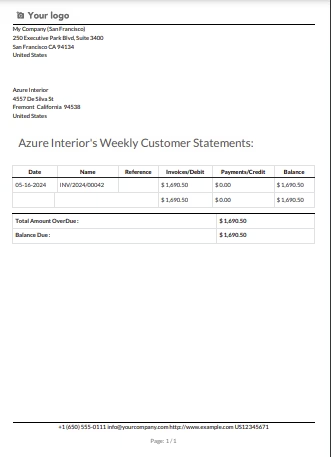
Use 'Weekly Customer Statements' button to take the weekly statements report.
Use 'Print Vendor Statements' button to take the vendor statements report.
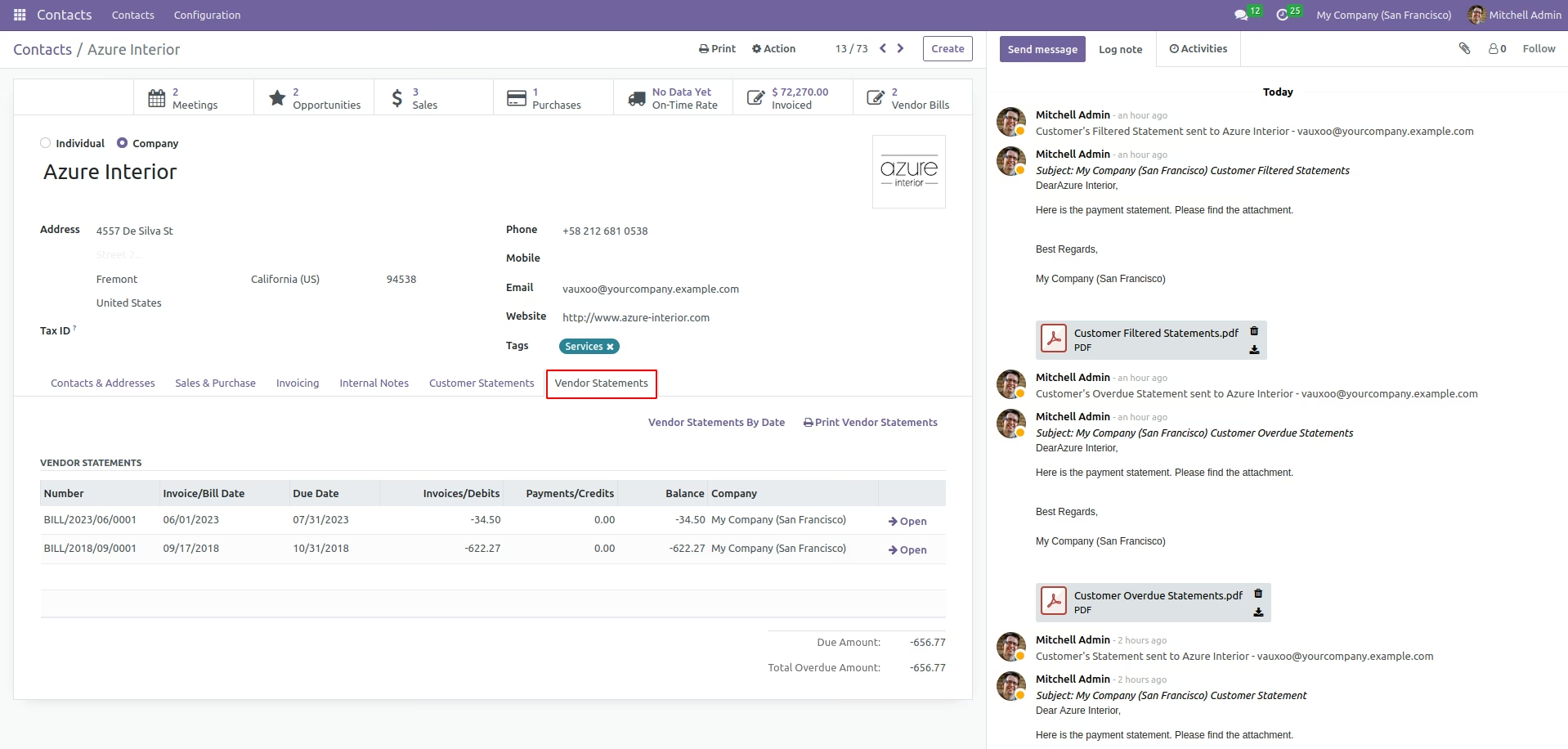
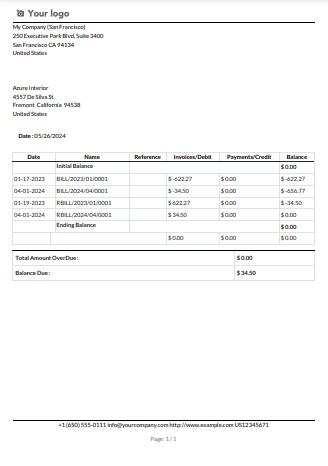
Utilize filter option to get the filtered vendor statements. User can print the filtered vendor statements.
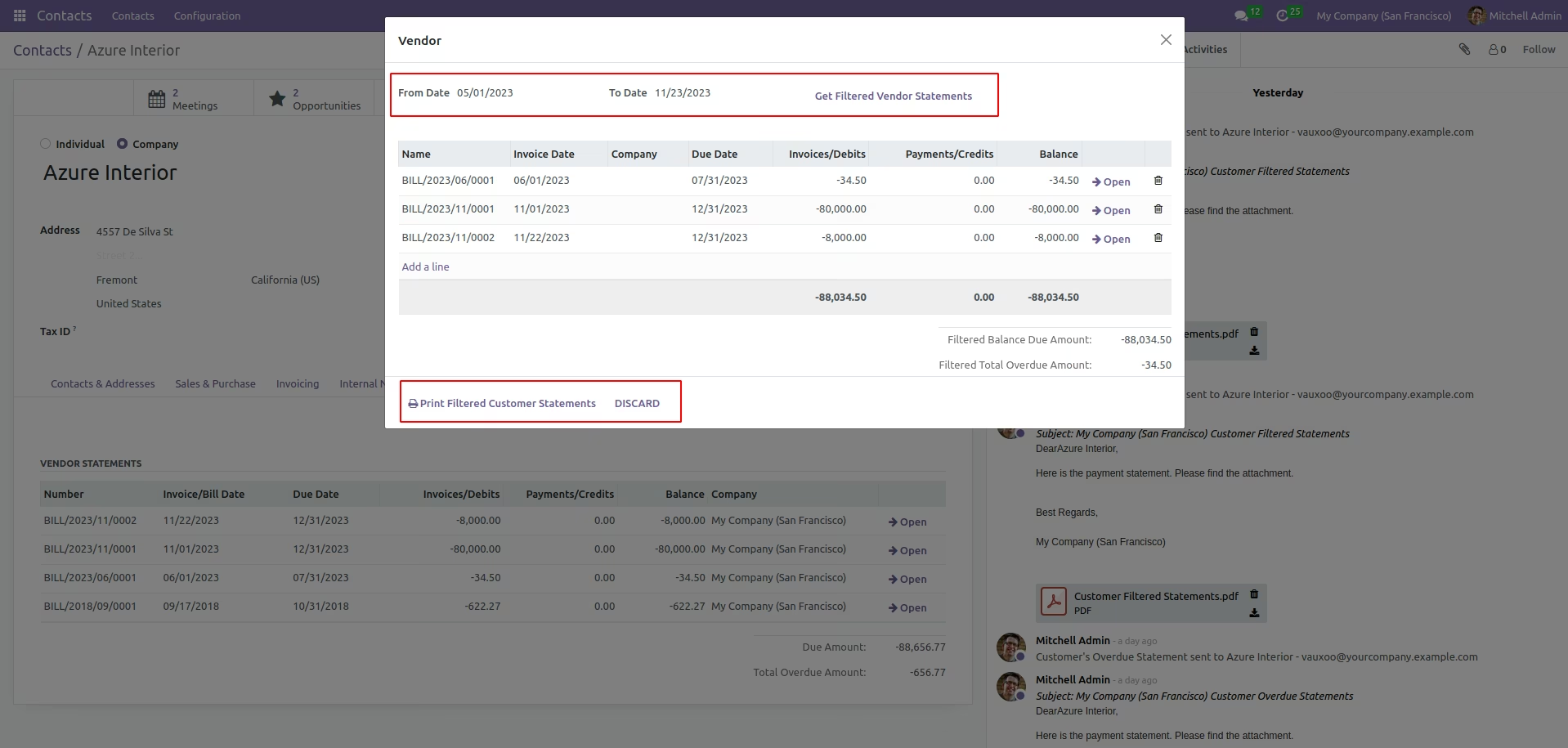
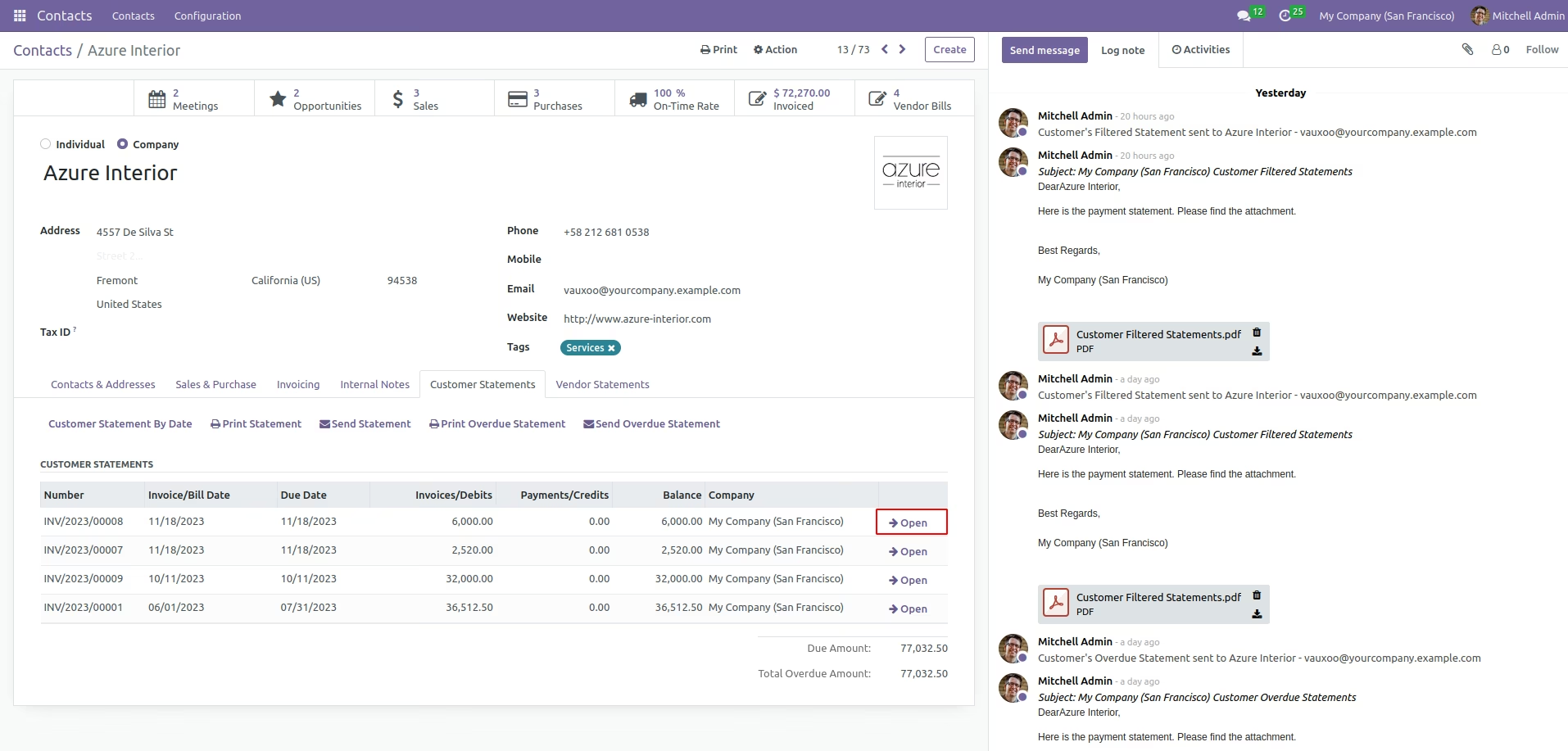
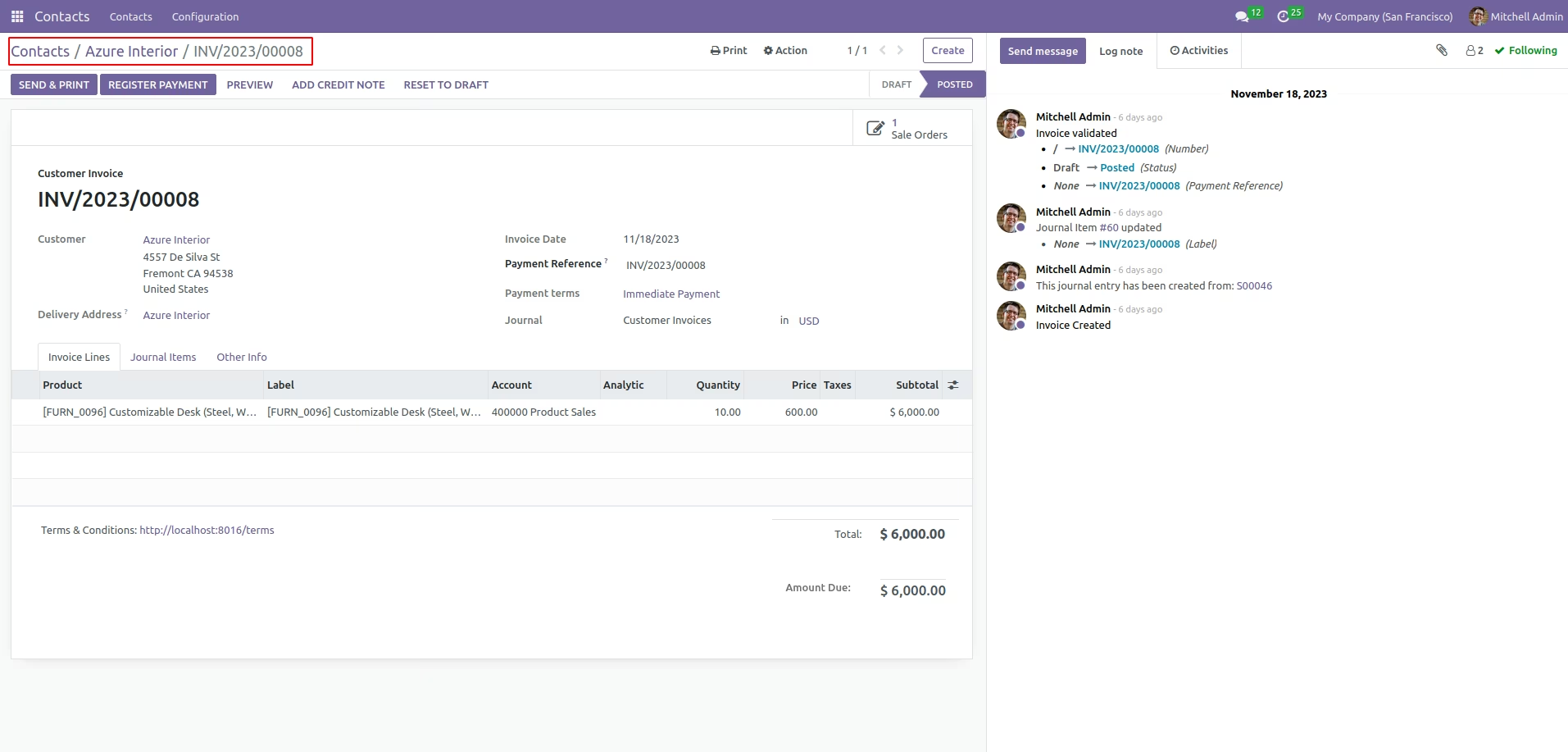
User can directly access the statement record from Customer form view itself.
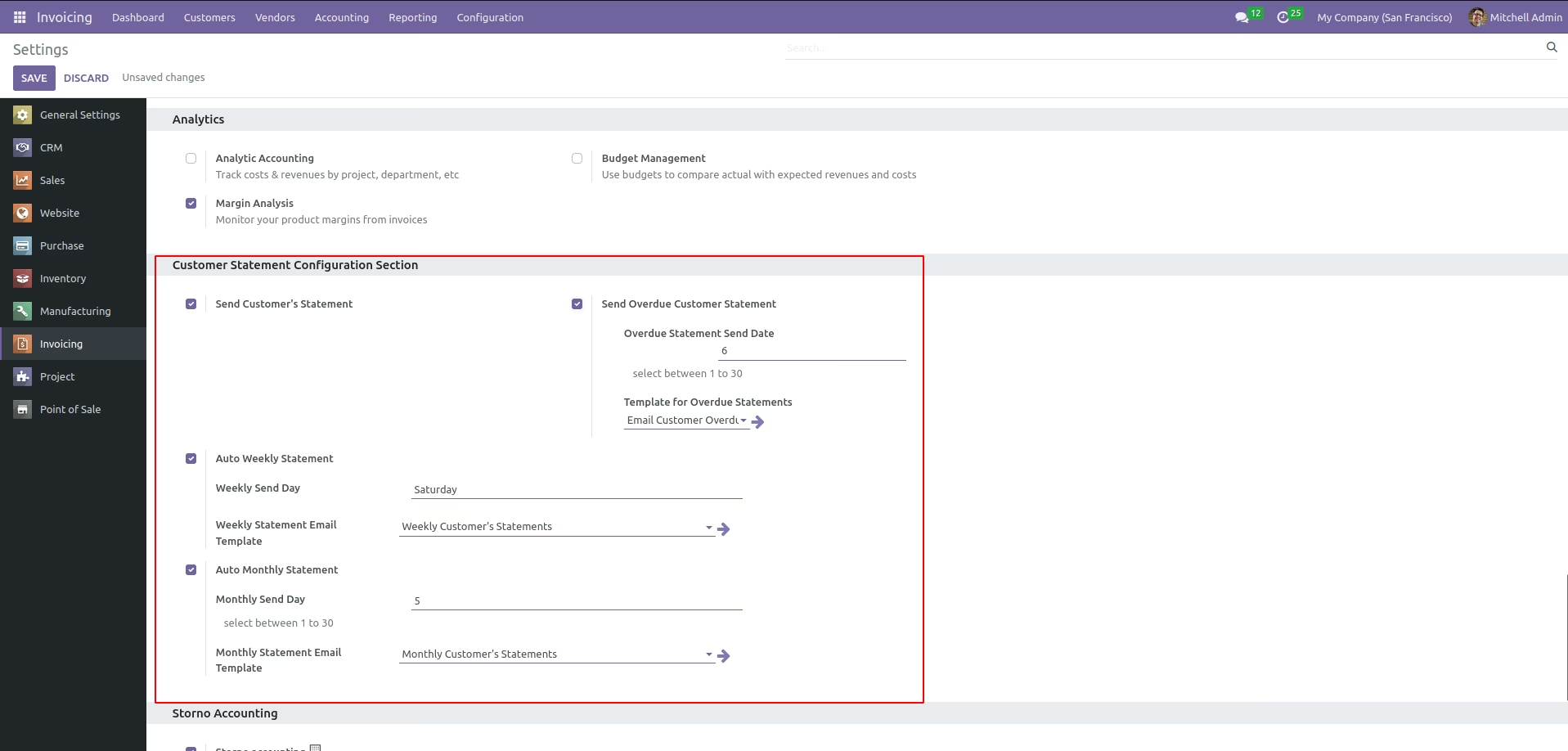
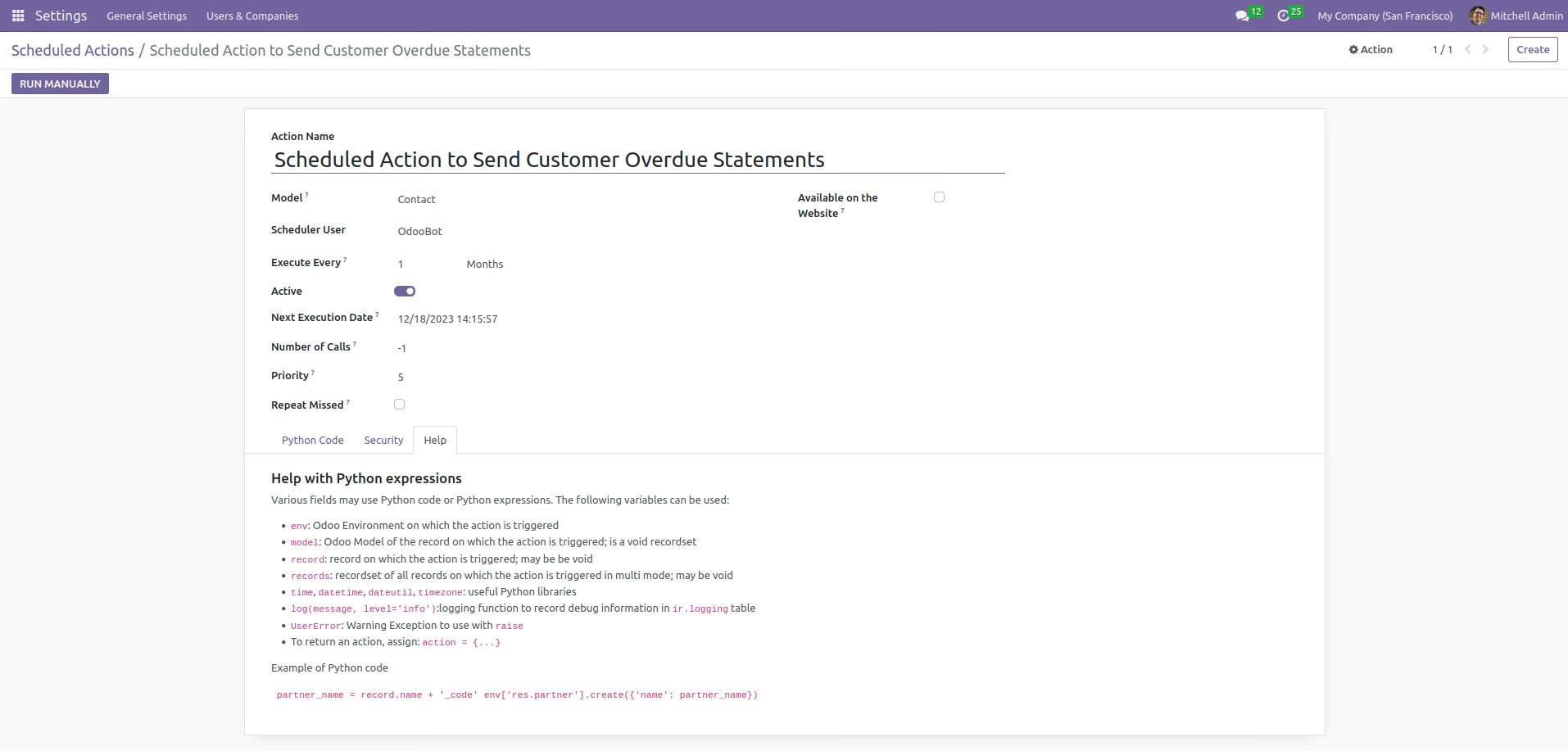
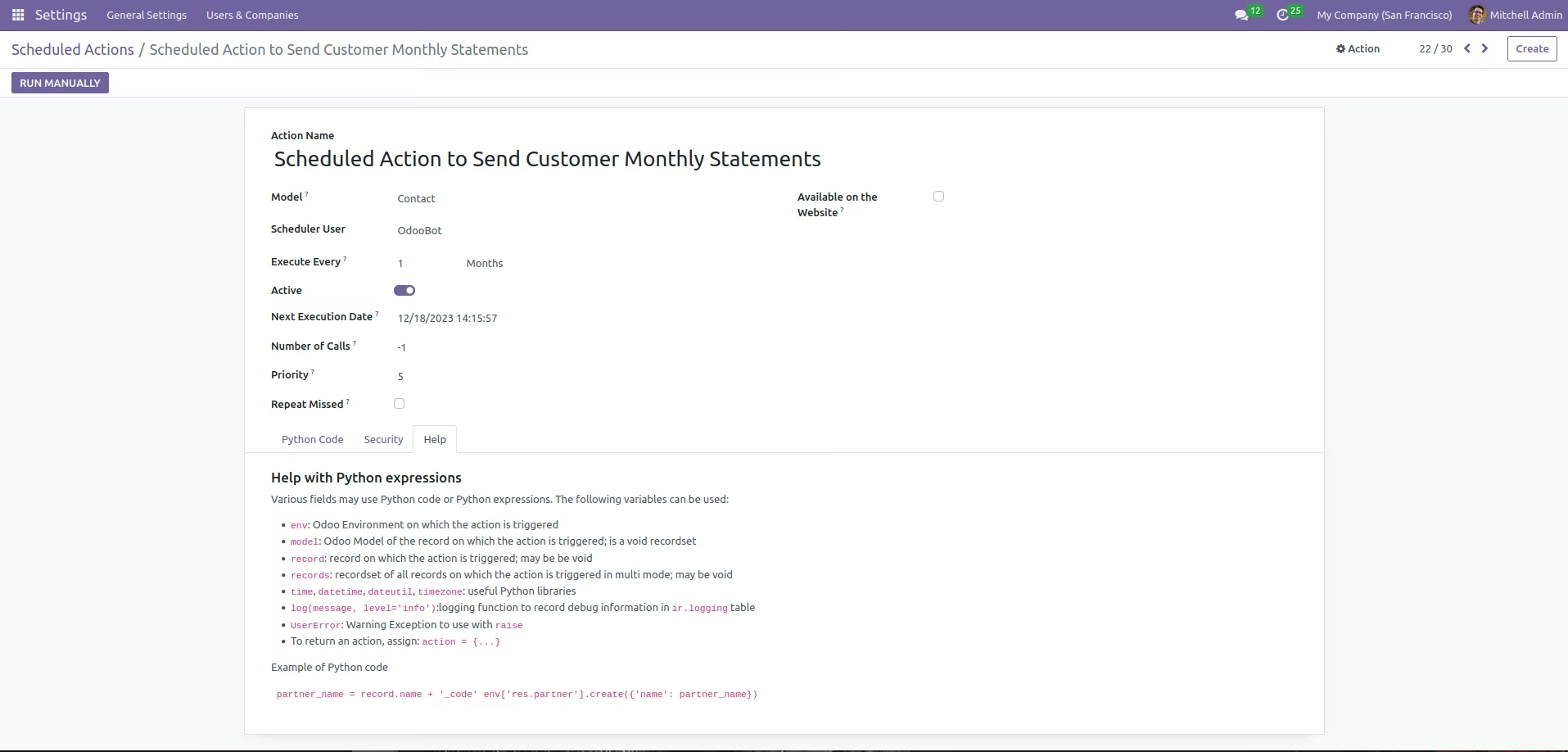
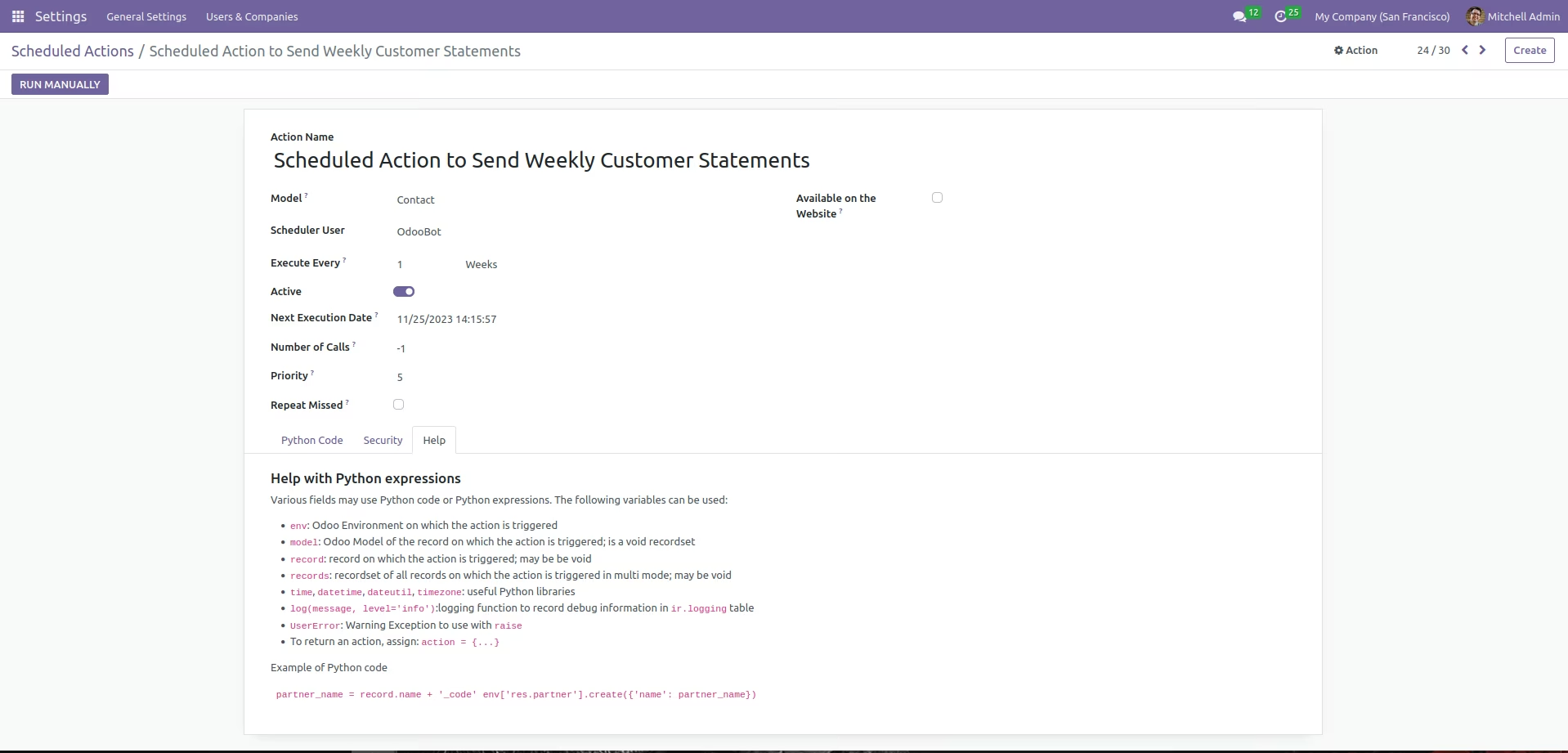
User can set different Scheduled actions from Accounting Settings. Like sending Overdue statements/Weekly Customer Statements/Monthly Customer statements etc...
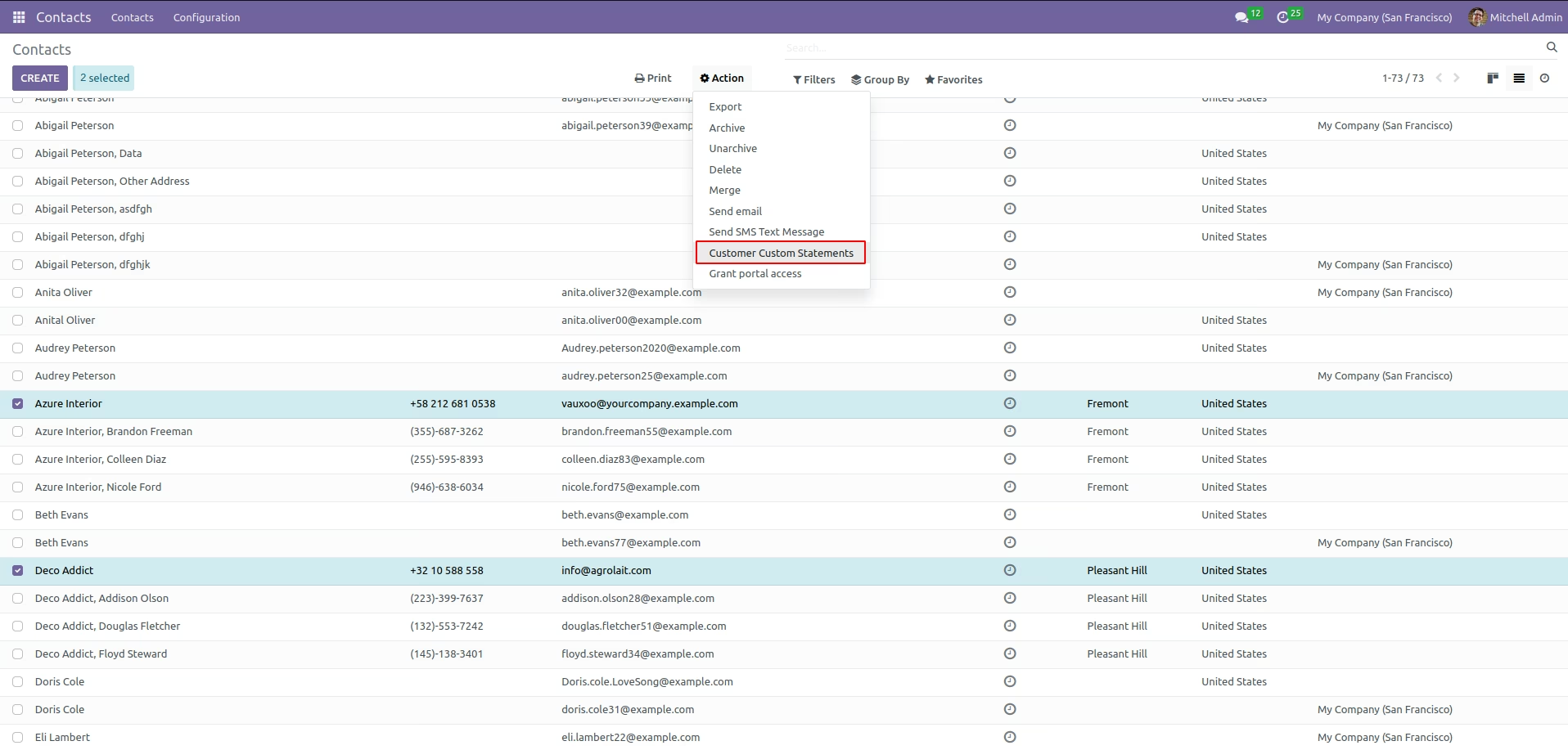
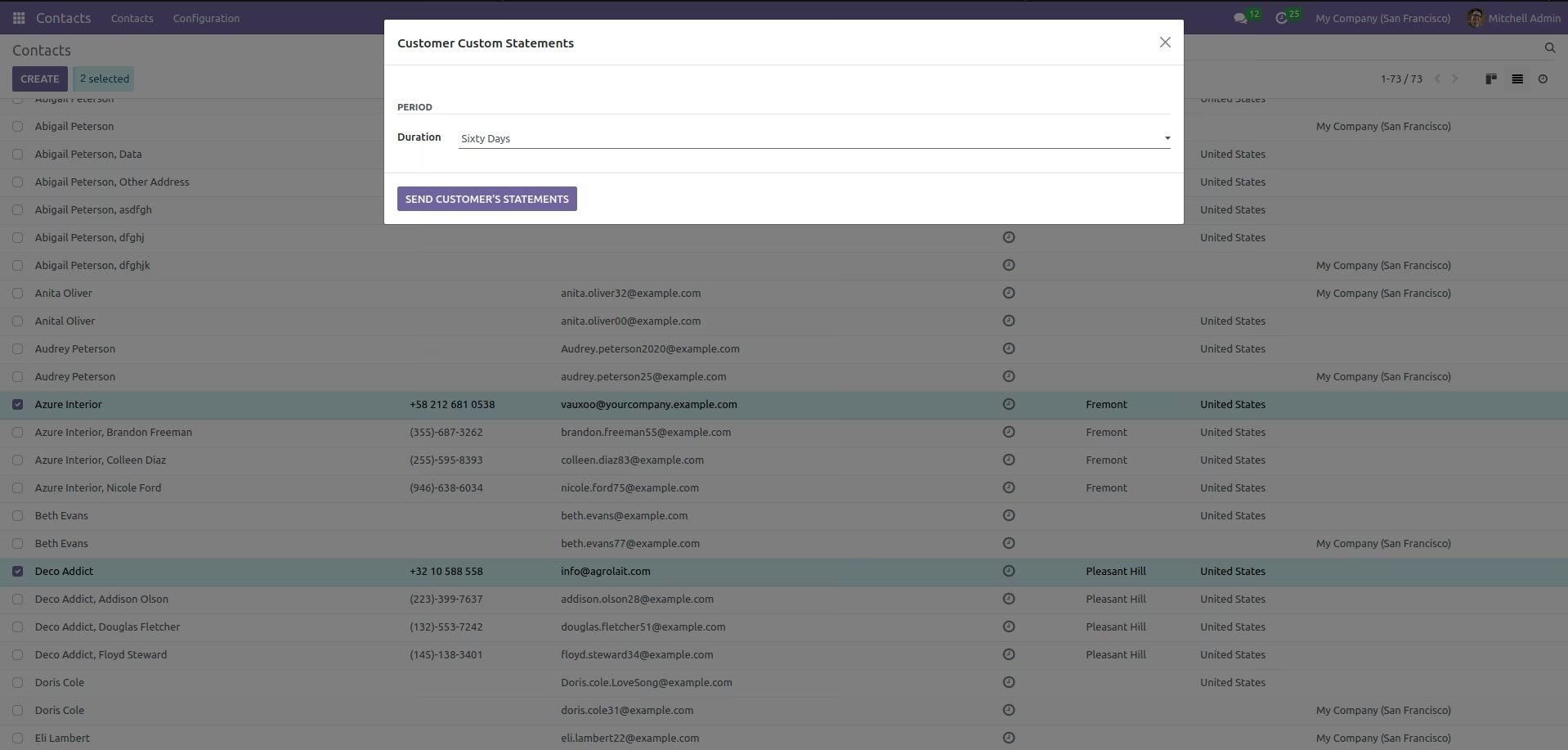
User can send custom statements based on the filter.
Use "Exclude Auto Sent" button to exclude customer from sending scheduled statements automatically.
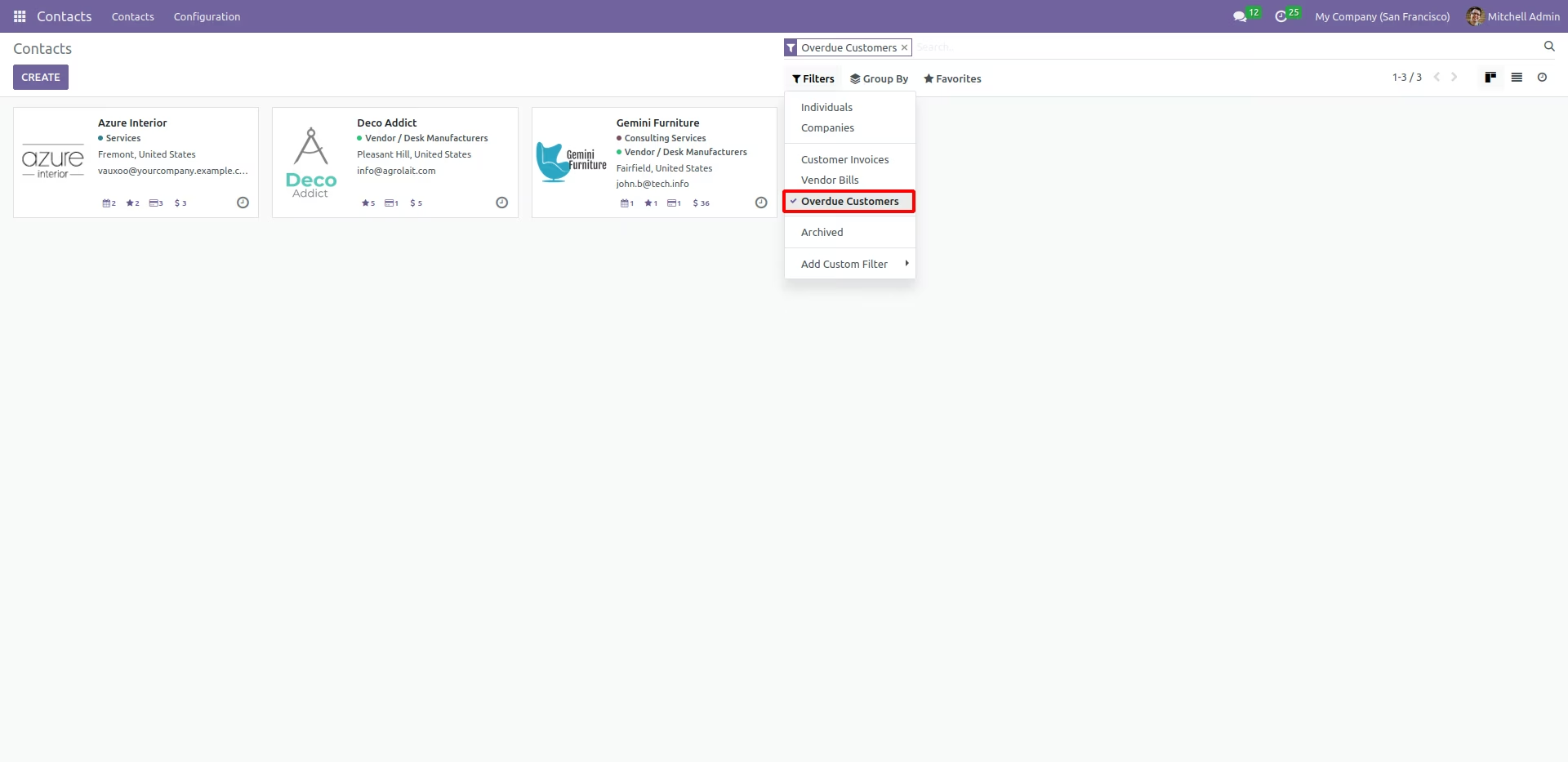
Use "Overdue Customers" filter to sort out the overdue customers.