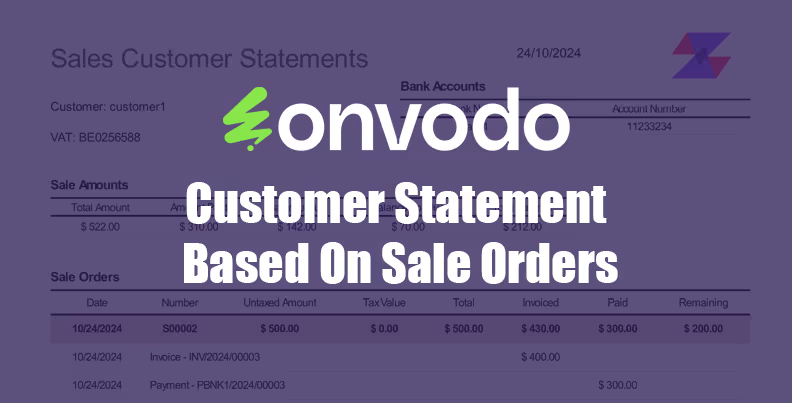
The module for enables businesses to generate detailed customer statements derived directly from sales orders. This approach provides a clear overview of customer transactions, enhancing financial transparency and facilitating efficient management of receivables.
Generate customer statements based on sales orders.
Select a customizable date range for transactions.
Display opening balances, invoiced amounts, payments, and balances due.
Provide a detailed transaction summary with amounts and balances.
Support multi-currency and regional formatting for currency symbols.
Enhance customer satisfaction with clear and transparent statements.
Reduce manual work with automated data fetching and computation.
Ensure accuracy in financial reporting and reconciliation.
Improve cash flow management by identifying overdue invoices.
Strengthen customer relationships through professional and timely communications
Customer Statement Based On Sale Orders
| Community | Enterprise | .sh |
This module helps to generate and print a PDF report for sales statements of customers.
Features
- Generate reports between any date range.
- Generate reports for this year, last 6 months or last year.
- Select multi customers to print sales statements for them.
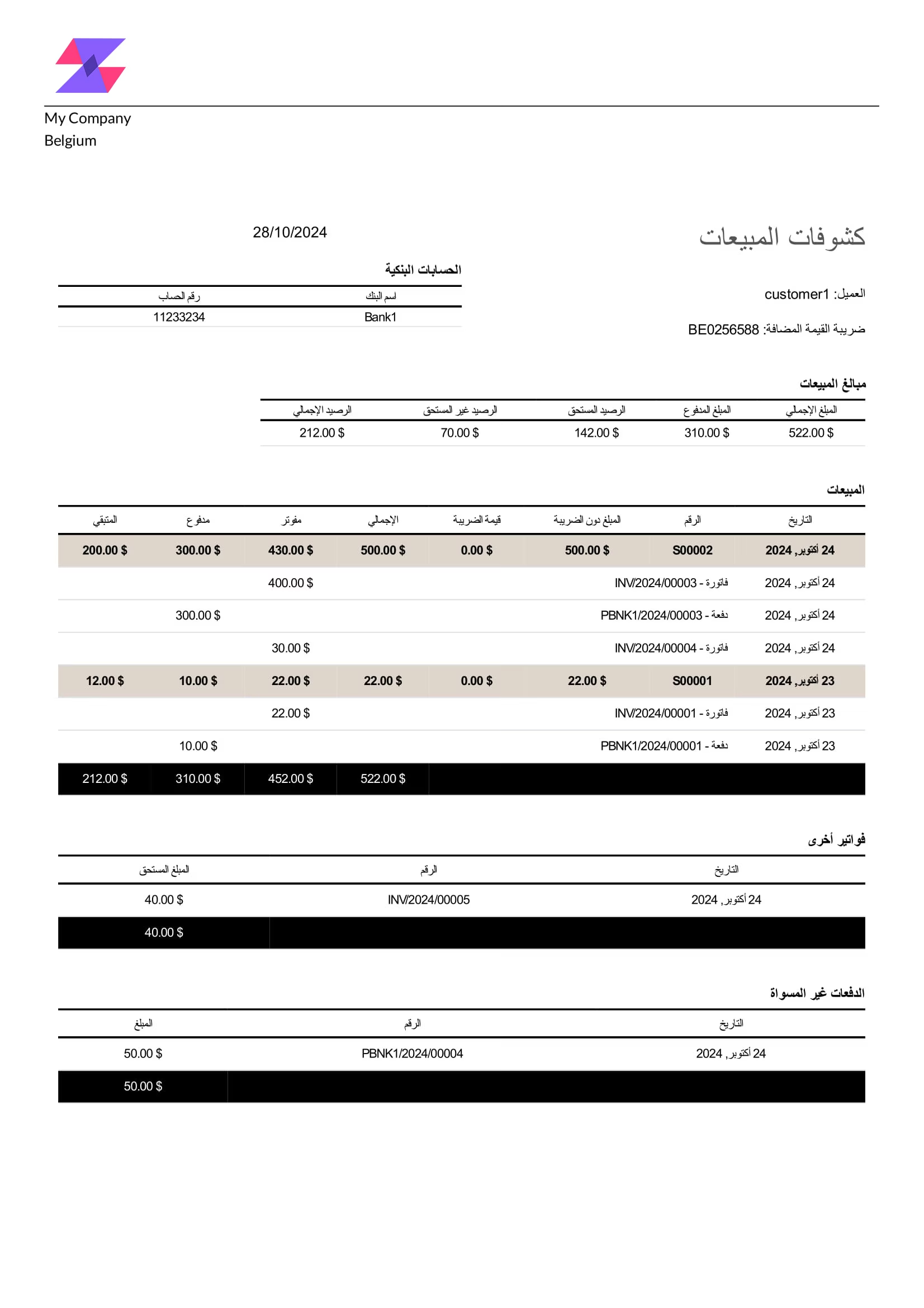
- Containing all customer sales with invoices details and payments.
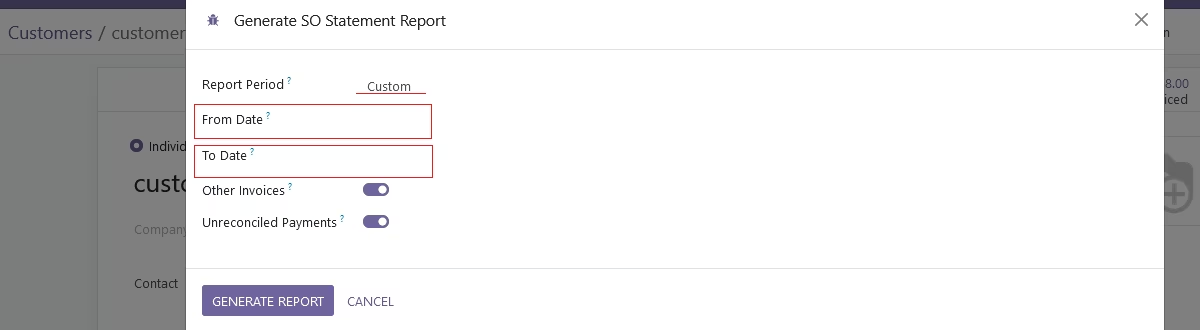
- Filter to print out other invoices(not related to any sale order) or unreconciled payment(not related to any invoice).
- The report can be generated in English or Arabic.
Requirements
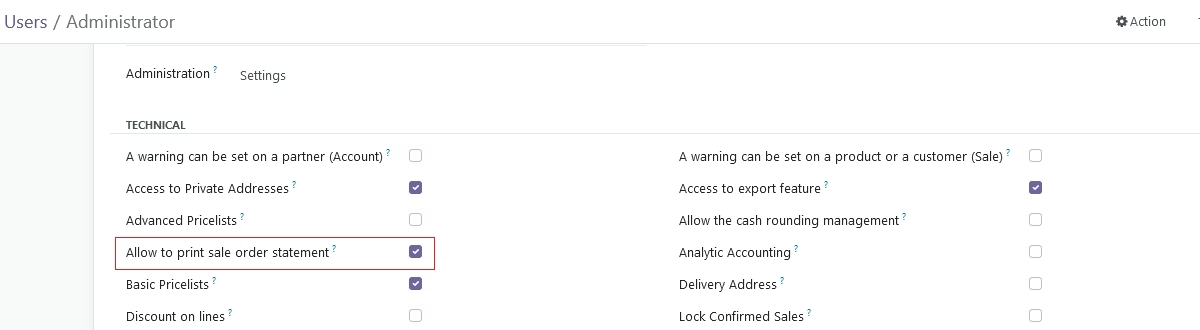
- Enable "Allow to print sale order statement" in user access rights.
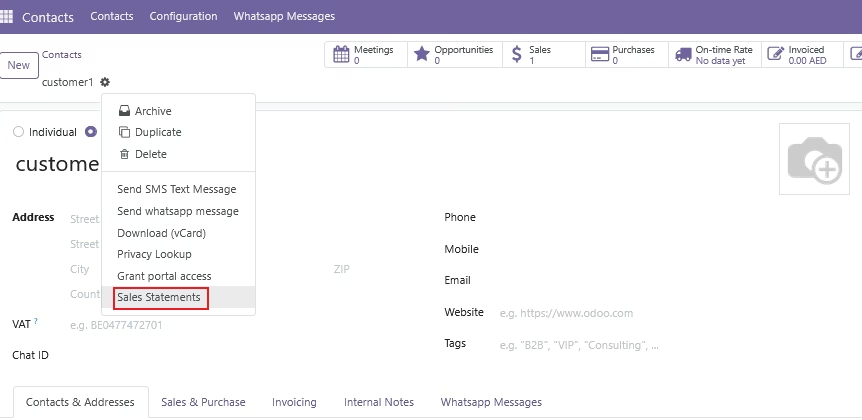
- Go to customers → choose customer and click on 'Action' → 'Sales Statement'.
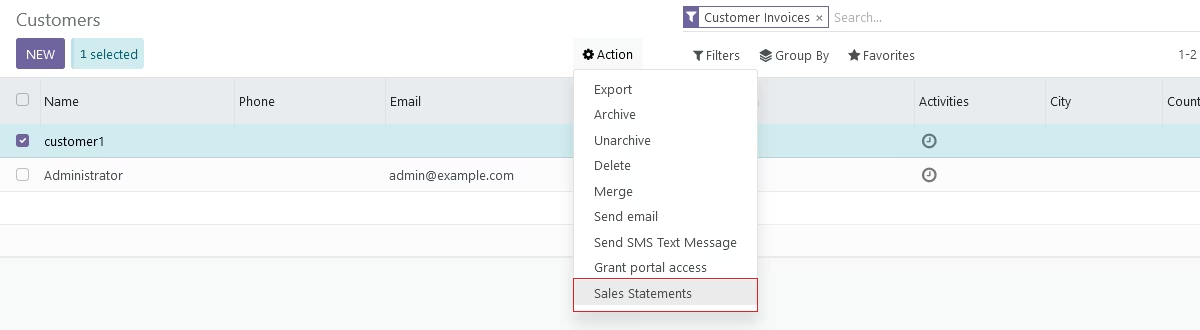
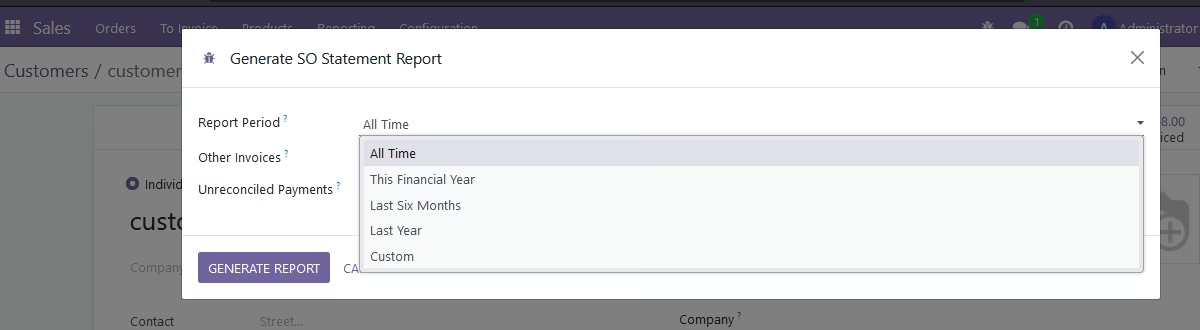
- Select report period:
- All time: prints all sales data on any date
- This financial year
- Last 6 months
- Last year
- Custom: select from, to date.
- Click on 'Generate Report'
Report Details
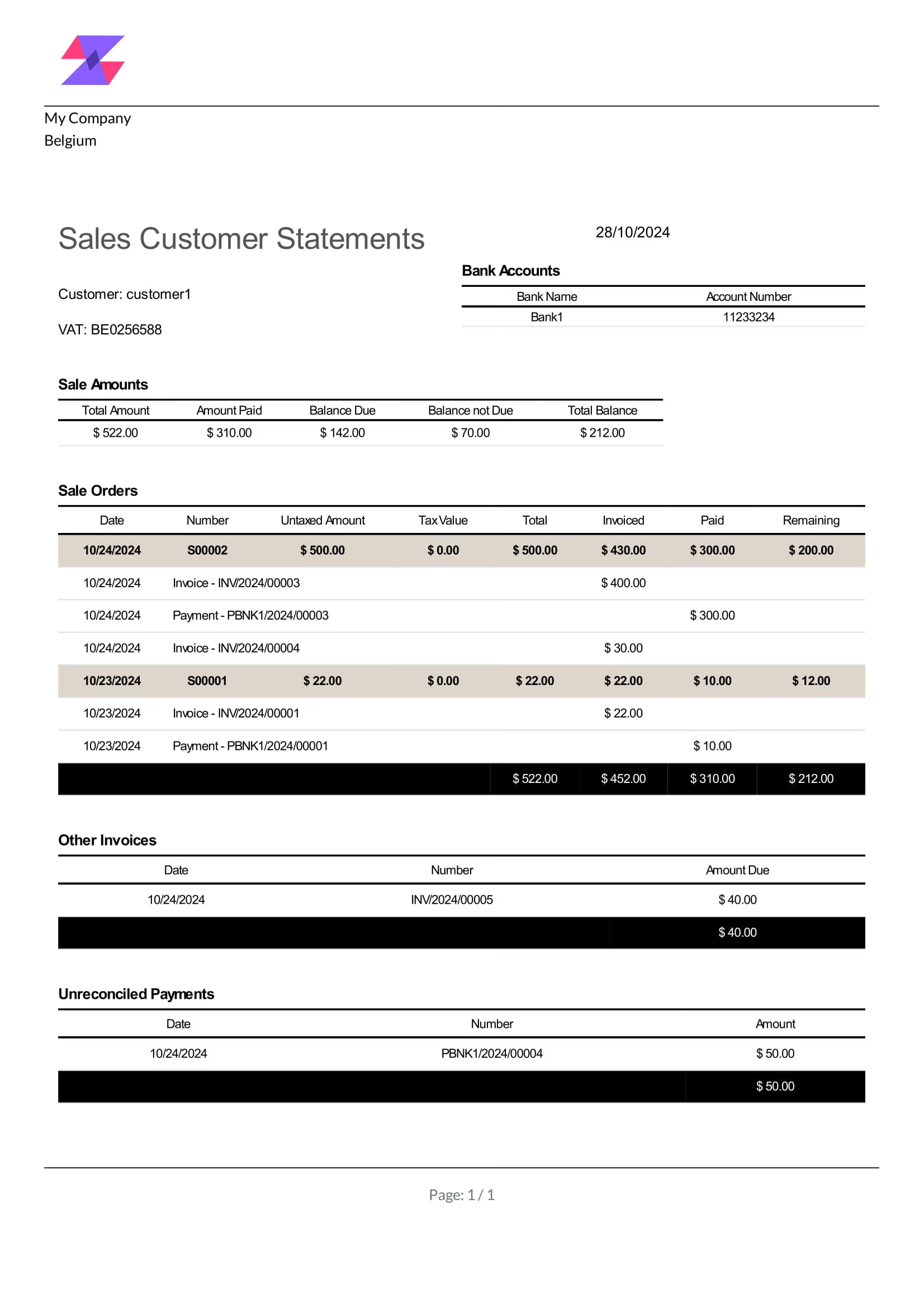
- Bank Accounts: company bank accounts
- Sale Amounts
- Total amount: total amount of sales
- Amount paid: total amount paid out of sales
- Balance due: invoiced amount not paid
- Balance not due: not yet invoiced
- Total Balance: outstanding sales amount(Total amount - Paid)
- Sale orders
- Sale order
- Any invoice related to this sale order
- Any payment related to this sale order
- Other invoices: any invoice belonging to the customer and not related to a sale order
- Unreconciled Payments: any payment belonging to the customer and not related to a invoice
PDF-English
PDF-Arabic