The app provides a comprehensive solution for managing customer credit and mitigating financial risks. This powerful tool allows you to set individual credit and blocking limits for each customer, ensuring that you maintain control over your accounts receivable. With automated email notifications and the ability to put customer accounts on hold, this app streamlines your credit management process, reduces the likelihood of bad debt, and helps you make informed decisions to protect your business's financial health.
Set individual credit and blocking limits for each customer.
Automatically send email notifications to administrators when a customer exceeds their credit limit.
Place a customer's account on hold to prevent them from creating new sales orders.
Display credit limit and due amount information directly on the sales order.
Generate warning pop-ups when a customer's credit or blocking limit is exceeded.
Control the confirmation of sales orders for customers who have surpassed their credit limit.
Maintain a clear and accessible record of all credit-related activities and notifications.
Minimize financial risk by preventing customers from accumulating excessive debt.
Improve cash flow by reducing the incidence of late or non-payment.
Enhance decision-making with real-time visibility into customer credit status.
Automate credit control processes to save time and reduce administrative overhead.
Strengthen customer relationships by establishing clear and transparent credit policies.
Increase sales efficiency by integrating credit checks into the order creation process.
Reduce the risk of bad debt and improve overall financial performance.
Set Customer/Partner Credit Limit
Credit Limit Assignment for Customers
Restrict Sales Based on Partner Credit Limit
Assign or Hold Credit Limit for Customer/Partner
With this apps, you can set customer credit limit and blocking limit when it exceeded. You need to set a credit limit and blocking limit for any particular customer. So if any user crosses its credit limit, an auto-generated email will be sent to administrator along with that sale order reference. Another useful feature is, Customer can be put on hold. This module feature is useful when customer crosses its credit limit with a lot margin. Once Customer is put on hold, customer will be unable to place any sale order.
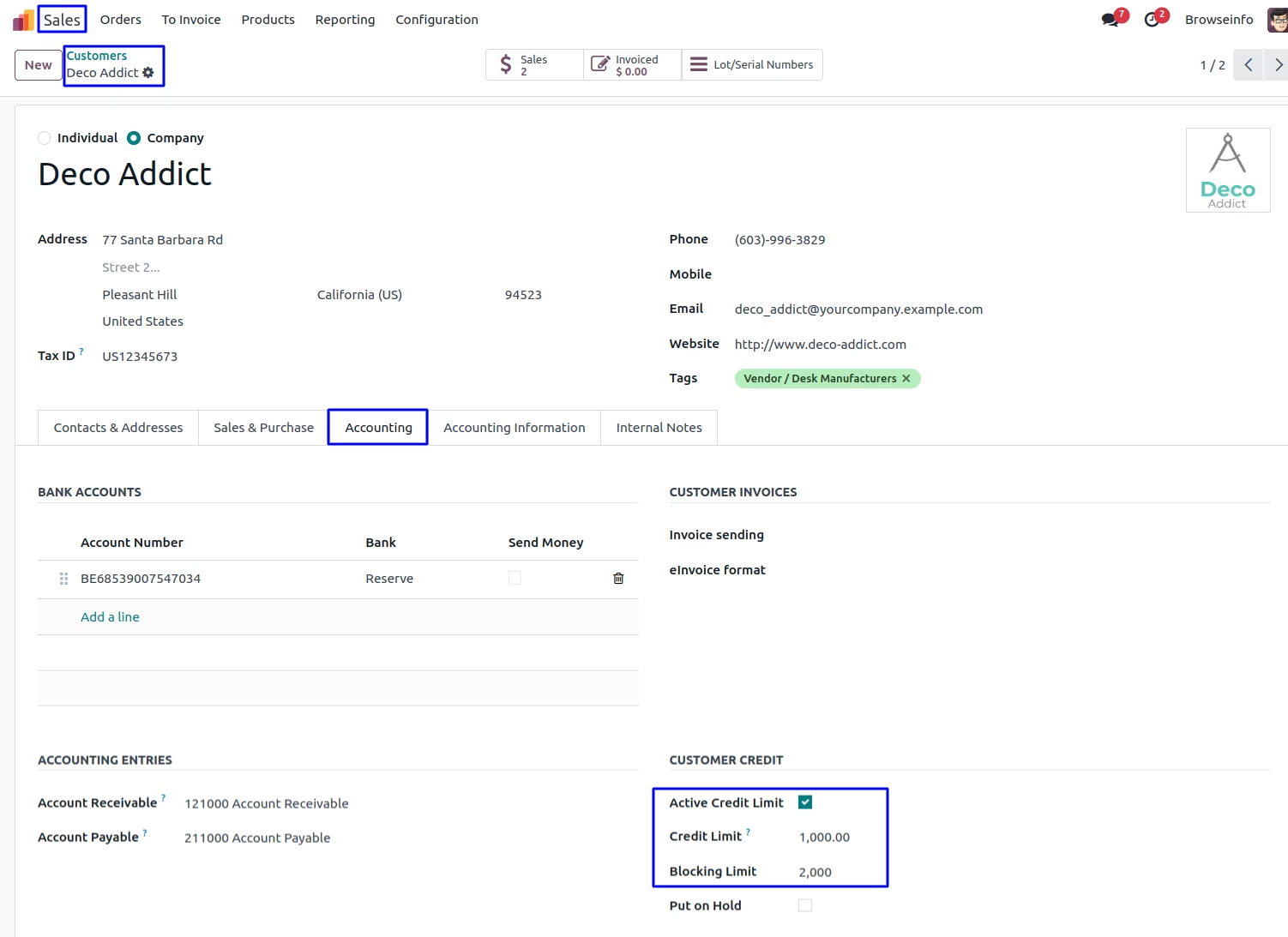
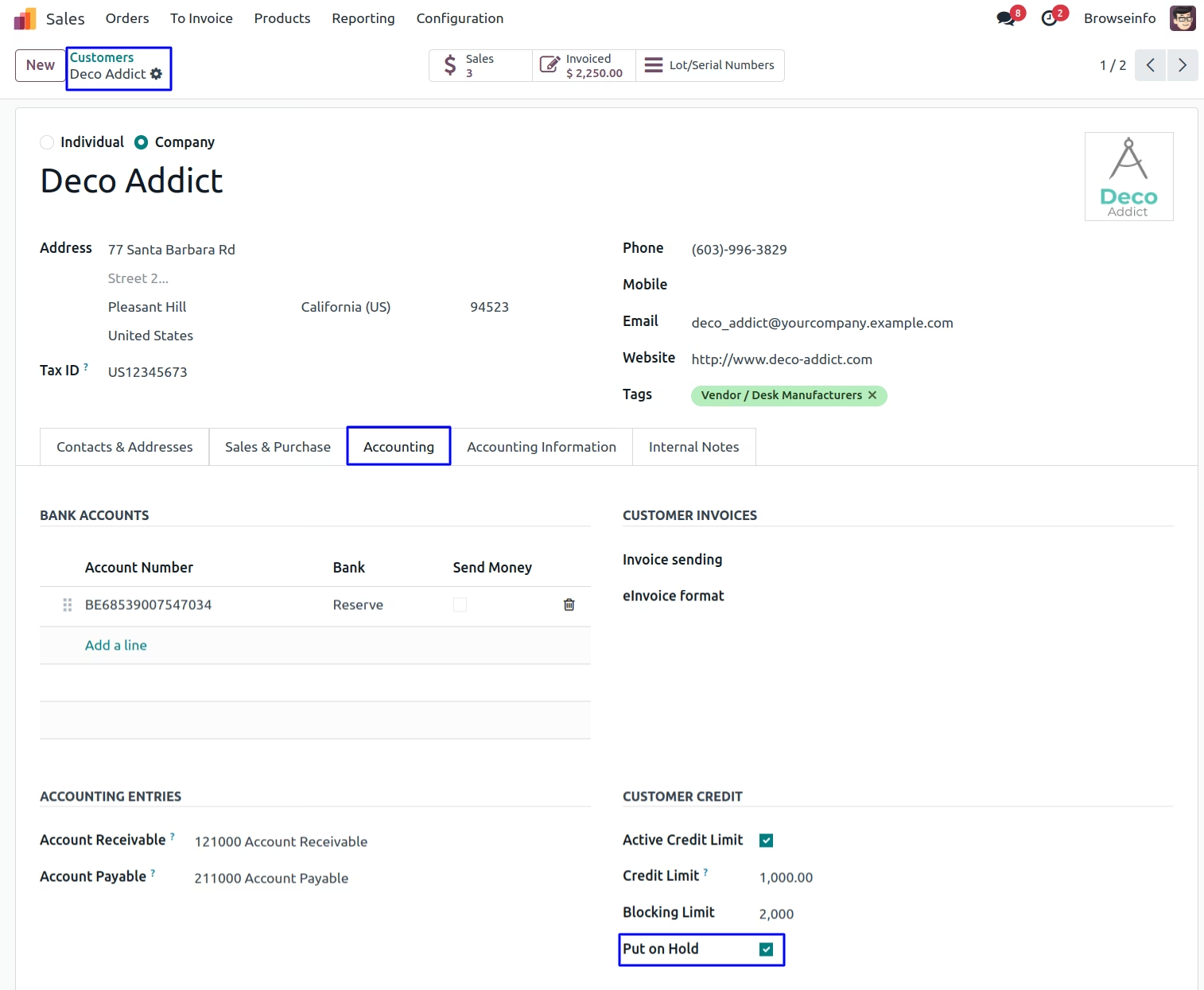
In Customer, Invoicing tab you can set Credit limit and blocking limit, even put that customer on hold. Customer will be unable to place any order if put on hold.
Enable or Disable customer credit limit.
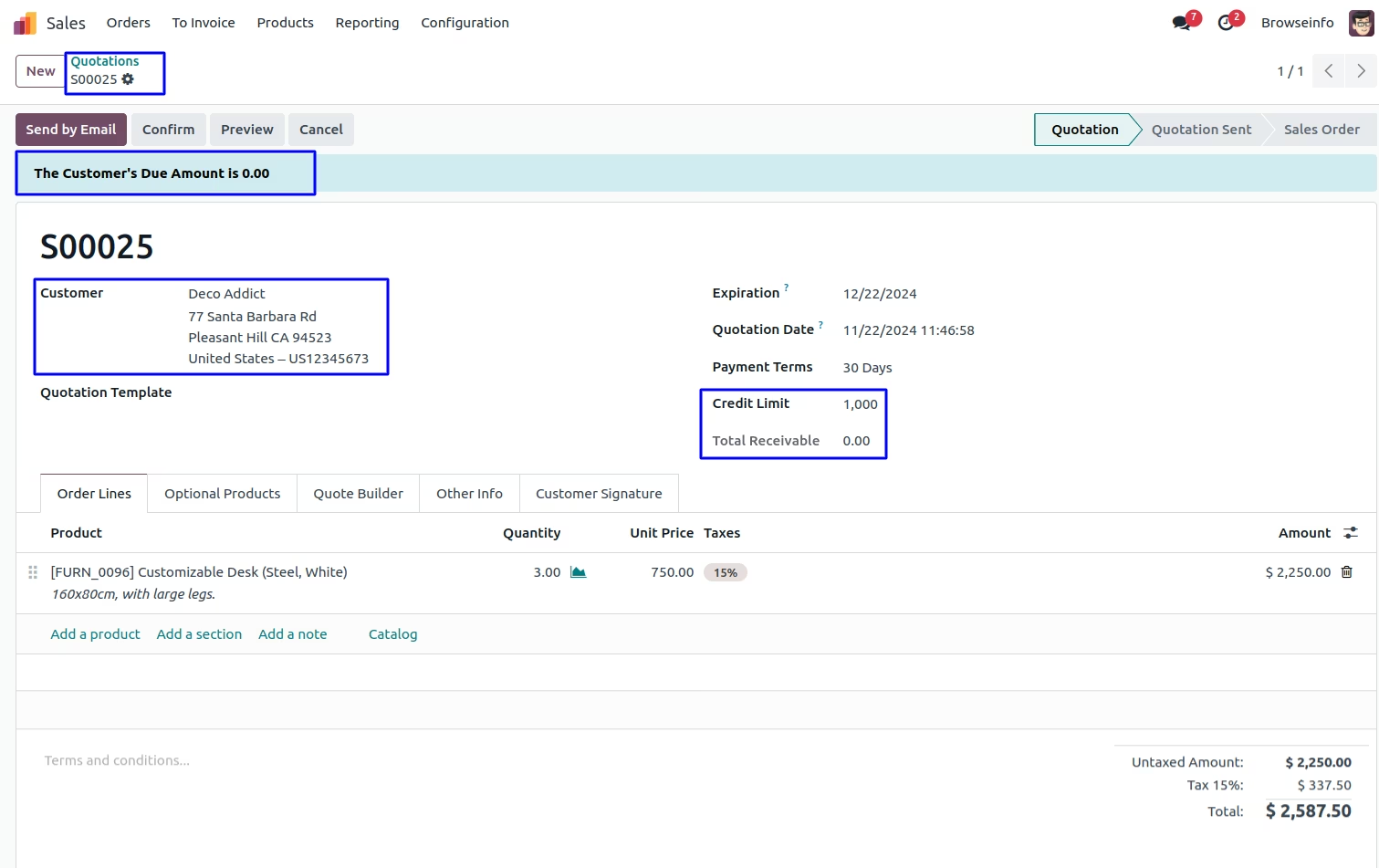
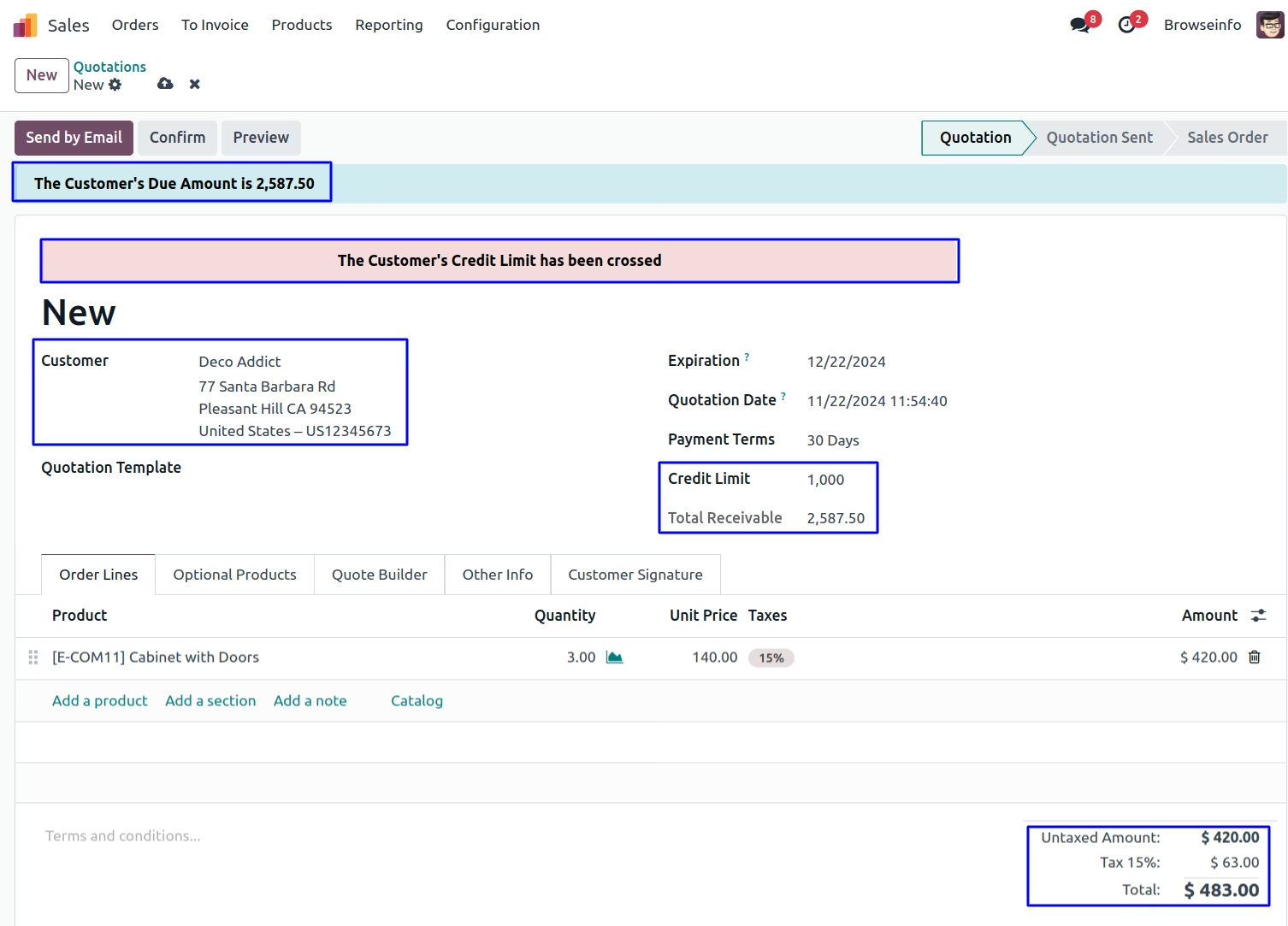
While creating any sale order, customer can see its credit limit, also total amount that is receivable till now. Customer can place sale order even if total receivable is more than credit limit.
You can also view notification about customer's due amount.
Credit Limit Wizard
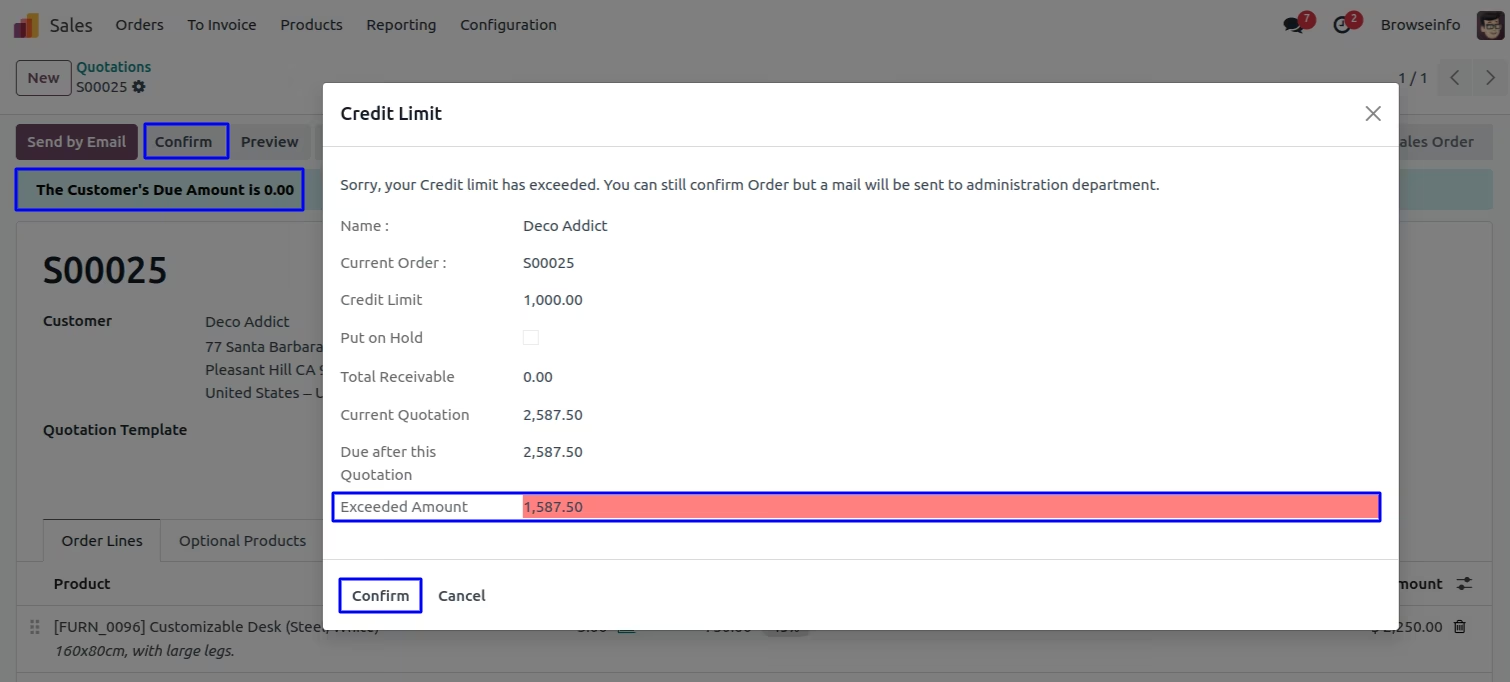
If customer's credit limit exceedes while creating sale order, when customer confirms order. At that time a pop-up is provided that will show a warning to customer that credit limit has been exceeded along with exceeding amount and other details. On clicking confirm button, customer can confirm that sale order.
Auto Generated Email
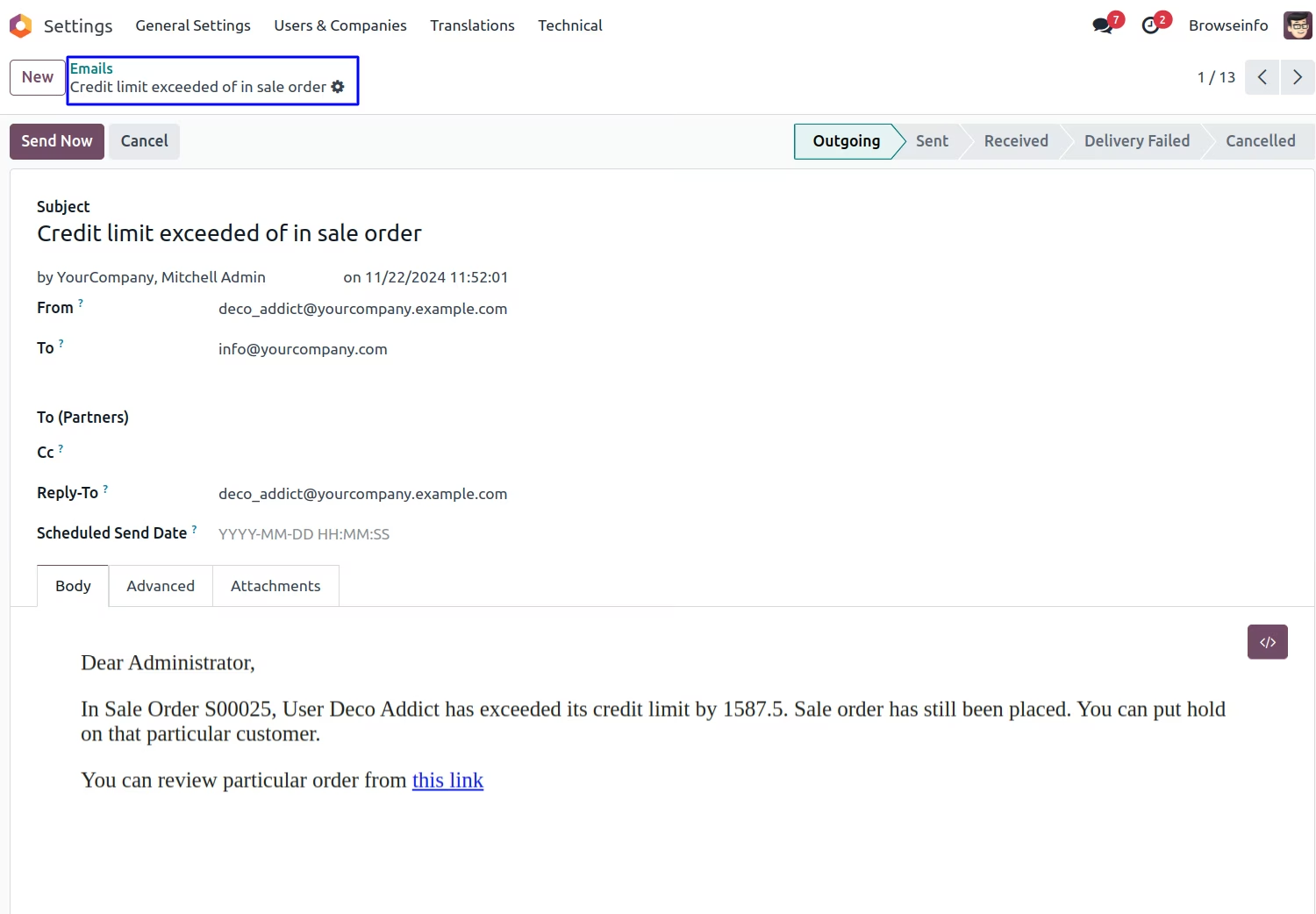
When customer's credit limit is exceeded, on confirming sale order, an auto-generated email will be sent to administration department. Mentioning, sale order name, customer name, amount exceeded and a link to review that particular sale order. also you can view sale order by clicking on given link.
Customer Blocking Limit
Customer blocking limit is crossed then it will be show the warning about crossed customer blocking limit.
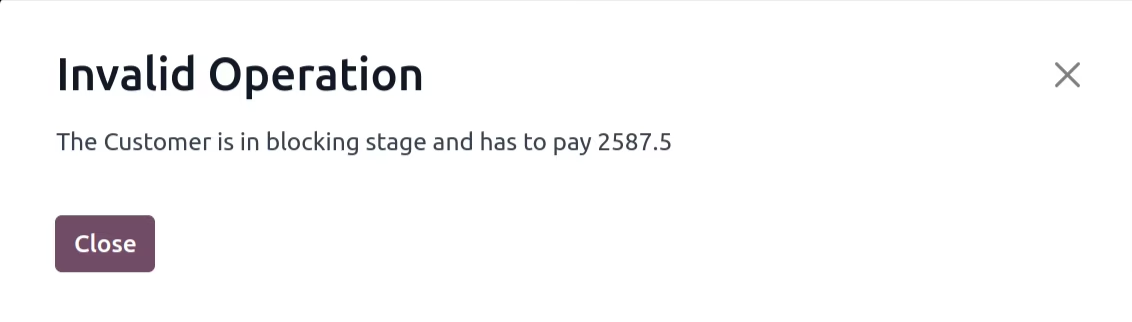
If customer exceeds blocking limit amount then it shows warning pop-up about blocking limit exceeds and customer will be unable to place any sale order.
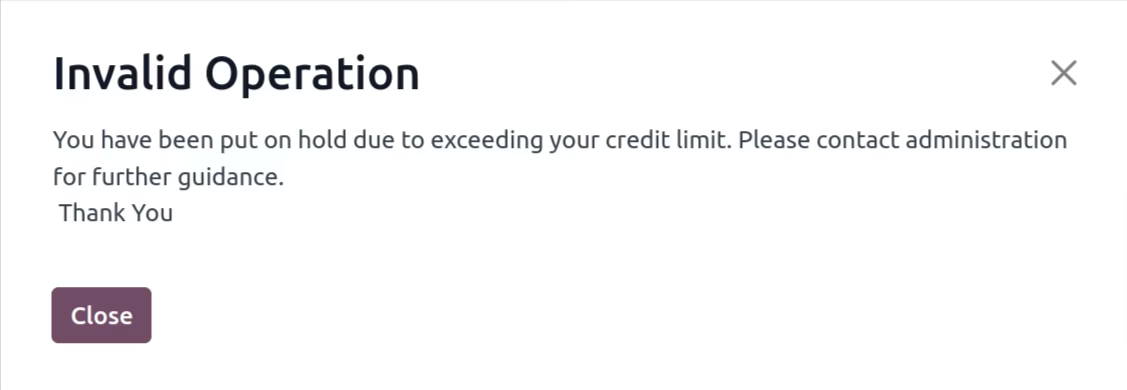
If any customer exceeds its credit limit by a lot margin or it happens often times, you can put that customer on hold by selecting this option. Once customer is put on hold that customer will be unable to place any sale order.
If a customer is on hold, they will be blocked from confirming any sale order and prompted to contact the administration team.