The module for is an essential tool for managing your accounts receivable and ensuring timely payments from your customers. This module automates the process of sending reminders for overdue invoices, helping you to improve your cash flow and reduce the administrative burden of manual follow-ups. With customizable follow-up levels and automated email notifications, you can create a systematic and effective dunning process that is tailored to your business needs.
Automatically send email reminders for unpaid invoices.
Configure multiple follow-up levels with distinct email templates for each stage.
Schedule reminder emails to be sent before or after the invoice due date.
Set up recurring email reminders at specified intervals (days or hours).
View a complete history of unpaid invoices for each customer.
Manually send follow-up emails or print letters directly from the customer's account.
Generate reports of all overdue invoices and their corresponding due amounts.
Track the last and next follow-up actions for each customer.
Improve cash flow by ensuring timely payment of invoices.
Save time and reduce administrative costs by automating the follow-up process.
Maintain good customer relationships with professional and timely communication.
Gain better visibility into your accounts receivable with detailed reporting.
Increase the efficiency of your accounting team by streamlining their workflow.
Customize the follow-up process to match your company's policies and tone.
Reduce the risk of bad debt by proactively managing overdue payments.
Initiates Customer Accounting Follow-ups for Late Payments.
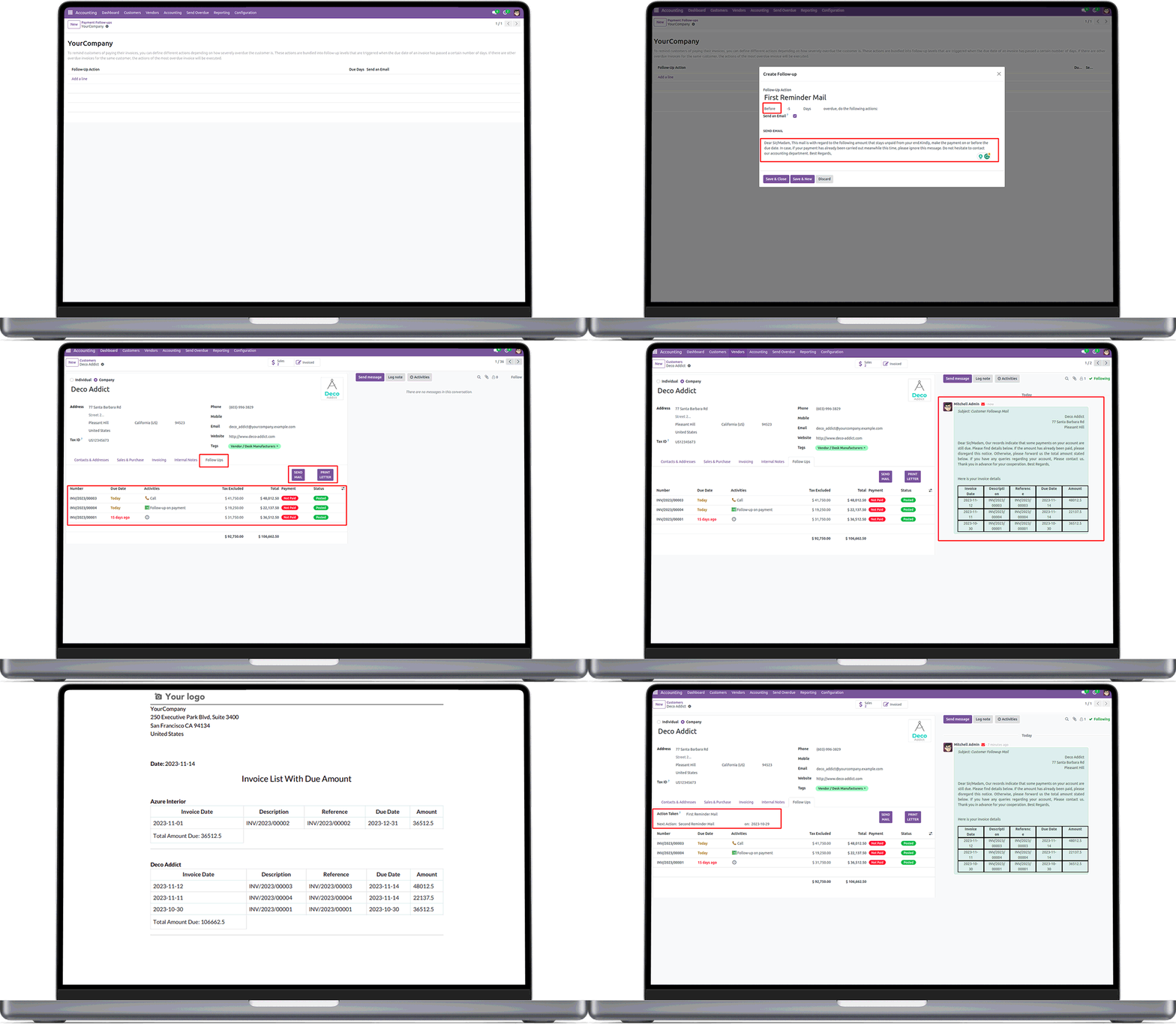
Automatic Email Notification for Unpaid Invoices.
Automatically generate email for customers with unpaid invoices.
Follow-up levels.
Configure follow-up levels.
Separate Mail for Each Level.
Sends separate mail for each level.
Schedule Emails.
Schedule email before/after due date.
Repeated Emails.
Possible to set repeated emails after/before in days/hours.
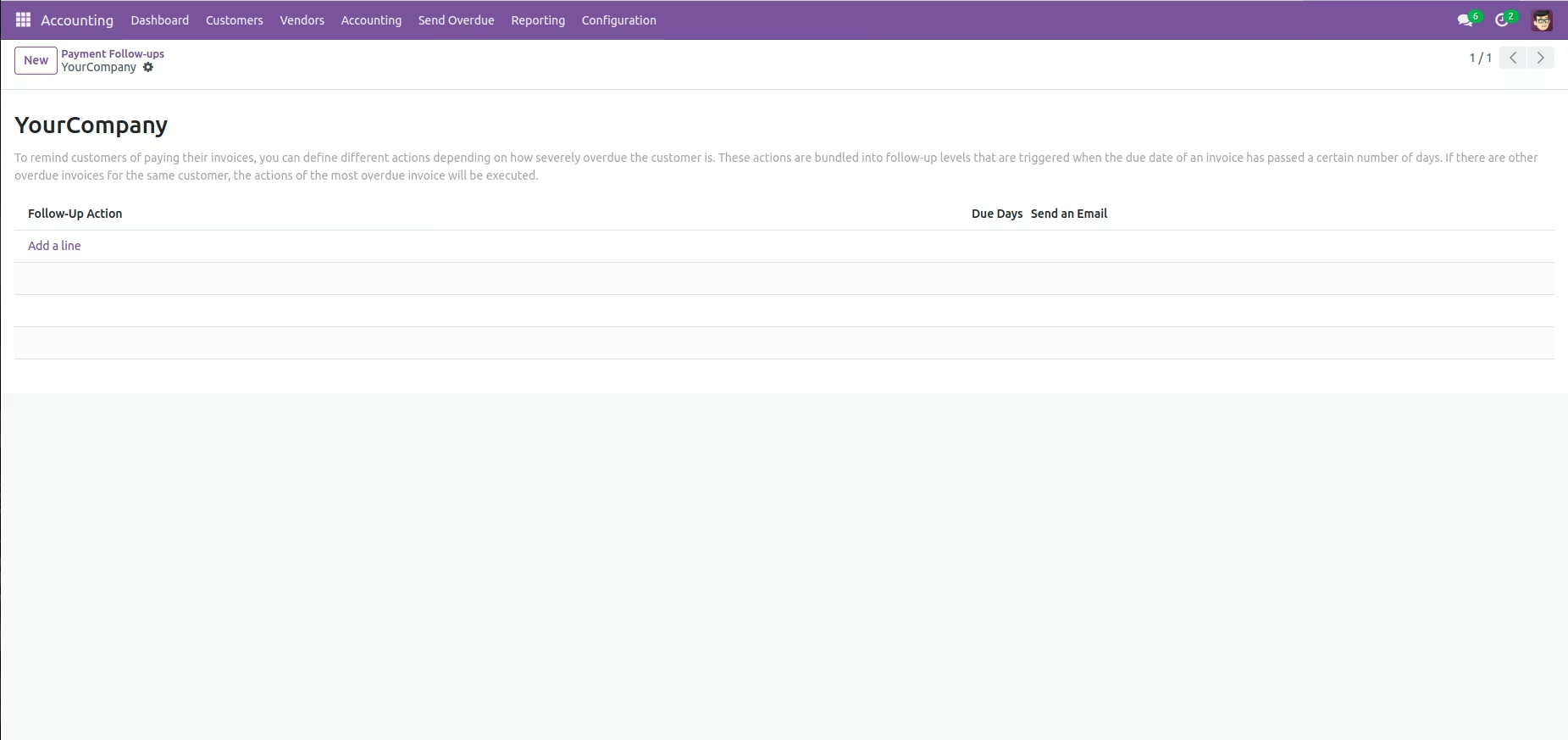
Configure follow-up levels.
Go to Accounting --> Configuration --> Management --> Follow-up Levels in order to configure levels in follow-up.
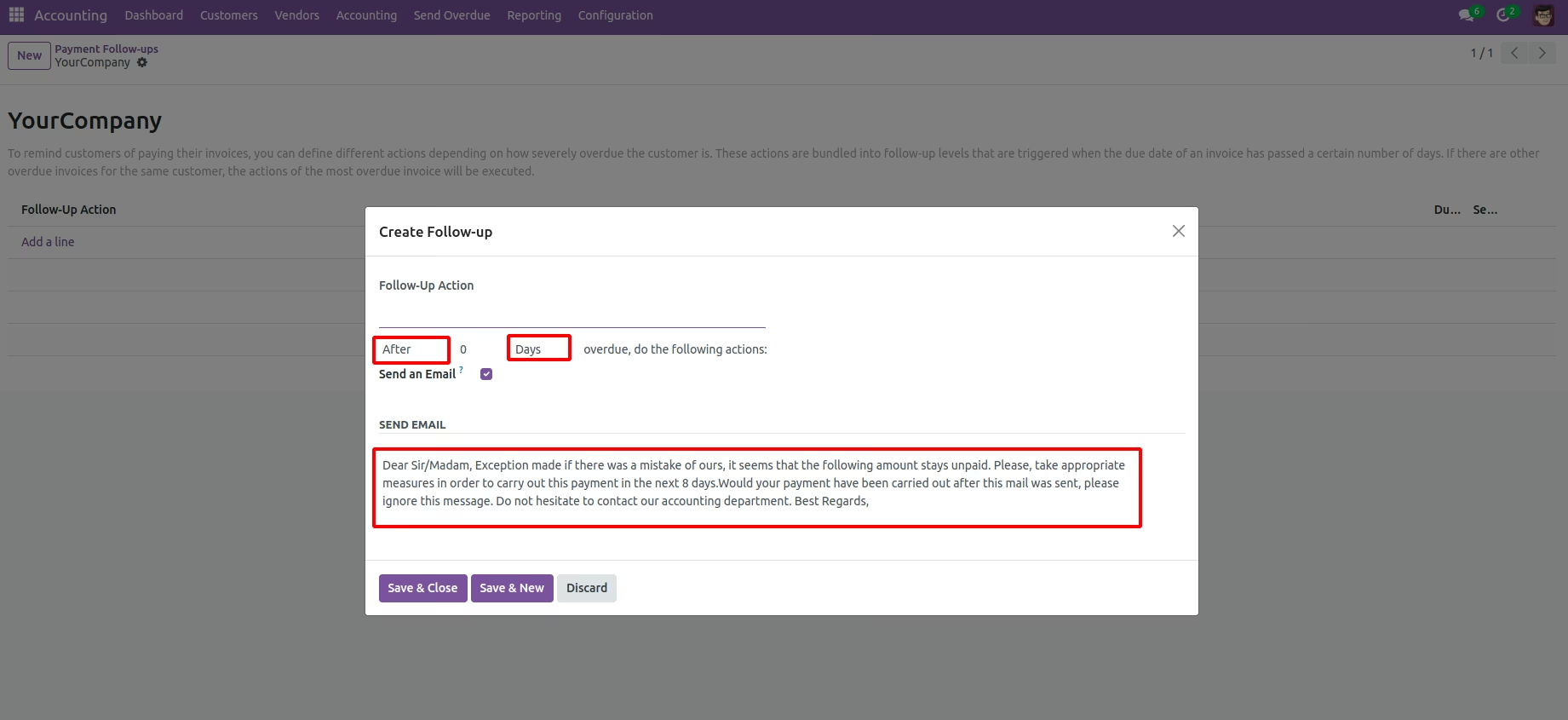
Set up remainder emails.
You can set remainder emails (days/hours after/before due date when email has to be sent). Also set separate mail for each level. .
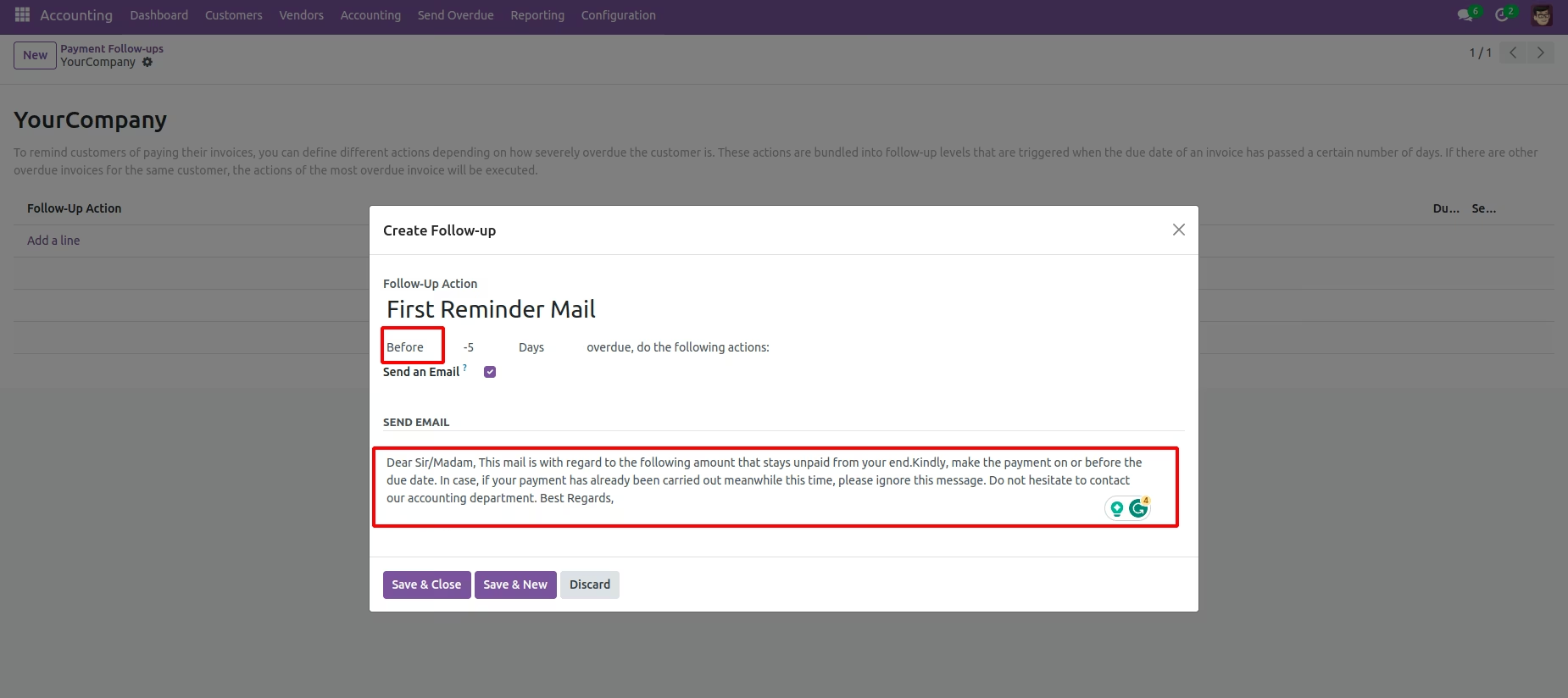
Automatic description change based on context.
If we select After/Before option, the description in the email template changed automatically, or also we can edit the content before send.
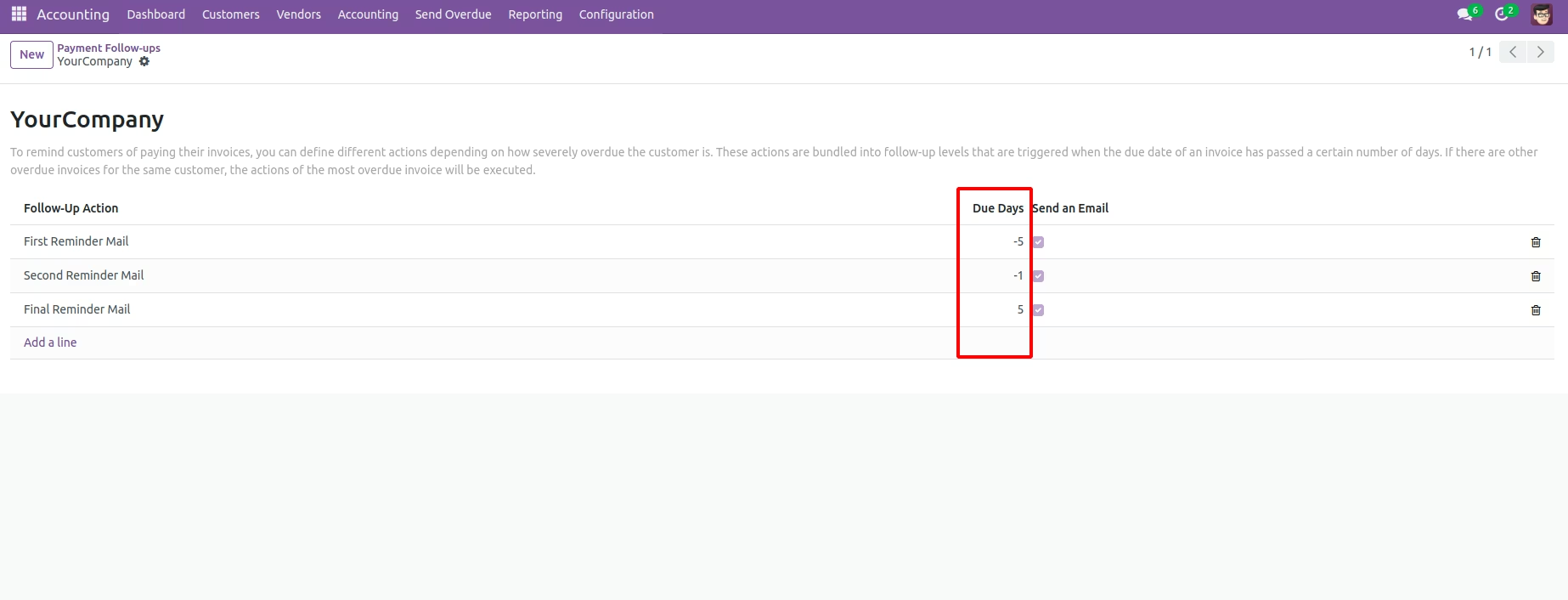
Differentiate easily between the mails set for before / after the due date
After, configure the Follow-ups levels, you can see a window like below. In the Due Days column, the minus sign indicates that these level set for before due dates emails and others for after due dates emails.
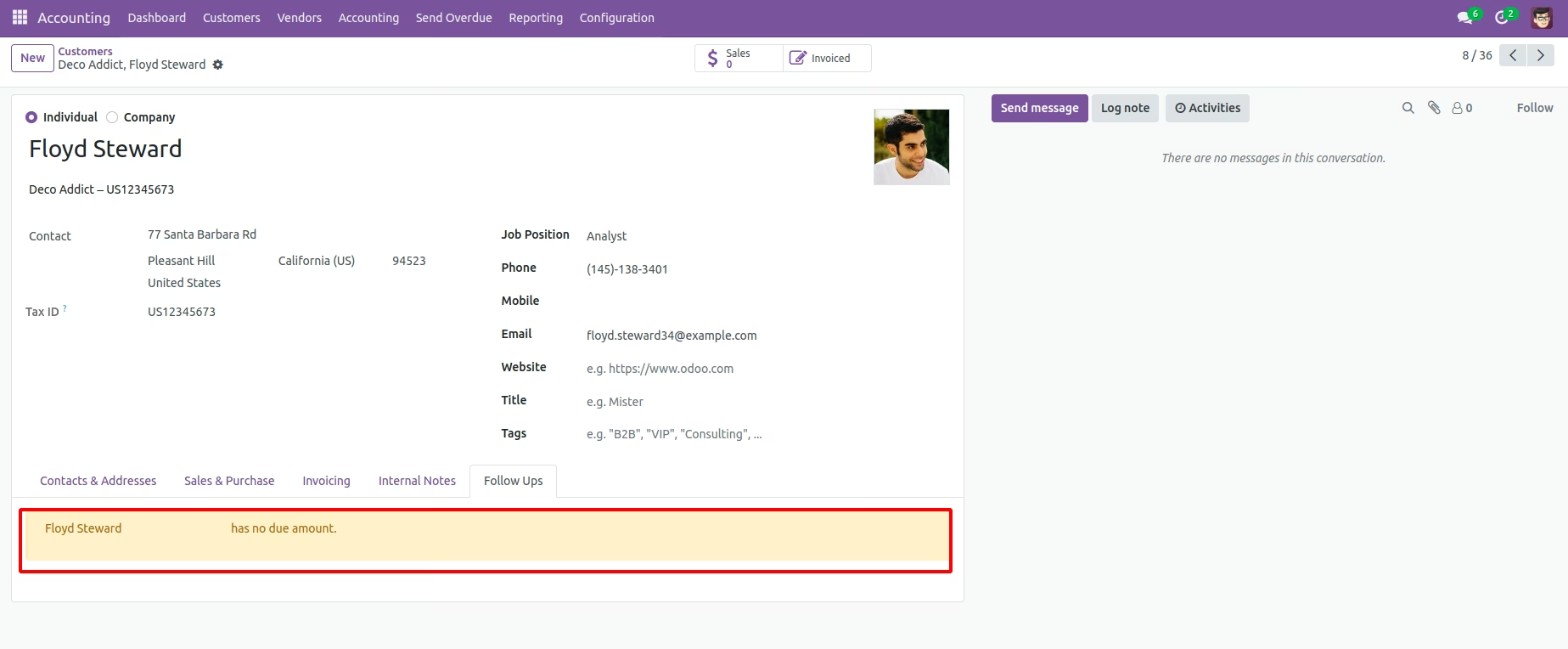
See if there are unpaid customer invoices.
Go to Invoicing --> Customer --> Customers --> Follow-Ups tab in order to see the unpaid invoices of the customer. If there are no unpaid invoices, the tab shows like below.
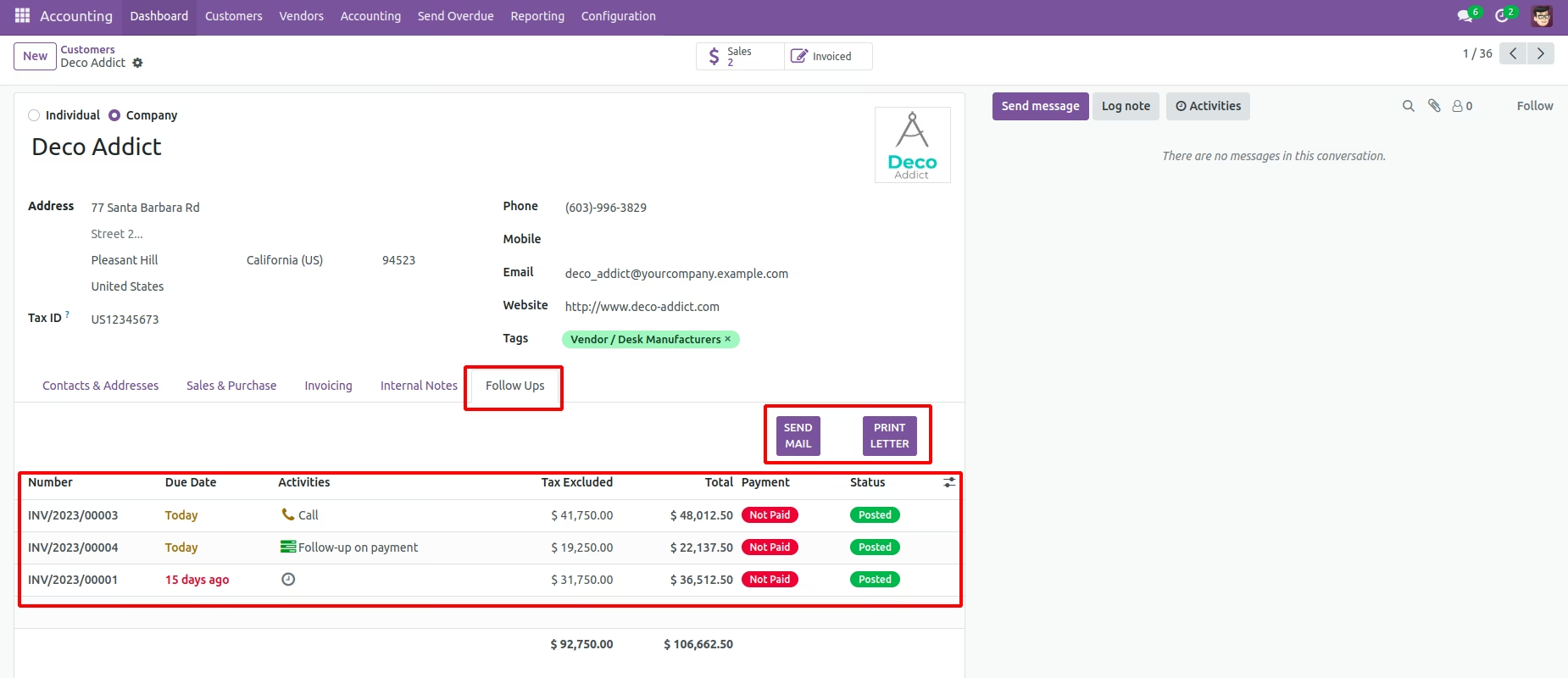
Unpaid customer invoice details.
If there are any unpaid invoices, the tab become like below.
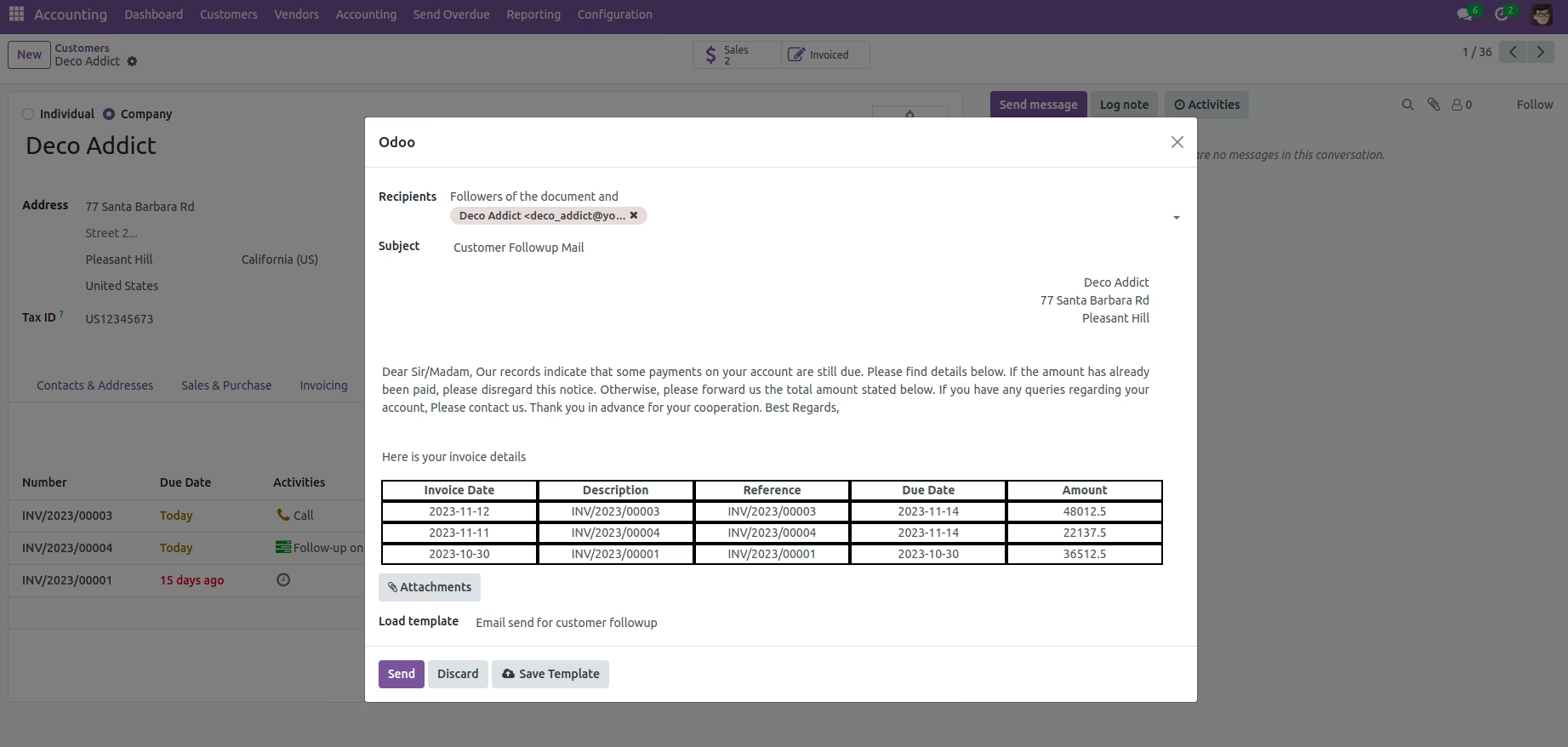
See automatic actions / Manually send emails.
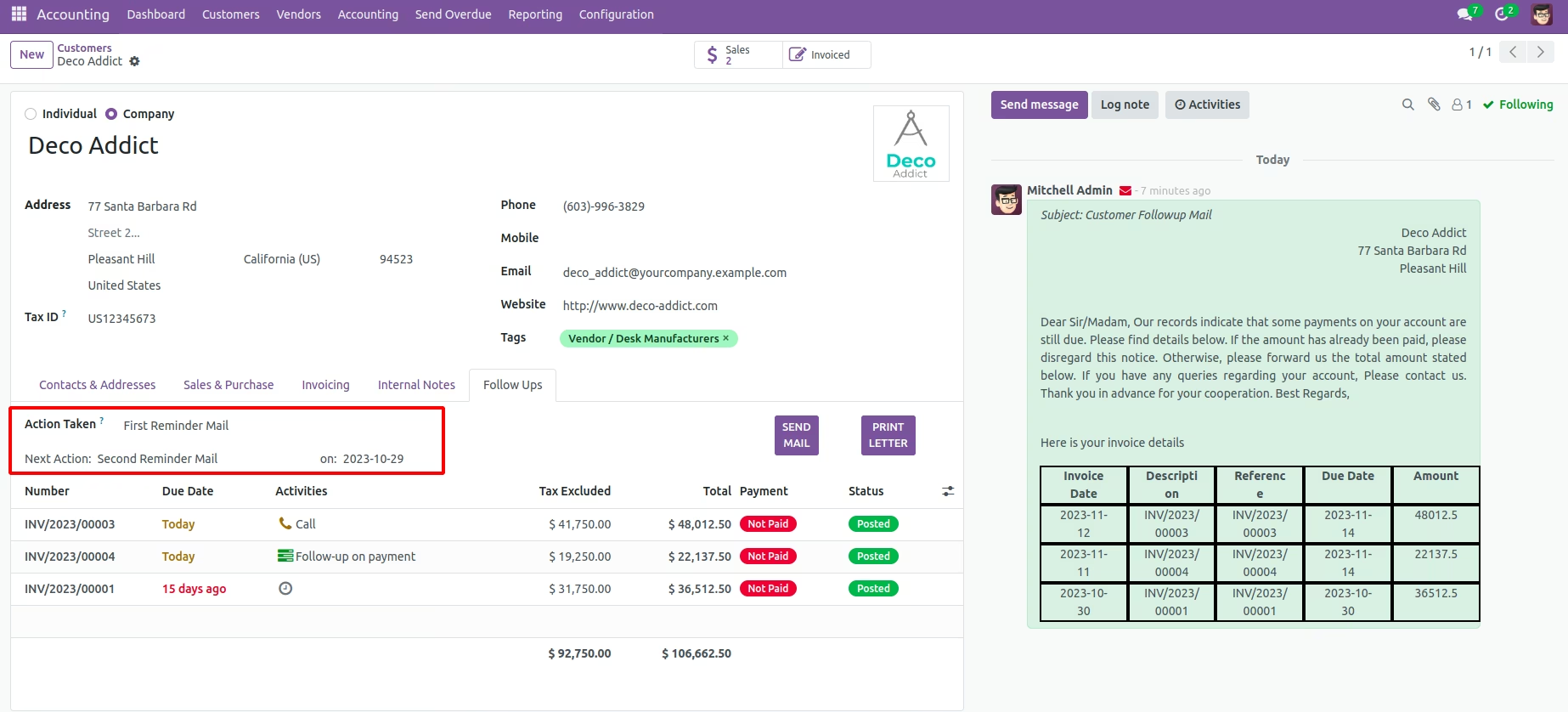
You can see the automatic actions taken for the customer and can send a reminder mail seeking immediate payment by clicking on the SEND MAIL button.
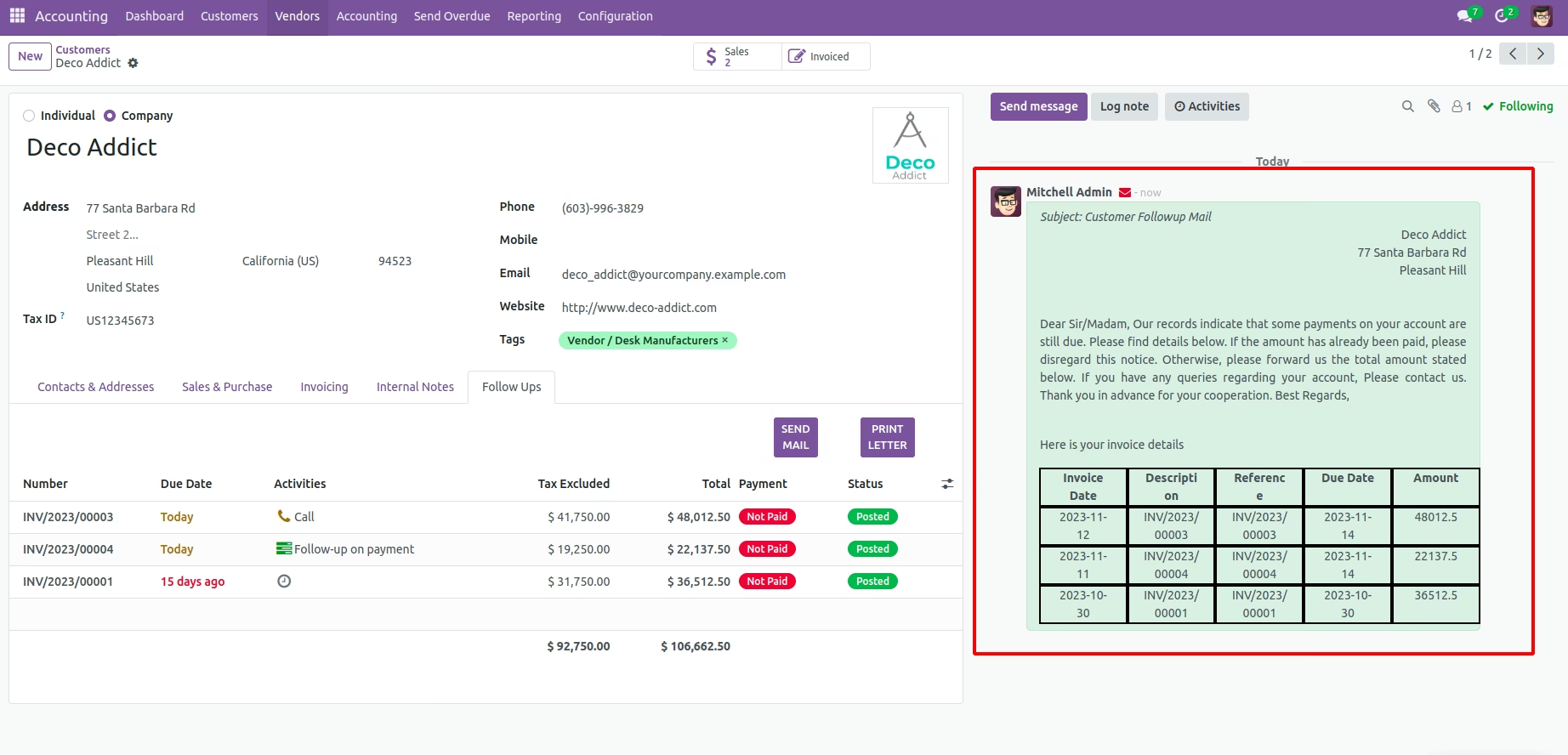
View sent emails.
After sending the email, you can see the email from the chatter like above.
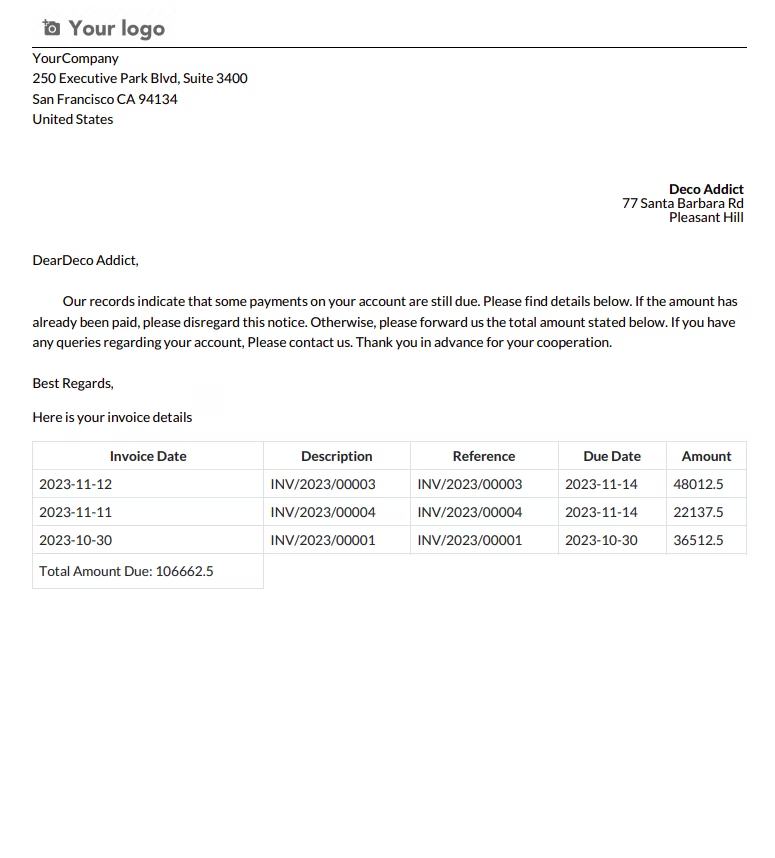
Print sent emails.
Print out the unpaid invoice details by using PRINT LETTER button.
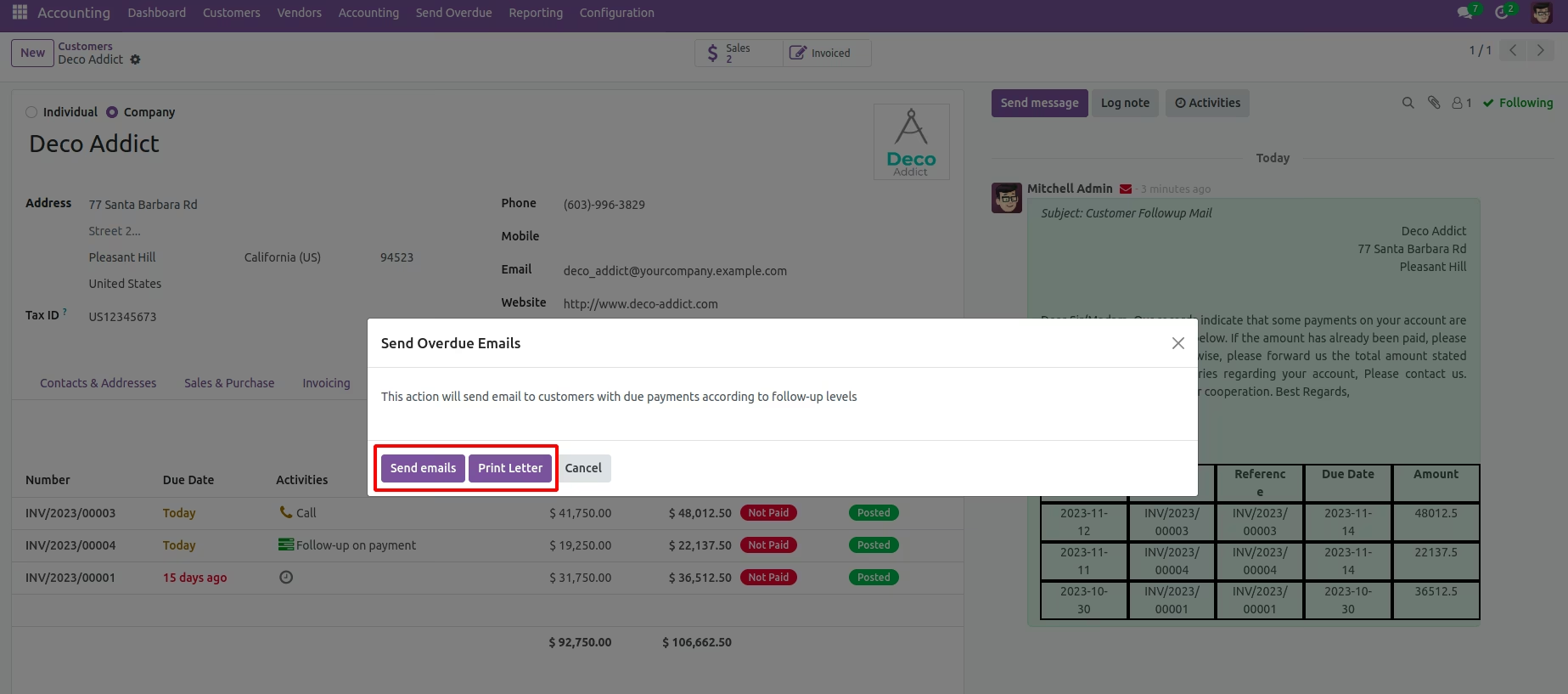
Send mail to customers with unpaid invoices based on follow-up levels.
Go to Invoicing --> Send Overdue in order to send email to customers with unpaid invoices based on follow-up levels.
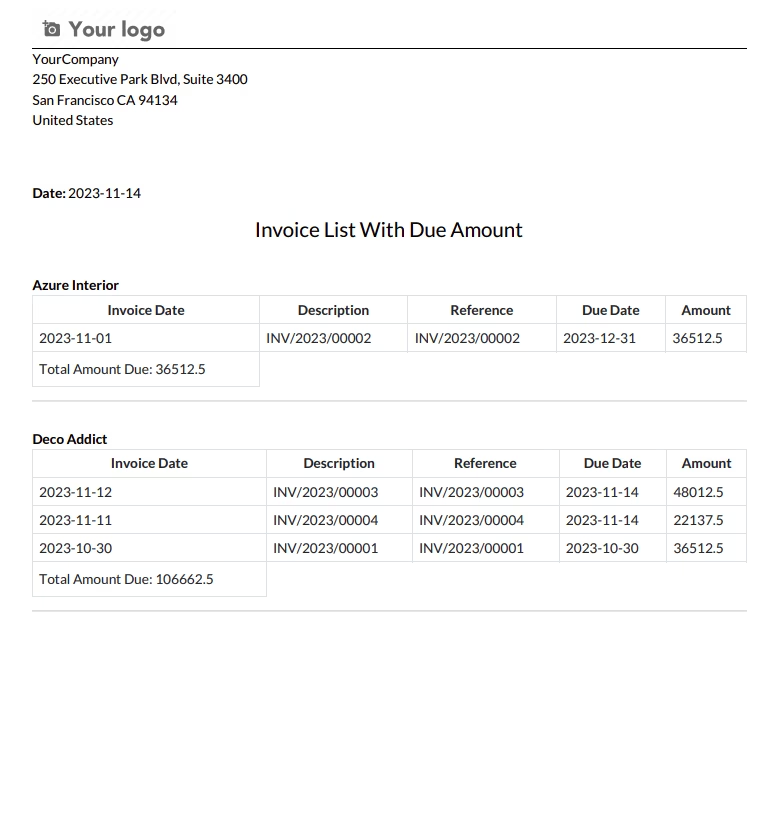
Print list of invoices and their due amount.
Click on Print Letter button. Then you can print out the due amount invoice list of all customers like below.
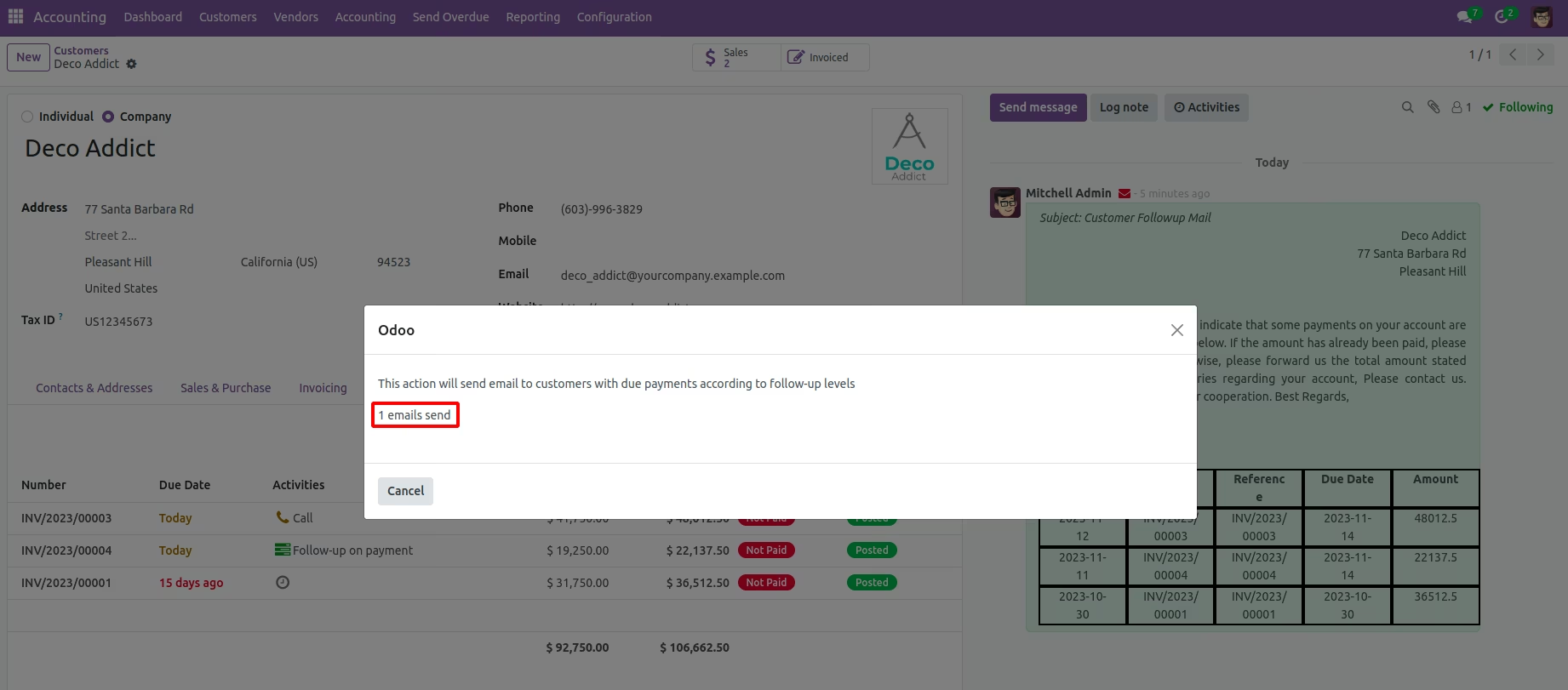
View the number of customers to whom emails are sent.
Click on Send Emails button. Then you can see the number of customers to whom emails are sent.
-
 Automating reminders for overdue invoices and facilitating seamless communication with customers.
-
Optimize invoice follow-up processes, offering configurable levels, personalized email options.
-
Cash flow management
- Improve cash flow management with this module, as it enables the automation of reminder emails, provides a centralized view of unpaid invoices in the partner form, and facilitates quick letter or email creation with invoice details.